
yinnho/aginxbrowser
The browser built for AI agents — fetch live pages as markdown, render JS/SPAs with built-in V8, take screenshots without Chromium, meta-search 20 engines, and drive interactive login sessions. One Rust binary, stealth TLS fingerprints, MCP native for Claude Code & Cursor. Headless browser alternative to Puppeteer/Playwright.
Project Overview项目介绍
AginxBrowser is an independent browser built specifically for AI agents, designed from the ground up rather than adding automation layers on top of a human-focused browser. It requires no Chromium dependency, shipping as a single Rust binary that can be run instantly on most common Linux distributions. It is benchmarked to be 7.6 times faster than headless Chrome for extracting agent-usable text, while using roughly 10 times less memory per browsing session. It supports multiple AI agent platforms including Claude Code, Cursor, and DSH, offering three integration interfaces: HTTP API, native MCP, and CDP.
AginxBrowser provides AI agents with full end-to-end capabilities for viewing web pages, extracting content, searching the web, handling interactive actions, and caching content locally in an SQLite FTS5 cache. It supports real TLS fingerprint spoofing to bypass common anti-bot checks, can handle Cloudflare Turnstile challenges automatically by waiting for the clearance cookie, and offers persistent interactive sessions that retain login state across server restarts. It is ideal for AI agent workflows that require web scraping, information retrieval, or multi-step interactive tasks, and developers can deploy it as dedicated browsing infrastructure for AI agents.
AginxBrowser is released under the open-source Apache-2.0 license, with no extra runtime dependencies. Users only need to download the single precompiled binary from the project’s release page to start the service right away. It has several known limitations: CSS rendering on complex sites is not pixel-perfect, heavily fingerprint-protected sites may still block access, Baidu Wenku is not supported, and Zhihu articles require a valid access credential to load correctly. Screenshot support is also an optional feature that must be enabled at compile time with a specific build flag.
AginxBrowser是一款专为AI代理设计的独立浏览器工具,从底层开始就为AI代理构建,而非在人类浏览器上附加自动化功能。它无需依赖Chromium,单个Rust二进制文件即可运行,相比无头Chrome速度快7.6倍,内存占用降低约10倍,提供HTTP API、原生MCP和CDP三种接入方式,支持Claude Code、Cursor等多AI代理平台,也可集成到DSH。
它为AI代理提供看网页、读内容、搜信息、操作交互、本地缓存记忆的全流程能力,支持真实TLS指纹伪装、持久化交互会话,可绕过常见反机器人验证,适合需要网页抓取、信息检索、多步骤交互的AI代理工作流,也适合需要网页渲染能力的AI代理开发场景,开发者可将其作为AI代理的专用浏览基础设施部署使用。
本项目采用Apache-2.0开源协议,完全免费开源,无额外运行依赖,仅需下载单个二进制文件即可启动使用。目前存在部分功能限制,比如复杂站点CSS渲染达不到像素级完美,重度指纹验证站点可能访问失败,百度文库不支持,知乎文章需要有效凭证才能访问。
请帮我安装这个 DSH 插件。安装前先完成【兼容性检查 + 安全性检查】,检查通过再动手。

插件:aginxbrowser(yinnho/aginxbrowser)
仓库:https://github.com/yinnho/aginxbrowser
本站详情页:https://www.yhbd.top/plugins/yinnho-aginxbrowser/
本站登记:类型 plugin · 归类 多平台兼容工具(非 DSH 原生) · 许可证 Apache-2.0 · ⭐ 35 · 最近提交 2026-10-03 · 主语言 Rust

按下面顺序执行,每步先把结论告诉我,再进入下一步:

【1 兼容性检查】
① 我这边:DSH 版本、Node 版本、操作系统、当前 profile(web / desktop)。
② 读它的 README、package.json、插件 manifest,列出它要求的 DSH 版本 / Node 版本 / 操作系统 / 外部依赖 / 需要另外先装的运行时。
③ 逐条比对,结论只写「满足 / 不满足 / 未知」三种;不满足的给出可行替代方案。
④ 检查是否和我已装的插件冲突:命令名重复、skill / tool 重名、端口占用、重复注册的 MCP server。

【2 安全性检查】
① 仓库可信度:和上面「本站登记」是否一致;star / fork 数、创建时间、最近提交,是否归档或长期停更。
② 安装脚本:逐行看 package.json 的 preinstall / install / postinstall,以及 install.sh、setup.ps1 之类脚本。出现 curl|bash、下载后直接执行、混淆代码、访问与插件功能无关的域名,立刻停下来告诉我,不要继续装。
③ 依赖:列出新增依赖,标出无人维护、或与知名包拼写近似的可疑包(typosquatting)。
④ 权限与副作用:它会读写哪些目录、访问哪些域名、需要哪些 DSH 权限(filesystem / network / shell / clipboard 等),以及怎么卸载和回滚。
⑤ 如果它要求 sudo / 管理员权限,或权限明显超出功能所需,先停下来问我。

【3 安装】
上面两步没有「不满足」和「高危项」时才执行;用官方推荐方式安装,不要自行提权。

【4 汇报】
用表格输出:检查项 / 结论 / 依据 / 是否需要我决策。拿不准的一律写「未知」并说明要我怎么确认——不要猜,也不要替我决定。
Send this message to DSH in your current session: it verifies compatibility and security first (answering met / not met / unknown item by item) and only installs once everything checks out — it will stop and ask you if it finds a high-risk item. The box scrolls; the copy is the full prompt. CLI install commands may not be accurate across systems, so DSH is the safer route.把上面这条消息直接发给当前会话里的 DSH:它会先核对兼容性与安全性(逐条给「满足 / 不满足 / 未知」),确认没问题再安装,有高危项会停下来问你。框内可滚动,复制到的是完整提示词;安装命令不一定准确,发给 DSH 更稳。
- 35 stars - an early-stage project星标 35,属于早期项目
- Not DSH-native: a multi-platform tool that may require Node / Electron or another runtime first非 DSH 原生,是多平台兼容工具:可能要先装 Node / Electron 等运行时
DSH walks through these 9 checksDSH 会逐条核对这 9 项
Compatibility兼容性
- DSH, Node, OS and profile requirementsDSH 版本 / Node 版本 / 操作系统 / profile 是否满足要求
- External dependencies and runtimes (Electron / Python / Docker, ...)外部依赖与运行时(Electron / Python / Docker 等)是否齐备
- Conflicts with installed plugins: command names, skill / tool names, ports, duplicate MCP registration与已装插件是否冲突:命令名、skill / tool 重名、端口占用、重复 MCP 注册
Security安全性
- Repo matches the facts registered here; archived or abandoned?仓库是否与页面登记一致,是否归档或长期停更
- Safety of preinstall / install / postinstall and install.sh / setup.ps1preinstall / install / postinstall 与 install.sh、setup.ps1 是否安全
- curl|bash, download-then-execute, obfuscation, unrelated domains → stop immediatelycurl|bash、下载即执行、混淆代码、无关域名 → 立刻停止
- Typosquatting or unmaintained packages among the new dependencies新增依赖里有没有 typosquatting 或无人维护的包
- Requested permissions vs. what the feature actually needs申请了哪些权限、是否超出功能所需(filesystem / network / shell / clipboard)
- Any sudo / admin requirement, plus uninstall and rollback是否要求 sudo / 管理员权限,以及卸载与回滚方式
Anything uncertain must be marked unknown with a note on how to confirm it. This site's signal screen is a static snapshot, not a security audit.拿不准的必须标「未知」并说明要我怎么确认。本站的信号筛查是静态快照,不能替代安全审计。
Or use CLI install (for developers)或使用命令行安装(适合开发者)
CLI Install命令行安装
dsh plugin --profile web add github:yinnho/aginxbrowser把 yinnho/aginxbrowser 加入你的 DSH 配置(web profile)即可启用。
READMEREADME

AginxBrowser
English | 中文
The Browser for AI Agents. See the live web. Read it. Act on it. Remember it.


A browser built for agents from the first line of code — not a human browser bolted onto automation. See the world, read it, search it, act on it, and keep what you read: one Rust binary with built-in V8, no Chromium required.
Humans have Chrome. Agents have AginxBrowser.
One binary, zero dependencies, instant service. The HTTP API is the whole interface — agents plug in and go.
The star that got our attention: Pierre Tachoire, co-founder of Lightpanda — the headless browser our bench measures against — starred the repo. 90 seconds on why that mattered to us.
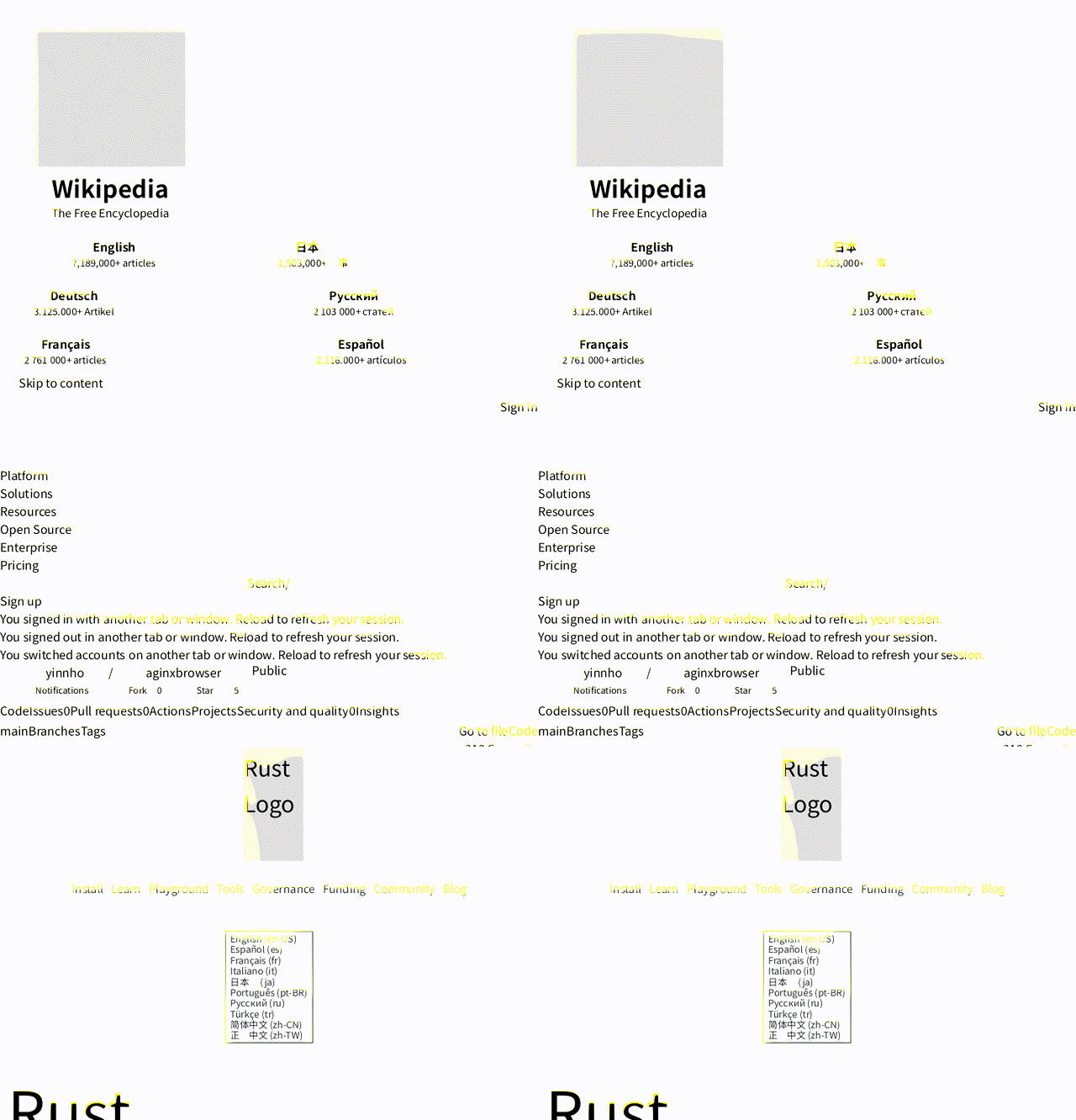
Real pages rendered by AginxBrowser's diting engine (no Chromium) — Wikipedia, this repo, Rust. Screenshot it yourself →
Why Agents Need Their Own Browser
Measured against headless Chrome on the same 20 pages, same network (bench, 2026-08-28): 7.6× faster to agent-usable text (p50 532 ms vs 4 053 ms), ~10× less memory (227 MB for the whole process vs ~2.1 GB per Chrome page), and 0 hard failures where Chrome's --dump-dom produced no DOM on 5 of 40 loads. Re-run on v0.5.21 (2026-09-29) on a degraded-network day held the ratio — 5.4× p50, 468 MB whole-run vs 1.75 GB per page — both raw TSVs are committed. An agent's total cost is browser efficiency × model efficiency — this is the browser half.
Existing "browser automation" was built for humans or for one-shot scraping — not for agents:
| AginxBrowser | Puppeteer/Playwright | Firecrawl | Browser-use | |
|---|---|---|---|---|
| Designed for | Agents first | Human debugging | Scraping service | LLM wrapper |
| Dependencies | Single binary, no Chromium | Chromium ~500MB | Docker ~1GB | Chromium |
| Sees (screenshots) | ✅ built-in diting rendering engine | Needs Chromium | ❌ | Needs Chromium |
| Reads | markdown + js_extract + fetch receipts | DIY | markdown | DIY |
| Writes documents | ✅ render_markdown: deterministic HTML + inline-SVG diagrams |
❌ | ❌ | ❌ |
| Finds (search) | ✅ 20 engines, 7 categories, merged | ❌ | ❌ | ❌ |
| Acts | indexed session interaction | DevTools API | ❌ | LLM-driven |
| Remembers | ✅ local fetch/search cache (SQLite FTS5) | ❌ | crawl cache | ❌ |
| Protocol | HTTP | Node API | HTTP | Python |
| TLS fingerprints | ✅ Chrome/Firefox/Safari/Edge | Plugin required | ❌ | ❌ |
| CAPTCHA | ✅ detect + auto-wait + optional 2captcha | DIY | ❌ | ❌ |
| Interactive sessions | ✅ persistent | ✅ | ❌ | ✅ |
Showing the opening section of the README — the full document lives in the repository以上为 README 开头摘要,完整文档在仓库内 · View the full README on GitHub →在 GitHub 查看完整 README →
Related相关推荐
-
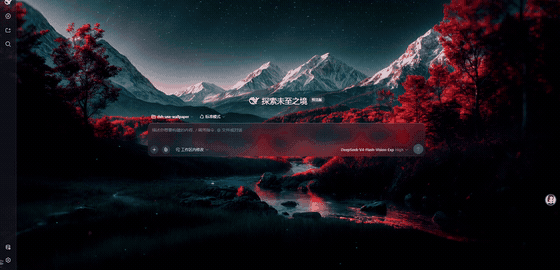 yu502950715yang/dsh-use-wallpaper
把 Wallpaper Engine 动态壁纸搬进 DeepSeek Harness 的 Web GUI:浏览器内实时渲染 scene 壁纸(three.js + Rust/WASM 粒子模拟),支持视频与 web 壁纸,无需 Wallpa…
yu502950715yang/dsh-use-wallpaper
把 Wallpaper Engine 动态壁纸搬进 DeepSeek Harness 的 Web GUI:浏览器内实时渲染 scene 壁纸(three.js + Rust/WASM 粒子模拟),支持视频与 web 壁纸,无需 Wallpa…
-
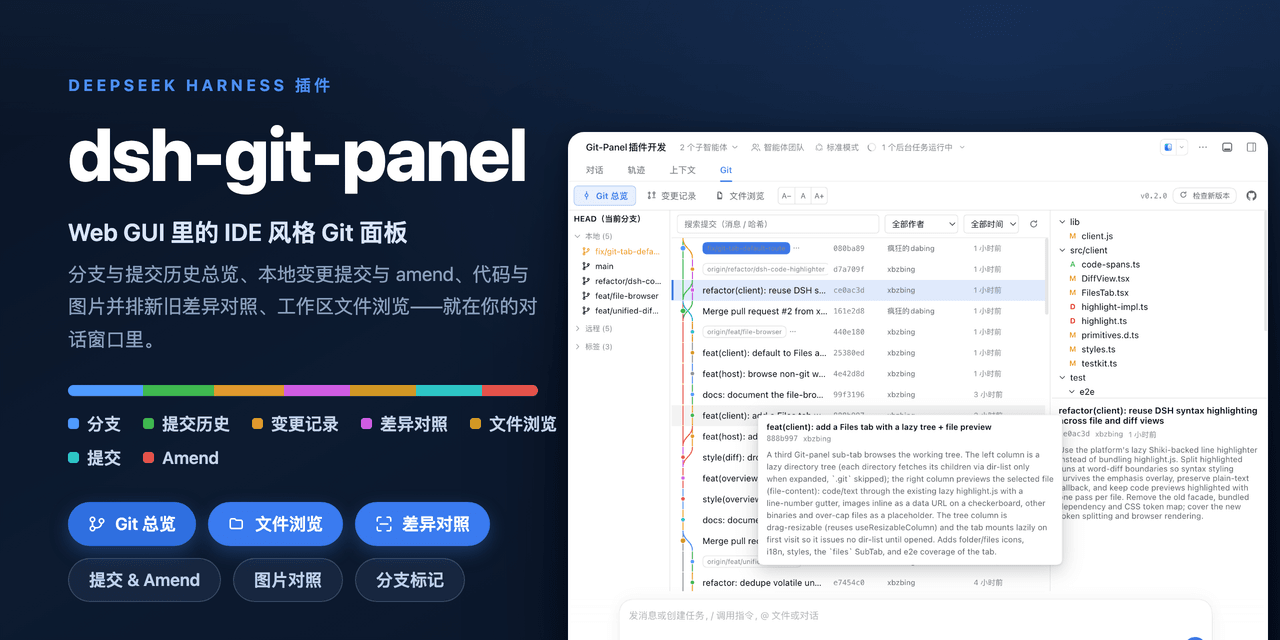 xbzbing/dsh-git-panel
DSH 插件:Web GUI 里的 IDE 风格 Git 面板——分支/提交历史总览、变更提交与 amend、文件浏览、代码与图片新旧差异对照、输入框分支标记 | DSH plugin: an IDE-style Git panel for…
xbzbing/dsh-git-panel
DSH 插件:Web GUI 里的 IDE 风格 Git 面板——分支/提交历史总览、变更提交与 amend、文件浏览、代码与图片新旧差异对照、输入框分支标记 | DSH plugin: an IDE-style Git panel for…
-
 Devin-AXIS/iPolloWork
Enterprise-grade, local-first Agent Workbench for people and agent teams. A unified multi-engine workspace for Codex Har…
Devin-AXIS/iPolloWork
Enterprise-grade, local-first Agent Workbench for people and agent teams. A unified multi-engine workspace for Codex Har…
-
 ysr666/dsh-vision-router
Eyes for text-only DeepSeek Harness agents: built-in free vision chain (no key) + pixel-level vision tools (Q&A, groundi…
ysr666/dsh-vision-router
Eyes for text-only DeepSeek Harness agents: built-in free vision chain (no key) + pixel-level vision tools (Q&A, groundi…
-
 Anionex/dsh-vision-toolkit
[dsh]为纯文本模型设计更强大的视觉工具箱:一行安装使用、粘贴图片直接识别、多张图片问答、截图到前端UI 还原等|DeepSeek Harness-native integration for agent-vision-toolkit: …
Anionex/dsh-vision-toolkit
[dsh]为纯文本模型设计更强大的视觉工具箱:一行安装使用、粘贴图片直接识别、多张图片问答、截图到前端UI 还原等|DeepSeek Harness-native integration for agent-vision-toolkit: …
-
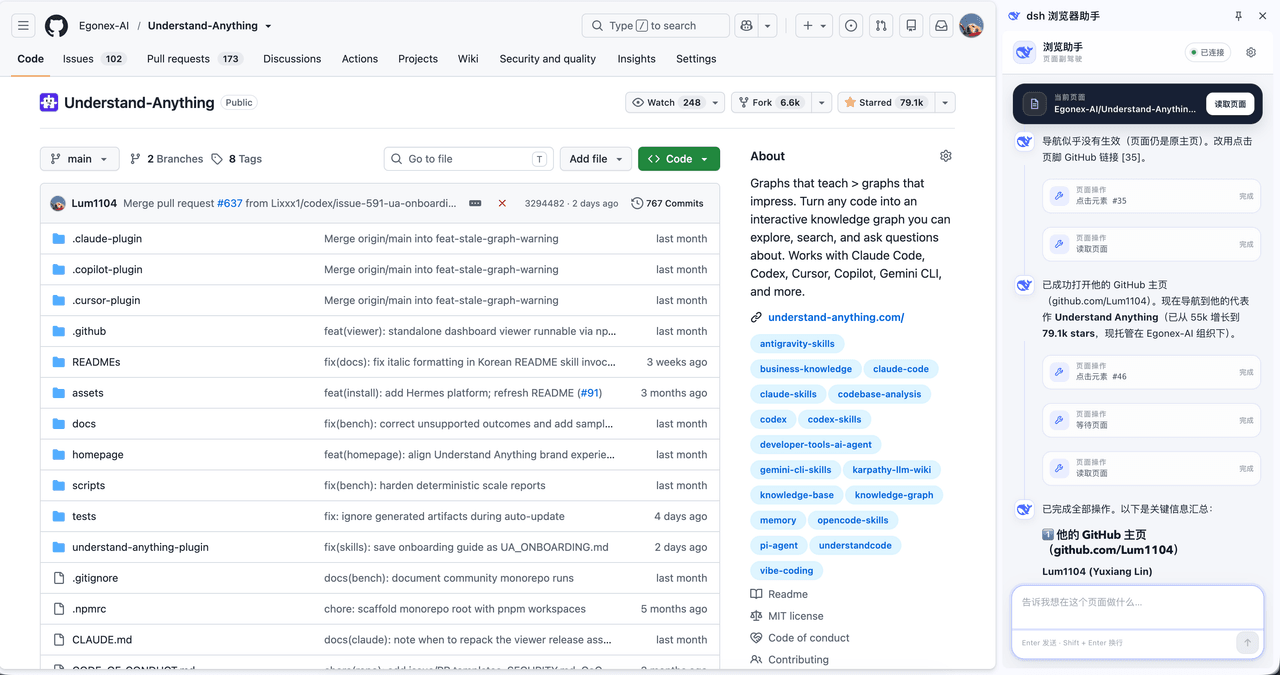 omdsh-dev/dsh-browser
Chrome sidebar extension that lets DeepSeek Harness operate your browser directly, no vision capabilities required. 一款 C…
omdsh-dev/dsh-browser
Chrome sidebar extension that lets DeepSeek Harness operate your browser directly, no vision capabilities required. 一款 C…
-
 sunchaokun/PPT-Design-Skill
Precision PPT design skill for OpenCode/Claude Code/Codex, with 40,000+ styles, pixel-perfect Build Mode control, AI ima…
sunchaokun/PPT-Design-Skill
Precision PPT design skill for OpenCode/Claude Code/Codex, with 40,000+ styles, pixel-perfect Build Mode control, AI ima…
- Fisfzy/dsh-ego-browser DSH(DeepSeek Harness)插件:把 ego-lite 浏览器(给 AI Agent 用的 Chromium)接入 HARNESS——13 个结构化 ego_* 工具(文本语义快照、语义定位点击、表单填充、截图、CDP 控制、…