z953218350/dsh-np-ppt
原生 DSH (DeepSeek Harness) 插件:PPT 演示文稿专家,内置 PPTD DSL 引擎、55173 所见即所得可视化编辑器、Python-PPTX 高保真离线编译内核与一键导出 PPTX。
Project Overview项目介绍
This is a native DSH plugin purpose-built for AI-powered PPT presentation generation. It is designed to work exclusively with DSH and ships with a DSH-compatible manifest and Cordis plugin registration. It includes a number of core components out of the box, including a PPTD domain-specific language engine for writing presentation content, a WYSIWYG visual editor that runs locally on port 55173, and a high-fidelity offline PPTX compiler built on the Python-PPTX library. There are also 9 pre-built professional visual styles that cover a wide range of common presentation use cases, from business reports to technical whitepapers to academic conference presentations.
To install this plugin, you need to meet a set of basic environment requirements. First, you must have a working installation of DSH that can run the dsh command from your terminal. You also need Node.js 16 or newer (version 18 or higher is recommended), the pnpm package manager that DSH ships with by default, and a working installation of Python 3.x that can be called from the system command line. The required Python dependencies, pyyaml and python-pptx, are automatically installed via pip on the first run of the compiler, so you don’t need to handle that installation manually.
After installation, you can access the plugin’s full functionality by switching to the pre-configured "PPT Presentation Expert" Agent preset that is automatically added to your DSH Web GUI. You can generate an entire fully structured presentation just by chatting with the AI, then open the local 55173 visual editor in your browser to tweak text and layout before exporting a high-fidelity PPTX file. If you don’t need the full visual editing experience, you can also just generate the presentation content via conversation and export it directly through the command line compiler. The entire preset is automatically copied to your local DSH directory after installation for offline reuse.
这是 DeepSeek Harness(DSH)原生专用的全功能 PPT 生成插件。内置 PPTD DSL 语法引擎、运行在本地 55173 端口的所见即所得可视化编辑器,以及基于 Python-PPTX 的高保真离线 PPTX 编译内核,支持一键导出 PPTX 文件。插件提供 9 套适配不同场景的专业视觉风格体系,覆盖商务、技术、调研等多种演示需求。
安装插件需要满足几个环境要求:需要已安装可运行的 DSH、Node.js 16+(推荐 18+)、DSH 默认自带的 pnpm、Python 3.x,以及 Python 依赖包 pyyaml 和 python-pptx,依赖会在首次运行时自动安装。推荐使用 Chrome 或 Edge 桌面浏览器获得完整可视化编辑体验,仅对话生成+命令行导出时不需要浏览器。
插件可以通过 DSH 命令行挂载安装,也可以手动修改配置文件添加。安装完成后,DSH Web 界面会新增「PPT 演示文稿专家」Agent 预设,用户可以直接通过对话让 AI 生成演示文稿,再通过本地可视化编辑器调整排版后导出 PPTX。预设文件会自动复制到本地目录供离线复用。
请帮我安装这个 DSH 插件。安装前先完成【兼容性检查 + 安全性检查】,检查通过再动手。

插件:dsh-np-ppt(z953218350/dsh-np-ppt)
仓库:https://github.com/z953218350/dsh-np-ppt
本站详情页:https://www.yhbd.top/plugins/z953218350-dsh-np-ppt/
本站登记:类型 plugin · 归类 原生 DSH 插件 · 许可证 MIT · ⭐ 2 · 最近提交 2026-08-14 · 主语言 JavaScript

按下面顺序执行,每步先把结论告诉我,再进入下一步:

【1 兼容性检查】
① 我这边:DSH 版本、Node 版本、操作系统、当前 profile(web / desktop)。
② 读它的 README、package.json、插件 manifest,列出它要求的 DSH 版本 / Node 版本 / 操作系统 / 外部依赖 / 需要另外先装的运行时。
③ 逐条比对,结论只写「满足 / 不满足 / 未知」三种;不满足的给出可行替代方案。
④ 检查是否和我已装的插件冲突:命令名重复、skill / tool 重名、端口占用、重复注册的 MCP server。

【2 安全性检查】
① 仓库可信度:和上面「本站登记」是否一致;star / fork 数、创建时间、最近提交,是否归档或长期停更。
② 安装脚本:逐行看 package.json 的 preinstall / install / postinstall,以及 install.sh、setup.ps1 之类脚本。出现 curl|bash、下载后直接执行、混淆代码、访问与插件功能无关的域名,立刻停下来告诉我,不要继续装。
③ 依赖:列出新增依赖,标出无人维护、或与知名包拼写近似的可疑包(typosquatting)。
④ 权限与副作用:它会读写哪些目录、访问哪些域名、需要哪些 DSH 权限(filesystem / network / shell / clipboard 等),以及怎么卸载和回滚。
⑤ 如果它要求 sudo / 管理员权限,或权限明显超出功能所需,先停下来问我。

【3 安装】
上面两步没有「不满足」和「高危项」时才执行;用官方推荐方式安装,不要自行提权。

【4 汇报】
用表格输出:检查项 / 结论 / 依据 / 是否需要我决策。拿不准的一律写「未知」并说明要我怎么确认——不要猜,也不要替我决定。
Send this message to DSH in your current session: it verifies compatibility and security first (answering met / not met / unknown item by item) and only installs once everything checks out — it will stop and ask you if it finds a high-risk item. The box scrolls; the copy is the full prompt. CLI install commands may not be accurate across systems, so DSH is the safer route.把上面这条消息直接发给当前会话里的 DSH:它会先核对兼容性与安全性(逐条给「满足 / 不满足 / 未知」),确认没问题再安装,有高危项会停下来问你。框内可滚动,复制到的是完整提示词;安装命令不一定准确,发给 DSH 更稳。
- Only 2 stars - very few users, little community feedback星标只有 2,几乎没人在用,遇到问题缺少社区反馈
DSH walks through these 9 checksDSH 会逐条核对这 9 项
Compatibility兼容性
- DSH, Node, OS and profile requirementsDSH 版本 / Node 版本 / 操作系统 / profile 是否满足要求
- External dependencies and runtimes (Electron / Python / Docker, ...)外部依赖与运行时(Electron / Python / Docker 等)是否齐备
- Conflicts with installed plugins: command names, skill / tool names, ports, duplicate MCP registration与已装插件是否冲突:命令名、skill / tool 重名、端口占用、重复 MCP 注册
Security安全性
- Repo matches the facts registered here; archived or abandoned?仓库是否与页面登记一致,是否归档或长期停更
- Safety of preinstall / install / postinstall and install.sh / setup.ps1preinstall / install / postinstall 与 install.sh、setup.ps1 是否安全
- curl|bash, download-then-execute, obfuscation, unrelated domains → stop immediatelycurl|bash、下载即执行、混淆代码、无关域名 → 立刻停止
- Typosquatting or unmaintained packages among the new dependencies新增依赖里有没有 typosquatting 或无人维护的包
- Requested permissions vs. what the feature actually needs申请了哪些权限、是否超出功能所需(filesystem / network / shell / clipboard)
- Any sudo / admin requirement, plus uninstall and rollback是否要求 sudo / 管理员权限,以及卸载与回滚方式
Anything uncertain must be marked unknown with a note on how to confirm it. This site's signal screen is a static snapshot, not a security audit.拿不准的必须标「未知」并说明要我怎么确认。本站的信号筛查是静态快照,不能替代安全审计。
Or use CLI install (for developers)或使用命令行安装(适合开发者)
CLI Install命令行安装
dsh plugin --profile web add github:z953218350/dsh-np-ppt把 z953218350/dsh-np-ppt 加入你的 DSH 配置(web profile)即可启用。
READMEREADME
DSH NP-PPT 演示文稿专家插件 (dsh-np-ppt)
🌐 中文 · English
DSH(DeepSeek Harness)原生专用的全功能 PPT 演示文稿专家 插件。内置 PPTD DSL 引擎、55173 所见即所得可视化编辑器服务、Python-PPTX 高保真离线编译内核与一键导出 PPTX 功能。





✨ 核心特性
🎭 9 大专业视觉风格体系
- 👔 商务管理风(墨绿+黄铜金)
- 💻 深浅代码风(极客终端黑/蓝灰+亮绿)
- 🚀 高能增长风(活力橙+稳重深蓝)
- 🔮 炫光紫绿风(暗黑底色+电光紫绿)
- 📑 冷白调研风(瑞士极简白底+细黑线+红点缀)
- 📱 轻拟态风(柔和浅灰白+微质感卡片+科技蓝)
- 👑 黑金实验风(曜石黑+奢华哑光金)
- 📊 色谱图表风(纯净白底+多维对比色谱)
- 📖 深蓝杂志风(深海蓝底+金句引述+画册感)
🛠️ 模块化 PPTD 架构与标准 16:9 画布
- 采用清晰的 YAML 语法 DSL,解耦 OOXML 复杂逻辑,单个页面(
01_cover.page~XX_final.page)完全独立自洽; - 自动添加淡入淡出(Fade)幻灯片平滑切换过渡。
- 采用清晰的 YAML 语法 DSL,解耦 OOXML 复杂逻辑,单个页面(
🖥️ 55173 所见即所得可视化编辑器
- 内置轻量级本地 Web 编辑器(
http://127.0.0.1:55173/); - 支持多层嵌套富文本修改、自由拖拽对齐与实时渲染;
- 无缝集成:点击右上角「导出」弹窗中的「下载」即可直接触发本地高保真 Python-PPTX 编译引擎下载文件;选择「图片」时保持原生图片切图下载。
- 内置轻量级本地 Web 编辑器(
⚡ 高保真离线原生编译内核(Python-PPTX)
- 基于
RichTextHTMLParser状态机,完美支持无限层级嵌套 HTML 标签(<span>、<strong>、<b>、<em>、<i>、<u>、<br/>)与全格式颜色(#HEX、rgb()、rgba()、$theme); - 微软雅黑字族锁定(
Microsoft YaHei)、DrawingML 渐变背景、noAutofit文本框防缩放。
- 基于
📦 目录结构
dsh-np-ppt/
├── package.json                   # 插件元信息与导出入口
├── tsconfig.json                  # TypeScript 编译配置(输出至 lib/)
├── cordis.patch.yml               # DSH / Cordis 插件注册清单
├── src/                           # TypeScript 源码
│   ├── index.ts                   # 插件 Host 入口(Prompt 注入、服务治理、工具导出)
│   ├── service.ts                 # 55173 编辑器 Web 服务与 Python 编译桥接
│   ├── tools.ts                   # 原生 Agent Tools(ppt_export, ppt_serve 等)
│   └── client/                    # DSH Web 前端插件扩展
├── lib/                           # 预编译 ESM 代码(即装即用,无需构建)
├── compiler/
│   └── export_pptx.py             # 高保真 Python-PPTX 离线编译引擎
├── editor/                        # 55173 本地可视化编辑器静态资源
│   ├── index.html                 # 编辑器宿主页面
│   ├── app.js                     # 前端交互逻辑
│   ├── lib.js                     # 编辑器辅助库
│   └── styles.css                 # 编辑器样式
├── presets/                       # Agent 预设(Persona & System Prompt)
│   ├── preset.yml                 # 「PPT 演示文稿专家」预设定义
│   └── agent.cordis.yml           # 完整 Agent 配置(persona、工具、plan mode 等)
└── README.md                      # 本文件(中文 + English)
Showing the opening section of the README — the full document lives in the repository以上为 README 开头摘要,完整文档在仓库内 · View the full README on GitHub →在 GitHub 查看完整 README →
Related相关推荐
-
 Ikalus1988/MisakaNet
📚 A zero-dependency, git-backed micro-lesson library for AI Agents to asynchronously share and search verified debuggin…
Ikalus1988/MisakaNet
📚 A zero-dependency, git-backed micro-lesson library for AI Agents to asynchronously share and search verified debuggin…
-
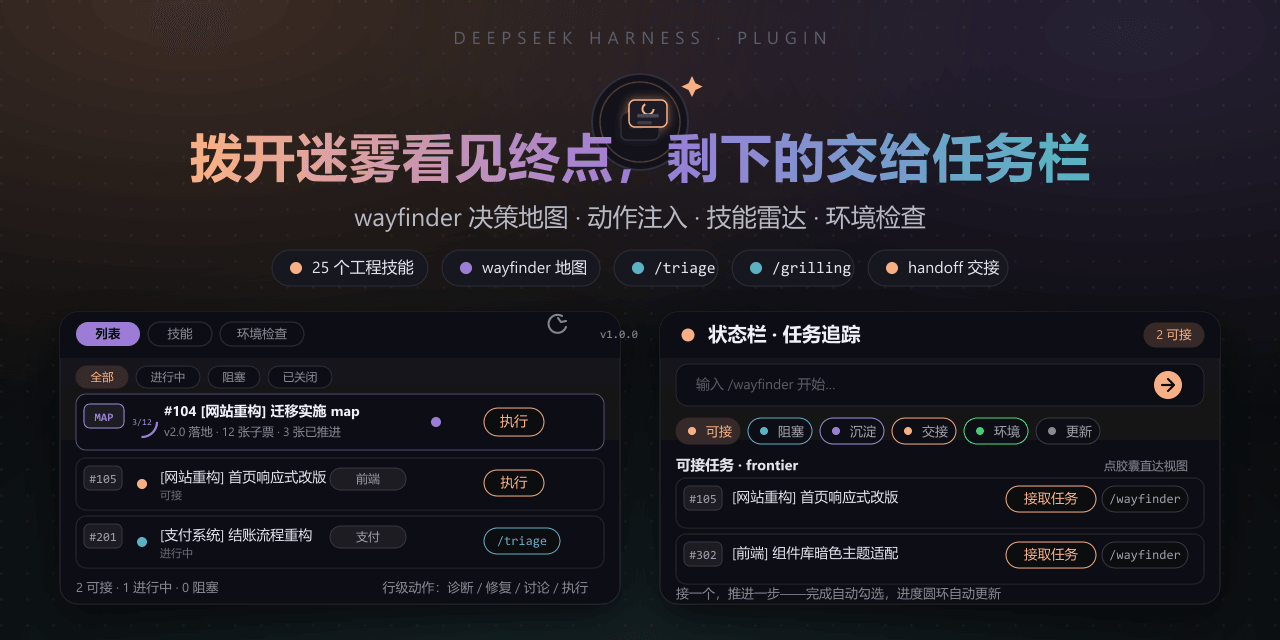 FeatherHunter/dsh-mattpocock-skills-deck
安装即自带mattpocock/skills v1.2.3的25个工程与效率技能,无需手动装技能。300亿token打造。本插件在原始技能之上提供10倍的开发效率。主力支持GitHub issue;Markdown为预览版;GitLab暂不…
FeatherHunter/dsh-mattpocock-skills-deck
安装即自带mattpocock/skills v1.2.3的25个工程与效率技能,无需手动装技能。300亿token打造。本插件在原始技能之上提供10倍的开发效率。主力支持GitHub issue;Markdown为预览版;GitLab暂不…
-
 yoli-mi/dsh-client-ui-custom
Configurable DSH web-surface plugin: wallpaper & frosted-glass themes, accent colors, custom keyboard shortcuts, app-usa…
yoli-mi/dsh-client-ui-custom
Configurable DSH web-surface plugin: wallpaper & frosted-glass themes, accent colors, custom keyboard shortcuts, app-usa…
-
 omdsh-dev/dsh-toolkit
DSH 零依赖工具包 collection —— time / encoding / json / calculator / csv / regex / markdown / diff / stat / schema 十个确定性工具,统一入…
omdsh-dev/dsh-toolkit
DSH 零依赖工具包 collection —— time / encoding / json / calculator / csv / regex / markdown / diff / stat / schema 十个确定性工具,统一入…
- seed-forge/harness-ai-kit Package manager for AI agent assets — 42 skills, 5 CLIs, 1 plugin. Skills for AI/LLM agent engineering, eval-driven dev,…
-
 XieZongChen/dsh-md-notes
A note-taking plugin for DeepSeek Harness (DSH). It provides a full MD notes manager and MD notes editor, letting you qu…
XieZongChen/dsh-md-notes
A note-taking plugin for DeepSeek Harness (DSH). It provides a full MD notes manager and MD notes editor, letting you qu…
- FNOSP/fnos-dsh DeepSeek Harness应用与harness插件 monorepo
-
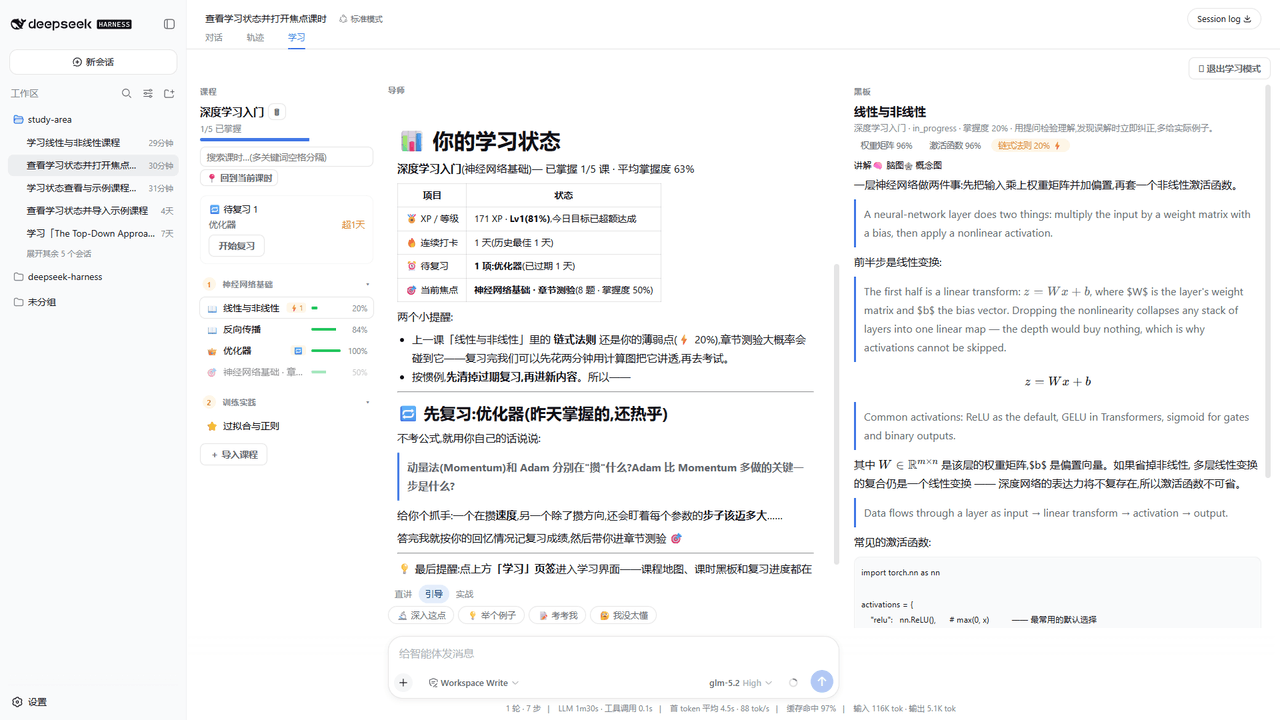 Kaiji-Z/dsh-plugin-lookatstudy
dsh community plugin: turn any markdown/folder/GitHub learning repo into a guided AI-tutor course (gated skill tree, BKT…
Kaiji-Z/dsh-plugin-lookatstudy
dsh community plugin: turn any markdown/folder/GitHub learning repo into a guided AI-tutor course (gated skill tree, BKT…