zenx0x/allinluna
面向资源感知的Codex与DeepSeek Harness多智能体编排(All in Flash DSH插件)
Project Overview项目介绍
All in Luna is an AI agent orchestration tool designed to split large development goals into independent top-level tasks. It manages task dependencies, runs independent tasks in parallel to avoid one blocked task stalling the whole workflow, and keeps each task's context separate to prevent context bloat. To use it with DSH, you first install the All in Luna CLI via Python, then run the npx init command to set up a dedicated DSH profile, which lets you launch the integrated workflow directly from DSH.
This tool is built for AI developers who work on large projects that would otherwise overwhelm a single AI conversation context. When you feed a big goal like "refactor end-to-end authentication" to All in Luna, it automatically breaks it into discrete tasks like backend changes, frontend updates, database migrations, tests, and documentation. It then schedules each task, keeps track of completed, running, and waiting work, and surfaces only high-level updates to your main conversation to avoid unnecessary clutter.
All in Luna is released under the permissive Apache 2.0 open source license, so you can use and modify it freely for personal or commercial projects. The core CLI requires a working Python installation on your local machine, while the DSH integration requires Node.js to install and initialize the All in Flash integration package. It does not request broad permissions up front; sensitive operations like pushing code, merging, or deploying require explicit permission grants before execution.
All in Luna 是一款 AI 代理编排工具,核心能力是将用户提交的大目标拆解为独立的顶层任务,支持按任务依赖关系调度并行执行,隔离每个任务的上下文避免污染,执行完成后汇总所有结果。它通过专用的 All in Flash 包与 DeepSeek Harness (DSH) 集成,安装 All in Luna CLI 后仅需一条命令即可初始化 DSH 专用配置,即可启动使用。
适合需要处理大型开发任务(如端到端重构、新增完整功能模块)的 AI 开发人员使用。典型工作流程为:用户提交总体目标后,All in Luna 会自动将其拆分为多个独立顶层任务,调度无依赖的任务同时运行,仅让有依赖关系的任务等待前置任务完成,每个任务都会保留独立的上下文和执行记录。
本项目采用 Apache-2.0 开源许可证,核心依赖 Python 环境运行 CLI,DSH 集成依赖 Node.js 环境安装 All in Flash 包。首次使用需要先安装 All in Luna CLI,再初始化 DSH 配置,权限默认仅开放本地基础操作,涉及推送、部署等敏感操作需要单独申请权限。
请帮我安装这个 DSH 插件。安装前先完成【兼容性检查 + 安全性检查】,检查通过再动手。

插件:allinluna(zenx0x/allinluna)
仓库:https://github.com/zenx0x/allinluna
本站详情页:https://www.yhbd.top/plugins/zenx0x-allinluna/
本站登记:类型 plugin · 归类 多平台兼容工具(非 DSH 原生) · 许可证 Apache-2.0 · ⭐ 63 · 最近提交 2026-09-01 · 主语言 Python · 未检测到 DSH 插件清单

按下面顺序执行,每步先把结论告诉我,再进入下一步:

【1 兼容性检查】
① 我这边:DSH 版本、Node 版本、操作系统、当前 profile(web / desktop)。
② 读它的 README、package.json、插件 manifest,列出它要求的 DSH 版本 / Node 版本 / 操作系统 / 外部依赖 / 需要另外先装的运行时。
③ 逐条比对,结论只写「满足 / 不满足 / 未知」三种;不满足的给出可行替代方案。
④ 检查是否和我已装的插件冲突:命令名重复、skill / tool 重名、端口占用、重复注册的 MCP server。

【2 安全性检查】
① 仓库可信度:和上面「本站登记」是否一致;star / fork 数、创建时间、最近提交,是否归档或长期停更。
② 安装脚本:逐行看 package.json 的 preinstall / install / postinstall,以及 install.sh、setup.ps1 之类脚本。出现 curl|bash、下载后直接执行、混淆代码、访问与插件功能无关的域名,立刻停下来告诉我,不要继续装。
③ 依赖:列出新增依赖,标出无人维护、或与知名包拼写近似的可疑包(typosquatting)。
④ 权限与副作用:它会读写哪些目录、访问哪些域名、需要哪些 DSH 权限(filesystem / network / shell / clipboard 等),以及怎么卸载和回滚。
⑤ 如果它要求 sudo / 管理员权限,或权限明显超出功能所需,先停下来问我。

【3 安装】
上面两步没有「不满足」和「高危项」时才执行;用官方推荐方式安装,不要自行提权。

【4 汇报】
用表格输出:检查项 / 结论 / 依据 / 是否需要我决策。拿不准的一律写「未知」并说明要我怎么确认——不要猜,也不要替我决定。
Send this message to DSH in your current session: it verifies compatibility and security first (answering met / not met / unknown item by item) and only installs once everything checks out — it will stop and ask you if it finds a high-risk item. The box scrolls; the copy is the full prompt. CLI install commands may not be accurate across systems, so DSH is the safer route.把上面这条消息直接发给当前会话里的 DSH:它会先核对兼容性与安全性(逐条给「满足 / 不满足 / 未知」),确认没问题再安装,有高危项会停下来问你。框内可滚动,复制到的是完整提示词;安装命令不一定准确,发给 DSH 更稳。
- No DSH plugin manifest detected - it may only carry the dsh-plugin topic, so the install method must be confirmed on the spot未检测到 DSH 插件清单:可能只是打了 dsh-plugin 话题,安装方式要现场确认
- Not DSH-native: a multi-platform tool that may require Node / Electron or another runtime first非 DSH 原生,是多平台兼容工具:可能要先装 Node / Electron 等运行时
DSH walks through these 9 checksDSH 会逐条核对这 9 项
Compatibility兼容性
- DSH, Node, OS and profile requirementsDSH 版本 / Node 版本 / 操作系统 / profile 是否满足要求
- External dependencies and runtimes (Electron / Python / Docker, ...)外部依赖与运行时(Electron / Python / Docker 等)是否齐备
- Conflicts with installed plugins: command names, skill / tool names, ports, duplicate MCP registration与已装插件是否冲突:命令名、skill / tool 重名、端口占用、重复 MCP 注册
Security安全性
- Repo matches the facts registered here; archived or abandoned?仓库是否与页面登记一致,是否归档或长期停更
- Safety of preinstall / install / postinstall and install.sh / setup.ps1preinstall / install / postinstall 与 install.sh、setup.ps1 是否安全
- curl|bash, download-then-execute, obfuscation, unrelated domains → stop immediatelycurl|bash、下载即执行、混淆代码、无关域名 → 立刻停止
- Typosquatting or unmaintained packages among the new dependencies新增依赖里有没有 typosquatting 或无人维护的包
- Requested permissions vs. what the feature actually needs申请了哪些权限、是否超出功能所需(filesystem / network / shell / clipboard)
- Any sudo / admin requirement, plus uninstall and rollback是否要求 sudo / 管理员权限,以及卸载与回滚方式
Anything uncertain must be marked unknown with a note on how to confirm it. This site's signal screen is a static snapshot, not a security audit.拿不准的必须标「未知」并说明要我怎么确认。本站的信号筛查是静态快照,不能替代安全审计。
Or use CLI install (for developers)或使用命令行安装(适合开发者)
CLI Install命令行安装
dsh plugin --profile web add github:zenx0x/allinluna把 zenx0x/allinluna 加入你的 DSH 配置(web profile)即可启用。
READMEREADME
All in Luna

Stop running an entire project inside one AI conversation.
Give All in Luna one big goal.
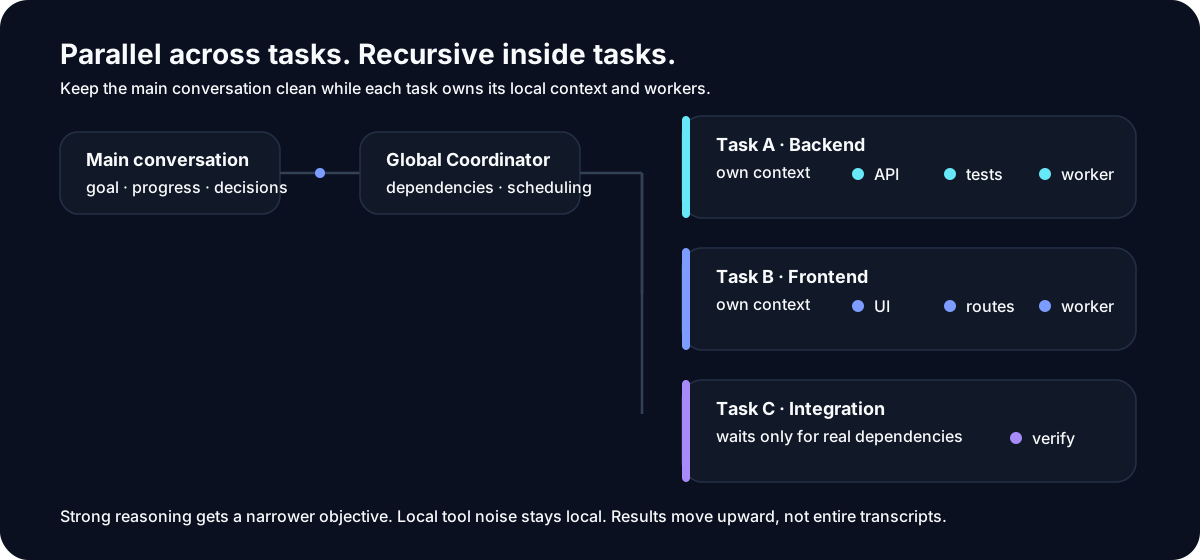
It turns the work into independent top-level tasks: run what can run in parallel, wait only on real dependencies, keep each task's context separate, and bring the results back together.
Each task can still use its own subagents, tools, Skills, or MCPs.
Parallel across tasks. Recursive inside tasks.
Why does this exist?
Small AI coding tasks are easy.
The hard part looks more like this:
“Refactor authentication end to end, including the backend, frontend, migration, tests, and documentation.”
At first, everything is fine.
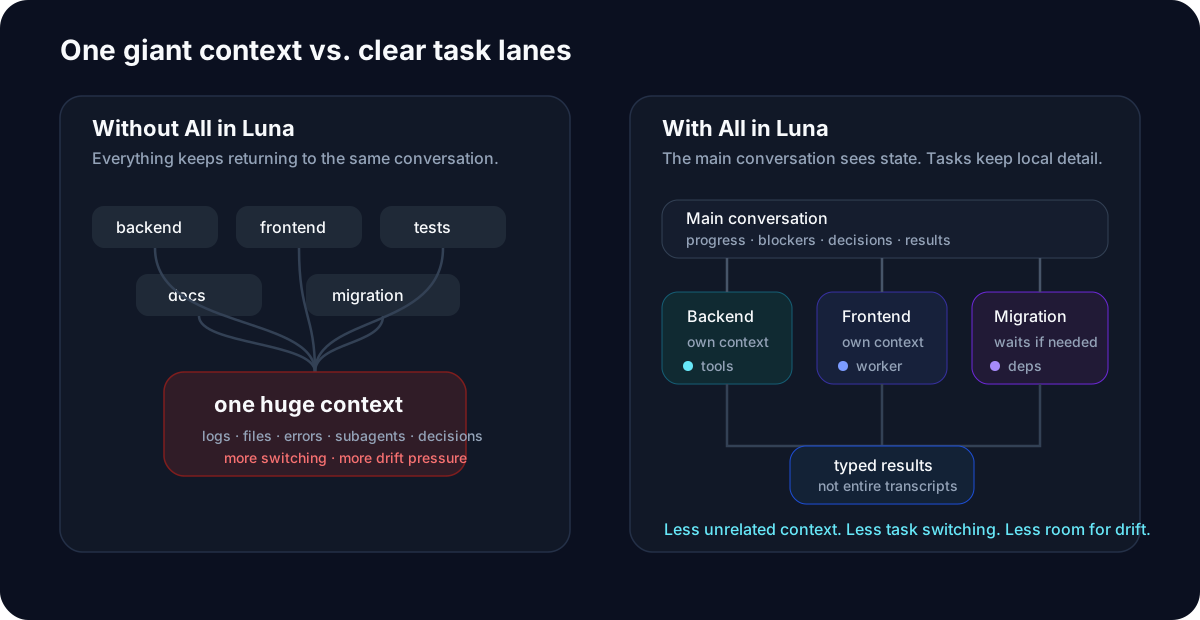
Then the agent reads files, edits code, runs tests, starts subagents, handles failures, reads more files, and keeps pushing more execution detail back into the same conversation.
After enough turns, familiar problems appear:
- the context keeps growing;
- unrelated work starts contaminating other work;
- earlier constraints become easier to forget;
- one local blocker stalls the whole flow;
- subagent results become harder to manage;
- a new conversation has to reconstruct what really happened;
- the agent says “done,” but the outcome may not actually be complete.
All in Luna starts from one simple idea: one conversation should not have to carry an entire project.
One more layer above subagents
A typical agent workflow looks like this:
You
 │
 ▼
Main Agent
 ├─ subagent
 ├─ subagent
 └─ subagent
All in Luna adds a real Top-level Task layer above local workers:
You
 │
 ▼
All in Luna
 │
 ├─ Top-level Task A
 │    ├─ local work
 │    └─ subagents / tools / Skills
 │
 ├─ Top-level Task B
 │    ├─ local work
 │    └─ subagents / tools / MCPs
 │
 └─ Top-level Task C
      └─ waits only when it actually depends on A
Showing the opening section of the README — the full document lives in the repository以上为 README 开头摘要,完整文档在仓库内 · View the full README on GitHub →在 GitHub 查看完整 README →
Related相关推荐
-
 tt-a1i/archify
Agent skill for beautiful, verifiable architecture, workflow, sequence, data-flow, and lifecycle diagrams—self-contained…
tt-a1i/archify
Agent skill for beautiful, verifiable architecture, workflow, sequence, data-flow, and lifecycle diagrams—self-contained…
-
 ZSeven-W/openpencil
The world's first open-source AI-native vector design tool and the first to feature concurrent Agent Teams. Design-as-Co…
ZSeven-W/openpencil
The world's first open-source AI-native vector design tool and the first to feature concurrent Agent Teams. Design-as-Co…
-
 omdsh-dev/dsh_workflow
把Claude Code的UltraCode模式带给DSH,把 DSH 的一次性多 Agent 调度,升级为可生成、可保存、可治理、可观察、可恢复的 Workflow 层
omdsh-dev/dsh_workflow
把Claude Code的UltraCode模式带给DSH,把 DSH 的一次性多 Agent 调度,升级为可生成、可保存、可治理、可观察、可恢复的 Workflow 层
-
 CheshireJCat/blender
DeepSeek Harness plugin for complete Blender 3D modeling, reconstruction, rendering, validation, and export workflows
CheshireJCat/blender
DeepSeek Harness plugin for complete Blender 3D modeling, reconstruction, rendering, validation, and export workflows
-
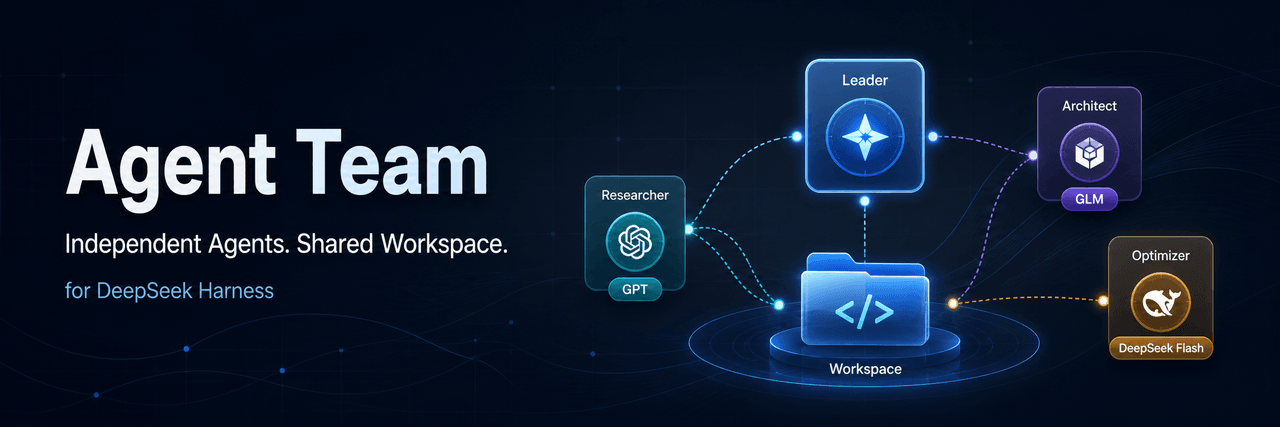 limuyang2/agent-team
Multi-agent team collaboration for DeepSeek Harness, with independent models, skills, MCP tools, contexts, and a shared …
limuyang2/agent-team
Multi-agent team collaboration for DeepSeek Harness, with independent models, skills, MCP tools, contexts, and a shared …
-
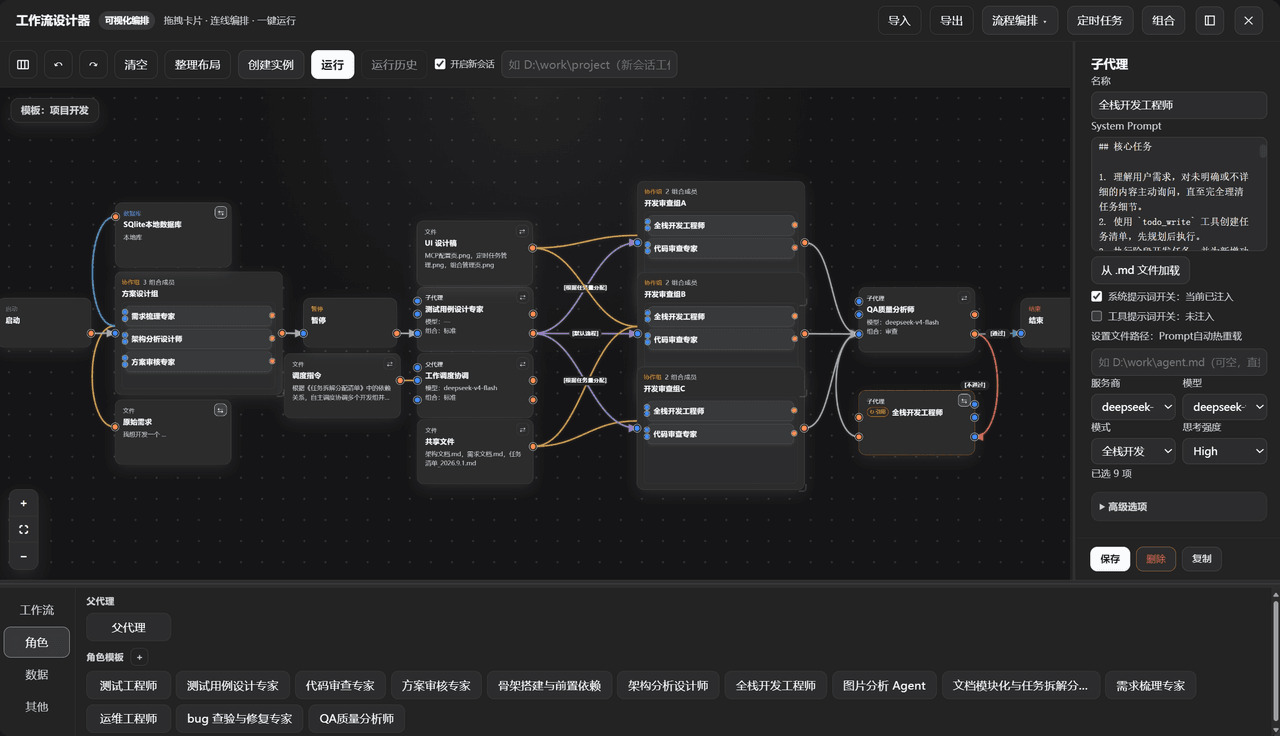 GZX2211/dsh-Visual-Workflow
基于 DeepSeek Harness 体系打造的:可视化 Agent 编排平台。更新:该插件目前已对齐最新候选版 dsh v0.2.0-rc.2,不适配 Alpha 版。
GZX2211/dsh-Visual-Workflow
基于 DeepSeek Harness 体系打造的:可视化 Agent 编排平台。更新:该插件目前已对齐最新候选版 dsh v0.2.0-rc.2,不适配 Alpha 版。
-
 sailoumili/novel-writer
小说创作模式:一个统筹队长统领全局,5 个专职子代理各司其职——架构世界、策划剧情、管理人物、执笔写文、质检复核——协同写作。
sailoumili/novel-writer
小说创作模式:一个统筹队长统领全局,5 个专职子代理各司其职——架构世界、策划剧情、管理人物、执笔写文、质检复核——协同写作。
-
 LoserFox/distill
自动对话蒸馏:后台 subagent 反省 + 技能 create/update
LoserFox/distill
自动对话蒸馏:后台 subagent 反省 + 技能 create/update