zeroa234/dsh-midi-studio
零依赖音乐制作插件(DeepSeek Harness / dsh):MIDI 作曲、效果注入(弯音/CC/力度/人性化)、FluidSynth WASM 渲染 WAV/MP3、多轨混音。Zero-dependency music production plugin: MIDI composition, effects injection (pitch bend/CC/velocity/humanize), FluidSynth WASM render to WAV/MP3, multitrack mix.
Project Overview项目介绍
This is a zero-dependency music production plugin for DeepSeek Harness. It supports MIDI composing, editing, effect injection, WAV/MP3 rendering and multitrack mixing, no extra external tools needed. Use it when you need an AI agent to generate and render music. Note models must call the full registered tool name to work properly.
这是DeepSeek Harness的零依赖音乐制作插件,支持MIDI作曲、编辑、效果注入、WAV/MP3渲染和多轨混音,无需额外安装外部工具。需要AI生成并渲染音乐时可使用,注意模型需调用完整注册工具名才可正常使用。
请帮我了解并安装插件:【dsh-midi-studio】【https://github.com/zeroa234/dsh-midi-studio】Send this message to DSH in your current session. CLI install commands may not be accurate across systems — DSH will figure it out for you.把上面这条消息直接发给当前会话里的 DSH,让它帮你了解并安装。安装命令不一定准确,发给 DSH 更稳。
Or use CLI install (for developers)或使用命令行安装(适合开发者)
CLI Install命令行安装
dsh plugin --profile web add github:zeroa234/dsh-midi-studio把 zeroa234/dsh-midi-studio 加入你的 DSH 配置(web profile)即可启用。
READMEREADME
dsh-midi-studio · 零依赖音乐制作插件
Zero-dependency music production plugin for DeepSeek Harness (dsh).
MIDI 作曲 + 演奏效果注入(弯音/CC/力度/人性化)+ FluidSynth WASM 渲染 WAV/MP3 + 多轨混音。 MIDI composition + performance-effects injection (pitch bend / CC / velocity / humanize) + FluidSynth WASM rendering to WAV/MP3 + multitrack mixing.
对方机器零外部依赖:FluidSynth 2.4.6 以 WebAssembly 打包在 npm 依赖里(js-synthesizer,引擎以 asm.js 内嵌于 externals,无独立 .wasm 文件),无需安装任何引擎、Python、ffmpeg;音色库首次使用时自动下载(GeneralUserGS.sf3,8.4MB)到本地缓存,全平台(Windows/macOS/Linux)。渲染速度实测 100+ 倍实时(3.8s 曲目约 33ms 渲染,引擎初始化后)。
Zero external dependencies on the target machine: FluidSynth 2.4.6 ships as WebAssembly inside the npm dependency (js-synthesizer; the engine is embedded as asm.js in its externals — no standalone .wasm file), so no engine, Python, or ffmpeg install is needed. The soundfont (GeneralUserGS.sf3, 8.4 MB) auto-downloads to a local cache on first use, all platforms. Rendering is measured at 100+× realtime (~33 ms for a 3.8 s track after engine init).
特性 · Features
工具注册名统一为
_dsh_external_dsh_midi_studio_*全名(harness 不做名字缩短,模型按注册名调用)。 Tool registration names are the full_dsh_external_dsh_midi_studio_*(the harness does not shorten names; the model calls the registered names).
| 工具 Tool(注册名 Registration name) | 说明 Description |
|---|---|
_dsh_external_dsh_midi_studio_compose |
结构化乐谱(多轨/音高/时值/力度)→ .mid,支持 conductor 开关与多段变速 Structured score (tracks/pitch/duration/velocity) → .mid; conductor on/off and multi-segment tempo |
_dsh_external_dsh_midi_studio_effects |
注入弯音、CC(声像/表情/颤音/混响/合唱)、踏板、力度渐变、人性化(含时值抖动)Pitch bend, CC (pan/expression/vibrato/reverb/chorus), sustain pedal, velocity ramps, humanize (incl. timing jitter) |
_dsh_external_dsh_midi_studio_edit |
音符编辑:transpose / velocity / shift / delete(按轨/通道/拍位区间)Note editing: transpose / velocity / shift / delete (by track/channel/beat range) |
_dsh_external_dsh_midi_studio_render |
MIDI → WAV/MP3(FluidSynth WASM,多轨+全部效果,100+ 倍实时)MIDI → WAV/MP3 (FluidSynth WASM, multitrack + all effects, 100+× realtime) |
_dsh_external_dsh_midi_studio_mix |
多轨 WAV 混音 + 峰值归一 + MP3 编码(纯 JS,免 ffmpeg)Multitrack WAV mix + peak normalize + MP3 encode (pure JS, no ffmpeg) |
_dsh_external_dsh_midi_studio_info |
MIDI 分析:轨道/通道/音色/CC/弯音/时长 MIDI analysis: tracks/channels/programs/CC/pitch bend/duration |
_dsh_external_dsh_midi_studio_soundfonts |
音色库状态 / 自动下载 Soundfont status / auto-download |
架构 · Architecture
_dsh_external_dsh_midi_studio_compose ─┐
                                        ├→ .mid ── _dsh_external_dsh_midi_studio_effects ── _dsh_external_dsh_midi_studio_render ── .wav/.mp3
                                        │                       (效果在 MIDI 数据层,渲染 100% 保留)
                                        └── _dsh_external_dsh_midi_studio_edit(改谱,免重写整曲)
_dsh_external_dsh_midi_studio_mix ◄────┴── 多轨 WAV 混音(人声+伴奏等)
- 渲染引擎:js-synthesizer(FluidSynth 2.4.6 WASM,BSD-3/LGPL,with-libsndfile 支持 .sf2/.sf3)
- 引擎日志(fluid_stat stub 等噪音)已通过
disableLogging(Error)静音,保留 Panic 级;真实失败以异常/渲染统计(peak≈0)暴露 - Rendering engine: js-synthesizer (FluidSynth 2.4.6 WASM, BSD-3/LGPL, with-libsndfile for .sf2/.sf3). Engine log noise is silenced via
disableLogging(Error)(Panic level kept); real failures surface as exceptions / render stats (peak ≈ 0).
- 引擎日志(fluid_stat stub 等噪音)已通过
- MP3:lamejs(纯 JS LAME 移植)· MP3: lamejs (pure-JS LAME port)
- 混音/裁剪/归一:自研纯 TS PCM 处理(重采样为线性插值,无抗混叠——音乐混音场景足够)· Mix/trim/normalize: self-written pure-TS PCM processing (linear-interpolation resampling, no anti-aliasing — sufficient for music mixing)
- MIDI 读写:自研 SMF 解析器(绝对 tick 缓冲排序,规避 delta-time 踩坑)· MIDI I/O: self-written SMF parser (absolute-tick buffered sorting, avoiding delta-time pitfalls)
效果参数速查表 · Effects quick reference
| 效果 Effect | 参数 Parameters | 说明 Description |
|---|---|---|
pitchbend_line |
from/to(-8192..8191) |
弯音线性滑奏,0=中央 Linear pitch-bend slide, 0 = center |
pitchbend_curve |
depth/cycles/base |
正弦弯音(揉弦/颤音),cycles=振荡圈数 Sine pitch bend (vibrato), cycles = oscillations |
cc_line |
control/from/to |
控制器线性渐变(表情/音量/声像等)Linear CC ramp (expression/volume/pan…) |
cc_curve |
control/min/max/cycles/pattern |
控制器正弦/三角振荡 Sine/triangle CC oscillation |
sustain |
start_beat/end_beat |
延音踏板(CC64 127→0)Sustain pedal (CC64 127→0) |
velocity_line |
from/to |
力度渐变(渐强/渐弱)Velocity ramp (crescendo/diminuendo) |
humanize |
amount/timing(拍) |
力度抖动 ±amount + 可选时值抖动,确定性可复现 Velocity jitter ±amount + optional timing jitter (beats), deterministic & reproducible |
常用 CC 号 / Common CC numbers:1 颤音调制 mod wheel · 7 音量 volume · 10 声像 pan(0 左/64 中/127 右)· 11 表情 expression · 64 延音踏板 sustain · 91 混响发送 reverb send · 93 合唱发送 chorus send
典型配方 / Typical recipes:
- 弦乐渐强 String crescendo:
cc_line CC11 0→127(4 拍)+velocity_line 40→110 - 吉他揉弦 Guitar vibrato:
pitchbend_curve depth=±80 cycles=3 - 钢琴踏板 Piano pedal:
sustain 0→16(每乐句一踩 per phrase) - 鼓组拟人 Drum humanize:
humanize amount=6 timing=0.02
典型工作流 · Typical workflow
compose(写谱)→ effects(弯音/CC/力度/人性化)→ render(出 WAV/MP3)
                └→ edit(改谱:移调/力度/平移/删除,免重写整曲)
多轨成品 → mix(人声+伴奏,gain/pan/归一化 → WAV/MP3)
轨道索引约定 · Track index conventions
- compose 默认生成指挥轨(track 0,含速度/标题),音乐轨从 track 1 起;
conductor: false时无指挥轨,track 0 即第一个音乐轨 compose emits a conductor track by default (track 0, tempo/title), music tracks start at track 1; withconductor: falsethere is no conductor track and track 0 is the first music track. - effects/edit 的
track支持负索引(-1 = 最后一轨);缺省 = 全部轨trackin effects/edit supports negative indices (-1 = last track); default = all tracks. - 目标轨无音符/无通道事件时会输出 ⚠ 警告,不再静默失效 A ⚠ warning is emitted when the target track has no notes/channel events — no more silent no-ops.
安装 · Installation
仓库即标准 dsh bundle 包(@dsh-external/dsh-midi-studio),克隆后直接安装:
The repo is a standard dsh bundle package (@dsh-external/dsh-midi-studio) — clone and install:
git clone https://github.com/zeroa234/dsh-midi-studio
cd dsh-midi-studio
npm install
dsh plugin --profile web add .
安装后重启 harness,新会话的工具列表里就会出现 _dsh_external_dsh_midi_studio_* 七个工具。
After a harness restart, the seven _dsh_external_dsh_midi_studio_* tools appear in new sessions.
配置 · Configuration
| 配置项 Option | 默认 Default | 说明 Description |
|---|---|---|
soundfontDir |
~/.dsh-music-studio/soundfonts |
音色库缓存目录 Soundfont cache directory |
defaultGain |
0.5 |
render 默认总增益 Default render master gain |
覆盖方式(profile 的 cordis.patch.yml 或预设配置)· Override in the profile's cordis.patch.yml or a preset config:
- id: dsh-midi-studio
  name: '@dsh-external/dsh-midi-studio'
  config:
    soundfontDir: 'D:\soundfonts'
    defaultGain: 0.4
测试 · Tests
npm test # node:test(零依赖),40 用例覆盖 SMF round-trip/通道分配/效果/编辑/混音/WASM 渲染
WASM 渲染集成测试(tests/render.test.js)在无音色库缓存时自动跳过(
skip),有缓存(~/.dsh-music-studio/soundfonts/或DSH_MUSIC_SOUNDFONT)时真实验证「MIDI → 非静音立体声 WAV」整链路。 The WASM render integration test (tests/render.test.js) auto-skips without a soundfont cache; with one it verifies the full "MIDI → non-silent stereo WAV" chain.
音色库 · Soundfonts
- 自动下载:GeneralUserGS.sf3(jsDelivr CDN),缓存于
~/.dsh-music-studio/soundfonts/Auto-download: GeneralUserGS.sf3 (jsDelivr CDN), cached in~/.dsh-music-studio/soundfonts/ - 或自备 .sf2/.sf3 放入缓存目录 / 设置环境变量
DSH_MUSIC_SOUNDFONT/ render 时传soundfont路径 Or bring your own .sf2/.sf3 into the cache dir / setDSH_MUSIC_SOUNDFONT/ pass asoundfontpath to render.
构建与注入(开发)· Build & inject (development)
dev_build_plugin     # DSH_CHECKOUT 需可用(本机:C:\Users\bmh05\dsh-harness,junction → E:\dsh\harness)
dev_inject_plugin    # 首次注入前先手动建 profile junction,否则包解析负缓存会永久污染该包名
dev_install_package  # 持久化:写入 profile package.json(link 依赖 + dsh.profile.bundles),重启不丢
踩坑记录(本机注入):loader 的包解析负缓存按路径永久失效——包名一旦有过「junction 缺失时」的失败解析,之后该名字的解析永远失败(legacyMainResolve → index.js)。对策:新包名必须「先建 junction,再首次解析」。 Pitfall (local injection): the loader's package-resolution negative cache fails permanently by path — once a name has a failed resolution (junction missing), that name always fails afterwards. Fix: create the junction before first resolution.
持久化:
dev_inject_plugin只做运行时注入(registry.json),重启会丢;要跨重启存活,需dev_install_package把包写进 profile 的dsh.profile.bundles(启动时正常装配)。两者并存安全:super-injector 启动恢复时会跳过已有 active entry 的包(hasActiveEntry),不会双加载。 Persistence:dev_inject_pluginis runtime-only (registry.json) and lost on restart; usedev_install_packageto write the package into the profile'sdsh.profile.bundles(normal assembly at startup). Both can coexist safely: super-injector skips packages with an active entry on startup recovery (hasActiveEntry), so no double-loading.
仓库结构 · Repository layout
dsh-midi-studio/
├── src/               # TypeScript 源码:工具注册 + lib/* 核心逻辑 · Tool registration + core logic
│   ├── index.ts
│   └── lib/           # compose / edit / effects / render / smf / soundfont / wav
├── lib/               # 构建产物(仓库内提交,克隆即用)· Built output (committed, clone-and-use)
├── tests/             # node:test 用例(零依赖)· node:test suites (zero deps)
├── scripts/
│   └── build.sh       # 构建脚本(DSH_CHECKOUT 自动探测)· Build script (auto-probes DSH_CHECKOUT)
├── package.json
├── README.md
└── LICENSE
许可证 · License
BSD-3-Clause
Related相关推荐
- yjh051108/dsh-routing-suite dsh-routing-suite — injector + router-standard kit: install the runtime injector first, then the task-aware reasoning-mo…
- xiaobright/dsh-anchored-standard Two-phase DeepSeek Harness preset: Minimal-aligned bootstrap, then full Standard tools (Project2 98/99)
-
 jingyunstudio/jingyun-dsh
基于 Jingyun Studio + DeepSeek Harness (DSH) 打造的一站式 AI 商业化桌面客户端,一个将 AI 智能体 / 技能 / 工作流转化为可交易商品的完整商业化平台客户端。 井云为 DSH 注入了完整的商…
jingyunstudio/jingyun-dsh
基于 Jingyun Studio + DeepSeek Harness (DSH) 打造的一站式 AI 商业化桌面客户端,一个将 AI 智能体 / 技能 / 工作流转化为可交易商品的完整商业化平台客户端。 井云为 DSH 注入了完整的商…
-
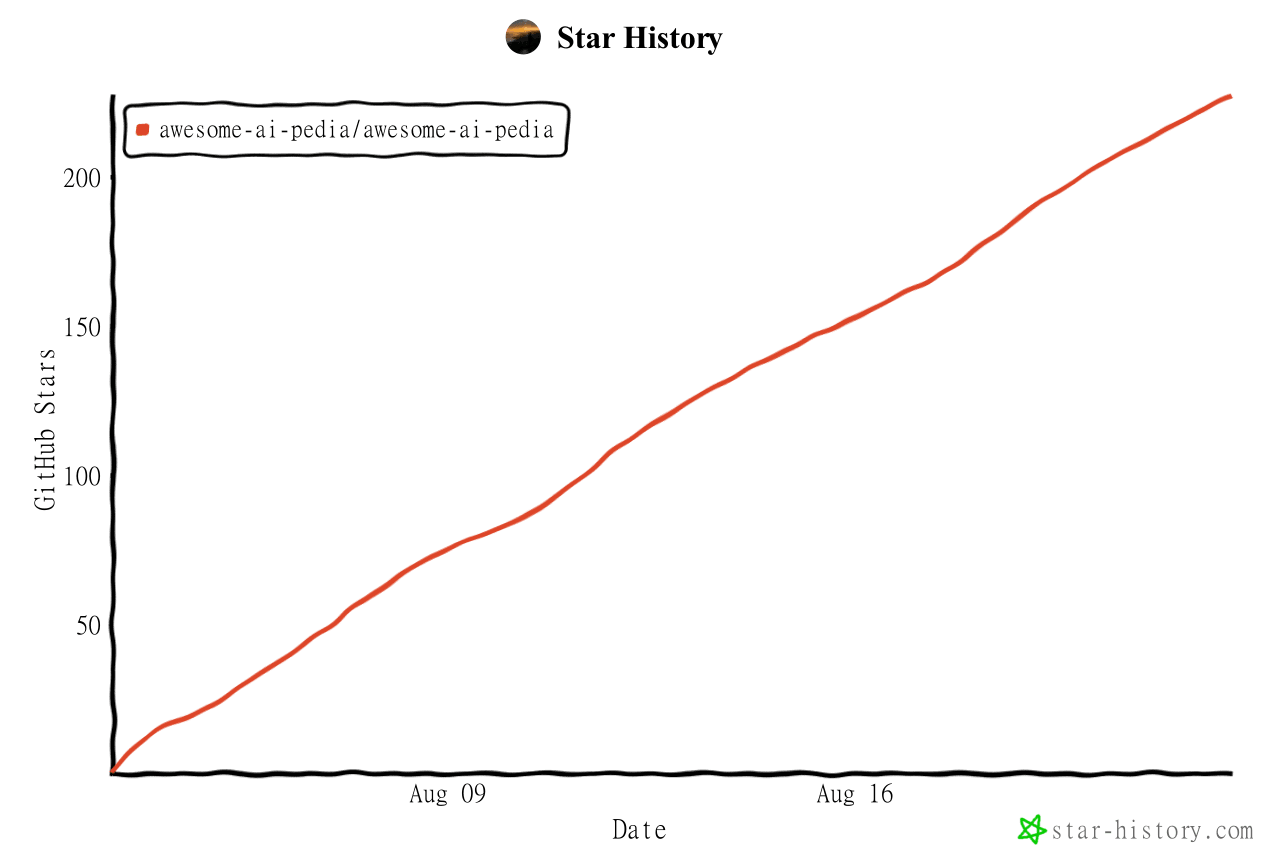 Awesome-AI-Pedia/Awesome-AI-Pedia
AI skills大全 mcp ai知识库 Agent 全维度 AI 资源百科,DSH插件 收录大模型、智能 Agent、RAG 检索增强、多模态、MLOps、AI 应用工具、AI面试集、Vibe coding 大全、零基础学习路线,持续更…
Awesome-AI-Pedia/Awesome-AI-Pedia
AI skills大全 mcp ai知识库 Agent 全维度 AI 资源百科,DSH插件 收录大模型、智能 Agent、RAG 检索增强、多模态、MLOps、AI 应用工具、AI面试集、Vibe coding 大全、零基础学习路线,持续更…
-
 imsai-sh/awesome-deepseek-harness-plugins
DeepSeek Harness plugin store, marketplace and hub — 11,000+ dsh plugins with search, rankings, install commands and a f…
imsai-sh/awesome-deepseek-harness-plugins
DeepSeek Harness plugin store, marketplace and hub — 11,000+ dsh plugins with search, rankings, install commands and a f…
- seriousz158/dsh-memory
-
 yjh051108/dsh-super-injector
推荐组件(非必须):DeepSeek Harness 运行时注入器;已随 dsh-routing-suite 单仓库化保留,本仓库继续维护/发布。
yjh051108/dsh-super-injector
推荐组件(非必须):DeepSeek Harness 运行时注入器;已随 dsh-routing-suite 单仓库化保留,本仓库继续维护/发布。
-
 2BingLing/dsh-market
DeepSeek Harness 插件市场 · 持续收录 6000+ DSH 插件:中文搜索 + 实用五维评分 + 一键安装。Web 版与 DSH 侧边栏插件双形态。Plugin marketplace for DeepSeek Harne…
2BingLing/dsh-market
DeepSeek Harness 插件市场 · 持续收录 6000+ DSH 插件:中文搜索 + 实用五维评分 + 一键安装。Web 版与 DSH 侧边栏插件双形态。Plugin marketplace for DeepSeek Harne…