zhaoan2308184882-spec/deepseek-harness-plugins
Unofficial community plugins for DeepSeek Harness: Codex provider and role model router
项目介绍Project Overview
这是面向 DeepSeek Harness 0.1.1-rc.2 的非官方社区扩展集合,包含两个插件:dsh-llm-codex 通过本机 Codex CLI 接入 Codex 模型;dsh-hooks-model-router 为 Planner、Executor、Reviewer 分别配置不同模型。适用于在 Harness 中使用 Codex 或按角色路由模型的场景。注意:模型路由会覆盖对话界面中选择的模型;升级 Harness 后可能需重新适配。
This is an unofficial community extension collection for DeepSeek Harness 0.1.1-rc.2, shipping two plugins. dsh-llm-codex connects Codex models via the local Codex CLI, while dsh-hooks-model-router assigns separate models to the Planner, Executor, and Reviewer roles. Use it when you need Codex access inside Harness or want per-role model routing. Note: the model router overrides any model chosen or switched in the chat UI, and Harness upgrades may require re-adapting the plugins.
请帮我了解并安装插件:【deepseek-harness-plugins】【https://github.com/zhaoan2308184882-spec/deepseek-harness-plugins】把上面这条消息直接发给当前会话里的 DSH,让它帮你了解并安装。安装命令不一定准确,发给 DSH 更稳。Send this message to DSH in your current session. CLI install commands may not be accurate across systems — DSH will figure it out for you.
或使用命令行安装(适合开发者)Or use CLI install (for developers)
命令行安装CLI Install
dsh.cmd plugin --profile web add .\plugins\dsh-llm-codex把 zhaoan2308184882-spec/deepseek-harness-plugins 加入你的 DSH 配置(web profile)即可启用。
READMEREADME
DeepSeek Harness Community Plugins
面向 DeepSeek Harness 的非官方社区扩展集合,包含两个插件和一个 Windows 桌面应用。目前针对 Harness 0.1.1-rc.2 适配,插件同时包含 TypeScript 源码和可直接加载的 lib 构建产物。
非官方项目:本仓库不隶属于 DeepSeek,包名使用维护者个人作用域,避免与官方包混淆。
包含的插件
| 插件 | 用途 | 设置位置 |
|---|---|---|
dsh-llm-codex |
通过本机 Codex CLI 为 Harness 提供 Codex 模型 | 设置 → 模型 |
dsh-hooks-model-router |
为 Planner、Executor、Reviewer 配置不同模型 | 设置 → 模型路由 |
Harness Desktop
Harness Desktop 是 Harness Web 的 Windows 桌面壳。它会在后台执行 dsh web --no-open,在独立应用窗口中打开 Harness,并沿用本机 web Profile 中的设置和插件。
安装版和便携版请从 GitHub Releases 下载。桌面版不内置 Harness,使用前仍需在本机安装并配置 dsh。完整说明见 桌面版文档。
前置条件
- Windows、macOS 或 Linux
- Node.js 和 DeepSeek Harness
0.1.1-rc.2 - 使用 Codex 插件时,需要安装 Codex CLI 并完成登录
检查环境:
node --version
dsh.cmd --version
codex --version
codex login status
PowerShell 如果禁止执行 dsh.ps1,请使用文档中的 dsh.cmd。
安装
git clone https://github.com/zhaoan2308184882-spec/deepseek-harness-plugins.git
cd deepseek-harness-plugins

dsh.cmd plugin --profile web add .\plugins\dsh-llm-codex
dsh.cmd plugin --profile web add .\plugins\dsh-hooks-model-router
dsh.cmd web
安装后打开 Harness 的“设置”:
- 在“模型”中检查 Codex Provider、Codex CLI 路径和可用模型。
- 在“模型路由”中为 Planner、Executor、Reviewer 选择 Provider 和模型。
- 首次使用建议先关闭路由,单独测试 Codex 模型能否正常回复,再开启角色路由。
更新
cd deepseek-harness-plugins
git pull
dsh.cmd plugin --profile web add .\plugins\dsh-llm-codex --force
dsh.cmd plugin --profile web add .\plugins\dsh-hooks-model-router --force
更新后请完全停止并重新启动 dsh web。如果当前 DSH CLI 不接受 --force,先移除旧插件后重新执行安装命令。
卸载
dsh.cmd plugin --profile web remove @zhaoan2308184882-spec/dsh-llm-codex
dsh.cmd plugin --profile web remove @zhaoan2308184882-spec/dsh-hooks-model-router
卸载后重新启动 dsh web。
重要备注
- 两个插件默认安装到
webProfile;安装到其他 Profile 不保证有设置界面。 - Codex 插件使用本机 Codex 登录状态,不会把
auth.json、API Key 或个人settings.yaml上传到本仓库。 - 路由开启后,以角色配置的模型为准,对话框中选择或切换的模型不会生效。
- 模型路由继承当前 Harness 会话权限,不会自行提升沙箱权限。能否写入工作区外目录仍由会话权限和审批策略决定。
- Planner、Executor、Reviewer 当前共用同一套会话权限,不能为单独角色配置更高权限。
- 角色执行顺序当前固定为
Planner → Executor → Reviewer;自定义增删角色和调整顺序尚未开放。 - Token 统计是当前路由会话的累计数据,可在模型路由页面重置。
- Harness 仍处于 RC 阶段,升级 Harness 后可能需要重新适配。遇到加载错误时请同时提供 Harness 版本、Node.js 版本和完整日志。
License
相关推荐Related
- Nagi-ovo/voyager Enhancement suite for Gemini, AI Studio, Claude & ChatGPT — plus a prompt manager for any web UI, DeepSeek Harness inclu…
-
 crafter-station/petdex
A public gallery of animated pets for Codex, Claude Code, DeepSeek Harness, Hermes, OpenCode, Gemini CLI, and more.
crafter-station/petdex
A public gallery of animated pets for Codex, Claude Code, DeepSeek Harness, Hermes, OpenCode, Gemini CLI, and more.
-
 edison7009/EchoBird
One-click install + model switch:Claude Code,Codex CLI (OpenAI), Grok Build (xAI), DeepSeek Harness, Kimi Code (Moonshot…
edison7009/EchoBird
One-click install + model switch:Claude Code,Codex CLI (OpenAI), Grok Build (xAI), DeepSeek Harness, Kimi Code (Moonshot…
-
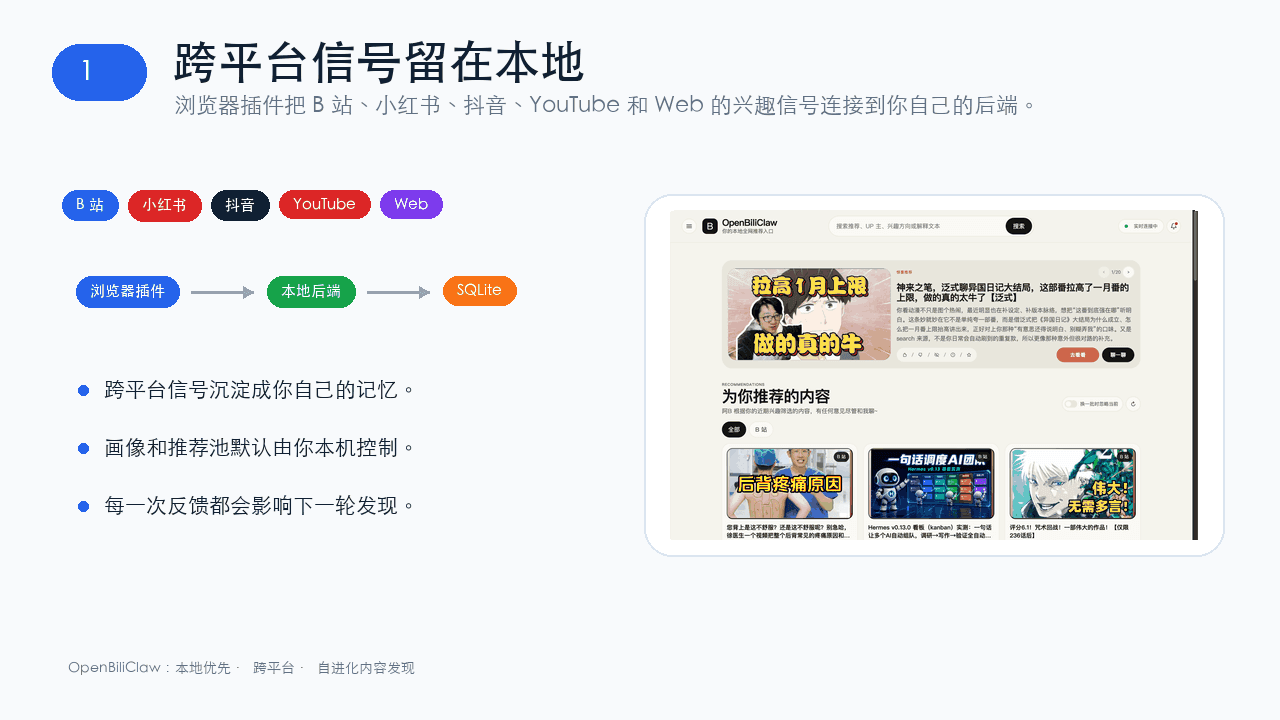 whiteguo233/OpenBiliClaw
本地私有、开源的自进化跨平台 AI 内容发现 Agent:先理解你,再主动从 B站、小红书、抖音、YouTube、X、知乎、Reddit、微博等平台与开放 Web 寻找内容。(支持 deepseek harness 插件) | Local-…
whiteguo233/OpenBiliClaw
本地私有、开源的自进化跨平台 AI 内容发现 Agent:先理解你,再主动从 B站、小红书、抖音、YouTube、X、知乎、Reddit、微博等平台与开放 Web 寻找内容。(支持 deepseek harness 插件) | Local-…
-
 V1ki/dsh-plugin-subscriptions
Use ChatGPT (Codex), Claude, and Grok (X Premium) subscriptions as DeepSeek Harness LLM providers — OAuth login in the w…
V1ki/dsh-plugin-subscriptions
Use ChatGPT (Codex), Claude, and Grok (X Premium) subscriptions as DeepSeek Harness LLM providers — OAuth login in the w…
-
 Mars-Sea/dsh-commandcode-provider
Unofficial DeepSeek Harness LLM provider plugin for Command Code: live model catalog, reasoning-effort support, Models-p…
Mars-Sea/dsh-commandcode-provider
Unofficial DeepSeek Harness LLM provider plugin for Command Code: live model catalog, reasoning-effort support, Models-p…
-
 Nwflower/dsh-chat-import
Import 14+ external agent chat histories (Claude Code, Codex, ChatGPT, Cursor, Gemini, Reasonix, opencode, ZCode, Grok B…
Nwflower/dsh-chat-import
Import 14+ external agent chat histories (Claude Code, Codex, ChatGPT, Cursor, Gemini, Reasonix, opencode, ZCode, Grok B…
-
 AITabby/dockyard-dsh
A macOS-only native account-pool and provider plugin for DeepSeek Harness.
AITabby/dockyard-dsh
A macOS-only native account-pool and provider plugin for DeepSeek Harness.