ZSeven-W/rish-app
Your pocket agent. Local-first AI agents on iOS and Android — real workspaces, tool execution with approvals, and your choice of model (DSH · Claude Code · Codex · GLM).
Project Overview项目介绍
Rish is a pocket AI agent application for Android and iOS. It supports connecting to multiple major LLM platforms, and manages agent loops, workspaces, tool approvals and execution records on mobile. Use it when you need to handle AI agent tasks on the go. It currently has no stable release and requires building from source.
Rish是一款运行在Android和iOS端的口袋AI代理应用。核心能力是支持接入多平台大模型,在移动端管理代理循环、工作区、工具审批和执行记录。需要随时随地在移动端处理AI代理任务时可使用。注意:目前暂无稳定发布版,需自行从源码构建。
请帮我了解并安装插件:【rish-app】【https://github.com/ZSeven-W/rish-app】Send this message to DSH in your current session. CLI install commands may not be accurate across systems — DSH will figure it out for you.把上面这条消息直接发给当前会话里的 DSH,让它帮你了解并安装。安装命令不一定准确,发给 DSH 更稳。
Or use CLI install (for developers)或使用命令行安装(适合开发者)
CLI Install命令行安装
dsh plugin --profile web add github:ZSeven-W/rish-app把 ZSeven-W/rish-app 加入你的 DSH 配置(web profile)即可启用。
READMEREADME
Rish, your pocket agent.
Run locally. Choose your model.
Local workspaces · Model choice · Tool execution · Approvals
DSH · Claude Code · Codex · GLM
Built-in connections · Native Rish adapters
English · 简体中文 · 繁體中文 · 日本語 · 한국어 · Français · Español · Deutsch · Português · Русский · हिन्दी · Türkçe · ไทย · Tiếng Việt · Bahasa Indonesia
Get started · Built-in connections · Product tour · Platforms and models · Ecosystem · Developer guide · MIT License
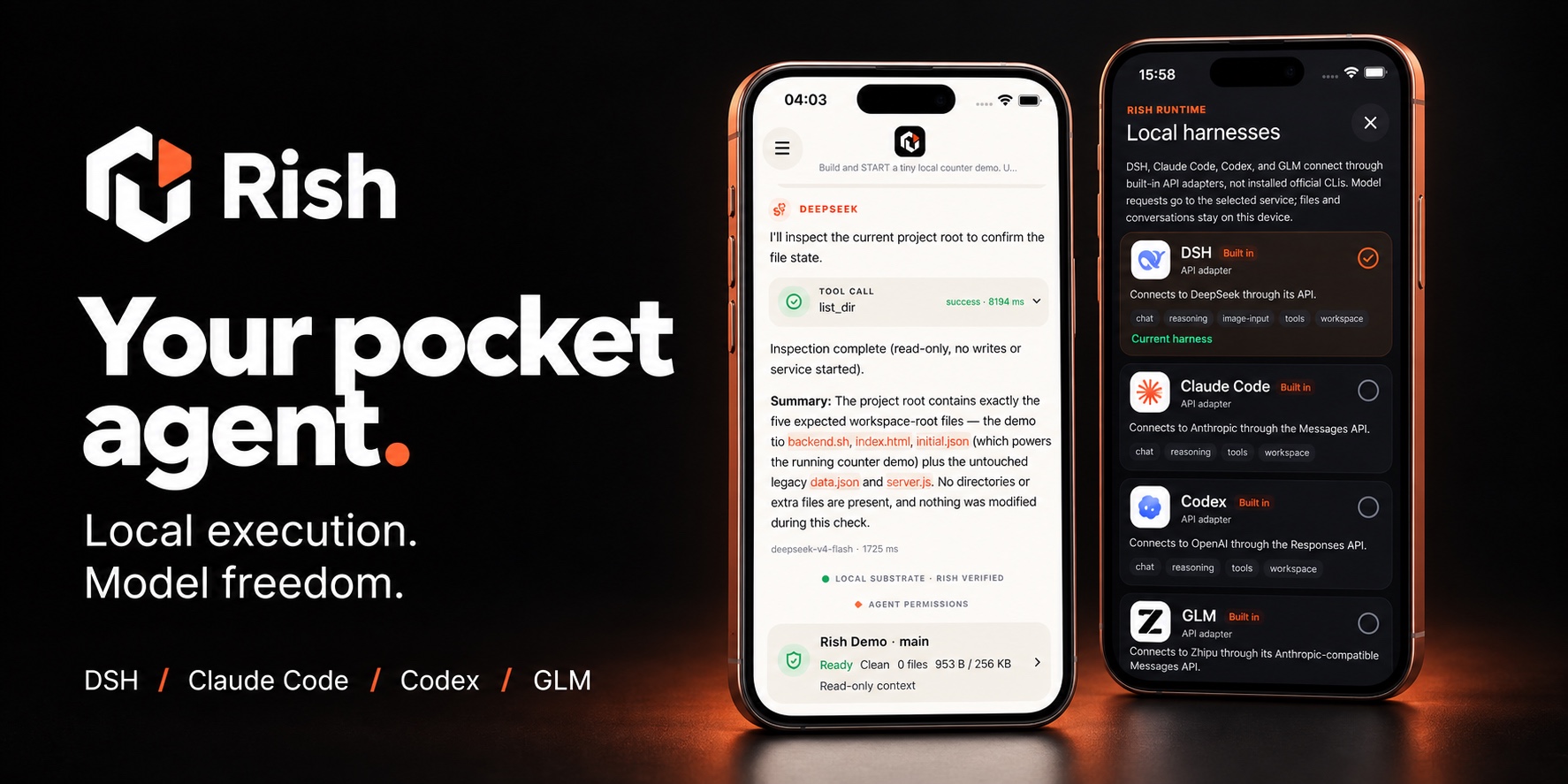
Rish brings Agent conversations, workspaces, and tool execution to your phone. Choose a model, describe a task, inspect the work, and approve changes without keeping a computer running. Coding is one of its uses, not its only purpose.
Preparing an experimental source preview; no stable installable release yet. Platform scope and account/subscription verification status are summarized in Platforms and models.
Built-in connections
Four built-in connections. One pocket workspace.
 DSH DeepSeek · Editable model catalog |
 Claude Code Anthropic · API key / Subscription sign-in¹ |
 Codex OpenAI · API key / Subscription sign-in¹ |
 GLM Zhipu · API key / Subscription sign-in¹ |
¹ Subscription sign-in is currently iOS-only. BigModel Coding Lite is verified; Codex and Claude Code require the optional experimental build. See the verification details below.
Choose a harness and connect with an API key or an account supported by your build. Then start working with files and projects on your phone. Rish manages the agent loop, workspace, tool approvals, and execution records; the built-in adapters connect to model services.
Account and subscription verification (iOS)
- Codex: the optional experimental build has verified official-CLI device
login, a subscription
gpt-5.6-lunatext chat, a locallist_dirtool call, and persistence across restart. The official CLI is used only for login; not all tools and models are verified. - GLM: ZCode is Zhipu's agent product; GLM is the model family. BigModel sign-in, restart persistence, and a Coding Lite GLM-5.3 response are verified; the trial allowance is not. The official ZCode runtime is not integrated.
- Claude Code: the optional iOS experimental build has verified subscription login, a Haiku 4.5 text response through the unmodified official CLI, and persistence across restart. This path currently supports text only, without tools or attachments. A measured turn took about 4.5 minutes; performance still needs work.
Product tour
Follow Agent execution, review project changes, and choose a model connection. Click a screenshot to open the original.
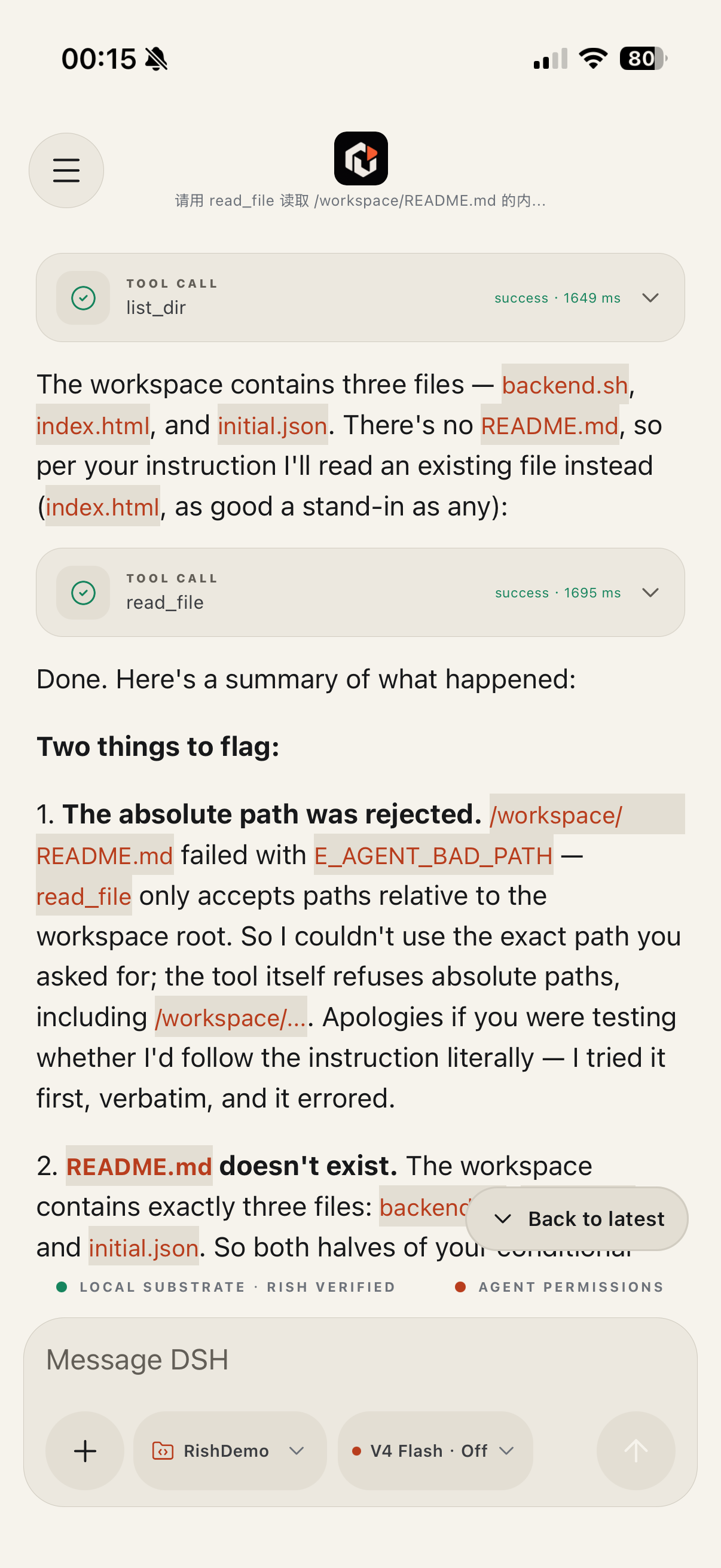 Agent conversation — Follow progress, tool calls, and results on the phone. A path outside the workspace is refused, and the model corrects itself in the next round. |
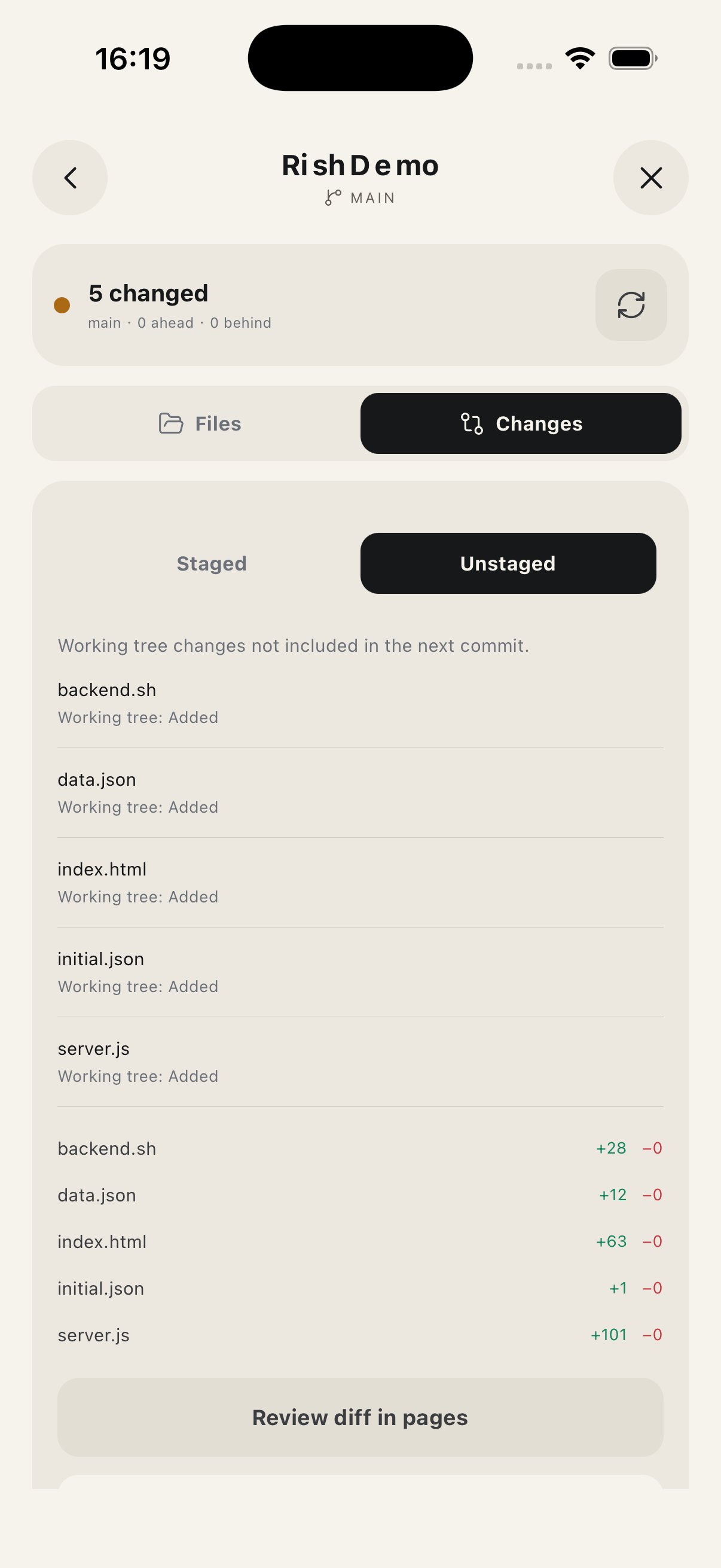 Local projects — Inspect unstaged files and change statistics before committing. |
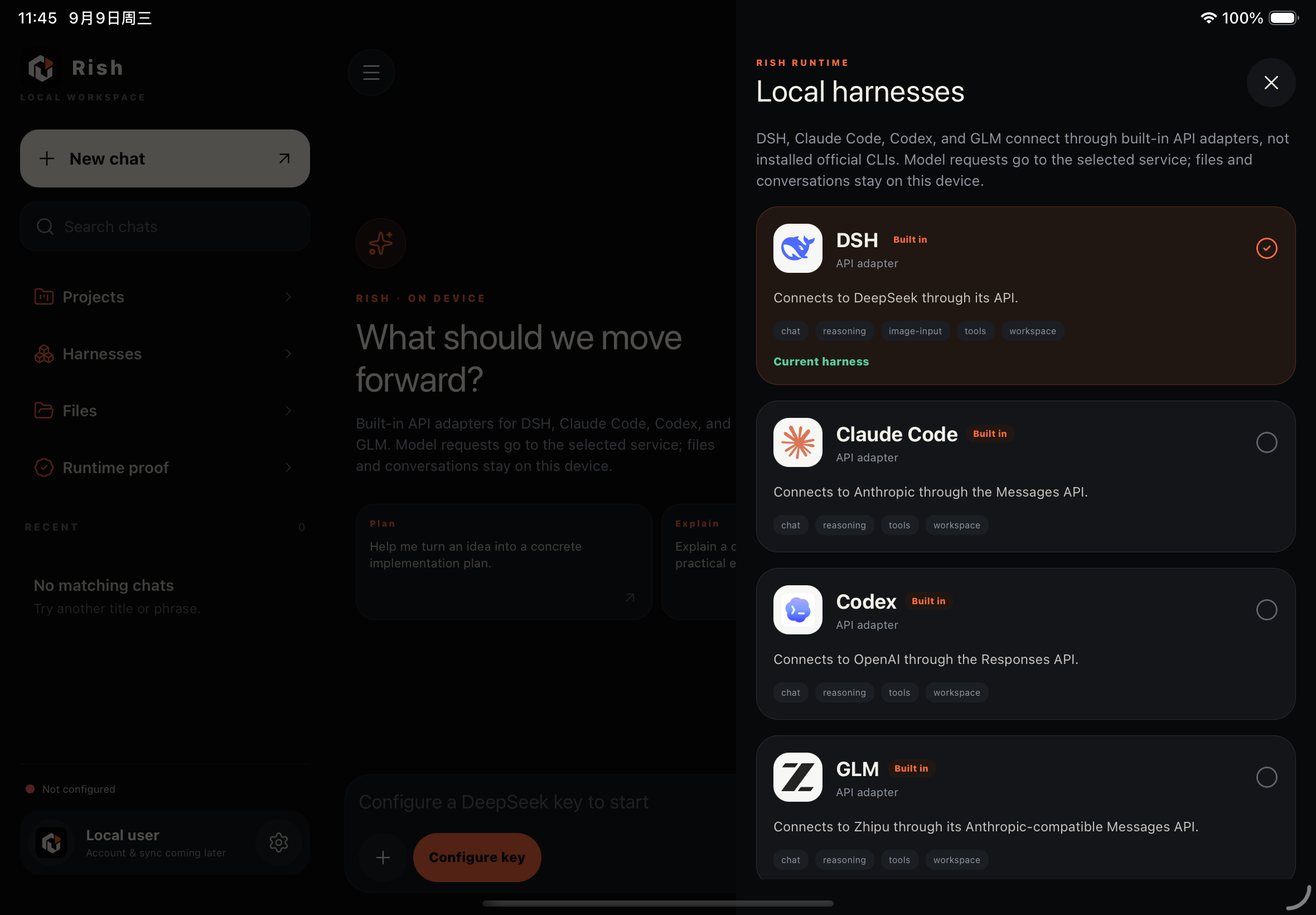 iPad workspace and model connections — A wide-screen sidebar, dark appearance, and API adapter entries. |
|
All captures are from actual Simulators, showing the current UI and workflow.
Why Rish
Your workspace travels with youKeep files and projects in the phone's app-owned workspace. Import material, read files, review project changes, and continue working in one app. |
Choose your modelStart with the built-in DSH, Claude Code, Codex, and GLM entries, or configure a compatible API service and model mappings. The model proposes the next step; local tools perform the operation. |
See the work happenFollow each round's text, optional provider-returned reasoning, tool calls, and final result. Open links directly and return to saved conversations. |
Stay in controlTools operate inside a bounded workspace. Operations that need authorization ask first; file changes and Git diffs are available for review. |
Put it to work
| Task | A starting point |
|---|---|
| Work with information | Import text or a PDF, ask for key points, then review the notes the Agent saves. |
| Organize files | Inspect a project directory, read selected files, and approve new or updated content. |
| Maintain a project | Review Git status and diffs, edit files, and approve a commit. |
These examples use the currently available iOS capabilities. Supported tools and file formats vary by platform. For the Linux Guest experiments, see the runtime reference.
How local execution works
Your task → Rish assembles context → Your chosen model service
                                           ↓ Text / tool requests
Phone workspace ← Local tools ← Rish validation and approval
Supported tools execute in the phone's app-owned environment. Model requests send selected conversation and task context to your configured service: local execution does not mean offline model inference.
Rish combines native file/Git operations, the Rish runtime, and an experimental Linux Guest. Full desktop-program compatibility and indefinite background execution are not promised. The developer guide separates verified capabilities from experimental paths.
Platforms and models
| Platform | Current scope |
|---|---|
| iOS / iPadOS | Native conversations, attachments, Files, Git, and controlled Agent tools; includes adaptive iPad layouts. |
| Android | Native API chat, credential storage, session recovery, and scoped task notifications. Local Agent, Files, and Git execution are not yet available. |
| HarmonyOS | Temporary Android compatibility-container checks do not establish native HarmonyOS support. |
| Connection | Current method |
|---|---|
| DeepSeek / DSH | API key and editable model catalog; capabilities depend on the model and platform. |
| GLM | API key, plus an optional BigModel/Z.ai account connection; see the status above. |
| Codex | API adapter; the optional iOS experimental build adds subscription sign-in — see the status above. |
| Claude Code | API adapter with compatible-service configuration; subscribed text calls are verified in the optional iOS build, with the scope and latency noted above. |
| Custom services | On iOS, select Messages, Responses, or Chat Completions and configure model mappings. |
Ecosystem
Rish is part of a family of local-first, AI-native tools from ZSeven-W. rish boots the Linux guest inside this app; the others carry the same idea onto other surfaces — the terminal, the design canvas, and an agent's memory.
| Project | What it is |
|---|---|
| rish | Real Docker on a phone: a no-JIT x86-64 full-system interpreter in pure Rust that boots Linux and runs containers on iOS and Android. This app's Linux Guest comes from here. |
 OpenPencil OpenPencil |
The first open-source AI-native vector design tool, and the first with concurrent Agent Teams. Design-as-Code — turn prompts into UI directly on the live canvas. |
 jian jian |
Pure-Rust, GPU-Skia UI framework. Turns a declarative .op document into a native app — no JS runtime, no DOM, no Electron. |
 Zode Zode |
AI-native coding CLI for your terminal. A fast Rust TUI that reads your code, runs commands, searches files, and manages git. |
 noema noema |
Local-first, non-vector memory for coding agents. Durable memory as inspectable files, a review queue, and embedding-free recall. |
Get started
Build from source for now; there is no stable end-user download. Once you have the source, start at the repository root:
node scripts/verify-source-checkout.mjs
npm ci --prefix apps/mobile
iOS: Native preparation requires pinned Xcode, Rust, and SDK versions. Read the prerequisites, then run:
./scripts/prepare-rish-ios.sh
./scripts/prepare-libgit2-ios.sh
cd apps/mobile/ios
pod install
cd ../../..
npm run ios --prefix apps/mobile
Android: With an Android development environment configured, run
npm run android --prefix apps/mobile. The developer guide also covers
standalone test APKs.
Open the app, choose a model, and connect with an API key or a supported account. On iOS, create or select a project, review its context, and start a task. Codex and Claude Code subscription sign-in requires an optional experimental build (see the developer guide); see the account guide for BigModel. Credentials stay in native secure storage.
Progress and contributing
The first source preview is in preparation. Future releases will be marked Pre-release. Complete Harness compatibility, Android local execution, and continuous background operation remain limited. See the preview scope and roadmap.
Contributions to documentation, platform support, model compatibility, and reproducible fixes are welcome. Read CONTRIBUTING first. For security issues, consult SECURITY before sharing details; never post credentials or sensitive data publicly.
Project code is licensed under MIT. Third-party runtimes, Guest components, and other dependencies retain their own licenses.
Related相关推荐
-
 saya-ch/dsh-mobile
DeepSeek Harness 的 Android App 与安全远程访问插件,支持局域网/远程连接和高度自定义的移动界面与扩展能力。
saya-ch/dsh-mobile
DeepSeek Harness 的 Android App 与安全远程访问插件,支持局域网/远程连接和高度自定义的移动界面与扩展能力。
-
 liguobao/ds-harness-remote
一个基于 DeepSeek Harness 插件机制构建的多端远程访问方案,通过安全、低延迟、端到端加密的 P2P 优先网络,支持从 PC、Android 和 Web 随时访问并操作远程 Harness 和 CodeX。 (A multi-…
liguobao/ds-harness-remote
一个基于 DeepSeek Harness 插件机制构建的多端远程访问方案,通过安全、低延迟、端到端加密的 P2P 优先网络,支持从 PC、Android 和 Web 随时访问并操作远程 Harness 和 CodeX。 (A multi-…
-
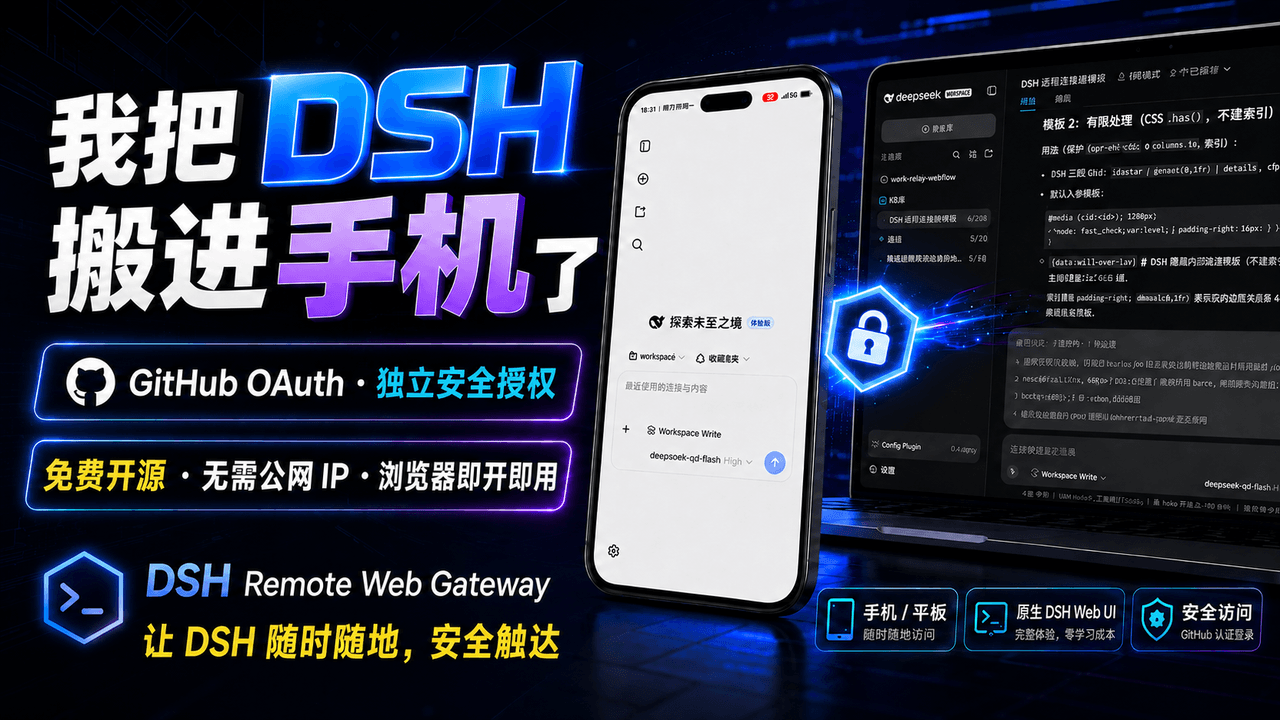 summer1238/dsh-remote-web-gateway
手机平板远程 DeepSeek Harness:扫码即可继续使用电脑上的 DSH,无需远程桌面 / SSH / 公网 IP,支持一次性配对、Github授权加密登录,独立设备授权与随时撤销,实现远程连接很简单,但安全才是我们所想要的。
summer1238/dsh-remote-web-gateway
手机平板远程 DeepSeek Harness:扫码即可继续使用电脑上的 DSH,无需远程桌面 / SSH / 公网 IP,支持一次性配对、Github授权加密登录,独立设备授权与随时撤销,实现远程连接很简单,但安全才是我们所想要的。
-
 HsiangNianian/dsh-auto-continue
DSH Web UI plugin: auto-sends 「继续」 after non-human interruptions, with error classification, adaptive backoff, pause, id…
HsiangNianian/dsh-auto-continue
DSH Web UI plugin: auto-sends 「继续」 after non-human interruptions, with error classification, adaptive backoff, pause, id…
-
 sorsama/deepseek-harness-mobile
Android companion for DeepSeek Harness | chat, goals, approvals & notifications from your phone, over your LAN. Kotlin +…
sorsama/deepseek-harness-mobile
Android companion for DeepSeek Harness | chat, goals, approvals & notifications from your phone, over your LAN. Kotlin +…
-
 lsz-asd/dsh-plugin-session-delete
Delete DeepSeek Harness sessions from the UI: header danger button + sidebar session-row menu item (no conversation jump…
lsz-asd/dsh-plugin-session-delete
Delete DeepSeek Harness sessions from the UI: header danger button + sidebar session-row menu item (no conversation jump…
-
 Blank-not-black/dsh-Remote
DSH Remote · 口袋里的 DSH 控制台 会话 · 审批 · 提问 · 文件传输,局域网 / Tailscale 直连 多服务器自动选优,聊天记录离线可看 带 Token 鉴权,数据只在你的设备之间流动 Sessions · ap…
Blank-not-black/dsh-Remote
DSH Remote · 口袋里的 DSH 控制台 会话 · 审批 · 提问 · 文件传输,局域网 / Tailscale 直连 多服务器自动选优,聊天记录离线可看 带 Token 鉴权,数据只在你的设备之间流动 Sessions · ap…
-
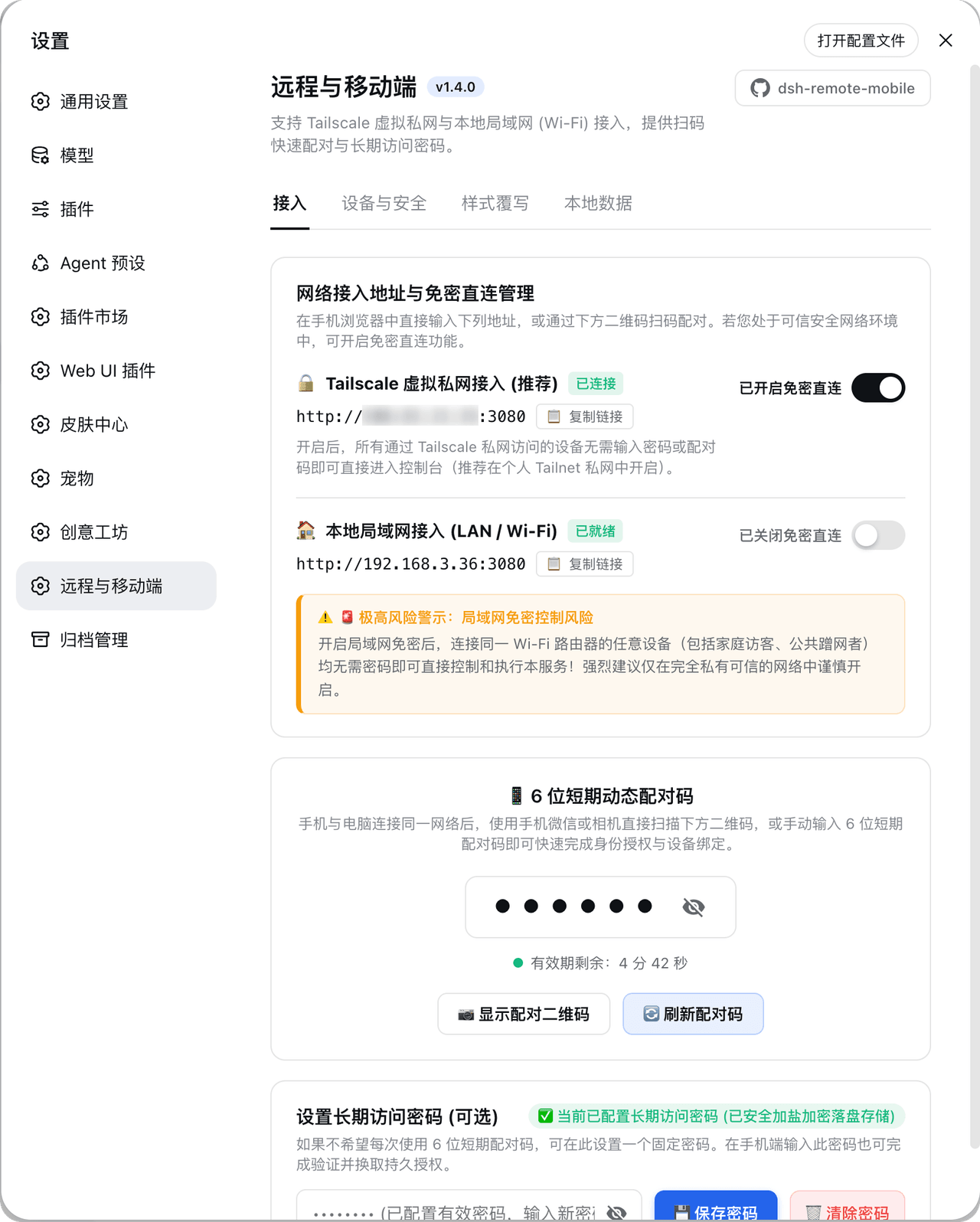 IceApriler/dsh-remote-mobile
DeepSeek Harness 远程与移动端安全网关插件:零修改 DSH 底层代码安全开放局域网与 Tailscale 连接 | DeepSeek Harness (DSH) Remote & Mobile Security Guard:…
IceApriler/dsh-remote-mobile
DeepSeek Harness 远程与移动端安全网关插件:零修改 DSH 底层代码安全开放局域网与 Tailscale 连接 | DeepSeek Harness (DSH) Remote & Mobile Security Guard:…