Runway AI 做视频真的好用吗?Does Runway AI Actually Deliver for Video Creation?
几年前,想用一段文字提示变出个能看的视频片段,还只是个新鲜玩意儿——放给朋友看,大家一起对着扭曲的怪相发笑。到了 2026 年,Runway 已经出现在真实的客户交付物、电影预演以及看不出半点 AI 痕迹的社交视频里。这个跨越不小。然而「演示惊艳」和「工作流里靠得住」是两码事,于是我在 Runway 里实打实地泡了很久,看它到底在哪里真出活、又在哪里——积分烧得比宣传暗示的快。
Not long ago, coaxing a watchable clip out of a text prompt was a party trick — you'd show friends and laugh at the warped artifacts. Come 2026, Runway shows up in real client deliverables, film pre-visualization, and social footage where no AI fingerprints show at all. That's a serious leap. Yet an eye-popping demo and a dependable part of your workflow are different matters, so I logged real hours in Runway to see where it truly performs — and where the credits drain faster than the hype implies.
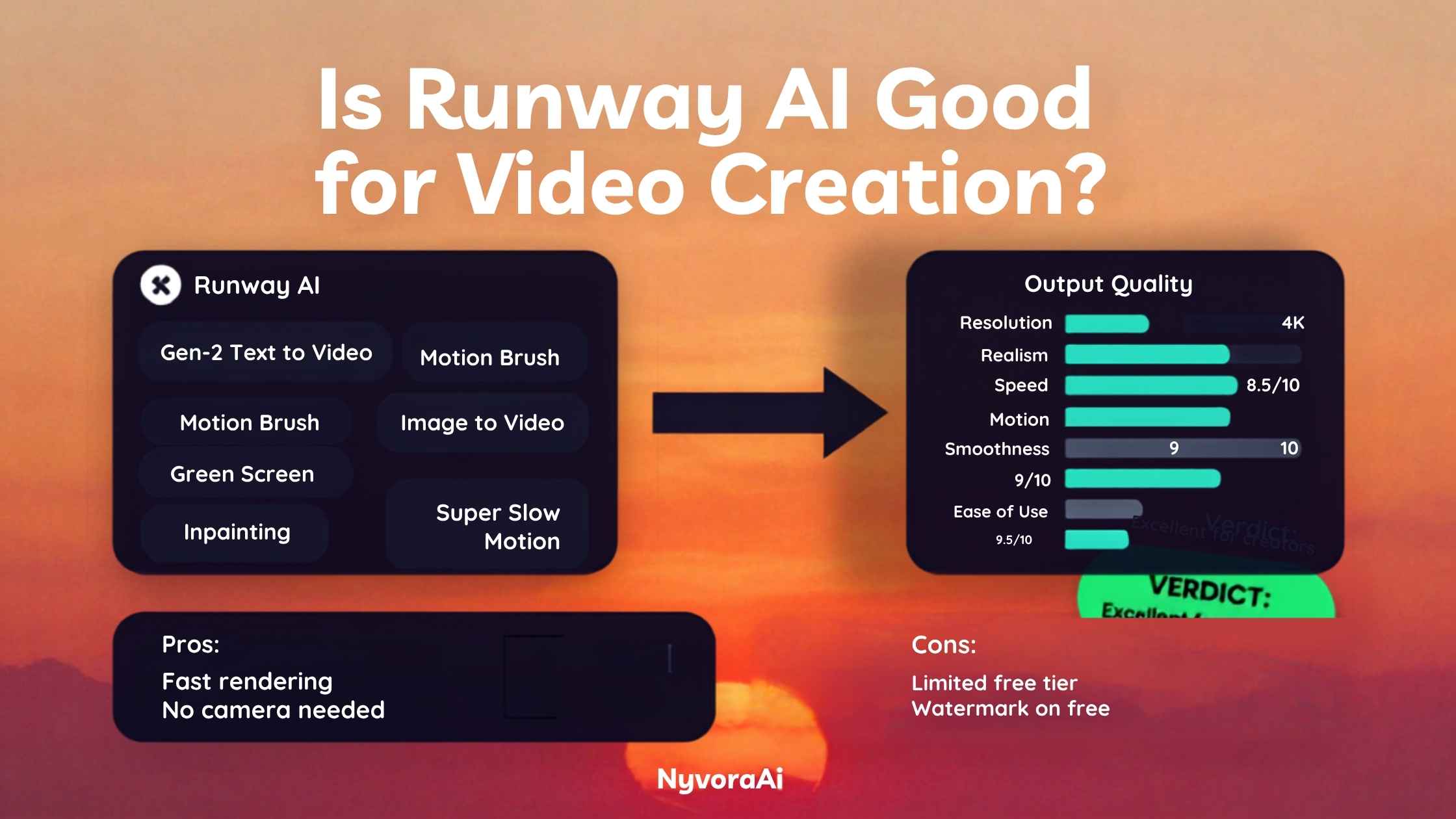
先给短结论:当你要的是短小、精致的生成片段、有创意的视觉特效,或 AI 辅助剪辑,并且接受它以秒级分段而非整片成品的方式工作时,Runway AI 做视频确实好用。需要长镜头口播、严格照本宣科的对白,或是完全不花钱做视频,就该另找工具。这个分野背后的细节,构成下文。
视频通常只是创作者工具箱里的一块,所以若你在更大范围内比较选择,当预算比极致画质更要紧时,我们的2026 年最佳免费 AI 视频工具盘点适合和本篇搭配着读。
01Runway AI 究竟是什么?
Runway,正式名称 Runway ML,最早是为电影人打造创意 AI 工具起家,如今已是生成式视频领域最知名的品牌之一。它的旗舰产品可以从一段文字提示、一张静帧,或两者结合生成片段;而 Gen-4 已经成了许多对手被衡量时的基准,尤其在视觉连贯和运动质量上。
生成只是故事的一半。Runway 还内置了一批 AI 辅助编辑能力——过去这些非得专业软件或资深特效师不可:没有实体绿幕也能抠背景、用补绘擦除或替换物体、追踪运动,以及插帧生成慢动作。生成与这种编辑深度结合,正是在岗的创意专业人士——而不只是玩提示词的爱好者——持续使用它的重要原因。
02Runway 如何把输入变成视频
核心处,Gen-4 把文字描述、参考静帧或两者一起转成一小段视频——几秒长,视套餐和设置可延伸到大约 10 到 20 秒。镜头如何运动由你指挥,动作由你描述,每次生成还能通过改写提示词或借助「导演模式」式控件,获得更精细的运动引导。
图生视频往往是通往一致性更稳的路线。交上一张静帧,Runway 会按你描述的运动让它动起来,比起纯靠文字凭空构造整个场景,画面更连贯。这在实践中很有分量:许多专业流程先精心构图一张静帧(有时在 Midjourney 里单独生成),再专门请 Runway 让这帧画面活起来。
编辑套件与生成模型在一定程度上分轨运行。运动笔刷——由你涂抹静帧上究竟哪一块该动——以及补绘——在片段每一帧中移除或替换物体——各自跑在为这些编辑任务专门调校的模型上,而非生成模型本身。
03Runway 真正值得用的地方
画质出色、动作连贯
内置编辑工具
图生视频结果稳定
04Runway 的短板
最明显的天花板是片段时长。需要一段超过大约 20 秒、连续且照脚本走的场景,就得把若干次生成拼接起来,而不是拿到一个干净结果——这份额外剪辑负担,多数新手都低估了。
其次是花费。免费档只给一小笔一次性试用水额度;持续使用就得付费套餐,而更重的生成——更高分辨率、单条片段反复重抽——吞噬积分的速度比新用户预想的快。在意预算的人应早做打算,别等被打个措手不及。
第三,Runway 从不是为口播、主持人出镜或对白密集的视频设计的。当你的形式需要一个稳定的说话者照稿演讲时,专门的 AI 数字人平台要合身得多;如果这更贴近你的真实需求,值得读我们另外那篇Synthesia AI 做视频好不好用。
最后,要持续产出好结果,仍有一道真实的学习曲线。给视频写提示比给静帧写提示更不容出错:措辞上的细微改动,都可能让运动、节奏和镜头表现大幅摆动,而且往往不是第一次试就能看清。
05Runway 与其他 AI 视频工具的比较
Runway AI
Synthesia
免费 AI 视频工具
062026 年 Runway 最适合的用法
电影人
社交内容创作者
营销人员
视频剪辑师
07使用 Runway 常犯的错误
08Runway 是否合你的视频需求?
回答三个小问题,就能得到直白建议。手头好几款工具来回倒?我们关于Notion AI 值不值得加进工作流的笔记或许能帮你把一切理顺;想要第二意见,也可直接找 DSH Plugin Hub 团队聊聊。
09常见问题
Runway AI 适合做视频创作吗?
Runway AI 怎么收费?
Runway AI 比 Synthesia 好吗?
Runway AI 生成的视频能有多长?
Runway AI 的视频能商用吗?
10结语
那么,Runway AI 做视频好不好?就它被打造来干的那份活——短小、视觉抢眼的生成片段,背后还有一套真正好用的 AI 编辑工具——答案明摆着是肯定的。它称得上当前最强的生成式视频平台之一,内置的绿幕、补绘和运动工具,让它在「敲段提示、看片段出现」的新鲜感之外,拥有真正持久的价值。
它在哪里不再是答案,同样清楚。长时长、对白密集或主持人驱动的需求,不是 Runway 的菜;硬上只会耗掉积分和耐心,结果还不如专用替代方案。而当主要约束是预算而非极致画质时,先试免费选项,胜过仓促订下一个可能根本用不上的付费套餐。
AI 视频迭代极快,这片格局一年内就可能换个模样,所以新发布和价格变动一落地,DSH Plugin Hub 新闻栏目都会跟进。若视频之外的视觉内容也是你工作的一部分,我们关于Canva AI 是否适合设计新手的指南是合理的下一篇读物。
The short version up front: Runway AI does deliver for video creation when you want brief, polished generated clips, inventive visual effects, or AI-assisted editing, provided you accept that it works in seconds-long chunks rather than completed films. Look elsewhere for long-form talking-head footage, tightly scripted dialogue, or a zero-cost way to produce video. The details behind that split fill the rest of this piece.
Video is usually one piece of a creator's larger toolkit, so if you're comparing options on a wider canvas, our rundown of the top free AI video tool for 2026 pairs well with this review when budget matters more to you than peak quality.
01So What Is Runway AI, Exactly?
Runway, or Runway ML to use its formal name, began by building creative AI for filmmakers and has since become one of the best-known brands in generative video. Its flagship offering produces clips from a text prompt, a still image, or the two combined, and Gen-4 has settled into the benchmark many rivals are judged against when it comes to visual coherence and the quality of motion.
Generation is only half the story. Runway also packs in AI-assisted editing capabilities that once demanded specialist software or a seasoned VFX artist: stripping backgrounds with no physical green screen, erasing and replacing objects via inpainting, tracking motion, and generating slow-motion frames by interpolation. Generation paired with that editing depth is a large reason working creative professionals — not just prompt-playing hobbyists — keep it in rotation.
02How Runway Actually Turns Inputs Into Video
At its center, Gen-4 converts a text description, a reference still, or both into a compact clip — a few seconds, stretching to roughly 10 to 20 seconds based on your plan and settings. Camera motion is yours to direct, the action yours to describe, and each generation can be refined by rewriting the prompt or leaning on "director mode"-style controls for more precise motion guidance.
Image-to-video is frequently the steadier route to consistency. Hand over a still and Runway animates it along the motion you describe, which keeps the visuals more coherent than conjuring a full scene from words alone. That has practical weight: many professional pipelines begin with a meticulously composed still (sometimes produced separately in Midjourney) and bring Runway in specifically to set that frame in motion.
The editing toolkit operates on a partly separate track from the generator. The motion brush, where you paint exactly which region of a still should move, and inpainting, which removes or swaps an object across every frame of a clip, run on their own purpose-tuned models rather than the generation model itself.
03Where Runway Genuinely Earns Its Keep
Visual Quality with Coherent Motion
Editing Tools Built Right In
Steady Results from Image-to-Video
04Where Runway Falls Short
The most obvious ceiling is clip duration. A continuous, scripted scene running past roughly 20 seconds means stitching several generations instead of receiving one clean result — an editing burden most newcomers underestimate.
Cost comes next. The free tier hands over only a small one-time batch of credits for trying things out; ongoing use means a paid plan, and heavier generation — higher resolutions, several retakes on a single clip — eats through credits quicker than new users anticipate. Anyone budget-minded should plan around that instead of being caught out.
Third, Runway was never designed for talking-head, presenter-led, or dialogue-dense video. When your format needs one steady speaker performing a script, a dedicated AI avatar platform fits far better; our separate look at whether Synthesia AI works for making videos is worth reading if that matches your actual need.
Lastly, consistent excellence still carries a genuine learning curve. Video prompting gives less room for error than prompting for stills: tiny shifts in wording can swing the motion, pacing, and camera behavior dramatically, often in ways the first attempt won't reveal.
05Runway Against Other AI Video Options
Runway AI
Synthesia
Free AI Video Tools
Canva (AI features included)
06Where Runway Fits Best in 2026
Filmmakers
Social content creators
Marketers
Video editors
Podcasters
Bloggers
07Common Runway Mistakes to Avoid
08Is Runway the Right Match for Your Video Needs?
Three short questions are all it takes for a straight recommendation. Juggling several tools at once? Our note on whether Notion AI deserves a place in your workflow could help keep everything organized — or speak to the DSH Plugin Hub team directly when you'd like a second opinion.
09Frequently Asked Questions
Does Runway AI actually work well for creating video?
What kind of price comes with Runway AI?
Is Runway AI better than Synthesia?
How long are Runway AI generated videos?
Can Runway AI videos be used commercially?
10Conclusion
So then — does Runway AI deliver for video creation? The job it exists to do — brief generated clips that catch the eye, with a set of AI editing tools genuinely useful behind them — is one it plainly succeeds at. It ranks among the most capable generative video platforms around; with green screen, inpainting, and motion tools baked in, the product keeps its value long after the thrill of prompt-in, clip-out has worn off.
Where it stops being the answer is equally plain. Long-form, dialogue-heavy, or presenter-driven needs are not what Runway is for, and forcing it will cost credits and patience for results inferior to a purpose-built alternative. And when budget — not peak quality — is your main constraint, trying free options first beats committing to a paid plan you may never need.
AI video moves fast enough that this landscape could look different inside a year, so the DSH Plugin Hub news section tracks new releases and price shifts as they land. And if visuals beyond video are part of your work too, our guide on whether Canva AI suits design beginners makes a sensible next read.