从没做过设计,用 Canva AI 行不行?Is Canva AI Any Good If You've Never Designed Before?
一提到「设计」,你是不是就想到要花几年去学一套永远学不透的软件?Canva 的 AI 工具就是冲着这种感觉来的。你说出想要什么,一个能用的东西就出现了——不用碰图层面板,不用补色彩理论,也不会有面对空白画布的慌张。它容不容易上手其实不是重点,重点是这份「容易」在你真拿它做要发布的东西时还站不站得住。
Does the very word 'design' summon images of software you'd spend years learning and never quite master? Canva's AI tools exist to kill that feeling. You describe the thing you want, and something usable appears — no layers panel, no colour-theory homework, no panic in front of an empty canvas. Whether it's easy isn't the real question; whether that easiness survives contact with work you'll actually publish is.
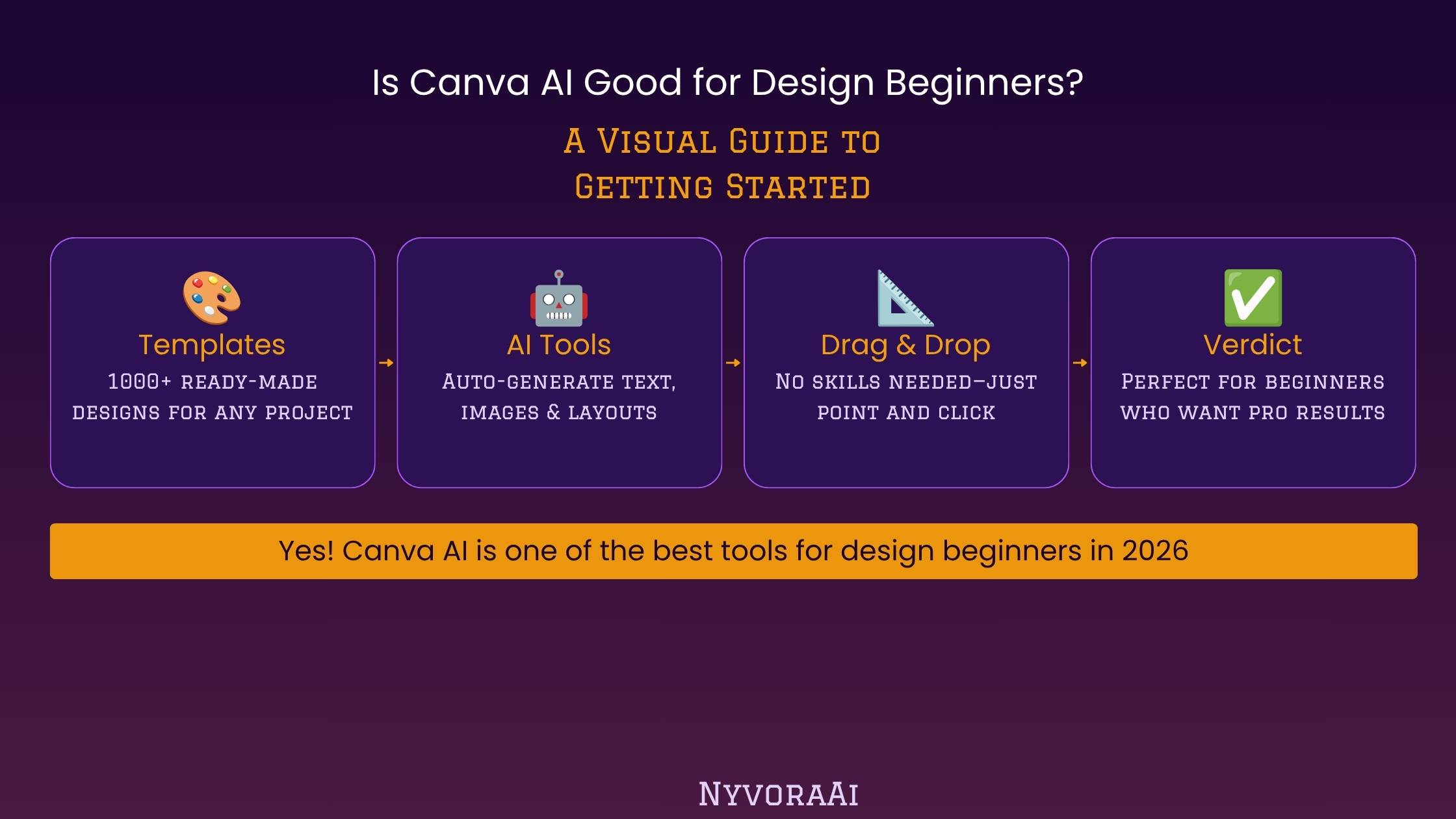
十多年来,Canva 一直把自己做成「不懂设计的人用的设计工具」,到 2026 年,它冠以 Magic Studio 之名的 AI 层,差不多可以说是全球最易上手的 AI 视觉设计应用。不过「对新手友好」这句在软件营销里被用得太随口了,所以这篇评测把问题问得更窄:对一个真的从没做过任何设计的人——而不是本来就熟悉创意软件的人——它还站得住吗?
01一句话答案
是——对设计新手来说,Canva AI 确实好用。Magic Studio 这套工具(其中包括 Magic Design、Dream Lab、Magic Write、Magic Eraser 和 Magic Expand)围绕大白话提示词和可编辑模板来设计,而不是靠手动排版功底,因此那些让传统设计软件望而生畏的障碍几乎全被拆掉了。免费版的每月 AI 额度足够把每个主要功能试一遍;而每月大约 $13-15 的 Canva Pro 会解锁大得多的额度,外加 Brand Kit 和高级模板。新手在掏钱前该知道的主要取舍是:Canva 的图像生成器 Dream Lab 在纯艺术质量上比不过 Midjourney 这类专精工具;而 Pro 的每月 AI 额度不结转,天天重度使用的话,很可能不到月底就用光。
02Magic Studio 到底是什么
Magic Studio 不是某一个独立工具,而是 Canva 给编辑器里所有 AI 功能起的统称。到 2026 年,它已经覆盖核心设计编辑器、用于数据驱动设计的 Canva Sheets、一项代码功能、视频生成,以及 Canva 收购并整合进来的免费专业套件 Affinity。最新也最受关注的一块是对话式 AI 界面:你用文字或语音说出需求,编辑器就会生成一组完全可编辑的设计对象——而不是一张没法再改的平面图。
对新手来说,实际结果是:你很少从空白页开始。要么描述需求,直接拿到一个能用的初始版式;要么从 Canva 庞大的模板库里挑一个,把那些琐碎操作——改尺寸、抠背景、配颜色——交给 AI 处理。这些活以前至少得对设计软件有点基础才做得来。
03新手最该关注的几个功能
Magic Design
Dream Lab
Magic Write
Magic Eraser & Expand
图层、蒙版、矢量路径——这些在这里统统不会出现。而恰恰是这套词汇,让传统设计软件学起来像多打一份工。把它们绕开正是重点所在,也解释了为什么说到第一个设计工具,大家推荐的还是 Canva。
042026 年 Canva AI 的价格
| 套餐 | 常见价格 | AI 额度 | 适合谁 |
|---|---|---|---|
| 免费版 | $0/月 | 每月额度有限 | 先把每个功能试一遍 |
| Pro | ~$13-15/月 | 500 AI 额度/月 | 个人与独立创作者 |
| Teams | ~$10/席位/月(至少 3 个席位) | 更大的共享额度 | 小型团队与代理公司 |
| Enterprise | 定制 | 按需定制/不限量 | 大型组织 |
想知道 Canva 的 AI 功能合不合你的工作方式,完全不用先花钱——免费版就能让你把 Magic Design 试个遍,跑几次 Dream Lab 生成,再用用 Magic Write 的核心功能。一旦这些工具从偶尔用变成天天用,Pro 那 500 个覆盖整个 Magic Studio 的月度 AI 额度,通常比反复撞免费版天花板更划算。有一点必须说清楚:Pro 的额度到期即清,也不能单独加购,所以月中就用完的话,要么等到下个周期重置,要么再加钱升级。
05为什么对纯粹的新手格外友好
对完全没经验的人来说,Canva 与同类 AI 设计产品最大的区别不在于某项杀手功能,而在于它的产出永远保持可编辑。用提示词生成的一张传单不是一张定死的图片,而是一份真正的 Canva 设计:文本框各自独立、颜色可换、版式元素可调,而且这些都不需要什么特殊技能。正是这份可编辑性,让一次偶然的顺利变成可以反复打磨到满意的作品。
对新手来说,Brand Kit 在背后默默承担了很多。只要加进 logo、一两个品牌色和一个字体,之后每一份 AI 生成的设计都会自动往这套识别系统上靠——于是你不需要懂色彩理论,也不需要懂字体搭配,做出来的多份物料看起来就是统一的。
06不足之处
- 论图像质量,Dream Lab 比不上 Midjourney。独立测评反复把 Canva 的图像生成器排在 Midjourney 之后,尤其是人脸和手部这些需要高保真艺术表现的地方。
- AI 额度不结转。Pro 账户里当月没用完的额度到重置时就消失了,也没有单独加购的选项。
- 它不是为专业印前工作做的。复杂的色彩管理印刷、进阶排版或广播级视频剪辑,仍然更适合交给专业软件。
- 免费版额度确实很紧。用来试试水够用,但不升级就跑不动真正的每周内容产出。
- Magic Write 需要人工改,不能照单全收。和任何 AI 写作工具一样,它的初稿在公开之前值得让人过一遍。
07十分钟就能上手
- 1
注册一个免费账号
1 只需要一个邮箱——探索免费版不用绑卡。
- 2
选一种设计类型
2 先定一个具体的东西——一条社媒帖、一张传单、一份简单的演示文稿——别从完全空泛的念头开始。
- 3
用平常话描述你要什么
3 「一张周六农夫市集的清爽活动传单,暖色调」就是一条完整可用的提示词。
- 4
从生成的结果里挑最喜欢的
4 Magic Design 通常会给出几个版本——挑最接近的,再从那里改。
- 5
手动微调文字、配色和图片
5 所有东西都保持可编辑,所以换个图、缩短标题这类小调整,几秒就能完成。
08可以和 Canva AI 搭配使用的工具
新手要的视觉产出,Canva 基本能包住,不过有几类相邻的工具能补上缺口。如果项目需要真正高端的 AI 图像——主视觉、关键图,或者要在大尺寸下依然耐看的东西——动手前先把 Dream Lab 和专门的图像生成器比一比;我们这篇2026 年订阅 Midjourney 划不划算的文章,正是详细拆解这个取舍。
如果你的设计工作涉及把语音内容变成幻灯片或图形——录播的线上分享、客户通话、讲座——把 Canva 和转写工具搭配起来就能补上这一环;参见我们关于最好用的 AI 转写工具的指南。而如果你经常要把会议记录整理成演示回顾,我们这篇Otter AI 记会议笔记好不好用的评测,正好可以和 Canva 连成下一步。
至于需要配图的较长文字内容——博客文章、产品描述、成批量的营销文案——专门的写作平台通常比 Magic Write 在编辑器里的快捷功能更胜一筹;如果你的工作里文字比重比视觉更大,我们这篇Copy.ai 与 Jasper 的对比值得一读。
09新手用 Canva AI 常犯的错
- 跳过 Brand Kit 设置。两分钟的配置,会显著影响之后每一份 AI 设计的统一程度。
- 以为 Dream Lab 能对标 Midjourney。它内置、方便,但并不是纯艺术图像质量的标杆——预期要放对位置。
- 把 AI 额度耗在无关紧要的生成上。Dream Lab 留给真正重要的主视觉;背景和填充图去用图库素材。
- 不经修改就发布 Magic Write 的初稿。快速通读一遍,就能在别人看到之前挡掉那些套话和不合调的语气。
- 一直不敢越过免费版的边界。如果经常撞到免费档的额度上限,通常说明 Pro 省下的时间就够本了,而不是这工具不行。
10常见问题
完全没有设计经验的人,选 Canva AI 合适吗?
用 Canva AI 要花钱吗?
Canva Magic Studio 具体是什么?
Canva 的 AI 图像质量和 Midjourney 比如何?
想把 Canva AI 用好,需要懂设计原则吗?
11结论
那么,Canva AI 对设计新手来说好用吗?说实话,好用——很少有 AI 工具是真正围绕「完全没有设计背景的人」来设计的,大多数只是给专业产品事后补上一块 AI。Magic Design 和 Dream Lab 能在几秒内把你从模糊的念头带到一个可编辑的起点,Brand Kit 让你不懂任何设计理论也能保持风格统一,免费版则留出了足够空间,让你一分钱不花就把这些全试清楚。
需要把期望调低的地方有两处:顶端的图像质量,以及重度使用后每月 AI 额度的上限。这两点都不算致命,但动手前值得心里有数。作为第一个设计工具、作为小企业日常做图的主力,或者只是给不想再盯着空白页发呆的人——Canva 的 AI 工具确实做到了它承诺的事,而且从不要求你先去学什么。
For more than a decade Canva has cultivated a name as the design tool for non-designers, and by 2026 the AI layer it brands Magic Studio may well be the most approachable use of AI in visual design anywhere. Still, 'beginner-friendly' is a phrase software marketing throws around carelessly, so this review asks a narrower question: does it hold up for a person who has genuinely never produced a design, as opposed to someone already fluent in creative software?
01The Short Answer
Yes — for design beginners, Canva AI is genuinely good. The Magic Studio suite (Magic Design, Dream Lab, Magic Write, Magic Eraser and Magic Expand among them) is organised around plain-language prompts and templates you can edit rather than manual layout craft, which dismantles nearly every obstacle that makes conventional design software feel forbidding. Monthly AI credits on the free plan go far enough to try each major feature, while Canva Pro, which costs around $13-15 per month, releases a far bigger allowance along with Brand Kit and premium templates. What beginners should know before committing: Dream Lab, Canva's image generator, can't rival a dedicated tool such as Midjourney on pure artistic quality, and Pro's monthly AI credits don't roll over — heavy daily use can drain them well before the month is out.
02What Magic Studio Really Amounts To
Magic Studio isn't one standalone tool; it's the collective label Canva gives every AI feature embedded in its editor. By 2026 that stretches across the core design editor, Canva Sheets (its data-driven design tool), a coding feature, video generation, and Affinity, the free professional suite Canva bought and absorbed. The freshest and most discussed piece is a conversational AI interface: describe what you want in text or speech, and the editor assembles a set of fully editable design objects — never a flattened image you're stuck with.
For a beginner, the practical consequence is that a blank page is rarely your starting point. Either you describe the outcome and receive a workable layout, or you choose from Canva's vast template library and delegate the fiddly operations — resizing, cutting backgrounds, matching colours — to the AI, jobs that previously demanded at least basic fluency with design software.
03The Features That Matter Most at the Start
Magic Design
Dream Lab
Magic Write
Magic Eraser & Expand
Layers, masks, vector paths: none of it comes up here, and that vocabulary is precisely what turns traditional design software into a second job to learn. Leaving it out is the entire point, and it explains why Canva remains the tool most often suggested for a first design project.
04What Canva AI Costs in 2026
| Tier | Usual cost | AI credits | Suited to |
|---|---|---|---|
| Free | $0 per month | A small monthly allowance | Getting a feel for every feature |
| Pro | ~$13-15 per month | 500 AI credits each month | Solo creators and individuals |
| Teams | ~$10 per seat per month (3-seat minimum) | A larger pooled allowance | Agencies and small teams |
| Enterprise | Custom | Tailored / unlimited | Big organisations |
Nothing needs to be spent to find out whether Canva's AI features suit the way you work — the free tier lets you put Magic Design through its paces, run a few Dream Lab generations and use Magic Write's core functions. The moment these tools become routine rather than occasional, Pro's 500 monthly AI credits, pooled across the whole of Magic Studio, usually make better financial sense than repeatedly colliding with free-tier ceilings. One caveat worth stating plainly: Pro credits expire at reset and can't be topped up individually, so burning through them mid-month leaves you waiting for the reset or paying to upgrade further.
05Why True Beginners Fare Particularly Well
What separates Canva from rival AI design products for an absolute first-timer isn't one killer feature — it's that outputs never stop being editable. A flyer produced from a prompt isn't a frozen picture; it's a genuine Canva design made of separate text boxes, colours you can swap and layout elements you can move, none of which requires prior training. That editability is what turns a fortunate first attempt into something worth iterating on until it's right.
Brand Kit quietly carries a great deal of weight for beginners in particular. Add a logo, one or two brand colours and a font, and every AI design produced afterwards automatically aims to match that identity — so arriving at something visually coherent across several pieces never requires knowing colour theory or how typefaces pair up.
06Where It Comes Up Short
- Dream Lab trails Midjourney on image quality alone. Time and again, independent testing places Canva's generator behind Midjourney for artistic, high-fidelity work — faces and hands above all.
- AI credits expire. Whatever sits unused on Pro at reset simply vanishes, and there's no à la carte top-up.
- Professional prepress isn't the target. Advanced typesetting, complex colour-managed printing and broadcast-grade video editing all remain the domain of dedicated professional software.
- Free-plan credits are genuinely tight. Adequate for dipping a toe, but not enough to run a real weekly content routine on the free tier.
- Magic Write needs editing, not blind faith. As with any AI writing tool, its first attempt improves from a human pass before it sees daylight.
07Up and Running in Ten Minutes
- 1
Open a free account
1 An email address is all it takes — no card required to explore the free plan.
- 2
Choose the kind of design
2 Settle on something specific first — a flyer, a social post, a simple presentation — instead of beginning with a completely vague notion.
- 3
Describe your goal in ordinary language
3 "A warm-coloured event flyer for a Saturday farmers market" is a prompt complete enough to work with.
- 4
Select your favourite from what's generated
4 Magic Design usually returns a few variations — take the nearest match and edit outward from there.
- 5
Fine-tune text, colours and images by hand
5 Nothing gets locked, so small changes — swapping a photo, shortening a headline — take seconds.
08Tools That Complement Canva AI
Canva handles the bulk of a beginner's visual work, but several neighbouring tools cover what it doesn't. When a project calls for genuinely premium AI imagery — a hero shot, key art, a piece that has to survive being blown up large — compare Dream Lab with a purpose-built image generator before committing; our piece on whether a Midjourney subscription pays off in 2026 walks through that exact trade-off.
Should your design work involve converting speech into slides or graphics — a client call, a recorded webinar, a lecture — a transcription tool paired with Canva bridges the gap; see our guide to the top AI transcription tools. And if meeting notes routinely become presentation recaps, our verdict on Otter AI for meeting notes sits naturally alongside Canva as the following step.
Longer written pieces that need to travel with your visuals — a product description, a blog post, marketing copy at volume — will generally come out better from a dedicated writing platform than from Magic Write's in-editor shortcuts; our Copy.ai versus Jasper comparison is worth your time when text weighs more heavily in your workflow than visuals do.
09Beginner Slip-Ups With Canva AI
- Skipping the Brand Kit. Two minutes of setup has an outsized effect on how consistent later AI designs turn out.
- Expecting Dream Lab to rival Midjourney. Built in and convenient, yes — but it isn't the yardstick for pure artistic image quality, so calibrate accordingly.
- Spending AI credits on throwaway generations. Reserve Dream Lab for hero images that earn it; reach for the stock library on backgrounds and filler visuals.
- Publishing Magic Write's opening draft without edits. A fast read-through catches bland phrasing and off-key tone before an audience ever sees it.
- Stopping at the free plan's ceiling. Consistently bumping into free-tier caps usually signals that Pro would pay for itself in saved time — not that the tool has failed you.
10Questions Worth Asking
For someone with zero design experience, is Canva AI a good choice?
Does using Canva AI cost anything?
What exactly is Canva Magic Studio?
How does Canva's AI image quality stack up against Midjourney?
Do design principles need to be learned for Canva AI to work well?
11Final Verdict
So, is Canva AI good for design beginners? Honestly, yes — few AI tools are genuinely shaped around the needs of someone with no design background at all, rather than being a professional product with AI attached as an afterthought. Magic Design and Dream Lab carry you from an unformed idea to something editable within seconds, Brand Kit keeps the results coherent without a scrap of design theory, and the free plan leaves enough room to properly test all of it before you spend a cent.
Where expectations deserve tempering: image quality at the very top end, and monthly AI credit limits once usage becomes heavy. Neither amounts to a dealbreaker, but both are worth understanding before you commit. As a first design tool, as a small business's everyday visual workhorse, or for anyone who simply wants to stop staring at an empty page, Canva's AI tools do what they advertise — and they never ask you to learn something first.