2026 年哪款免费 AI 视频应用值得你花时间?Which Free AI Video App Is Worth Your Time in 2026?
AI 视频行业脚下的地一直在动:半年前惊艳的演示如今已经过时,新的免费档也不断重画着不花钱能触及的边界。我们替你把主要产品逐一试完——下面不粉饰地呈现 2026 年领先的免费 AI 视频应用究竟能交出什么。
AI video shifts under your feet: a demo that wowed half a year back already feels stale, while fresh no-cost tiers keep redrawing the line on what you can reach without paying. Rather than make you run every trial yourself, we worked through all the major names — below is an unvarnished view of what the leading free AI video apps of 2026 truly hand you.
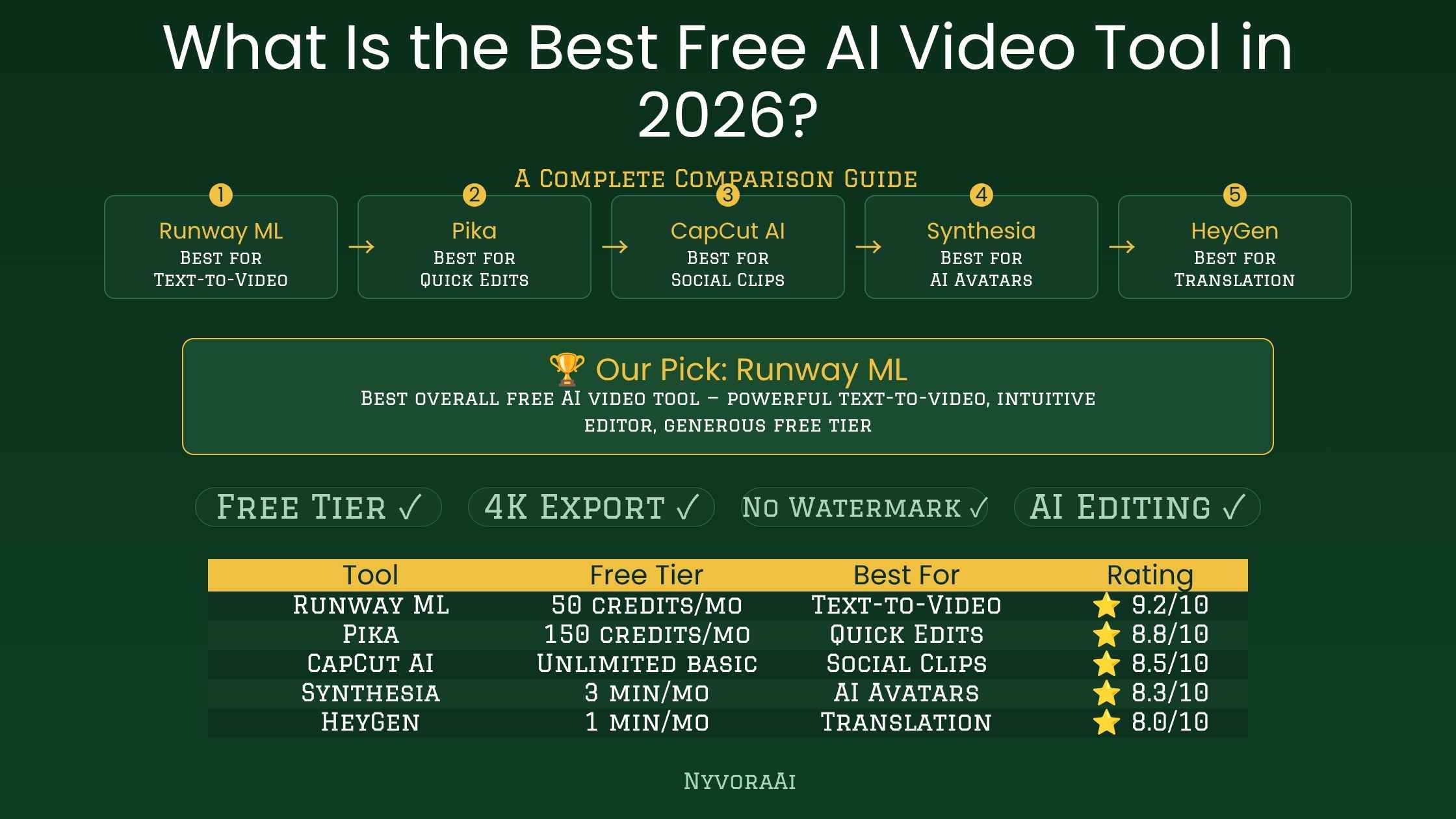
倒回一年前,「免费 AI 视频工具」通常意味着一段带水印的五秒片段,画面像从高烧的梦里传来。那个时代已经结束。整个 2026 年,多款应用切实加强了免费档,免费与付费之间的鸿沟收窄到这种程度:不少创作者、小企业主和单打独斗的营销人,都能钱包不动就拿到真正用得上的成品。
即便如此,「免费」依旧拴着绳子:点数会耗尽,分辨率有上限,某些功能始终上着锁。所以真正的问题比视频质量更深:在撞上墙之前,哪款免费档能为你的实际工作产出最有用的东西?这是两个答案偶尔不同的问题,本文都会回答。
01捷径答案
时间紧?下载 Kling AI。在当前所有免费产品里,它的额度对真实生成最有用——每月点数够用、五秒片段质量体面、没有水印,界面清晰到无需教程。如果任务要的是成片——旁白、字幕加剪辑,而不是孤零零一段生成片段——改用 InVideo AI。它的免费档把整条流程聚在一处,对无脸出镜的 YouTube 频道和社媒视频确实好用。
你的选择应该跟着实际要做的内容走。下面每款应用都会完整展开,这样你能让工具对上任务,而不是默认选那个人人挂在嘴边的名字。
022026 年 AI 视频的真实水位
在给各款应用打分之前,先给个坦率的基准,因为炒作总是跑在实际成品前面。文生视频确实在飙升:连贯性、动作流畅度和整体画质都远高于去年。尽管如此,一组天花板仍压着本文列出的每一款免费应用。
长度正是一致性开始散架的地方。人脸在镜头间漂移,道具凭空出现又消失,手和细小文字依旧是出了名的老大难。眼下处理这些最好的是 Sora、Pika 等平台的付费档——不是免费版。免费档真正拿手的,是短的、氛围感的或抽象的素材:YouTube 空镜、循环社媒片段、产品短片、解说动画。做这类活,2026 年的免费应用确实拿得下。
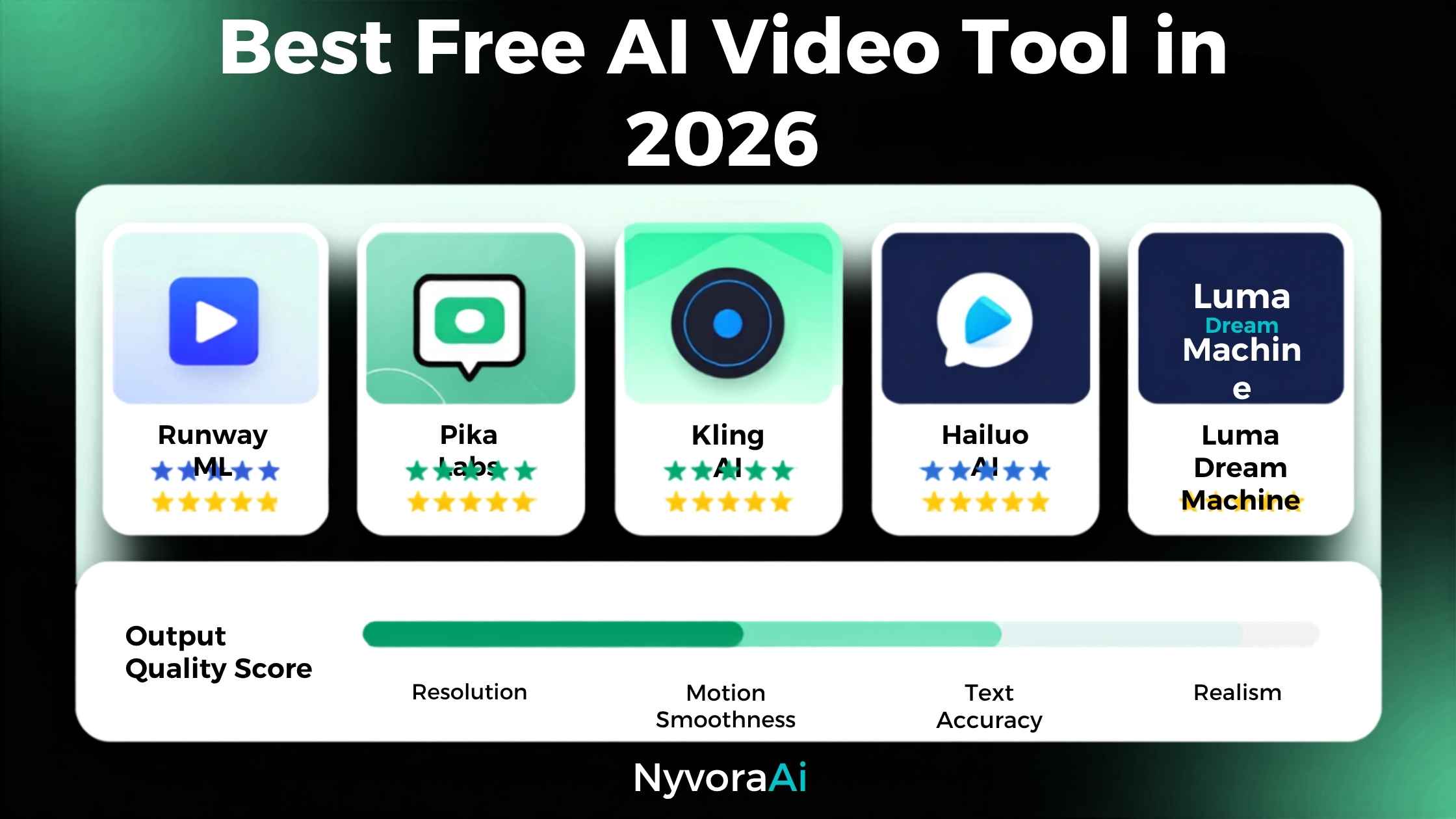
03Kling AI——免费产品里的总冠军
它免费档的优势来自一对组合:无水印,外加足够每月真正做内容、而不是试两次就走的点数。任何在经营社媒账号或剪 YouTube 空镜的人都认得出这个差距——它区分开一款每周都用的主力,和一个七天后就丢掉的玩具。
04InVideo AI——从文字提示到完成片
水印仍是免费档坚硬的天花板。测试和私人项目没问题;真要发布还是得靠无水印导出,而那藏在付费方案之后。每周四次免费导出对稳定产出者也偏紧。尽管如此,想看一段脚本如何端到端变成完整配旁白、完整剪辑的片子,没有什么比它更有说服力地展示 AI 视频的边界。
05Pika Labs——为快速社媒片段而生
06Runway——顶级观感,点数转瞬即逝
07CapCut AI——最强的 AI 素材免费剪辑器
08完整并排对比
| 应用 | 最适合 | 免费点数 | 水印 | 最长时长 | 画质 |
|---|---|---|---|---|---|
| Kling AI | 日常生成 | 充足 | 无 | 5–10 秒 | 很好 |
| InVideo AI | 完整旁白视频 | 每周 4 次 | 有 | 15 分钟 | 好 |
| Pika Labs | 社媒片段 | 每日限额 | 无 | 3–5 秒 | 很好 |
| Runway | 最高画质 | 极少 | 有 | 4–16 秒 | 极佳 |
| CapCut AI | 剪辑 AI 生成片段 | 充足 | 无 | 无生成上限 | 剪辑器,非生成器 |
09让合适的应用对上你
几乎一切都取决于你在做什么。给 Instagram、TikTok 或 YouTube Shorts 做短素材,指向 Kling 生成、CapCut 剪辑。无脸 YouTube 频道需要从脚本到完整旁白成片,那是 InVideo AI 的主场。当某个专业项目要求最精细的观感、几次免费生成也够用时,Runway 值得一试。
这些应用谁都给不了的,是最初的判断——做什么、为什么做。制作工序移交给 AI;策略、选题和对受众的理解仍然归你。更宽的生态——研究、写作、分发——与生成配合得很顺。如果你在建立更宏观的 AI 工具对比视角,我们对Perplexity AI 的研究实力、Jasper AI 是什么、值不值以及Grammarly AI 对写作者值不值的分析,覆盖了与视频并列的研究与写作那一半。
凡是视频带旁白或语音的地方,转录准确度也跟着登场——我们这篇领先的 AI 转录应用指南讲了谁做得好。拿图像工具和视频一起比?2026 年 Midjourney 订阅值不值是有用的配套读物。如果写作工具也在候选之列,我们的Copy.ai 与 Jasper 对比直接画出了那块重叠。
10读者最常问的问题
2026 年哪款免费 AI 视频应用领先?
免费 AI 应用能做出专业级视频吗?
免费 AI 视频应用会盖水印吗?
AI 生成视频要花多长时间?
免费 AI 视频用于 YouTube 够格吗?
11收尾
对 2026 年的大多数工作来说,Kling AI 就是那个免费答案——每个点数换来的有用产出最高、无水印、片段直接可发,不会让人觉得被逼着升级。再加上 CapCut 负责剪辑,你就握有一条零成本的完整流程;仅仅一年前,凑齐它还得真金白银地花钱。
不过,没有哪款应用能救一个模糊的计划——做什么、做给谁看。生成移除的是技术门槛,而不是赢得注意力所需的创意与战略思考。工具从未如此锋利;用它们做什么、为什么有人会在乎,仍然完全摆在你这一侧的桌面上。
Rewind a year and a "free AI video tool" usually delivered a watermarked five-second fragment that looked beamed in from a fever dream. That era is over. Across 2026 a number of apps have genuinely strengthened their no-cost tiers, and the free-paid gap has tightened far enough that plenty of creators, small-business owners and one-person marketers can walk away with output they'd actually use, wallet untouched.
Even so, "free" still wears a leash. Credits drain away, resolution hits a ceiling, certain capabilities stay padlocked. So the real question runs deeper than raw video quality: before the wall arrives, which no-cost tier yields the most useful output for the work you actually do? Those are two questions with occasionally different answers, and both get answered here.
01The Shortcut Answer
Short on time? Grab Kling AI. Of everything currently free, its allowance does the most for real generation — workable monthly credits, respectable five-second takes with no watermark, and an interface clear enough that no tutorial is required. When the job calls for a finished cut — narration, on-screen text and edit rather than a lone generated fragment — turn to InVideo AI. Its free tier gathers the entire workflow in one spot and genuinely serves faceless YouTube channels and social videos.
Your pick should follow what you're actually producing. Every app gets a full treatment below, so you can match tools to the task instead of defaulting to the name everyone repeats.
02The Real State of AI Video in 2026
Before grading individual apps, a candid baseline helps, since the hype keeps outrunning what ships. Text-to-video has surged: coherence, smooth motion and overall fidelity all sit well above last year. Even so, a set of ceilings presses on every free app listed here.
Length is where consistency frays. A face drifts between cuts; props pop in and out; hands and small lettering stay notoriously stubborn. Paid levels of platforms such as Sora and Pika handle these best right now — not the free editions. What no-cost tiers genuinely nail is short, atmospheric or abstract material: YouTube B-roll, looping social pieces, product snippets, explainer motion. For work like that, the free apps of 2026 can really deliver.
03Kling AI — The Free Leader Overall
The free tier's edge comes from pairing: no watermark alongside enough monthly credits to genuinely produce, rather than sample the app twice and walk away. Anyone growing a social following or cutting YouTube B-roll will recognize that gap — it separates a weekly workhorse from a toy dropped after seven days.
04InVideo AI — From Text Prompt to Finished Cut
The watermark remains the free tier's hard ceiling. Testing and private projects are fine; publishing really calls for clean exports, and those sit behind the paid plan. Four free exports weekly also pinch steady producers. Still, for watching a script become a fully narrated, fully edited piece end to end, nothing demonstrates the reach of AI video more convincingly.
05Pika Labs — Built for Quick Social Snippets
06Runway — Top-Tier Looks, Vanishing Credits
07CapCut AI — The Strongest Free Editor for AI Footage
08The Complete Side-by-Side
| App | Strongest Fit | Free Credit Allowance | Watermark | Longest Output | Fidelity |
|---|---|---|---|---|---|
| Kling AI | Everyday generation | Plentiful | Absent | 5–10 sec | Strong |
| InVideo AI | Complete narrated videos | 4 each week | Present | 15 min | Solid |
| Pika Labs | Social snippets | Capped daily | Absent | 3–5 sec | Strong |
| Runway | Peak-fidelity work | Minimal | Present | 4–16 sec | Outstanding |
| CapCut AI | Cutting AI-generated clips | Plentiful | Absent | No generation cap | Editor, not generator |
09Matching the Right App to You
Nearly everything comes down to what you're producing. Quick material for Instagram, TikTok or YouTube Shorts points to Kling for renders and CapCut for the cut. A faceless YouTube channel needing a complete narrated result from a script is InVideo AI's home turf. When one professional project demands the finest possible look and a handful of free renders suffices, Runway deserves the trial.
What none of these apps supply is the original judgment — what gets made, and why. Production mechanics move over to the AI; strategy, topic choice and audience insight remain yours. The wider ecosystem — research, writing, distribution — complements generation neatly. If you're building a broader comparative view of AI tools, our takes on Perplexity AI's research credentials, Jasper AI's identity and value and Grammarly AI's worth for writers cover the research-and-writing half that sits beside video.
Wherever a video carries narration or speech, transcription accuracy enters the picture too — our guide to the leading AI transcription app covers who handles it well. Comparing image tools alongside video? Midjourney's subscription value in 2026 makes a useful companion. And if writing tools are also in the running, our Copy.ai versus Jasper comparison maps that overlap directly.
10Questions Readers Ask Most
Which free AI video app leads in 2026?
Can free AI apps produce professional-grade video?
Do no-cost AI video apps stamp on watermarks?
How much time does AI video generation take?
Is free AI video good enough for YouTube?
11Wrapping Up
For most work in 2026, Kling AI is the free answer — the highest useful yield per credit, no watermark, clips publishable without feeling pushed toward an upgrade. Add CapCut for the cut and you hold a complete zero-cost pipeline that, only a year ago, would have meant real outlay.
Still, no app rescues a fuzzy plan — what you're making and for whom. Generation removes the technical barrier, not the creative and strategic thinking that earns attention. The tools have never been sharper; deciding what to build with them, and why anyone should care, stays entirely on your side of the desk.