2026 年哪些 AI 工具完全免费?Which AI Tools Are Totally Free in 2026?
最烦的莫过于工具刚要上手,付费墙就冒出来。为了找出 2026 年真正免费的平台,我们实测了数十款产品。不用填卡号,没有意外收费——能力不俗的 AI,分文不花。
Nothing is more annoying than a paywall appearing at the exact moment a tool starts to get useful. To find the platforms that are actually free in 2026, we put dozens through testing. No card details, no surprise charges — just capable AI for nothing.
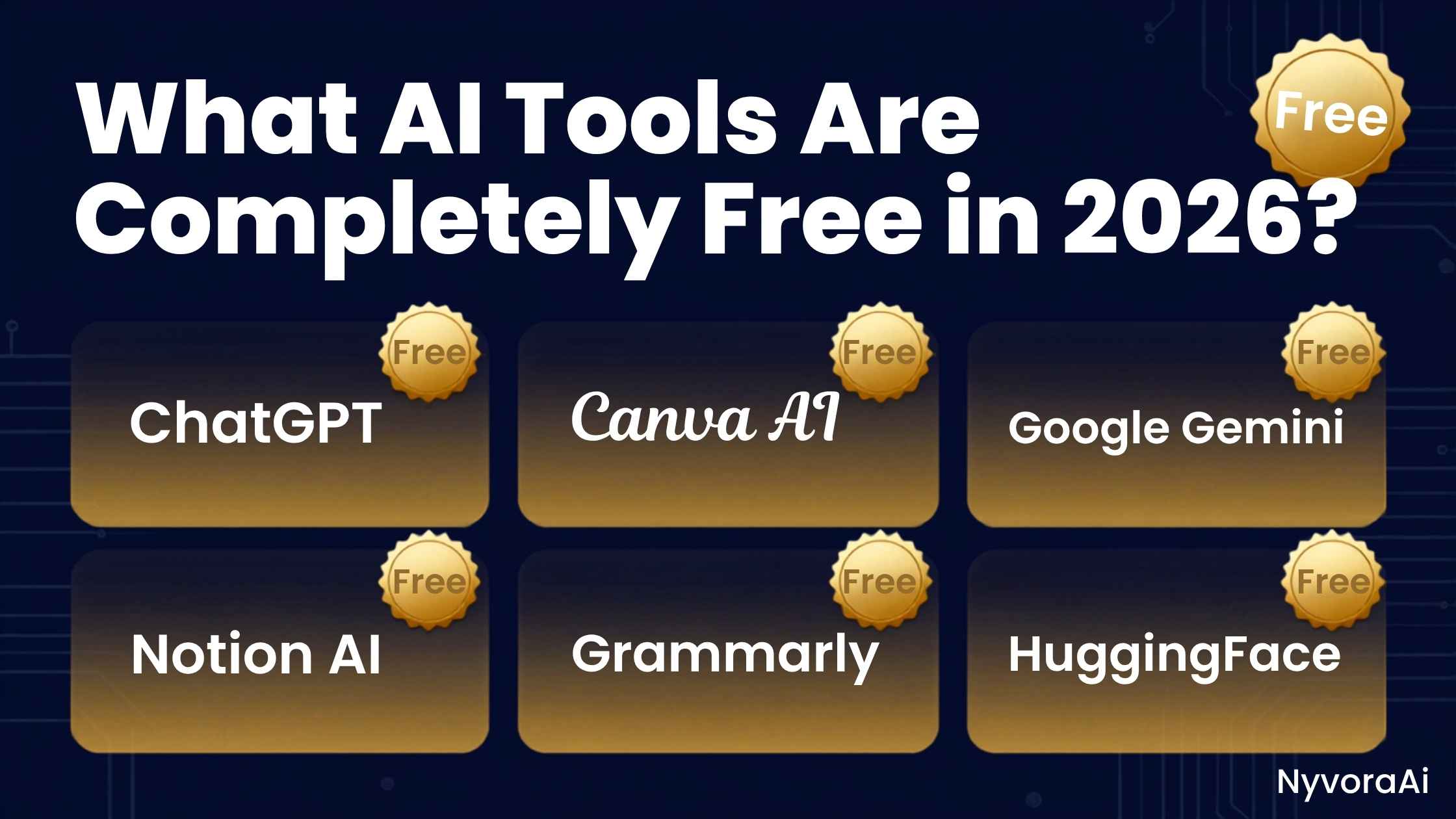
这堵墙几乎人人都撞过。你发现一款看起来很棒的工具,花二十分钟学会怎么用,写出一段自认完美的提示词,然后——弹出窗口。免费额度用完了,想继续就得填信用卡。这种烦躁足以让不少人彻底放弃 AI。
2026 年的好消息是:局面变了。重度用户仍有付费方案,但如今零成本工具的强度、能力和慷慨程度,都超过了仅仅两年前的付费产品。写一封得体的商务邮件、生成一张惊艳的图片、概括一份巨型文档,甚至用代码搭一个基础网站——现在都不必花一分钱。
本指南不做营销吹捧。它会说清 2026 年到底哪些 AI 工具一分钱不花,它们真正的限制在哪里,以及怎么用它们做出专业水准的成果,而全程不必掏钱包。
01关于"免费"的现实检验:免费增值 vs 真正免费
在进入榜单之前,先要诚实地说清"完全免费"在 AI 里究竟指什么。几乎没有企业级工具能做到 100% 免费且毫无限制——运行这些庞大模型的服务器开支,每年要烧掉公司数百万美元。
真正主导市场的是免费增值模式。核心功能永久免费,但外面会围上几道栅栏。这些栅栏通常长这样:
- 消息条数限制:每隔 3 到 5 小时,你能发送的消息数量是固定的。
- 模型版本限制:给你的是公司最强模型略旧或略小的版本(不过到了 2026 年,免费层级的模型也已相当强悍)。
- 高峰限速:在忙时段,免费用户的响应可能会变慢。
对 95% 的普通用户、学生,乃至不少专业人士来说,免费层级已经足够。除非你每天让 AI 自动跑上千个任务,否则很少会触到上限。如果你刚刚入门,想知道AI 聊天机器人对新手来说是怎么运作的,免费层级就是最理想的练习场——不用投入任何资金。
022026 年最好的免费对话与文字工具
这些都是重量级名字。无论是起草、头脑风暴、写代码还是回答问题,目前免费的选项里没有比下面这几个更好的。
ChatGPT(免费方案)
Google Gemini
Microsoft Copilot
Claude(免费方案)
在这两大巨头之间犹豫?我们那篇ChatGPT 是否免费、如何注册的详解,把价格与开通步骤都拆开讲了。剧透一下:免费版就能满足绝大多数人的全部需求。
03目前最好的免费图像生成工具
如今想得到惊艳的 AI 画作,不必再为 Midjourney 付费。到了 2026 年,免费生成工具的画面已极其逼真,而且很容易按你的要求调方向。
- 1
Microsoft Copilot,也就是 Bing Image Creator
1 在免费图像生成里,没有谁比它更强。它基于 DALL-E 3,画面质量属于第一档。每天有 15 次"加速"额度用来快速出图;额度用完后依然可以免费生成,只是多等几秒钟。
- 2
Leonardo.AI
2 想对画面有更强掌控——指定画风、指定画幅比例、让角色在不同画面里保持一致?Leonardo 在这方面很出色。它每天赠送 150 个免费额度,并每日重置,用来产出几十张高质量图片绰绰有余。
- 3
Ideogram
3 论免费工具在图像中渲染文字的能力,Ideogram 几乎没有对手。想在 T 恤样图或霓虹灯牌上得到清晰无误的拼写?它的免费层级就能毫无瑕疵地做到。
04最好的免费视频与音频工具
视频和音频类 AI 曾经一律锁在付费墙后。后来公司们想明白了:免费层级才是吸引用户的钩子。下面这些,用起来不花钱。
- CapCut(桌面与手机端):名义上是剪辑软件,里面内置的 AI 功能却全部免费。自动字幕准确率达 99%,可用 AI 抠除背景,甚至还有脚本转视频的生成器。无水印,不收费。
- ElevenLabs(免费层级):AI 语音合成的标杆。免费方案每月提供 10,000 个字符——约 10 分钟音频——用来给 YouTube 短视频或个人项目配音非常合适。
- Adobe Podcast(Enhance Speech):一款完全免费、基于浏览器的工具,用 AI 把糟糕的麦克风录音处理得像在专业录音棚里录的。播客作者和学生都觉得它近乎魔法。
05如何把免费额度用到极致
免费工具带额度上限,所以得讲究用法。新手最典型的错误就是把模型当成搜索框:连着抛五十个仓促、没想清楚的问题,十分钟内就把当天额度烧光。
想榨干这些工具的价值,就得在提示词上下功夫。精心写就的提示词第一次就能给出你要的答案,从而把消息额度留给真正需要的时候。想要速成?我们这篇写出你的第一条 AI 提示词会教你专业人士用来一次命中的那套写法。
06免费 AI 究竟能帮你做什么?
很难凭空想象这类工具怎么塞进普通人的一天。如果有人问在家能用 AI 做些什么,答案是:几乎任何事。下面是真实感十足的一天,全程只用免费 AI:
- 早晨:让 Gemini 概括你所在行业最重要的 5 条新闻,并根据冰箱里剩下的食材安排一顿健康早餐。
- 工作或上课:把一份杂乱的 20 页 PDF 丢给 Claude,让它挑出最重要的 3 条行动事项,并起草一封给团队的专业汇总邮件。
- 下午:用 Microsoft Copilot 为你正在做的演示生成一张免版税的定制图片,主题是"现代极简家庭办公空间"。
- 晚上:录一段语音备忘,记下你对某篇博客的想法,用 Adobe Podcast Enhance 去掉背景噪音,再让 CapCut 自动为短视频生成字幕。
这一整天的花费正好是 $0.00。横在普通人与专业级生产力之间的门槛,已经彻底消失。
07出门在外也能用免费 AI
这些工具不会只在书桌前用。2026 年手机端的免费 AI 体验相当出色。上面提到的工具几乎都提供了 iOS 与 Android 双平台的专业 App,评分也不错。
哪些 App 值得占你手机的空间,哪些只是给粗糙网页套了个图标——这活儿很烦,我们替你做了。我们那份手机用户的 AI App 排行榜,列出了哪些免费工具在手机界面、耗电和语音功能上表现最好。
08读者常问的问题
2026 年还有真正免费的 AI 工具吗?
免费的 AI 里,哪个写作最强?
2026 年能免费生成 AI 图片吗?
免费 AI 工具有限制吗?
免费 AI 工具用起来安全吗?
免费 AI 工具最终会变成收费的吗?
Everyone has hit this wall. You come across a tool that looks great, put twenty minutes into learning it, write a prompt you are proud of, and then — a dialog box. Your free allowance is used up; enter a card to keep going. The annoyance is enough to make plenty of people walk away from AI for good.
The good news as of 2026 is that the picture has changed. Paid plans still exist for heavy users, but the zero-cost options on offer today outperform, out-flex and out-give the paid products of only two years back. Professional emails, striking images, summaries of giant documents, even a simple website built in code — none of it now requires spending a cent.
This guide skips the marketing padding. It lays out exactly which AI tools cost nothing in 2026, where their real limits sit, and how to get professional-grade output from them without ever reaching for a wallet.
01A Reality Check on "Free": Freemium Versus Genuinely Free
Before the list, honesty is required about what "completely free" actually denotes in AI. Almost no enterprise-grade tool is 100% free with no cap at all — serving these huge models burns millions of dollars in server costs for the companies running them.
What dominates instead is freemium. The core product stays free forever, but fences are placed around it. Those fences typically take these forms:
- Message Limits: every 3 to 5 hours, a fixed number of messages becomes available to you.
- Model Access: you are pointed at a slightly older or smaller variant of the company's best model (though by 2026 even the free-tier models are formidably capable).
- Peak Time Throttling: at busy moments, responses can come back more slowly for free users.
For 95% of casual users, for students, and for plenty of professionals too, a free tier covers everything they need. Limits rarely bite unless you are pushing the AI through thousands of automated tasks a day. Just getting started and curious about how AI chatbots work, explained for beginners? A free tier is the ideal sandbox — no money on the line.
02The Best Free Chat and Text Tools of 2026
These are the big names. Whether the job is drafting, brainstorming, coding, or answering questions, nothing free currently beats the following.
ChatGPT (Free Plan)
Google Gemini
Microsoft Copilot
Claude (Free Plan)
Choosing between the two biggest names? Our detailed guide on whether ChatGPT is free, and how to sign up walks through the pricing and setup specifics. Spoiler: the free version covers what most people will ever need.
03The Best Free Image Generators Right Now
Paying for Midjourney is no longer a prerequisite for striking AI artwork. By 2026 the free generators deliver startling photorealism and take direction easily.
- 1
Microsoft Copilot, also known as Bing Image Creator
1 Nothing free beats this one for image generation. It runs on DALL-E 3, so quality sits at the top of the range. Each day brings 15 "boosts" for speedier output; once those are gone you can keep generating at no cost, only a few seconds slower.
- 2
Leonardo.AI
2 Need finer control — a particular art style, a chosen aspect ratio, a character who looks the same across frames? Leonardo excels there. Every day it grants you 150 free credits, and the balance resets daily — ample for dozens of high-quality images a day.
- 3
Ideogram
3 When it comes to rendering text inside images for free, Ideogram has no real rival. Want flawless, readable lettering on a t-shirt mock-up or a neon sign? Its free tier manages it without a hitch.
04The Best Free Video and Audio Tools
AI for video and audio was once locked behind payment, full stop. Companies have since worked out that free tiers are how you reel people in. What follows costs nothing.
- CapCut (Desktop & Mobile): it is nominally a video editor, but the AI features built into it cost nothing. Auto-captions land at 99% accuracy, backgrounds can be removed by AI, and there is even a script-to-video generator. No watermark, no charge.
- ElevenLabs (Free Tier): still the benchmark for synthetic voice. The free plan allots 10,000 characters a month — roughly 10 minutes of audio — which suits voiceovers for YouTube shorts or personal work perfectly.
- Adobe Podcast (Enhance Speech): a browser-based tool, entirely free, that lets AI turn awful microphone recordings into something that sounds studio-grade. Podcasters and students find it close to magic.
05Getting the Most Out of Free AI Limits
Free tools come with caps, so using them well takes some thought. The classic beginner error is treating the model as a search box: fifty hasty, half-formed questions fired off in a row, and the day's allowance is gone inside ten minutes.
Squeezing the most from them means getting good at prompting. A prompt built with care returns the answer you wanted on attempt one, which leaves your message allowance intact for when it counts. Want a crash course? Our guide on writing your very first AI prompt teaches the formulas professionals use to nail it first time.
06What Can Free AI Actually Do for You?
It can be hard to picture where tools like these slot into an ordinary day. For anyone asking what AI is good for around the house, the answer is: almost anything. Here is one realistic day, run entirely on free AI:
- Morning: have Gemini recap the top 5 headlines in your industry and work out a healthy breakfast from whatever is left in the fridge.
- Work or school: drop a messy 20-page PDF into Claude, ask for the 3 action items that matter most, and have it draft a polished summary email for the team.
- Afternoon: get Microsoft Copilot to produce a bespoke image of a "modern minimalist home office", royalty-free, for the deck you are assembling.
- Evening: record a voice memo of your post ideas, pass it through Adobe Podcast Enhance to strip the background noise, and let CapCut build subtitles for a short video automatically.
The total bill for that day came to exactly $0.00. Whatever barrier once stood between you and professional-standard productivity is gone.
07Free AI When You Are Out and About
Your desk is not the only place these tools get used. Free AI on a phone in 2026 is remarkably good. Nearly every tool named above ships a dedicated, well-reviewed app for iOS and Android alike.
Working out which apps earn their storage space and which are clunky sites in an app costume is tedious work — so we did it. Our ranking of the top AI apps for people on their phones shows which free tools win on mobile interface, battery use, and voice features.