1225Sakura/oh-my-deepseekharness
Multi-agent orchestration layer for DeepSeek Harness (omd) — autopilot/ralph/team modes, 19 role cards, 40 bilingual skills, bundled MCP state server. OMC/OMX adaptation.
Project Overview项目介绍
oh-my-dsh (omd) is a multi-agent orchestration layer built exclusively for the DeepSeek Harness (DSH) host and shipped as a single DSH plugin. It is installed with dsh plugin --profile <name> add @sakura12/oh-my-deepseekharness, or, for local development, with dsh plugin --profile <profile> add /path/to/oh-my-deepseekharness. The package injects an orchestration protocol into the system prompt, registers 40 skills plus 19 omd-agent-* role cards (59 skill-directory entries in total), and mounts a built-in omd-state MCP server exposing 18 state / notepad / PRD / handoff tools. It declares zero third-party non-@deepseek-ai/* DSH plugin dependencies, keeping the supply surface minimal.
Users pick one of three mutually exclusive execution modes: autopilot <one-line goal> runs a goal-driven interview-plan-execute-double-review loop with autopilot.maxIterations (default 10), maxQaCycles (5), and maxValidationRounds (3); ralph: <task> runs a foreground PRD plus evidence-contract iteration that reads boulder.json from .omd/state/; team <task> (only explicit, no keyword) launches a five-stage multi-role pipeline with per-run worktree isolation plus CAS teardown. Cancellation uses cancelomd / stopomd or /omd-cancel, and /omd-doctor reports registered counts, Config, MCP smoke, and .omd/ writability. State lives under the project's .omd/ directory (plans, specs, prd, handoffs, checkpoints, logs, and a three-zone notepad).
Runtime constraints require Node.js ≥ 22.19 and DSH host 0.1.5-rc.1+; all @deepseek-ai/* packages are peerDependencies and degrade gracefully when absent. A startup probe checks core / storage / mcpClient / hooksBridge: missing core injection aborts startup (the only hard requirement), missing storage skips the memory tools, and an MCP-mount failure downgrades the 18 state_* / notepad_* / prd_* / handoff_* tools to direct .omd/ file reads. Configuration is a cordis Config with language (zh / en / both, default zh), tiers.low / medium / high (defaults deepseek-chat / deepseek-chat / deepseek-reasoner, value inherit follows the main session model), roleOverrides, stateDir (default .omd), and autopilot ceilings. The project ships under MIT, recommends ignoring .omd/ in .gitignore, and runs 195 vitest tests across 26 files; retired keywords ultrawork, ulw, uw, ccg no longer trigger.
oh-my-dsh(omd)是面向 DeepSeek Harness 的多智能体编排层插件,整包通过单条 dsh plugin --profile <name> add @sakura12/oh-my-deepseekharness 命令安装至 dsh 宿主,亦支持本地路径加载。它以 dsh 原生插件形态交付,向系统提示词注入编排协议,注册 40 项 skill 与 19 张 omd-agent-* 角色卡(合计 59 条技能目录),并挂载内置 omd-state MCP server 暴露 18 个状态/记事本/PRD/交接工具,无任何非官方 dsh 插件依赖。
典型用法分三种执行模式:autopilot <一句话需求> 走 goal 驱动的访谈—规划—执行—双评审全流程,ralph: <任务> 以前台阻塞方式跑 PRD + 证据契约迭代,team <任务> 触发五阶段多角色流水线(仅可显式调用)。每个项目下生成 .omd/ 目录承载会话、计划、规格、PRD、交接、检查点、日志和三区记事本,崩溃后能恢复续跑;输入 cancelomd 或 /omd-cancel 可随时中断,/omd-doctor 用于注册计数、Config、MCP 冒烟与 .omd 可写性的现场诊断。
依赖与限制方面,要求 Node.js ≥ 22.19、dsh 宿主 0.1.5-rc.1+,全部 @deepseek-ai/* 仅作 peerDependencies,缺位会自动降级:核心 inject 缺失即报错,storage 缺失则记忆工具不注册,MCP 挂载失败则 18 个状态工具降级为文件直读。配置走 cordis Config,含 language(zh/en/both,默认 zh)、tiers.low/medium/high(默认 deepseek-chat / deepseek-chat / deepseek-reasoner,支持 inherit 继承主会话)、roleOverrides、stateDir 与 autopilot 三项上限等。协议以 MIT 发布,.omd/ 建议加入 .gitignore,退役关键词 ultrawork / ulw / uw / ccg 已不再触发。
请帮我安装这个 DSH 插件。安装前先完成【兼容性检查 + 安全性检查】,检查通过再动手。

插件:oh-my-deepseekharness(1225Sakura/oh-my-deepseekharness)
仓库:https://github.com/1225Sakura/oh-my-deepseekharness
本站详情页:https://www.yhbd.top/plugins/1225sakura-oh-my-deepseekharness/
本站登记:类型 bundle · 归类 原生 DSH 插件 · 许可证 MIT · ⭐ 7 · 最近提交 2026-09-24 · 主语言 JavaScript

按下面顺序执行,每步先把结论告诉我,再进入下一步:

【1 兼容性检查】
① 我这边:DSH 版本、Node 版本、操作系统、当前 profile(web / desktop)。
② 读它的 README、package.json、插件 manifest,列出它要求的 DSH 版本 / Node 版本 / 操作系统 / 外部依赖 / 需要另外先装的运行时。
③ 逐条比对,结论只写「满足 / 不满足 / 未知」三种;不满足的给出可行替代方案。
④ 检查是否和我已装的插件冲突:命令名重复、skill / tool 重名、端口占用、重复注册的 MCP server。

【2 安全性检查】
① 仓库可信度:和上面「本站登记」是否一致;star / fork 数、创建时间、最近提交,是否归档或长期停更。
② 安装脚本:逐行看 package.json 的 preinstall / install / postinstall,以及 install.sh、setup.ps1 之类脚本。出现 curl|bash、下载后直接执行、混淆代码、访问与插件功能无关的域名,立刻停下来告诉我,不要继续装。
③ 依赖:列出新增依赖,标出无人维护、或与知名包拼写近似的可疑包(typosquatting)。
④ 权限与副作用:它会读写哪些目录、访问哪些域名、需要哪些 DSH 权限(filesystem / network / shell / clipboard 等),以及怎么卸载和回滚。
⑤ 如果它要求 sudo / 管理员权限,或权限明显超出功能所需,先停下来问我。

【3 安装】
上面两步没有「不满足」和「高危项」时才执行;用官方推荐方式安装,不要自行提权。

【4 汇报】
用表格输出:检查项 / 结论 / 依据 / 是否需要我决策。拿不准的一律写「未知」并说明要我怎么确认——不要猜,也不要替我决定。
Send this message to DSH in your current session: it verifies compatibility and security first (answering met / not met / unknown item by item) and only installs once everything checks out — it will stop and ask you if it finds a high-risk item. The box scrolls; the copy is the full prompt. CLI install commands may not be accurate across systems, so DSH is the safer route.把上面这条消息直接发给当前会话里的 DSH:它会先核对兼容性与安全性(逐条给「满足 / 不满足 / 未知」),确认没问题再安装,有高危项会停下来问你。框内可滚动,复制到的是完整提示词;安装命令不一定准确,发给 DSH 更稳。
- Only 7 stars - very few users, little community feedback星标只有 7,几乎没人在用,遇到问题缺少社区反馈
DSH walks through these 9 checksDSH 会逐条核对这 9 项
Compatibility兼容性
- DSH, Node, OS and profile requirementsDSH 版本 / Node 版本 / 操作系统 / profile 是否满足要求
- External dependencies and runtimes (Electron / Python / Docker, ...)外部依赖与运行时(Electron / Python / Docker 等)是否齐备
- Conflicts with installed plugins: command names, skill / tool names, ports, duplicate MCP registration与已装插件是否冲突:命令名、skill / tool 重名、端口占用、重复 MCP 注册
Security安全性
- Repo matches the facts registered here; archived or abandoned?仓库是否与页面登记一致,是否归档或长期停更
- Safety of preinstall / install / postinstall and install.sh / setup.ps1preinstall / install / postinstall 与 install.sh、setup.ps1 是否安全
- curl|bash, download-then-execute, obfuscation, unrelated domains → stop immediatelycurl|bash、下载即执行、混淆代码、无关域名 → 立刻停止
- Typosquatting or unmaintained packages among the new dependencies新增依赖里有没有 typosquatting 或无人维护的包
- Requested permissions vs. what the feature actually needs申请了哪些权限、是否超出功能所需(filesystem / network / shell / clipboard)
- Any sudo / admin requirement, plus uninstall and rollback是否要求 sudo / 管理员权限,以及卸载与回滚方式
Anything uncertain must be marked unknown with a note on how to confirm it. This site's signal screen is a static snapshot, not a security audit.拿不准的必须标「未知」并说明要我怎么确认。本站的信号筛查是静态快照,不能替代安全审计。
Or use CLI install (for developers)或使用命令行安装(适合开发者)
CLI Install命令行安装
dsh plugin --profile web add @sakura12/oh-my-deepseekharness把 1225Sakura/oh-my-deepseekharness 加入你的 DSH 配置(web profile)即可启用。
READMEREADME
oh-my-dsh (omd)



DeepSeek Harness 的多智能体编排层 —— OMC / OMX 编排理念的 dsh 宿主适配实现。 Multi-agent orchestration layer for DeepSeek Harness, adapted from:
- oh-my-claudecode (OMC) — Claude Code 编排层
- oh-my-codex (OMX) — Codex 编排层
omd 以单个 dsh 插件交付:注入编排协议到系统提示词、注册 42 个 skill + 33 个 omd-agent-* 角色卡(共 75 个技能目录条目)与 2 个斜杠命令、挂载内置 MCP server 提供 49 个状态/记忆/协调/代码智能工具。三种执行模式(autopilot / ralph / team):autopilot 与 ralph 由 dsh 原生 goal / ralph 工具驱动前台循环;team 由 lib/team.js 领队运行时驱动(阶段状态机 + 队员 UUID 生命周期 + mailbox + heartbeat + merge 计划,无 tmux——dsh 无承载面)。
安装 / Install
# 发布后(npm 包名 @sakura12/oh-my-deepseekharness)
dsh plugin --profile <name> add @sakura12/oh-my-deepseekharness

# 本地开发(指向本仓库路径;以你的检出路径替换)
dsh plugin --profile <profile> add /path/to/oh-my-deepseekharness
要求:Node.js ≥ 22.19,dsh 宿主 0.1.7-rc.1+(session format v4)。所有 @deepseek-ai/* 依赖均为宿主义务(peerDependencies,缺失自动降级,见下文「依赖边界」)。可选能力依赖(optionalDependencies,缺席显式降级不阻断):@ast-grep/napi(ast_grep_* 工具)、vscode-jsonrpc / vscode-languageserver-protocol / vscode-uri(lsp_* 工具)。
验装:安装后在会话中输入 /omd-doctor。
快速上手 / Quick Start
三种执行模式,一句话启动:
| 模式 | 一句话示例 | 说明 |
|---|---|---|
| autopilot | autopilot 帮我做一个 CLI 字数统计工具 |
自然语言触发,goal 驱动的全流程自动编排(访谈→规划→执行→双评审门→沉淀检查点) |
| ralph | ralph: 把 README 的测试徽章数字同步到当前实际值 |
显式触发(ralph: 前缀),PRD + 证据契约的迭代循环,前台阻塞 |
| team | 用 team 调研插件市场生态并出报告 |
无关键词,只能显式调用;五阶段流水线 + 领队运行时(team_phase_transition 状态机 / team_register_worker 生命周期 / team_mail_* 信箱 / team_heartbeat_scan / team_merge_plan) |
取消与诊断:
| 操作 | 命令 |
|---|---|
| 取消当前模式 | 输入 cancelomd(或 stopomd),或斜杠命令 /omd-cancel |
| 验装诊断 | /omd-doctor(注册计数 / Config / MCP 冒烟 / .omd 可写性) |
退役关键词
ultrawork/ulw/uw/ccg不再触发,命中时会提示改用 autopilot 或 team。
能力速览 / Capabilities
Showing the opening section of the README — the full document lives in the repository以上为 README 开头摘要,完整文档在仓库内 · View the full README on GitHub →在 GitHub 查看完整 README →
Related相关推荐
-
 tt-a1i/archify
Agent skill for beautiful, verifiable architecture, workflow, sequence, data-flow, and lifecycle diagrams—self-contained…
tt-a1i/archify
Agent skill for beautiful, verifiable architecture, workflow, sequence, data-flow, and lifecycle diagrams—self-contained…
-
 ZSeven-W/openpencil
The world's first open-source AI-native vector design tool and the first to feature concurrent Agent Teams. Design-as-Co…
ZSeven-W/openpencil
The world's first open-source AI-native vector design tool and the first to feature concurrent Agent Teams. Design-as-Co…
-
 omdsh-dev/dsh_workflow
把Claude Code的UltraCode模式带给DSH,把 DSH 的一次性多 Agent 调度,升级为可生成、可保存、可治理、可观察、可恢复的 Workflow 层
omdsh-dev/dsh_workflow
把Claude Code的UltraCode模式带给DSH,把 DSH 的一次性多 Agent 调度,升级为可生成、可保存、可治理、可观察、可恢复的 Workflow 层
-
 zenx0x/allinluna
Resource-aware multi-agent orchestration for Codex and DeepSeek Harness (All in Flash DSH plugin)
zenx0x/allinluna
Resource-aware multi-agent orchestration for Codex and DeepSeek Harness (All in Flash DSH plugin)
-
 CheshireJCat/blender
DeepSeek Harness plugin for complete Blender 3D modeling, reconstruction, rendering, validation, and export workflows
CheshireJCat/blender
DeepSeek Harness plugin for complete Blender 3D modeling, reconstruction, rendering, validation, and export workflows
-
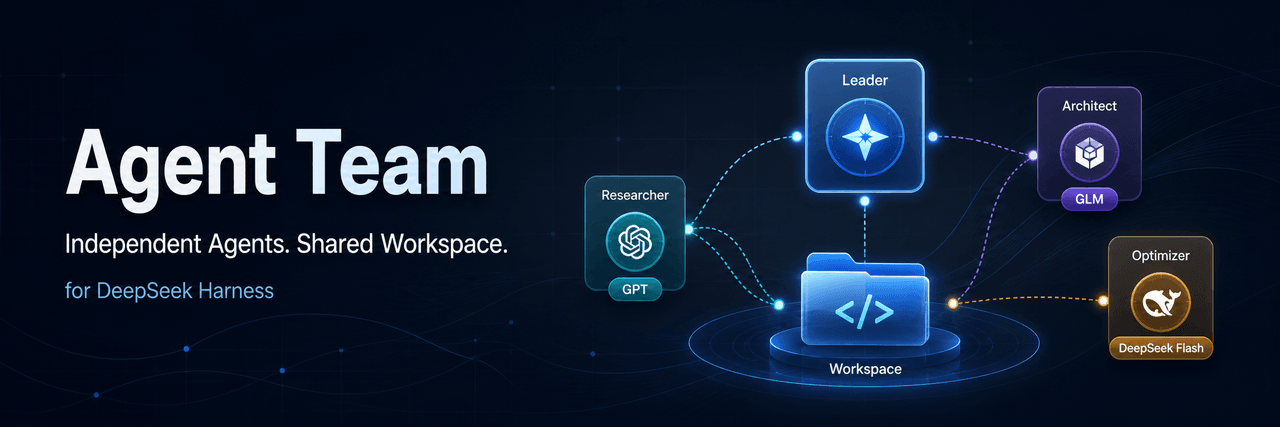 limuyang2/agent-team
Multi-agent team collaboration for DeepSeek Harness, with independent models, skills, MCP tools, contexts, and a shared …
limuyang2/agent-team
Multi-agent team collaboration for DeepSeek Harness, with independent models, skills, MCP tools, contexts, and a shared …
-
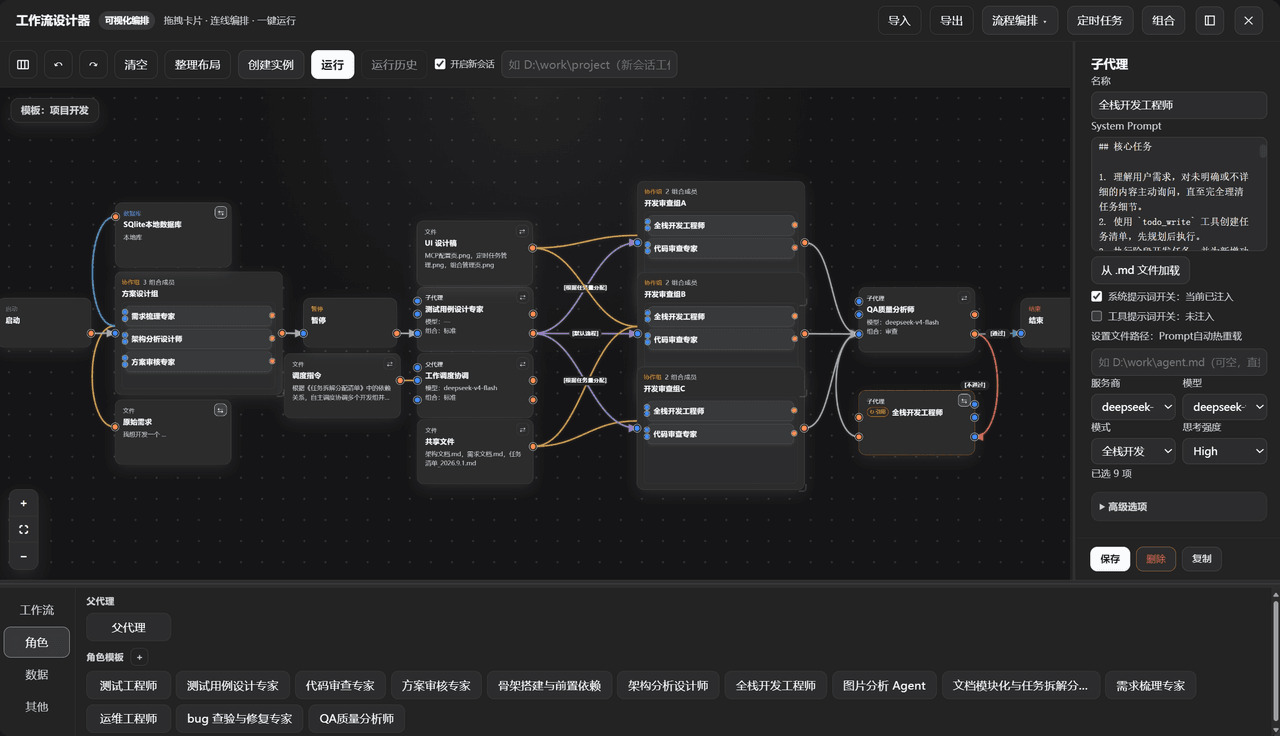 GZX2211/dsh-Visual-Workflow
基于 DeepSeek Harness 体系打造的:可视化 Agent 编排平台。更新:该插件目前已对齐最新候选版 dsh v0.2.0-rc.2,不适配 Alpha 版。
GZX2211/dsh-Visual-Workflow
基于 DeepSeek Harness 体系打造的:可视化 Agent 编排平台。更新:该插件目前已对齐最新候选版 dsh v0.2.0-rc.2,不适配 Alpha 版。
-
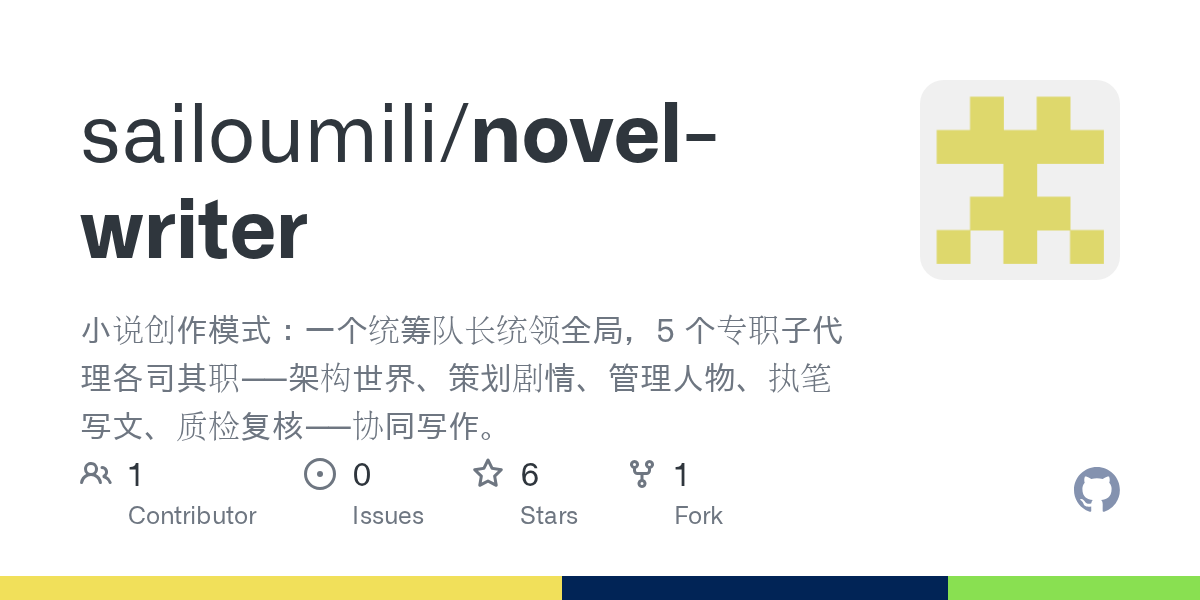 sailoumili/novel-writer
小说创作模式:一个统筹队长统领全局,5 个专职子代理各司其职——架构世界、策划剧情、管理人物、执笔写文、质检复核——协同写作。
sailoumili/novel-writer
小说创作模式:一个统筹队长统领全局,5 个专职子代理各司其职——架构世界、策划剧情、管理人物、执笔写文、质检复核——协同写作。