263311487-ux/dsh-verify
代理构建Web应用的质量关卡。基于真实浏览器的验收检查——支持CLI、MCP(Claude Code / Cursor / Copilot)、GitHub Action。代理自测通过,真实浏览器方证真伪。
Project Overview项目介绍
dsh-verify, also known as Witness, is a quality gate tool for agent-built web applications, designed to run real browser checks after an AI agent claims a web build is done. It works across multiple AI agent platforms, including DeepSeek Harness, Claude Code, Cursor, Copilot, and Codex, and can integrate with any continuous integration (CI) workflow. Users write checks that match what a human would verify in a browser, and the tool returns pass/fail verdicts alongside screenshot receipts for any detected failures. It can be used three ways: as an MCP server for in-session agent verification, as a standalone CLI for local or CI checks, and as a reusable GitHub Action for automatic checks on every push.
This tool is built for developers who use AI agents to build web applications, addressing the common gap where AI agents grade their own work and miss issues that only appear in a real user’s browser. For example, after an AI agent finishes building a web page and claims all requirements are met, developers or the agent itself can use dsh-verify to run objective checks. It catches issues like missing CSS rules, broken interactive toggles, network errors, and missing text that agent self-reviews regularly miss, providing an independent second check. To get started with a local test, users can clone the repository, install dependencies, run the demo buggy and fixed builds to see how the tool catches issues.
dsh-verify is released under the permissive MIT open source license, so it is free to use, modify, and distribute without any cost or restriction. It requires Node.js and npm to run, and users need to install the Chromium browser dependency for Playwright after installing the npm package. First-time users can test the tool by cloning the GitHub repository, running npm install, then npx playwright install chromium, followed by npm run demo:fixed and npm run demo:buggy to see passing and failing results. The project verifies itself on every push via CI, so the main branch is always stable and working as expected.
dsh-verify(产品名为Witness)是一款针对AI代理构建的Web应用的端到端验证工具,核心能力是在真实浏览器中运行用户指定的检查,输出PASS/FAIL结果并附带截图凭证,不需要LLM来判断结果。它支持多个AI代理平台,包括DeepSeek Harness、Claude Code、Cursor、Copilot和Codex,也可以直接集成到任何CI流程中使用。
这款工具面向使用AI代理开发Web应用的开发者,解决了AI代理自我验证时无法发现实际浏览器运行问题的痛点。典型工作流程是:AI代理完成开发后声称任务已完成,用户或AI代理通过dsh-verify指定需要检查的交互、样式等项,工具在真实浏览器中执行点击、输入、检查文本等操作,最终给出客观的PASS/FAIL验证结果。
dsh-verify采用MIT许可协议,完全免费开源,使用前需要预先安装Node.js和npm,还需要安装Playwright的Chromium浏览器依赖。首次使用可以克隆GitHub仓库、安装依赖后运行官方提供的示例验证功能,也可以直接通过npx调用CLI、配置为MCP服务器或GitHub Action,没有额外的使用限制或付费要求。
请帮我安装这个 DSH 插件。安装前先完成【兼容性检查 + 安全性检查】,检查通过再动手。

插件:dsh-verify(263311487-ux/dsh-verify)
仓库:https://github.com/263311487-ux/dsh-verify
本站详情页:https://www.yhbd.top/plugins/263311487-ux-dsh-verify/
本站登记:类型 plugin · 归类 原生 DSH 插件 · 许可证 MIT · ⭐ 2 · 最近提交 2026-09-11 · 主语言 JavaScript

按下面顺序执行,每步先把结论告诉我,再进入下一步:

【1 兼容性检查】
① 我这边:DSH 版本、Node 版本、操作系统、当前 profile(web / desktop)。
② 读它的 README、package.json、插件 manifest,列出它要求的 DSH 版本 / Node 版本 / 操作系统 / 外部依赖 / 需要另外先装的运行时。
③ 逐条比对,结论只写「满足 / 不满足 / 未知」三种;不满足的给出可行替代方案。
④ 检查是否和我已装的插件冲突:命令名重复、skill / tool 重名、端口占用、重复注册的 MCP server。

【2 安全性检查】
① 仓库可信度:和上面「本站登记」是否一致;star / fork 数、创建时间、最近提交,是否归档或长期停更。
② 安装脚本:逐行看 package.json 的 preinstall / install / postinstall,以及 install.sh、setup.ps1 之类脚本。出现 curl|bash、下载后直接执行、混淆代码、访问与插件功能无关的域名,立刻停下来告诉我,不要继续装。
③ 依赖:列出新增依赖,标出无人维护、或与知名包拼写近似的可疑包(typosquatting)。
④ 权限与副作用:它会读写哪些目录、访问哪些域名、需要哪些 DSH 权限(filesystem / network / shell / clipboard 等),以及怎么卸载和回滚。
⑤ 如果它要求 sudo / 管理员权限,或权限明显超出功能所需,先停下来问我。

【3 安装】
上面两步没有「不满足」和「高危项」时才执行;用官方推荐方式安装,不要自行提权。

【4 汇报】
用表格输出:检查项 / 结论 / 依据 / 是否需要我决策。拿不准的一律写「未知」并说明要我怎么确认——不要猜,也不要替我决定。
Send this message to DSH in your current session: it verifies compatibility and security first (answering met / not met / unknown item by item) and only installs once everything checks out — it will stop and ask you if it finds a high-risk item. The box scrolls; the copy is the full prompt. CLI install commands may not be accurate across systems, so DSH is the safer route.把上面这条消息直接发给当前会话里的 DSH:它会先核对兼容性与安全性(逐条给「满足 / 不满足 / 未知」),确认没问题再安装,有高危项会停下来问你。框内可滚动,复制到的是完整提示词;安装命令不一定准确,发给 DSH 更稳。
- Only 2 stars - very few users, little community feedback星标只有 2,几乎没人在用,遇到问题缺少社区反馈
DSH walks through these 9 checksDSH 会逐条核对这 9 项
Compatibility兼容性
- DSH, Node, OS and profile requirementsDSH 版本 / Node 版本 / 操作系统 / profile 是否满足要求
- External dependencies and runtimes (Electron / Python / Docker, ...)外部依赖与运行时(Electron / Python / Docker 等)是否齐备
- Conflicts with installed plugins: command names, skill / tool names, ports, duplicate MCP registration与已装插件是否冲突:命令名、skill / tool 重名、端口占用、重复 MCP 注册
Security安全性
- Repo matches the facts registered here; archived or abandoned?仓库是否与页面登记一致,是否归档或长期停更
- Safety of preinstall / install / postinstall and install.sh / setup.ps1preinstall / install / postinstall 与 install.sh、setup.ps1 是否安全
- curl|bash, download-then-execute, obfuscation, unrelated domains → stop immediatelycurl|bash、下载即执行、混淆代码、无关域名 → 立刻停止
- Typosquatting or unmaintained packages among the new dependencies新增依赖里有没有 typosquatting 或无人维护的包
- Requested permissions vs. what the feature actually needs申请了哪些权限、是否超出功能所需(filesystem / network / shell / clipboard)
- Any sudo / admin requirement, plus uninstall and rollback是否要求 sudo / 管理员权限,以及卸载与回滚方式
Anything uncertain must be marked unknown with a note on how to confirm it. This site's signal screen is a static snapshot, not a security audit.拿不准的必须标「未知」并说明要我怎么确认。本站的信号筛查是静态快照,不能替代安全审计。
Or use CLI install (for developers)或使用命令行安装(适合开发者)
CLI Install命令行安装
dsh plugin --profile web add github:263311487-ux/dsh-verify把 263311487-ux/dsh-verify 加入你的 DSH 配置(web profile)即可启用。
READMEREADME
dsh-verify
中文 | English
Witness — The browser is the judge. The quality gate for agent-built web apps. Agents say done; the browser proves it. (Witness is the product name;
dsh-verifyis the package name — same thing.)





If Witness catches something for you, ⭐ star the repo — it's how this project stays alive.
You asked an AI to build a web app. It said "done." Does it actually work?
dsh-verify opens a real browser and checks — so you never have to take the agent's word for it.
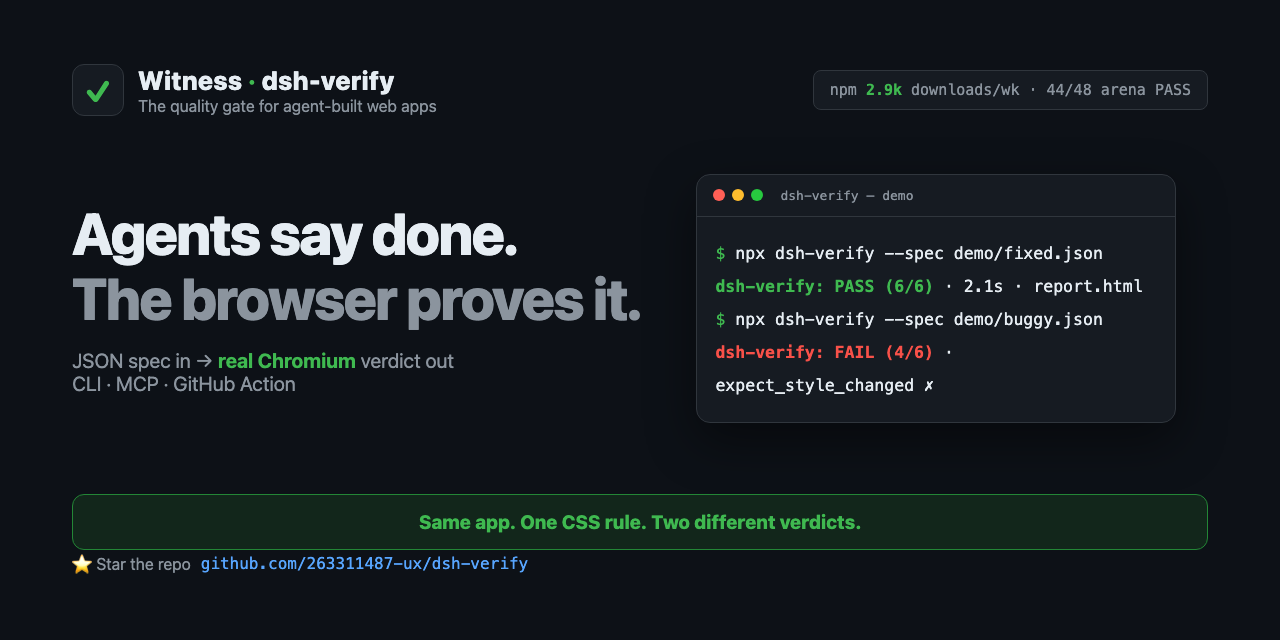
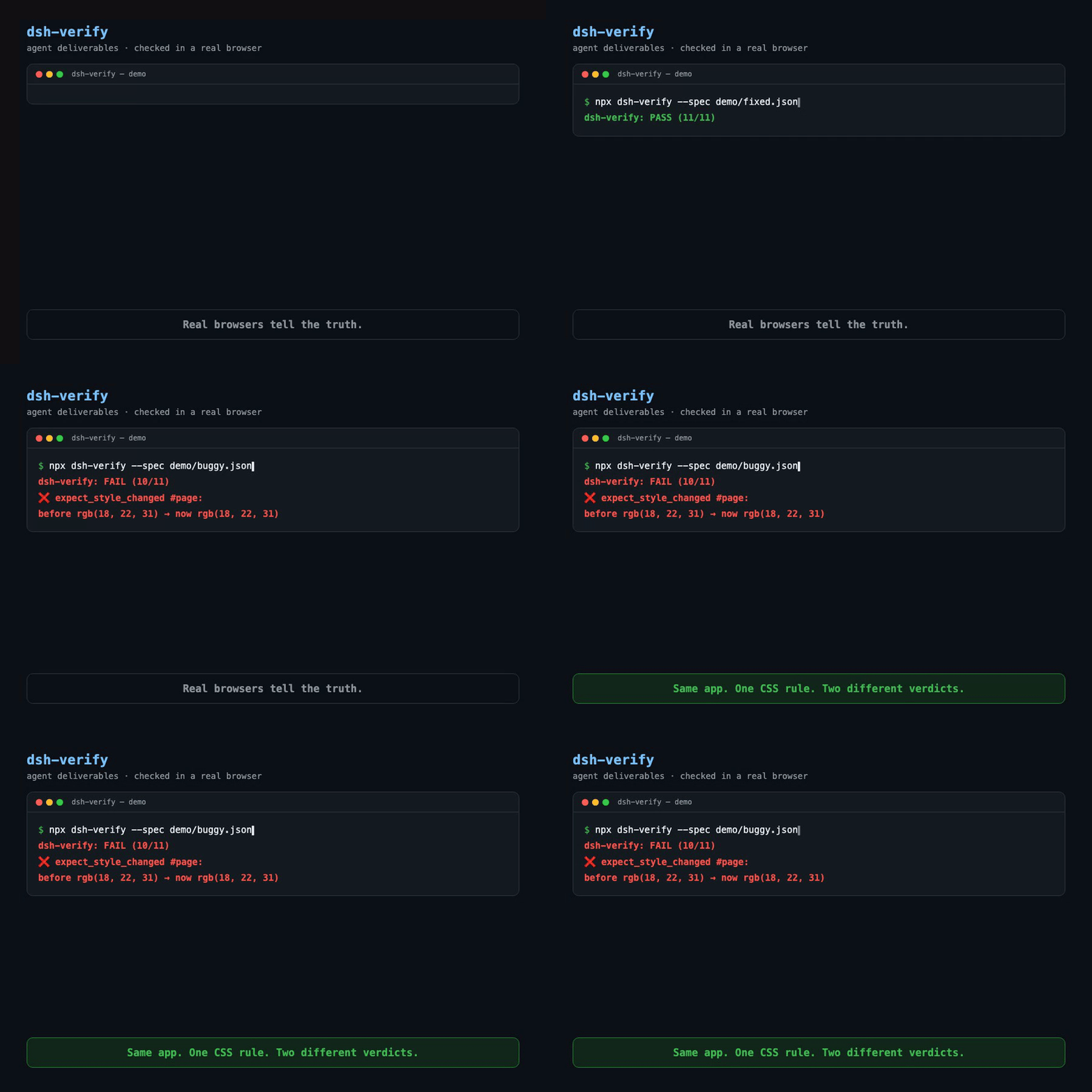
The quality gate for agent-built web apps. Works with any agent — DeepSeek Harness (dsh), Claude Code, Cursor, Copilot, Codex — and with any CI. You write what a human would check in a browser; a real browser executes it and returns a PASS/FAIL verdict with receipts (screenshots + diff images).
No LLM judges the outcome. The browser is the judge.
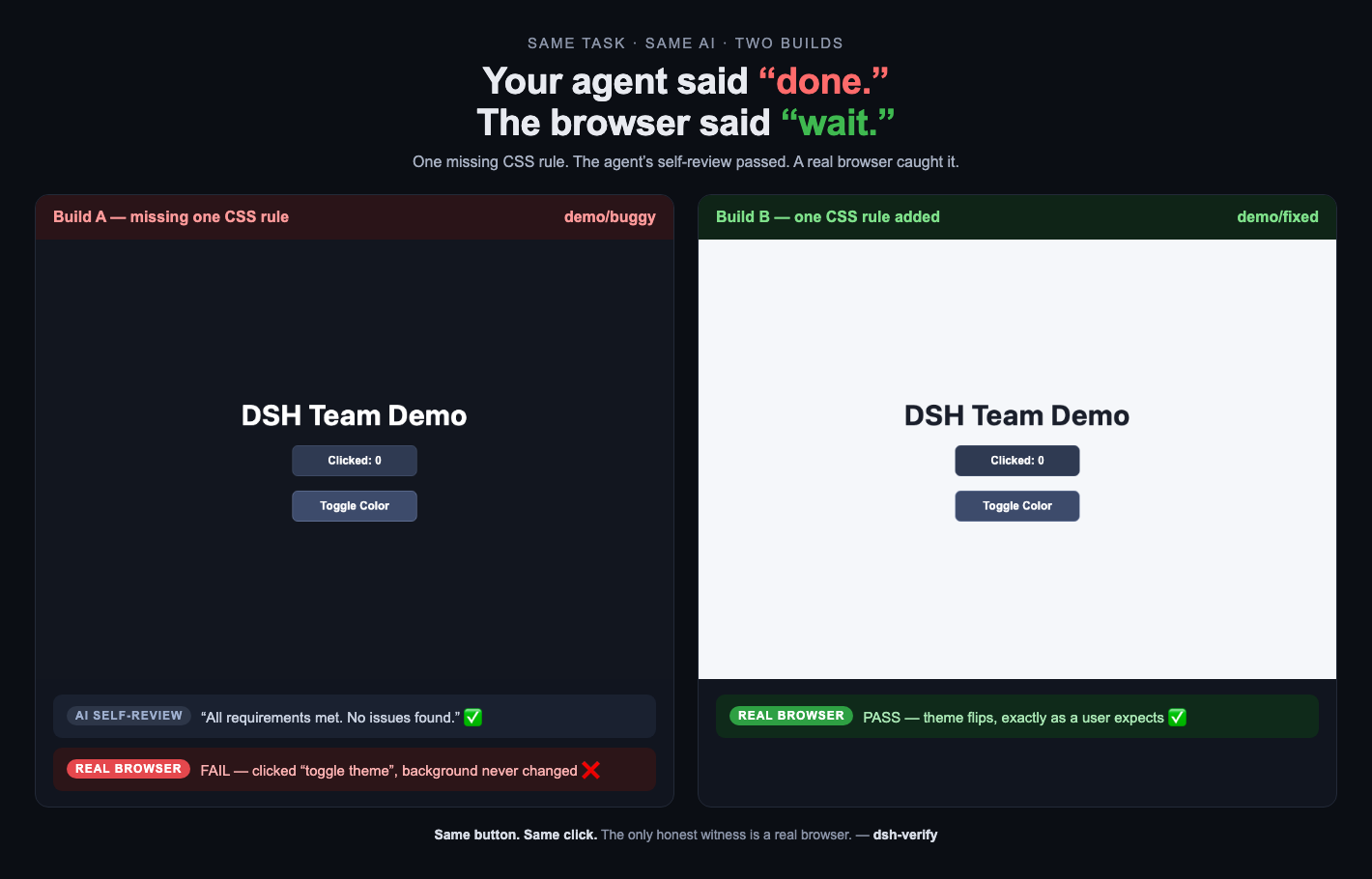
Same task. Same AI. Two builds. One missing CSS rule — the agent's self-review passed, a real browser caught it.
Why this exists
We ran a 4-agent web team (spec writer → frontend dev → QA → reviewer). Their own review said:
Showing the opening section of the README — the full document lives in the repository以上为 README 开头摘要,完整文档在仓库内 · View the full README on GitHub →在 GitHub 查看完整 README →
Related相关推荐
- Fectivnfy112357/github-explore Discovery + management wrappers around gh CLI for AI coding agents. find_repos, multi-axis explore, trending, repo summa…
-
 FleetingEcho/dsh-powerdesk
IDE workbench plugin for DSH. Fast terminal (restty/WebGPU over a Rust PTY), CodeMirror 6 editor, file explorer, markdow…
FleetingEcho/dsh-powerdesk
IDE workbench plugin for DSH. Fast terminal (restty/WebGPU over a Rust PTY), CodeMirror 6 editor, file explorer, markdow…
-
 Tencent/BrowserSkill
Let AI agents use your real, logged-in browser without interrupting your work. CLI + extension for browser automation ac…
Tencent/BrowserSkill
Let AI agents use your real, logged-in browser without interrupting your work. CLI + extension for browser automation ac…
-
 anbeime/skill
收录最全、更新最快的技能Skills商店:精选原创技能包(涵盖文档处理、内容创作、编程开发、机器学习、自动化工作流),全部打包好可直接安装使用!同时自动抓取GitHub上万个Skills项目,按分类、更新时间、Star数量整理。The mo…
anbeime/skill
收录最全、更新最快的技能Skills商店:精选原创技能包(涵盖文档处理、内容创作、编程开发、机器学习、自动化工作流),全部打包好可直接安装使用!同时自动抓取GitHub上万个Skills项目,按分类、更新时间、Star数量整理。The mo…
- antibrow/dsh-antibrow DeepSeek Harness plugin: give your agent a browser with a persistent identity - engine-level fingerprint spoofing, unlim…
-
 csyangwen/dsh-memory-evolve
为 DeepSeek Harness 带来「跨会话长期记忆 + 后台自我进化」能力的纯插件实现:五轨记忆 · git 分支感知 · 回合内自我审查 · 技能自我进化与技能管理器 · 四轨待办 · COI 调度 · 会话广播 · 会话搜索 ·…
csyangwen/dsh-memory-evolve
为 DeepSeek Harness 带来「跨会话长期记忆 + 后台自我进化」能力的纯插件实现:五轨记忆 · git 分支感知 · 回合内自我审查 · 技能自我进化与技能管理器 · 四轨待办 · COI 调度 · 会话广播 · 会话搜索 ·…
- Ariestar/sivtr A unified agent memory workspace for human and agent | 一个统一的agent记忆工作空间
-
 Nagi-ovo/dsh-find-plugins
帮 DSH 搜索、安装并验证插件的 Skill|A DSH skill that finds, installs, and verifies GitHub plugins
Nagi-ovo/dsh-find-plugins
帮 DSH 搜索、安装并验证插件的 Skill|A DSH skill that finds, installs, and verifies GitHub plugins