9087/dsh-diff-approval
DeepSeek Harness 的待审变更:全文件差异及逐文件保留/还原操作,创建/删除跟踪,以及重启安全持久化。
Project Overview项目介绍
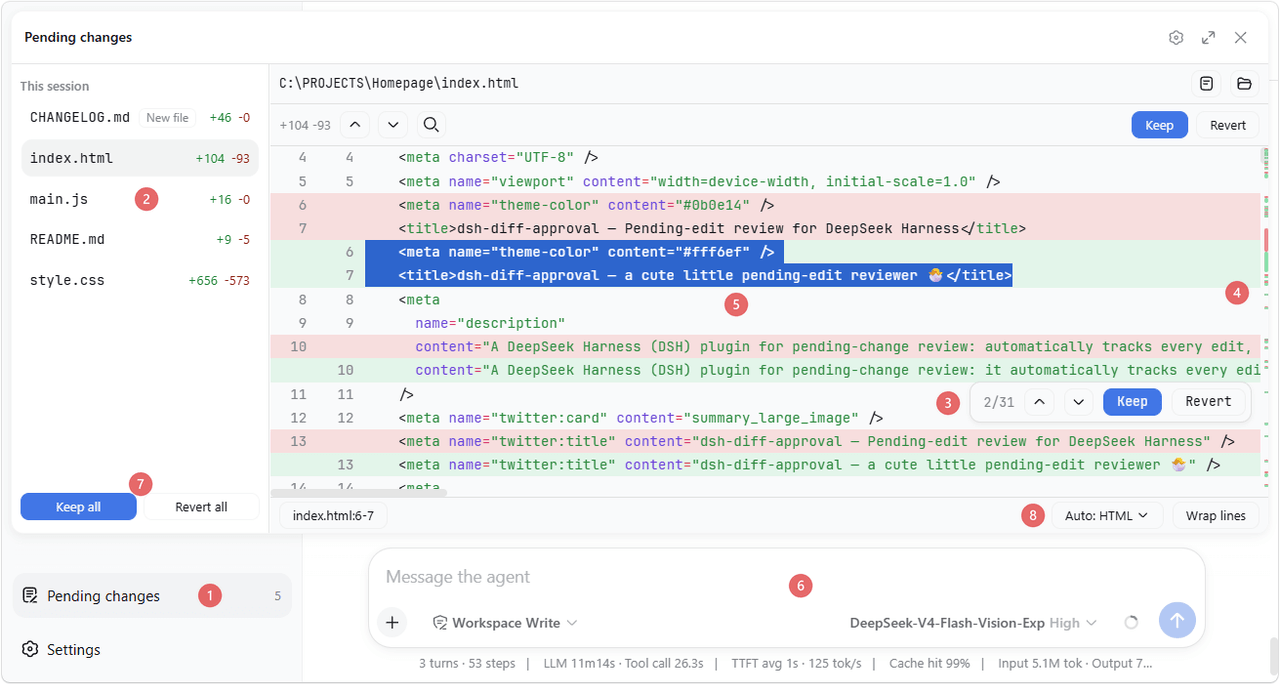
dsh-diff-approval is a native DeepSeek Harness (DSH) plugin built exclusively for AI coding change review and approval. It automatically tracks all successful edit, write, and str_replace_editor mutations made by the DSH AI agent, aggregates all pending changes into a unified list accessible via the DSH sidebar, and allows users to review syntax-highlighted diffs for each changed file before approving or reverting changes. It also supports one-click import of existing local changes from common version control systems including Git, SVN, and Perforce, even when your workspace is a subdirectory nested inside the VCS root.
The plugin’s change review panel can be collapsed into a floating card that can be configured to cover any of the four window edges or dock as a tab in the right sidebar. It offers a full set of review and navigation features, including block jumping, range selection, per-file and bulk approval/rejection, undo/redo, quick summon via keyboard shortcut, and file cycling. For Markdown files, it supports both raw diff viewing and rendered before/after previews, so users can easily check content changes to documentation and other Markdown assets.
Installing the plugin is straightforward, whether you use the DSH CLI directly, run DSH via npx, or manually add it to your profile configuration. Pending change state is persisted per workspace, so unhandled changes remain after DSH restarts or new sessions. To use the VCS import feature, the corresponding VCS CLI must be available on your system PATH, and scanning for untracked files (disabled by default) may be slow on large workspaces. It is released under the permissive MIT open source license.
这是一个专为 DeepSeek Harness (DSH) 开发的原生变更审核插件,用于在 AI 编码流程中对 AI 生成的待审核变更进行预览和审批。它会自动追踪 AI 所有成功执行的 edit、write 以及 str_replace_editor 操作,将变更汇总到侧边栏的待审核列表中,还支持一键导入 Git、SVN、Perforce 等版本控制系统中的本地变更,用户可以逐个查看文件差异并选择保留或回滚变更。
插件支持灵活的面板位置调整,可折叠为悬浮卡片,支持吸附到上下左右四个边缘,也可作为标签停靠在右侧边栏。它提供了多种便捷的审核交互功能,支持按变更块跳转、选范围操作、单文件和批量操作、撤销重做、快捷唤起和文件循环等,还针对 Markdown 文件提供了源码差异查看和渲染前后预览对比两种模式。
插件可通过 DSH 命令行一键安装,也支持手动添加到配置文件后重启 DSH 生效。变更状态会按工作区持久化存储,重启后仍保留未处理的变更。使用导入版本控制变更功能时,需要对应版本控制工具的 CLI 在环境变量 PATH 中,导入未跟踪文件默认关闭,大工作区下扫描会较慢。
请帮我安装这个 DSH 插件。安装前先完成【兼容性检查 + 安全性检查】,检查通过再动手。

插件:dsh-diff-approval(9087/dsh-diff-approval)
仓库:https://github.com/9087/dsh-diff-approval
本站详情页:https://www.yhbd.top/plugins/9087-dsh-diff-approval/
本站登记:类型 plugin · 归类 原生 DSH 插件 · 许可证 MIT · ⭐ 9 · 最近提交 2026-09-30 · 主语言 TypeScript

按下面顺序执行,每步先把结论告诉我,再进入下一步:

【1 兼容性检查】
① 我这边:DSH 版本、Node 版本、操作系统、当前 profile(web / desktop)。
② 读它的 README、package.json、插件 manifest,列出它要求的 DSH 版本 / Node 版本 / 操作系统 / 外部依赖 / 需要另外先装的运行时。
③ 逐条比对,结论只写「满足 / 不满足 / 未知」三种;不满足的给出可行替代方案。
④ 检查是否和我已装的插件冲突:命令名重复、skill / tool 重名、端口占用、重复注册的 MCP server。

【2 安全性检查】
① 仓库可信度:和上面「本站登记」是否一致;star / fork 数、创建时间、最近提交,是否归档或长期停更。
② 安装脚本:逐行看 package.json 的 preinstall / install / postinstall,以及 install.sh、setup.ps1 之类脚本。出现 curl|bash、下载后直接执行、混淆代码、访问与插件功能无关的域名,立刻停下来告诉我,不要继续装。
③ 依赖:列出新增依赖,标出无人维护、或与知名包拼写近似的可疑包(typosquatting)。
④ 权限与副作用:它会读写哪些目录、访问哪些域名、需要哪些 DSH 权限(filesystem / network / shell / clipboard 等),以及怎么卸载和回滚。
⑤ 如果它要求 sudo / 管理员权限,或权限明显超出功能所需,先停下来问我。

【3 安装】
上面两步没有「不满足」和「高危项」时才执行;用官方推荐方式安装,不要自行提权。

【4 汇报】
用表格输出:检查项 / 结论 / 依据 / 是否需要我决策。拿不准的一律写「未知」并说明要我怎么确认——不要猜,也不要替我决定。
Send this message to DSH in your current session: it verifies compatibility and security first (answering met / not met / unknown item by item) and only installs once everything checks out — it will stop and ask you if it finds a high-risk item. The box scrolls; the copy is the full prompt. CLI install commands may not be accurate across systems, so DSH is the safer route.把上面这条消息直接发给当前会话里的 DSH:它会先核对兼容性与安全性(逐条给「满足 / 不满足 / 未知」),确认没问题再安装,有高危项会停下来问你。框内可滚动,复制到的是完整提示词;安装命令不一定准确,发给 DSH 更稳。
- Only 9 stars - very few users, little community feedback星标只有 9,几乎没人在用,遇到问题缺少社区反馈
DSH walks through these 9 checksDSH 会逐条核对这 9 项
Compatibility兼容性
- DSH, Node, OS and profile requirementsDSH 版本 / Node 版本 / 操作系统 / profile 是否满足要求
- External dependencies and runtimes (Electron / Python / Docker, ...)外部依赖与运行时(Electron / Python / Docker 等)是否齐备
- Conflicts with installed plugins: command names, skill / tool names, ports, duplicate MCP registration与已装插件是否冲突:命令名、skill / tool 重名、端口占用、重复 MCP 注册
Security安全性
- Repo matches the facts registered here; archived or abandoned?仓库是否与页面登记一致,是否归档或长期停更
- Safety of preinstall / install / postinstall and install.sh / setup.ps1preinstall / install / postinstall 与 install.sh、setup.ps1 是否安全
- curl|bash, download-then-execute, obfuscation, unrelated domains → stop immediatelycurl|bash、下载即执行、混淆代码、无关域名 → 立刻停止
- Typosquatting or unmaintained packages among the new dependencies新增依赖里有没有 typosquatting 或无人维护的包
- Requested permissions vs. what the feature actually needs申请了哪些权限、是否超出功能所需(filesystem / network / shell / clipboard)
- Any sudo / admin requirement, plus uninstall and rollback是否要求 sudo / 管理员权限,以及卸载与回滚方式
Anything uncertain must be marked unknown with a note on how to confirm it. This site's signal screen is a static snapshot, not a security audit.拿不准的必须标「未知」并说明要我怎么确认。本站的信号筛查是静态快照,不能替代安全审计。
Or use CLI install (for developers)或使用命令行安装(适合开发者)
CLI Install命令行安装
dsh plugin --profile web add dsh-diff-approval把 9087/dsh-diff-approval 加入你的 DSH 配置(web profile)即可启用。
READMEREADME
dsh-diff-approval
English | 中文


A DeepSeek Harness (DSH) plugin for pending-change review: it automatically tracks every successful edit, write, and editor (str_replace_editor) mutation, folds them into a single pending list in the sidebar where each file's diff can be reviewed and kept/reverted — and it can also import the workspace's version-control repository's local changes (Git / SVN / Perforce) in one click.
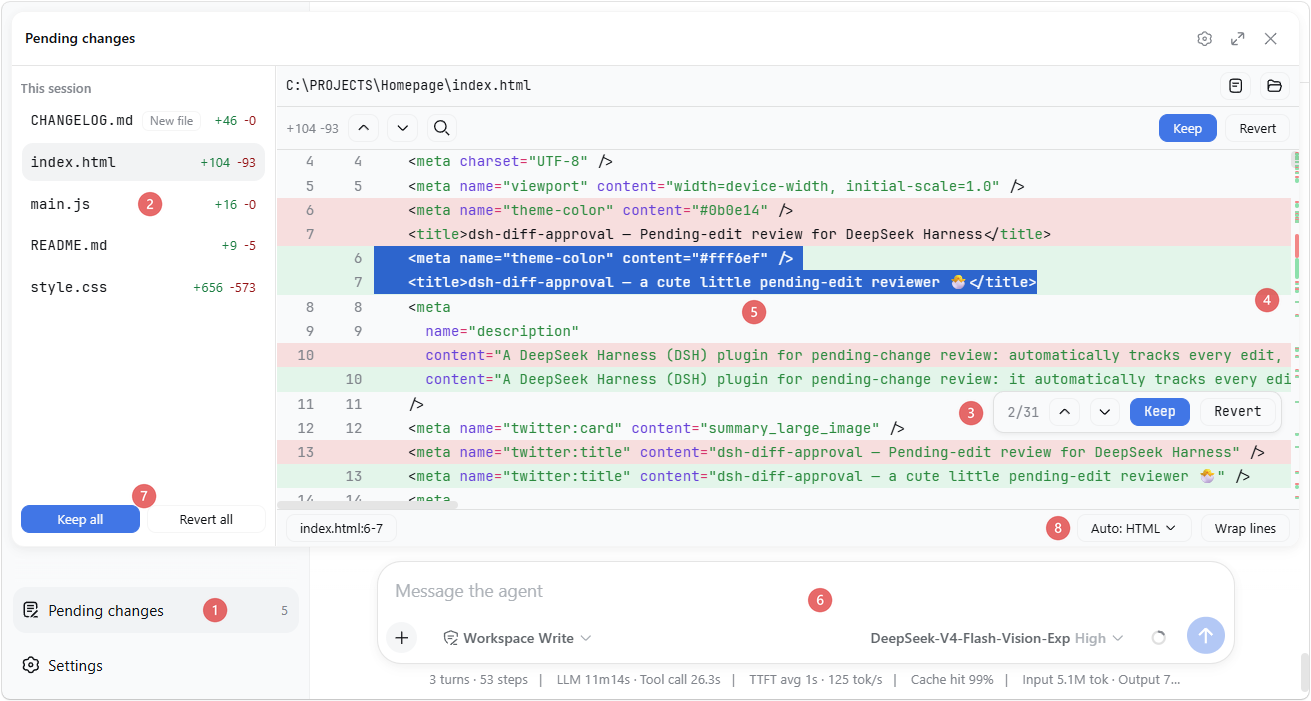
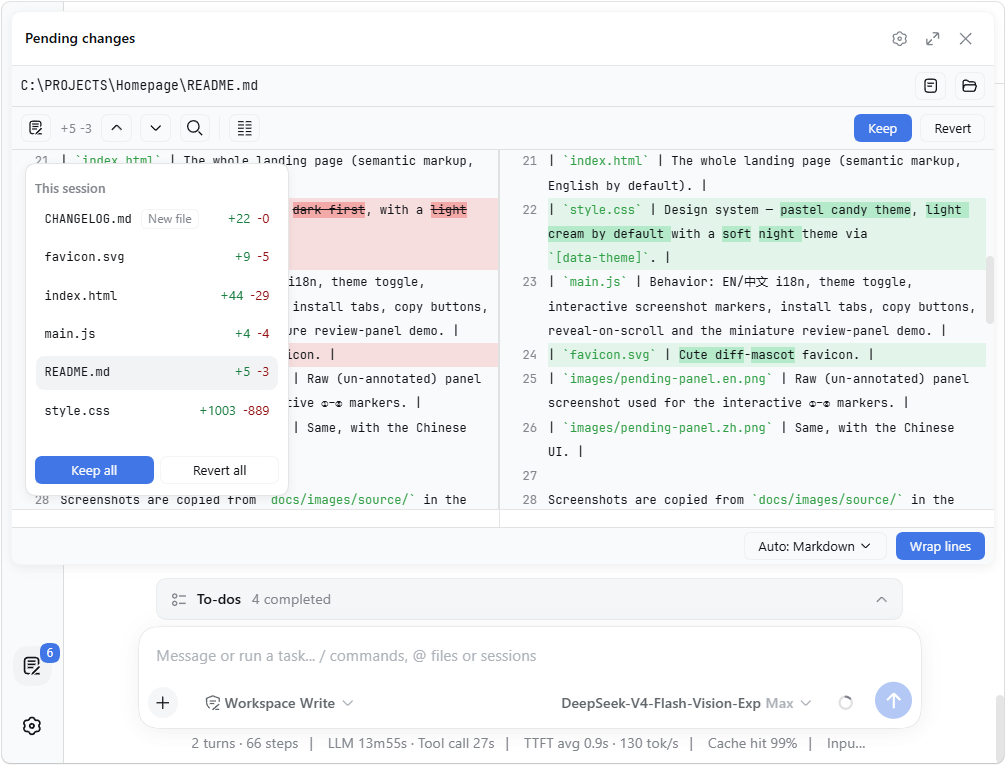
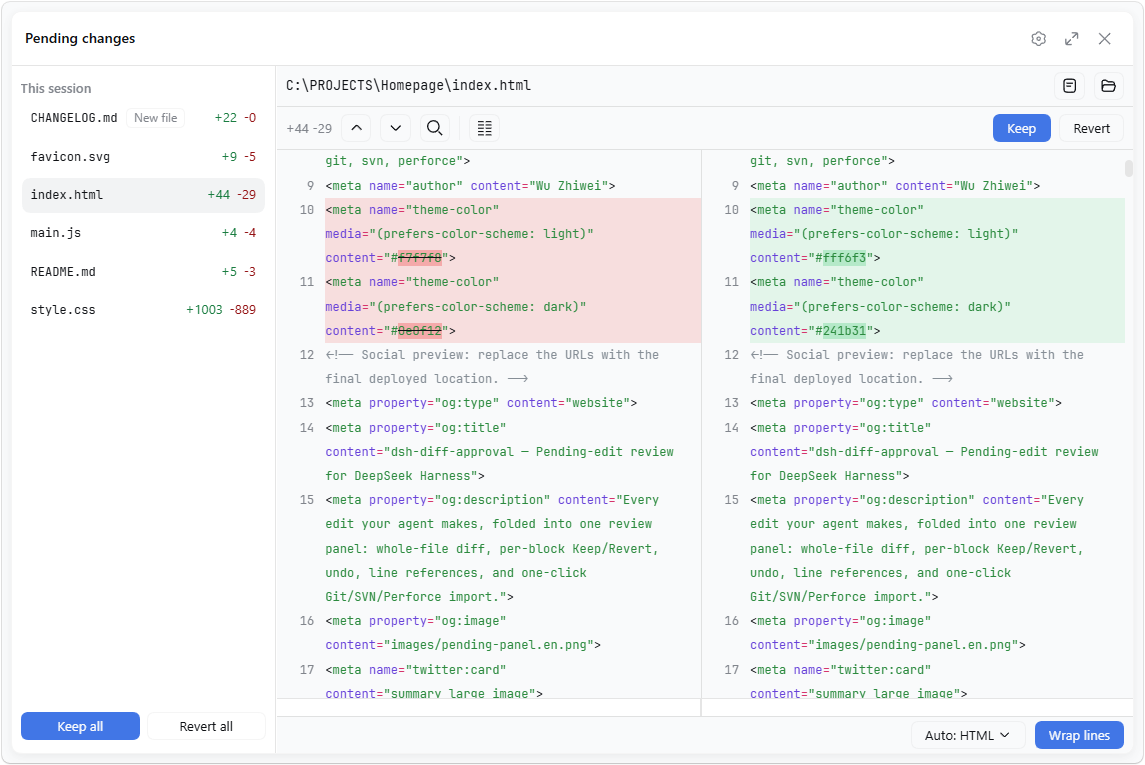
The panel also collapses its file list into a floating card; while floating, each of its four edges — the left sidebar, the header above, the right sidebar, the composer below — can be chosen to be covered (all four is what used to be fullscreen, and covering nothing is a plain floating card), and it can dock as a tab in the right sidebar:
Two entries open it: the row at the sidebar foot, and a button in the Session header's right-hand controls — the cluster the app keeps its own per-session actions in (where "Download session log" lives) — so the review stays one click away with the sidebar collapsed or hidden.
| Collapsed file list | Covering everything |
|---|---|
 |
 |
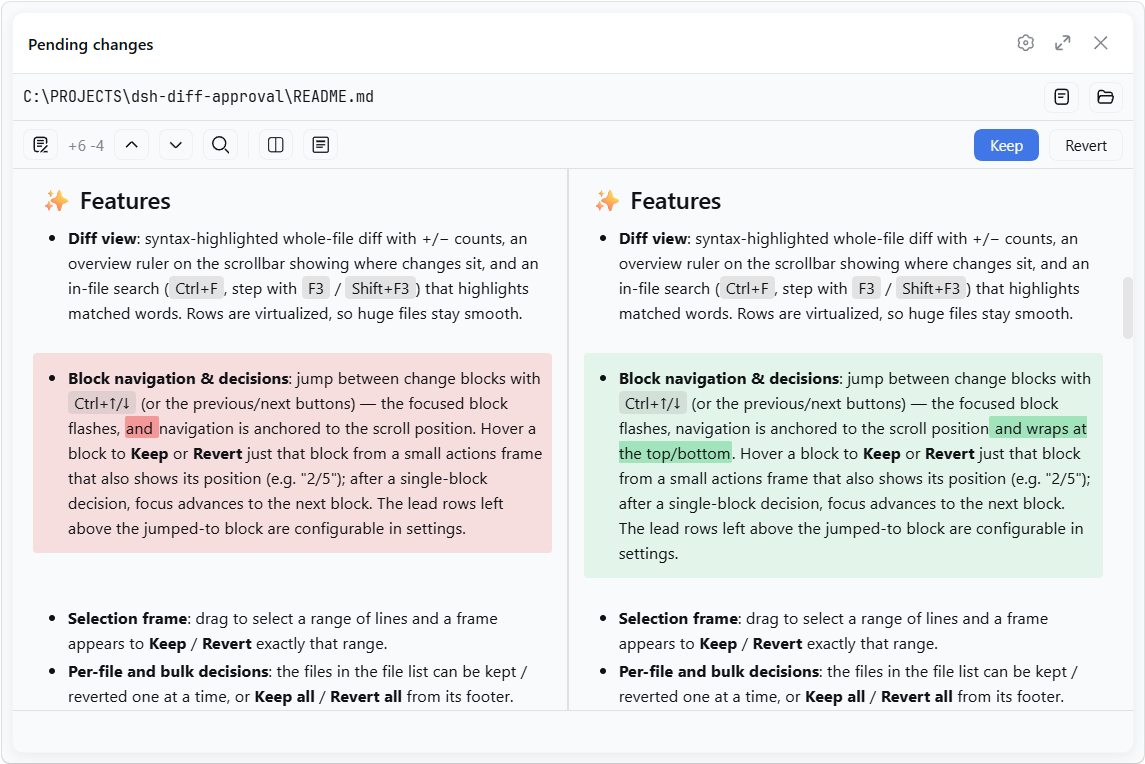
For Markdown files, the source-line diff can also be shown as a rendered before/after preview:
✨ Features
- Diff view: syntax-highlighted whole-file diff with +/− counts, an overview ruler on the scrollbar showing where changes sit, and an in-file search (
Ctrl+F, step withF3/Shift+F3) that highlights matched words. Rows are virtualized, so huge files stay smooth. - Block navigation & decisions: jump between change blocks with
Ctrl+↑/↓(or the previous/next buttons) — the focused block flashes, navigation is anchored to the scroll position and wraps at the top/bottom. Hover a block to Keep or Revert just that block from a small actions frame that also shows its position (e.g. "2/5"); after a single-block decision, focus advances to the next block. The lead rows left above the jumped-to block are configurable in settings. - Selection frame: drag to select a range of lines and a frame appears to Keep / Revert exactly that range.
- Per-file and bulk decisions: the files in the file list can be kept / reverted one at a time, or Keep all / Revert all from its footer.
- Resolved files stay listed: once every change in a file has been kept/reverted, the entry remains in the list and the panel asks whether to remove it or keep it for later.
- Undo / Redo: every keep, revert, and import is undoable with
Ctrl+Z/Ctrl+Shift+Z(rebindable in Shortcuts;Ctrl+Yremains an alias), active while the panel is open — text inputs keep their own editing. - Quick summon & file cycling:
Ctrl+D(configurable in settings) toggles the review panel from anywhere andEsccloses it; the panel is also one click away from the sidebar-foot row and from a button in the Session header beside the app's own controls;Ctrl+Tab/Ctrl+Shift+Tabcycle through the pending files. - Line references: select text in the diff — the status bar shows its
(file:line)/(file:start-end)reference; click it (or pressCtrl+L) to copy, and with the setting on it auto-pastes into the composer and focuses it. References in the composer and queued messages are auto-aligned when the referenced file changes: surviving lines re-map to their new range, and a fully-removed line becomes(file:LINE_MISSING). - Highlight language: auto-detected from the file extension, or overridden from a dropdown.
- Auto-wrap: a "Wrap lines" toggle beside the language selector wraps long lines for that language (CJK breaks between characters, Latin words stay whole), remembered per language.
- Side-by-side split view: an opt-in two-column diff (left "before" | right "current"), line-aligned with per-side horizontal scrolling and a shared vertical scrollbar. Toggle it from the toolbar or in settings (default: single-column unified view). In split view, changed blocks are aligned by content similarity and changed lines show intra-line word diffs — whole words for Latin text, per-character for CJK.
- Markdown preview: for Markdown files, toggle between the source-line diff and a rendered before/after preview (
Preview/Source). The preview content max width is configurable. - Customizable appearance: from the "Diff view" settings group, adjust the diff's code font size (%), line height (px), and the added / removed line colors, with a live preview.
- External changes: files already in the pending list are monitored — if one is later modified outside the reviewed edits (another tool, an editor), the panel adopts the new content and flags the divergence.
- Open / Reveal: while reviewing a file's diff, open it in its default app or reveal it in the system file manager with one click.
- Import version-control changes: when the list is empty, click the button to import the workspace's local changes from Git / SVN / Perforce — everything that is not committed yet, staged or not (Git is read against the last commit, the
git diff HEADview), plus deleted files and, opt-in, files the VCS has never seen (untracked / unversioned). The VCS root is found by walking up from the workspace, so a workspace inside a subdirectory works too. - Settings: a "Diff Approval" section in DeepSeek Harness settings, grouped into Diff view (code font size, line height, added / removed colors), Shortcuts (rebind the panel's keyboard chords), and Floating coverage (the same four edge switches the panel's own popover offers) plus preferences for auto-paste on copy, whether to include files version control has not seen when importing, the diff's tab width (2 / 4 / 8 spaces), the side-by-side split view, the block-jump lead rows, the Markdown preview default and width, and the quick-summon chord.
- Persistence: pending state is stored per workspace at
<dshHome>/diff-approval/workspaces/<workspaceId>.jsonand survives restarts — unhandled changes are still there when you come back, even in a fresh session.
Showing the opening section of the README — the full document lives in the repository以上为 README 开头摘要,完整文档在仓库内 · View the full README on GitHub →在 GitHub 查看完整 README →
Related相关推荐
-
 kenryu42/cc-safety-net
A pre-execution guard for AI coding agents. It blocks destructive Git and file system commands, plus common attempts to …
kenryu42/cc-safety-net
A pre-execution guard for AI coding agents. It blocks destructive Git and file system commands, plus common attempts to …
-
 hyhmrright/brooks-lint
AI code reviews grounded in 12 classic engineering books — decay risk diagnostics with book citations, severity labels, …
hyhmrright/brooks-lint
AI code reviews grounded in 12 classic engineering books — decay risk diagnostics with book citations, severity labels, …
-
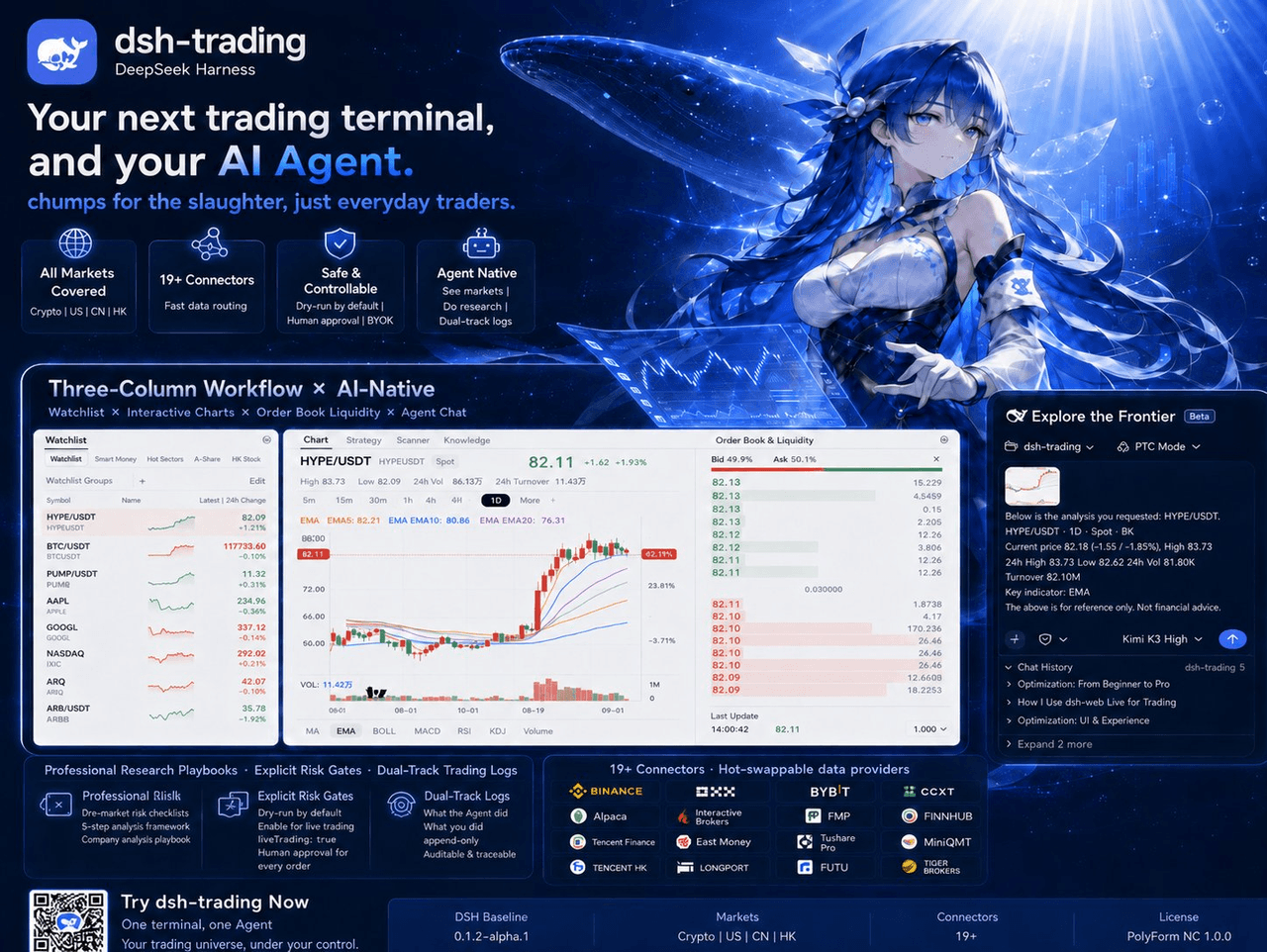 zhu1090093659/dsh-trading
Agent-native trading terminal built on DeepSeek Harness. Crypto, US, CN and HK in one three-column GUI, 19+ hot-swappabl…
zhu1090093659/dsh-trading
Agent-native trading terminal built on DeepSeek Harness. Crypto, US, CN and HK in one three-column GUI, 19+ hot-swappabl…
-
 lire1131/dsh-undo-savepoint
DSH crash-rescue plugin: undo config & plugin-code changes, secret-safe snapshots, one-click SAFE MODE, plus offline CLI…
lire1131/dsh-undo-savepoint
DSH crash-rescue plugin: undo config & plugin-code changes, secret-safe snapshots, one-click SAFE MODE, plus offline CLI…
- Akimiya-z/codex-guard Quality gate for AI/Codex-generated pull requests: blocks TODO leftovers, leaked secrets, sloppy commits and red CI befo…
-
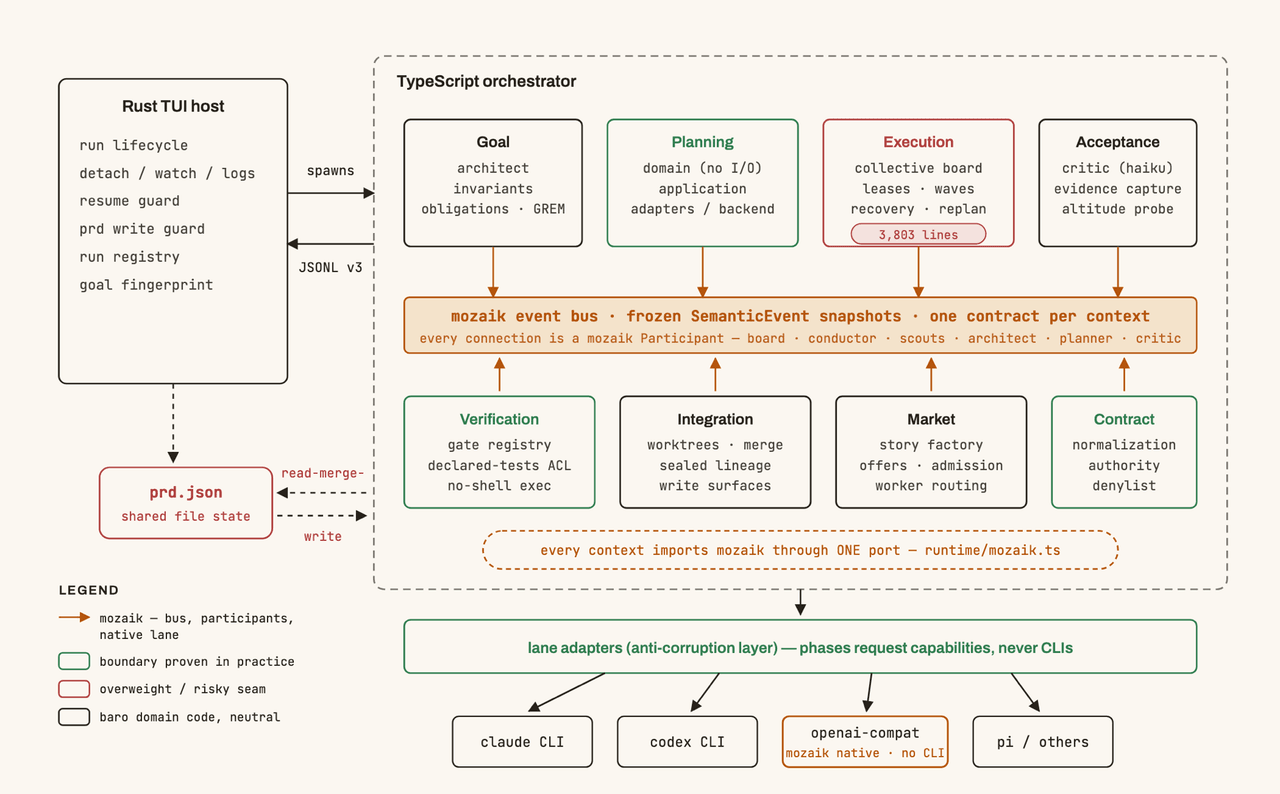 jigjoy-ai/baro
A CLI that turns a goal into a pull request - and a sandbox for testing concurrent AI coding agents on the Mozaik runtim…
jigjoy-ai/baro
A CLI that turns a goal into a pull request - and a sandbox for testing concurrent AI coding agents on the Mozaik runtim…
-
 c3ll256/dsh-toy
Toy Control Protocol for DSH
c3ll256/dsh-toy
Toy Control Protocol for DSH
-
 huaweicloud/huaweicloud-devkit
Official Huawei Cloud plugin for AI agents — skills, MCP tools, safety guardrails, and cloud sandbox to help AI agents …
huaweicloud/huaweicloud-devkit
Official Huawei Cloud plugin for AI agents — skills, MCP tools, safety guardrails, and cloud sandbox to help AI agents …