
huaweicloud/huaweicloud-devkit
Official Huawei Cloud plugin for AI agents — skills, MCP tools, safety guardrails, and cloud sandbox to help AI agents build, deploy, and operate on Huawei Cloud securely.
Project Overview项目介绍
HuaweiCloud DevKit is a plugin for AI coding agents that delivers Huawei Cloud knowledge, CLI tooling, and safety guardrails via MCP. It supports 20+ services with guided operations, pre-execution risk checks, and credential redaction. Use it to let agents like Codex, DSH, and OpenCode safely manage cloud resources. Caveat: requires Node.js 22+, write operations need explicit approval, and DSH needs the @deepseek-ai/dsh-mcp-client MCP server installed.
华为云 DevKit 是面向 AI 编码代理的插件,通过 MCP 协议提供华为云知识、CLI 工具与安全护栏,支持 20+ 云服务的逐步操作指导。适用于让 Codex、DSH、OpenCode 等代理安全调用华为云资源。注意:需 Node.js 22+,写操作要求用户明确确认,DSH 集成依赖 @deepseek-ai/dsh-mcp-client。
请帮我了解并安装插件:【huaweicloud-devkit】【https://github.com/huaweicloud/huaweicloud-devkit】Send this message to DSH in your current session. CLI install commands may not be accurate across systems — DSH will figure it out for you.把上面这条消息直接发给当前会话里的 DSH,让它帮你了解并安装。安装命令不一定准确,发给 DSH 更稳。
Or use CLI install (for developers)或使用命令行安装(适合开发者)
CLI Install命令行安装
dsh plugin --profile web add github:huaweicloud/huaweicloud-devkit把 huaweicloud/huaweicloud-devkit 加入你的 DSH 配置(web profile)即可启用。
READMEREADME
HuaweiCloud DevKit




中文 | English
Help AI coding agents use Huawei Cloud safely and accurately — a single integration that gives agents cloud knowledge, CLI tooling, and safety guardrails.
Supports OpenCode, Codex, CodeArts Agent, WorkBuddy, DeepSeek Harness (DSH), OfficeAce, Hermes, OpenClaw, and AtomCode.
Prerequisites
- Node.js >= 22
China mainland users: If you experience slow downloads or connection issues with the default npm registry, configure the Huawei Cloud npm mirror:
npm config set registry https://mirrors.huaweicloud.com/repository/npm/Restore the default registry:
npm config delete registryMirror lag: npm mirrors (npmmirror, mirrors.huaweicloud.com) may lag behind the official registry for hours after a new release. If install fails with
ETARGETor you get an older version, install via the official registry instead:npx --yes --registry=https://registry.npmjs.org huaweicloud-devkit install --target <target>
Quick Start
If
--targetis omitted, the installer auto-detects agents on your machine:
- None detected: interactive terminals ask what you want (install to one explicit target / install to all / wire up a generic MCP agent); non-interactive shells error out with the supported target list.
- One detected: installs directly to it.
- Multiple detected: interactive terminals show a multi-select chooser; non-interactive shells error and point at
--target <agent>/--target all. For a one-shot full setup, runnpx --yes huaweicloud-devkit install --target all(Codex is skipped when its CLI is missing).
The commands below are global (they act on every agent):
npx --yes huaweicloud-devkit version  # print CLI version and installed plugin versions per agent
npx --yes huaweicloud-devkit uninstall --target all --clean-global  # also remove KooCLI + OBS config
OpenCode
npx --yes huaweicloud-devkit install --target opencode
Restart the session after installation.
npx --yes huaweicloud-devkit doctor --target opencode
npx --yes huaweicloud-devkit status --target opencode
npx --yes huaweicloud-devkit update --target opencode
npx --yes huaweicloud-devkit uninstall --target opencode
rm -rf ~/.npm/_npx/  # Linux/macOS; Windows: rmdir /s /q %LOCALAPPDATA%\npm-cache\_npx
Codex
npx --yes huaweicloud-devkit install --target codex
Restart the Codex session after installation.
codex plugin list  # verify huaweicloud-devkit@huaweicloud-devkit is installed and enabled
npx --yes huaweicloud-devkit doctor --target codex
npx --yes huaweicloud-devkit status --target codex
npx --yes huaweicloud-devkit update --target codex
npx --yes huaweicloud-devkit uninstall --target codex
Then mention @huaweicloud-devkit in Codex or describe your Huawei Cloud task directly.
Requires Codex CLI — the
codexcommand must be in PATH. If Codex is installed via WindowsApps (Microsoft Store), use--target codex-desktopinstead. Runcodex --versionto verify CLI availability.
Codex Desktop
Use this target when the Codex CLI is unavailable or when Codex is installed through WindowsApps on Windows.
npx --yes huaweicloud-devkit install --target codex-desktop
Restart the Codex Desktop session after installation.
npx --yes huaweicloud-devkit doctor --target codex-desktop
npx --yes huaweicloud-devkit status --target codex-desktop
npx --yes huaweicloud-devkit update --target codex-desktop
npx --yes huaweicloud-devkit uninstall --target codex-desktop
Then mention @huaweicloud-devkit in a new Codex Desktop task or describe your Huawei Cloud task directly.
CodeArts Agent
npx --yes huaweicloud-devkit install --target codearts
Restart the session after installation.
npx --yes huaweicloud-devkit doctor --target codearts
npx --yes huaweicloud-devkit status --target codearts
npx --yes huaweicloud-devkit update --target codearts
npx --yes huaweicloud-devkit uninstall --target codearts
Sandbox mode: CodeArts defaults to sandbox mode which blocks KooCLI.
install-hclouddetects this and shows how to resolve it — install KooCLI outside the sandbox terminal, or disable sandbox mode in CodeArts settings (Settings → Chats → Agents Terminal Command Running Mode → Auto Running).
CodeArts Work
npx --yes huaweicloud-devkit install --target codearts-work
Restart the session after installation.
npx --yes huaweicloud-devkit doctor --target codearts-work
npx --yes huaweicloud-devkit status --target codearts-work
npx --yes huaweicloud-devkit update --target codearts-work
npx --yes huaweicloud-devkit uninstall --target codearts-work
CodeArts Work (CodeArts Space, appId:
com.codearts.work) uses user-level config at%USERPROFILE%\.codeartswork\. No project-level.codeartsworkdirectory is created.
WorkBuddy
npx --yes huaweicloud-devkit install --target workbuddy
Restart the session after installation.
npx --yes huaweicloud-devkit doctor --target workbuddy
npx --yes huaweicloud-devkit status --target workbuddy
npx --yes huaweicloud-devkit update --target workbuddy
npx --yes huaweicloud-devkit uninstall --target workbuddy
DeepSeek Harness (DSH)
npx --yes huaweicloud-devkit install --target dsh
Restart the DSH session after installation.
npx --yes huaweicloud-devkit doctor --target dsh
npx --yes huaweicloud-devkit status --target dsh
npx --yes huaweicloud-devkit update --target dsh
npx --yes huaweicloud-devkit uninstall --target dsh
DSH V1 reuses the existing MCP server through
@deepseek-ai/dsh-mcp-client. If the installer reports that the client is not detected, run:npx @deepseek-ai/dsh plugin --profile web add @deepseek-ai/dsh-mcp-client.
OfficeAce
npx --yes huaweicloud-devkit install --target officeace
Restart OfficeAce after installation.
npx --yes huaweicloud-devkit doctor --target officeace
npx --yes huaweicloud-devkit status --target officeace
npx --yes huaweicloud-devkit update --target officeace
npx --yes huaweicloud-devkit uninstall --target officeace
Hermes
npx --yes huaweicloud-devkit install --target hermes
Restart the Hermes session after installation.
npx --yes huaweicloud-devkit doctor --target hermes
npx --yes huaweicloud-devkit status --target hermes
npx --yes huaweicloud-devkit update --target hermes
npx --yes huaweicloud-devkit uninstall --target hermes
Uninstall notes: On Linux, run
rm -rf ~/.npm/_npx/* && npm cache clean --forceafter uninstall to ensure a clean slate. On Windows, close all Hermes sessions first to release file locks, then after uninstall check%LOCALAPPDATA%\hermes\config.yamlfor YAML corruption and manually remove%LOCALAPPDATA%\hermes\huaweicloud-pluginsif any files remain. Safety hooks: The installer configures Hermes shell hooks (config.yaml→hooks.pre_tool_call) to intercept unsafe terminal commands such as credential file reads, environment variable dumps, and unapprovedhcloudwrite operations. Hermes shows a consent prompt the first time; approve it or sethooks_auto_accept: trueinconfig.yamlto auto-accept. MCP Python SDK: The installer automatically installs themcpPython package required by Hermes for MCP tool discovery. If you see[FAIL] Hermes MCP Python SDKindoctor, runpip3 install mcpmanually. Windows: See docs/hermes-windows.md for known issues and workarounds.
OpenClaw
# Recommended (ClawHub)
openclaw plugins install clawhub:huaweicloud-devkit
openclaw plugins uninstall huaweicloud-devkit
openclaw plugins update huaweicloud-devkit
Restart OpenClaw after installation. If prompted for security risk acknowledgment, add --acknowledge-clawhub-risk.
# Or via npx
npx --yes huaweicloud-devkit install --target openclaw
npx --yes huaweicloud-devkit status --target openclaw
npx --yes huaweicloud-devkit update --target openclaw
npx --yes huaweicloud-devkit uninstall --target openclaw
rm -rf ~/.npm/_npx/  # Linux/macOS; Windows: rmdir /s /q %LOCALAPPDATA%\npm-cache\_npx
AtomCode
npx --yes huaweicloud-devkit install --target atomcode
Restart the AtomCode session after installation.
npx --yes huaweicloud-devkit doctor --target atomcode
npx --yes huaweicloud-devkit status --target atomcode
npx --yes huaweicloud-devkit update --target atomcode
npx --yes huaweicloud-devkit uninstall --target atomcode
Other Agents
Any agent that supports MCP can use the standard config:
{
  "mcpServers": {
    "huaweicloud-devkit": {
      "command": "npx",
      "args": ["-y", "-p", "huaweicloud-devkit", "huaweicloud-devkit-mcp"]
    }
  }
}
No installation required — npx handles everything.
For manual MCP registrations like this, do not put credentials in the config.
HW_ACCESS_KEY/HW_SECRET_KEYare reserved for platform/CI-injected accounts (e.g. a DevSpace-managed default account) — configure your own account vianpx huaweicloud-devkit auth init(the single entry point), and switch accounts at runtime with thehuaweicloud_auth_init/huaweicloud_auth_switchMCP tools. Seeplugins/huaweicloud-core/skills/huaweicloud-cli-and-auth/SKILL.mdfor the full credential-resolution priority.
Connecting over Remote (HTTP)
If your agent supports type: "remote" (Streamable HTTP) instead of stdio, start the devkit remote MCP server locally first:
npx --yes huaweicloud-devkit-mcp --transport remote
It listens on 127.0.0.1:9528 by default. Then connect with a remote config (opencode example):
{
  "mcp": {
    "huaweicloud-devkit": {
      "type": "remote",
      "url": "http://localhost:9528",
      "enabled": true,
    },
  },
}
Use
--port <port>if 9528 is taken and updateurlaccordingly; add--host 0.0.0.0for LAN access. The remote server has no built-in auth — do not expose it anonymously to the public internet.
Install KooCLI
npx --yes huaweicloud-devkit install-hcloud
Configure Credentials
npx --yes huaweicloud-devkit auth init
Synchronizes AK/SK to KooCLI, OBS, and sandbox APIs in one step — this is the single entry point. Never hard-code AK/SK into agent or shell config.
Account switching at runtime (within an agent session): use the MCP tools huaweicloud_auth_init (in-memory, highest priority) or huaweicloud_auth_switch (actions: temporary / persist / clear). In sandbox/DevSpace environments where a default account is injected via HW_ACCESS_KEY/HW_SECRET_KEY, a plain auth init will not override it — use huaweicloud_auth_switch action=persist to make the session account win.
Credential resolution priority (highest first):
| # | Source | Set by |
|---|---|---|
| 1 | Runtime (session) credentials | huaweicloud_auth_init / huaweicloud_auth_switch action=temporary |
| 2 | S1 global file with configuredBySession: true |
huaweicloud_auth_switch action=persist |
| 3 | Environment variables (HW_ACCESS_KEY/HW_SECRET_KEY) |
platform/DevSpace-injected default account |
| 4 | CodeArts / CodeArts Work | .codeartsdoer/mcp/mcp_settings.json / .codeartswork/mcp/mcp_settings.json |
| 5 | S1 global file (no session flag) | auth init |
| 6 | KooCLI profile | ~/.hcloud/config.json (KooCLI commands only) |
Security: never put your own AK/SK into the MCP config
envfield — they'd be stored in plaintext and could leak if the config file is committed to git.envis for platform/CI injection only.
Full details: plugins/huaweicloud-core/skills/huaweicloud-cli-and-auth/SKILL.md.
Install All Agents
npx --yes huaweicloud-devkit install --target all
Update All Agents
npx --yes huaweicloud-devkit@latest version
npx --yes huaweicloud-devkit@latest update --target all
update is incremental — it refreshes installed files without touching your
config. Always keep @latest so npm fetches the newest version instead of a
locally cached older one.
What It Does
- Guided cloud operations — agents get step-by-step guidance for 20+ commonly used Huawei Cloud services (ECS, OBS, VPC, RDS, GaussDB, FunctionGraph, APIG, CCE, and more)
- Safety-first execution — all write operations require explicit user approval; credentials and secrets are automatically redacted from output
- Pre-execution risk checks — public exposure, credential leaks, and destructive operations are caught before they run
- Regional awareness — auto-discovers available regions and checks service availability before creating resources
- Sandbox (DevStation) — temporary cloud runtime for web app deployment with instant public URL preview
Supported Services
ECS, OBS, VPC, IAM, RDS, GaussDB, FunctionGraph, APIG, CCE, SMN/DMS, ModelArts, Cloud Eye, CTS, DEW, Billing, CBR, WAF/AAD, DDS/DCS, Deployment, and Getting Started guides.
Above is the pre-wired guidance list; the remaining 200+ Huawei Cloud services are still reachable via KooCLI / API / SDK routing (see capability-discovery and cli-and-auth meta-skills).
Documentation
- Architecture
- Safety Model
- Hook Rule Model
- DeepSeek Harness Integration
- Changelog
- KooCLI official docs
Contributors
License
This project is licensed under the Apache-2.0 License. See LICENSE.
Related相关推荐
-
 lire1131/dsh-undo-savepoint
DSH crash-rescue plugin: undo config & plugin-code changes, secret-safe snapshots, one-click SAFE MODE, plus offline CLI…
lire1131/dsh-undo-savepoint
DSH crash-rescue plugin: undo config & plugin-code changes, secret-safe snapshots, one-click SAFE MODE, plus offline CLI…
-
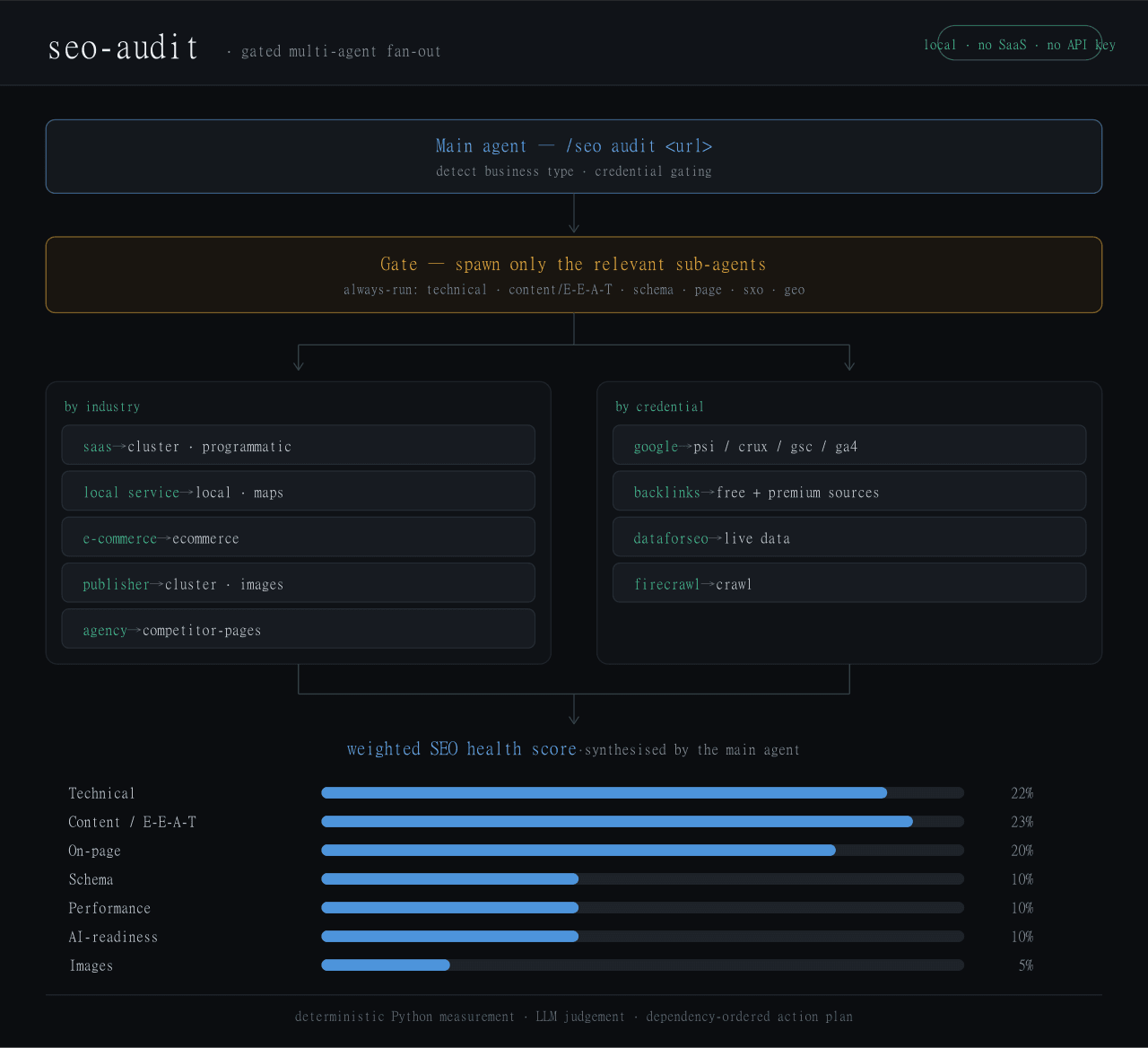 Haniubub/seo-toolkit
The SEO audit toolkit built for DeepSeek Harness (DSH) — runs locally, no Claude Code, no API key required. Self-contain…
Haniubub/seo-toolkit
The SEO audit toolkit built for DeepSeek Harness (DSH) — runs locally, no Claude Code, no API key required. Self-contain…
- zoahdev/dsh-plugin-template Minimal, verified template for DeepSeek Harness plugins: bundle manifest, one tool, runtime peer guard, tests, and CI th…
-
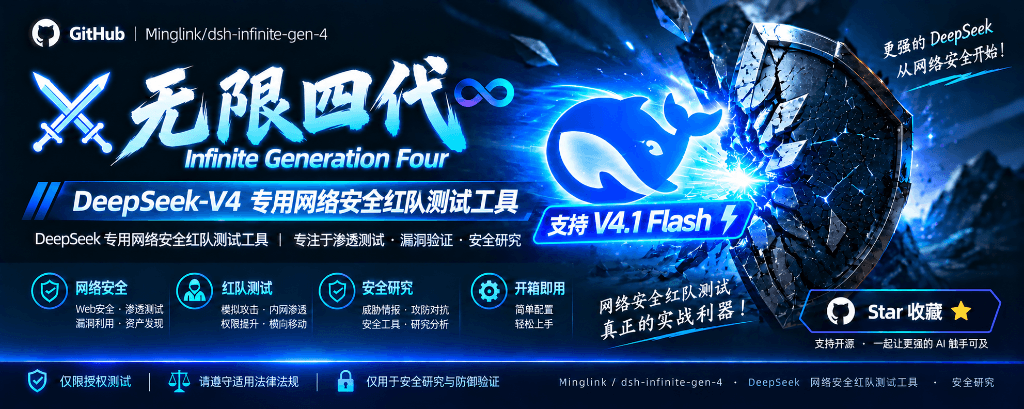 Minglink/dsh-infinite-gen-4
DeepSeek v4.1 flash 网络安全红队工具(无限四代) — jailbreak prompts and test suite for DeepSeek 求 Star 收藏 ⭐欢迎大家提交项目的改进
Minglink/dsh-infinite-gen-4
DeepSeek v4.1 flash 网络安全红队工具(无限四代) — jailbreak prompts and test suite for DeepSeek 求 Star 收藏 ⭐欢迎大家提交项目的改进
-
 howmp/dsh-pentest
面向 DeepSeek Harness(dsh)的渗透测试模式 @CloverSecLabs
howmp/dsh-pentest
面向 DeepSeek Harness(dsh)的渗透测试模式 @CloverSecLabs
-
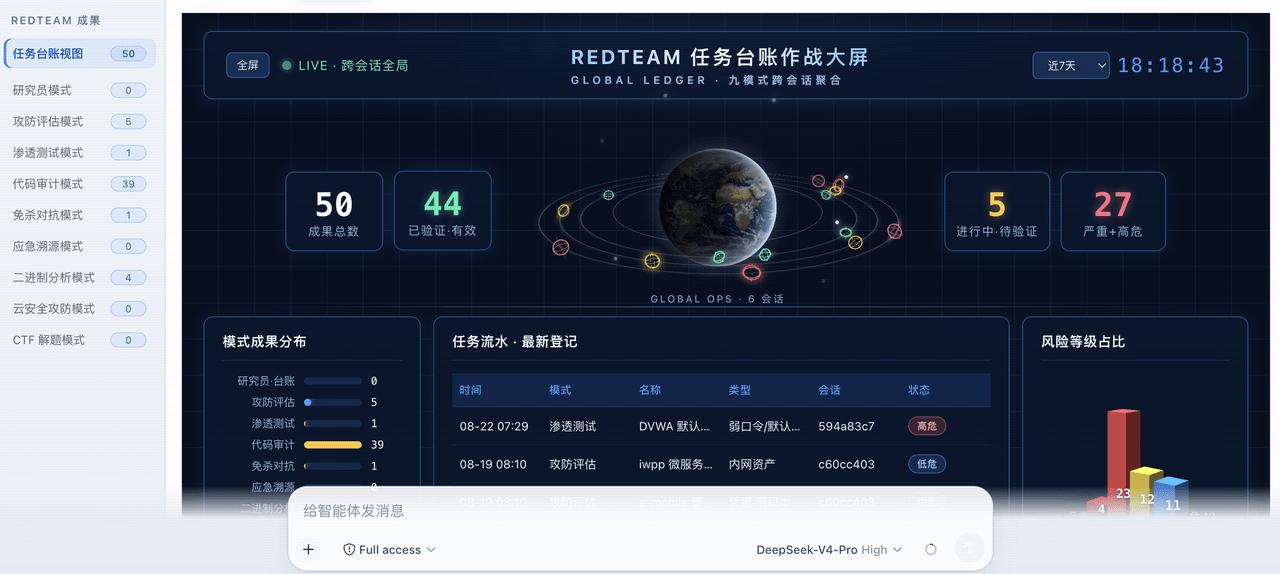 SeaOf0/dsh-redteam-model
基于dsh web实现的多种模式,目的是服务于redteam进行授权的安全研究,覆盖渗透测试、红队评估、代码审计等范围领域,请勿用于非法行为。(允许二开,赋予模块各位自己的业务逻辑,方法论只有自己熟练的才好用,好的方法论=好的生态)
SeaOf0/dsh-redteam-model
基于dsh web实现的多种模式,目的是服务于redteam进行授权的安全研究,覆盖渗透测试、红队评估、代码审计等范围领域,请勿用于非法行为。(允许二开,赋予模块各位自己的业务逻辑,方法论只有自己熟练的才好用,好的方法论=好的生态)
-
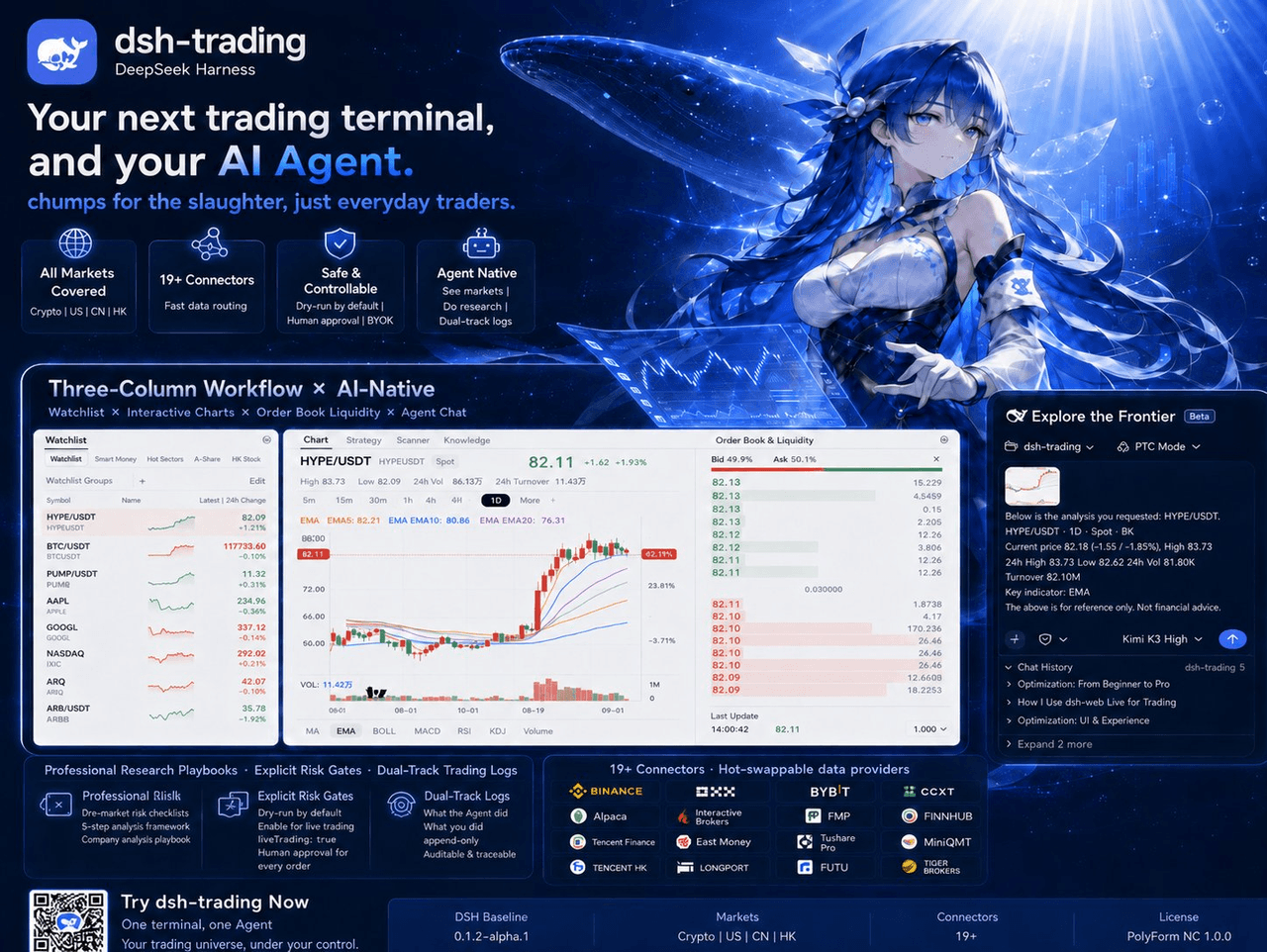 zhu1090093659/dsh-trading
Agent-native trading terminal built on DeepSeek Harness. Crypto, US, CN and HK in one three-column GUI, 19+ hot-swappabl…
zhu1090093659/dsh-trading
Agent-native trading terminal built on DeepSeek Harness. Crypto, US, CN and HK in one three-column GUI, 19+ hot-swappabl…
-
 NanmiCoder/dsh-auto-mode
Safe automatic permissions for DeepSeek Harness.
NanmiCoder/dsh-auto-mode
Safe automatic permissions for DeepSeek Harness.