abidhmuhsin/dsh-visualizer
项目介绍Project Overview
dsh-visualizer 是 DeepSeek Harness 插件,提供 visualizer 工具,让模型边写边流式生成自包含 HTML,并在沙箱 iframe 中实时预览,支持 Chart.js 与 CDN 库,可下载 HTML/SVG。适合在对话中制作图表、示意图、原型或交互说明。注意首次安装需按提示把包加入 allowBuilds,且静态检查无法阻止中间帧已渲染的缺陷。
dsh-visualizer is a DeepSeek Harness plugin that adds a visualizer tool. It streams a self-contained HTML document into chat while the model writes it, rendering live in a sandboxed iframe with Chart.js and CDN support; artifacts can be downloaded as HTML or SVG. Use it for diagrams, mockups, charts, and interactive explainers. Caveat: first install requires allowBuilds approval, and checks cannot prevent flawed intermediate frames from appearing.
请帮我了解并安装插件:【dsh-visualizer】【https://github.com/abidhmuhsin/dsh-visualizer】把上面这条消息直接发给当前会话里的 DSH,让它帮你了解并安装。安装命令不一定准确,发给 DSH 更稳。Send this message to DSH in your current session. CLI install commands may not be accurate across systems — DSH will figure it out for you.
或使用命令行安装(适合开发者)Or use CLI install (for developers)
命令行安装CLI Install
dsh plugin --profile web add 'git+https://github.com/abidhmuhsin/dsh-visualizer.git'把 abidhmuhsin/dsh-visualizer 加入你的 DSH 配置(web profile)即可启用。
READMEREADME
dsh-visualizer
A DeepSeek Harness plugin. The visualizer tool streams a self-contained HTML document into the chat as the model writes it, with a live preview in a sandboxed inline frame — Chart.js, external CDN libraries, all of it. Nothing touches the workspace.
One package ships both halves: the model-facing tool (lib/index.js) and the Web GUI card (lib/client.js, declared through the package's dsh.client manifest). Install it and a bundle layer mounts both. No manual profile patch editing.
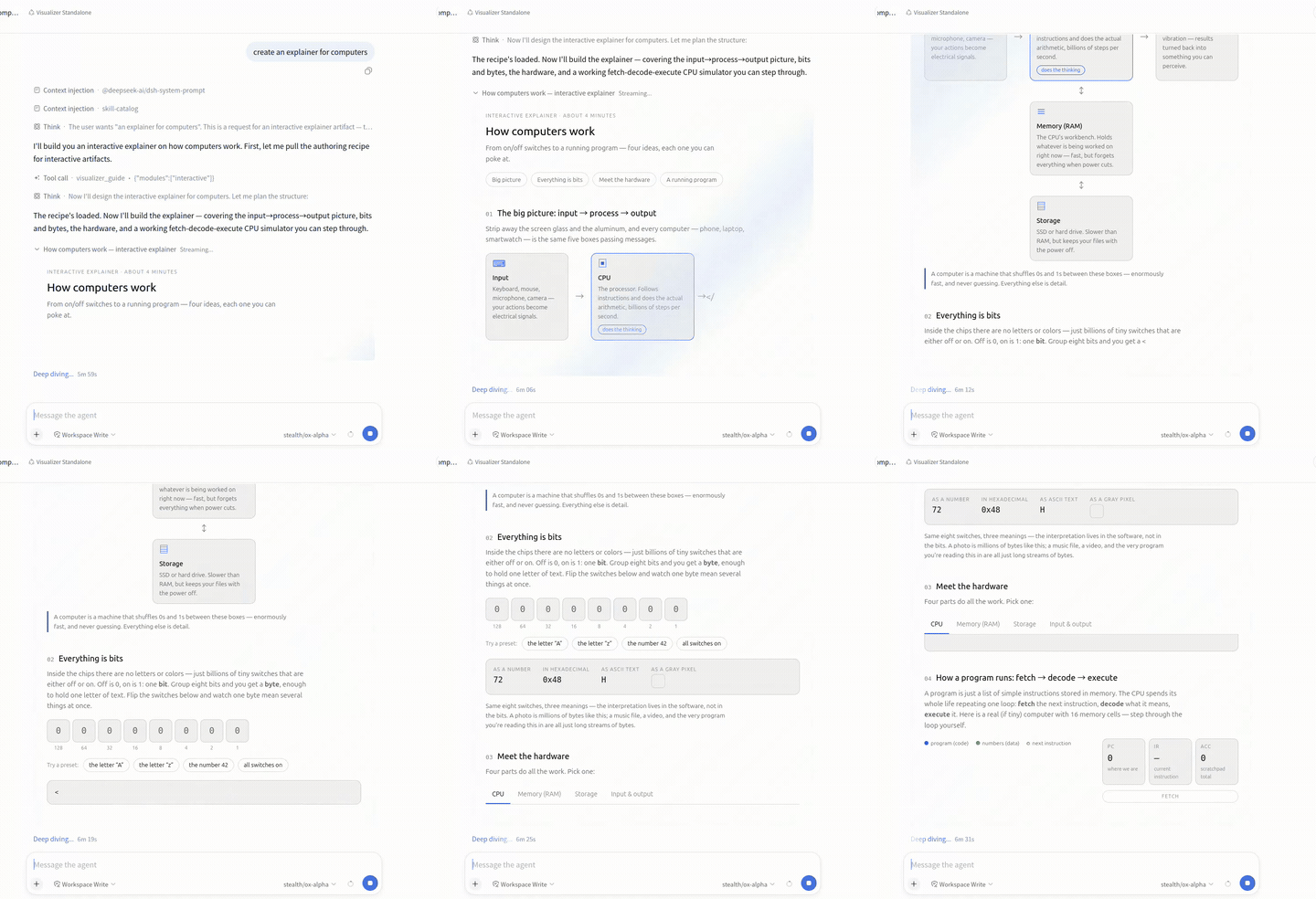
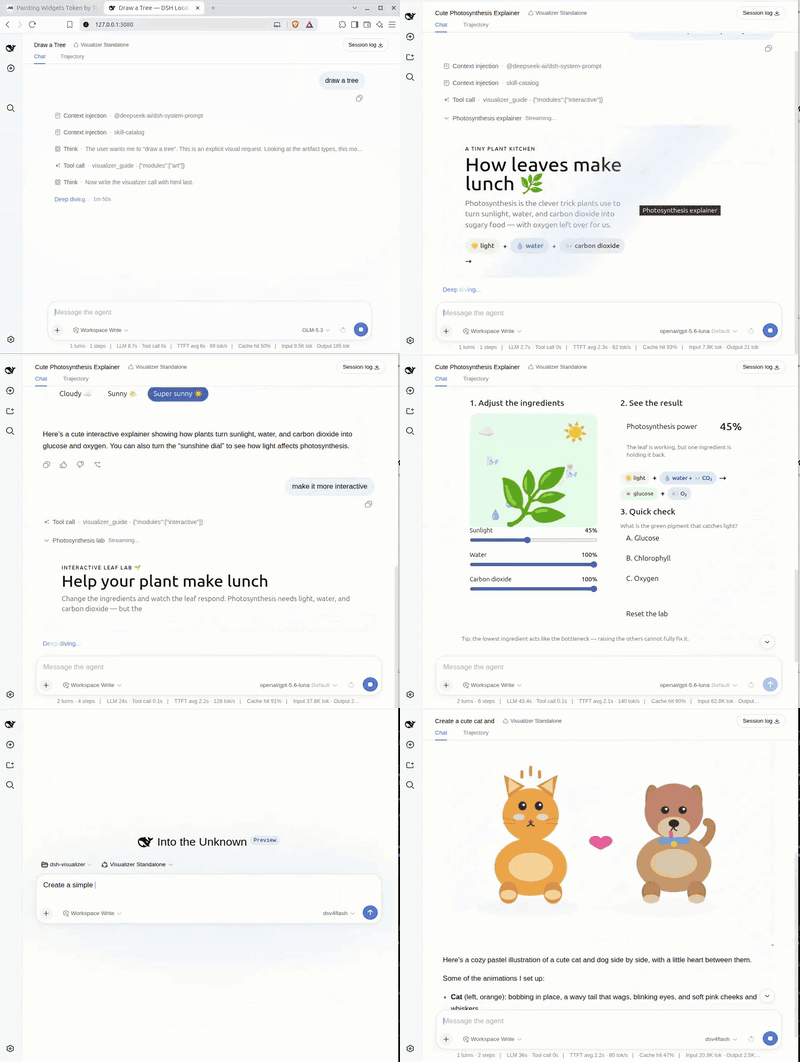
Every generation is downloadable from the card as a self-contained .html (or .svg) file. No server round-trip.
Full-length demos, one per artifact type:
- Pull request flow overview — diagram
- Photosynthesis explainer — interactive
- How computers work — mockup (shown above)
- The plugin itself, explained and rendered by the plugin — self-hosted
- Streaming generative UI highlights — highlights
- Combined demo — multiple use cases in one run
Install
Requires Node ^22.19 or >=24 and a DeepSeek Harness installation:
# install into the default web profile
dsh plugin --profile web add 'git+https://github.com/abidhmuhsin/dsh-visualizer.git'

# or install into any custom profile
dsh plugin --profile <your-profile> add 'git+https://github.com/abidhmuhsin/dsh-visualizer.git'
The first run fails with an "Add the package to allowBuilds" hint. That's pnpm's supply-chain gate blocking the prepare build until it's allowlisted; the hint carries the exact key, keyed on the codeload URL and the resolved commit. Paste that block under allowBuilds: in ~/.dsh/profiles/<your-profile>/pnpm-workspace.yaml and re-run. Keys pin the commit, so after a new upstream push, reinstalling prints a fresh hint to paste.
Or Install from a local checkout
To hack on the plugin (or install a version not yet pushed), check it out, build, and add it by local path:
git clone https://github.com/abidhmuhsin/dsh-visualizer.git ~/tools/dsh-visualizer
cd ~/tools/dsh-visualizer
pnpm install
pnpm build

cd ~/tools/deepseek-harness
pnpm dsh plugin --profile visualizer add '/home/user/tools/dsh-visualizer'
A local path skips the git fetch and the allowBuilds dance, since pnpm build already produced lib/. The loader still imports from the installed copy under the profile, though. To pick up changes: re-run pnpm build in the checkout, then remove and add again.
Boot the profile and ask the model to "visualize …"; the streamed document appears inline while it's written. Pin a release with a ref fragment ('git+https://github.com/abidhmuhsin/dsh-visualizer.git#v0.2.0'). To remove:
dsh plugin --profile <your-profile> remove dsh-visualizer
How it mounts
The package declares a dsh.bundle manifest (dsh.bundle.patch → ./cordis.patch.yml), so dsh plugin add installs it as a profile patch layer on its own. That layer inserts one loader row for the package:
- The host Loader imports
lib/index.js; itsapply()registers the model-facingvisualizertool. - The Web GUI's client module system scans Loader entries for packages declaring a
dsh.clientmanifest and serveslib/client.js, which renders the streaming card and the settled row.
Configuration
The bundle layer already inserts the loader row, so overriding config takes a flat id-targeted patch entry in the profile's own patch layer (~/.dsh/profiles/<your-profile>/cordis.patch.yml). Don't wrap it in insert: — that appends a second row instead of overriding the installed one. The complete option list, at current defaults:
- id: dsh-visualizer
  config:
    maxArtifactBytes: 262144      # per-call render size limit, in bytes
    guideTool: true               # false = drop the visualizer_guide recipe tool (render tool stays)
    guideTypes: [chart, diagram, mockup, interactive, art]   # which types to teach and allow
    shareArtifacts: true          # false = no disk mirror, serve route, or Share control
    artifactDir: ~/.dsh/visualizer/artifacts        # $DSH_HOME honored
    artifactRetentionDays: 30     # sweep artifacts older than this at activation; 0 disables
    shareKey: ''                  # pin the link key so links survive restarts
guideTypes narrows both guide surfaces at once: a disabled type is rejected at the tool's argument boundary, and unknown ids or an empty list fail the plugin load.
How it works
The tool declares html as its last schema parameter, so logged call arguments carry a growing document prefix while the model streams. The card paints that prefix live inside a null-origin sandboxed iframe; at dispatch the final DOM reconciles and scripts run once. An authoring guide teaches the model when to reach for each artifact type (chart, diagram, mockup, interactive, art) and how to author it — a one-line roster in the system prompt, with deeper per-type recipes on demand through a visualizer_guide tool so the standing prompt stays small. A settle-time static check inspects the finished document (compiled, never executed) and reports defects back to the model for an in-turn fix.
Rendered documents can talk back through a small bridge: scripts may submit a follow-up chat prompt (sendPrompt, validated and rate-limited), open http(s) links (openLink, scheme-checked), and persist state across renders (window.storage, namespaced by title — a regenerated dashboard finds its previous values). Documents inherit the app's theme tokens, and anchor clicks inside the card never navigate the app: fragments scroll in place, external links pass the same validation gate. A card shows load/runtime script failures inline instead of silently rendering nothing.
A settled card offers three actions — Download (self-contained .html/.svg via Blob, no server round-trip), Copy HTML, and Share (next section).
Sharing
Every successful render is mirrored into the artifacts folder (artifactDir, default ~/.dsh/visualizer/artifacts, private perms) the moment it finishes — a failed or interrupted render leaves nothing behind. Clicking Share on a settled card opens that copy in a new tab at /artifacts/visualizer/<name>?k=<key>; copy the address from the browser bar to send it to someone.
- Names carry a kebab-case slug of the title plus a digest of the exact content —
<slug>-<16 hex>.html|.svg(hex-chart-performance-metrics-3531….html). Same render, same link forever; changed content gets a fresh link beside the old one. Downloads keep just the slug. - Links embed a capability key. By default each harness start issues a random one, so links expire on restart (click share again to reissue); set
shareKeyin config to pin one and links survive restarts. Anyone holding a working link can open it — treat it like a secret; this is unguessability, not per-user auth. - Safe by construction. Shared HTML runs inside a sandboxed frame (no access to your session, cookies, or workspace) under the same CDN allowlist as the inline card; shared SVG behaves like a plain image with scripting stripped. Responses carry no-store and hardening headers, and only regular export files are servable — anything else gets an identical not-found page.
- Layers of access control. Shared links ride behind the harness's own authentication — no valid harness session, no route — and on top of that each link carries the boot-time capability key described above. One without the other fails closed.
- Housekeeping. Artifacts older than
artifactRetentionDays(default 30,0= never) sweep when the plugin activates. On profiles without a web server (TUI/headless) sharing simply doesn't appear.
Production hardening tip: for stronger isolation, serve the artifacts from a different domain than the main web UI in production (e.g., pointing artifactDir at a path a CDN or static host publishes, with the main app linking out to it). Generated pages then never share an origin with your authenticated surface at all — the strongest defense-in-depth available for LLM-authored content. A static publisher can't check the per-boot key (?k=), so pair this setup with a pinned shareKey — stable across restarts and easy to carry into whatever gating the publishing layer applies.
A "not found" answer means one of: the harness restarted while using the default per-boot key (re-open the document from chat and share fresh), the live shareKey no longer matches the one baked into the link, or the artifact passed its retention window.
Settle-time document check
When a call settles, execute() statically inspects the finished document (src/inspect.ts). Script bodies are compiled, never executed, so syntax errors show up without side effects. Attributes are scanned per tag for duplicates, ids for double definitions, and url(#…)/href="#…" references for dangling targets; inline event handlers get the same compile check.
The verdict rides the tool result, which is the model's own channel. A clean render says document check passed; a defective one lists its findings (line-numbered, capped at six) with the instruction to fix and re-render in the same turn. Tool results are logged, so a replayed session reproduces the verdict exactly.
The check is heuristic and conservative on purpose. It declines to judge a module script whose import statements can't be lifted cleanly, rather than risk a false verdict, and it can't gate what already streamed: the guarantee is that authored defects are named and repaired in-turn, not that no intermediate frame was ever painted.
Development
pnpm install
pnpm test     # vitest unit tests for both halves
pnpm build    # tsc emits lib/types declarations, tsdown bundles lib/ runtime + lib/client.js
Both halves follow the DeepSeek Harness plugin contract (ctx.effect() registrations, invariant companion under /invariant). The client bundle keeps the loader's lazy-CJS factory artifact format and the cross-plugin purity rule: platform modules stay external, everything else inlines.
相关推荐Related
-
 WYH66666666/DSH-Transparent-UI-Plugin
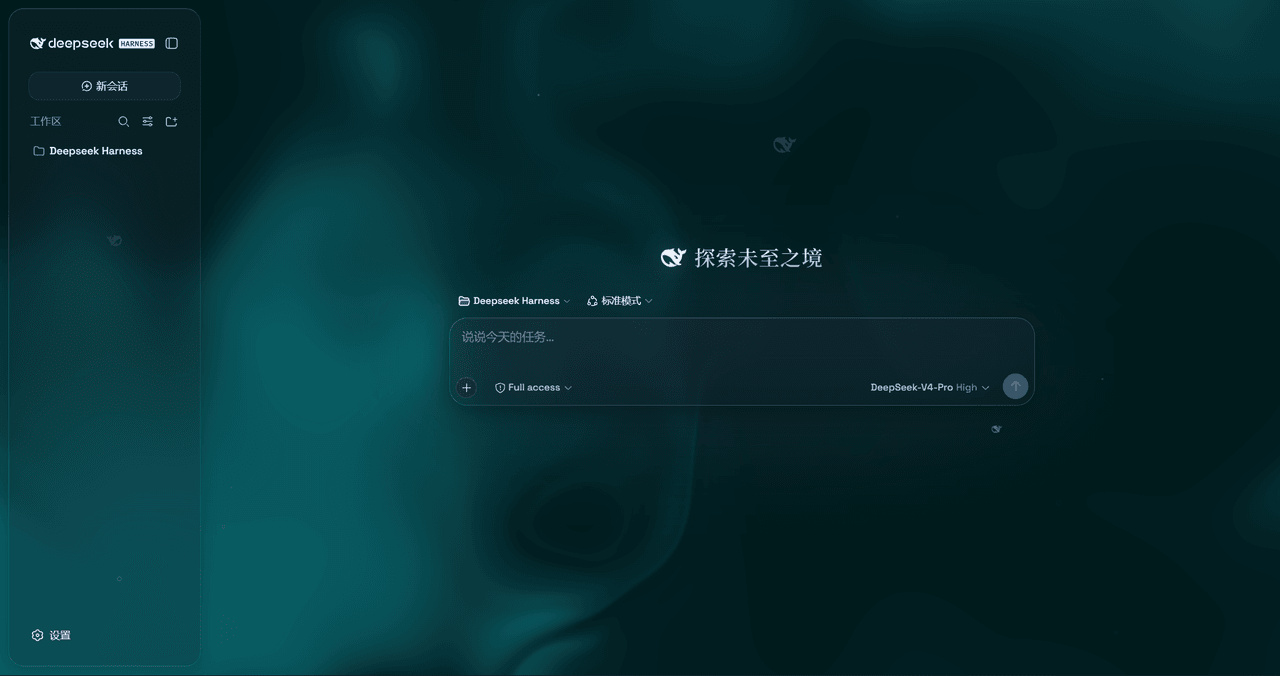
是一层高自由度的玻璃质感主题,套在 DeepSeek Harness 网页端。顶栏、侧边栏、输入框、统计行、轨迹视图都成了磨砂玻璃片。玻璃模糊度、磨砂度、背景(流体或自定义壁纸,壁纸还能单独调模糊和磨砂)全都能在设置卡片里自由调节。关掉开关…
WYH66666666/DSH-Transparent-UI-Plugin
是一层高自由度的玻璃质感主题,套在 DeepSeek Harness 网页端。顶栏、侧边栏、输入框、统计行、轨迹视图都成了磨砂玻璃片。玻璃模糊度、磨砂度、背景(流体或自定义壁纸,壁纸还能单独调模糊和磨砂)全都能在设置卡片里自由调节。关掉开关…
-
 Nagi-ovo/dsh-visualize
在 DSH 对话中生成交互式可视化|Render model-generated interactive cards inside DSH conversations
Nagi-ovo/dsh-visualize
在 DSH 对话中生成交互式可视化|Render model-generated interactive cards inside DSH conversations
-
 omdsh-dev/dsh-data-agent
Connect DSH to your database for conversational data analysis and actionable business insights.
omdsh-dev/dsh-data-agent
Connect DSH to your database for conversational data analysis and actionable business insights.
-
 morluto/jacobian
A universal, atomic library of mathematics and tools for agents to compose them.
morluto/jacobian
A universal, atomic library of mathematics and tools for agents to compose them.
-
 Awu12277/dsh-stock-watch
A股自选股实时行情盯盘插件 - DeepSeek Harness Web 右上角可折叠弹窗
Awu12277/dsh-stock-watch
A股自选股实时行情盯盘插件 - DeepSeek Harness Web 右上角可折叠弹窗
-
 dream12347/dsh-session-manager
DSH 会话管理插件:删除(回收站恢复/彻底清除)、统计、继续/暂停、打开日志目录、对话顶部抽屉、工作区分组与排序、上下文压缩阈值设置。DSH session manager: delete with trash/restore/purge…
dream12347/dsh-session-manager
DSH 会话管理插件:删除(回收站恢复/彻底清除)、统计、继续/暂停、打开日志目录、对话顶部抽屉、工作区分组与排序、上下文压缩阈值设置。DSH session manager: delete with trash/restore/purge…
-
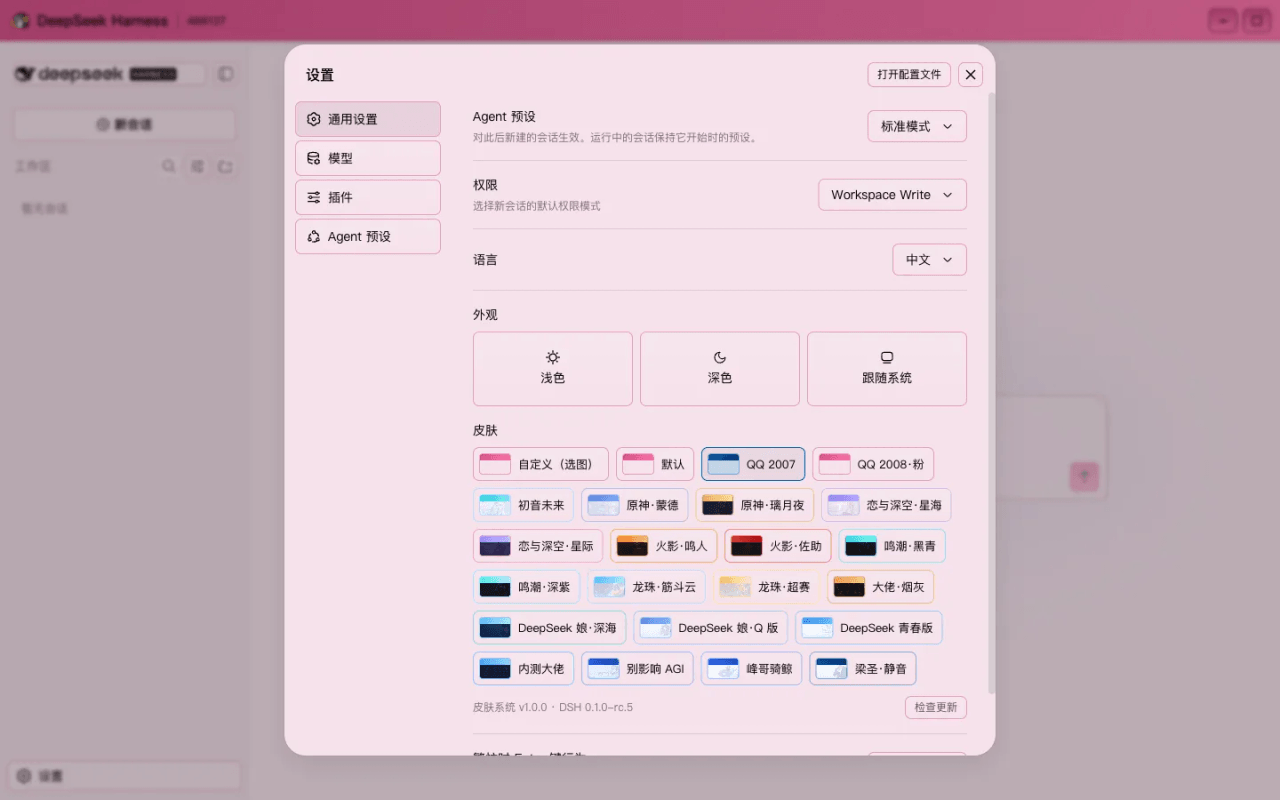 HeiGeAi/deepseek-harness-skin
DeepSeek Harness 换肤系统:21 套内置皮肤 + 一张图生成整套配色的自定义皮肤。数据源驱动,保对比度推导,构建期校验可读性。
HeiGeAi/deepseek-harness-skin
DeepSeek Harness 换肤系统:21 套内置皮肤 + 一张图生成整套配色的自定义皮肤。数据源驱动,保对比度推导,构建期校验可读性。
-
 MiaoQichuan/new-litigation-visualization
把法律画出来 · Make the Law Visible —— 给法律人的诉讼可视化工具集:把凌乱的诉讼图重画成能进材料的图,或直接读案件材料画准一张时间轴。Claude Skill / DeepSeek Harness 通用。
MiaoQichuan/new-litigation-visualization
把法律画出来 · Make the Law Visible —— 给法律人的诉讼可视化工具集:把凌乱的诉讼图重画成能进材料的图,或直接读案件材料画准一张时间轴。Claude Skill / DeepSeek Harness 通用。