Awu12277/dsh-stock-watch
A股自选股实时行情盯盘插件 - DeepSeek Harness Web 右上角可折叠弹窗
Project Overview项目介绍
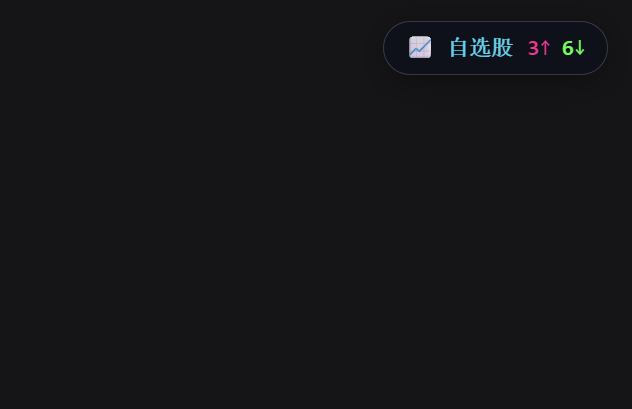
dsh-stock-watch is a native DSH plugin that adds real-time stock watching functionality directly to the DeepSeek Harness web interface. It installs via a single npm command: dsh plugin --profile web add dsh-stock-watch, and can also be installed directly from GitHub or a local development folder for testing. After installation, you need to restart dsh web and refresh the browser page for the plugin to load. Once loaded, it places a collapsible "Watch List" pill button at the top right corner of the interface, which you can drag anywhere on the screen. It also automatically snaps to the edge of the screen if you drag it there, changing the pill to a half-circle that still shows up/down stock counts.
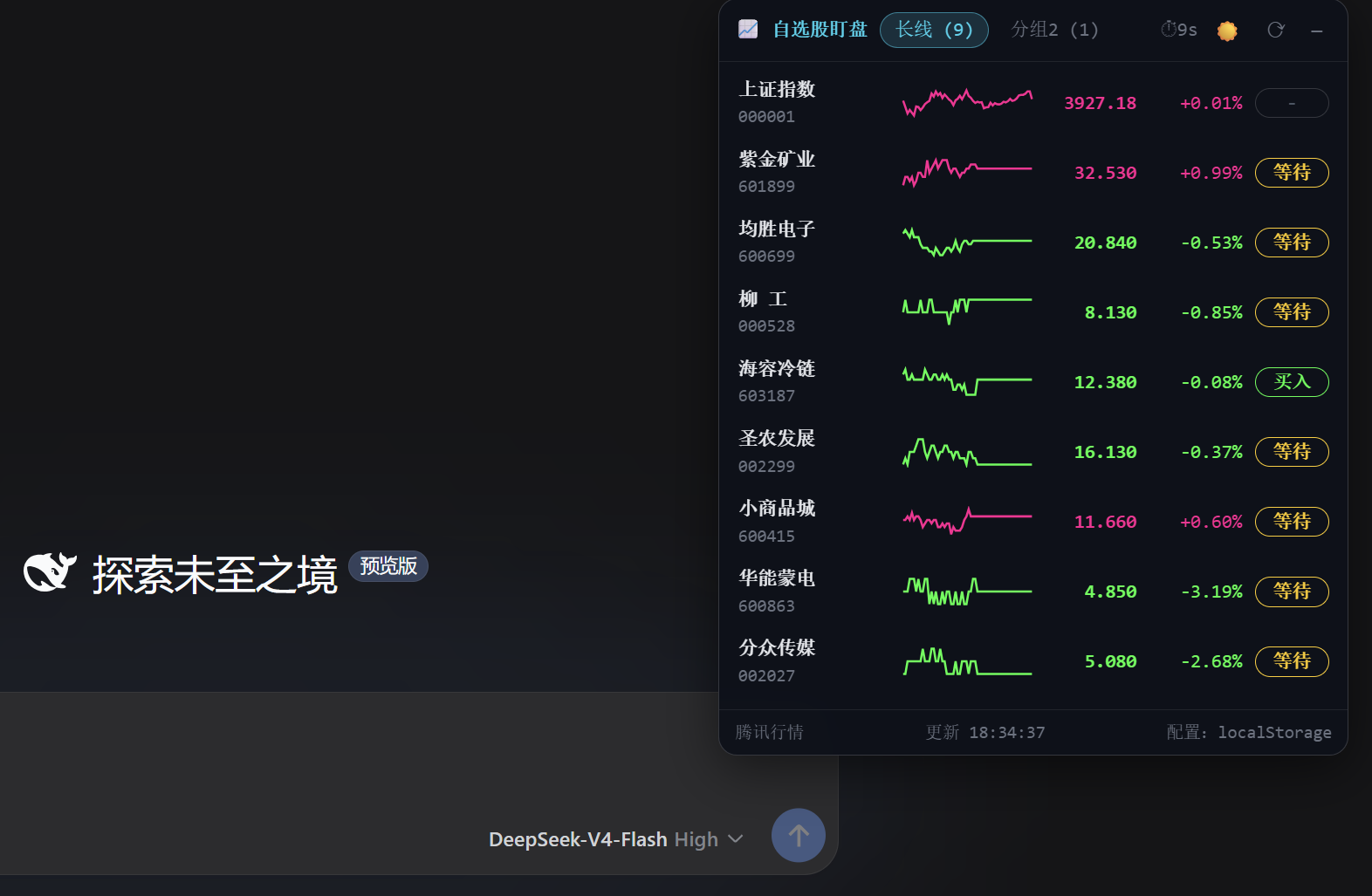
When you click the pill button, it expands into a full list of your selected stocks. The list refreshes market data automatically every 10 seconds, and flashes green or red when a stock's price changes to alert you to movement. You can click any stock in the list to open a detail view with time-sharing price, average price, and candlestick K-line charts that you can zoom in or out. It also lets you set editable buy and sell target prices for each stock, and marks when the current price hits your target. The plugin is built for DSH users who invest in Chinese stocks and want to monitor the market while using DSH for other tasks.
All user configuration, including stock groups and target prices, is stored in the browser's localStorage. On first run, the plugin automatically migrates existing configuration from the author's older stocking CLI project, if it exists. The plugin ships with two built-in skills, investment-research and frontend-design, that it automatically injects into your DSH skills directory on first launch. It will not overwrite existing versions of these skills if they are already present, and you can disable auto-injection via an environment variable. The plugin is released under the open source MIT license, so it is free to use and modify for anyone with a working DSH installation.
这是一款专为 DeepSeek Harness(DSH)开发的原生盯盘插件,会在 DSH Web 界面右上角添加一个可折叠弹窗,支持实时监控用户自选股行情、切换自选股分组、查看分时图与 K 线图,还可自定义设置买卖目标价。数据源与作者的原 CLI 项目 stocking 同源,来自腾讯财经,配色遵循 A 股红涨绿跌的惯例。安装只需一条 npm 命令,安装后重启 dsh web、刷新页面即可使用。
支持 A 股、港股、ETF 三个市场,内置本地股票池,支持搜索添加自选股,行情每 10 秒自动刷新,价格变动会有红绿色闪烁提示。胶囊按钮可拖动到屏幕任意位置,支持自动贴边吸附,还支持明暗主题一键切换,可一键新建 DSH 对话调用技能生成投资研究报告。适合需要在 DSH 环境中随时盯盘、同时让大模型辅助分析投资行情的用户。
插件首次启动会自动把自带的投资研究、前端设计技能注入用户技能目录,已存在的用户版本不会被覆盖,也可通过环境变量禁用自动注入或修改目标目录。配置和自选股设置保存在浏览器 localStorage 中,首次打开会自动从原 stocking 项目的配置文件迁移。项目开源,遵循 MIT 许可,无使用成本,只需要有可运行的 DSH 环境即可。
请帮我安装这个 DSH 插件。安装前先完成【兼容性检查 + 安全性检查】,检查通过再动手。

插件:dsh-stock-watch(Awu12277/dsh-stock-watch)
仓库:https://github.com/Awu12277/dsh-stock-watch
本站详情页:https://www.yhbd.top/plugins/awu12277-dsh-stock-watch/
本站登记:类型 plugin · 归类 原生 DSH 插件 · 许可证 MIT · ⭐ 82 · 最近提交 2026-09-07 · 主语言 JavaScript

按下面顺序执行,每步先把结论告诉我,再进入下一步:

【1 兼容性检查】
① 我这边:DSH 版本、Node 版本、操作系统、当前 profile(web / desktop)。
② 读它的 README、package.json、插件 manifest,列出它要求的 DSH 版本 / Node 版本 / 操作系统 / 外部依赖 / 需要另外先装的运行时。
③ 逐条比对,结论只写「满足 / 不满足 / 未知」三种;不满足的给出可行替代方案。
④ 检查是否和我已装的插件冲突:命令名重复、skill / tool 重名、端口占用、重复注册的 MCP server。

【2 安全性检查】
① 仓库可信度:和上面「本站登记」是否一致;star / fork 数、创建时间、最近提交,是否归档或长期停更。
② 安装脚本:逐行看 package.json 的 preinstall / install / postinstall,以及 install.sh、setup.ps1 之类脚本。出现 curl|bash、下载后直接执行、混淆代码、访问与插件功能无关的域名,立刻停下来告诉我,不要继续装。
③ 依赖:列出新增依赖,标出无人维护、或与知名包拼写近似的可疑包(typosquatting)。
④ 权限与副作用:它会读写哪些目录、访问哪些域名、需要哪些 DSH 权限(filesystem / network / shell / clipboard 等),以及怎么卸载和回滚。
⑤ 如果它要求 sudo / 管理员权限,或权限明显超出功能所需,先停下来问我。

【3 安装】
上面两步没有「不满足」和「高危项」时才执行;用官方推荐方式安装,不要自行提权。

【4 汇报】
用表格输出:检查项 / 结论 / 依据 / 是否需要我决策。拿不准的一律写「未知」并说明要我怎么确认——不要猜,也不要替我决定。
Send this message to DSH in your current session: it verifies compatibility and security first (answering met / not met / unknown item by item) and only installs once everything checks out — it will stop and ask you if it finds a high-risk item. The box scrolls; the copy is the full prompt. CLI install commands may not be accurate across systems, so DSH is the safer route.把上面这条消息直接发给当前会话里的 DSH:它会先核对兼容性与安全性(逐条给「满足 / 不满足 / 未知」),确认没问题再安装,有高危项会停下来问你。框内可滚动,复制到的是完整提示词;安装命令不一定准确,发给 DSH 更稳。
- This site's static screen found no obvious risk signal (stars, license, activity, manifest)本站静态筛查没发现明显风险信号(星标、许可证、更新活跃度、清单完整度)
DSH walks through these 9 checksDSH 会逐条核对这 9 项
Compatibility兼容性
- DSH, Node, OS and profile requirementsDSH 版本 / Node 版本 / 操作系统 / profile 是否满足要求
- External dependencies and runtimes (Electron / Python / Docker, ...)外部依赖与运行时(Electron / Python / Docker 等)是否齐备
- Conflicts with installed plugins: command names, skill / tool names, ports, duplicate MCP registration与已装插件是否冲突:命令名、skill / tool 重名、端口占用、重复 MCP 注册
Security安全性
- Repo matches the facts registered here; archived or abandoned?仓库是否与页面登记一致,是否归档或长期停更
- Safety of preinstall / install / postinstall and install.sh / setup.ps1preinstall / install / postinstall 与 install.sh、setup.ps1 是否安全
- curl|bash, download-then-execute, obfuscation, unrelated domains → stop immediatelycurl|bash、下载即执行、混淆代码、无关域名 → 立刻停止
- Typosquatting or unmaintained packages among the new dependencies新增依赖里有没有 typosquatting 或无人维护的包
- Requested permissions vs. what the feature actually needs申请了哪些权限、是否超出功能所需(filesystem / network / shell / clipboard)
- Any sudo / admin requirement, plus uninstall and rollback是否要求 sudo / 管理员权限,以及卸载与回滚方式
Anything uncertain must be marked unknown with a note on how to confirm it. This site's signal screen is a static snapshot, not a security audit.拿不准的必须标「未知」并说明要我怎么确认。本站的信号筛查是静态快照,不能替代安全审计。
Or use CLI install (for developers)或使用命令行安装(适合开发者)
CLI Install命令行安装
dsh plugin --profile web add dsh-stock-watch把 Awu12277/dsh-stock-watch 加入你的 DSH 配置(web profile)即可启用。
READMEREADME
dsh-stock-watch




A 股自选股实时行情盯盘插件:在 DeepSeek Harness(DSH)Web 界面的右上角显示一个可折叠弹窗,实时监控自选股行情、切换分组、查看分时与 K 线、设置买卖目标价。
数据源与原终端 CLI 项目 stocking 同源(腾讯财经),配色沿用 A 股红涨绿跌惯例。
安装
已发布到 npm,一条命令安装到你的 web profile:
dsh plugin --profile web add dsh-stock-watch
- 本地开发安装:
dsh plugin --profile web add file:D:\projects\github\dsh-stock-watch - 或直接通过 git:
dsh plugin --profile web add github:Awu12277/dsh-stock-watch - 安装后重启
dsh web生效;卸载:dsh plugin --profile web remove dsh-stock-watch
安装完成后,刷新页面,右上角出现「📈 自选股」药丸。
截图
| 折叠药丸(右上角实时涨跌家数) | 暗色列表(分组 + 分时迷你折线 + 目标价触发) |
|---|---|
 |
 |
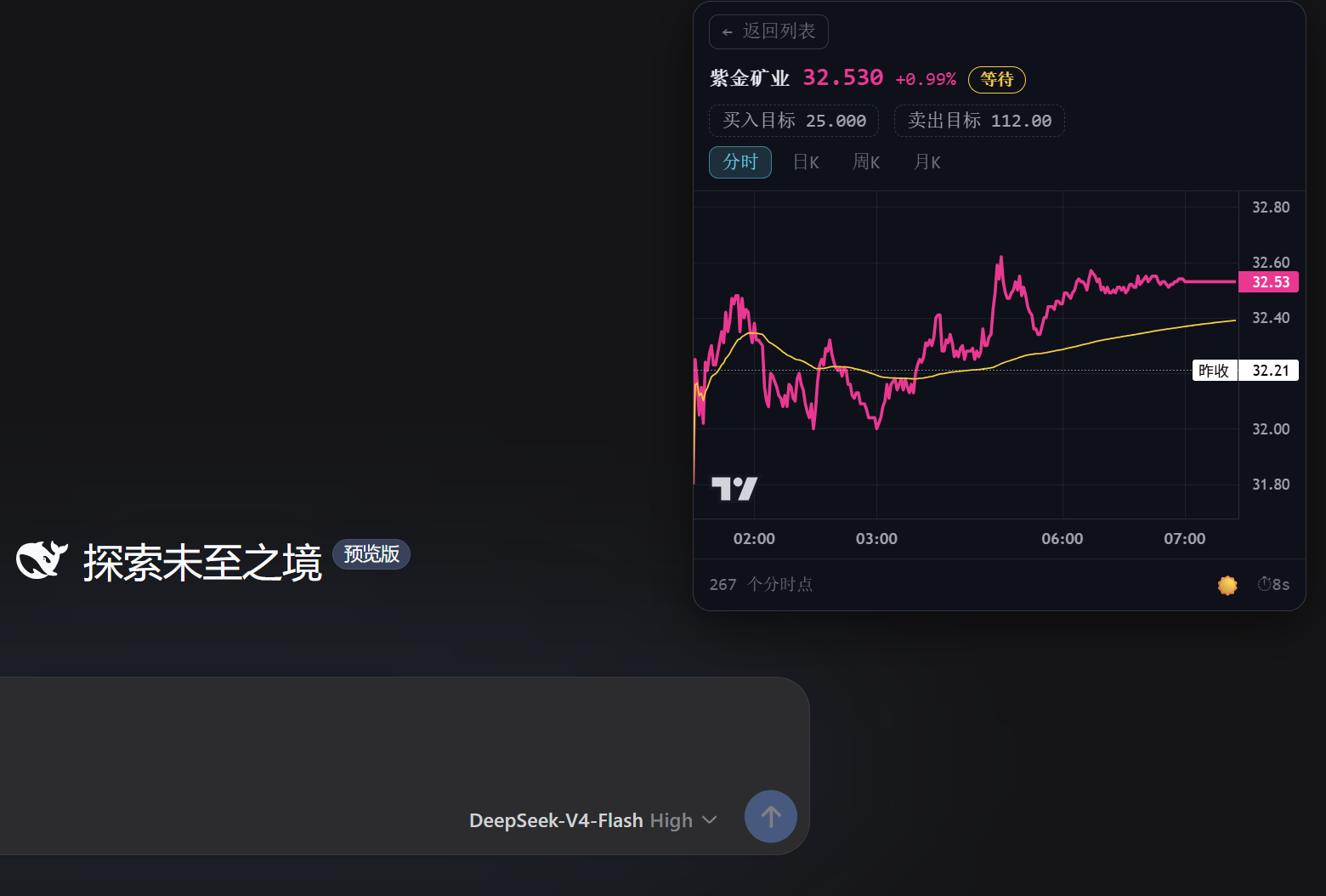
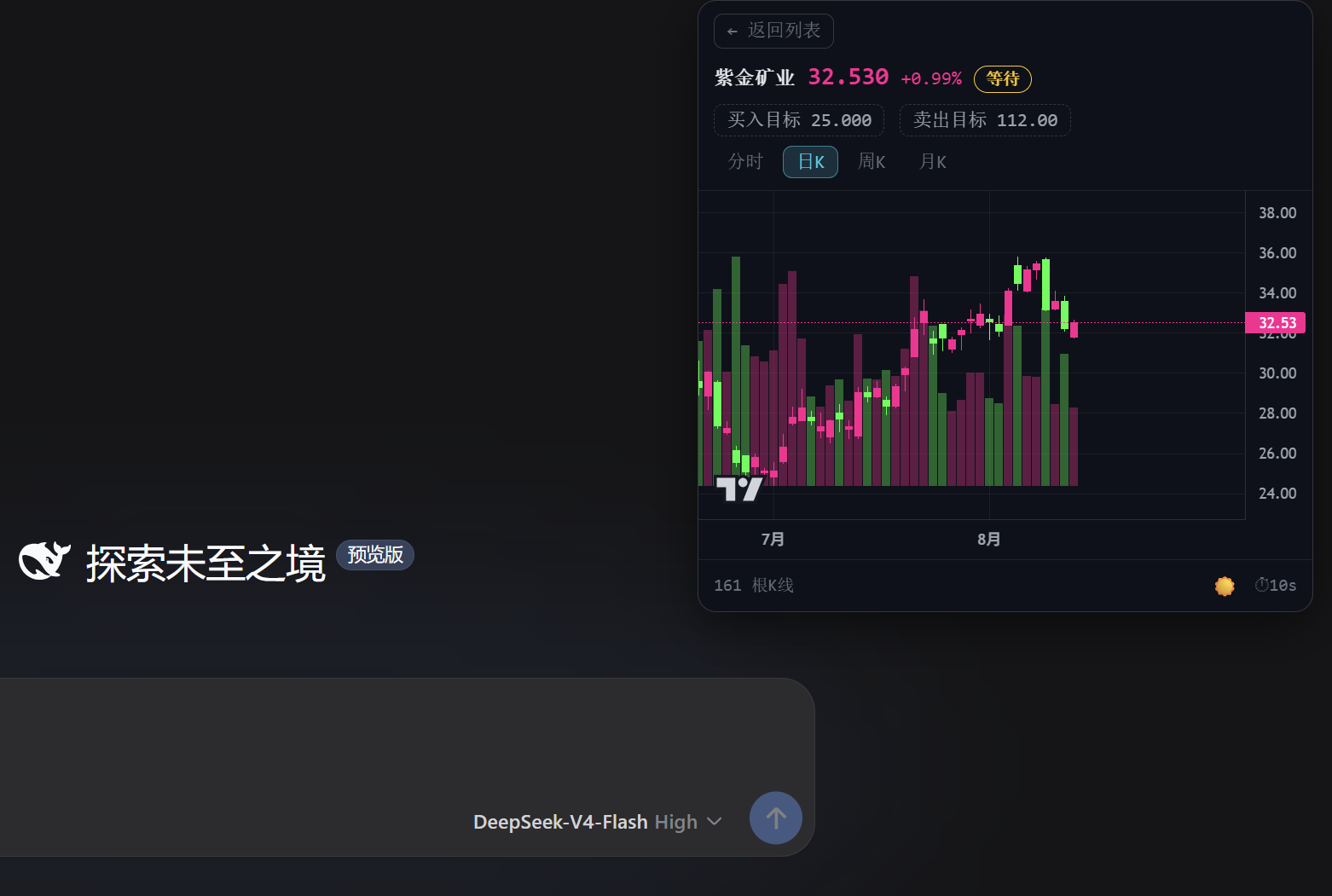
| 暗色·分时(价格线 / 均价线 / 昨收基准) | 暗色·日 K(TradingView Lightweight Charts) |
|---|---|
 |
 |
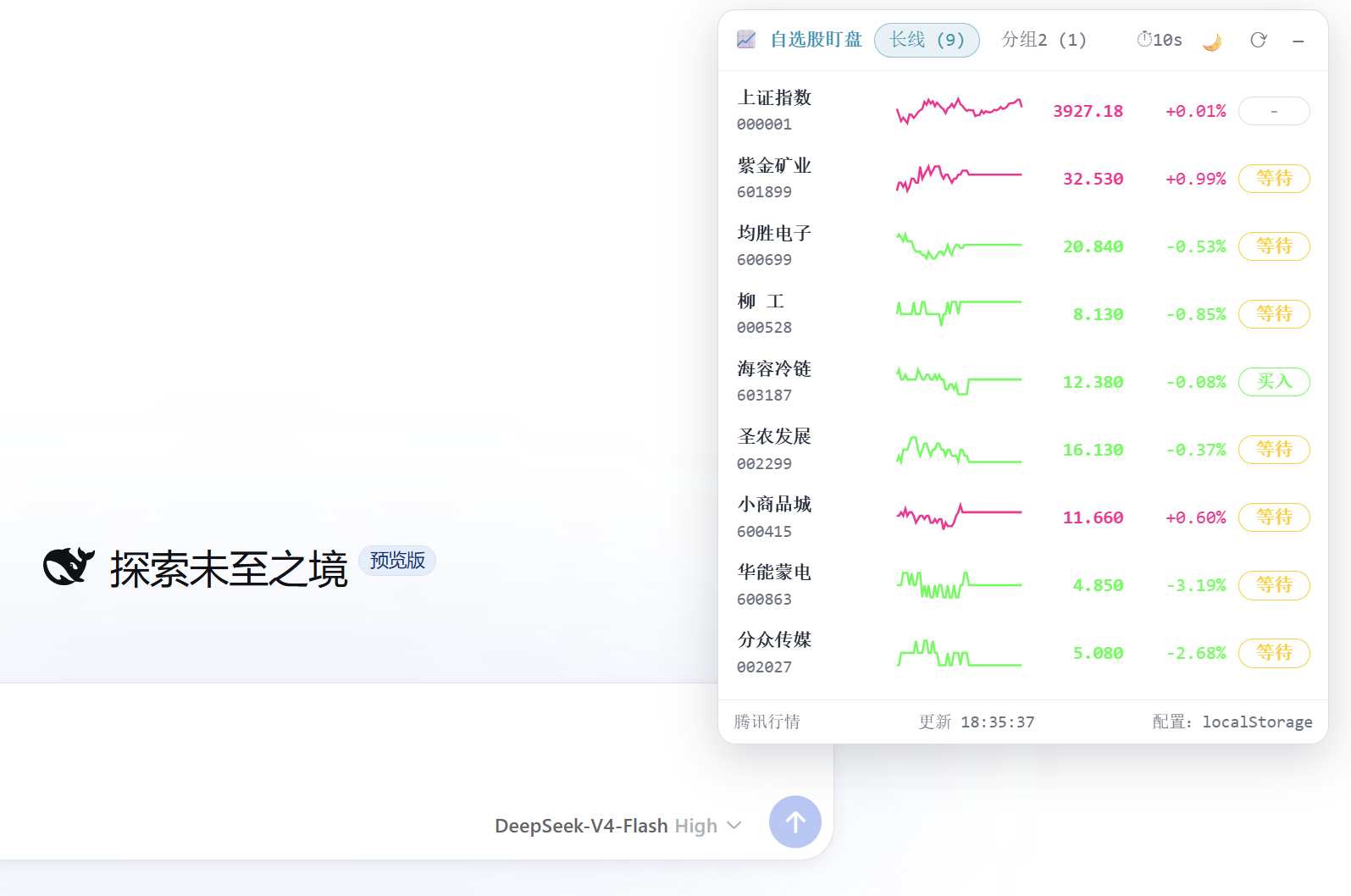
| 浅色主题 |
|---|
 |
功能特性
- 右上角可折叠弹窗:折叠时显示自选股实时涨跌家数药丸;展开为完整列表,点击任意行进入详情
- 胶囊可拖动:按住「📈 自选股」药丸可拖到屏幕任意位置,面板随之跟随(右边缘对齐);展开后按住面板头部也可拖动;位置持久化到 localStorage。拖到屏幕四边自动吸附,贴边后胶囊变为半球(屏幕边缘显示涨/跌家数,如
3↑0↓),点击仍可展开面板 - 多分组自选股:分组 tab 切换(分组名 + 股票数),配置存浏览器
localStorage(首次自动从~/.stocking/settings.json迁移) - A 股 + 港股 + ETF 三市场:添加股票搜索支持 A 股(本地全 A 池 5549 只)、港股(本地池 2791 只 + 腾讯 smartbox 补充正股)、ETF(本地池 1650 只场内基金,含沪深300ETF、恒生科技ETF、货币ETF、黄金ETF 等);搜索「小米」「01810」→ 港股
hk01810;搜索「510300」「沪深300ETF」→ 沪市 ETF;港股/ETF 与 A 股走同源腾讯接口,代码显示自动剥市场前缀;smartbox 同时支持港股 GP 正股与全市场 ETF - 实时行情列表:名称 / 代码、现价、涨跌幅、分时迷你折线、目标价触发标记(买入 / 卖出 / 等待 / -),每 10s 自动刷新(带倒计时)
- 价格变动闪烁:列表行数据刷新时,若当前价格 ≠ 上次价格,自动红/绿闪烁(涨→红、跌→绿):先亮 0.5s 满色、再约 0.5s 渐隐消失(1s 总时长);背景通过
::before伪元素独立做 opacity 动画,文字层全程保持不透明,仅背景色淡出 - 分时视图:全天分钟价格线(红涨绿跌)+ 黄色均价线(VWAP)+ 昨收虚线基准,时间轴按 A 股交易时段(北京时间 09:30–11:30 / 13:00–15:00) 标注,午间休市留白
- K 线视图:日 K / 周 K / 月 K 前复权蜡烛图 + 成交量柱 + MA 均线(MA5 白 / MA10 黄 / MA20 紫 / MA60 绿,A 股配色,右上角可自定义隐藏/显示,配置存 localStorage),支持
+ / − / 重置按钮缩放 K 线(位于 MA 均线配置左侧),基于 TradingView Lightweight Charts(CDN 懒加载,失败自动降级为自绘 SVG) - 目标价可编辑:详情页点击「买入目标 / 卖出目标」进入输入框(数字 + 两位小数、留空清除、回车确认 / Esc 取消),即时重算触发标记并持久化
- 一键投资研究报告:详情页「📈 投资研究报告」按钮——新建一个 DSH 对话并发送简短消息
分析{公司名}(代码),由会话中的 agent 自动使用investment-research完成投资研究、frontend-design生成介绍网站(技能指令由 host 端条件式系统提示注入,仅对「分析某家上市公司」类请求生效);按钮带防抖(进行中禁用,防连点重复建会话) - 胶囊悬浮扇形菜单:鼠标移到胶囊(含贴边吸附态)触发 GSAP 扇形动画,展开 📊 行情分析 / 📅 每日复盘 / 🚀 涨停分析 三个选项(方向按胶囊位置自动选择象限、不越出屏幕;鼠标在扇形区域内不收起,移出才收回)。点击选项同样新开一个 DSH 对话并发送简短关键词(如
每日复盘),完整提示词(A股短线复盘框架 / 行情分析 4 项 / 涨停分析 4 项)由 host 端条件式系统提示注入、不暴露在消息里;「每日复盘」仅在 15:00–次日 9:00 可点击,交易时段置灰并提示"还未收盘";拖动/吸附后扇形自动归位重开 - 安装时自动注入技能:插件首次启动时把自带的
investment-research、frontend-design两个技能复制到用户技能目录~/.agents/skills/(已存在则跳过、不覆盖用户版本;DSH_STOCK_WATCH_NO_SKILLS=1可禁用,DSH_STOCK_WATCH_SKILLS_DIR可改目标目录) - 暗色 / 浅色主题:CSS 变量两套配色,默认暗色,☀️/🌙 一键切换(图表配色联动)
Showing the opening section of the README — the full document lives in the repository以上为 README 开头摘要,完整文档在仓库内 · View the full README on GitHub →在 GitHub 查看完整 README →
Related相关推荐
-
 Nagi-ovo/dsh-visualize
在 DSH 对话中生成交互式可视化|Render model-generated interactive cards inside DSH conversations
Nagi-ovo/dsh-visualize
在 DSH 对话中生成交互式可视化|Render model-generated interactive cards inside DSH conversations
-
 omdsh-dev/dsh-data-agent
Connect DSH to your database for conversational data analysis and actionable business insights.
omdsh-dev/dsh-data-agent
Connect DSH to your database for conversational data analysis and actionable business insights.
-
 youdotcom-oss/agent-skills
You.com skills and plugins for web search, content extraction, research, finance, and integration discovery, helping AI …
youdotcom-oss/agent-skills
You.com skills and plugins for web search, content extraction, research, finance, and integration discovery, helping AI …
-
 dream12347/dsh-session-manager
DSH 会话管理插件:删除(回收站恢复/彻底清除)、统计、继续/暂停、打开日志目录、对话顶部抽屉、工作区分组与排序、上下文压缩阈值设置。DSH session manager: delete with trash/restore/purge…
dream12347/dsh-session-manager
DSH 会话管理插件:删除(回收站恢复/彻底清除)、统计、继续/暂停、打开日志目录、对话顶部抽屉、工作区分组与排序、上下文压缩阈值设置。DSH session manager: delete with trash/restore/purge…
-
 yuezengwu/dsh-explain
Private, local-first continuous learning for DeepSeek Harness: capture, review, and correct what Explain learns.
yuezengwu/dsh-explain
Private, local-first continuous learning for DeepSeek Harness: capture, review, and correct what Explain learns.
-
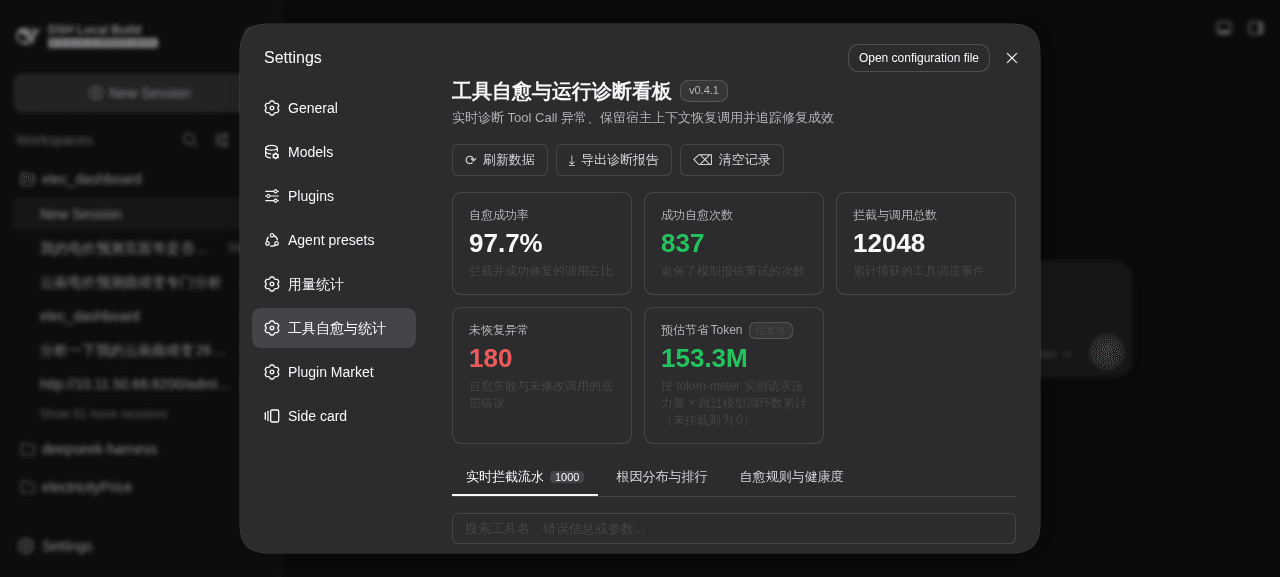 merenguesL/dsh-tool-normalizer
-
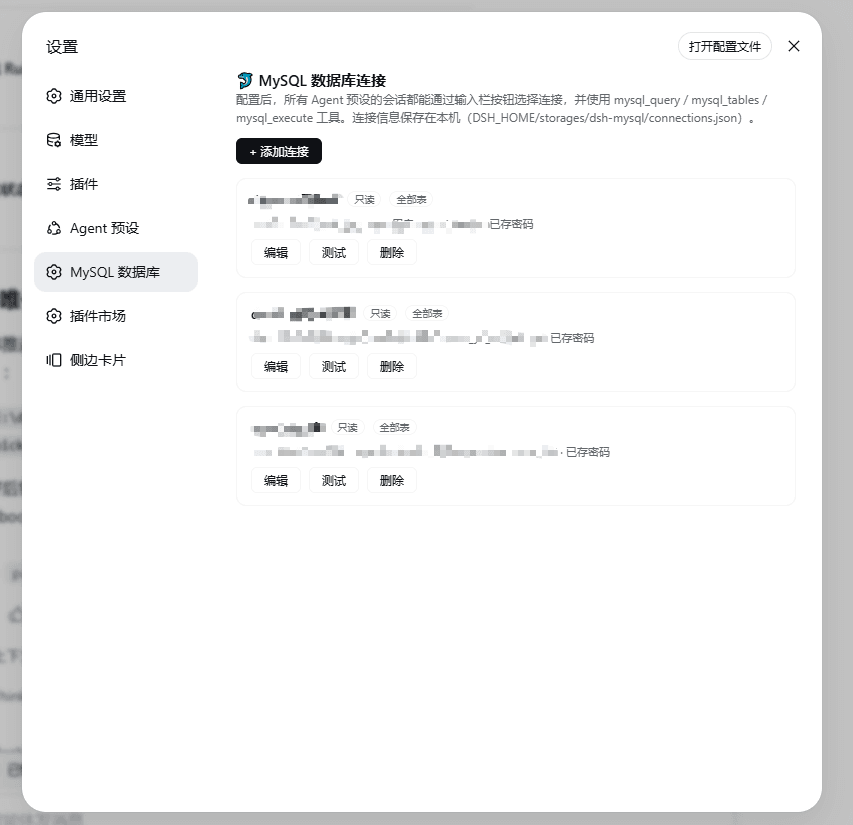 1321928757/dsh-mysql
MySQL connector plugin for DeepSeek Harness: configure connections in settings, switch per session from the composer, an…
1321928757/dsh-mysql
MySQL connector plugin for DeepSeek Harness: configure connections in settings, switch per session from the composer, an…
-
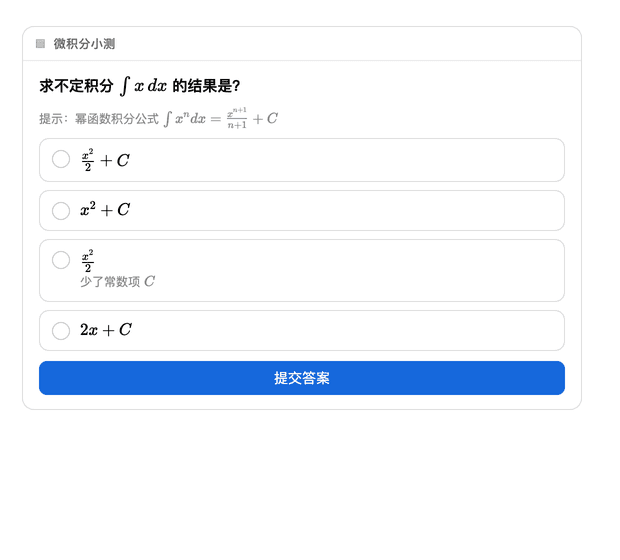 baihui-ai/a2ui-render-in-dsh
Interactive A2UI cards for the dsh web UI — quizzes, forms, charts and diagrams rendered inline in the conversation, wit…
baihui-ai/a2ui-render-in-dsh
Interactive A2UI cards for the dsh web UI — quizzes, forms, charts and diagrams rendered inline in the conversation, wit…