alextangson/dsh-dispatch
📱 Dispatch tasks to DeepSeek Harness (dsh) from your phone — approvals on your lock screen, isolated git worktrees, E2E encrypted, self-hostable. Like Claude Code Dispatch, for dsh.
项目介绍Project Overview
dsh-dispatch 是 DeepSeek Harness (dsh) 的手机端指挥插件:手机派任务、审批一键推送到锁屏、提问转手机作答,可统一管理多机。核心是通过零知识中继做端到端加密,任务跑在独立的 git worktree 中。适用于需要离开桌面时远程调度 dsh 的场景。限制:手机只列活会话,不存历史;手机派的任务在 dsh 网页版侧栏不可见。
dsh-dispatch is a DeepSeek Harness plugin that turns a phone into a remote command center: dispatch new tasks, receive approval push notifications on the lock screen, answer ask_user_question prompts from anywhere, and manage multiple machines from one board. It runs tasks in isolated git worktrees and routes all traffic through a zero-knowledge, end-to-end encrypted relay. Use it when you need to drive dsh sessions away from the desk. Caveat: the phone lists only live sessions (no history), and phone-dispatched sessions are not visible in dsh's web sidebar.
请帮我了解并安装插件:【dsh-dispatch】【https://github.com/alextangson/dsh-dispatch】把上面这条消息直接发给当前会话里的 DSH,让它帮你了解并安装。安装命令不一定准确,发给 DSH 更稳。Send this message to DSH in your current session. CLI install commands may not be accurate across systems — DSH will figure it out for you.
或使用命令行安装(适合开发者)Or use CLI install (for developers)
命令行安装CLI Install
dsh plugin --profile web add dsh-dispatch把 alextangson/dsh-dispatch 加入你的 DSH 配置(web profile)即可启用。
READMEREADME
dsh-dispatch
Dispatch tasks to DeepSeek Harness from your phone. Approve tool calls with one tap. Command every machine you own.
从手机给 DeepSeek Harness (dsh) 派任务、审批一键批、一部手机指挥所有机器。中文说明 →


Like Claude Code's Dispatch + Remote Control, but for dsh — open source, end-to-end encrypted, self-hostable.
Why this exists
dsh web binds to 127.0.0.1 with no auth — by design. Every existing remote tool wraps that web page in a WebView. dsh-dispatch is not a mirror. It is a command center:
| WebView mirrors | dsh-dispatch | |
|---|---|---|
| See sessions from the couch | ✅ | ✅ |
| Dispatch a new task from your phone | ❌ | ✅ into an isolated git worktree |
| Approval push notifications, tap to allow/deny | ❌ | ✅ for every session, even desk-started ones |
| Many machines on one screen | ❌ one tunnel each | ✅ one board |
| Relay can read your traffic | usually | never — zero-knowledge, E2E encrypted |
- 📤 Dispatch — type a prompt on your phone; the machine creates a
git worktree, spins up a fresh dsh session, and reports the final answer back with a push notification. - ✅ Approvals on your lock screen — the plugin joins dsh's
approval/requestwaterfall. Phone and desktop race; first decision wins; nothing is ever auto-approved. - ❓ Questions forwarded —
ask_user_questionchoices show up on your phone; answer from anywhere and the session continues (also rescues the upstream no-answerer hang). - 💬 Keep talking — a finished session is not a dead end: reply from the card and the machine picks the same session back up.
- 👀 See what it's doing, and what it did — the card names the tool in flight and keeps the turn's trail, so a tool that returns in 200ms leaves a trace instead of a blink.
- 📖 Read the conversation — open any session's transcript on the phone, page back through it, and reply from the same card.
- 📁 Pick the directory, don't type it — the machine publishes the roots it allows and the phone offers them as a choice; no absolute path recalled from memory, no rejection after you hit send.
- ⚡ Optional full-access tier — dispatch under dsh's
danger-full-accessto skip approvals for fully-trusted tasks; off by default, machine-gated, permanent red badge on every such session. - 🌏 English or Chinese — switch in Settings, including the sentences the machine writes.
- 🖥️ Multi-machine — one phone, N machines, one board with live session states.
- 🔒 Zero-knowledge relay — routes ciphertext it cannot read. The 32-byte pairing secret travels only inside the QR code. Self-host the relay with one command.
How it works
┌────────────┐  E2E encrypted   ┌───────┐  E2E encrypted   ┌──────────┐
│ dsh plugin │ ───── wss ─────► │ relay │ ◄──── wss ────── │ PWA      │
│ (machine)  │                  │ (dumb │                  │ (phone)  │
│            │                  │ pipe) │                  │          │
└────────────┘                  └───────┘                  └──────────┘
  approval/request waterfall      sees only                approve / dispatch
  ctx.agents.create + worktree    ciphertext               web push alerts
| package | npm | what it is |
|---|---|---|
dsh-dispatch |
 |
the dsh plugin — event-bus listener, approval race, worktree dispatch |
dsh-dispatch-relay |
 |
stateless ciphertext router + Web Push, Docker/npx one-liner |
@dsh-dispatch/pwa |
— | installable phone app (PWA) — no app store needed |
Quickstart
On the machine that runs dsh:
# 1. Run a relay — yours, or any you trust (it can't read your traffic)
npx dsh-dispatch-relay            # listens on :8787

# 2. Install the plugin into your dsh profile
dsh plugin --profile web add dsh-dispatch
# 3. Configure it — ~/.dsh/profiles/web/cordis.patch.yml
- id: dsh-dispatch
  config:
    relay: 'ws://localhost:8787/ws'          # wss:// for anything non-local
    allowedRoots: ['/path/you/allow']        # dispatch stays OFF until you set this
    pwaUrl: 'https://alextangson.github.io/dsh-dispatch'   # where the pairing link points
# 4. Boot dsh, then run /dispatch-pair and open the printed link on your phone
dsh web
The phone app is hosted at https://alextangson.github.io/dsh-dispatch — no install, no app store; add it to your Home Screen so Web Push can reach the lock screen. It is a static page that talks only to the relay you configured, so self-host it from packages/pwa if you would rather not load it from GitHub Pages.
Your phone reaches the relay directly, so a relay on localhost only works from the same machine. For a real phone, put the relay somewhere reachable over wss:// — a $5 VPS, or a tunnel in front of it.
Approval forwarding works immediately after pairing; dispatch activates once allowedRoots is set. Relay self-hosting (Docker, VAPID push keys) and every config key: see packages/relay and packages/plugin.
Security model
- Pairing = trust. The QR/pairing code contains a 32-byte secret; whoever scans it controls the machine within
allowedRoots. Treat it like an SSH key. Rotate anytime with/dispatch-repair. - E2E encryption (
nacl.secretbox, per-message nonce). The relay stores room presence and push endpoints — never plaintext, never keys. - No timeout-approve exists anywhere in this codebase. Unanswered approvals stay pending and re-remind. The one way a tool call runs unreviewed is the full-access tier you switch on yourself, per machine and per dispatch — and every such session carries a permanent red badge.
- Dispatch is allowlisted. Requests outside
allowedRootsare rejected visibly. Worktrees are never auto-deleted.
Status & roadmap
v0.4.0 on npm — developer preview tracking dsh 0.1.x (upstream warns of breaking changes; every harness API touchpoint is isolated in one adapter layer). Everything below is verified end-to-end against dsh 0.1.1-rc.2 with the real DeepSeek API, not in mocks: phone dispatch → worktree session → real tool execution → sandbox-escalation approval pushed to the phone → allow → command runs; a question answered from the phone flows back into the running session; a follow-up typed on the phone reopens a finished session, the card names the tool it runs and keeps the turn's trail, and the session's transcript reads back on the phone; a full-access dispatch runs under danger-full-access and writes outside the workspace with no approval prompts.
The hosted PWA tracks main and the plugin is released from it, so the two line up at 0.4.0. An older machine degrades visibly rather than silently: the directory step says the plugin is too old and falls back to a text field, no reply box appears, and a transcript that the machine cannot serve says so instead of spinning.
dsh-dispatch-relay stays at 0.2.0 — it has not changed since, and a version bump with no diff behind it is a lie about what you are installing.
Known limitations:
- A full-access session runs under dsh's
danger-full-accesspreset, which setsapproval: 'never'— so it raises no approval cards at all. Full access and phone approvals are mutually exclusive per session, by dsh's own preset semantics. That's the trade: speed for no review surface. - Web Push works through the relay, but lock-screen delivery has only been verified in desktop browsers so far, not on a physical phone over HTTPS.
- Each dispatch gets a fresh worktree from the repo's HEAD — files created by a previous dispatch live in that dispatch's own worktree.
- A pending question doesn't survive a phone reload (no
questions.getin the protocol yet); the machine re-reminds until answered. - Answer on the phone and dsh's own web page keeps showing the card. The decision is applied and the tool proceeds — the stale card is inert, and clicking it changes nothing (the race is settled once, late answers are discarded). Nothing in the plugin can withdraw it: the waterfall hands answerers
next: () => Promise<ApprovalOutcome>with no argument, and the only withdrawal path isApprovalRequest.signal, which belongs to the asker. dsh does logapproval/decidedwith the outcome when the phone claims a request, so the web app has what it needs to dismiss its own card. - The two halves do not list the same sessions. The phone lists live sessions — including ones you started at your desk — and can read any of their transcripts, but it never lists cold history, so it is a board of what is running rather than an archive. In the other direction, dsh's web page groups sessions by registered workspace, and a dispatched session lives in a fresh worktree that was never added as one, so phone-dispatched work is invisible on the desktop unless you add that worktree yourself.
- A transcript is the conversation, not the log: tool arguments and tool output never leave the machine. What ran is on the card as the turn's trail; what it printed is not on your phone.
- The approval card's three field labels stay Chinese in English mode. A structured copy of the detail would double a field already capped at 10KB inside a 16KB envelope; halving how much of a command you can read before approving it is a bad trade on that particular screen. The tool name, reason and arguments were never translatable anyway.
- Console diagnostics are Chinese. They are developer output, not UI, and the language switch does not claim them.
Roadmap: real-device push polish → fleet views → session history beyond the live board.
中文
这是什么:dsh 官方没有手机端、没有远程方案。现有第三方全是"把 localhost:3080 套壳进 WebView"。dsh-dispatch 走的是 Claude Code Dispatch 那条路——一个指挥中心:
- 手机派任务:输入一句话,机器自动开独立 git worktree 跑一个新会话,跑完推送结果。目录不用手打——机器把白名单目录报给手机,你点选就行。
- 审批推送:任何会话(包括你在电脑上开的)的工具审批都会推到手机,锁屏一键允许/拒绝;手机和桌面竞速,先答先赢,永不超时自动批准。
- 提问转发:模型调
ask_user_question时,选项直接出现在手机上,答完会话继续跑。 - 接着聊:会话跑完不是终点,在卡片下面直接追问,机器会把同一个会话拉起来继续。
- 看得见在干嘛、干过啥:卡片显示此刻正在跑的工具,并保留这一轮用过的工具轨迹——几百毫秒返回的工具不再一闪而过。
- 能读对话:任何会话都能在手机上展开完整聊天记录,往上翻页,在同一张卡片里接着问。
- 多机看板:一部手机管 N 台机器,会话状态实时同屏。
- 中英双语:设置里一键切换,连机器发来的报错也会跟着翻译。
- 零知识中继:relay 只转发密文(端到端加密,密钥只存在于配对二维码里),一条命令自托管。
快速开始:npx dsh-dispatch-relay → dsh plugin --profile web add dsh-dispatch → 在 profile 的 cordis.patch.yml 里配 relay 和 allowedRoots → dsh 里执行 /dispatch-pair,手机打开 https://alextangson.github.io/dsh-dispatch 扫码即配对。手机是直连 relay 的,所以 localhost 上的 relay 只有本机能用;真要用手机,relay 得放在 wss:// 能访问到的地方。
版本:插件与托管 PWA 都在 0.4.0。机器上如果还是 0.2.0,降级是看得见的——目录选择器会提示"这台机器的插件较旧"并退回手填,追问输入框不出现;升级插件即可。
已知限制:手机先答审批后,dsh 网页版那张卡片会残留——决定已生效、卡片是死的(点了会被丢弃,不会重复执行),但插件没有 API 能撤下它。另外两边看到的会话不是同一批:手机只列活着的会话(包括你在电脑上开的),不含历史;而手机派的任务跑在新建 worktree 里,没被注册成工作区,所以在 dsh 网页版侧栏里看不到。
安全:配对码即信任边界(当 SSH 私钥对待,可随时 /dispatch-repair 轮换);派任务只进你白名单的目录;审批永不自动通过(唯一例外是你主动开启的完全访问模式,那类会话在看板上永久标红)。
Contributing
Issues and PRs welcome. The wire protocol is frozen in docs/PROTOCOL.md; product boundaries in docs/PRODUCT.md; every dsh API claim is sourced in docs/dsh-plugin-groundtruth.md.
Keywords: DeepSeek Harness plugin, dsh-plugin, dsh remote control, mobile approvals, phone dispatch, agent remote control, E2E encrypted relay, Claude Code Dispatch alternative, DeepSeek 手机远程控制, 手机审批, 远程派任务.
License
MIT
相关推荐Related
-
 saya-ch/dsh-mobile
DeepSeek Harness 的 Android App 与安全远程访问插件,支持局域网/远程连接和高度自定义的移动界面与扩展能力。
saya-ch/dsh-mobile
DeepSeek Harness 的 Android App 与安全远程访问插件,支持局域网/远程连接和高度自定义的移动界面与扩展能力。
-
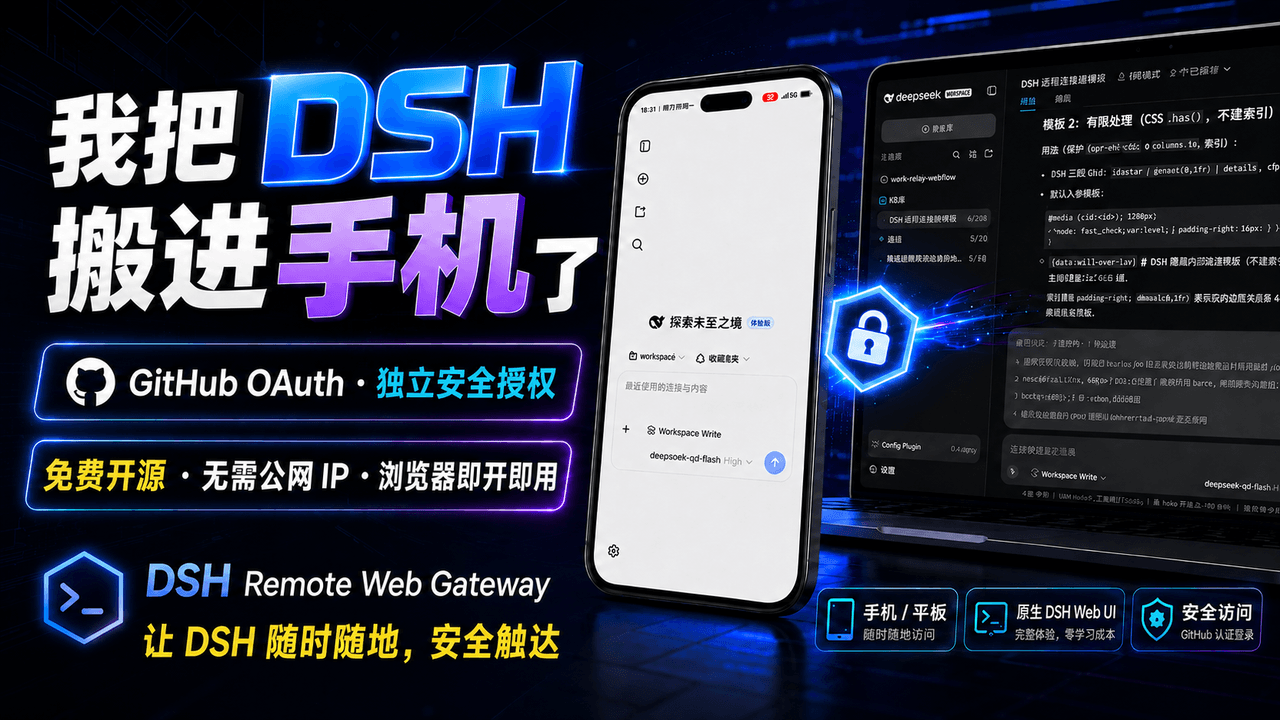 summer1238/dsh-remote-web-gateway
手机平板远程 DeepSeek Harness:扫码即可继续使用电脑上的 DSH,无需远程桌面 / SSH / 公网 IP,支持一次性配对、Github授权加密登录,独立设备授权与随时撤销,实现远程连接很简单,但安全才是我们所想要的。
summer1238/dsh-remote-web-gateway
手机平板远程 DeepSeek Harness:扫码即可继续使用电脑上的 DSH,无需远程桌面 / SSH / 公网 IP,支持一次性配对、Github授权加密登录,独立设备授权与随时撤销,实现远程连接很简单,但安全才是我们所想要的。
-
 liguobao/deepseek-harness-remote
基于 DeepSeek Harness 插件机制的多端远程访问方案,让桌面端与 Android 端安全连接并操作远程 Harness。(A multi-device remote access solution built on the D…
liguobao/deepseek-harness-remote
基于 DeepSeek Harness 插件机制的多端远程访问方案,让桌面端与 Android 端安全连接并操作远程 Harness。(A multi-device remote access solution built on the D…
-
 PerryLink/dsh-auto-review
Second-model AI auto-review for DeepSeek Harness approval requests: a read-only reviewer subagent returns structured all…
PerryLink/dsh-auto-review
Second-model AI auto-review for DeepSeek Harness approval requests: a read-only reviewer subagent returns structured all…
-
 sorsama/deepseek-harness-mobile
Android companion for DeepSeek Harness | chat, goals, approvals & notifications from your phone, over your LAN. Kotlin +…
sorsama/deepseek-harness-mobile
Android companion for DeepSeek Harness | chat, goals, approvals & notifications from your phone, over your LAN. Kotlin +…
-
 PerryLink/dsh-mcp-panel
MCP management console for the official DeepSeek Harness MCP client: /mcp command with health diagnostics and pipeline t…
PerryLink/dsh-mcp-panel
MCP management console for the official DeepSeek Harness MCP client: /mcp command with health diagnostics and pipeline t…
-
 HsiangNianian/dsh-auto-continue
DSH Web UI plugin: auto-sends 「继续」 to resume requests interrupted by non-human causes — error classification, adaptive b…
HsiangNianian/dsh-auto-continue
DSH Web UI plugin: auto-sends 「继续」 to resume requests interrupted by non-human causes — error classification, adaptive b…
-
 Blank-not-black/dsh-Remote
DSH Remote · 口袋里的 DSH 控制台 会话 · 审批 · 提问 · 文件传输,局域网 / Tailscale 直连 多服务器自动选优,聊天记录离线可看 带 Token 鉴权,数据只在你的设备之间流动 Sessions · ap…
Blank-not-black/dsh-Remote
DSH Remote · 口袋里的 DSH 控制台 会话 · 审批 · 提问 · 文件传输,局域网 / Tailscale 直连 多服务器自动选优,聊天记录离线可看 带 Token 鉴权,数据只在你的设备之间流动 Sessions · ap…