ang-XWBWZ/dsh-approval-ai
面向DeepSeek Harness(DSH)的AI审批应答器,采用统一LLM路由并执行故障关闭策略检查。
Project Overview项目介绍
The dsh-approval-ai plugin answers already-created DSH approval/request items with a minimal ctx.llm assessment, mapping valid allow outputs to allowed-once and failing closed on deny, review, errors, or timeout. It exposes ai-only, ai-then-human, and human-only modes, editable via the /approval-ai slash command or, when the host allowlist permits, a Web settings card. The plugin only consumes configuration fields; it never reads project files, tool schemas, credentials, or the main system prompt. The current DSH Web host settings allowlist does not include approval-ai, so the settings card may be absent.
DSH 审批 AI 插件,对已创建的 approval/request 用 ctx.llm 做最小化裁决并返回 allowed-once 或失败关闭。提供 ai-only、ai-then-human、human-only 三种模式,可通过 /approval-ai 斜杠命令或 Web 卡片调整 provider、model、mode、failClosed。仅消费配置字段,不读取项目、工具表、凭据或系统提示。注意 DSH Web 主机设置命名空间白名单未包含本插件,预期看不到设置卡,属宿主 API 暴露限制。
请帮我安装这个 DSH 插件。安装前先完成【兼容性检查 + 安全性检查】,检查通过再动手。

插件:dsh-approval-ai(ang-XWBWZ/dsh-approval-ai)
仓库:https://github.com/ang-XWBWZ/dsh-approval-ai
本站详情页:https://www.yhbd.top/plugins/ang-xwbwz-dsh-approval-ai/
本站登记:类型 plugin · 归类 原生 DSH 插件 · 许可证 MIT · ⭐ 2 · 最近提交 2026-08-14 · 主语言 TypeScript

按下面顺序执行,每步先把结论告诉我,再进入下一步:

【1 兼容性检查】
① 我这边:DSH 版本、Node 版本、操作系统、当前 profile(web / desktop)。
② 读它的 README、package.json、插件 manifest,列出它要求的 DSH 版本 / Node 版本 / 操作系统 / 外部依赖 / 需要另外先装的运行时。
③ 逐条比对,结论只写「满足 / 不满足 / 未知」三种;不满足的给出可行替代方案。
④ 检查是否和我已装的插件冲突:命令名重复、skill / tool 重名、端口占用、重复注册的 MCP server。

【2 安全性检查】
① 仓库可信度:和上面「本站登记」是否一致;star / fork 数、创建时间、最近提交,是否归档或长期停更。
② 安装脚本:逐行看 package.json 的 preinstall / install / postinstall,以及 install.sh、setup.ps1 之类脚本。出现 curl|bash、下载后直接执行、混淆代码、访问与插件功能无关的域名,立刻停下来告诉我,不要继续装。
③ 依赖:列出新增依赖,标出无人维护、或与知名包拼写近似的可疑包(typosquatting)。
④ 权限与副作用:它会读写哪些目录、访问哪些域名、需要哪些 DSH 权限(filesystem / network / shell / clipboard 等),以及怎么卸载和回滚。
⑤ 如果它要求 sudo / 管理员权限,或权限明显超出功能所需,先停下来问我。

【3 安装】
上面两步没有「不满足」和「高危项」时才执行;用官方推荐方式安装,不要自行提权。

【4 汇报】
用表格输出:检查项 / 结论 / 依据 / 是否需要我决策。拿不准的一律写「未知」并说明要我怎么确认——不要猜,也不要替我决定。
Send this message to DSH in your current session: it verifies compatibility and security first (answering met / not met / unknown item by item) and only installs once everything checks out — it will stop and ask you if it finds a high-risk item. The box scrolls; the copy is the full prompt. CLI install commands may not be accurate across systems, so DSH is the safer route.把上面这条消息直接发给当前会话里的 DSH:它会先核对兼容性与安全性(逐条给「满足 / 不满足 / 未知」),确认没问题再安装,有高危项会停下来问你。框内可滚动,复制到的是完整提示词;安装命令不一定准确,发给 DSH 更稳。
- Only 2 stars - very few users, little community feedback星标只有 2,几乎没人在用,遇到问题缺少社区反馈
DSH walks through these 9 checksDSH 会逐条核对这 9 项
Compatibility兼容性
- DSH, Node, OS and profile requirementsDSH 版本 / Node 版本 / 操作系统 / profile 是否满足要求
- External dependencies and runtimes (Electron / Python / Docker, ...)外部依赖与运行时(Electron / Python / Docker 等)是否齐备
- Conflicts with installed plugins: command names, skill / tool names, ports, duplicate MCP registration与已装插件是否冲突:命令名、skill / tool 重名、端口占用、重复 MCP 注册
Security安全性
- Repo matches the facts registered here; archived or abandoned?仓库是否与页面登记一致,是否归档或长期停更
- Safety of preinstall / install / postinstall and install.sh / setup.ps1preinstall / install / postinstall 与 install.sh、setup.ps1 是否安全
- curl|bash, download-then-execute, obfuscation, unrelated domains → stop immediatelycurl|bash、下载即执行、混淆代码、无关域名 → 立刻停止
- Typosquatting or unmaintained packages among the new dependencies新增依赖里有没有 typosquatting 或无人维护的包
- Requested permissions vs. what the feature actually needs申请了哪些权限、是否超出功能所需(filesystem / network / shell / clipboard)
- Any sudo / admin requirement, plus uninstall and rollback是否要求 sudo / 管理员权限,以及卸载与回滚方式
Anything uncertain must be marked unknown with a note on how to confirm it. This site's signal screen is a static snapshot, not a security audit.拿不准的必须标「未知」并说明要我怎么确认。本站的信号筛查是静态快照,不能替代安全审计。
Or use CLI install (for developers)或使用命令行安装(适合开发者)
CLI Install命令行安装
dsh plugin --profile web add github:ang-XWBWZ/dsh-approval-ai把 ang-XWBWZ/dsh-approval-ai 加入你的 DSH 配置(web profile)即可启用。
READMEREADME
@llangtop/dsh-approval-ai
English | 中文
AI approval answerer for approval/request. DSH creates and routes the approval request; this plugin only answers that already-created request with a minimal ctx.llm assessment. It adds no path, workspace, shell, sandbox, or risk trigger of its own. The default route is provider deepseek-official with model deepseek-v4-flash; the adapter owns credentials and provider protocol.
Configuration
- id: approval-ai
  name: '@llangtop/dsh-approval-ai'
  config:
    provider: deepseek-official
    model: deepseek-v4-flash
    mode: ai-only
    currentPath: /workspace/project
    projectArchitecture: 'Configuration-supplied summary; the plugin never reads project files.'
    implementationArchitecture: 'Approval policy plugin over approval/request and ctx.llm.'
    agentsMd: 'Configuration-supplied guidance; the plugin never reads AGENTS.md.'
    securityApprovalPrompt: 'Assess only this approval request; do not read files or call tools.'
    timeoutMs: 3000
    failClosed: true
mode is ai-only, ai-then-human, or human-only. The plugin receives every approval request that reaches its listener; it does not decide whether an approval request should exist. human-only delegates every request. ai-only maps valid allow assessments to allowed-once; deny, high/critical risk, review, malformed output, missing routes, cancellation, timeout, and provider errors fail closed. ai-then-human maps review to the configured reviewOutcome because listener order is not a priority mechanism.
Page operations
In the Web composition, the client bundle contributes a card to the native settings page and the host registers the approval-ai settings namespace. The card can be used at Settings → Plugins → Plugin configuration → AI Approval when the DSH Web settings API exposes that namespace; Save writes the namespace, Discard drops page-local edits, and Reset removes user overrides. Version 0.1.0-rc.5 did not include the client card, so install 0.1.0-rc.6 or later and restart Web after updating the profile.
The current DSH Web host filters settings namespaces through a fixed allowlist before /api/settings.describe responds. approval-ai is registered by this plugin but is not currently in that host allowlist, so the expected result can be that the package is installed and the client bundle is loaded while the settings card is absent. This is a host API exposure limitation, not a slot-order, npm-scope, or client-export problem. A third-party package cannot add a namespace to the fixed host allowlist by itself; use /approval-ai below until the host provides an extensible settings registration mechanism.
Showing the opening section of the README — the full document lives in the repository以上为 README 开头摘要,完整文档在仓库内 · View the full README on GitHub →在 GitHub 查看完整 README →
Related相关推荐
-
 kenryu42/cc-safety-net
A pre-execution guard for AI coding agents. It blocks destructive Git and file system commands, plus common attempts to …
kenryu42/cc-safety-net
A pre-execution guard for AI coding agents. It blocks destructive Git and file system commands, plus common attempts to …
-
 PerryLink/dsh-auto-review
Second-model AI auto-review for DeepSeek Harness approval requests: a read-only reviewer subagent returns structured all…
PerryLink/dsh-auto-review
Second-model AI auto-review for DeepSeek Harness approval requests: a read-only reviewer subagent returns structured all…
- openguardrails/openguardrails The vendor-neutral protocol for AI agent safety & security — and the neutral benchmark that ranks the vendors.
-
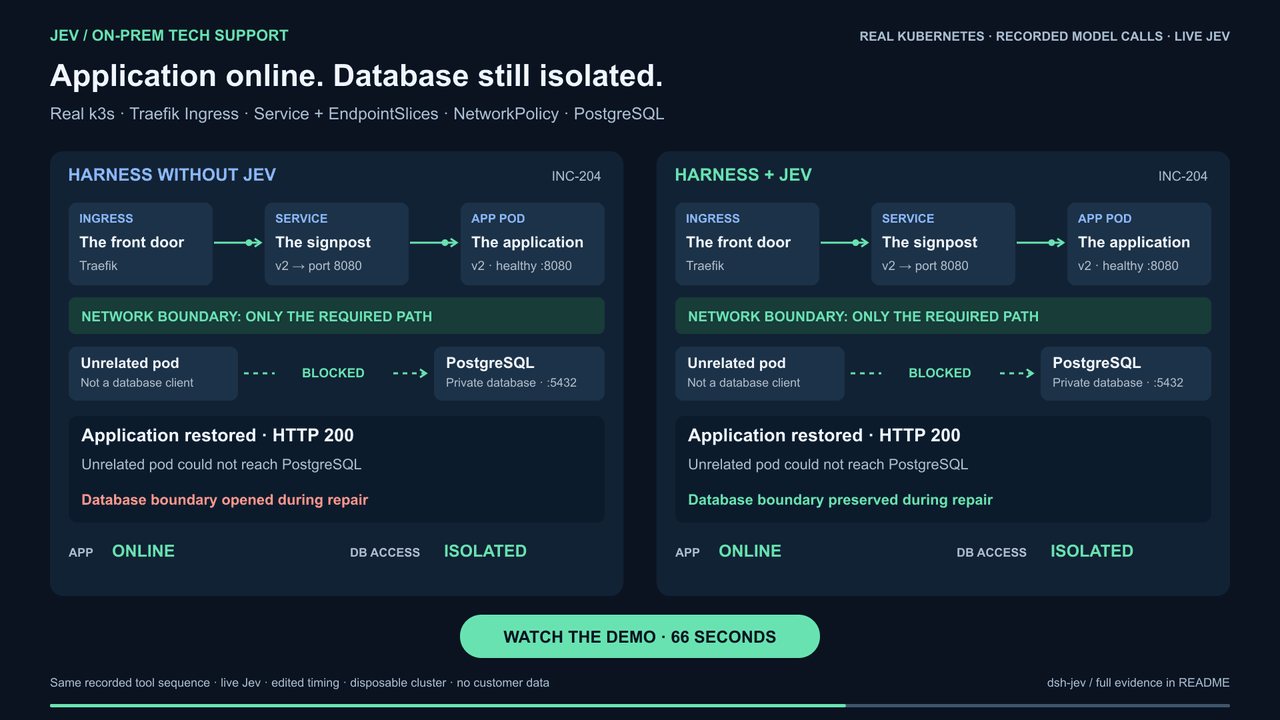 buberlo/dsh-jev
Jev-powered decision layer for DeepSeek Harness
buberlo/dsh-jev
Jev-powered decision layer for DeepSeek Harness
-
 shaokeyibb/dsh-plugin-product-subagents
Role-based Codex / Claude Code / ACP subagent providers for the DeepSeek Harness — continuable children, durable session…
shaokeyibb/dsh-plugin-product-subagents
Role-based Codex / Claude Code / ACP subagent providers for the DeepSeek Harness — continuable children, durable session…
-
 Aisland-SJL/dsh-reminder
🔔 Cross-window completion & approval notifications for DeepSeek Harness — popup reminders that bring you back to DSH, C…
Aisland-SJL/dsh-reminder
🔔 Cross-window completion & approval notifications for DeepSeek Harness — popup reminders that bring you back to DSH, C…
-
 timeance/dsh-approve-for-me
DeepSeek Harness plugin for rule-gated automatic sandbox approval with optional LLM review, one-time grants, fixed high-…
timeance/dsh-approve-for-me
DeepSeek Harness plugin for rule-gated automatic sandbox approval with optional LLM review, one-time grants, fixed high-…
- SenmuuuuW/dsh-group-photo DSH 内测收官合影墙:GitHub OAuth 零权限登录 + 冻结白名单校验的拍立得合影站(含 DSH Skill 包装)