BB-84C/deepseek-harness-mobile-solution
dsh plugins: control a local DeepSeek Harness from your phone — tailscale point-to-point or your own VPS relay. One entry point: dsh --profile mobile
Project Overview项目介绍
This is a remote control plugin for DeepSeek Harness (DSH). It offers two transport options: Tailscale peer-to-peer connection and VPS relay, serving the official DSH web UI via an authenticated gateway. Use it when you need to control a local DSH instance from any remote device. It requires Node.js ≥22, a running local DSH, and either a Tailscale account or your own VPS.
这是DeepSeek Harness(DSH)的移动端远程控制插件,支持Tailscale点对点和VPS转发两种传输方式,通过认证网关展示官方DSH网页界面。需要在任意远程设备控制本地DSH实例时可使用它,要求Node.js ≥22,需Tailscale账号或自有VPS,本地DSH需保持在线。
请帮我了解并安装插件:【deepseek-harness-mobile-solution】【https://github.com/BB-84C/deepseek-harness-mobile-solution】Send this message to DSH in your current session. CLI install commands may not be accurate across systems — DSH will figure it out for you.把上面这条消息直接发给当前会话里的 DSH,让它帮你了解并安装。安装命令不一定准确,发给 DSH 更稳。
Or use CLI install (for developers)或使用命令行安装(适合开发者)
CLI Install命令行安装
dsh plugin --profile mobile add @bb-84c/dsh-mobile-cli把 BB-84C/deepseek-harness-mobile-solution 加入你的 DSH 配置(web profile)即可启用。
READMEREADME




This project adds a remote control plane and two transports:
- Tailscale — point-to-point over your tailnet.
- VPS relay — If you happen to have your own VPS, use your VPS as relay. One relay, many machines, one menu.
Both serve the same thing: the official dsh web UI through an authenticating gateway.
Install
This is a dsh plugin — installed with the stock plugin manager, controlled through one entry point:
# one command (recommended)
dsh --profile mobile install
# or add the two plugins directly
dsh plugin --profile mobile add @bb-84c/dsh-mobile-cli
dsh plugin --profile web    add @bb-84c/dsh-mobile-server
Everything lives behind dsh --profile mobile — service, tailscale, relay, device, config, status, doctor, logs, update, uninstall.
| Package | Profile | Role |
|---|---|---|
@bb-84c/dsh-mobile-cli |
mobile |
command family |
@bb-84c/dsh-mobile-server |
web |
gateway + transports + session hydration |
Features
- One entry point:
dsh --profile mobile <command> - Official UI, unchanged — official updates reach your phone automatically
- Device auth: one-time pairing codes, token hashes only, instant revocation
- Live streaming over SSE/WS, tunneled end-to-end
- Instance menu at your relay domain
- One resident instance enforced; pidfile-guarded stop/restart
- Three-OS scripts, auto-start templates
- 144+ offline tests
How it works
phone / browser
   │
   ├─ tailscale ──────────────────────────────┐
   │                                          ▼
   └─ https://<relay>/instance/<id>/ ─▶ relay ─▶ tunnel ─▶ gateway (device auth, :3081) ─▶ dsh web (:3080)
- dsh web stays loopback-only, as shipped.
- The gateway plugin lives inside the same dsh process and proxies the official UI.
- The relay is a standalone zero-dependency Node service. It stores credential hashes and a machine directory — never session data.
Modes
Tailscale
dsh --profile mobile tailscale connect
dsh --profile mobile tailscale start
dsh --profile mobile device pair --name iPhone
dsh --profile mobile url
📖 docs/deployment/tailscale.md
VPS relay
dsh --profile mobile relay connect https://relay.example.com --token <instance-token>
dsh --profile mobile relay start
dsh --profile mobile device pair --name iPhone
Open https://relay.example.com, pick a machine, pair, done.
For dsh agents
Setting this up for a user? Read in order, then execute:
docs/plugin-install.md— install the plugins.docs/deployment/tailscale.mdordocs/deployment/relay.md— set up a transport. Relay mode also needs the relay on a VPS (scripts/relay-deploy).docs/commands.md— command reference.- Pair:
dsh --profile mobile device pair --name <name>. Verify withdocs/acceptance.md.
Rules:
- Never patch the shipped
@deepseek-ai/*packages. - Exactly one resident dsh web instance per
$DSH_HOME. - Stop/restart only through the CLI.
- Keep tokens out of logs and chat.
- After an official dsh upgrade, run
docs/research/upstream-touchpoints.md.
Repository
├── packages/
│   ├── dsh-mobile-cli/        # dsh plugin: command family
│   ├── dsh-mobile-server/     # dsh plugin: gateway + tunnel + hydration
│   ├── dsh-mobile-common/     # shared library
│   └── dsh-relay/             # standalone relay service
├── scripts/                   # installers, deploy, probe, repair, autostart
├── docs/                      # guides, deployment, research, specs
└── assets/                    # artwork
Security
- Web server stays loopback-only; the gateway is the only network surface.
- Tailscale mode rides WireGuard; relay mode is HTTPS behind Caddy.
- Pairing codes are single-use, 5-minute expiry. Tokens are stored hashed, verified in constant time, revoked instantly.
- Relay stores credential hashes and a public directory only.
Documentation
| Doc | Audience |
|---|---|
docs/plugin-install.md |
users |
docs/commands.md |
users |
docs/deployment/service.md |
users |
docs/deployment/tailscale.md |
users |
docs/deployment/relay.md |
users |
docs/acceptance.md |
users & agents |
docs/plan.md |
project |
docs/research/ |
project & agents |
docs/specs/ |
app implementors |
Requirements
- A machine running DeepSeek Harness that stays online.
- Node.js ≥ 22.
- Tailscale or a small VPS.
License
MIT — see LICENSE.
Related相关推荐
-
 ccch1mneyyy/dsh-TUI
DSH 官方公众号收录的 TUI 补位插件:Claude Code 风,鲸鱼顶栏/实时状态/流式思考/双击 Esc 回滚/上下文进度+TPS。npm 一键装。 DSH official WeChat featured TUI plugin…
ccch1mneyyy/dsh-TUI
DSH 官方公众号收录的 TUI 补位插件:Claude Code 风,鲸鱼顶栏/实时状态/流式思考/双击 Esc 回滚/上下文进度+TPS。npm 一键装。 DSH official WeChat featured TUI plugin…
-
 myYangyunfan/dsh_desktop
DeepSeek Harness (dsh) Windows desktop client - bundled Node.js + dsh CLI, one-click launch
myYangyunfan/dsh_desktop
DeepSeek Harness (dsh) Windows desktop client - bundled Node.js + dsh CLI, one-click launch
-
 ChisaAlter/Deepseek-Harness-Desktop
DSH桌面端,支持主题和背景图等多种个性化配置。Electron desktop shell for DeepSeek Harness web UI
ChisaAlter/Deepseek-Harness-Desktop
DSH桌面端,支持主题和背景图等多种个性化配置。Electron desktop shell for DeepSeek Harness web UI
-
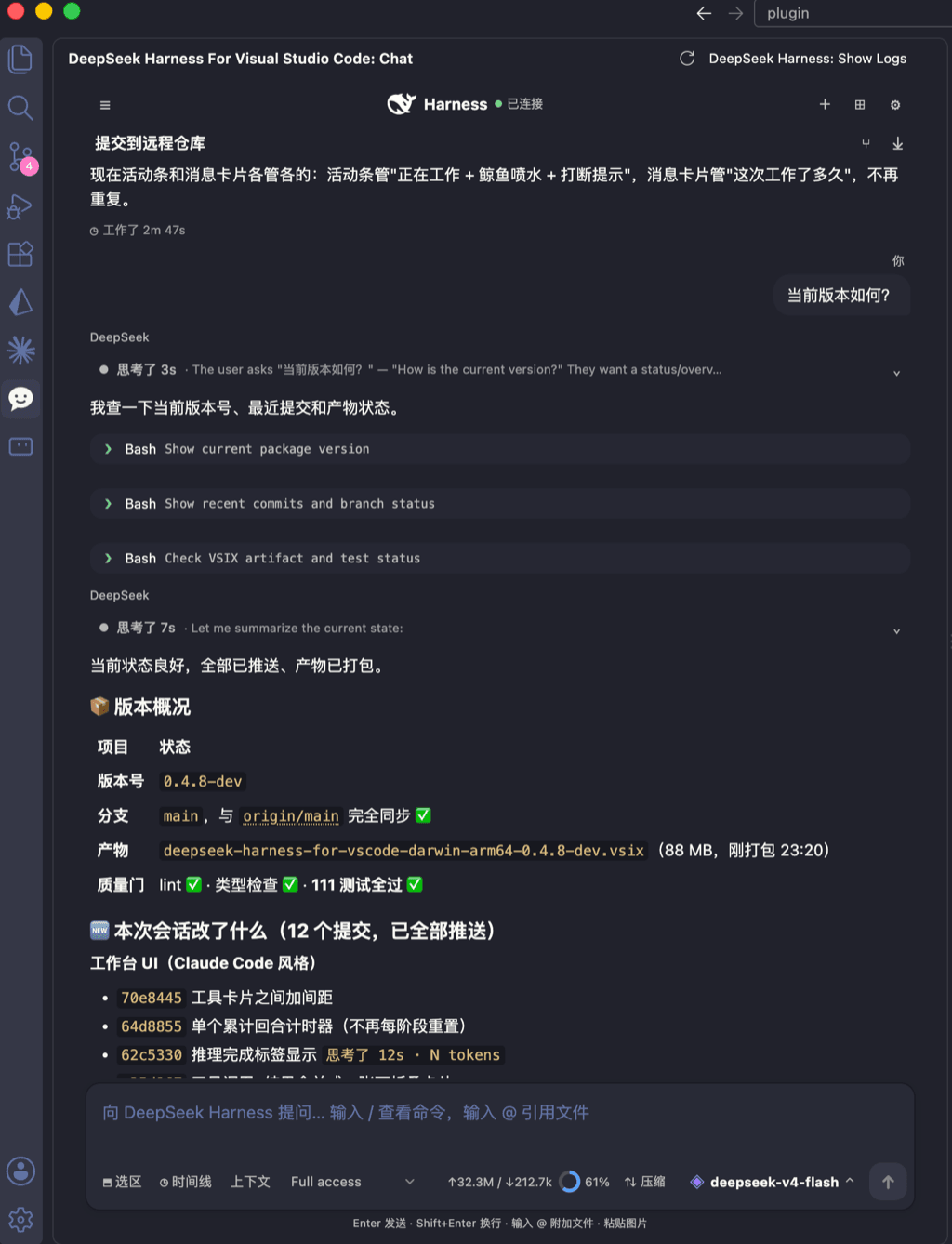 skymecode/deepseek-harness-for-vscode
deepseek-harness for vscode .A native VS Code coding-agent extension for DeepSeek Harness. Streamlined workbench with se…
skymecode/deepseek-harness-for-vscode
deepseek-harness for vscode .A native VS Code coding-agent extension for DeepSeek Harness. Streamlined workbench with se…
-
 rison114514/dsh-endfield-ui
Endfield-inspired industrial UI shell for DeepSeek Harness (dsh) — non-official fan theme. Install: dsh plugin --profile…
rison114514/dsh-endfield-ui
Endfield-inspired industrial UI shell for DeepSeek Harness (dsh) — non-official fan theme. Install: dsh plugin --profile…
-
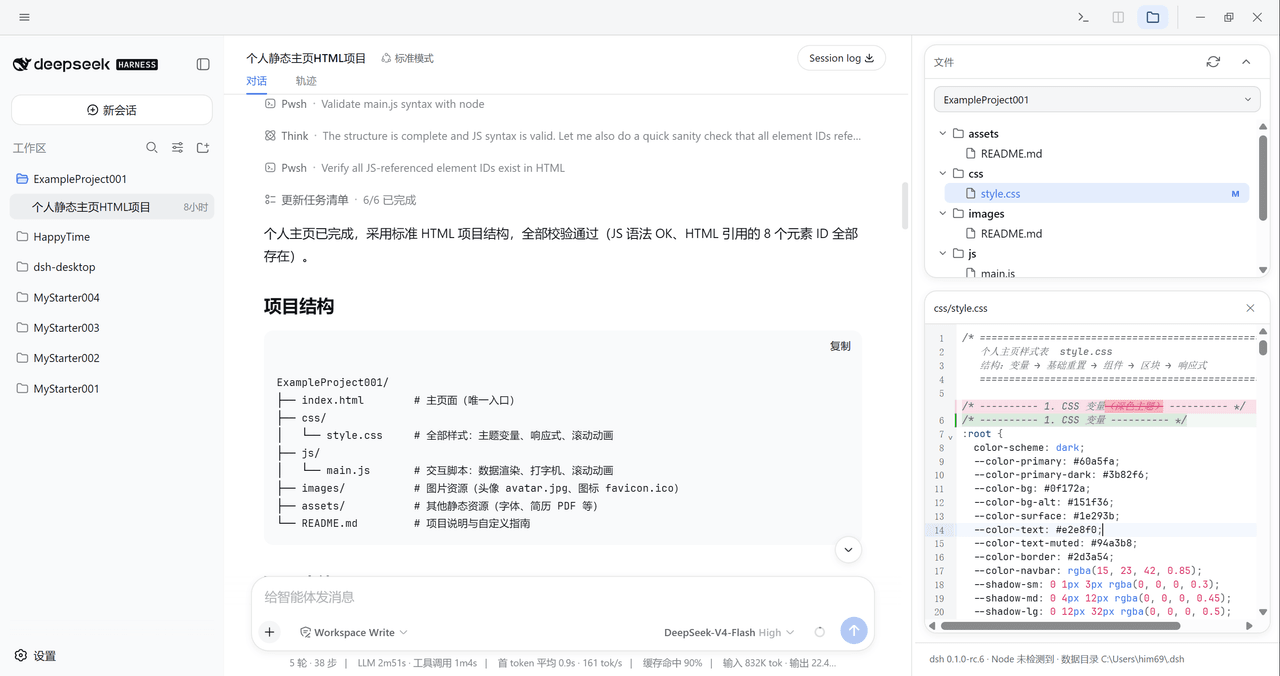 xiincs/deepseek-harness-desktop
DeepSeek Harness 原生桌面版,基于 Tauri 2,内置 Node.js 运行时,一键安装,极速启动,托盘常驻,自动更新。DeepSeek Harness native desktop version: built on T…
xiincs/deepseek-harness-desktop
DeepSeek Harness 原生桌面版,基于 Tauri 2,内置 Node.js 运行时,一键安装,极速启动,托盘常驻,自动更新。DeepSeek Harness native desktop version: built on T…
-
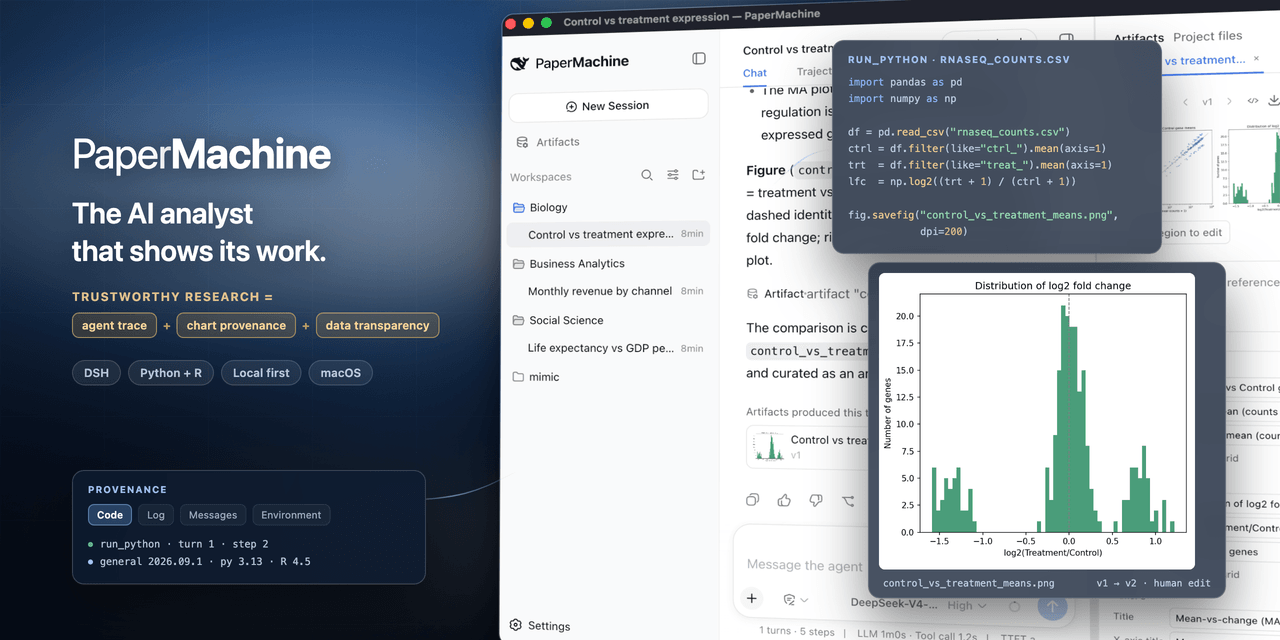 SuperJJ007/papermachine
The AI analyst that shows its work. Runs Python and R on your own machine, and traces every chart back to the code behin…
SuperJJ007/papermachine
The AI analyst that shows its work. Runs Python and R on your own machine, and traces every chart back to the code behin…
-
 dsh-tui/dsh-tui
Claude Code-style terminal UI for DeepSeek Harness agents, as an out-of-tree dsh plugin bundle
dsh-tui/dsh-tui
Claude Code-style terminal UI for DeepSeek Harness agents, as an out-of-tree dsh plugin bundle