ben7am1n/dsh-browser
基于 Playwright 的浏览器自动化,专为 DeepSeek Harness 设计
Project Overview项目介绍
dsh-browser is a DeepSeek Harness plugin that brings Playwright-powered browser automation to the agent through a browser_* tool family, enabling form filling, click-through flows, SPA scraping, and screenshots viewable via read_image. Use it when a task requires interactive web driving or visual verification of rendered pages. Caveat: it runs headless by default and needs a Chromium-based browser installed; configure launch.executablePath or launch.channel if auto-detection fails.
dsh-browser 是 DeepSeek Harness 的浏览器自动化插件,基于 Playwright 提供 browser_* 工具集,让智能体驱动真实网页:填写表单、点击操作、抓取 SPA 内容、截图后用 read_image 查看。适用于需要交互式网页操作或视觉验证的场景。注意事项:默认无头运行,需提前安装 Chromium、Chrome 或 Edge,可通过 launch.executablePath 指定路径。
请帮我了解并安装插件:【dsh-browser】【https://github.com/ben7am1n/dsh-browser】Send this message to DSH in your current session. CLI install commands may not be accurate across systems — DSH will figure it out for you.把上面这条消息直接发给当前会话里的 DSH,让它帮你了解并安装。安装命令不一定准确,发给 DSH 更稳。
Or use CLI install (for developers)或使用命令行安装(适合开发者)
CLI Install命令行安装
dsh plugin --profile web add dsh-browser把 ben7am1n/dsh-browser 加入你的 DSH 配置(web profile)即可启用。
READMEREADME
dsh-browser
Browser automation for DeepSeek Harness: a Playwright-powered browser_* tool family so the agent can drive real web pages — fill forms, click through flows, scrape SPA content, and take screenshots it can then view with read_image.
Install
dsh plugin --profile <name> add dsh-browser
The plugin depends on playwright-core (bundled with the package) and needs a Chromium-based browser. It tries chromium, then chrome, then msedge channels automatically; if none is found:
npx playwright install chromium
or configure launch.executablePath / launch.channel in the plugin config.
Tools
| Tool | Purpose |
|---|---|
browser_open |
Open (or reuse) the browser, optionally navigate to a URL |
browser_navigate |
Navigate the current page and wait for load |
browser_click |
Click an element by CSS selector |
browser_type |
Type text into an input (optionally press Enter) |
browser_select |
Select option(s) in a <select> |
browser_screenshot |
Capture a PNG to <workspace>/browser-screenshots/; view it with read_image |
browser_eval |
Evaluate JavaScript in the page, return JSON |
browser_get_text / browser_get_html |
Read visible text or outer HTML |
browser_wait |
Wait for slow pages / lazy content |
browser_close |
Close the browser (reopenable by any tool) |
browser_install |
Explain or verify browser availability |
The browser persists across tool calls — open once, drive many times, close when done.
Configuration
| Field | Default | Meaning |
|---|---|---|
launch.executablePath |
— | Absolute path to a browser binary (takes precedence) |
launch.channel |
auto (chromium → chrome → msedge) |
Browser channel |
launch.navigationTimeoutMs |
— | Default navigation/action timeout |
launch.viewport |
1280×800 |
Page viewport |
screenshotDir |
browser-screenshots |
Screenshot directory under the workspace |
# profile cordis.patch.yml
- id: browser
  config:
    launch:
      channel: chrome
      navigationTimeoutMs: 30000
Notes
- Runs headless by default; a headed mode may come later.
- Screenshots land in the calling agent's workspace so the model can read them with
read_image.
License
MIT
Related相关推荐
-
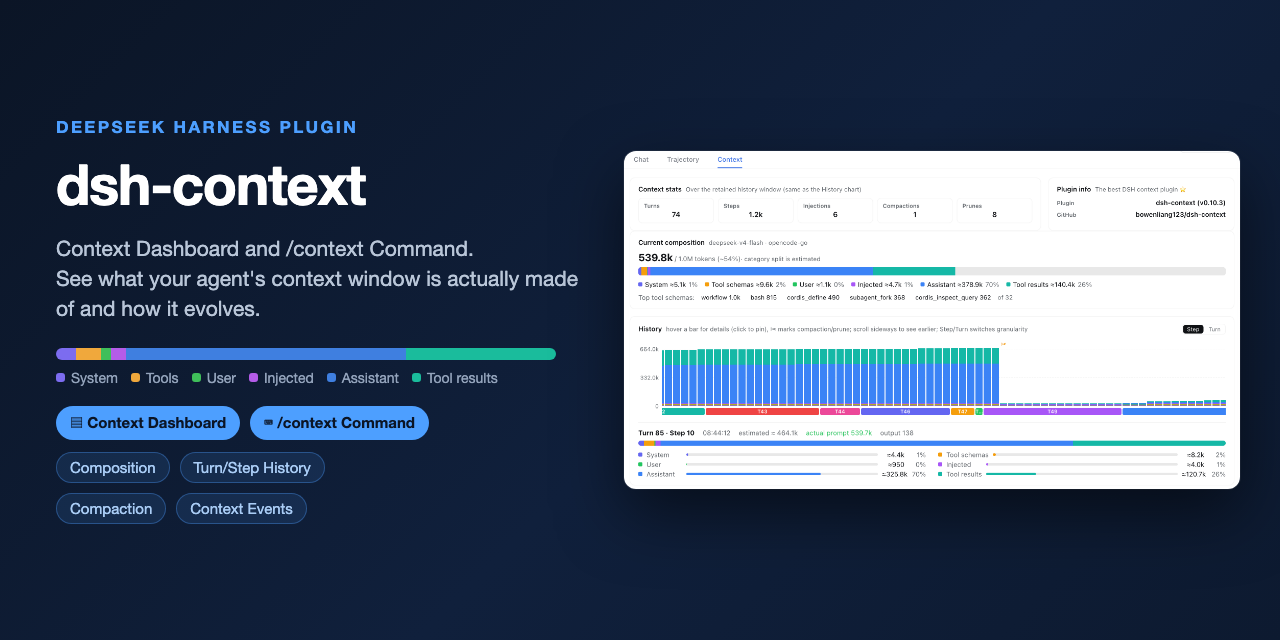 bowenliang123/dsh-context
The best DeepSeek Harness plugin for context insight and management, with context dashboard / browser / sidebar and cont…
bowenliang123/dsh-context
The best DeepSeek Harness plugin for context insight and management, with context dashboard / browser / sidebar and cont…
-
 liustack/modsearch
🥇 The strongest free web search plugin for DeepSeek Harness, and the search bridge for every model without native web a…
liustack/modsearch
🥇 The strongest free web search plugin for DeepSeek Harness, and the search bridge for every model without native web a…
-
 omdsh-dev/dsh-genui
GenUI for DeepSeek Harness: interactive UI components rendered inline in assistant replies via the dsh-ui fence — layout…
omdsh-dev/dsh-genui
GenUI for DeepSeek Harness: interactive UI components rendered inline in assistant replies via the dsh-ui fence — layout…
-
 anysearch-team/anysearch-dsh
AnySearch web search provider and advanced search tools for DeepSeek Harness (DSH)
anysearch-team/anysearch-dsh
AnySearch web search provider and advanced search tools for DeepSeek Harness (DSH)
- antibrow/dsh-antibrow DeepSeek Harness plugin: give your agent a browser with a persistent identity - engine-level fingerprint spoofing, unlim…
-
 csyangwen/dsh-memory-evolve
为 DeepSeek Harness 带来「跨会话长期记忆 + 后台自我进化」能力的纯插件实现:五轨记忆 · git 分支感知 · 回合内自我审查 · 技能自我进化与技能管理器 · 四轨待办 · COI 调度 · 会话广播 · 会话搜索 ·…
csyangwen/dsh-memory-evolve
为 DeepSeek Harness 带来「跨会话长期记忆 + 后台自我进化」能力的纯插件实现:五轨记忆 · git 分支感知 · 回合内自我审查 · 技能自我进化与技能管理器 · 四轨待办 · COI 调度 · 会话广播 · 会话搜索 ·…
-
 e2mcc/dsh-popout-sidebar
A sidebar can pop out a separate browser tab (drag it to another monitor)
e2mcc/dsh-popout-sidebar
A sidebar can pop out a separate browser tab (drag it to another monitor)
-
 See-Sol-Lab/DeepSeekGUI
基于 DeepSeek Harness(DSH)的稳定桌面端,集成Git、内置浏览器与记忆功能 | DeepSeek Harness desktop GUI with local workspaces, Git, browser and m…
See-Sol-Lab/DeepSeekGUI
基于 DeepSeek Harness(DSH)的稳定桌面端,集成Git、内置浏览器与记忆功能 | DeepSeek Harness desktop GUI with local workspaces, Git, browser and m…