bululuburuarua666/dsh-herald
🔔 Herald 传令官 — DSH 三通道任务通知:页内浮层、浏览器横幅、宿主直发系统通知(浏览器关闭也送达) | Tri-channel task notifications for DeepSeek Harness: in-page toasts, browser banners & host-direct OS toasts that survive a closed browser
Project Overview项目介绍
dsh-herald (Herald) is a native notification plugin built exclusively for DeepSeek Harness (DSH). It delivers notifications for DSH events like approval requests, completed background jobs, finished subagents and workflows, even when your browser is closed or throttled. Unlike traditional browser notification solutions that fail when the browser is hidden or closed, Herald uses three independently switchable notification channels to ensure reliable delivery. It supports Windows, macOS, and Linux, using native system tools for each platform. The most critical channel delivers notifications directly from the DSH host process to your operating system’s notification center, working regardless of browser state.
It is designed for developers who regularly run long-running background tasks and multi-step workflows on DSH. After installation, you access the settings panel by clicking the bell icon on the DSH workspace. From there, you can toggle each of the three channels on or off, and use built-in test buttons to immediately verify your configuration. You can adjust your notification strategy to fit your specific use case: for remote GUI access, you can disable host-direct notifications to avoid alerts on the server machine, while for offline task waiting, you can enable host-direct to get alerts anywhere. This flexibility makes it easy to adapt Herald to your individual workflow preferences.
Herald is released under the open-source MIT license, and it is a community-led project that is not affiliated with or endorsed by DeepSeek. It originated as a fork of the older dsh-task-notify plugin, with a reworked delivery architecture, tri-channel model, and full UI overhaul. To install Herald, you first add the npm package to your DSH profile, then update your cordis.patch.yml configuration file to enable it. On first run, you open the bell panel to configure your channels; host-direct notifications do not require extra permissions, while browser-based notifications need a one-time permission grant from your browser. It also preserves existing settings when upgrading from the upstream dsh-task-notify plugin.
dsh-herald(传令官)是专为DeepSeek Harness(DSH)开发的原生通知插件,核心功能是为DSH的任务审批请求、后台作业完成、子代理工作流结束等事件提供稳定通知。它解决了传统浏览器通知在浏览器关闭、标签页后台休眠或限流时无法送达的问题,通过三个可独立开关的通道推送通知,其中主机直推的系统通知可以在浏览器完全关闭的情况下正常送达。
这款插件面向需要长时间运行DSH后台任务、多步骤工作流的开发者,日常使用流程非常简单。安装完成后,用户可以在DSH工作区点击铃铛图标打开设置面板,分别对三个通道进行开关配置,还可以通过测试按钮即时验证配置效果。比如远程访问场景下,用户可以选择仅开启浏览器端横幅通知,避免服务器主机推送通知到远端机器;如果习惯离线等待任务完成,开启主机直推通知就能保证随时收到提醒。
这款插件采用MIT开源许可证,是基于上游dsh-task-notify重构而来的社区项目,并非DeepSeek官方产品。它支持Windows、macOS、Linux三大桌面平台,主机直推通知不需要额外依赖,调用系统自带工具即可工作。安装时需要修改DSH的cordis.patch.yml配置文件,首次运行需要到铃铛面板配置通道,主机直推无需权限,浏览器通道需要手动授权。
请帮我安装这个 DSH 插件。安装前先完成【兼容性检查 + 安全性检查】,检查通过再动手。

插件:dsh-herald(bululuburuarua666/dsh-herald)
仓库:https://github.com/bululuburuarua666/dsh-herald
本站详情页:https://www.yhbd.top/plugins/bululuburuarua666-dsh-herald/
本站登记:类型 client · 归类 原生 DSH 插件 · 许可证 MIT · ⭐ 2 · 最近提交 2026-09-06 · 主语言 JavaScript

按下面顺序执行,每步先把结论告诉我,再进入下一步:

【1 兼容性检查】
① 我这边:DSH 版本、Node 版本、操作系统、当前 profile(web / desktop)。
② 读它的 README、package.json、插件 manifest,列出它要求的 DSH 版本 / Node 版本 / 操作系统 / 外部依赖 / 需要另外先装的运行时。
③ 逐条比对,结论只写「满足 / 不满足 / 未知」三种;不满足的给出可行替代方案。
④ 检查是否和我已装的插件冲突:命令名重复、skill / tool 重名、端口占用、重复注册的 MCP server。

【2 安全性检查】
① 仓库可信度:和上面「本站登记」是否一致;star / fork 数、创建时间、最近提交,是否归档或长期停更。
② 安装脚本:逐行看 package.json 的 preinstall / install / postinstall,以及 install.sh、setup.ps1 之类脚本。出现 curl|bash、下载后直接执行、混淆代码、访问与插件功能无关的域名,立刻停下来告诉我,不要继续装。
③ 依赖:列出新增依赖,标出无人维护、或与知名包拼写近似的可疑包(typosquatting)。
④ 权限与副作用:它会读写哪些目录、访问哪些域名、需要哪些 DSH 权限(filesystem / network / shell / clipboard 等),以及怎么卸载和回滚。
⑤ 如果它要求 sudo / 管理员权限,或权限明显超出功能所需,先停下来问我。

【3 安装】
上面两步没有「不满足」和「高危项」时才执行;用官方推荐方式安装,不要自行提权。

【4 汇报】
用表格输出:检查项 / 结论 / 依据 / 是否需要我决策。拿不准的一律写「未知」并说明要我怎么确认——不要猜,也不要替我决定。
Send this message to DSH in your current session: it verifies compatibility and security first (answering met / not met / unknown item by item) and only installs once everything checks out — it will stop and ask you if it finds a high-risk item. The box scrolls; the copy is the full prompt. CLI install commands may not be accurate across systems, so DSH is the safer route.把上面这条消息直接发给当前会话里的 DSH:它会先核对兼容性与安全性(逐条给「满足 / 不满足 / 未知」),确认没问题再安装,有高危项会停下来问你。框内可滚动,复制到的是完整提示词;安装命令不一定准确,发给 DSH 更稳。
- Only 2 stars - very few users, little community feedback星标只有 2,几乎没人在用,遇到问题缺少社区反馈
- Desktop client: installation downloads an executable - verify the publisher and checksums桌面客户端:安装会下载可执行文件,请核对发布者与校验和
DSH walks through these 9 checksDSH 会逐条核对这 9 项
Compatibility兼容性
- DSH, Node, OS and profile requirementsDSH 版本 / Node 版本 / 操作系统 / profile 是否满足要求
- External dependencies and runtimes (Electron / Python / Docker, ...)外部依赖与运行时(Electron / Python / Docker 等)是否齐备
- Conflicts with installed plugins: command names, skill / tool names, ports, duplicate MCP registration与已装插件是否冲突:命令名、skill / tool 重名、端口占用、重复 MCP 注册
Security安全性
- Repo matches the facts registered here; archived or abandoned?仓库是否与页面登记一致,是否归档或长期停更
- Safety of preinstall / install / postinstall and install.sh / setup.ps1preinstall / install / postinstall 与 install.sh、setup.ps1 是否安全
- curl|bash, download-then-execute, obfuscation, unrelated domains → stop immediatelycurl|bash、下载即执行、混淆代码、无关域名 → 立刻停止
- Typosquatting or unmaintained packages among the new dependencies新增依赖里有没有 typosquatting 或无人维护的包
- Requested permissions vs. what the feature actually needs申请了哪些权限、是否超出功能所需(filesystem / network / shell / clipboard)
- Any sudo / admin requirement, plus uninstall and rollback是否要求 sudo / 管理员权限,以及卸载与回滚方式
Anything uncertain must be marked unknown with a note on how to confirm it. This site's signal screen is a static snapshot, not a security audit.拿不准的必须标「未知」并说明要我怎么确认。本站的信号筛查是静态快照,不能替代安全审计。
Or use CLI install (for developers)或使用命令行安装(适合开发者)
CLI Install命令行安装
dsh plugin --profile web add dsh-herald把 bululuburuarua666/dsh-herald 加入你的 DSH 配置(web profile)即可启用。
READMEREADME
Herald · 传令官 — dsh-herald
English | 中文




Task notifications for DeepSeek Harness (DSH) — delivered even when the browser is closed. Approval requests · awaiting-your-reply · finished background jobs / subagents / workflows — pushed to your desktop through three independently switchable channels, with in-page toasts & chimes, a premium bell panel, and persistent history.
Herald, the medieval messenger who crossed the city walls — because that is literally what this plugin does: the DSH host process raises the OS notification itself (PowerShell WinRT on Windows, osascript on macOS, notify-send on Linux). Browser open, hidden, or fully closed — the toast still lands.
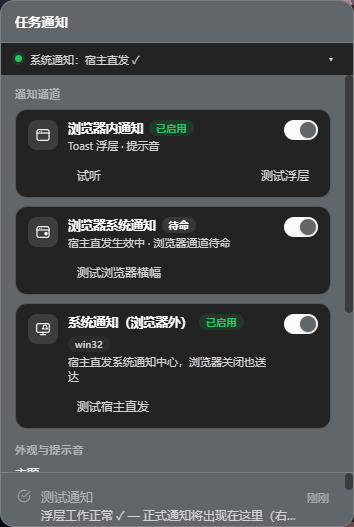
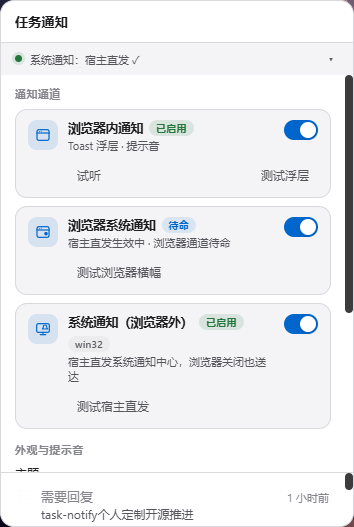
The three channels, live
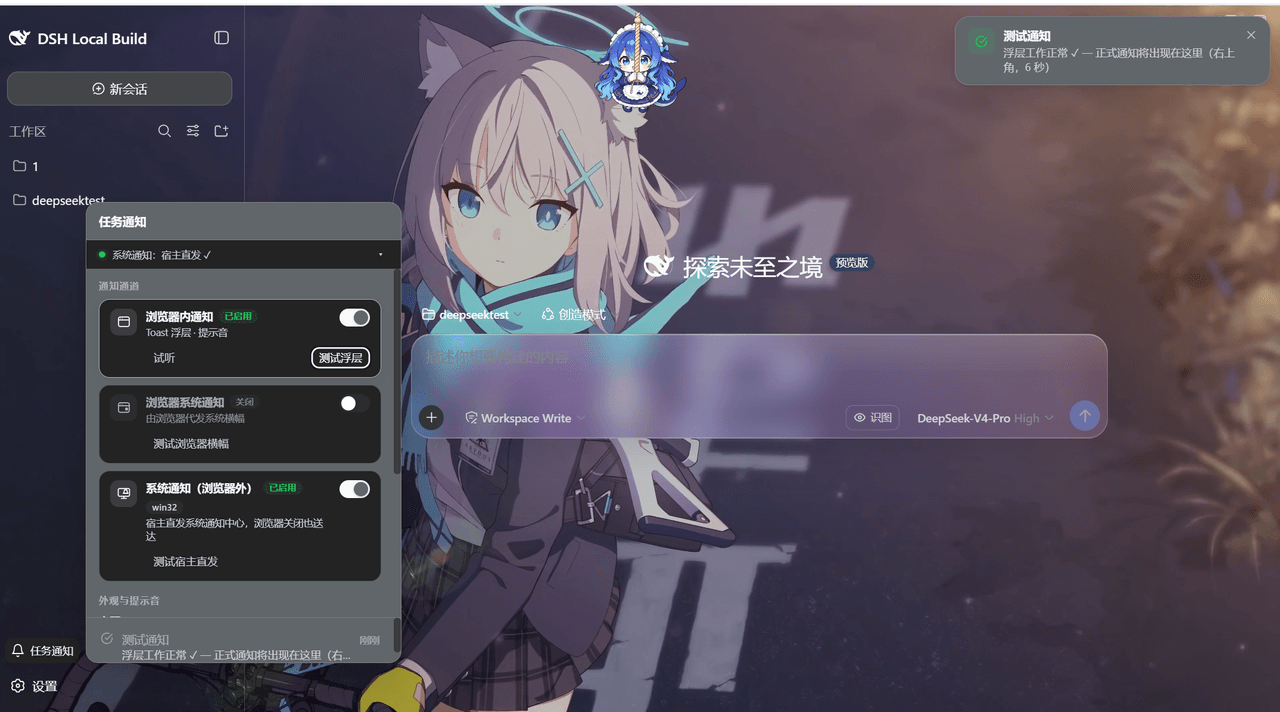
Channel A · In-browser alerts — the in-page toast (top-right, 6s, hover to pause), on the real DSH workspace:
Channel B · Browser OS banners — a banner the page requests through the browser Notification API (active while you browse; auto-backstop when host-direct is unavailable):
Channel C · Host-direct OS toasts — raised straight from the DSH host process (via the Windows PowerShell WinRT channel — no browser involved, lands with the browser closed):
The panel
Showing the opening section of the README — the full document lives in the repository以上为 README 开头摘要,完整文档在仓库内 · View the full README on GitHub →在 GitHub 查看完整 README →
Related相关推荐
-
 610la/dsh-notification-center
DSH 通知中心插件:对话/任务完成、报错、等待批准等事件触发浏览器通知 + 21 种匹配音效
610la/dsh-notification-center
DSH 通知中心插件:对话/任务完成、报错、等待批准等事件触发浏览器通知 + 21 种匹配音效
-
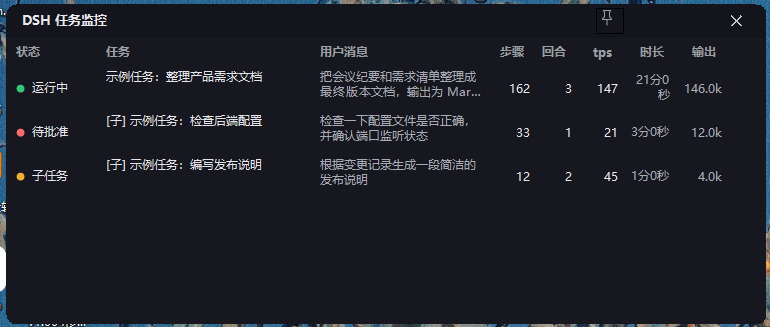 YeqingTang/dsh-task-watcher
DSH(DeepSeek Harness)的对话任务在浏览器里跑的时候,你可以放心切到别的程序——任务完成 / 子任务进展 / 需要你批准或回答,都会以 Windows 通知的形式提醒你;托盘图标与监控窗口随时显示所有任务的实时进度。
YeqingTang/dsh-task-watcher
DSH(DeepSeek Harness)的对话任务在浏览器里跑的时候,你可以放心切到别的程序——任务完成 / 子任务进展 / 需要你批准或回答,都会以 Windows 通知的形式提醒你;托盘图标与监控窗口随时显示所有任务的实时进度。
-
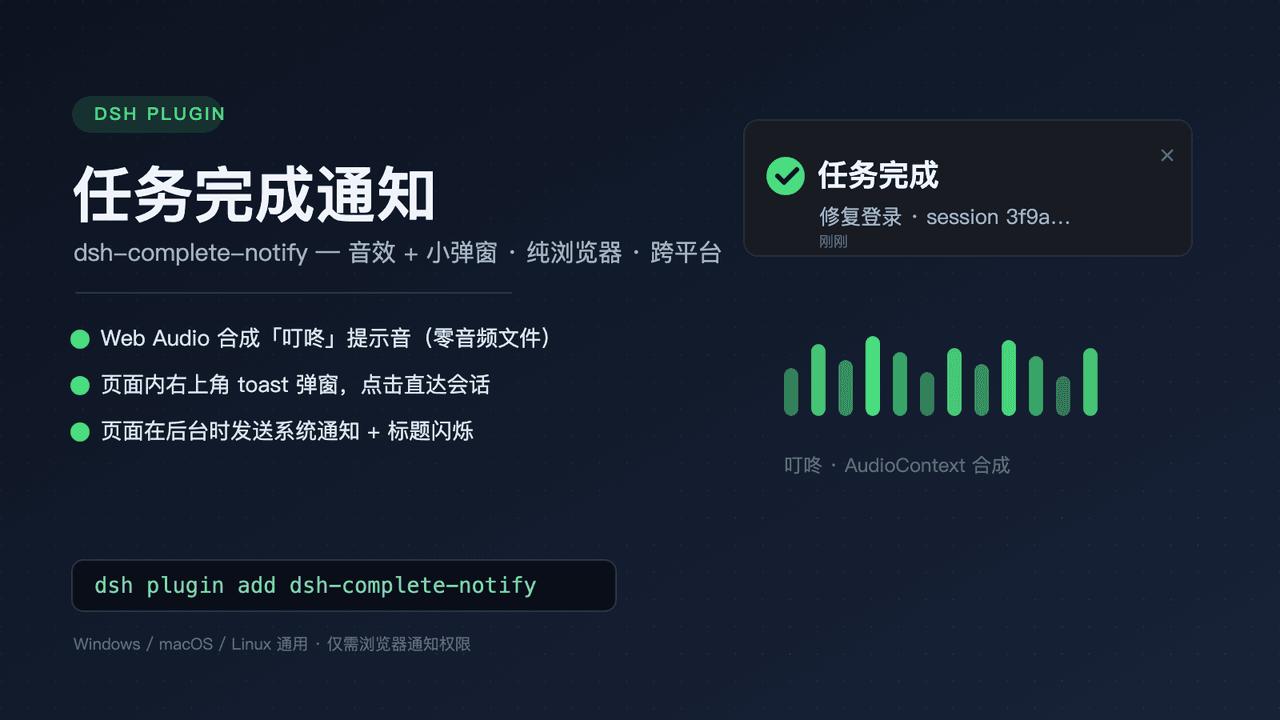 kaixinbaba/dsh-complete-notify
任务完成时播放提示音并弹出小通知(页面内 toast + 后台时系统通知)。纯浏览器方案,零系统依赖,跨 Windows/macOS/Linux。
kaixinbaba/dsh-complete-notify
任务完成时播放提示音并弹出小通知(页面内 toast + 后台时系统通知)。纯浏览器方案,零系统依赖,跨 Windows/macOS/Linux。
- chidaic/dsh-agent-notify DSH Web GUI task-completion notifications: Windows system-level alerts (browser Notification API) when the agent finishe…
-
 liustack/modsearch
🥇 The strongest free web search plugin for DeepSeek Harness, and the search bridge for every model without native web a…
liustack/modsearch
🥇 The strongest free web search plugin for DeepSeek Harness, and the search bridge for every model without native web a…
-
 xgone/dsh-remote
让你通过浏览器安全地远程使用 DeepSeek Harness:登录、MFA 两步验证、角色权限和远程文件预览。 | Use DeepSeek Harness securely in a remote browser with login,…
xgone/dsh-remote
让你通过浏览器安全地远程使用 DeepSeek Harness:登录、MFA 两步验证、角色权限和远程文件预览。 | Use DeepSeek Harness securely in a remote browser with login,…
-
 wxkingstar/SpecFusion
在 DeepSeek Harness / Claude Code / Cursor / Codex / Gemini CLI 里直接搜索 20 个中国开放平台的 65,600+ 篇 API 文档;零配置,支持 Skill 与 DSH 原生插…
wxkingstar/SpecFusion
在 DeepSeek Harness / Claude Code / Cursor / Codex / Gemini CLI 里直接搜索 20 个中国开放平台的 65,600+ 篇 API 文档;零配置,支持 Skill 与 DSH 原生插…
- hanelalo/browser-bridge 让你的agent真的像你一样操控你的浏览器窗口