ding112/MoneyPal
让你的 AI 助手真正会记账。
Project Overview项目介绍
MoneyPal is a local-first personal finance tool built on the Beancount text ledger, distributed from this repository as the DSH-native plugin dsh-moneypal and additionally offered as a cross-agent Skill package plus the generic npm package mcp-moneypal for WorkBuddy, Qoder, QoderWork and other local MCP Agent runtimes. Its core capabilities cover parsing Alipay, WeChat and bank bill exports into structured transactions, maintaining a plain-text ledger on the user's machine, answering natural-language queries about balances, registers, income statements and balance sheets, and presenting write previews through DSH's native confirmation dialog so nothing is written without explicit user approval. Installation on DSH Web requires build 0.1.7-rc.2 or newer and is performed with dsh plugin --profile web add dsh-moneypal, after which the MoneyPal preset becomes selectable in a new session.
The typical workflow begins when the user hands a bill file to the assistant, which calls finance_add_transactions to normalize rows and return a preview list annotated with duplicate suspicions, account assignments and per-currency totals; the user reviews dates, accounts, amounts and memos in the native confirmation box before an atomic batch write into transactions/<year>.beancount. Read-side tasks are dispatched to finance_query_register, finance_get_balance, finance_get_income_statement, finance_get_balance_sheet, finance_list_accounts and finance_validate_journal, and an Assets & Liabilities drawer in the session header polls the running ledger every thirty seconds. The intended audience is individual Beancount users who want AI-assisted entry without surrendering local ownership of their books, plus power users running multiple agent front-ends against a single ledger workspace.
Runtime prerequisites are Node.js 22.18+ and, on first managed-runtime bootstrap, Python 3.11+ with venv and pip to install Beancount 3.2.3+ and beanquery 0.2.0+ via setup-runtime; status is checked with runtime-status and a fresh ledger is created via finance_initialize_ledger after a preview-and-confirm step. Reports stay per-currency with no FX conversion, ledger locks are never removed automatically, and a write_outcome_uncertain return requires the user to query the ledger before retrying. The project is released under Apache-2.0, distributes dsh-moneypal tarballs via npm OIDC Trusted Publishing, and warns that bill contents and query results may enter the host agent's model context.
MoneyPal 是一款面向个人记账场景的本地优先财务工具,现以 DSH 原生插件形式分发,同时通过独立 Skill 仓库与 npm 包 mcp-moneypal 支持 WorkBuddy、Qoder、QoderWork 等本地 MCP Agent。核心能力包括解析支付宝、微信与银行账单、Beancount 文本账本写入、自然语言查询余额/流水/损益/资产负债,以及基于 DSH 原生确认框的写入前预览与原子落盘。安装入口为 dsh plugin --profile web add dsh-moneypal,需 DSH Web 0.1.7-rc.2 及以上版本,并通过 dsh-moneypal 预设发起会话。
典型流程由用户向助手提交账单文件,助手调用 finance_add_transactions 整理并展示交易预览,疑似重复项自动提示,用户在确认框核对日期、账户、金额与备注后整批写入 transactions/<年份>.beancount;查询阶段则使用 finance_get_balance、finance_get_income_statement、finance_get_balance_sheet 等工具以自然语言指令完成。目标用户为希望由 AI 助手替代手工录入、又要求账本数据本地可控、文本可备份迁移的个人 Beancount 用户,以及在多 Agent 环境中需要统一记账入口的重度玩家。
运行时依赖 Node.js 22.18+ 与 Python 3.11+(含 venv 与 pip),首次创建托管环境时会按需安装 Beancount 3.2.3+ 与 beanquery 0.2.0+;账本工作区下的 default/main.beancount 等文件可手工维护,资产负债表抽屉按浏览器时区每 30 秒刷新。金额按币种分别展示、不自动换汇,账本锁不会自动清理,写入结果不确定时需先查账再决定重试。项目以 Apache-2.0 开源,账单内容与查询结果可能进入宿主模型上下文,需注意隐私边界。
请帮我安装这个 DSH 插件。安装前先完成【兼容性检查 + 安全性检查】,检查通过再动手。

插件:MoneyPal(ding112/MoneyPal)
仓库:https://github.com/ding112/MoneyPal
本站详情页:https://www.yhbd.top/plugins/ding112-moneypal/
本站登记:类型 plugin · 归类 原生 DSH 插件 · 许可证 Apache-2.0 · ⭐ 3 · 最近提交 2026-10-01 · 主语言 TypeScript

按下面顺序执行,每步先把结论告诉我,再进入下一步:

【1 兼容性检查】
① 我这边:DSH 版本、Node 版本、操作系统、当前 profile(web / desktop)。
② 读它的 README、package.json、插件 manifest,列出它要求的 DSH 版本 / Node 版本 / 操作系统 / 外部依赖 / 需要另外先装的运行时。
③ 逐条比对,结论只写「满足 / 不满足 / 未知」三种;不满足的给出可行替代方案。
④ 检查是否和我已装的插件冲突:命令名重复、skill / tool 重名、端口占用、重复注册的 MCP server。

【2 安全性检查】
① 仓库可信度:和上面「本站登记」是否一致;star / fork 数、创建时间、最近提交,是否归档或长期停更。
② 安装脚本:逐行看 package.json 的 preinstall / install / postinstall,以及 install.sh、setup.ps1 之类脚本。出现 curl|bash、下载后直接执行、混淆代码、访问与插件功能无关的域名,立刻停下来告诉我,不要继续装。
③ 依赖:列出新增依赖,标出无人维护、或与知名包拼写近似的可疑包(typosquatting)。
④ 权限与副作用:它会读写哪些目录、访问哪些域名、需要哪些 DSH 权限(filesystem / network / shell / clipboard 等),以及怎么卸载和回滚。
⑤ 如果它要求 sudo / 管理员权限,或权限明显超出功能所需,先停下来问我。

【3 安装】
上面两步没有「不满足」和「高危项」时才执行;用官方推荐方式安装,不要自行提权。

【4 汇报】
用表格输出:检查项 / 结论 / 依据 / 是否需要我决策。拿不准的一律写「未知」并说明要我怎么确认——不要猜,也不要替我决定。
Send this message to DSH in your current session: it verifies compatibility and security first (answering met / not met / unknown item by item) and only installs once everything checks out — it will stop and ask you if it finds a high-risk item. The box scrolls; the copy is the full prompt. CLI install commands may not be accurate across systems, so DSH is the safer route.把上面这条消息直接发给当前会话里的 DSH:它会先核对兼容性与安全性(逐条给「满足 / 不满足 / 未知」),确认没问题再安装,有高危项会停下来问你。框内可滚动,复制到的是完整提示词;安装命令不一定准确,发给 DSH 更稳。
- Only 3 stars - very few users, little community feedback星标只有 3,几乎没人在用,遇到问题缺少社区反馈
DSH walks through these 9 checksDSH 会逐条核对这 9 项
Compatibility兼容性
- DSH, Node, OS and profile requirementsDSH 版本 / Node 版本 / 操作系统 / profile 是否满足要求
- External dependencies and runtimes (Electron / Python / Docker, ...)外部依赖与运行时(Electron / Python / Docker 等)是否齐备
- Conflicts with installed plugins: command names, skill / tool names, ports, duplicate MCP registration与已装插件是否冲突:命令名、skill / tool 重名、端口占用、重复 MCP 注册
Security安全性
- Repo matches the facts registered here; archived or abandoned?仓库是否与页面登记一致,是否归档或长期停更
- Safety of preinstall / install / postinstall and install.sh / setup.ps1preinstall / install / postinstall 与 install.sh、setup.ps1 是否安全
- curl|bash, download-then-execute, obfuscation, unrelated domains → stop immediatelycurl|bash、下载即执行、混淆代码、无关域名 → 立刻停止
- Typosquatting or unmaintained packages among the new dependencies新增依赖里有没有 typosquatting 或无人维护的包
- Requested permissions vs. what the feature actually needs申请了哪些权限、是否超出功能所需(filesystem / network / shell / clipboard)
- Any sudo / admin requirement, plus uninstall and rollback是否要求 sudo / 管理员权限,以及卸载与回滚方式
Anything uncertain must be marked unknown with a note on how to confirm it. This site's signal screen is a static snapshot, not a security audit.拿不准的必须标「未知」并说明要我怎么确认。本站的信号筛查是静态快照,不能替代安全审计。
Or use CLI install (for developers)或使用命令行安装(适合开发者)
CLI Install命令行安装
dsh plugin --profile web add dsh-moneypal把 ding112/MoneyPal 加入你的 DSH 配置(web profile)即可启用。
READMEREADME
MoneyPal
让你的 AI 助手真正会记账。
支付宝、微信和各大银行账单自动导入,告别逐笔录入。把导出的账单文件交给 AI,自动整理交易,预览确认后记入账本;再用自然语言查余额、查流水、看收支报表。
基于 Beancount,本地优先,账本以标准文本保存在自己的电脑上。
选择你的安装方式
| 使用环境 | 安装入口 |
|---|---|
| DeepSeek Harness Web | 安装 DSH 插件 dsh-moneypal |
| WorkBuddy | 导入 MoneyPal Skill · WorkBuddy 连接器指引 |
| Qoder / QoderWork | 导入 MoneyPal Skill · Qoder 办公版 / QoderWork 连接器指引 |
| 其他本地 MCP Agent | npm 包 mcp-moneypal · 环境要求 · MCP 配置 |
本仓库是 MoneyPal 产品主页,并维护 DSH Web 插件;MoneyPal Skill 仓库分发通用技能目录,供支持 Skill 的 Agent 应用使用。
主要能力
- 账单自动导入:把支付宝、微信或银行导出的账单文件交给助手,自动整理交易,预览确认后入账。
- 自然语言查询与记账:直接说出需求,查余额、查流水、看损益和资产负债,也可以记录单笔日常交易。
- Beancount 文本账本:账本保存在自己的电脑上,使用标准文本格式,可自行备份和迁移。
- 写入前预览确认:核对日期、账户、金额和疑似重复提醒后再写入;DSH 使用原生确认框,Skill 在对话中请求确认。
如何导入账单
完成对应入口的安装与账本准备后,DSH 和 Skill 都可以处理账单导入:
- 从支付宝、微信或银行导出账单文件。
- 将文件提供给助手,或告知助手可读取的文件位置。
- 发送以下导入请求。
- 核对助手展示的交易明细、账户、收支汇总、写入文件和疑似重复提醒;需要调整时先修改预览。
- 确认后写入:DSH 在原生确认框中确认;Skill 在对话中回复“确认记账”。
- 助手写入后查询流水复核,报告实际结果。
请导入这份账单,先整理交易并展示记账预览,提示可能重复的记录,等我确认后再写入。
账本文件保存在本地,但账单内容、查询结果和交易信息可能进入宿主配置的模型上下文。
安装与首次使用
已有 DSH Web(0.1.7-rc.2 或更新版本)后,只需三步:
1. 安装插件
dsh plugin --profile web add dsh-moneypal
2. 打开 MoneyPal 会话
重启 DSH Web 并硬刷新浏览器,选择准备保存账本的文件夹作为工作区,在新会话中选择 MoneyPal 预设。
3. 让助手完成首次准备
把下面这句话发给助手:
帮我开始使用 MoneyPal:检查并按需准备运行环境,使用当前工作区的账本;如果还没有账本,先展示初始化内容,等我确认后创建。最后检查账本并查询一次余额。
DSH 可以代你执行环境检查与准备,并通过原生确认框创建新账本;已有账本会直接复用。完成首次余额查询后,就可以提供账单文件或直接用自然语言记账。
环境要求与手动排查命令
需要 Node.js 22.18+。首次创建托管运行时还需要 Python 3.11+(含 venv 和 pip),并能下载 Python 依赖;缺少条件时,让助手协助检查和准备。
Showing the opening section of the README — the full document lives in the repository以上为 README 开头摘要,完整文档在仓库内 · View the full README on GitHub →在 GitHub 查看完整 README →
Related相关推荐
-
 nocobase/nocobase
NocoBase is an open-source AI + no-code platform for building business systems fast. Instead of generating everything fr…
nocobase/nocobase
NocoBase is an open-source AI + no-code platform for building business systems fast. Instead of generating everything fr…
- yanglongyun/ramify-dsh Ramify 是 DeepSeek Harness 的创意分支画布插件,用树状工作区生成、对比和迭代多个可交互方案。
-
 Yuer6327/NoLetMe
Deepseek v4 神鬼二象性观测面板
Yuer6327/NoLetMe
Deepseek v4 神鬼二象性观测面板
-
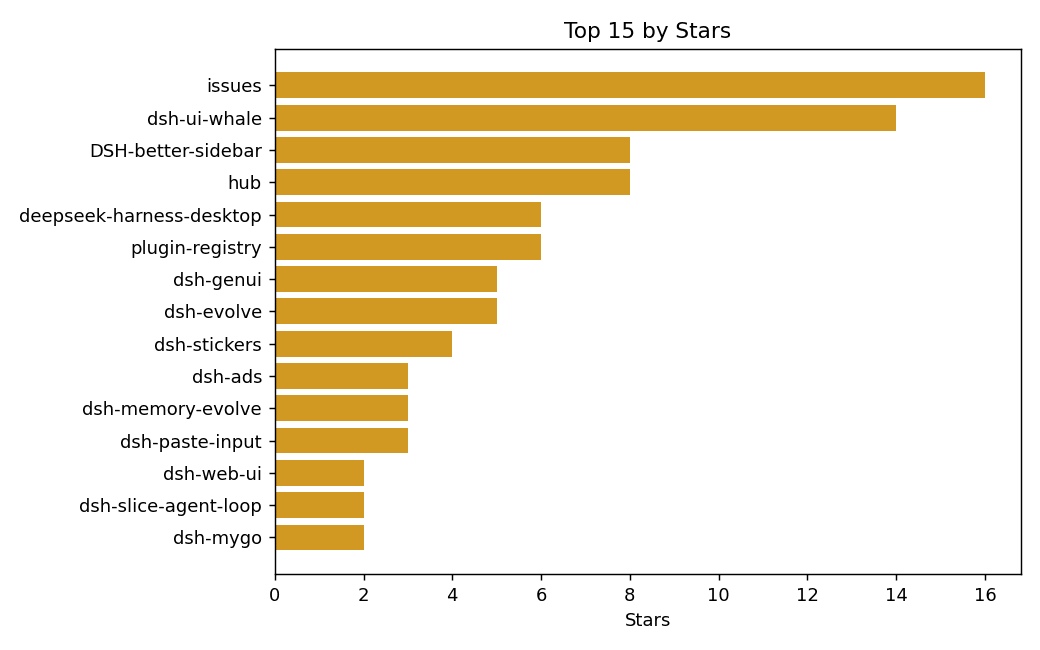 xiaohai-78/Top
📊 Daily leaderboard for the dsh-external plugin ecosystem — tracks every repo, ranks by stars, archives daily snapshots…
xiaohai-78/Top
📊 Daily leaderboard for the dsh-external plugin ecosystem — tracks every repo, ranks by stars, archives daily snapshots…
- trench-xinxin/dsh-tool-lens
-
 Small-tailqwq/dsh-tps
只是一个 tps 插件
Small-tailqwq/dsh-tps
只是一个 tps 插件
- Mekansm1/DSH-WebGIS DeepSeek Harness (DSH) WebGIS Plugin: Map reading, map manipulation, and 3D world comprehension.
- WayneJin0918/dsh-wm Playable world-model toolkit for DeepSeek Harness: look at frames, name the 3D / pixel / latent route, measure a run, an…