ericfetch/dsh-sight
Sight —— DSH 多模态增强插件:一键开启模型图片直传(自动扫描/匹配/手动切换)、随时清除会话图片避免误传作废,并集成 Figma MCP 实现设计稿转代码与文字生成设计(无需 Figma 会员)。
Project Overview项目介绍
dsh-sight is a native plugin package targeting the DeepSeek Harness (DSH) desktop client, bundling four independently configurable features: native multimodal image paste, session image clearing, automatic reasoning-effort backfill for newly added third-party model routes, and a Figma MCP bridge. Installation is performed through the DSH plugin CLI as dsh plugin --profile desktop add @eric.wen/dsh-sight, with an alternative GitHub source form github:ericfetch/dsh-sight#<commit-sha> that ships pre-built artifacts in the repository so no extra build authorization is required during install. Upgrades run via dsh plugin --profile desktop update --latest, after which a restart of DSH Desktop loads the package and a # == @eric.wen/dsh-sight patch layer appears in the dumped configuration.
Typical workflows begin on the Multimodal Image Paste settings page, where users either toggle the directive per model or click "Apply Dictionary Match" to batch-declare support, then paste or drag images into the input box for native content-block delivery. When a session contains images and switching to a text-only model is blocked by the session already contains images error, the plugin exposes a "Clear Images (n)" control that strips images from the model-visible surface while preserving the original transcript non-destructively. After adding third-party channels, clicking "Auto-fill reasoning levels" writes family-specific reasoningEfforts values (GPT-5.x off/high/xhigh/max, o3/o4 off/low/medium/high, Grok 4.x off/low/medium/high/xhigh, DeepSeek V4 off/high/max, GLM-5.x off/high/xhigh/max, Kimi K3 off/low/high/max, Qwen 3 off/low/medium/high, MiniMax off/high) into llm-pi-ai without touching models that already declare levels. The Figma MCP section exposes two progressive blocks: block ① needs only a Figma Personal Access Token and uses the REST API via get_figma_data and download_figma_images, while block ② adds a one-time Figma desktop plugin import for figma_write, figma_read, and figma_status so the model can draw on the canvas.
Runtime @deepseek-ai/* dependencies are resolved by the DSH module table through peer declarations, and the Figma side relies on the open-source figma-developer-mcp plus figma-ui-mcp servers, neither of which requires a paid Figma seat. Block ① needs an outbound proxy address when networks are restricted, and block ② requires the Figma desktop client to reach the localhost bridge, since the web client cannot bind it. Image-support detection is purely a user-side declaration rather than endpoint probing, so unsupported providers will still reject uploads themselves. The package is MIT-licensed, built with pnpm and tsdown into lib/index.js and lib/client.js, and tagged topics include ai-design, figma, figma-mcp, figma-to-code, and vibe-figma within the dsh-plugin-market ecosystem.
dsh-sight 是面向 DeepSeek Harness(DSH)桌面版的原生插件包,提供四项独立功能:多模态图片直传、会话图片清除、自动补推理等级以及 Figma MCP 桥接。安装方式为 dsh plugin --profile desktop add @eric.wen/dsh-sight,也支持 github:ericfetch/dsh-sight#<sha> 方式,预构建产物随仓库分发,安装时无需额外构建授权;升级可执行 dsh plugin update --latest,重启 DSH Desktop 后自动加载,配置层会以 # == @eric.wen/dsh-sight 补丁形式注入。
典型使用流程为:在设置页的多模态图片直传入口逐模型声明或一键应用字典匹配,粘贴或拖入图片即可发送原生图片块;当会话含图片被拦截时点「清除图片」剥离模型可见历史即可切换纯文本模型;新增第三方渠道后点击「自动补推理等级」按内置家族字典写入 reasoningEfforts;Figma MCP 区块支持两种模式——填入 Personal Access Token 即可让模型读取设计稿生成代码,或安装 Figma 桌面版插件后由模型主动绘制修改画布。目标用户为需要在 DSH 中处理多模态输入、跨模型家族调度以及打通 Figma 设计稿与代码工作流的设计师与前端开发者。
依赖方面,运行时所需的 @deepseek-ai/* 模块由 DSH 模块表按 peer 声明提供,依赖的社区开源 MCP 为 figma-developer-mcp 与 figma-ui-mcp,均无需 Figma 付费席位;Figma REST API 模式需网络代理(如 http://127.0.0.1:7897),本地桥模式则依赖 Figma 桌面端连接 localhost。License 为 MIT,开发使用 pnpm + tsdown 构建 lib/index.js 与 lib/client.js,需注意端点是否支持图片由 provider 侧判定,插件不做探测。
请帮我安装这个 DSH 插件。安装前先完成【兼容性检查 + 安全性检查】,检查通过再动手。

插件:dsh-sight(ericfetch/dsh-sight)
仓库:https://github.com/ericfetch/dsh-sight
本站详情页:https://www.yhbd.top/plugins/ericfetch-dsh-sight/
本站登记:类型 plugin · 归类 原生 DSH 插件 · 许可证 MIT · ⭐ 2 · 最近提交 2026-10-01 · 主语言 TypeScript

按下面顺序执行,每步先把结论告诉我,再进入下一步:

【1 兼容性检查】
① 我这边:DSH 版本、Node 版本、操作系统、当前 profile(web / desktop)。
② 读它的 README、package.json、插件 manifest,列出它要求的 DSH 版本 / Node 版本 / 操作系统 / 外部依赖 / 需要另外先装的运行时。
③ 逐条比对,结论只写「满足 / 不满足 / 未知」三种;不满足的给出可行替代方案。
④ 检查是否和我已装的插件冲突:命令名重复、skill / tool 重名、端口占用、重复注册的 MCP server。

【2 安全性检查】
① 仓库可信度:和上面「本站登记」是否一致;star / fork 数、创建时间、最近提交,是否归档或长期停更。
② 安装脚本:逐行看 package.json 的 preinstall / install / postinstall,以及 install.sh、setup.ps1 之类脚本。出现 curl|bash、下载后直接执行、混淆代码、访问与插件功能无关的域名,立刻停下来告诉我,不要继续装。
③ 依赖:列出新增依赖,标出无人维护、或与知名包拼写近似的可疑包(typosquatting)。
④ 权限与副作用:它会读写哪些目录、访问哪些域名、需要哪些 DSH 权限(filesystem / network / shell / clipboard 等),以及怎么卸载和回滚。
⑤ 如果它要求 sudo / 管理员权限,或权限明显超出功能所需,先停下来问我。

【3 安装】
上面两步没有「不满足」和「高危项」时才执行;用官方推荐方式安装,不要自行提权。

【4 汇报】
用表格输出:检查项 / 结论 / 依据 / 是否需要我决策。拿不准的一律写「未知」并说明要我怎么确认——不要猜,也不要替我决定。
Send this message to DSH in your current session: it verifies compatibility and security first (answering met / not met / unknown item by item) and only installs once everything checks out — it will stop and ask you if it finds a high-risk item. The box scrolls; the copy is the full prompt. CLI install commands may not be accurate across systems, so DSH is the safer route.把上面这条消息直接发给当前会话里的 DSH:它会先核对兼容性与安全性(逐条给「满足 / 不满足 / 未知」),确认没问题再安装,有高危项会停下来问你。框内可滚动,复制到的是完整提示词;安装命令不一定准确,发给 DSH 更稳。
- Only 2 stars - very few users, little community feedback星标只有 2,几乎没人在用,遇到问题缺少社区反馈
DSH walks through these 9 checksDSH 会逐条核对这 9 项
Compatibility兼容性
- DSH, Node, OS and profile requirementsDSH 版本 / Node 版本 / 操作系统 / profile 是否满足要求
- External dependencies and runtimes (Electron / Python / Docker, ...)外部依赖与运行时(Electron / Python / Docker 等)是否齐备
- Conflicts with installed plugins: command names, skill / tool names, ports, duplicate MCP registration与已装插件是否冲突:命令名、skill / tool 重名、端口占用、重复 MCP 注册
Security安全性
- Repo matches the facts registered here; archived or abandoned?仓库是否与页面登记一致,是否归档或长期停更
- Safety of preinstall / install / postinstall and install.sh / setup.ps1preinstall / install / postinstall 与 install.sh、setup.ps1 是否安全
- curl|bash, download-then-execute, obfuscation, unrelated domains → stop immediatelycurl|bash、下载即执行、混淆代码、无关域名 → 立刻停止
- Typosquatting or unmaintained packages among the new dependencies新增依赖里有没有 typosquatting 或无人维护的包
- Requested permissions vs. what the feature actually needs申请了哪些权限、是否超出功能所需(filesystem / network / shell / clipboard)
- Any sudo / admin requirement, plus uninstall and rollback是否要求 sudo / 管理员权限,以及卸载与回滚方式
Anything uncertain must be marked unknown with a note on how to confirm it. This site's signal screen is a static snapshot, not a security audit.拿不准的必须标「未知」并说明要我怎么确认。本站的信号筛查是静态快照,不能替代安全审计。
Or use CLI install (for developers)或使用命令行安装(适合开发者)
CLI Install命令行安装
dsh plugin --profile desktop add @eric.wen/dsh-sight把 ericfetch/dsh-sight 加入你的 DSH 配置(web profile)即可启用。
READMEREADME
@eric.wen/dsh-sight
DeepSeek Harness(DSH)插件:自动补推理等级 + Figma MCP 桥接。
设置页分两个独立入口:模型推理等级 与 Figma MCP,各自独立配置、互不影响。
功能
🧠 自动补推理等级
新增第三方渠道后,模型默认没有任何推理档位(模型选择器里看不到 Low/High/Max 等选项)。设置页点一下「自动补推理等级」,插件会按内置的模型家族字典,给未声明推理档位的模型写入其官方支持的档位:
| 模型家族 | 写入档位(reasoningEfforts) |
|---|---|
| Claude Opus 5 / Fable 5 | low / medium / high / xhigh / max(不可关闭思考) |
| Claude Sonnet 5、Opus 4.7/4.8 | off / low / medium / high / xhigh / max |
| Claude Opus/Sonnet 4.6 | off / low / medium / high / max |
| Claude 4.x 其余、Sonnet 3.7 | off / low / medium / high(按 token 预算) |
| GPT-5.2+ | off(none) / low / medium / high / xhigh |
| GPT-5.1 | off(none) / low / medium / high |
| GPT-5 / mini / nano | minimal / low / medium / high |
| o3 / o4 | off / low / medium / high |
| Grok 4.x | off / low / medium / high / xhigh |
| DeepSeek V4 | off / high / max |
| GLM-5.x | off / high / xhigh / max |
| Kimi K3 | off / low / high / max |
| Qwen 3 | off / low / medium / high |
| MiniMax | off / high |
- 只补未声明的模型,已有档位(含
reasoningEfforts: false)或目录自带推理能力的模型一律不动; - 预设按渠道协议生效:Claude 档位只写入
api: anthropic-messages渠道,GPT-5 档位只写入openai-completions/openai-responses渠道,同名模型挂在别的协议中转上不会误写; - Claude 自适应思考机型(Opus/Fable/Sonnet 5、Opus 4.6+)同时写入
compat.forceAdaptiveThinking: true,档位以output_config.effort发送;Opus 4.7+/5 另写supportsTemperature: false。已有的其他 compat 键保留。Claude/GPT 档位取自 pi-ai 内置目录的thinkingLevelMap; - 档位值跟随各家族官方 API 文档(DeepSeek off/high/max、Grok 4.x low/medium/high/xhigh、GLM-5.2 high/xhigh/max、Kimi K3 low/high/max);
- 写入
llm-pi-ai配置的reasoningEfforts,下次请求即生效。
🔗 Figma MCP(渐进式)
在设置页的 Figma MCP 入口,通过两个递进的引导区块接入 Figma:
① 设计稿 → 代码(只读插件,无 REST API)
让模型读取 Figma 设计稿并生成代码。通过 Figma Desktop 中的本地插件桥接读取画布,不调用 Figma REST API,不需要 Personal Access Token 或代理,因此不会触发官方 API 限流。
- 数据来源:Figma Desktop 插件 localhost bridge,提供节点树、选区、CSS、样式、变量、组件、截图与仓库匹配等读取工具;
- 底层引擎可随时切换(设置页「Figma MCP → ① 设计稿 → 代码 → 底层引擎」,保存后即时生效、无需重启 DSH):
figma-ui-mcp原引擎(默认):Figma 插件「Figma UI MCP Bridge (Sight)」,模型可见figma_status/figma_read/figma_rules/figma_files,保留 get_css / export_svg / scan_design 等读取操作;figwright接地引擎:Figma 插件「Figwright」。在设置页插件安装卡点「一键下载最新版」即可自动下载并解压最新 release(保存在本机配置文件旁,只保留最新一份;网络失败时可点「手动下载(Releases)」兜底),再在 Figma 中 Import plugin from manifest... 选择解压出的 manifest.json 并运行一次。模型可见约 27 个只读工具(get_design_context/component_map/token_map/icon_map/design_diff/get_screenshot等)。可选填「目标代码目录」,服务器会只读扫描该本机工程,把 Figma 组件/Token/图标匹配到工程已有实现,生成能直接落地、复用既有组件的代码——目录仅本机读取,不会上传任何代码;
- 使用:启用后在 Figma Desktop 运行当前引擎对应的插件(两者可同时安装,互不冲突),打开目标文件并选中画板/节点,再对模型说"实现成 React/CSS"即可;
- 安全边界:此入口无论哪个引擎都只注册只读工具,不能创建、修改、删除或移动画布节点。
Showing the opening section of the README — the full document lives in the repository以上为 README 开头摘要,完整文档在仓库内 · View the full README on GitHub →在 GitHub 查看完整 README →
Related相关推荐
-
 ZSeven-W/dsh-ios
DeepSeek Harness (DSH) plugin: a live iOS Simulator — and a USB-connected iPhone — inside the conversation. 22 agent too…
ZSeven-W/dsh-ios
DeepSeek Harness (DSH) plugin: a live iOS Simulator — and a USB-connected iPhone — inside the conversation. 22 agent too…
-
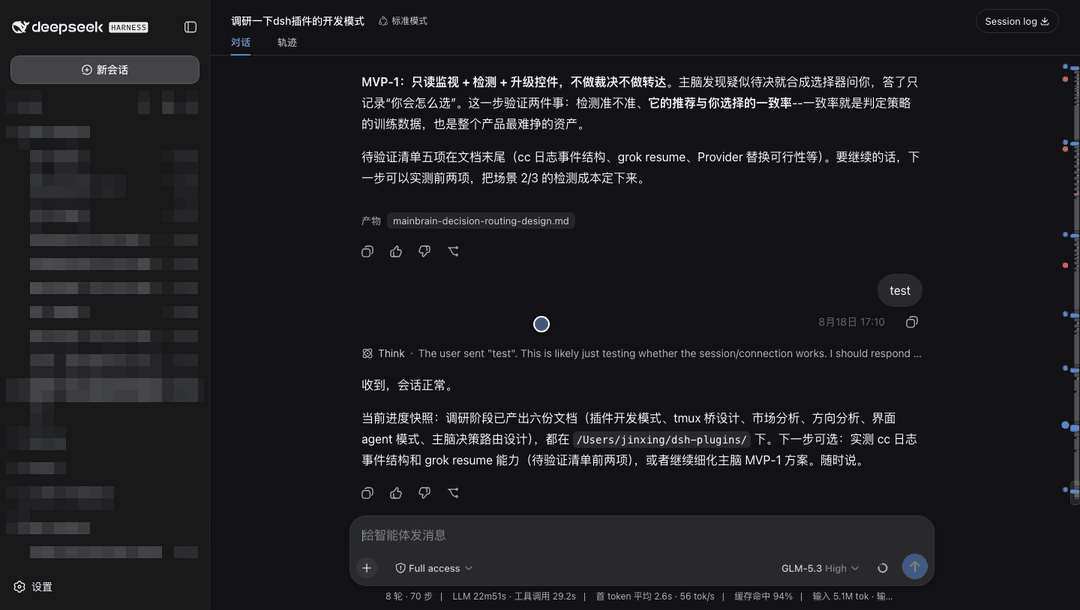 jsdvjx/dsh-strata
Session strata for the DeepSeek Harness Web GUI: the transcript's scrollbar becomes a to-scale, colour-coded map of the …
jsdvjx/dsh-strata
Session strata for the DeepSeek Harness Web GUI: the transcript's scrollbar becomes a to-scale, colour-coded map of the …
-
 Tkingxiao/dsh-any-background
Deepseek Harness 自定义主题插件,支持自定义图片/视频壁纸,对话框,侧边栏等透明度模糊度调整,全局主题色的色轮调整插件
Tkingxiao/dsh-any-background
Deepseek Harness 自定义主题插件,支持自定义图片/视频壁纸,对话框,侧边栏等透明度模糊度调整,全局主题色的色轮调整插件
-
 hellodigua/dsh-share
DSH 对话分享插件,分享单轮或多轮对话,可导出为图片或 Markdown。Share DSH Q&As or selected conversation groups as PNG or Markdown.
hellodigua/dsh-share
DSH 对话分享插件,分享单轮或多轮对话,可导出为图片或 Markdown。Share DSH Q&As or selected conversation groups as PNG or Markdown.
-
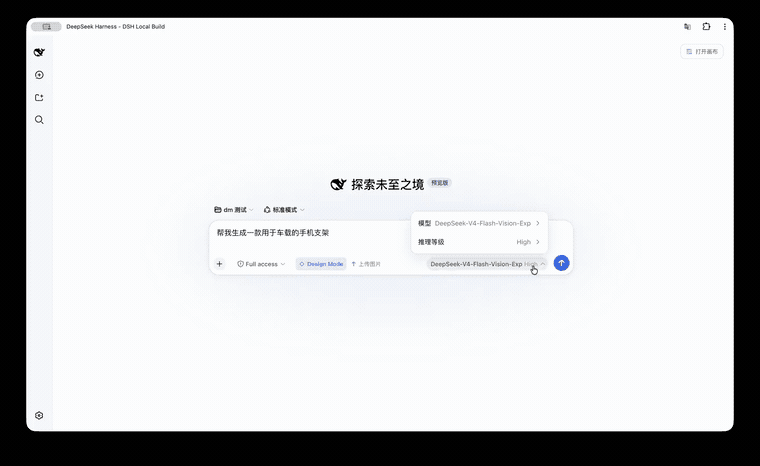 KaichenCurry/dsh-design-mode
Visual execution layer for DeepSeek Harness—guided intent, infinite canvas, contextual image tools, and chat-native comm…
KaichenCurry/dsh-design-mode
Visual execution layer for DeepSeek Harness—guided intent, infinite canvas, contextual image tools, and chat-native comm…
- PerryLink/dsh-talk Voice-first session loop for DeepSeek Harness: a composer microphone button with browser/local speech-to-text (Web Speec…
-
 a903067276-rgb/dsh-file-upload
One upload button plus drag-and-drop files into the conversation as local paths: save to project uploads/, path text int…
a903067276-rgb/dsh-file-upload
One upload button plus drag-and-drop files into the conversation as local paths: save to project uploads/, path text int…
-
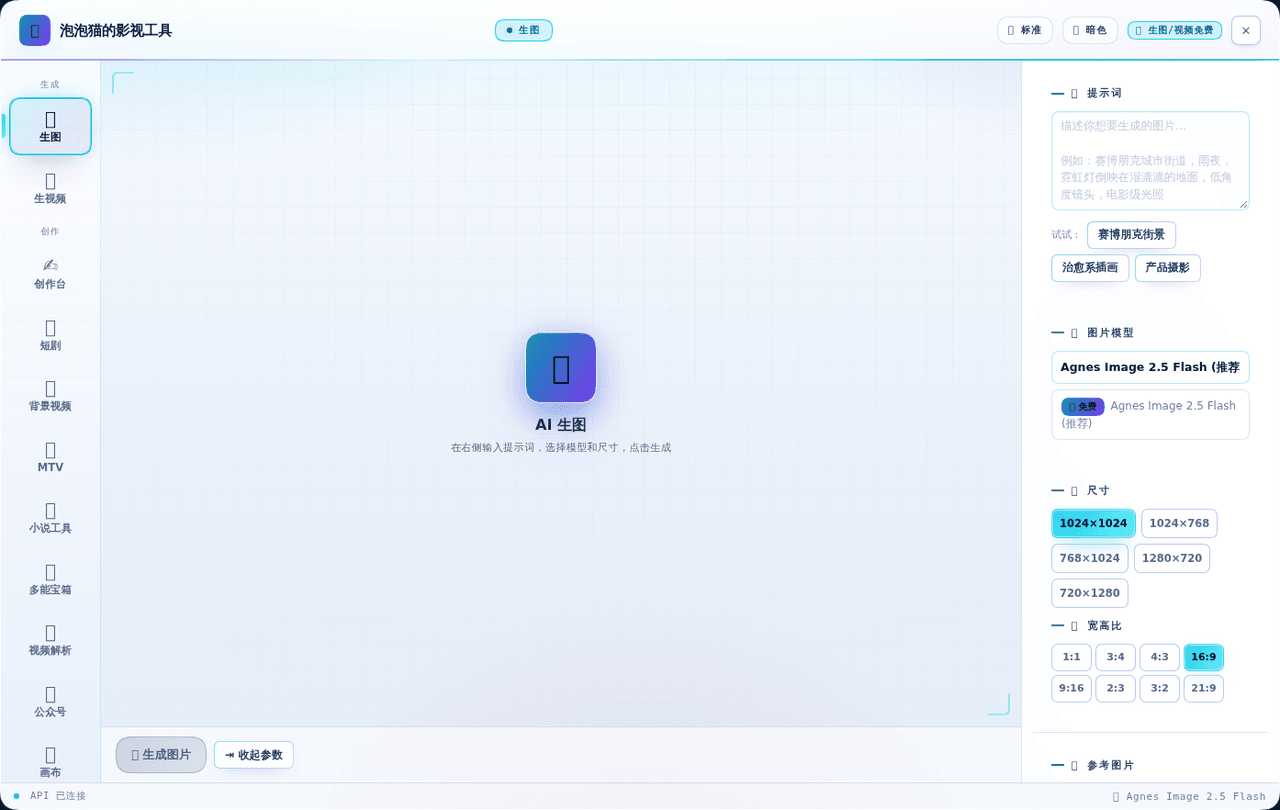 zmm863-commits/dsh-agnes-studio
🎬 泡泡猫的影视工具 — AI 影视创作工作站:文生图、图生图、文生视频、图生视频、短剧剧本拆解与提示词专家。支持 Agnes / DeepSeek / Qwen / 豆包 / MiniMax / Ollama 六大厂商,全局浮层不堵对话…
zmm863-commits/dsh-agnes-studio
🎬 泡泡猫的影视工具 — AI 影视创作工作站:文生图、图生图、文生视频、图生视频、短剧剧本拆解与提示词专家。支持 Agnes / DeepSeek / Qwen / 豆包 / MiniMax / Ollama 六大厂商,全局浮层不堵对话…