EZ118/dsh-ppt-composer
DeepSeek Harness 的 AI PPT 生成助手 Cordis 插件。载入后,直接对话即可生成幻灯片。支持AI自定义幻灯片内容、图表、多媒体、主题和切换效果等。
Project Overview项目介绍
dsh-ppt-composer is a dynamic Cordis plugin built specifically for DeepSeek Harness that turns the chat session into a full PPT authoring workspace. On the host side it stores the presentation per session and registers twelve ppt_* model tools alongside two RPC endpoints (ppt/state and ppt/export), together with a built-in workflow system prompt that steers the model through topic confirmation, multi-page structure, media insertion, and theme application. The client side renders a draggable, resizable floating preview panel inside shell.overlay, with pagination, thumbnails, toast notifications, a full-screen presentation layer, and a session-header toggle button for one-click activation.
A typical run is entirely model-driven: once the user asks for a deck, the assistant confirms the topic, audience, structure, aspect ratio (16:9 or 4:3) and inter-slide transition (fade, slide, zoom, or none), then calls ppt_create to emit a blank layout. The model refines pages with ppt_slide_add, ppt_slide_update, and ppt_slide_remove, reads state with ppt_get, and produces color schemes via ppt_theme_create, ppt_theme_apply, and ppt_theme_update. Slides accept images (URL or data URI), controlled videos, CSS bar charts, inline SVG decor (timeline polylines, flow arrows, geometric ornaments), fade/rise/zoom entrance animations, and a per-page slide.theme override for colors, fonts, and corner radius. Layouts cover cover, title, content, two-column, section, closing, and blank; preview and export share the same 1920×1080 or 1920×1440 fixed canvas for true WYSIWYG output, and ppt_export writes a self-contained HTML file with keyboard navigation, prev/next buttons, and window-adaptive scaling.
Dependencies are intentionally minimal: pure JavaScript plus React.createElement, no build step, shipped as a bundle-manifest Cordis plugin under MIT. Because the registry lives in process memory, DSH restarts require reloading the prebuilt install-payload.json (byte-identical to src/host.js and src/client.js) through cordis_define; regenerate it after editing via npm run make-payload. Static mounting via cordis.patch.yml currently needs manual rewiring of harness.defineTool/registerTool to ctx.tools.register and host.call to the static RPC channel — a static adapter is planned. Sample structure lives in examples/sample-slides.json; external <img> and <video> URLs require network access at view time, while data URIs remain fully offline.
dsh-ppt-composer 是面向 DeepSeek Harness 的 Cordis 动态插件,将 PPT 创作流程搬进对话。Host 端按会话存储演示文稿,并注册 12 个 ppt_* 模型工具与 ppt/state、ppt/export 两个 RPC,配合内置工作流系统提示词,引导模型依次完成主题确认、多页结构、媒体与配色应用。Client 端则在 shell.overlay 中渲染可拖拽、可缩放、可翻页的浮动预览面板与全屏演示层,会话头部还会出现开关按钮。
典型工作流由模型驱动:用户提出制作需求后,AI 依次询问主题、受众、页数、长宽比(16:9 / 4:3)、页间过渡(fade/slide/zoom/none)并生成空白排版,再通过 ppt_slide_add/update/remove 微调、ppt_theme_create/apply/update 套用配色,最后调用 ppt_export 导出独立 HTML。文件支持图片(URL 或 data URI)、带控制条的视频、CSS 柱状图、内联 SVG 装饰(折线时间线、流程图、几何图形)、fade/rise/zoom 入场动画,以及每页独立的 slide.theme 颜色与字体覆盖。预览与导出共用 1920×1080 或 1920×1440 固定画布,所见即所得。该插件适合需要在 DSH 会话中快速迭代演示文稿、又希望拿到可离线分享 HTML 的用户与培训场景。
依赖与限制方面,仓库仅含纯 JavaScript 与 React.createElement,无需构建步骤,发布为 bundle-manifest 包;DSH 重启后需通过仓库预先生成的 install-payload.json 重新执行 cordis_define 恢复插件。静态挂载目前需将 harness.defineTool/registerTool 改为 ctx.tools.register,并将 host.call 桥接至静态 RPC 通道,作者明示后续版本会提供静态适配层。示例结构见 examples/sample-slides.json,外部 <img> / <video> 引用需联网,data URI 则完全离线。项目以 MIT 许可发布。
请帮我安装这个 DSH 插件。安装前先完成【兼容性检查 + 安全性检查】,检查通过再动手。

插件:dsh-ppt-composer(EZ118/dsh-ppt-composer)
仓库:https://github.com/EZ118/dsh-ppt-composer
本站详情页:https://www.yhbd.top/plugins/ez118-dsh-ppt-composer/
本站登记:类型 plugin · 归类 原生 DSH 插件 · 许可证 MIT · ⭐ 2 · 最近提交 2026-08-16 · 主语言 JavaScript

按下面顺序执行,每步先把结论告诉我,再进入下一步:

【1 兼容性检查】
① 我这边:DSH 版本、Node 版本、操作系统、当前 profile(web / desktop)。
② 读它的 README、package.json、插件 manifest,列出它要求的 DSH 版本 / Node 版本 / 操作系统 / 外部依赖 / 需要另外先装的运行时。
③ 逐条比对,结论只写「满足 / 不满足 / 未知」三种;不满足的给出可行替代方案。
④ 检查是否和我已装的插件冲突:命令名重复、skill / tool 重名、端口占用、重复注册的 MCP server。

【2 安全性检查】
① 仓库可信度:和上面「本站登记」是否一致;star / fork 数、创建时间、最近提交,是否归档或长期停更。
② 安装脚本:逐行看 package.json 的 preinstall / install / postinstall,以及 install.sh、setup.ps1 之类脚本。出现 curl|bash、下载后直接执行、混淆代码、访问与插件功能无关的域名,立刻停下来告诉我,不要继续装。
③ 依赖:列出新增依赖,标出无人维护、或与知名包拼写近似的可疑包(typosquatting)。
④ 权限与副作用:它会读写哪些目录、访问哪些域名、需要哪些 DSH 权限(filesystem / network / shell / clipboard 等),以及怎么卸载和回滚。
⑤ 如果它要求 sudo / 管理员权限,或权限明显超出功能所需,先停下来问我。

【3 安装】
上面两步没有「不满足」和「高危项」时才执行;用官方推荐方式安装,不要自行提权。

【4 汇报】
用表格输出:检查项 / 结论 / 依据 / 是否需要我决策。拿不准的一律写「未知」并说明要我怎么确认——不要猜,也不要替我决定。
Send this message to DSH in your current session: it verifies compatibility and security first (answering met / not met / unknown item by item) and only installs once everything checks out — it will stop and ask you if it finds a high-risk item. The box scrolls; the copy is the full prompt. CLI install commands may not be accurate across systems, so DSH is the safer route.把上面这条消息直接发给当前会话里的 DSH:它会先核对兼容性与安全性(逐条给「满足 / 不满足 / 未知」),确认没问题再安装,有高危项会停下来问你。框内可滚动,复制到的是完整提示词;安装命令不一定准确,发给 DSH 更稳。
- Only 2 stars - very few users, little community feedback星标只有 2,几乎没人在用,遇到问题缺少社区反馈
DSH walks through these 9 checksDSH 会逐条核对这 9 项
Compatibility兼容性
- DSH, Node, OS and profile requirementsDSH 版本 / Node 版本 / 操作系统 / profile 是否满足要求
- External dependencies and runtimes (Electron / Python / Docker, ...)外部依赖与运行时(Electron / Python / Docker 等)是否齐备
- Conflicts with installed plugins: command names, skill / tool names, ports, duplicate MCP registration与已装插件是否冲突:命令名、skill / tool 重名、端口占用、重复 MCP 注册
Security安全性
- Repo matches the facts registered here; archived or abandoned?仓库是否与页面登记一致,是否归档或长期停更
- Safety of preinstall / install / postinstall and install.sh / setup.ps1preinstall / install / postinstall 与 install.sh、setup.ps1 是否安全
- curl|bash, download-then-execute, obfuscation, unrelated domains → stop immediatelycurl|bash、下载即执行、混淆代码、无关域名 → 立刻停止
- Typosquatting or unmaintained packages among the new dependencies新增依赖里有没有 typosquatting 或无人维护的包
- Requested permissions vs. what the feature actually needs申请了哪些权限、是否超出功能所需(filesystem / network / shell / clipboard)
- Any sudo / admin requirement, plus uninstall and rollback是否要求 sudo / 管理员权限,以及卸载与回滚方式
Anything uncertain must be marked unknown with a note on how to confirm it. This site's signal screen is a static snapshot, not a security audit.拿不准的必须标「未知」并说明要我怎么确认。本站的信号筛查是静态快照,不能替代安全审计。
Or use CLI install (for developers)或使用命令行安装(适合开发者)
CLI Install命令行安装
dsh plugin --profile web add github:EZ118/dsh-ppt-composer把 EZ118/dsh-ppt-composer 加入你的 DSH 配置(web profile)即可启用。
READMEREADME
dsh-ppt-composer
DeepSeek Harness 的 AI PPT 生成助手 Cordis 插件。在对话中完成 PPT 的创作全流程:内容确认 → 多页结构生成 → 媒体(图片/视频/图表)→ 主题 v2(每页独立配色/字体/SVG 装饰/入场动画)→ 实时浮动预览 → 独立 HTML 导出。
- Host 端:按会话存储 PPT、12 个模型工具(
ppt_*)、ppt/state/ppt/exportRPC、独立 HTML 导出器、工作流系统提示词。 - Client 端:
shell.overlay中的可拖拽浮动预览面板(可调大小、翻页、缩略图、导出、toast 提示)、全屏演示层、会话头部开关按钮。
功能特性
| 能力 | 说明 |
|---|---|
| 对话式生成 | AI 主动询问主题/受众/结构 → 确认后拆解为多页 → 确认内容 → 询问配色 → 套用 → 导出 |
| 长宽比与过渡 | 16:9 / 4:3;页间过渡 fade / slide / zoom / none |
| 媒体支持 | image(URL / data URI)、video(控制条播放)、chart(CSS 柱状图,导出自包含) |
| 主题 v2 | 文档主题(配色/双字体/圆角)+ 每页局部主题覆盖(slide.theme),各页可不同配色/字体 |
| SVG 装饰 | slide.decor 内联 SVG(折线时间线箭头、流程图步骤、几何装饰),viewBox 0 0 1920 1080/1440 铺满整页、位于内容下层 |
| 入场动画 | slide.entrance:fade / rise / zoom / none,标题与正文分段错峰 |
| 页面对齐 | slide.align:center / top(带 decor 的复杂模板页默认 top,标题固定在顶部不与装饰重叠) |
| 实时预览 | 固定逻辑画布(1920×1080 / 1920×1440)transform: scale 缩放居中;可拖拽、右下角调整大小、翻页、缩略图跳转、导出 |
| HTML 导出 | 与预览同画布的自包含 HTML:键盘翻页、翻页按钮组、窗口自适应缩放、主题/装饰/动画一致 |
目录结构
dsh-ppt-composer/
├── package.json            # dsh 插件包元数据(exports、dsh 字段、Cordis peer 依赖)
├── README.md
├── LICENSE                 # MIT
├── .gitignore
├── src/
│   ├── host.js             # Host 插件体(权威源码,即 code.host 原文)
│   ├── client.js           # Client 插件体(权威源码,即 code.client 原文)
│   └── index.js            # 入口:读取两份源码并以字符串导出,供 cordis_define 使用
└── examples/
    ├── sample-slides.json  # 示例幻灯片结构(含时间线 decor 与每页主题)
    └── demo/               # 测试导出的 HTML(gitignore,可再生成)
安装与加载
本仓库以 动态 Cordis 插件 形式分发:src/host.js 与 src/client.js 就是
cordis_define 所需的 code.host / code.client 原文(已验证可运行),单一事实来源。
方式一:动态加载(推荐,开箱即用)
在 DSH 会话中让模型执行 cordis_define:
import { definePayload } from './src/index.js'   // 或直接读取 src/host.js / src/client.js

definePayload()
// => { code: { host: <src/host.js 内容>, client: <src/client.js 内容> } }
把 definePayload() 的返回传给 cordis_define({ plugin: { kind: 'new', idPrefix: 'pptco' }, …, code }),
随后 cordis_run 激活并批准运行。激活后当前会话即可使用全部 ppt_* 工具与预览面板。
重装(DSH 重启后): 动态插件注册表是进程内内存,重启即失。仓库已预生成
install-payload.json(cordis_define的完整载荷,含code.host/code.client原文, 与src/字节级一致)。重装时读取该文件、把plugin/name/purpose/code原样传入cordis_define即可,无需转写源码。修改过src/之后,重新生成载荷:
Showing the opening section of the README — the full document lives in the repository以上为 README 开头摘要,完整文档在仓库内 · View the full README on GitHub →在 GitHub 查看完整 README →
Related相关推荐
-
 ZSeven-W/dsh-openpencil
The DeepSeek Harness plugin for OpenPencil — preview, inspect, and edit real .op documents inside a conversation.
ZSeven-W/dsh-openpencil
The DeepSeek Harness plugin for OpenPencil — preview, inspect, and edit real .op documents inside a conversation.
-
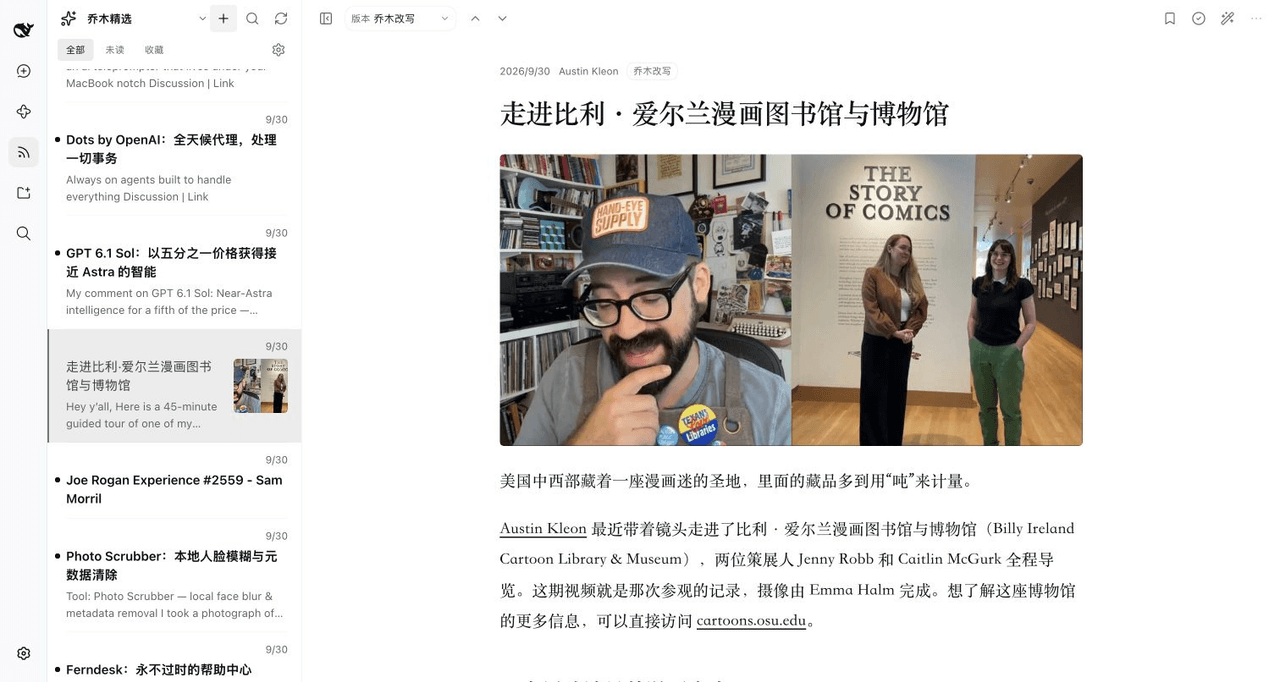 joeseesun/qiaomu-rss-dsh
在 DeepSeek Harness 中阅读 RSS,与原生 AI 对话伴读文章 | RSS reading with native AI companion for DeepSeek Harness
joeseesun/qiaomu-rss-dsh
在 DeepSeek Harness 中阅读 RSS,与原生 AI 对话伴读文章 | RSS reading with native AI companion for DeepSeek Harness
-
 LAU-MARS/dsh-cad
deepseek harness 2D and 3D CAD plugin
LAU-MARS/dsh-cad
deepseek harness 2D and 3D CAD plugin
- PerryLink/dsh-translate Vendor parameter translation and deterministic JSON repair for DeepSeek Harness: /translate maps temperature/top_p/max_t…
-
 penguin-oo/dsh-bookmarks
Bookmark assistant replies in DeepSeek Harness: per-message bookmarks with notes/tags, a cross-session center, and one-c…
penguin-oo/dsh-bookmarks
Bookmark assistant replies in DeepSeek Harness: per-message bookmarks with notes/tags, a cross-session center, and one-c…
-
 Tianbuyu-wwx/DSH-FormatForge
FormatForge — DeepSeek Harness plugin: drag any file (PDF/DOCX/XLSX/EML…, 30+ formats) into dsh and it becomes AI-readab…
Tianbuyu-wwx/DSH-FormatForge
FormatForge — DeepSeek Harness plugin: drag any file (PDF/DOCX/XLSX/EML…, 30+ formats) into dsh and it becomes AI-readab…
- Tkingxiao/dsh-novel-solo DeepSeek Harness 的「单核写作」插件:面向量化小模型做了充分的工具瘦身与输出加固,适合在本机用本地模型跑长篇小说流水线。
-
 tylina/dsh-tylina
Edit typeset Typst documents inside DeepSeek Harness. Share a workspace with your agent, from first draft to finished PD…
tylina/dsh-tylina
Edit typeset Typst documents inside DeepSeek Harness. Share a workspace with your agent, from first draft to finished PD…