feibi-mochi/deepseek-harness-control-center
DeepSeek Harness提供账户监控、用量统计、完成提醒、官方充值、灵活布局及智能代理辅助的会话控制功能。
Project Overview项目介绍
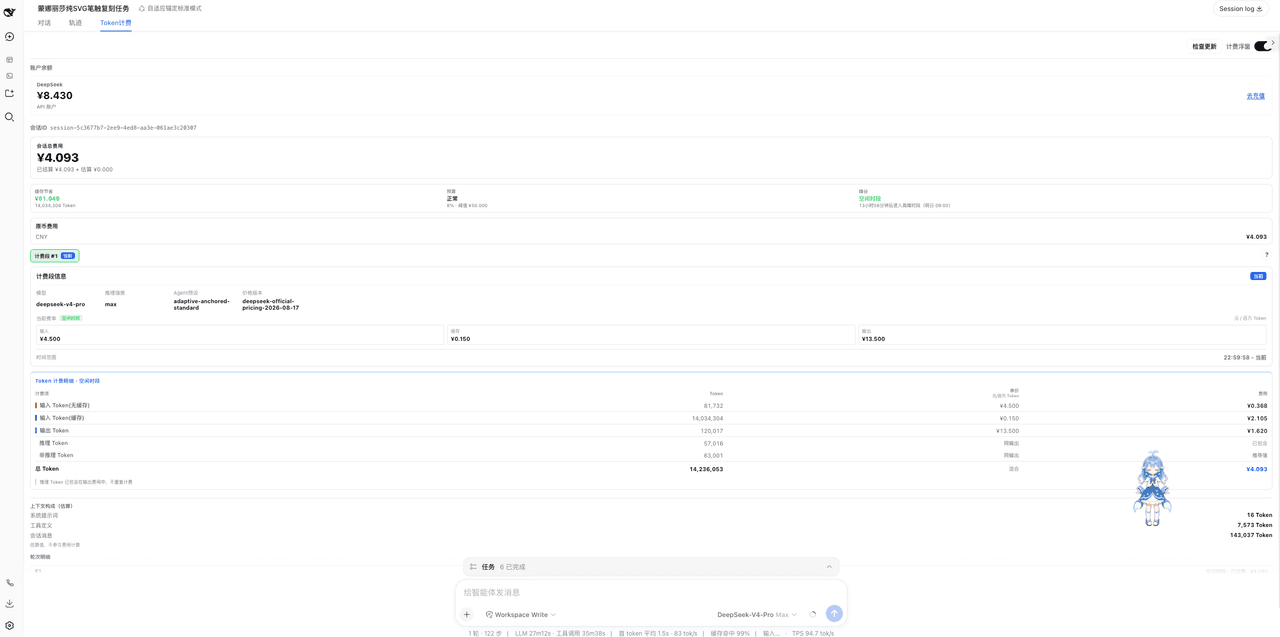
This is a native plugin built exclusively for DeepSeek Harness that adds a sidebar control center for account monitoring, cost tracking, and model-aware UI routing. It pulls live balance data from official DeepSeek APIs, refreshes every 60 seconds with retries on fast boot, and calculates estimated per-session costs based on current official peak/off-peak pricing. It also supports Z.ai Coding Plan quota monitoring and allows users to set custom time-of-use pricing rules for third-party LLM providers. The plugin automatically syncs the latest official pricing from DeepSeek's website to keep cost estimates up to date.
This plugin is intended for frequent DeepSeek API users who want to keep track of their spending, remaining balance, and quota limits without leaving the DSH interface. After installation, it appears as a persistent sidebar widget that shows your current account balance, the estimated cost of your active session, and a clock indicator that tells you if you are currently in a peak pricing window for DeepSeek V4 models. You can click the recharge link to go directly to DeepSeek's official recharge page, which is hardcoded to prevent phishing attacks. It also maintains a 365-day local usage ledger that shows your historical token usage without storing any sensitive prompt or response data.
The plugin is released under the permissive MIT license, so it is free to use, modify, and distribute. All sensitive data like API keys are stored encrypted locally on your device: Windows uses DPAPI, other platforms use AES-GCM, and backup copies are kept automatically in case of file corruption. It is limited to storing a maximum of 20,000 usage events over 365 days, and it does not store any prompts, responses, or plaintext credentials to protect user privacy. Cost estimates are calculated locally, so they should be treated as approximations, with official DeepSeek balance and billing being the authoritative source.
这是专为 DeepSeek Harness 开发的原生插件,提供账户余额监控、会话逐次成本追踪、模型定价适配和官方充值入口集成功能。它支持官方 DeepSeek 账户余额实时刷新和 Z.ai 编码计划配额监控,也允许用户为第三方模型自定义分时定价规则,实时显示当前会话的各类 token 使用量和估算成本。插件会自动同步官方最新定价表,适配 DeepSeek V4 的峰谷定价规则,保证本地成本计算符合官方最新标准。
插件面向深度使用 DeepSeek API 进行开发的用户,帮助他们随时掌握账户余额、当前会话成本和配额剩余情况,避免超额使用带来的意外费用。用户打开 DSH 后即可在侧边栏看到余额和当前会话成本信息,点击充值按钮可直接跳转到官方充值页面完成充值,无需额外操作。它还会在侧边栏显示当前是否处于峰价时段,方便用户选择错峰使用降低成本。
本插件采用 MIT 许可开源免费使用,所有用户数据和使用记录都存储在本地,不会上传任何内容到第三方服务器,API 密钥也以加密形式保存。最多支持保存 365 天共 20000 条使用记录,不存储提示、响应或 API 密钥明文,保障用户隐私安全。成本计算为本地估算,最终以官方账单和账户余额为准,不保证完全与官方计费一致。
请帮我安装这个 DSH 插件。安装前先完成【兼容性检查 + 安全性检查】,检查通过再动手。

插件:deepseek-harness-control-center(feibi-mochi/deepseek-harness-control-center)
仓库:https://github.com/feibi-mochi/deepseek-harness-control-center
本站详情页:https://www.yhbd.top/plugins/feibi-mochi-deepseek-harness-control-center/
本站登记:类型 plugin · 归类 原生 DSH 插件 · 许可证 MIT · ⭐ 72 · 最近提交 2026-09-09 · 主语言 JavaScript

按下面顺序执行,每步先把结论告诉我,再进入下一步:

【1 兼容性检查】
① 我这边:DSH 版本、Node 版本、操作系统、当前 profile(web / desktop)。
② 读它的 README、package.json、插件 manifest,列出它要求的 DSH 版本 / Node 版本 / 操作系统 / 外部依赖 / 需要另外先装的运行时。
③ 逐条比对,结论只写「满足 / 不满足 / 未知」三种;不满足的给出可行替代方案。
④ 检查是否和我已装的插件冲突:命令名重复、skill / tool 重名、端口占用、重复注册的 MCP server。

【2 安全性检查】
① 仓库可信度:和上面「本站登记」是否一致;star / fork 数、创建时间、最近提交,是否归档或长期停更。
② 安装脚本:逐行看 package.json 的 preinstall / install / postinstall,以及 install.sh、setup.ps1 之类脚本。出现 curl|bash、下载后直接执行、混淆代码、访问与插件功能无关的域名,立刻停下来告诉我,不要继续装。
③ 依赖:列出新增依赖,标出无人维护、或与知名包拼写近似的可疑包(typosquatting)。
④ 权限与副作用:它会读写哪些目录、访问哪些域名、需要哪些 DSH 权限(filesystem / network / shell / clipboard 等),以及怎么卸载和回滚。
⑤ 如果它要求 sudo / 管理员权限,或权限明显超出功能所需,先停下来问我。

【3 安装】
上面两步没有「不满足」和「高危项」时才执行;用官方推荐方式安装,不要自行提权。

【4 汇报】
用表格输出:检查项 / 结论 / 依据 / 是否需要我决策。拿不准的一律写「未知」并说明要我怎么确认——不要猜,也不要替我决定。
Send this message to DSH in your current session: it verifies compatibility and security first (answering met / not met / unknown item by item) and only installs once everything checks out — it will stop and ask you if it finds a high-risk item. The box scrolls; the copy is the full prompt. CLI install commands may not be accurate across systems, so DSH is the safer route.把上面这条消息直接发给当前会话里的 DSH:它会先核对兼容性与安全性(逐条给「满足 / 不满足 / 未知」),确认没问题再安装,有高危项会停下来问你。框内可滚动,复制到的是完整提示词;安装命令不一定准确,发给 DSH 更稳。
- This site's static screen found no obvious risk signal (stars, license, activity, manifest)本站静态筛查没发现明显风险信号(星标、许可证、更新活跃度、清单完整度)
DSH walks through these 9 checksDSH 会逐条核对这 9 项
Compatibility兼容性
- DSH, Node, OS and profile requirementsDSH 版本 / Node 版本 / 操作系统 / profile 是否满足要求
- External dependencies and runtimes (Electron / Python / Docker, ...)外部依赖与运行时(Electron / Python / Docker 等)是否齐备
- Conflicts with installed plugins: command names, skill / tool names, ports, duplicate MCP registration与已装插件是否冲突:命令名、skill / tool 重名、端口占用、重复 MCP 注册
Security安全性
- Repo matches the facts registered here; archived or abandoned?仓库是否与页面登记一致,是否归档或长期停更
- Safety of preinstall / install / postinstall and install.sh / setup.ps1preinstall / install / postinstall 与 install.sh、setup.ps1 是否安全
- curl|bash, download-then-execute, obfuscation, unrelated domains → stop immediatelycurl|bash、下载即执行、混淆代码、无关域名 → 立刻停止
- Typosquatting or unmaintained packages among the new dependencies新增依赖里有没有 typosquatting 或无人维护的包
- Requested permissions vs. what the feature actually needs申请了哪些权限、是否超出功能所需(filesystem / network / shell / clipboard)
- Any sudo / admin requirement, plus uninstall and rollback是否要求 sudo / 管理员权限,以及卸载与回滚方式
Anything uncertain must be marked unknown with a note on how to confirm it. This site's signal screen is a static snapshot, not a security audit.拿不准的必须标「未知」并说明要我怎么确认。本站的信号筛查是静态快照,不能替代安全审计。
Or use CLI install (for developers)或使用命令行安装(适合开发者)
CLI Install命令行安装
dsh plugin --profile web add deepseek-harness-wallet把 feibi-mochi/deepseek-harness-control-center 加入你的 DSH 配置(web profile)即可启用。
READMEREADME
DeepSeek Harness Control Center




DeepSeek Harness monitoring, alerts, recharge, and session control center.
Balance ¥5.89 · Session ¥0.72 · Official 18.8M | Third-party 800K · ↗ Recharge
English · 简体中文 · Install · Compatibility · Changelog
A local-first companion that keeps account status, per-conversation usage, completion reminders, official recharge, flexible layout, and host-gated session controls beside the DSH composer.
Version: v0.3.13.
If DeepSeek Harness Control Center helps you, please consider leaving a ⭐ Star. Thank you!
What it does
The wallet UI is currently primarily Chinese and does not yet follow the host language setting (#32). DeepSeek balances come from the official API; cost accounting is a local estimate.
余额 ¥5.89 · 本场 ¥0.72 · 官 18.8M | 三方 800K · ↗充
- Official DeepSeek — live balance (60s global refresh with fast boot retries), an estimated current-session cost (not an official bill) locked to the price active for each usage event, including the 2026-08-17 peak/off-peak rollout, and token breakdown.
- Vision model accounting —
deepseek-v4-flash-vision-expis priced like V4 Flash; image tokens reported by the Harness are included with text tokens. - v4 peak/off-peak ring clock — a resident 24-hour sidebar footer widget for
v4-flash,v4-pro, andv4-flash-vision-exp. Weekday peak windows are 09:00–12:00 and 14:00–18:00 Beijing time. After Friday 18:00 the card previews “weekend all-day off-peak”; Saturday and Sunday name the current all-day off-peak rule; Monday before 09:00 shows the time remaining to enter peak. Optional notifications treat Friday 18:00 through Monday 09:00 as one continuous off-peak period. - Official pricing sync — periodically checks the official DeepSeek pricing page and applies only a fully validated table. Network failures retain the last validated rule (or the built-in rule before the first successful sync); an unrecognized page structure is marked for review instead of silently changing billing.
- Z.ai Coding Plan quotas — a generic official-plan adapter monitors configured Global and China plans without exposing credentials. It separates the 5-hour model-token window from monthly MCP-tool usage, leads with quota remaining from 100% down while keeping usage as secondary context, retains the last successful snapshot on failure, and never converts subscription quota into CNY balance.
- Provider-aware composer surfaces — the chip and sidebar clock follow the session's selected provider/model. Z.ai—including transparent
vision-toolkit-variants—replaces DeepSeek balance, recharge, and peak pricing with plan-window summaries; unrelated providers show only their own session tokens, and DeepSeek V4 restores the wallet and peak clock. - Local usage ledger (up to 365 days / 20,000 events) — Wallet settings keeps the heatmap visible, while compact wallet panels keep it collapsible. Stable request identities are deduplicated, official cost is locked at usage time, official and third-party data stay separate, and prompts or responses are never stored. Collection begins after upgrading to v0.3.2; older aggregate counters have no trustworthy dates and are not backfilled.
- Third-party total — current-session tokens (input / cache read / output) remain available with zero configuration.
- Custom third-party pricing — enter an exact Provider/model route, currency, and base per-million input/cache-read/cache-write/output rates, then optionally add multiple IANA-timezone, weekday, and cross-midnight pricing windows. Current-session and 365-day ledger costs are recalculated locally by occurrence time and clearly labeled as user-defined estimates, never as provider balances or invoices.
- Provider classification — observed wrapper routes appear in the settings page; opted-in routes join the official token/cost bucket for subsequent calls and are priced with the official table. Existing history is not retroactively reclassified.
- Click the chip to open the detail panel: correctly formatted per-currency balances, cost and token splits, a freely editable low-balance threshold for the active account and currency (two decimals, persisted per account; alerts never mix currencies), manual refresh, and a jump to the official recharge page (first click shows the domain for confirmation — anti-phishing).
- Move, dock, and scale — drag the chip freely, preview nearby snap targets, use compact horizontal or vertical layouts, adjust its scale from the control panel, and show official or third-party data independently. The peak clock background can be explicitly set to transparent (solid on hover) or solid; there is no automatic mode. The choices are remembered locally.
- Composer-label controls and skin compatibility — independently show/hide the composer label or reduce it to the primary remaining value (DeepSeek balance, Z.ai five-hour quota) without disabling reminders, settings, plan monitoring, or history. The standard chip also resists broad skin button rules and aligns with maid-atelier's 38px navy-and-gold composer toolbar.
- Floating window mode — detach the detail panel into a draggable window with a remembered position, or minimize it directly to a freely movable dot; the dot turns red below the threshold.
- Completion reminders — optionally notify when a conversation finishes, with persistent or timed modes, queueing and deduplication for simultaneous completions, cross-tab coordination, and an in-page fallback when system notifications are unavailable.
- Low-balance alert — below the threshold the chip turns red with a breathing animation and fires one desktop notification; it resets automatically once the balance recovers.
- Theme-native UI — uses DSH
--dsw-alias-*variables with safe fallback colors, so light and dark themes both render correctly; the panel closes when you click outside and flips open-direction near screen edges. - Clear current-session wallet data — one button clears only the open conversation's token/cost records; it does not delete the conversation, and every other conversation is untouched. Historical ledger clearing is a separate action.
Showing the opening section of the README — the full document lives in the repository以上为 README 开头摘要,完整文档在仓库内 · View the full README on GitHub →在 GitHub 查看完整 README →
Related相关推荐
- hhb1028/dsh-retry-boost 让 DeepSeek Harness 自动重试商汤 429/QUOTA 等瞬时网关故障直到任务完成——启动时给所有 llm-pi-ai provider 热注入加固版 retryPolicy。
-
 uruana33/dsh-cost-meter
Provider-aware LLM cost meter and local ledger for DeepSeek Harness
uruana33/dsh-cost-meter
Provider-aware LLM cost meter and local ledger for DeepSeek Harness
- yjh051108/dsh-routing-suite dsh-routing-suite — injector + router-standard kit: install the runtime injector first, then the task-aware reasoning-mo…
-
 jingyunstudio/jingyun-dsh
基于 Jingyun Studio + DeepSeek Harness (DSH) 打造的一站式 AI 商业化桌面客户端,一个将 AI 智能体 / 技能 / 工作流转化为可交易商品的完整商业化平台客户端。 井云为 DSH 注入了完整的商…
jingyunstudio/jingyun-dsh
基于 Jingyun Studio + DeepSeek Harness (DSH) 打造的一站式 AI 商业化桌面客户端,一个将 AI 智能体 / 技能 / 工作流转化为可交易商品的完整商业化平台客户端。 井云为 DSH 注入了完整的商…
-
 yjh051108/dsh-super-injector
推荐组件(非必须):DeepSeek Harness 运行时注入器;已随 dsh-routing-suite 单仓库化保留,本仓库继续维护/发布。
yjh051108/dsh-super-injector
推荐组件(非必须):DeepSeek Harness 运行时注入器;已随 dsh-routing-suite 单仓库化保留,本仓库继续维护/发布。
-
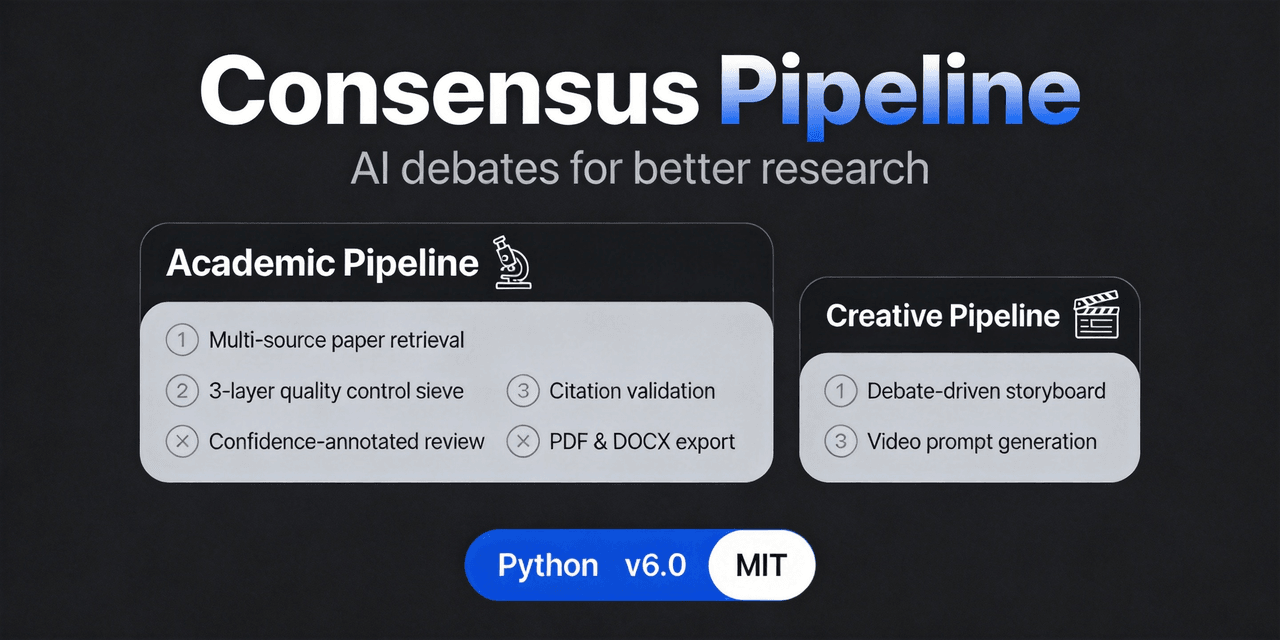 fangqian616/consensus-pipeline
Multi-agent department framework for long-form complex tasks, fighting AI hallucination, validated on academic research.…
fangqian616/consensus-pipeline
Multi-agent department framework for long-form complex tasks, fighting AI hallucination, validated on academic research.…
-
 WestFox-AwA/dsh-prompt-optimizer
DSH 插件 · 注入式优化器 0.7(主线):你照常说话,它在你发送后,AI接收前把"这一轮到底要什么"理清楚,再把这份理解交给工作 AI(上下文注入) —— 原话不改写,条条带逐字依据。含控制界面(档位/权限/模型/上下文/只读工具)、…
WestFox-AwA/dsh-prompt-optimizer
DSH 插件 · 注入式优化器 0.7(主线):你照常说话,它在你发送后,AI接收前把"这一轮到底要什么"理清楚,再把这份理解交给工作 AI(上下文注入) —— 原话不改写,条条带逐字依据。含控制界面(档位/权限/模型/上下文/只读工具)、…
-
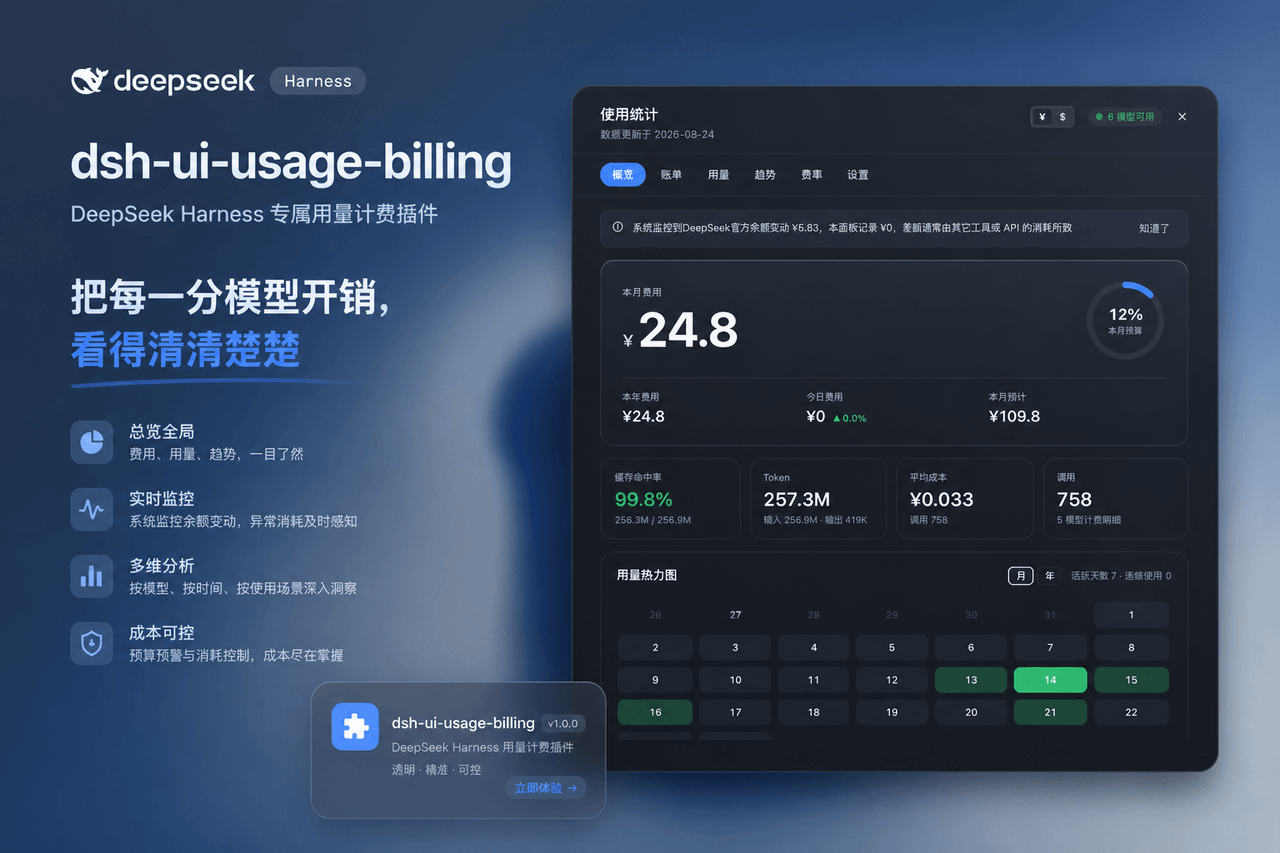 kenz1117/dsh-ui-usage-billing
Usage billing dashboard plugin for DeepSeek Harness: sidebar cost metrics, real usage aggregation from session logs, cur…
kenz1117/dsh-ui-usage-billing
Usage billing dashboard plugin for DeepSeek Harness: sidebar cost metrics, real usage aggregation from session logs, cur…