fufengyuan/dsh-stool-plugin
DSH 运维工具箱插件。将 stool 运维 CLI 的全部能力注册为 DSH 模型可调用的工具,无需手动操作即可让 Agent 自动执行服务器管理、日志搜索、数据库查询、CI/CD 部署等操作。
Project Overview项目介绍
dsh-stool-plugin is a DSH operations toolbox plugin that registers all stool CLI capabilities as model-callable tools, covering 9 operation areas: server, database, logs, CI/CD, MFA, Git, notes, and todos, enabling the Agent to automatically perform ops tasks without manual intervention. Use it when you want DSH to directly handle routine operations and release workflows. Note: the host must have the stool CLI pre-installed and accessible to the DSH web process.
dsh-stool-plugin 是 DSH 的运维工具箱插件,把 stool CLI 的全部能力注册为模型可调用的工具,覆盖服务器、数据库、日志、CI/CD、MFA、Git、笔记、待办等 9 类操作,让 Agent 无需手动介入即可自动执行运维任务。适用于需要让 DSH 直接处理日常运维与发布流程的场景。前提是宿主机需预先安装 stool CLI,并保证 DSH web 进程能定位到该可执行文件。
请帮我了解并安装插件:【dsh-stool-plugin】【https://github.com/fufengyuan/dsh-stool-plugin】Send this message to DSH in your current session. CLI install commands may not be accurate across systems — DSH will figure it out for you.把上面这条消息直接发给当前会话里的 DSH,让它帮你了解并安装。安装命令不一定准确,发给 DSH 更稳。
Or use CLI install (for developers)或使用命令行安装(适合开发者)
CLI Install命令行安装
dsh plugin --profile web add github:fufengyuan/dsh-stool-plugin把 fufengyuan/dsh-stool-plugin 加入你的 DSH 配置(web profile)即可启用。
READMEREADME
dsh-stool-plugin
DSH 运维工具箱插件。将 stool 运维 CLI 的全部能力注册为 DSH 模型可调用的工具,无需手动操作即可让 Agent 自动执行服务器管理、日志搜索、数据库查询、CI/CD 部署等操作。
安装
dsh plugin --profile web add github:fufengyuan/dsh-stool-plugin

然后重启 dsh web:

```bash
launchctl kickstart -k gui/501/com.duormi.dsh-web
提供的工具
| 工具 | 操作 | 说明 |
|---|---|---|
stool_server |
list / exec / health / diagnose / read / ls / java-ps | 服务器管理 |
stool_db |
list / query / redis | 数据库管理 |
stool_log |
list / search / tail | 日志搜索与查看 |
stool_cicd |
list / deploy / history | CI/CD 部署管理 |
stool_mfa |
list / code | 双因子认证码 |
stool_git |
status / log / branches / pull / push | Git 仓库操作 |
stool_note |
list / add / search | 笔记管理 |
stool_todo |
list / add / complete / stats | 待办任务 |
stool_misc |
accounting / weekly / audit / project / nginx | 其他工具 |
设置页
设置 → 插件 → 🧰 Stool 运维工具箱 卡片会自动检测本机是否已安装 stool:
- 已安装:显示可执行文件路径与
stool version版本号,不再展示下载引导; - 未安装:显示 SuperTool 仓库链接与下载说明;
- 取不到结果(接口不可用等):标记为「状态未知」并保守保留下载引导。
检测由 Host 侧完成(浏览器不能起进程),卡片通过只读接口 GET /stool/status 获取结果:仅应答同源回环请求,返回 { installed, path, version, checkedAt },结果缓存 30 秒,?refresh=1 强制重新探测。卡片折叠时头部也有状态角标,收起再展开即触发一次重新检测。
目录结构
dsh-stool-plugin/
├── package.json          # 包配置
├── cordis.patch.yml      # Cordis 插件注册行
├── .gitignore
├── README.md
├── lib/
│   ├── index.js          # Host 端:9 个工具注册 + stool 探测接口 /stool/status
│   └── client.js         # Client 端:设置页面卡片(自动检测 stool)
└── node_modules/
    └── @deepseek-ai/
        └── dsh-tools     # peerDependency 符号链接
依赖
@deepseek-ai/cordis^4.0.1(peer)@deepseek-ai/dsh-tools^0.1.0-rc.6(peer)stoolCLI(需在宿主机上安装;除 PATH 外还会扫/usr/local/bin、/opt/homebrew/bin、~/.local/bin等常见目录,因为 launchd 拉起的 dsh web 进程 PATH 往往不全)
从源码构建
cd ~/.dsh/plugin-src/dsh-stool-plugin
npm install                 # 安装 peerDependencies
# 或
ln -sf /path/to/dsh-tools  node_modules/@deepseek-ai/dsh-tools
License
MIT
Related相关推荐
-
 omdsh-dev/dsh-genui
GenUI for DeepSeek Harness: interactive UI components rendered inline in assistant replies via the dsh-ui fence — layout…
omdsh-dev/dsh-genui
GenUI for DeepSeek Harness: interactive UI components rendered inline in assistant replies via the dsh-ui fence — layout…
- antibrow/dsh-antibrow DeepSeek Harness plugin: give your agent a browser with a persistent identity - engine-level fingerprint spoofing, unlim…
-
 csyangwen/dsh-memory-evolve
为 DeepSeek Harness 带来「跨会话长期记忆 + 后台自我进化」能力的纯插件实现:五轨记忆 · git 分支感知 · 回合内自我审查 · 技能自我进化与技能管理器 · 四轨待办 · COI 调度 · 会话广播 · 会话搜索 ·…
csyangwen/dsh-memory-evolve
为 DeepSeek Harness 带来「跨会话长期记忆 + 后台自我进化」能力的纯插件实现:五轨记忆 · git 分支感知 · 回合内自我审查 · 技能自我进化与技能管理器 · 四轨待办 · COI 调度 · 会话广播 · 会话搜索 ·…
-
 Nagi-ovo/dsh-find-plugins
帮 DSH 搜索、安装并验证插件的 Skill|A DSH skill that finds, installs, and verifies GitHub plugins
Nagi-ovo/dsh-find-plugins
帮 DSH 搜索、安装并验证插件的 Skill|A DSH skill that finds, installs, and verifies GitHub plugins
-
 yyyyukari/dsh-plugin-workshop
Steam Workshop-style plugin browser for the DeepSeek Harness (DSH) Web UI - zero-server: GitHub-powered search, trending…
yyyyukari/dsh-plugin-workshop
Steam Workshop-style plugin browser for the DeepSeek Harness (DSH) Web UI - zero-server: GitHub-powered search, trending…
-
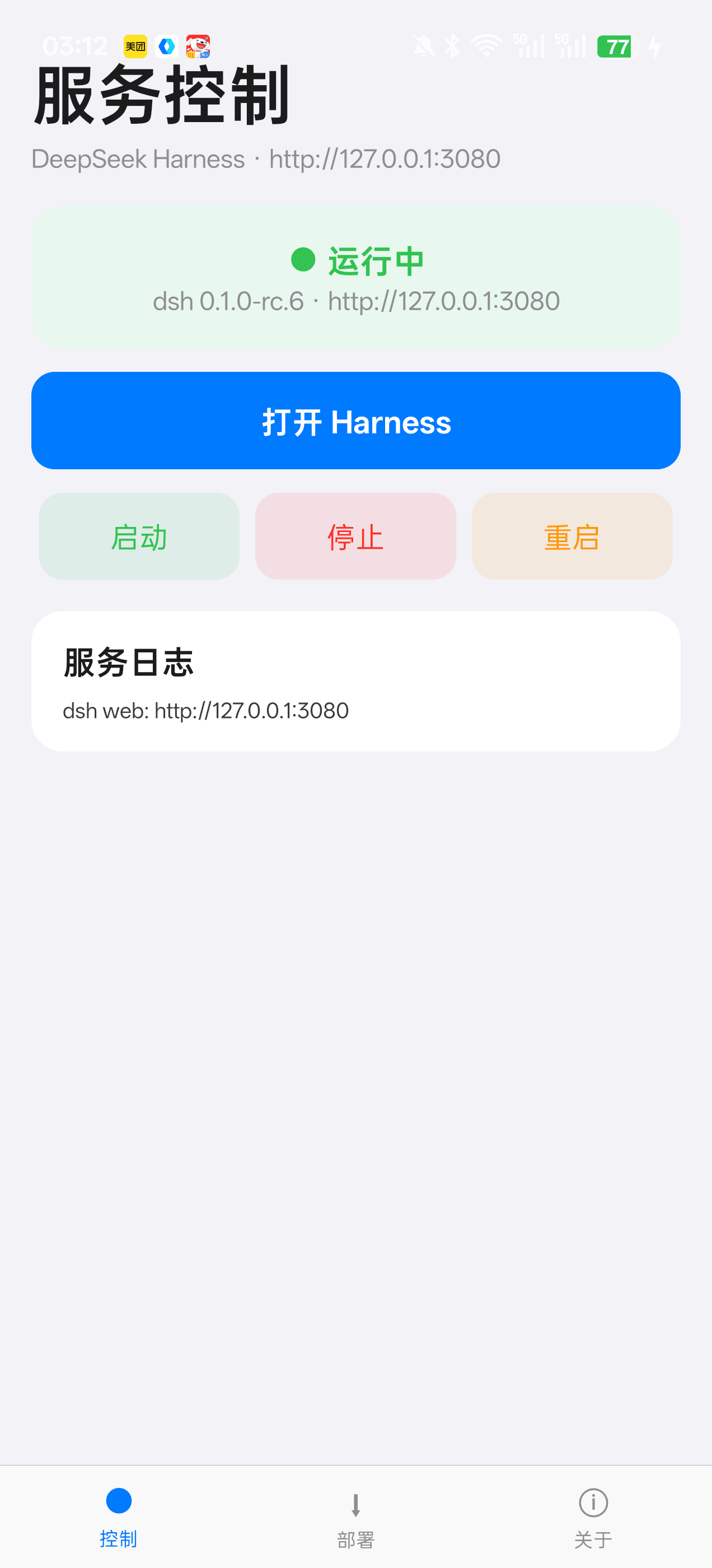 Jensen-Yao/deepseek-harness-android-app
DeepSeek Harness 安卓通用控制端:Termux 引导、一键部署、内置浏览器与存储管理(dsh-plugin 生态)
Jensen-Yao/deepseek-harness-android-app
DeepSeek Harness 安卓通用控制端:Termux 引导、一键部署、内置浏览器与存储管理(dsh-plugin 生态)
-
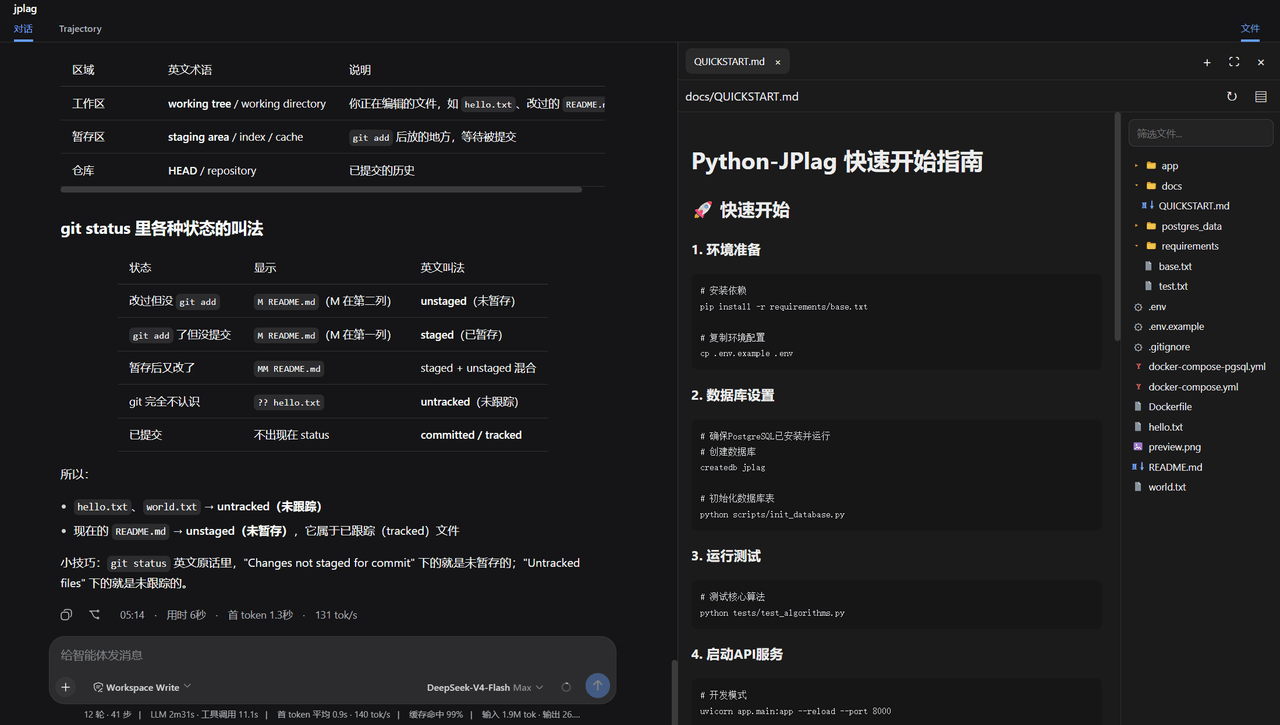 ccq1/dsh-side-panel
DSH 侧边栏,集成文件浏览器、终端和 Git 审查,方便预览文件。
ccq1/dsh-side-panel
DSH 侧边栏,集成文件浏览器、终端和 Git 审查,方便预览文件。
-
 PerryLink/dsh-composer-history
Terminal-style input history for the DeepSeek Harness web composer: edge-first arrows with exact draft/caret restore, br…
PerryLink/dsh-composer-history
Terminal-style input history for the DeepSeek Harness web composer: edge-first arrows with exact draft/caret restore, br…