zoahdev/dsh-plugin-template
用于DeepSeek Harness插件的最小化、已验证模板:包含包清单、一个工具、运行时对等守护、测试以及真正调用该工具的CI(dsh 0.1.0-rc.6)。
Project Overview项目介绍
This repository is a community-created starter template for building native DeepSeek Harness (DSH) plugins. It is designed specifically for DSH, includes a valid DSH bundle manifest, and comes with everything developers need to get started writing a custom plugin. The template includes a complete project skeleton, pre-written unit and integration tests, and a pre-configured GitHub Actions CI workflow that validates the plugin works end-to-end. To start using the template, developers clone it to their local machine, install dependencies with pnpm install, run the built-in unit tests to confirm a working setup, and follow the rename checklist to customize it for their new plugin.
After customization, developers package the plugin with pnpm pack, add it to their local DSH profile using the dsh plugin add command, and start the DSH web service on port 4099 to test the sample hello tool included in the template. Before releasing the plugin, developers can run the community dsh-plugin-doctor tool, which checks for common issues like invalid manifest, incorrect build output, and compatibility with fresh DSH profiles. The tool can be run locally or added as a GitHub Action to the plugin's CI for automatic validation on every push. This workflow ensures that the plugin is fully functional before it is shared with other DSH users.
The template requires Node.js 24 and pnpm 11 to work correctly, and it has been tested against DSH version 0.1.0-rc.6. It includes a runtime version guard that checks if the installed DSH tools match the required caret version range, and refuses to load if there is a mismatch, turning silent compatibility issues into clear, actionable error messages. The template is released under the open source MIT license, and it is not an official DeepSeek product, nor does it claim to provide a security audit or production readiness certification. Developers should always test their plugins thoroughly before releasing them to end users.
这是一个社区维护的、用于创建DeepSeek Harness(DSH)原生插件的最小化验证模板,自带预配置的CI工作流,可以验证插件不仅能被加载,还能实际被调用。模板包含完整的项目结构,有入口文件、单元测试、集成测试脚本和DSH启动冒烟测试,遵循MIT许可证开源。用户克隆模板后,按照改名清单修改各项配置,即可构建打包符合要求的自定义DSH插件。
克隆模板后,用户先执行pnpm install安装依赖,运行单元测试验证基础功能,再将插件打包为tarball压缩包。接着可以将打包好的插件添加到本地DSH配置文件,启动DSH web服务,测试模板内置的示例hello工具。改名配置完成后,用户还可以运行社区的dsh-plugin-doctor工具检查插件,在正式发布前排除各类常见问题。
本模板要求运行环境为Node 24、pnpm 11,已针对DSH 0.1.0-rc.6版本测试验证。模板内置运行时版本守卫,如果已安装的DSH工具版本不满足要求的版本范围,会直接拒绝加载,将静默不兼容转换为清晰可操作的报错。本模板并非DeepSeek官方模板,不提供安全审计或生产就绪认证。
请帮我安装这个 DSH 插件。安装前先完成【兼容性检查 + 安全性检查】,检查通过再动手。

插件:dsh-plugin-template(zoahdev/dsh-plugin-template)
仓库:https://github.com/zoahdev/dsh-plugin-template
本站详情页:https://www.yhbd.top/plugins/zoahdev-dsh-plugin-template/
本站登记:类型 bundle · 归类 原生 DSH 插件 · 许可证 MIT · ⭐ 2 · 最近提交 2026-08-16 · 主语言 TypeScript

按下面顺序执行,每步先把结论告诉我,再进入下一步:

【1 兼容性检查】
① 我这边:DSH 版本、Node 版本、操作系统、当前 profile(web / desktop)。
② 读它的 README、package.json、插件 manifest,列出它要求的 DSH 版本 / Node 版本 / 操作系统 / 外部依赖 / 需要另外先装的运行时。
③ 逐条比对,结论只写「满足 / 不满足 / 未知」三种;不满足的给出可行替代方案。
④ 检查是否和我已装的插件冲突:命令名重复、skill / tool 重名、端口占用、重复注册的 MCP server。

【2 安全性检查】
① 仓库可信度:和上面「本站登记」是否一致;star / fork 数、创建时间、最近提交,是否归档或长期停更。
② 安装脚本:逐行看 package.json 的 preinstall / install / postinstall,以及 install.sh、setup.ps1 之类脚本。出现 curl|bash、下载后直接执行、混淆代码、访问与插件功能无关的域名,立刻停下来告诉我,不要继续装。
③ 依赖:列出新增依赖,标出无人维护、或与知名包拼写近似的可疑包(typosquatting)。
④ 权限与副作用:它会读写哪些目录、访问哪些域名、需要哪些 DSH 权限(filesystem / network / shell / clipboard 等),以及怎么卸载和回滚。
⑤ 如果它要求 sudo / 管理员权限,或权限明显超出功能所需,先停下来问我。

【3 安装】
上面两步没有「不满足」和「高危项」时才执行;用官方推荐方式安装,不要自行提权。

【4 汇报】
用表格输出:检查项 / 结论 / 依据 / 是否需要我决策。拿不准的一律写「未知」并说明要我怎么确认——不要猜,也不要替我决定。
Send this message to DSH in your current session: it verifies compatibility and security first (answering met / not met / unknown item by item) and only installs once everything checks out — it will stop and ask you if it finds a high-risk item. The box scrolls; the copy is the full prompt. CLI install commands may not be accurate across systems, so DSH is the safer route.把上面这条消息直接发给当前会话里的 DSH:它会先核对兼容性与安全性(逐条给「满足 / 不满足 / 未知」),确认没问题再安装,有高危项会停下来问你。框内可滚动,复制到的是完整提示词;安装命令不一定准确,发给 DSH 更稳。
- Only 2 stars - very few users, little community feedback星标只有 2,几乎没人在用,遇到问题缺少社区反馈
DSH walks through these 9 checksDSH 会逐条核对这 9 项
Compatibility兼容性
- DSH, Node, OS and profile requirementsDSH 版本 / Node 版本 / 操作系统 / profile 是否满足要求
- External dependencies and runtimes (Electron / Python / Docker, ...)外部依赖与运行时(Electron / Python / Docker 等)是否齐备
- Conflicts with installed plugins: command names, skill / tool names, ports, duplicate MCP registration与已装插件是否冲突:命令名、skill / tool 重名、端口占用、重复 MCP 注册
Security安全性
- Repo matches the facts registered here; archived or abandoned?仓库是否与页面登记一致,是否归档或长期停更
- Safety of preinstall / install / postinstall and install.sh / setup.ps1preinstall / install / postinstall 与 install.sh、setup.ps1 是否安全
- curl|bash, download-then-execute, obfuscation, unrelated domains → stop immediatelycurl|bash、下载即执行、混淆代码、无关域名 → 立刻停止
- Typosquatting or unmaintained packages among the new dependencies新增依赖里有没有 typosquatting 或无人维护的包
- Requested permissions vs. what the feature actually needs申请了哪些权限、是否超出功能所需(filesystem / network / shell / clipboard)
- Any sudo / admin requirement, plus uninstall and rollback是否要求 sudo / 管理员权限,以及卸载与回滚方式
Anything uncertain must be marked unknown with a note on how to confirm it. This site's signal screen is a static snapshot, not a security audit.拿不准的必须标「未知」并说明要我怎么确认。本站的信号筛查是静态快照,不能替代安全审计。
Or use CLI install (for developers)或使用命令行安装(适合开发者)
CLI Install命令行安装
git clone https://github.com/zoahdev/dsh-plugin-template.git把 zoahdev/dsh-plugin-template 加入你的 DSH 配置(web profile)即可启用。
READMEREADME
dsh-plugin-template


A minimal, verified community starting point for DeepSeek Harness plugins. Fork it, rename it, and ship your own plugin with a CI that proves the plugin is actually callable — not just loadable.
Community template — not an official DeepSeek template, not a security audit, not a production-readiness certificate. Tested with:
dsh0.1.0-rc.6 · Node 24 · pnpm 11
What's inside
├── package.json              # dsh.bundle manifest + build scripts (prepare = git-install build)
├── cordis.patch.yml          # plugin row: id, package name, config
├── src/
│   ├── index.ts              # plugin entry: name / inject / Config / apply + one `hello` tool
│   └── version.ts            # dependency-free caret-range matcher used by the runtime guard
├── tests/
│   ├── index.spec.ts         # registration, behavior, cancellation (unit)
│   └── version.spec.ts       # prerelease range behavior matrix (unit)
├── scripts/
│   ├── integration-test.mjs  # installs the PACKED tarball, registers hello via apply(),
│   │                         # executes the real handler, asserts the result
│   └── dsh-smoke.sh          # fresh DSH profile install + config check + web boot (bounded retry)
├── .github/workflows/ci.yml  # build → unit tests → pack → integration → DSH boot
└── README.md                 # bilingual
Dependency strategy (read this)
- Tested with:
@deepseek-ai/dsh-tools0.1.0-rc.6 and@deepseek-ai/cordis^4.0.1. peerDependenciesdeclares"@deepseek-ai/dsh-tools": "^0.1.0-rc.6". This is a caret range, not a pin:- It currently matches
0.1.0-rc.6, later RCs of0.1.x(rc.7,rc.10, ...), and0.1.0stable once published. - It does not match
0.1.0-rc.5/older RCs, nor the0.0.1-rc.*train.
- It currently matches
devDependenciesuses the same range; the committedpnpm-lock.yamlpins the exact tested version (0.1.0-rc.6) for development and CI.- Empirically verified with pnpm 11: if the host already contains an older RC (e.g.
0.1.0-rc.3), pnpm's default config links that older version into the plugin's peer slot with only a generic warning — no error, no auto-upgrade. npm fails loudly withERESOLVEinstead. Neither tool auto-upgrades the host.
Showing the opening section of the README — the full document lives in the repository以上为 README 开头摘要,完整文档在仓库内 · View the full README on GitHub →在 GitHub 查看完整 README →
Related相关推荐
-
 lire1131/dsh-undo-savepoint
DSH crash-rescue plugin: undo config & plugin-code changes, secret-safe snapshots, one-click SAFE MODE, plus offline CLI…
lire1131/dsh-undo-savepoint
DSH crash-rescue plugin: undo config & plugin-code changes, secret-safe snapshots, one-click SAFE MODE, plus offline CLI…
-
 huaweicloud/huaweicloud-devkit
Official Huawei Cloud plugin for AI agents — skills, MCP tools, safety guardrails, and cloud sandbox to help AI agents …
huaweicloud/huaweicloud-devkit
Official Huawei Cloud plugin for AI agents — skills, MCP tools, safety guardrails, and cloud sandbox to help AI agents …
-
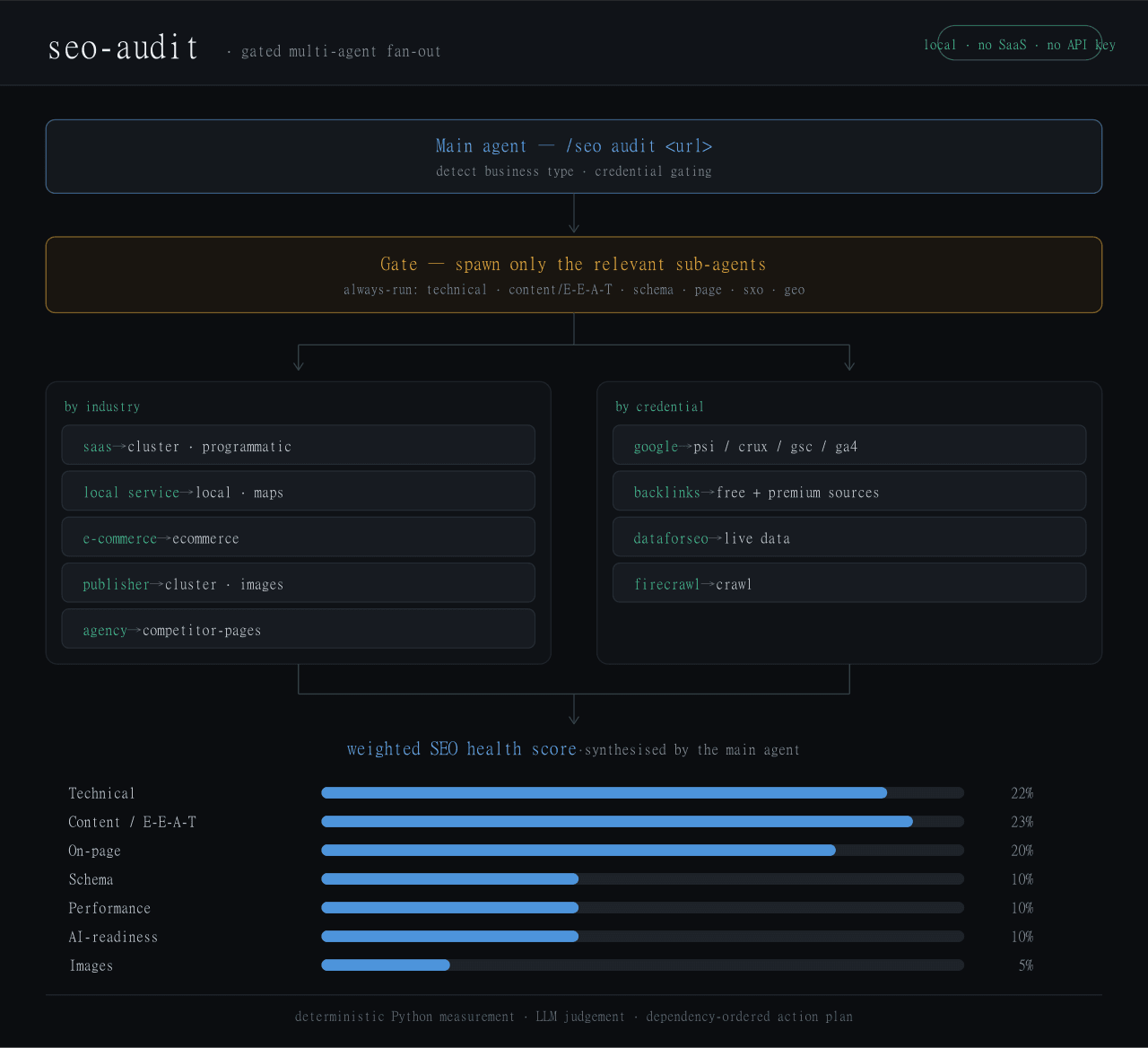 Haniubub/seo-toolkit
The SEO audit toolkit built for DeepSeek Harness (DSH) — runs locally, no Claude Code, no API key required. Self-contain…
Haniubub/seo-toolkit
The SEO audit toolkit built for DeepSeek Harness (DSH) — runs locally, no Claude Code, no API key required. Self-contain…
- Sur-Cai/macos-computer-use-kit AX-first computer use for AI agents on macOS with optional Jev (TypeSafe System One) semantic guards: calibrated target/…
- GitRuozhi/dsh-mini-win Windows-friendly minimal agent preset for DeepSeek Harness: sandboxed pwsh, native cmd.exe, and str_replace_editor.
- Jyleaves/dsh-win-bash-fix Windows Git Bash fix for DeepSeek Harness (dsh): MSYS sandbox conflict + terminal inspector, with the minimal-win collec…
- rrrrrredy/skill-security-guard Static security scanner for agent skills: A-F risk rating, safe zip scanning, CI-tested rules
-
 kenryu42/cc-safety-net
A pre-execution guard for AI coding agents. It blocks destructive Git and file system commands, plus common attempts to …
kenryu42/cc-safety-net
A pre-execution guard for AI coding agents. It blocks destructive Git and file system commands, plus common attempts to …