humblebanana/dsh-record-replay
DeepSeek Harness 通过演示记录 macOS 桌面工作流,并将其转化为智能体技能(open-record-replay 技能 + orr_* 工具)
Project Overview项目介绍
This is a purpose-built native plugin for DeepSeek Harness (DSH) that wraps the independent Open Record/Replay macOS workflow recording tool, turning it into a native-capable set of tools for DSH agents. It registers a core open-record-replay skill and six agent-facing tools that let DSH agents work through the entire process of capturing a user’s demonstrated desktop workflow. After cloning the repository to your local machine, you can build it with pnpm, pack it into a compressed tarball, and add it to your active DSH profile via the official dsh plugin command.
The typical workflow starts with the user starting a recording session, demonstrating their intended custom workflow, and stopping the recording once they finish completing all steps. The plugin then validates that the recording meets the Open Record/Replay contract requirements, extracts the full sequence of user interaction events, and prepares a packaged input directory for DSH’s native skill creator. If DSH does not have a native skill creator available, the plugin provides a built-in fallback that generates a valid skill skeleton following the Anthropic skills specification.
This plugin only runs on macOS, because the underlying Open Record/Replay recorder uses a Swift native backend that relies on macOS-specific system APIs for capturing user input and desktop actions. To use it, you need to have Xcode Command Line Tools installed on your machine, Node.js version 22.19 or newer, a working up-to-date DSH installation, and a local checkout of the Open Record/Replay repository. It is released under the permissive open-source MIT license, with no associated costs or restrictions on personal or commercial use, modification, or redistribution of the code.
这是专为DeepSeek Harness(DSH)开发的原生插件,它将Open Record/Replay这款macOS工作流录制工具整合为DSH的第一方能力。该插件注册了一个open-record-replay技能和六个面向模型的orr_*工具,允许智能体录制用户在macOS上演示的工作流,验证录制内容的有效性,最后将录制结果打包供技能创建工具使用。
它的典型工作流程是:用户启动录制、完成自定义工作流演示后停止录制,插件随后验证录制会话的有效性、导出所有操作事件,最终打包出符合规范的技能输入包。如果宿主DSH没有原生技能创建工具,它还可以生成符合Anthropic技能规范的SKILL.md框架并完成技能安装。这款插件面向需要通过用户演示创建自定义桌面工作流技能的DSH开发者和普通用户。
该插件仅支持macOS系统,使用前需要预先安装Xcode命令行工具、Node.js 22.19及以上版本,还需要可用的DSH环境和Open Record/Replay源码检出。它采用MIT许可协议,完全免费使用,安装时需要先克隆源码、打包,再通过DSH的插件命令添加到用户的配置配置文件中。
请帮我安装这个 DSH 插件。安装前先完成【兼容性检查 + 安全性检查】,检查通过再动手。

插件:dsh-record-replay(humblebanana/dsh-record-replay)
仓库:https://github.com/humblebanana/dsh-record-replay
本站详情页:https://www.yhbd.top/plugins/humblebanana-dsh-record-replay/
本站登记:类型 client · 归类 原生 DSH 插件 · 许可证 MIT · ⭐ 13 · 最近提交 2026-08-13 · 主语言 TypeScript

按下面顺序执行,每步先把结论告诉我,再进入下一步:

【1 兼容性检查】
① 我这边:DSH 版本、Node 版本、操作系统、当前 profile(web / desktop)。
② 读它的 README、package.json、插件 manifest,列出它要求的 DSH 版本 / Node 版本 / 操作系统 / 外部依赖 / 需要另外先装的运行时。
③ 逐条比对,结论只写「满足 / 不满足 / 未知」三种;不满足的给出可行替代方案。
④ 检查是否和我已装的插件冲突:命令名重复、skill / tool 重名、端口占用、重复注册的 MCP server。

【2 安全性检查】
① 仓库可信度:和上面「本站登记」是否一致;star / fork 数、创建时间、最近提交,是否归档或长期停更。
② 安装脚本:逐行看 package.json 的 preinstall / install / postinstall,以及 install.sh、setup.ps1 之类脚本。出现 curl|bash、下载后直接执行、混淆代码、访问与插件功能无关的域名,立刻停下来告诉我,不要继续装。
③ 依赖:列出新增依赖,标出无人维护、或与知名包拼写近似的可疑包(typosquatting)。
④ 权限与副作用:它会读写哪些目录、访问哪些域名、需要哪些 DSH 权限(filesystem / network / shell / clipboard 等),以及怎么卸载和回滚。
⑤ 如果它要求 sudo / 管理员权限,或权限明显超出功能所需,先停下来问我。

【3 安装】
上面两步没有「不满足」和「高危项」时才执行;用官方推荐方式安装,不要自行提权。

【4 汇报】
用表格输出:检查项 / 结论 / 依据 / 是否需要我决策。拿不准的一律写「未知」并说明要我怎么确认——不要猜,也不要替我决定。
Send this message to DSH in your current session: it verifies compatibility and security first (answering met / not met / unknown item by item) and only installs once everything checks out — it will stop and ask you if it finds a high-risk item. The box scrolls; the copy is the full prompt. CLI install commands may not be accurate across systems, so DSH is the safer route.把上面这条消息直接发给当前会话里的 DSH:它会先核对兼容性与安全性(逐条给「满足 / 不满足 / 未知」),确认没问题再安装,有高危项会停下来问你。框内可滚动,复制到的是完整提示词;安装命令不一定准确,发给 DSH 更稳。
- 13 stars - an early-stage project星标 13,属于早期项目
- Desktop client: installation downloads an executable - verify the publisher and checksums桌面客户端:安装会下载可执行文件,请核对发布者与校验和
DSH walks through these 9 checksDSH 会逐条核对这 9 项
Compatibility兼容性
- DSH, Node, OS and profile requirementsDSH 版本 / Node 版本 / 操作系统 / profile 是否满足要求
- External dependencies and runtimes (Electron / Python / Docker, ...)外部依赖与运行时(Electron / Python / Docker 等)是否齐备
- Conflicts with installed plugins: command names, skill / tool names, ports, duplicate MCP registration与已装插件是否冲突:命令名、skill / tool 重名、端口占用、重复 MCP 注册
Security安全性
- Repo matches the facts registered here; archived or abandoned?仓库是否与页面登记一致,是否归档或长期停更
- Safety of preinstall / install / postinstall and install.sh / setup.ps1preinstall / install / postinstall 与 install.sh、setup.ps1 是否安全
- curl|bash, download-then-execute, obfuscation, unrelated domains → stop immediatelycurl|bash、下载即执行、混淆代码、无关域名 → 立刻停止
- Typosquatting or unmaintained packages among the new dependencies新增依赖里有没有 typosquatting 或无人维护的包
- Requested permissions vs. what the feature actually needs申请了哪些权限、是否超出功能所需(filesystem / network / shell / clipboard)
- Any sudo / admin requirement, plus uninstall and rollback是否要求 sudo / 管理员权限,以及卸载与回滚方式
Anything uncertain must be marked unknown with a note on how to confirm it. This site's signal screen is a static snapshot, not a security audit.拿不准的必须标「未知」并说明要我怎么确认。本站的信号筛查是静态快照,不能替代安全审计。
Or use CLI install (for developers)或使用命令行安装(适合开发者)
CLI Install命令行安装
dsh plugin --profile web add github:humblebanana/dsh-record-replay把 humblebanana/dsh-record-replay 加入你的 DSH 配置(web profile)即可启用。
READMEREADME
dsh-record-replay
A DeepSeek Harness plugin that turns the Open Record/Replay macOS workflow recorder into first-class harness capabilities.
It registers the open-record-replay skill and six model-facing orr_*
tools, so an agent can learn a user-demonstrated desktop workflow: record the
user's real macOS actions, validate the evidence, and package it for the host
agent's native skill creator.
user demonstrates a workflow
  -> orr_record_start            (capture session.json + events.jsonl)
  -> orr_record_stop             (finalize)
  -> orr_session_validate        (check the evidence against the contract)
  -> orr_session_events          (read what the user actually did)
  -> orr_skill_prepare           (package a skill-input directory)
  -> host skill creator
Requirements
- macOS (the recorder's native backend is Swift; it needs Xcode Command Line Tools).
- Node.js
>= 22.19(the Harness runtime). - A DeepSeek Harness installation.
- An open-record-replay
checkout whose
bin/orr.jsthe plugin invokes.
Install
Build the package and add it to a profile as a bundle:
git clone https://github.com/<you>/dsh-record-replay.git
cd dsh-record-replay
pnpm install
pnpm build
pnpm pack                      # produces dsh-record-replay-0.1.0.tgz
dsh plugin --profile web add ./dsh-record-replay-0.1.0.tgz
dsh plugin add records the package in the profile's package.json
dependencies and dsh.profile.bundles, and the harness heals the
profiles/node_modules fallback so the bundle resolves. The shipped
cordis.patch.yml mounts a neutral row; point it at your checkout by overlaying
the row from your profile's cordis.patch.yml:
- id: record-replay
  config:
    repoRoot: '/absolute/path/to/open-record-replay'
    runsOut: 'runs'
    skillInputsOut: 'skill-inputs'
The profile patch file is hot-reloaded, so the running GUI picks the plugin up without a restart. Restart the Harness if you are not on a live profile.
Configuration
| Key | Default | Meaning |
|---|---|---|
cliPath |
env ORR_CLI_PATH |
Explicit path to bin/orr.js. Overrides repoRoot. |
repoRoot |
env ORR_REPO_ROOT |
Path to an open-record-replay checkout; the CLI is <repoRoot>/bin/orr.js. |
runsOut |
runs |
Workspace-relative recordings directory. |
skillInputsOut |
skill-inputs |
Workspace-relative skill-input packages directory. |
Showing the opening section of the README — the full document lives in the repository以上为 README 开头摘要,完整文档在仓库内 · View the full README on GitHub →在 GitHub 查看完整 README →
Related相关推荐
-
 tt-a1i/archify
Agent skill for beautiful, verifiable architecture, workflow, sequence, data-flow, and lifecycle diagrams—self-contained…
tt-a1i/archify
Agent skill for beautiful, verifiable architecture, workflow, sequence, data-flow, and lifecycle diagrams—self-contained…
-
 ZSeven-W/openpencil
The world's first open-source AI-native vector design tool and the first to feature concurrent Agent Teams. Design-as-Co…
ZSeven-W/openpencil
The world's first open-source AI-native vector design tool and the first to feature concurrent Agent Teams. Design-as-Co…
-
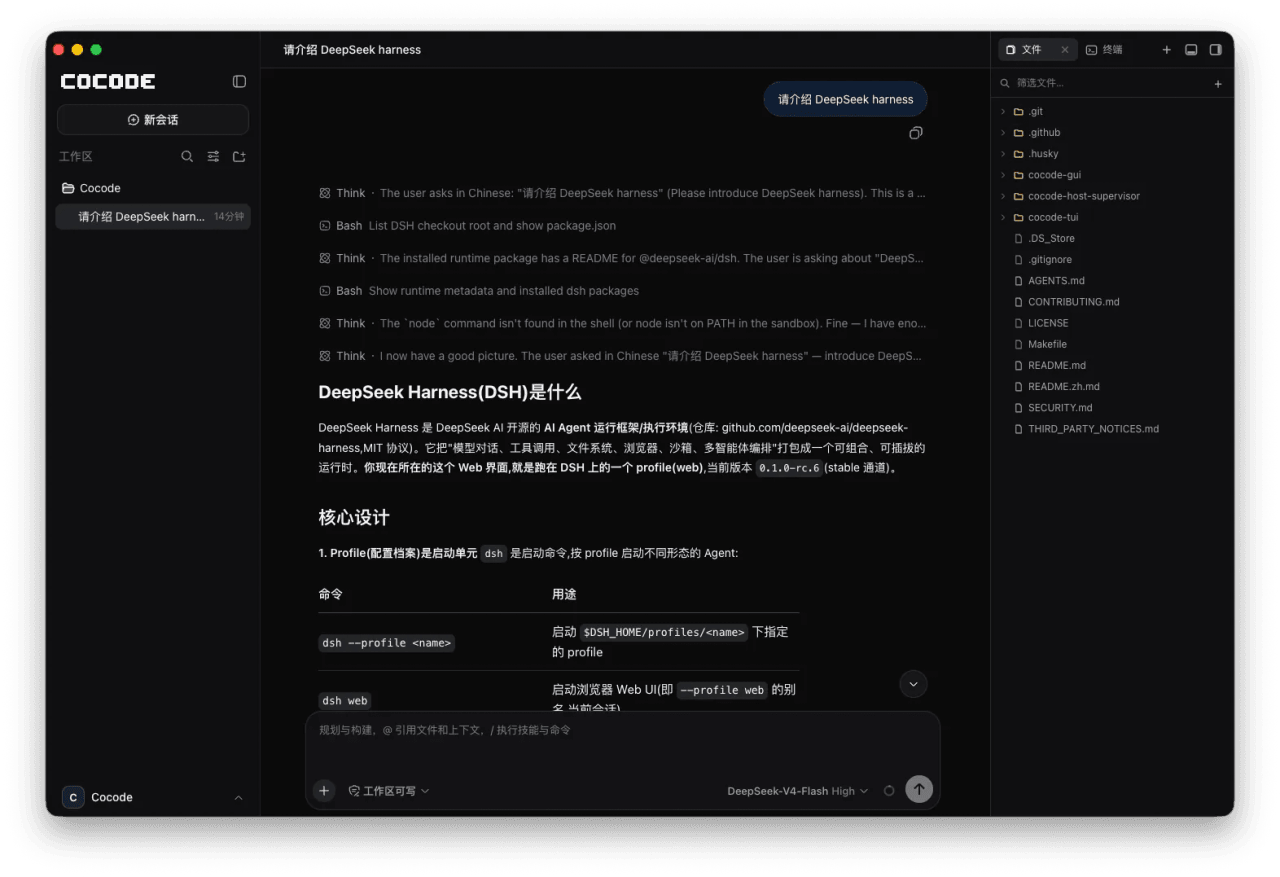 cocode-agency/cocode
Best ready-to-run DeepSeek Harness distribution: DSH desktop GUI, DSH terminal TUI, and harness integration.
cocode-agency/cocode
Best ready-to-run DeepSeek Harness distribution: DSH desktop GUI, DSH terminal TUI, and harness integration.
-
 drewnekota/cetus
One macOS app for Claude Code, Codex, and every agent runtime you use — scheduled runs, global hotkey launcher, per-run …
drewnekota/cetus
One macOS app for Claude Code, Codex, and every agent runtime you use — scheduled runs, global hotkey launcher, per-run …
-
 omdsh-dev/dsh_workflow
把Claude Code的UltraCode模式带给DSH,把 DSH 的一次性多 Agent 调度,升级为可生成、可保存、可治理、可观察、可恢复的 Workflow 层
omdsh-dev/dsh_workflow
把Claude Code的UltraCode模式带给DSH,把 DSH 的一次性多 Agent 调度,升级为可生成、可保存、可治理、可观察、可恢复的 Workflow 层
-
 zenx0x/allinluna
Resource-aware multi-agent orchestration for Codex and DeepSeek Harness (All in Flash DSH plugin)
zenx0x/allinluna
Resource-aware multi-agent orchestration for Codex and DeepSeek Harness (All in Flash DSH plugin)
-
 cosyncing/cosyncing
Synchronize and Orchestrate agents from CLI to GUI, across desktop to phone.
cosyncing/cosyncing
Synchronize and Orchestrate agents from CLI to GUI, across desktop to phone.
-
 CheshireJCat/blender
DeepSeek Harness plugin for complete Blender 3D modeling, reconstruction, rendering, validation, and export workflows
CheshireJCat/blender
DeepSeek Harness plugin for complete Blender 3D modeling, reconstruction, rendering, validation, and export workflows