huyang218/dsh-plugins
Plugins for DeepSeek Harness (dsh) — 18 build-free ESM bundles: model-facing tools, runtime wrappers and web UI extensions. Installable by name, URL or local path from the dsh CLI, dsh Desktop or dsh Android.
项目介绍Project Overview
dsh-plugins 是 DeepSeek Harness 的插件集合,每个包均为纯 ESM 免构建的 dsh bundle,可从 npm、Git 或本地源码直接加载,覆盖 CLI、桌面端与 Android 客户端,按 tools、runtime、ui 三类扩展模型能力、运行时行为与 Web 界面。适用于需要快速为 dsh 代理接入 A 股行情、PDF 签章、电商数据或多模态视觉等能力的场景。提示:必须以命名导出 name、inject、apply,默认导出会导致注入失败。
dsh-plugins is a collection of installable bundles for DeepSeek Harness, each shipped as pure ESM with no build step and loadable from npm, git, or a local checkout. It groups plugins by tools (capabilities the model calls), runtime (waterfall wrappers and shared services), and ui (web client extensions), covering A-share data, PDF sealing, e-commerce research, multimodal vision, and more. Use it to extend a dsh agent without rebuilding the host. Caveat: plugins must export name, inject, and apply as named exports; a default export breaks injection.
请帮我了解并安装插件:【dsh-plugins】【https://github.com/huyang218/dsh-plugins】把上面这条消息直接发给当前会话里的 DSH,让它帮你了解并安装。安装命令不一定准确,发给 DSH 更稳。Send this message to DSH in your current session. CLI install commands may not be accurate across systems — DSH will figure it out for you.
或使用命令行安装(适合开发者)Or use CLI install (for developers)
命令行安装CLI Install
dsh plugin --profile web add dsh-plugin-astock把 huyang218/dsh-plugins 加入你的 DSH 配置(web profile)即可启用。
READMEREADME
dsh-plugins
Plugins for DeepSeek Harness — the "everything is a plugin" agent runtime built on Cordis.



English · 中文
Every package here is an installable dsh bundle: pure ESM, no build step, so it runs from npm, from git, or straight from a checkout while you edit it.
Anywhere dsh runs, these run: the CLI, dsh Desktop on macOS and
Windows — whose plugin manager installs any of them by name, URL or local path —
or dsh Android on a phone.
Plugins
Three kinds, told apart by dsh.category in each package — what a plugin
extends decides where it can be seen from:
| Group | Visible to | What it extends | Guide |
|---|---|---|---|
tools/… |
the model | capabilities it can call, described in the system prompt | authoring tools |
runtime/… |
nobody | waterfall wrappers and shared services around the harness itself | authoring runtime |
ui/… |
the person | web client extensions — result cards, keyboard-driven surfaces | authoring ui |
The second half of the category is the domain: tools/finance and ui/finance
cover A-share market data, information feeds and portfolio state; tools/vision
reaches a multimodal model on behalf of a text-only one; tools/ecommerce covers
cross-marketplace product research; tools/documents works on
the files themselves; tools/game makes 2D game art;
runtime/provider, runtime/observability, runtime/reliability and
runtime/llm cover shared credentials, measurement, retries and gateway
compatibility; runtime/im drives sessions from a chat app; ui/productivity covers the web client's own ergonomics; ui/observability makes what the agent is doing visible to the person watching.
Pick what you need
tools/ — capabilities the model can call
| Plugin | What it does | Package |
|---|---|---|
| astock | A-share quotes, K-lines, indicators, whole-market screening, financials, money flow, convertible bonds — free, a few tools need a Tushare token | dsh-plugin-astock |
| vision | Lets a text-only agent call a multimodal model mid-task — Qwen, Kimi, OpenAI, Claude or Gemini — and get back structured evidence rather than prose | dsh-plugin-vision |
| ainfo | A-share news, broker research, earnings pre-announcements, dividends, insider trades, shareholders — needs a Tushare token | dsh-plugin-ainfo |
| seal | Seals and signs a PDF — a contract seal, a straddle seal across every page edge, and a PAdES signature over the whole file from your certificate | dsh-plugin-seal |
| aportfolio | Holdings and watchlist that survive the session, priced live, with profit, weights and target hits | dsh-plugin-aportfolio |
| ecom | Places a product link from Amazon, Shopify, Taobao/Tmall, JD, Pinduoduo or Douyin and reports what sales data that marketplace actually discloses — window, precision and provenance, never a bare number | dsh-plugin-ecom |
| sprite | Game-ready 2D sprite sheets: an image model draws the grid, then keying, cutting, shared-scale alignment and geometric QC turn it into transparent frames, a sheet, a preview GIF and an engine atlas | dsh-plugin-sprite |
runtime/ — behaviour around the harness, invisible to the model
| Plugin | What it does | Package |
|---|---|---|
| im | Command the agent from a chat app on your phone — Lark, WeCom, DingTalk or QQ drive a real turn and the reply comes back; allowlist denies by default | dsh-plugin-im |
| tushare | Shared Tushare Pro access: one token, one quota gate, one calendar, failures an agent can act on | dsh-plugin-tushare |
| ecom-keepa | Keepa access for the e-commerce tools: Amazon product records and Product Finder, keeping the disclosed monthly-sold figure as the bucketed value it is | dsh-plugin-ecom-keepa |
| ecom-jd | JD Union access for the e-commerce tools: the only real 30-day order count these marketplaces publish for someone else's product — affiliate-channel only, reported as the floor it is | dsh-plugin-ecom-jd |
| tool-health | Remembers which tools keep failing and warns the next session before it starts | dsh-plugin-tool-health |
| tool-usage | Counts calls, duration percentiles and failures per tool, with an optional budget warning | dsh-plugin-tool-usage |
| tool-retry | Retries transient failures — socket resets, rate limits, timeouts — for tools an operator declares repeatable | dsh-plugin-tool-retry |
| gateway-compat | Keeps a finished reply from failing when a gateway ends its SSE stream without [DONE] |
dsh-plugin-gateway-compat |
ui/ — web client extensions
| Plugin | What it does | Package |
|---|---|---|
| astock-chart | Draws astock_data as a candlestick chart with volume, in the reply — needs native or both presentation |
dsh-plugin-astock-chart |
| shortcuts | Keyboard shortcuts for the web client: 34 features, every binding recordable | dsh-plugin-shortcuts |
| office | A pixel-art virtual office in the sidebar: one fixed crew of tool-group specialists that all sessions' activity aggregates onto — working, queueing, or napping | dsh-plugin-office |
Each plugin's own README, in English and 中文, is the accurate account of what it does and what it costs to run. Install any of them by package name:
dsh plugin --profile web add dsh-plugin-astock
Looking for something this repo does not ship? CATALOG.md lists plugins maintained elsewhere, by category.
[!NOTE] Finance plugins share one credential through the
tushareprovider rather than each asking for the same token. Every tool that needs it says so in its own description, so the model can choose a free tool when one will do — and tell you exactly what is missing when one will not.
Install
Into a dsh profile, from npm:
dsh plugin --profile web add dsh-plugin-astock
Or from a checkout — also how you develop against a running profile, since the install is a symlink and edits take effect on the next service restart:
dsh plugin --profile web add ./packages/astock
Verify it landed in the composed tree before starting anything:
dsh --profile web --dump-config # look for the plugin's row
Configure
A plugin that exposes a Schemastery Config is configurable without touching a
command line: a desktop shell — dsh Desktop, for one — renders the
form at install time. The values end up as an id-targeted override in the
profile's cordis.patch.yml, which you can also write by hand:
- id: astock
  config:
    tushareToken: 'your-token'
[!IMPORTANT] Later layers win per row, and a patch replaces a row's whole
configrather than merging keys — so restate every key you need when overriding someone else's row.
Tool presentation — whether a session dispatches tools natively, through Code Mode, or both — is chosen once per agent preset and applies to every tool in the session, not per plugin. Some plugins here require a particular mode, and the choice affects every other plugin you install: tool presentation modes.
Develop
npm install                                        # root; resolves peer deps for every package
npm test                                           # every package
npm test -w dsh-plugin-astock                      # one package
node --test packages/astock/test/*.test.js   # one file
Tests use Node's built-in runner (node:test) — no test dependencies, no build,
matching the way the plugins themselves load. They exercise the real published
entry (lib/index.js) and the real defineTool, so a schema violation fails in
unit tests instead of at dsh startup.
[!TIP] Green tests are not the whole bar — they never touch the Loader or a real composition.
CLAUDE.md carries the full working spec — plugin lifecycle, config, tool authoring, waterfall extension points, bundle layering, the test convention, and the verification checklist to run after changing a plugin. It is addressed to AI coding agents, but the rules are the same ones a human contributor needs.
Contributing
- Read the guide for what you are building: tools (capabilities the model calls), runtime (waterfall wrappers and shared services) or ui (web client extensions).
- Create
packages/<name>/withpackage.json(includingdsh.category),cordis.patch.yml,lib/index.js,README.mdandLICENSE. - Export
name/inject/applyas named exports. A default export makes the loader dropinject, and the plugin then fails in a way that looks like something else entirely. - Add
test/plugin.test.jscovering the export shape and every registration. - Run
npm testand the checklist in CLAUDE.md.
Four names travel together and are easy to confuse:
| Where | Value | Purpose |
|---|---|---|
package.json name |
dsh-plugin-astock |
npm package |
lib/index.js exported name |
astock |
loader diagnostics — short, no prefix |
cordis.patch.yml id |
astock |
row id in the composed tree; config overrides target it |
cordis.patch.yml name |
dsh-plugin-astock |
referenced by package name, never a path |
Related projects
| Project | What it is |
|---|---|
| DeepSeek Harness | The runtime itself — dsh, what every plugin here extends |
| dsh-desktop | Desktop app for macOS and Windows: installs and updates the runtime, owns the server process and its storage, and installs, configures, disables and updates plugins from a window |
| dsh-android | Android app: host and client both on the phone, with no server and no computer kept running. Early — a sideloaded apk, and no shell tool |
dsh-desktop and dsh-android come from the same author as this repository. Both are unofficial and unaffiliated with DeepSeek.
License
MIT — see LICENSE.
相关推荐Related
-
 ccch1mneyyy/dsh-TUI
DSH 官方公众号收录的 TUI 补位插件:Claude Code 风,鲸鱼顶栏/实时状态/流式思考/双击 Esc 回滚/上下文进度+TPS。npm 一键装。 DSH official WeChat featured TUI plugin…
ccch1mneyyy/dsh-TUI
DSH 官方公众号收录的 TUI 补位插件:Claude Code 风,鲸鱼顶栏/实时状态/流式思考/双击 Esc 回滚/上下文进度+TPS。npm 一键装。 DSH official WeChat featured TUI plugin…
-
 ChisaAlter/Deepseek-Harness-Desktop
DSH桌面端,支持主题和背景图等多种个性化配置。Electron desktop shell for DeepSeek Harness web UI
ChisaAlter/Deepseek-Harness-Desktop
DSH桌面端,支持主题和背景图等多种个性化配置。Electron desktop shell for DeepSeek Harness web UI
-
 Hilbert-beinghappy/seektty
Pluggable DeepSeek-colored TUI for DeepSeek Harness
Hilbert-beinghappy/seektty
Pluggable DeepSeek-colored TUI for DeepSeek Harness
-
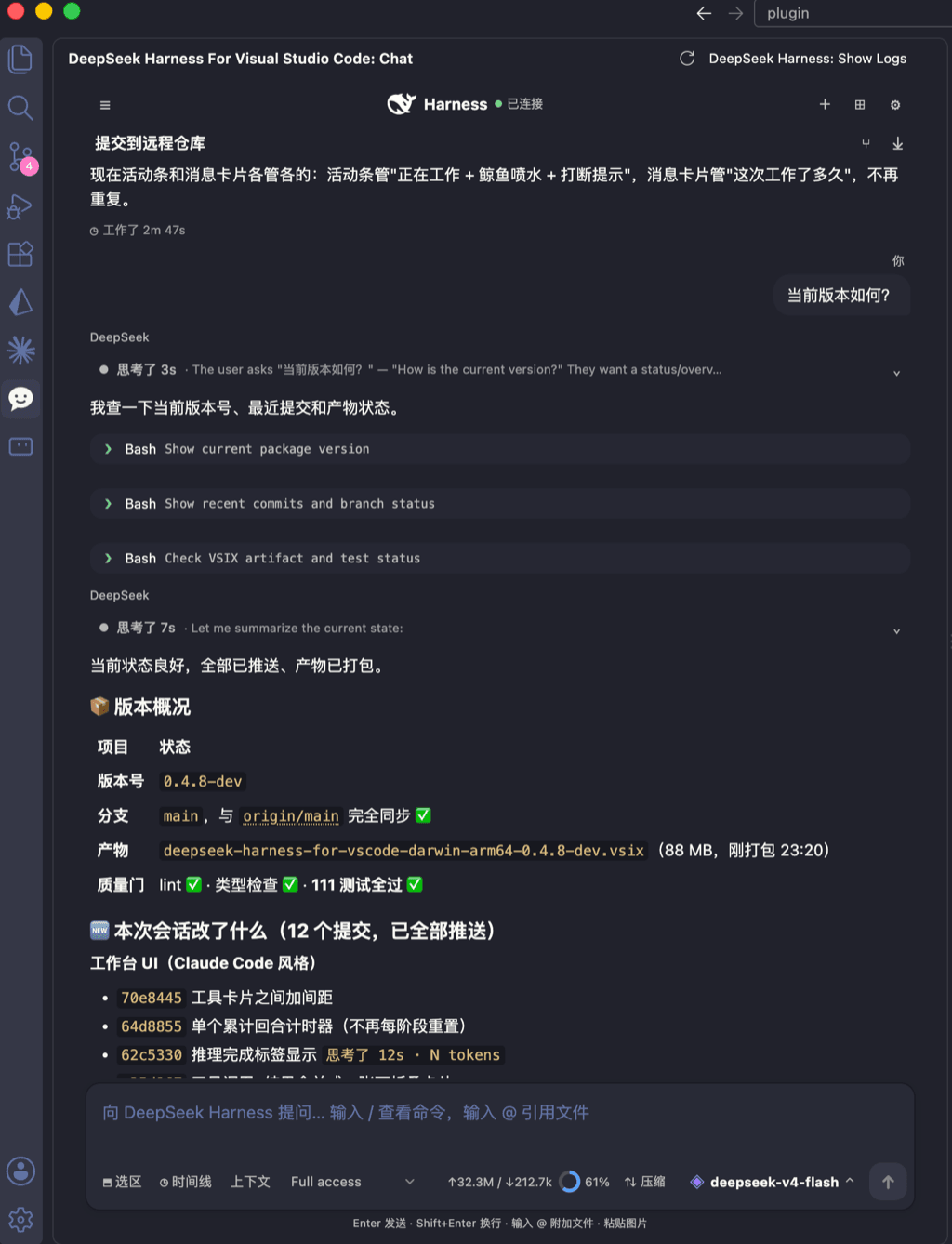 skymecode/deepseek-harness-for-vscode
deepseek-harness for vscode .A native VS Code coding-agent extension for DeepSeek Harness. Streamlined workbench with se…
skymecode/deepseek-harness-for-vscode
deepseek-harness for vscode .A native VS Code coding-agent extension for DeepSeek Harness. Streamlined workbench with se…
-
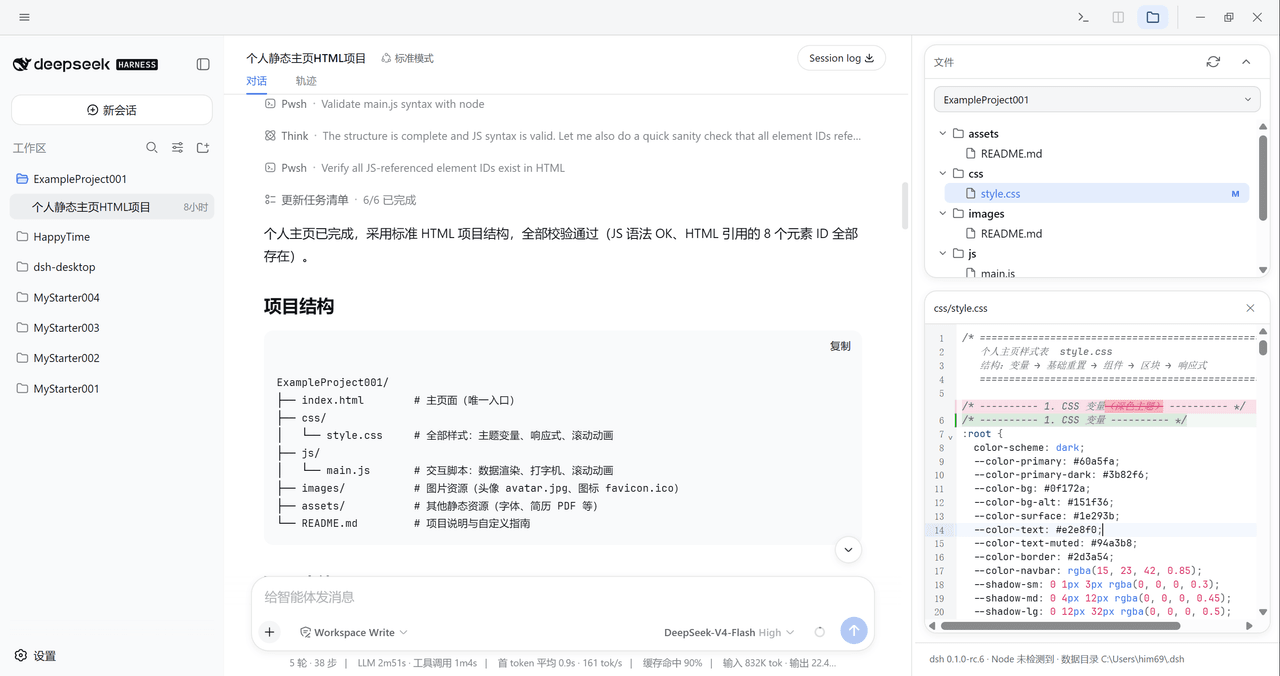 xiincs/deepseek-harness-desktop
DeepSeek Harness 原生桌面版,基于 Tauri 2,内置 Node.js 运行时,一键安装,极速启动,托盘常驻,自动更新。DeepSeek Harness native desktop version: built on T…
xiincs/deepseek-harness-desktop
DeepSeek Harness 原生桌面版,基于 Tauri 2,内置 Node.js 运行时,一键安装,极速启动,托盘常驻,自动更新。DeepSeek Harness native desktop version: built on T…
-
 rison114514/dsh-endfield-ui
Endfield-inspired industrial UI shell for DeepSeek Harness (dsh) — non-official fan theme. Install: dsh plugin --profile…
rison114514/dsh-endfield-ui
Endfield-inspired industrial UI shell for DeepSeek Harness (dsh) — non-official fan theme. Install: dsh plugin --profile…
-
 T-Auto/dsh-ecosystem-spec
deepseek-harness TUI Plugin Access and Implementation Standards / deepseek-harness终端交互生态插件准入规范与实施标准
T-Auto/dsh-ecosystem-spec
deepseek-harness TUI Plugin Access and Implementation Standards / deepseek-harness终端交互生态插件准入规范与实施标准
-
 dsh-tui/dsh-tui
Claude Code-style terminal UI for DeepSeek Harness agents, as an out-of-tree dsh plugin bundle
dsh-tui/dsh-tui
Claude Code-style terminal UI for DeepSeek Harness agents, as an out-of-tree dsh plugin bundle