iamaanahmad/everything-codex
The complete collection of OpenAI Codex skills, automations, multi-agent workflows, and prompts. 50+ production-ready skills, 100+ reusable prompts, background automations, and battle-tested patterns for AI-powered development.
Project Overview项目介绍
everything-codex is a community-maintained collection of reusable assets for OpenAI Codex, including prompts, skill templates, workflow plans, automation briefs, and configuration examples. It is not an installable Codex extension, so users cannot just drop the JSON files into their .codex directory and expect Codex to load them automatically. Users can clone the full repository to their local machine or browse the categorized folders directly on GitHub to find assets that match their specific use case. Instead, users must adapt the included templates to their specific project, then load the adjusted assets into whatever Codex client they use, including ChatGPT web, Codex CLI, IDE extensions, GitHub integrations, and DSH that supports Codex conventions.
This collection is built for individual developers and engineering teams that use OpenAI Codex for their daily AI-assisted development work. It offers ready-to-adapt starting templates for common development tasks, ranging from automated pull request reviews, full feature implementation, bug diagnosis and fixing, safe code refactoring, and scheduled routine automation work. By following the provided templates, teams can quickly establish consistent working conventions for Codex that align with their internal team standards, without having to build all of the required workflow structure from scratch. New users to Codex can also use these templates to learn common best practices for structuring Codex tasks and setting up appropriate safety guardrails for AI-assisted development work.
All assets in this collection are provided under the open MIT license, so there is no additional cost to use or adapt any of the content included in this repository for personal or commercial projects. All content included here is purely illustrative, so it should never be dropped directly into a project as working production configuration without adjustments. Users are strongly advised to cross-check all configuration options against the latest official OpenAI Codex documentation, because configuration formats and available features vary across different Codex clients, regions, and pricing plans. Users should also never store secrets or sensitive credentials in version control, and always follow the least privilege principle when setting up Codex workflows.
这是一个由社区维护的OpenAI Codex资源集合,专门收录了可复用的提示词、技能模板、工作流计划、自动化任务说明和配置示例。它本身不是可直接安装的Codex扩展,用户需要根据自身项目需求适配模板后,再在Codex应用、CLI、IDE插件或GitHub集成中配置使用,同时也支持符合Codex规范的DSH等AI编码代理平台使用。
这个仓库面向使用Codex的开发团队和个人开发者,提供各类常用开发任务的开箱即用参考模板。它覆盖代码评审、功能开发、缺陷修复、代码重构、例行自动化任务等多种开发场景,帮助团队快速搭建规范可靠的Codex工作流,减少从零开始配置工作流的成本。
资源采用MIT许可证开放使用,所有内容均为示例,不可直接作为配置文件放入项目生效。用户需要对照OpenAI官方Codex文档验证配置选项,不要将密钥等敏感信息存入版本控制,使用时遵循最小权限原则,先在受限环境测试,验证结果后再投入生产使用。
请帮我安装这个 DSH 插件。安装前先完成【兼容性检查 + 安全性检查】,检查通过再动手。

插件:everything-codex(iamaanahmad/everything-codex)
仓库:https://github.com/iamaanahmad/everything-codex
本站详情页:https://www.yhbd.top/plugins/iamaanahmad-everything-codex/
本站登记:类型 plugin · 归类 人工精选收录 · 许可证未声明 · ⭐ 3 · 最近提交 2026-08-05 · 未检测到 DSH 插件清单

按下面顺序执行,每步先把结论告诉我,再进入下一步:

【1 兼容性检查】
① 我这边:DSH 版本、Node 版本、操作系统、当前 profile(web / desktop)。
② 读它的 README、package.json、插件 manifest,列出它要求的 DSH 版本 / Node 版本 / 操作系统 / 外部依赖 / 需要另外先装的运行时。
③ 逐条比对,结论只写「满足 / 不满足 / 未知」三种;不满足的给出可行替代方案。
④ 检查是否和我已装的插件冲突:命令名重复、skill / tool 重名、端口占用、重复注册的 MCP server。

【2 安全性检查】
① 仓库可信度:和上面「本站登记」是否一致;star / fork 数、创建时间、最近提交,是否归档或长期停更。
② 安装脚本:逐行看 package.json 的 preinstall / install / postinstall,以及 install.sh、setup.ps1 之类脚本。出现 curl|bash、下载后直接执行、混淆代码、访问与插件功能无关的域名,立刻停下来告诉我,不要继续装。
③ 依赖:列出新增依赖,标出无人维护、或与知名包拼写近似的可疑包(typosquatting)。
④ 权限与副作用:它会读写哪些目录、访问哪些域名、需要哪些 DSH 权限(filesystem / network / shell / clipboard 等),以及怎么卸载和回滚。
⑤ 如果它要求 sudo / 管理员权限,或权限明显超出功能所需,先停下来问我。

【3 安装】
上面两步没有「不满足」和「高危项」时才执行;用官方推荐方式安装,不要自行提权。

【4 汇报】
用表格输出:检查项 / 结论 / 依据 / 是否需要我决策。拿不准的一律写「未知」并说明要我怎么确认——不要猜,也不要替我决定。
Send this message to DSH in your current session: it verifies compatibility and security first (answering met / not met / unknown item by item) and only installs once everything checks out — it will stop and ask you if it finds a high-risk item. The box scrolls; the copy is the full prompt. CLI install commands may not be accurate across systems, so DSH is the safer route.把上面这条消息直接发给当前会话里的 DSH:它会先核对兼容性与安全性(逐条给「满足 / 不满足 / 未知」),确认没问题再安装,有高危项会停下来问你。框内可滚动,复制到的是完整提示词;安装命令不一定准确,发给 DSH 更稳。
- No license declared - all rights reserved by default; ask the author before commercial use or redistribution未声明开源许可证 —— 默认「保留所有权利」,商用或再分发前先问作者
- Only 3 stars - very few users, little community feedback星标只有 3,几乎没人在用,遇到问题缺少社区反馈
- No DSH plugin manifest detected - it may only carry the dsh-plugin topic, so the install method must be confirmed on the spot未检测到 DSH 插件清单:可能只是打了 dsh-plugin 话题,安装方式要现场确认
DSH walks through these 9 checksDSH 会逐条核对这 9 项
Compatibility兼容性
- DSH, Node, OS and profile requirementsDSH 版本 / Node 版本 / 操作系统 / profile 是否满足要求
- External dependencies and runtimes (Electron / Python / Docker, ...)外部依赖与运行时(Electron / Python / Docker 等)是否齐备
- Conflicts with installed plugins: command names, skill / tool names, ports, duplicate MCP registration与已装插件是否冲突:命令名、skill / tool 重名、端口占用、重复 MCP 注册
Security安全性
- Repo matches the facts registered here; archived or abandoned?仓库是否与页面登记一致,是否归档或长期停更
- Safety of preinstall / install / postinstall and install.sh / setup.ps1preinstall / install / postinstall 与 install.sh、setup.ps1 是否安全
- curl|bash, download-then-execute, obfuscation, unrelated domains → stop immediatelycurl|bash、下载即执行、混淆代码、无关域名 → 立刻停止
- Typosquatting or unmaintained packages among the new dependencies新增依赖里有没有 typosquatting 或无人维护的包
- Requested permissions vs. what the feature actually needs申请了哪些权限、是否超出功能所需(filesystem / network / shell / clipboard)
- Any sudo / admin requirement, plus uninstall and rollback是否要求 sudo / 管理员权限,以及卸载与回滚方式
Anything uncertain must be marked unknown with a note on how to confirm it. This site's signal screen is a static snapshot, not a security audit.拿不准的必须标「未知」并说明要我怎么确认。本站的信号筛查是静态快照,不能替代安全审计。
Or use CLI install (for developers)或使用命令行安装(适合开发者)
CLI Install命令行安装
dsh plugin --profile web add github:iamaanahmad/everything-codex把 iamaanahmad/everything-codex 加入你的 DSH 配置(web profile)即可启用。
READMEREADME
everything-codex
A practical, community-maintained library of prompts, Skills, workflow plans, automation briefs, and configuration examples for OpenAI Codex.
Important: This repository is a collection of reusable assets, not an installable Codex extension. Adapt a template to your project and configure it through the current Codex app, CLI, IDE extension, GitHub integration, or organization controls. Do not assume that copying these JSON files to
.codex/makes Codex load or run them.
Why this repository exists
Codex now works across ChatGPT, the IDE extension, the CLI, GitHub, and team workflows. It can run cloud tasks, help with local development, review pull requests, use Skills and MCP-based tools, and schedule continuing work. This repository gives teams starting points for the engineering practices that make those capabilities reliable: clear instructions, scoped automation, verification, review, and safe permissions.
For current platform behavior, availability, and controls, use the official Codex documentation as the source of truth.
What Codex can do today
The current Codex product surface includes:
- ChatGPT and cloud tasks: delegate feature work, refactors, migrations, and reviews; use parallel worktrees and cloud environments for independent tasks.
- CLI and IDE: work locally in the terminal or supported VS Code-based editors, with editable diffs, task progress, approvals, image input, web search, and MCP connections.
- GitHub: review pull requests automatically or on request, then continue the discussion or implement a follow-up.
- Skills and integrations: codify team standards and workflows; use plugins and MCP to connect approved external tools.
- Automations: schedule routine background work and reuse conversation context where the Codex product supports it.
- Team administration: eligible workspaces can apply environment controls, monitor usage, and manage cloud environments.
Availability differs by plan, region, client, and organization policy. See the Codex product page and official documentation before relying on a feature in production.
Showing the opening section of the README — the full document lives in the repository以上为 README 开头摘要,完整文档在仓库内 · View the full README on GitHub →在 GitHub 查看完整 README →
Related相关推荐
-
 tt-a1i/archify
Agent skill for beautiful, verifiable architecture, workflow, sequence, data-flow, and lifecycle diagrams—self-contained…
tt-a1i/archify
Agent skill for beautiful, verifiable architecture, workflow, sequence, data-flow, and lifecycle diagrams—self-contained…
-
 ZSeven-W/openpencil
The world's first open-source AI-native vector design tool and the first to feature concurrent Agent Teams. Design-as-Co…
ZSeven-W/openpencil
The world's first open-source AI-native vector design tool and the first to feature concurrent Agent Teams. Design-as-Co…
-
 omdsh-dev/dsh_workflow
把Claude Code的UltraCode模式带给DSH,把 DSH 的一次性多 Agent 调度,升级为可生成、可保存、可治理、可观察、可恢复的 Workflow 层
omdsh-dev/dsh_workflow
把Claude Code的UltraCode模式带给DSH,把 DSH 的一次性多 Agent 调度,升级为可生成、可保存、可治理、可观察、可恢复的 Workflow 层
-
 zenx0x/allinluna
Resource-aware multi-agent orchestration for Codex and DeepSeek Harness (All in Flash DSH plugin)
zenx0x/allinluna
Resource-aware multi-agent orchestration for Codex and DeepSeek Harness (All in Flash DSH plugin)
-
 CheshireJCat/blender
DeepSeek Harness plugin for complete Blender 3D modeling, reconstruction, rendering, validation, and export workflows
CheshireJCat/blender
DeepSeek Harness plugin for complete Blender 3D modeling, reconstruction, rendering, validation, and export workflows
-
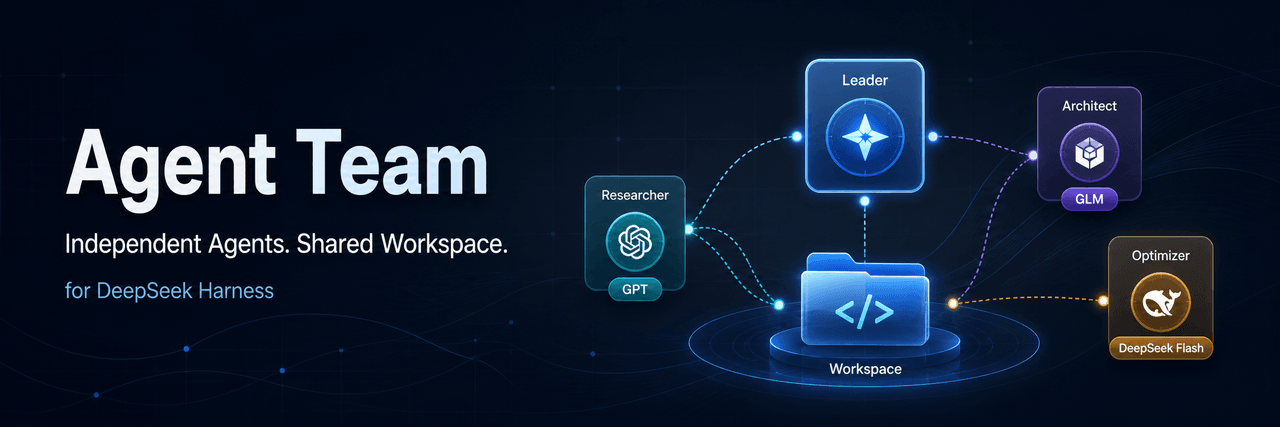 limuyang2/agent-team
Multi-agent team collaboration for DeepSeek Harness, with independent models, skills, MCP tools, contexts, and a shared …
limuyang2/agent-team
Multi-agent team collaboration for DeepSeek Harness, with independent models, skills, MCP tools, contexts, and a shared …
-
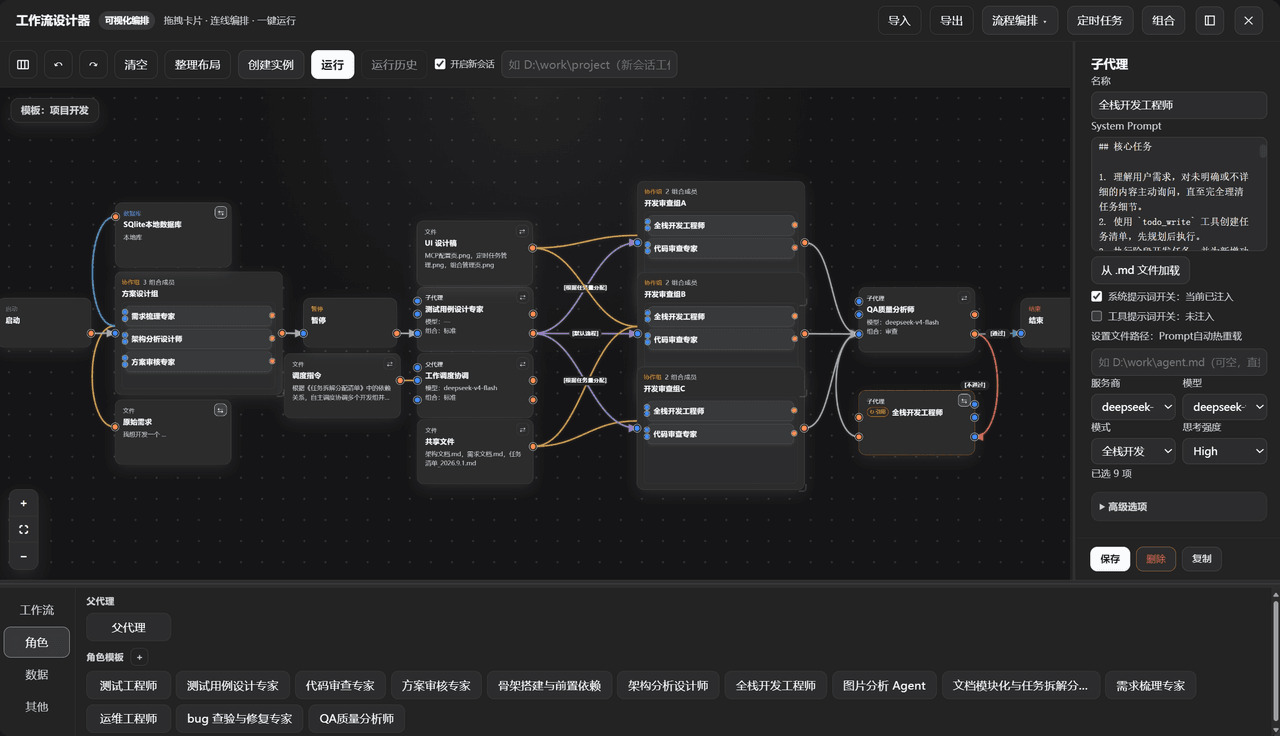 GZX2211/dsh-Visual-Workflow
基于 DeepSeek Harness 体系打造的:可视化 Agent 编排平台。更新:该插件目前已对齐最新候选版 dsh v0.2.0-rc.2,不适配 Alpha 版。
GZX2211/dsh-Visual-Workflow
基于 DeepSeek Harness 体系打造的:可视化 Agent 编排平台。更新:该插件目前已对齐最新候选版 dsh v0.2.0-rc.2,不适配 Alpha 版。
-
 sailoumili/novel-writer
小说创作模式:一个统筹队长统领全局,5 个专职子代理各司其职——架构世界、策划剧情、管理人物、执笔写文、质检复核——协同写作。
sailoumili/novel-writer
小说创作模式:一个统筹队长统领全局,5 个专职子代理各司其职——架构世界、策划剧情、管理人物、执笔写文、质检复核——协同写作。