Innocent-children/TaskBelay
Task control for AI coding agents: explicit scope, bounded verification, durable state, safe recovery. Codex · Claude Code · DeepSeek · ZCode.
Project Overview项目介绍
TaskBelay is an independent task-orchestration tool that wraps around existing coding agents rather than replacing one, distributed as an npm package and installed globally with npm install -g taskbelay@latest, after which taskbelay opens the setup wizard to choose a Host from Codex, DeepSeek, Claude Code, or ZCode. Each integration is mounted differently: Codex registers a hook under /hooks, DeepSeek activates through a restarted Profile, Claude Code reloads plugins or starts a new session and reviews permission prompts, and ZCode installs and enables the plugin from Settings → Plugins, with all hosts requiring a configured Adapter plus, for the pet, an additional desktop application. Core capabilities center on explicit scope checking, bounded verification, durable local task state across sessions, and safe recovery from failures using persisted records.
The typical workflow begins inside the chosen Host conversation: the user sends a trigger such as $taskbelay-codex:taskbelay … for Codex, /taskbelay … for DeepSeek Harness, /taskbelay-claude:taskbelay … for Claude Code, or selects the TaskBelay Skill from the / → Skills menu in ZCode. TaskBelay creates a new task branch from the current HEAD in the working directory (or a dedicated Git worktree selected by the user), keeps dependencies, configuration, files, and staged state untouched, observes manual or external edits, and pauses if the branch is switched mid-task; one directory supports one active Task at a time. Before implementation begins, the user must review and explicitly approve requirements, design, work items, expected files, and the verification plan, with any scope expansion requiring a fresh approval. After a session restart, returning to the task's original directory and asking to continue resumes from saved progress, and taskbelay webui start opens the local task view while taskbelay status --host all inspects installed integrations.
The tool is intended for repository work that spans sessions or requires explicit scope and testing limits, and is less useful for one-off questions, code explanations, or small edits where direct use of Codex, DeepSeek, Claude Code, or ZCode is simpler. Runtime dependencies are Node.js ≥24 plus the chosen Host installed and updated; supported platforms are Windows x64 and macOS arm64, while native macOS ZCode validation is still pending per the Support Matrix. TaskBelay controls task workflow but does not intercept every file operation or shell command, does not isolate processes, network access, credentials, or external services, and never auto-commits, pushes, or deletes a worktree — those steps require separate user authorization. The pet app targets macOS arm64 and Windows 10/11 x64 with priorities for blocked tasks, auto-follow on completion, pinning, appearance and animation controls, plus taskbelay pet start / taskbelay pet stop lifecycle commands; source code ships under Apache-2.0.
TaskBelay 是一款独立的任务编排工具,通过 npm 全局安装(npm install -g taskbelay@latest),围绕 Codex、DeepSeek、Claude Code 与 ZCode 四个 Host 提供显式范围、有界验证、持久状态与安全恢复四项核心能力。它以钩子、斜杠命令或 Skills 菜单的形式挂接到所选 Host:Codex 走 /hooks、DeepSeek 通过重启 Profile、Claude Code 重载插件或新开会话、ZCode 在设置中启用插件;Desktop Pet 应用需额外安装,提供分层气泡浮窗并自动跟进未完成任务。
典型工作流是:在会话内发送 /taskbelay 或 $taskbelay-codex:taskbelay 等触发指令,工具在当前 HEAD 新建任务分支(或可选 worktree),审查并批准需求、设计、工件、文件清单与验证方案后再开始实现;会话中断后回到原目录即可恢复。内置 WebUI(taskbelay webui start)可查看任务进度。它面向跨会话、需明确边界与失败恢复的仓库型工作,不适合一次性问答或小改动。
运行时需 Node.js ≥24,支持 Windows x64 与 macOS arm64;Native macOS ZCode 验证仍待补齐。它不隔离进程、网络与凭据,不自动提交或推送,完成也不删除 worktree,所有外部动作需用户额外授权;源码遵循 Apache-2.0。
请帮我安装这个 DSH 插件。安装前先完成【兼容性检查 + 安全性检查】,检查通过再动手。

插件:TaskBelay(Innocent-children/TaskBelay)
仓库:https://github.com/Innocent-children/TaskBelay
本站详情页:https://www.yhbd.top/plugins/innocent-children-taskbelay/
本站登记:类型 plugin · 归类 多平台兼容工具(非 DSH 原生) · 许可证 Apache-2.0 · ⭐ 12 · 最近提交 2026-10-03 · 主语言 JavaScript · 未检测到 DSH 插件清单

按下面顺序执行,每步先把结论告诉我,再进入下一步:

【1 兼容性检查】
① 我这边:DSH 版本、Node 版本、操作系统、当前 profile(web / desktop)。
② 读它的 README、package.json、插件 manifest,列出它要求的 DSH 版本 / Node 版本 / 操作系统 / 外部依赖 / 需要另外先装的运行时。
③ 逐条比对,结论只写「满足 / 不满足 / 未知」三种;不满足的给出可行替代方案。
④ 检查是否和我已装的插件冲突:命令名重复、skill / tool 重名、端口占用、重复注册的 MCP server。

【2 安全性检查】
① 仓库可信度:和上面「本站登记」是否一致;star / fork 数、创建时间、最近提交,是否归档或长期停更。
② 安装脚本:逐行看 package.json 的 preinstall / install / postinstall,以及 install.sh、setup.ps1 之类脚本。出现 curl|bash、下载后直接执行、混淆代码、访问与插件功能无关的域名,立刻停下来告诉我,不要继续装。
③ 依赖:列出新增依赖,标出无人维护、或与知名包拼写近似的可疑包(typosquatting)。
④ 权限与副作用:它会读写哪些目录、访问哪些域名、需要哪些 DSH 权限(filesystem / network / shell / clipboard 等),以及怎么卸载和回滚。
⑤ 如果它要求 sudo / 管理员权限,或权限明显超出功能所需,先停下来问我。

【3 安装】
上面两步没有「不满足」和「高危项」时才执行;用官方推荐方式安装,不要自行提权。

【4 汇报】
用表格输出:检查项 / 结论 / 依据 / 是否需要我决策。拿不准的一律写「未知」并说明要我怎么确认——不要猜,也不要替我决定。
Send this message to DSH in your current session: it verifies compatibility and security first (answering met / not met / unknown item by item) and only installs once everything checks out — it will stop and ask you if it finds a high-risk item. The box scrolls; the copy is the full prompt. CLI install commands may not be accurate across systems, so DSH is the safer route.把上面这条消息直接发给当前会话里的 DSH:它会先核对兼容性与安全性(逐条给「满足 / 不满足 / 未知」),确认没问题再安装,有高危项会停下来问你。框内可滚动,复制到的是完整提示词;安装命令不一定准确,发给 DSH 更稳。
- 12 stars - an early-stage project星标 12,属于早期项目
- No DSH plugin manifest detected - it may only carry the dsh-plugin topic, so the install method must be confirmed on the spot未检测到 DSH 插件清单:可能只是打了 dsh-plugin 话题,安装方式要现场确认
- Not DSH-native: a multi-platform tool that may require Node / Electron or another runtime first非 DSH 原生,是多平台兼容工具:可能要先装 Node / Electron 等运行时
DSH walks through these 9 checksDSH 会逐条核对这 9 项
Compatibility兼容性
- DSH, Node, OS and profile requirementsDSH 版本 / Node 版本 / 操作系统 / profile 是否满足要求
- External dependencies and runtimes (Electron / Python / Docker, ...)外部依赖与运行时(Electron / Python / Docker 等)是否齐备
- Conflicts with installed plugins: command names, skill / tool names, ports, duplicate MCP registration与已装插件是否冲突:命令名、skill / tool 重名、端口占用、重复 MCP 注册
Security安全性
- Repo matches the facts registered here; archived or abandoned?仓库是否与页面登记一致,是否归档或长期停更
- Safety of preinstall / install / postinstall and install.sh / setup.ps1preinstall / install / postinstall 与 install.sh、setup.ps1 是否安全
- curl|bash, download-then-execute, obfuscation, unrelated domains → stop immediatelycurl|bash、下载即执行、混淆代码、无关域名 → 立刻停止
- Typosquatting or unmaintained packages among the new dependencies新增依赖里有没有 typosquatting 或无人维护的包
- Requested permissions vs. what the feature actually needs申请了哪些权限、是否超出功能所需(filesystem / network / shell / clipboard)
- Any sudo / admin requirement, plus uninstall and rollback是否要求 sudo / 管理员权限,以及卸载与回滚方式
Anything uncertain must be marked unknown with a note on how to confirm it. This site's signal screen is a static snapshot, not a security audit.拿不准的必须标「未知」并说明要我怎么确认。本站的信号筛查是静态快照,不能替代安全审计。
Or use CLI install (for developers)或使用命令行安装(适合开发者)
CLI Install命令行安装
dsh plugin --profile web add github:Innocent-children/TaskBelay把 Innocent-children/TaskBelay 加入你的 DSH 配置(web profile)即可启用。
READMEREADME

TaskBelay
Long-running AI coding, on belay.
English · 简体中文 · 繁體中文 · 日本語 · 한국어 · Español · Français · Deutsch · Português (Brasil)
What TaskBelay helps you do
Your coding agent decides what to do next.
TaskBelay keeps the task under control.
Use it with Codex, DeepSeek, Claude Code or ZCode. The agent reasons about the code and chooses the technical action; TaskBelay keeps the scope, verification limits, state and recovery records around that work.
In climbing, a belayer manages the rope while the climber chooses the route. TaskBelay applies that idea to coding: the agent makes technical decisions, while TaskBelay checks approved scope and verification limits and uses saved records to recover from failures or uncertain results. It is neither a sandbox nor another coding agent.
- Explicit Scope: Check actual changes against approved files. Work beyond the plan needs a decision.
- Bounded Verification: Plan relevant checks and their limits. More verification needs a concrete reason.
- Durable State: Keep the authoritative task state locally, across sessions.
- Safe Recovery: Use saved state and operation records to resolve failures or uncertain results before retrying.
It suits repository work that spans sessions or needs explicit scope and testing limits. For one-off questions, code explanations, and small edits that need no saved progress, using Codex, DeepSeek, Claude Code or ZCode directly is usually simpler.
Quick start
Use Node.js
>=24and install the Host you intend to use. Check Host versions and validated platforms in the Support Matrix.
Showing the opening section of the README — the full document lives in the repository以上为 README 开头摘要,完整文档在仓库内 · View the full README on GitHub →在 GitHub 查看完整 README →
Related相关推荐
-
 GanyuanRan/Aegis
Make AI coding agents architecture-aware: baseline-first, evidence-verified, drift-checked, and safe across long tasks.
GanyuanRan/Aegis
Make AI coding agents architecture-aware: baseline-first, evidence-verified, drift-checked, and safe across long tasks.
-
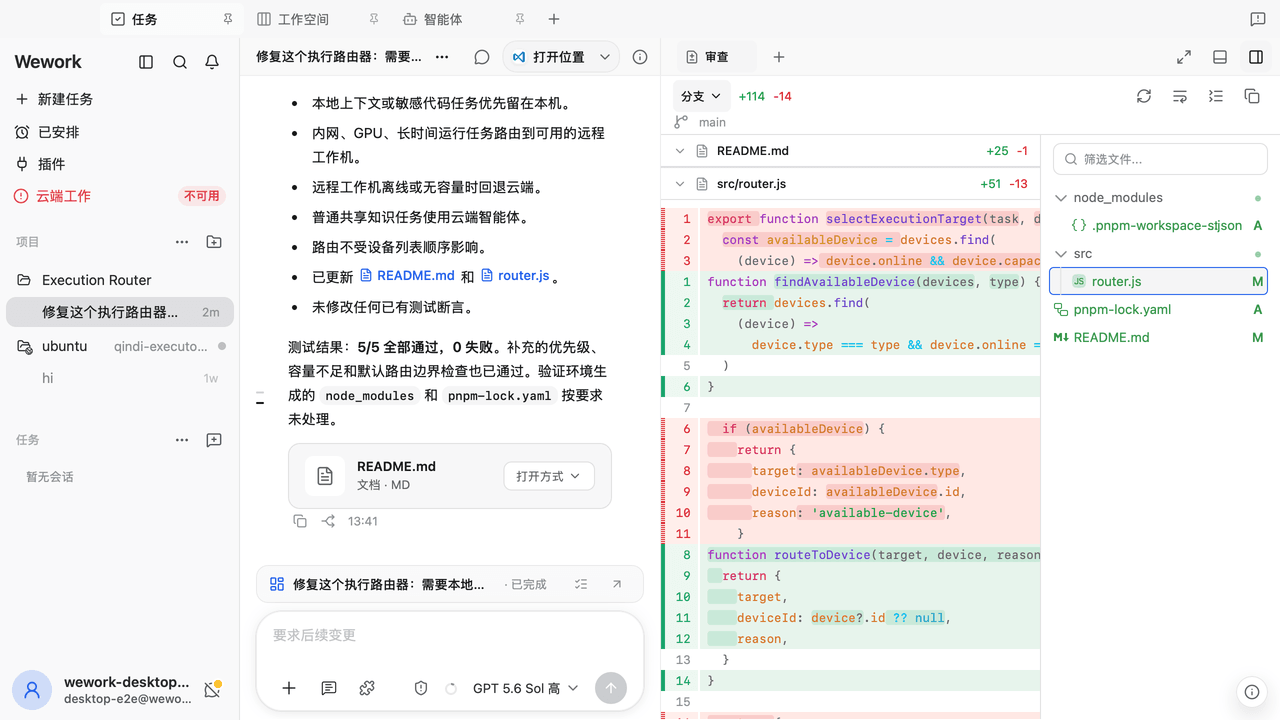 wecode-ai/Wegent
Plan, build, and deliver with an open-source, self-hostable AI workspace for coding, collaboration, and automation.
wecode-ai/Wegent
Plan, build, and deliver with an open-source, self-hostable AI workspace for coding, collaboration, and automation.
-
 shengsheng90/DSH-taskboard
Native local Taskboard plugin for DeepSeek Harness. SQLite-backed projects, Agent claim/review, and a native Web UI — no…
shengsheng90/DSH-taskboard
Native local Taskboard plugin for DeepSeek Harness. SQLite-backed projects, Agent claim/review, and a native Web UI — no…
-
 Nwflower/dsh-chat-import
Import conversation history from 25+ AI coding agents into DeepSeek Harness as resumable sessions — tool calls, reasonin…
Nwflower/dsh-chat-import
Import conversation history from 25+ AI coding agents into DeepSeek Harness as resumable sessions — tool calls, reasonin…
-
 shanliuling/skills-link
Sync your local skills across 41+ AI coding agents with a single command.
shanliuling/skills-link
Sync your local skills across 41+ AI coding agents with a single command.
-
 pengyue-polaron/deepseek-harness-genui
Task-specific React apps for DeepSeek Harness with state carried into the next Agent turn
pengyue-polaron/deepseek-harness-genui
Task-specific React apps for DeepSeek Harness with state carried into the next Agent turn
- aa2246740/dsh-better-display A calmer reading view for DeepSeek Harness: native process details, live reasoning, and clean final answers.
-
 Jayden-X-L/forkprobe
Compare multiple skills on the same task and pick the winner.
Jayden-X-L/forkprobe
Compare multiple skills on the same task and pick the winner.