jackxu925/dsh-pwa
Phone-first PWA for DeepSeek Harness — sessions, streaming chat, approvals on iOS and Android. No app install.
Project Overview项目介绍
dsh-pwa is a phone-first Progressive Web App plugin built specifically for DeepSeek Harness (dsh). It ships as the npm package dsh-pwa and integrates by adding it to a web profile at ~/.dsh/profiles/web/package.json: the user lists dsh-pwa under dependencies and registers it inside dsh.profile.bundles alongside @deepseek-ai/dsh-base and @deepseek-ai/dsh-web-app, then runs npm install and starts the server with dsh --profile web --host 0.0.0.0 --port 3080 --trusted-host <your-access-domain>. The plugin mounts the bundled web/ directory as static files at the /m path, while the in-page client speaks the exact same /api protocol that the desktop GUI already uses, including POST /api/<ns>/<method>, POST /api/respond, and downstream frames over ws://…/api/events.mux, so no business logic is duplicated and updates move with the upstream DSH version. It also injects a dedicated "手机端 / Phone" entry into the desktop GUI settings panel that surfaces the mobile URL with a copy-to-clipboard button, removing the need to type addresses on a phone keyboard.
The intended workflow is for users who want to drive an existing desktop dsh agent session from iPhone or Android without installing a native application. After starting dsh web on a workstation, the user opens http://<host>:3080/m/ in mobile Safari or Chrome and uses the share menu's "Add to Home Screen" action to obtain a full-screen, app-like launcher icon. For remote access over an untrusted network, Tailscale can be installed on both the server and phone under the same account, the Tailscale hostname appended to --trusted-host, and the page reached at http://<tailscale-hostname>:3080/m/. Capabilities cover workspace-grouped session lists with search, pull-to-refresh, and a "needs attention" filter for pending approvals and questions; streaming chat with optimistic send, queued-message visibility, per-day dividers, timestamps, code-copy buttons, and a full-screen image viewer; tappable approval and agent-question cards with a red double-confirm path for dangerous commands; image attachment from camera, photo library, or clipboard paste with automatic compression to model limits; haptics, dark and light themes, per-session draft autosave, and a connection-status pill with manual reconnect.
Dependencies and limits: the only prerequisite is a working desktop dsh CLI installation, and the codebase is vanilla JavaScript with no build step or framework, split across web/ for the front end, lib/routes.js for the mount route, and client/ for the desktop settings injection. Security inherits the same trusted-host fence as dsh web, meaning anyone able to reach the URL on the LAN, tailnet, or reverse proxy can drive the agent, so it must not be exposed to the public internet. First-run caveats include the absence of system push notifications on iOS PWA (the README explicitly contrasts this with the Android-only saya-ch/dsh-mobile), the lack of any offline shell until HTTPS is in place, and the developer-preview status of DSH itself, which may ship breaking API changes and require a matching dsh-pwa update. Upgrades are handled with npm update dsh-pwa followed by a dsh web restart, and the project is released under the MIT license.
dsh-pwa 是一款为 DeepSeek Harness(dsh)量身定制的手机优先 PWA 插件,作为 npm 包 dsh-pwa 发布,安装方式是创建 web profile(~/.dsh/profiles/web/package.json),将 dsh-pwa 写入 dependencies,并在 dsh.profile.bundles 中依次挂载 @deepseek-ai/dsh-base、@deepseek-ai/dsh-web-app、dsh-pwa,随后执行 npm install 并以 dsh --profile web --host 0.0.0.0 --port 3080 --trusted-host <your-access-domain> 启动服务。插件唯一职责是把 web/ 静态文件挂载到 /m,页面直接复用桌面 GUI 的同款 /api 协议,包括 POST /api/<ns>/<method>、POST /api/respond 以及 ws://…/api/events.mux 下行帧,不复制任何业务逻辑,同时在桌面 GUI 设置页注入"手机端"入口,提供手机访问 URL 与一键复制按钮。
该插件适用于需要在 iPhone 与 Android 上远程使用 dsh 桌面代理、并保持会话上下文一致的用户:典型流程是在桌面机启动 dsh web,在手机 Safari 或 Chrome 打开 http://<host>:3080/m/,通过分享菜单"添加到主屏幕"即可获得全屏应用,跨网络可借助 Tailscale,将 Tailscale 主机名加入 --trusted-host 白名单即可走加密 tailnet;功能涵盖带工作区分组的会话列表、含"待处理"过滤的搜索与下拉刷新、流式聊天、乐观发送、队列消息可见、按日分隔、代码复制、全屏图片查看、可点按的审批与代理问答卡片(危险指令二次确认红警)、摄像头/相册/剪贴板图像发送(自动按模型上限压缩)、震动反馈、明暗主题、每会话草稿自动保存以及带手动重连的状态指示。
依赖与限制方面:前置条件是桌面已安装 dsh CLI;前端使用原生 JS,无构建步骤、无框架,web/ 为前端,lib/routes.js 负责挂载,client/ 注入桌面设置项;远程访问完全继承 dsh web 的 trusted-host 安全围栏,威胁模型与桌面 GUI 相同,任何能访问 URL 的人都可驱动代理,故应仅暴露在受信网络(LAN/Tailnet/反向代理)内;首次运行需注意:PWA 在 iOS 下不支持系统级推送,iOS Safari 添加到主屏幕后才提供全屏体验,且必须保持与 dsh 服务器的实时连接,离线不可用;目前 DSH 仍处于开发者预览阶段,API 存在破坏性变更可能,升级时执行 npm update dsh-pwa 并重启 dsh web 即可;许可证为 MIT。
请帮我安装这个 DSH 插件。安装前先完成【兼容性检查 + 安全性检查】,检查通过再动手。

插件:dsh-pwa(jackxu925/dsh-pwa)
仓库:https://github.com/jackxu925/dsh-pwa
本站详情页:https://www.yhbd.top/plugins/jackxu925-dsh-pwa/
本站登记:类型 client · 归类 原生 DSH 插件 · 许可证 MIT · ⭐ 3 · 最近提交 2026-10-03 · 主语言 JavaScript

按下面顺序执行,每步先把结论告诉我,再进入下一步:

【1 兼容性检查】
① 我这边:DSH 版本、Node 版本、操作系统、当前 profile(web / desktop)。
② 读它的 README、package.json、插件 manifest,列出它要求的 DSH 版本 / Node 版本 / 操作系统 / 外部依赖 / 需要另外先装的运行时。
③ 逐条比对,结论只写「满足 / 不满足 / 未知」三种;不满足的给出可行替代方案。
④ 检查是否和我已装的插件冲突:命令名重复、skill / tool 重名、端口占用、重复注册的 MCP server。

【2 安全性检查】
① 仓库可信度:和上面「本站登记」是否一致;star / fork 数、创建时间、最近提交,是否归档或长期停更。
② 安装脚本:逐行看 package.json 的 preinstall / install / postinstall,以及 install.sh、setup.ps1 之类脚本。出现 curl|bash、下载后直接执行、混淆代码、访问与插件功能无关的域名,立刻停下来告诉我,不要继续装。
③ 依赖:列出新增依赖,标出无人维护、或与知名包拼写近似的可疑包(typosquatting)。
④ 权限与副作用:它会读写哪些目录、访问哪些域名、需要哪些 DSH 权限(filesystem / network / shell / clipboard 等),以及怎么卸载和回滚。
⑤ 如果它要求 sudo / 管理员权限,或权限明显超出功能所需,先停下来问我。

【3 安装】
上面两步没有「不满足」和「高危项」时才执行;用官方推荐方式安装,不要自行提权。

【4 汇报】
用表格输出:检查项 / 结论 / 依据 / 是否需要我决策。拿不准的一律写「未知」并说明要我怎么确认——不要猜,也不要替我决定。
Send this message to DSH in your current session: it verifies compatibility and security first (answering met / not met / unknown item by item) and only installs once everything checks out — it will stop and ask you if it finds a high-risk item. The box scrolls; the copy is the full prompt. CLI install commands may not be accurate across systems, so DSH is the safer route.把上面这条消息直接发给当前会话里的 DSH:它会先核对兼容性与安全性(逐条给「满足 / 不满足 / 未知」),确认没问题再安装,有高危项会停下来问你。框内可滚动,复制到的是完整提示词;安装命令不一定准确,发给 DSH 更稳。
- Only 3 stars - very few users, little community feedback星标只有 3,几乎没人在用,遇到问题缺少社区反馈
DSH walks through these 9 checksDSH 会逐条核对这 9 项
Compatibility兼容性
- DSH, Node, OS and profile requirementsDSH 版本 / Node 版本 / 操作系统 / profile 是否满足要求
- External dependencies and runtimes (Electron / Python / Docker, ...)外部依赖与运行时(Electron / Python / Docker 等)是否齐备
- Conflicts with installed plugins: command names, skill / tool names, ports, duplicate MCP registration与已装插件是否冲突:命令名、skill / tool 重名、端口占用、重复 MCP 注册
Security安全性
- Repo matches the facts registered here; archived or abandoned?仓库是否与页面登记一致,是否归档或长期停更
- Safety of preinstall / install / postinstall and install.sh / setup.ps1preinstall / install / postinstall 与 install.sh、setup.ps1 是否安全
- curl|bash, download-then-execute, obfuscation, unrelated domains → stop immediatelycurl|bash、下载即执行、混淆代码、无关域名 → 立刻停止
- Typosquatting or unmaintained packages among the new dependencies新增依赖里有没有 typosquatting 或无人维护的包
- Requested permissions vs. what the feature actually needs申请了哪些权限、是否超出功能所需(filesystem / network / shell / clipboard)
- Any sudo / admin requirement, plus uninstall and rollback是否要求 sudo / 管理员权限,以及卸载与回滚方式
Anything uncertain must be marked unknown with a note on how to confirm it. This site's signal screen is a static snapshot, not a security audit.拿不准的必须标「未知」并说明要我怎么确认。本站的信号筛查是静态快照,不能替代安全审计。
Or use CLI install (for developers)或使用命令行安装(适合开发者)
CLI Install命令行安装
dsh plugin --profile web add github:jackxu925/dsh-pwa把 jackxu925/dsh-pwa 加入你的 DSH 配置(web profile)即可启用。
READMEREADME
dsh-pwa
English | 中文
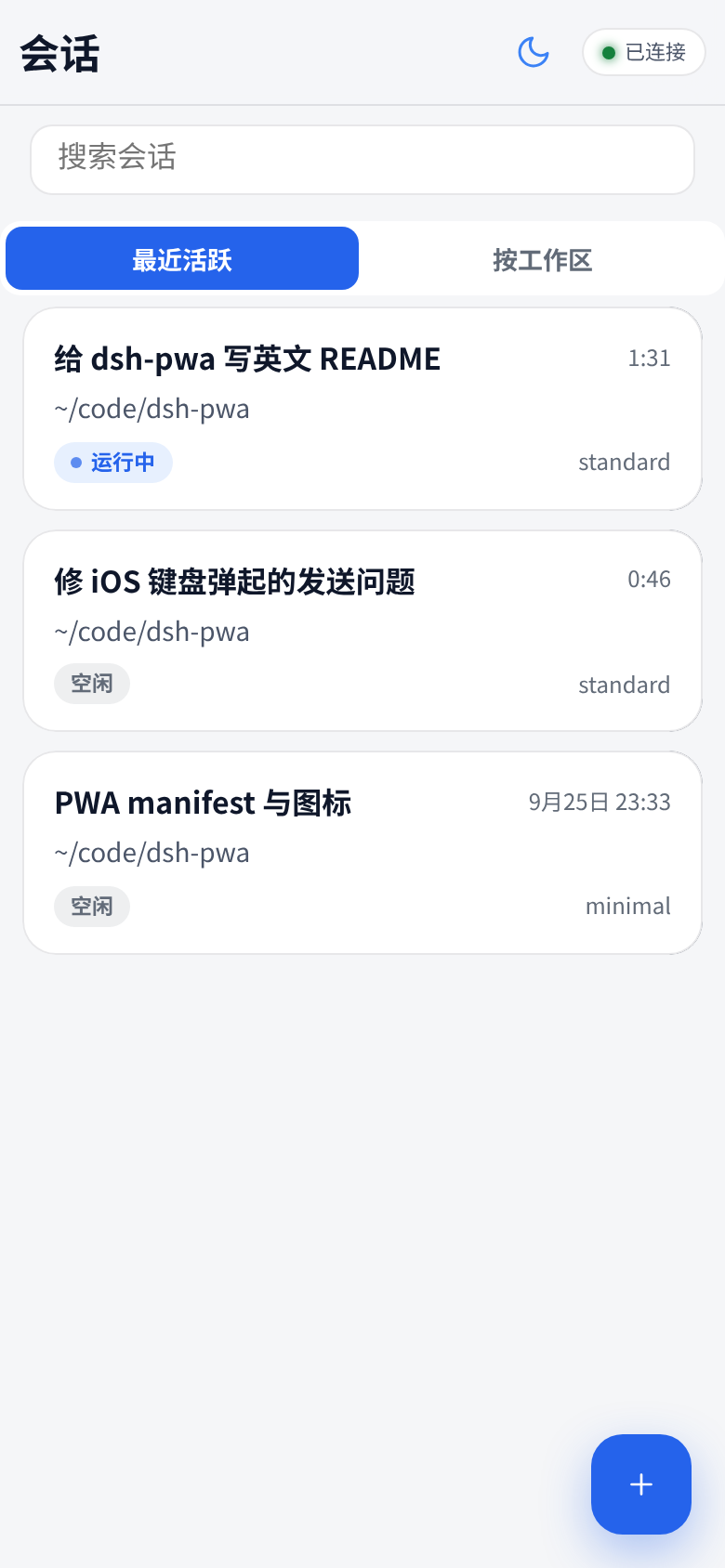
DeepSeek Harness in your pocket. A phone-first PWA for DeepSeek Harness (dsh): it mounts at /m on your dsh web server — session list, real-time streaming chat, approvals, agent questions, new sessions, image messages. No app install: open it in mobile Safari/Chrome → Add to Home Screen → full-screen app. iOS and Android.


Why a PWA instead of a native app?
| dsh-pwa | saya-ch/dsh-mobile | Official web UI over Tailscale | |
|---|---|---|---|
| Form | PWA, zero install on the phone | Native Android app + plugin | Desktop-first web UI |
| iOS | ✅ (Safari → Add to Home Screen) | ❌ (Android only) | ✅ (browser) |
| Android | ✅ | ✅ | ✅ |
| Remote access | Inherits dsh web (LAN / Tailscale / any reverse proxy) |
Built-in: LAN, Tailscale Funnel, cpolar, cloudflared, FRP | Manual tailscale serve |
| Push notifications | ❌ (iOS PWA limits) | ✅ (Android system notifications) | ❌ |
| Security model | Same origin + dsh trusted-host fence |
Cert pinning + device pairing | trusted-host fence |
| Maintenance surface | Static files only — speaks the same /api as the desktop GUI |
Native app + plugin to maintain | None (official UI) |
If you want Android system notifications and certificate-pinned device pairing, check out saya-ch/dsh-mobile. If you want the lightest thing that works on both iOS and Android with nothing to install on the phone, you're in the right place.
Features
- 📋 Session list with workspace grouping, search, pull-to-refresh, and a real "needs attention" filter (pending approvals / questions)
- 💬 Streaming chat with optimistic send, queued-message visibility, per-day dividers, timestamps, code-copy buttons, and full-screen image viewer
- ✅ Approvals & ❓ agent questions as tappable cards (dangerous commands get a red double-confirm)
- 🖼️ Send images from camera / photo library / clipboard paste (auto-compressed to the model's limits)
- ➕ New sessions with agent-preset picker
- 📳 Haptics, dark/light themes, draft autosave per session, connection-status pill with manual reconnect
- ⚙️ Desktop GUI gets a Settings → 手机端 entry showing the phone URL + copy button (no typing URLs on a phone keyboard)
Showing the opening section of the README — the full document lives in the repository以上为 README 开头摘要,完整文档在仓库内 · View the full README on GitHub →在 GitHub 查看完整 README →
Related相关推荐
-
 lsz-asd/dsh-plugin-session-delete
Delete DeepSeek Harness sessions from the UI: header danger button + sidebar session-row menu item (no conversation jump…
lsz-asd/dsh-plugin-session-delete
Delete DeepSeek Harness sessions from the UI: header danger button + sidebar session-row menu item (no conversation jump…
-
 Yuuz12/dsh-webui-auth
WebUI 身份认证:HTTP/传输层强制登录(资源、插件 bundle、/api、WebSocket 四层防护),服务端会话 + HttpOnly Cookie。
Yuuz12/dsh-webui-auth
WebUI 身份认证:HTTP/传输层强制登录(资源、插件 bundle、/api、WebSocket 四层防护),服务端会话 + HttpOnly Cookie。
-
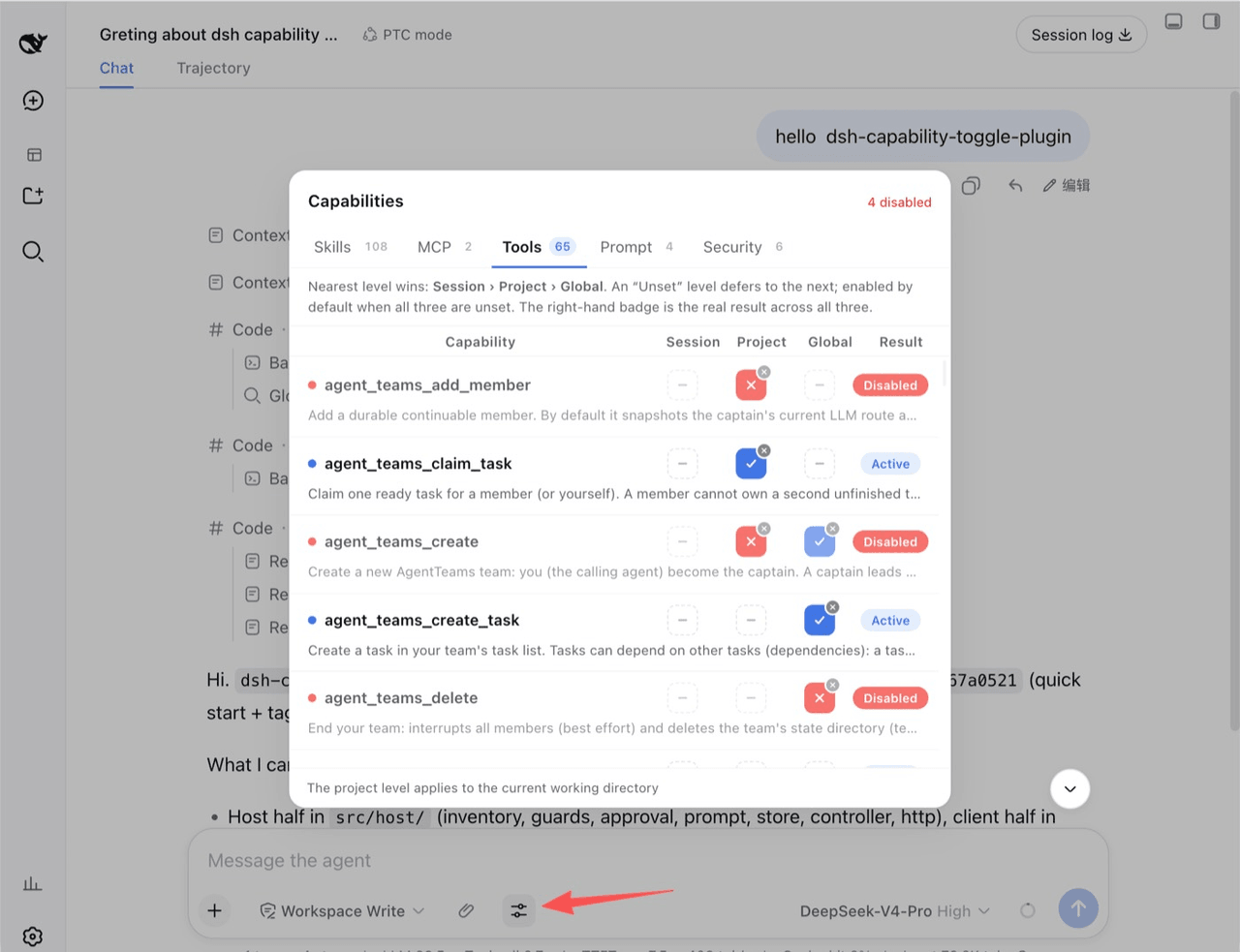 lifeopsgo/dsh-capability-toggle-plugin
灵活控制 mcp/skill/tool 等启用/禁用,支持会话、项目、全局级别控制。Toggle individual agent capabilities (skills, MCP, tools, prompt, approval, gu…
lifeopsgo/dsh-capability-toggle-plugin
灵活控制 mcp/skill/tool 等启用/禁用,支持会话、项目、全局级别控制。Toggle individual agent capabilities (skills, MCP, tools, prompt, approval, gu…
-
 saya-ch/dsh-mobile
DeepSeek Harness 的 Android App 与安全远程访问插件,支持局域网/远程连接和高度自定义的移动界面与扩展能力。
saya-ch/dsh-mobile
DeepSeek Harness 的 Android App 与安全远程访问插件,支持局域网/远程连接和高度自定义的移动界面与扩展能力。
-
 liguobao/ds-harness-remote
一个基于 DeepSeek Harness 插件机制构建的多端远程访问方案,通过安全、低延迟、端到端加密的 P2P 优先网络,支持从 PC、Android 和 Web 随时访问并操作远程 Harness 和 CodeX。 (A multi-…
liguobao/ds-harness-remote
一个基于 DeepSeek Harness 插件机制构建的多端远程访问方案,通过安全、低延迟、端到端加密的 P2P 优先网络,支持从 PC、Android 和 Web 随时访问并操作远程 Harness 和 CodeX。 (A multi-…
-
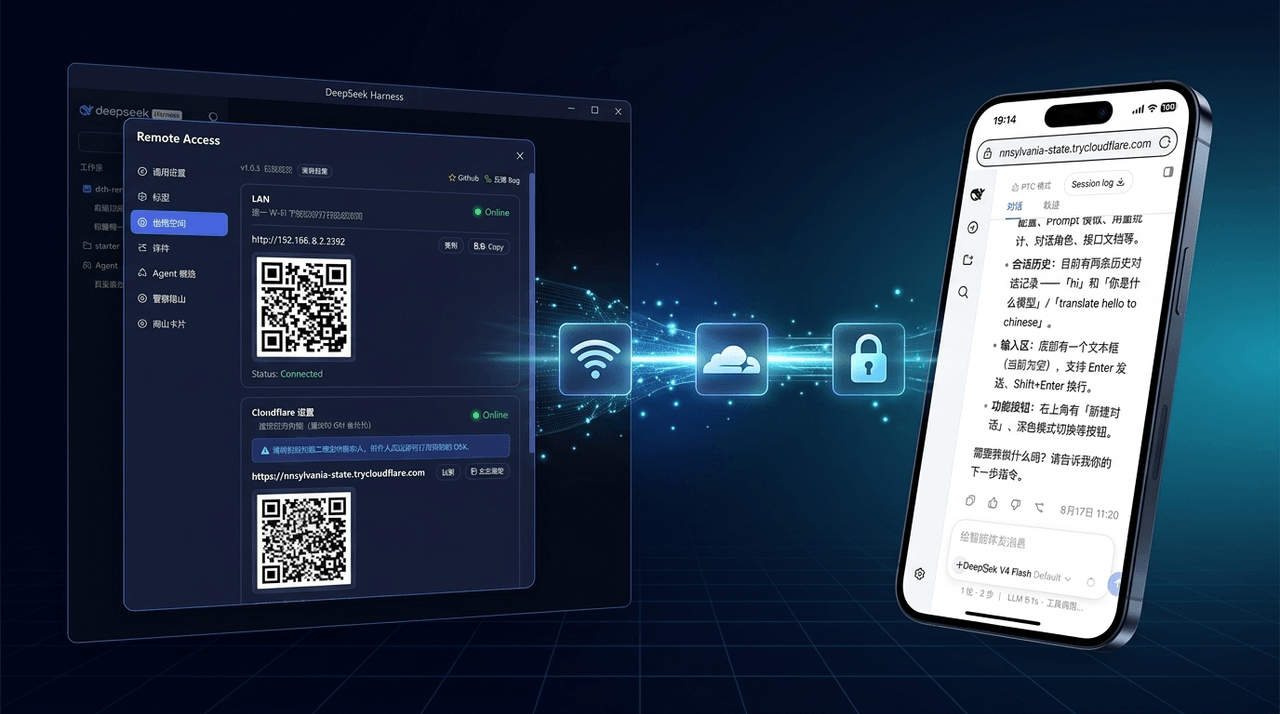 wenbin-wb/dsh-bridge
🚀 DeepSeek Harness 多通道远程访问与安全守护插件 | 局域网扫码直连、Cloudflare / 自建公网隧道、微信 / QQ / 飞书 / Telegram 机器人全生命周期对话 | 内置全协议访问安全认证、后台防篡改与…
wenbin-wb/dsh-bridge
🚀 DeepSeek Harness 多通道远程访问与安全守护插件 | 局域网扫码直连、Cloudflare / 自建公网隧道、微信 / QQ / 飞书 / Telegram 机器人全生命周期对话 | 内置全协议访问安全认证、后台防篡改与…
-
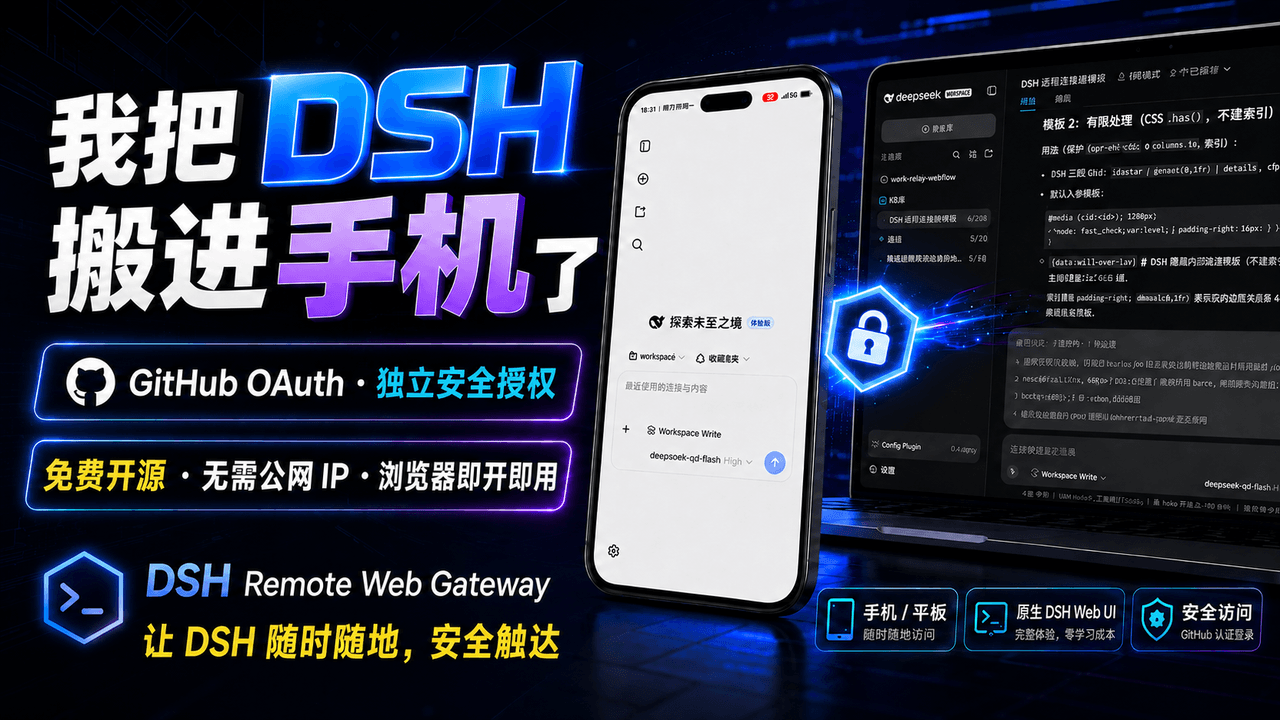 summer1238/dsh-remote-web-gateway
手机平板远程 DeepSeek Harness:扫码即可继续使用电脑上的 DSH,无需远程桌面 / SSH / 公网 IP,支持一次性配对、Github授权加密登录,独立设备授权与随时撤销,实现远程连接很简单,但安全才是我们所想要的。
summer1238/dsh-remote-web-gateway
手机平板远程 DeepSeek Harness:扫码即可继续使用电脑上的 DSH,无需远程桌面 / SSH / 公网 IP,支持一次性配对、Github授权加密登录,独立设备授权与随时撤销,实现远程连接很简单,但安全才是我们所想要的。
-
 ZSeven-W/rish-app
Your pocket agent. Local-first AI agents on iOS and Android — real workspaces, tool execution with approvals, and your c…
ZSeven-W/rish-app
Your pocket agent. Local-first AI agents on iOS and Android — real workspaces, tool execution with approvals, and your c…