Jaylor-Wang/dsh-tool-lsp
LSP action surface for DeepSeek Harness: diagnostics, formatting, rename, code actions and symbols over real language servers
Project Overview项目介绍
dsh-tool-lsp is a plugin for the DeepSeek Harness (DSH) that exposes a real language-server tool surface to the model as five directly callable tools. It ships lsp_diagnostics, which merges pull and push diagnostic channels; lsp_format for whole-file or range formatting; lsp_rename for semantic cross-file renaming; lsp_code_action to apply fixes the server is willing to perform; and lsp_symbols for document outline plus workspace symbol search. Formatting, rename, and applied code actions write to disk; the others do not. Disk writes go through the Harness filesystem observation policy, so a file changed by another party since this call read it fails with LSP_WRITE_CONFLICT rather than being silently overwritten.
Installation is a single command — dsh plugin --profile web add dsh-tool-lsp — followed by enabling the entry in dshmarket, where the plugin is off by default and the switch takes effect immediately without a restart, although that enabled state does not persist across restarts. Server configuration lives in the user profile's patch layer at $DSH_HOME/profiles/<name>/cordis.patch.yml, never inside the plugin package itself, because the package's own cordis.patch.yml must remain plain insert rows for hot-mount and hot-unmount. Each entry declares a command resolved on PATH, args, env, extensionToLanguage, optional fileGlobs and projectMarkers for splitting one extension across servers, plus initializationOptions, configuration (the workspace/configuration reply), and formattingOptions overrides.
Dependencies are minimal: the plugin does not bundle any language server, so vtsls, biome, rust-analyzer, ty, ruff, or any other LSP-compatible executable must already be on PATH; the project is MIT-licensed, with 121 unit tests runnable via npm test and a npm run verify:servers script that boots every server declared in the profile patch and issues one real request per advertised capability. Known limits include biome and ruff lacking textDocument/documentSymbol, so lsp_symbols returns LSP_UNSUPPORTED for them while still serving diagnostics and formatting; a cold server such as rust-analyzer may answer an initial diagnostic pull with nothing while it indexes, after which the plugin retries with backoff before surfacing whatever it has. Positions use 1-based UTF-16 line and character numbers, with 0-based wire form and utf-8/utf-32 conversions handled internally, and source changes require a process restart because the market switch controls mount state, not in-process module reload.
dsh-tool-lsp 是一个面向 DeepSeek Harness(DSH)的 LSP 工具面插件,把真实语言服务器的能力直接暴露为模型可调用的工具。它提供五个工具:lsp_diagnostics 合并 pull 与 push 通道的诊断信息、lsp_format 全文件或区间格式化、lsp_rename 跨文件语义重命名、lsp_code_action 应用语言服务器愿意执行的修复、lsp_symbols 输出文档大纲与工作区符号搜索,其中格式化、重命名与代码动作会写盘。安装命令为 dsh plugin --profile web add dsh-tool-lsp,随后在 dshmarket 中打开开关即可热挂载,默认关闭,重启后开关状态不保留。
工作流程上,开发者先确保 PATH 上已有 vtsls、biome、rust-analyzer、ty、ruff 等语言服务器,然后在用户档案的 patch 层($DSH_HOME/profiles/<name>/cordis.patch.yml)配置 id: lsp 的 servers 表,声明 command、args、extensionToLanguage、projectMarkers、configuration 等字段;路由按 fileGlobs → projectMarkers → extensionToLanguage 顺序命中。模型以 1-based UTF-16 的行列号调用工具,内部自动转换 0-based 线协议与 utf-8/utf-32 编码。写盘操作遵循 Harness 文件系统观察策略,遇到外部并发修改返回 LSP_WRITE_CONFLICT。它面向需要在 DSH 中获得接近 IDE 级别代码理解、改写与跳转能力的开发者与团队。
依赖与限制方面,本插件不安装任何语言服务器,仅依赖 PATH 上的可执行文件,且必须 MIT 许可下使用。已知限制:biome 与 ruff 不实现 textDocument/documentSymbol,lsp_symbols 对其返回 LSP_UNSUPPORTED,仅提供诊断与格式化;冷启动服务器(如 rust-analyzer)首次诊断可能为空,插件会带退避重试。源码改动后需重启进程才能加载新代码,market 开关仅控制挂载状态。开发期可运行 npm test(121 个单元测试)和 npm run verify:servers 对真实服务器逐项探测。
请帮我安装这个 DSH 插件。安装前先完成【兼容性检查 + 安全性检查】,检查通过再动手。

插件:dsh-tool-lsp(Jaylor-Wang/dsh-tool-lsp)
仓库:https://github.com/Jaylor-Wang/dsh-tool-lsp
本站详情页:https://www.yhbd.top/plugins/jaylor-wang-dsh-tool-lsp/
本站登记:类型 plugin · 归类 原生 DSH 插件 · 许可证 MIT · ⭐ 2 · 最近提交 2026-09-26 · 主语言 JavaScript

按下面顺序执行,每步先把结论告诉我,再进入下一步:

【1 兼容性检查】
① 我这边:DSH 版本、Node 版本、操作系统、当前 profile(web / desktop)。
② 读它的 README、package.json、插件 manifest,列出它要求的 DSH 版本 / Node 版本 / 操作系统 / 外部依赖 / 需要另外先装的运行时。
③ 逐条比对,结论只写「满足 / 不满足 / 未知」三种;不满足的给出可行替代方案。
④ 检查是否和我已装的插件冲突:命令名重复、skill / tool 重名、端口占用、重复注册的 MCP server。

【2 安全性检查】
① 仓库可信度:和上面「本站登记」是否一致;star / fork 数、创建时间、最近提交,是否归档或长期停更。
② 安装脚本:逐行看 package.json 的 preinstall / install / postinstall,以及 install.sh、setup.ps1 之类脚本。出现 curl|bash、下载后直接执行、混淆代码、访问与插件功能无关的域名,立刻停下来告诉我,不要继续装。
③ 依赖:列出新增依赖,标出无人维护、或与知名包拼写近似的可疑包(typosquatting)。
④ 权限与副作用:它会读写哪些目录、访问哪些域名、需要哪些 DSH 权限(filesystem / network / shell / clipboard 等),以及怎么卸载和回滚。
⑤ 如果它要求 sudo / 管理员权限,或权限明显超出功能所需,先停下来问我。

【3 安装】
上面两步没有「不满足」和「高危项」时才执行;用官方推荐方式安装,不要自行提权。

【4 汇报】
用表格输出:检查项 / 结论 / 依据 / 是否需要我决策。拿不准的一律写「未知」并说明要我怎么确认——不要猜,也不要替我决定。
Send this message to DSH in your current session: it verifies compatibility and security first (answering met / not met / unknown item by item) and only installs once everything checks out — it will stop and ask you if it finds a high-risk item. The box scrolls; the copy is the full prompt. CLI install commands may not be accurate across systems, so DSH is the safer route.把上面这条消息直接发给当前会话里的 DSH:它会先核对兼容性与安全性(逐条给「满足 / 不满足 / 未知」),确认没问题再安装,有高危项会停下来问你。框内可滚动,复制到的是完整提示词;安装命令不一定准确,发给 DSH 更稳。
- Only 2 stars - very few users, little community feedback星标只有 2,几乎没人在用,遇到问题缺少社区反馈
DSH walks through these 9 checksDSH 会逐条核对这 9 项
Compatibility兼容性
- DSH, Node, OS and profile requirementsDSH 版本 / Node 版本 / 操作系统 / profile 是否满足要求
- External dependencies and runtimes (Electron / Python / Docker, ...)外部依赖与运行时(Electron / Python / Docker 等)是否齐备
- Conflicts with installed plugins: command names, skill / tool names, ports, duplicate MCP registration与已装插件是否冲突:命令名、skill / tool 重名、端口占用、重复 MCP 注册
Security安全性
- Repo matches the facts registered here; archived or abandoned?仓库是否与页面登记一致,是否归档或长期停更
- Safety of preinstall / install / postinstall and install.sh / setup.ps1preinstall / install / postinstall 与 install.sh、setup.ps1 是否安全
- curl|bash, download-then-execute, obfuscation, unrelated domains → stop immediatelycurl|bash、下载即执行、混淆代码、无关域名 → 立刻停止
- Typosquatting or unmaintained packages among the new dependencies新增依赖里有没有 typosquatting 或无人维护的包
- Requested permissions vs. what the feature actually needs申请了哪些权限、是否超出功能所需(filesystem / network / shell / clipboard)
- Any sudo / admin requirement, plus uninstall and rollback是否要求 sudo / 管理员权限,以及卸载与回滚方式
Anything uncertain must be marked unknown with a note on how to confirm it. This site's signal screen is a static snapshot, not a security audit.拿不准的必须标「未知」并说明要我怎么确认。本站的信号筛查是静态快照,不能替代安全审计。
Or use CLI install (for developers)或使用命令行安装(适合开发者)
CLI Install命令行安装
dsh plugin --profile web add dsh-tool-lsp把 Jaylor-Wang/dsh-tool-lsp 加入你的 DSH 配置(web profile)即可启用。
READMEREADME
dsh-tool-lsp
English | 中文


An LSP tool surface for DeepSeek Harness: real language-server diagnostics, formatting, rename, code actions and symbol navigation, exposed as five tools the model can call directly.
Tools
| Tool | What it does | Writes to disk |
|---|---|---|
lsp_diagnostics |
File diagnostics, merging the pull and push channels | no |
lsp_format |
Whole-file or range formatting | yes |
lsp_rename |
Semantic rename, across files when the server says so | yes |
lsp_code_action |
Fixes the language server is willing to apply | yes (when an action is applied) |
lsp_symbols |
Document outline / workspace symbol search | no |
Writes go through the Harness filesystem observation policy: a file changed by someone
else since this call read it fails with LSP_WRITE_CONFLICT rather than being
silently overwritten.
Install
dsh plugin --profile web add dsh-tool-lsp
Enable it from dshmarket. The plugin is off by default — click the switch when you want it, and it takes effect immediately with no restart. The enabled state does not survive a restart.
Configuration
The language-server table lives in the user profile's patch layer
($DSH_HOME/profiles/<name>/cordis.patch.yml), never in the plugin package: the
package's own cordis.patch.yml has to stay plain insert rows, or dshmarket cannot
hot-mount or hot-unmount this plugin.
- id: lsp
  config:
    servers:
      vtsls:
        command: vtsls
        args: ["--stdio"]
        extensionToLanguage:
          ".ts": typescript
          ".tsx": typescriptreact
          ".js": javascript
          ".jsx": javascriptreact
        projectMarkers: ["package.json", "tsconfig.json"]
        configuration:                 # the answer to workspace/configuration
          typescript:
            preferences:
              includePackageJsonAutoImports: "on"

      rust:
        command: rust-analyzer
        extensionToLanguage:
          ".rs": rust
        projectMarkers: ["Cargo.toml"]

      biome:
        command: biome
        args: ["lsp-proxy"]
        extensionToLanguage:
          ".json": json
          ".css": css
        projectMarkers: ["biome.json"]

# The switch needs its own row: same-id rows merge key by key, and folding them
# into one row breaks the market's toggle
- id: lsp
  disabled: true
Showing the opening section of the README — the full document lives in the repository以上为 README 开头摘要,完整文档在仓库内 · View the full README on GitHub →在 GitHub 查看完整 README →
Related相关推荐
- HuanLinOTO/dsh-plugin-mcp-manager MCP 服务器管理面板:GUI 增删改 MCP 服务器配置(写入 cordis.patch.yml + HMR 实时挂载)+ 工具浏览 + agent 面 mcp_* 管理工具 | MCP server management panel: …
- cynch18/plugin-switch DSH web plugin: toggle plugins on/off from the GUI without restarting the server
- shuimo07/xiaoliuren 小六壬占卜 + DeepSeek Harness 插件(时间/报数/随机起卦,结论优先)
- shine-233/dsh-waimao 外贸获客插件 for DeepSeek Harness (dsh): Google 三层搜客 + WhatsApp 客服审核台 + 邮件触达闭环 (ICP 评分/跟进序列/CRM/报价PDF), 零依赖
-
 Ycet/dsh-my-plugins
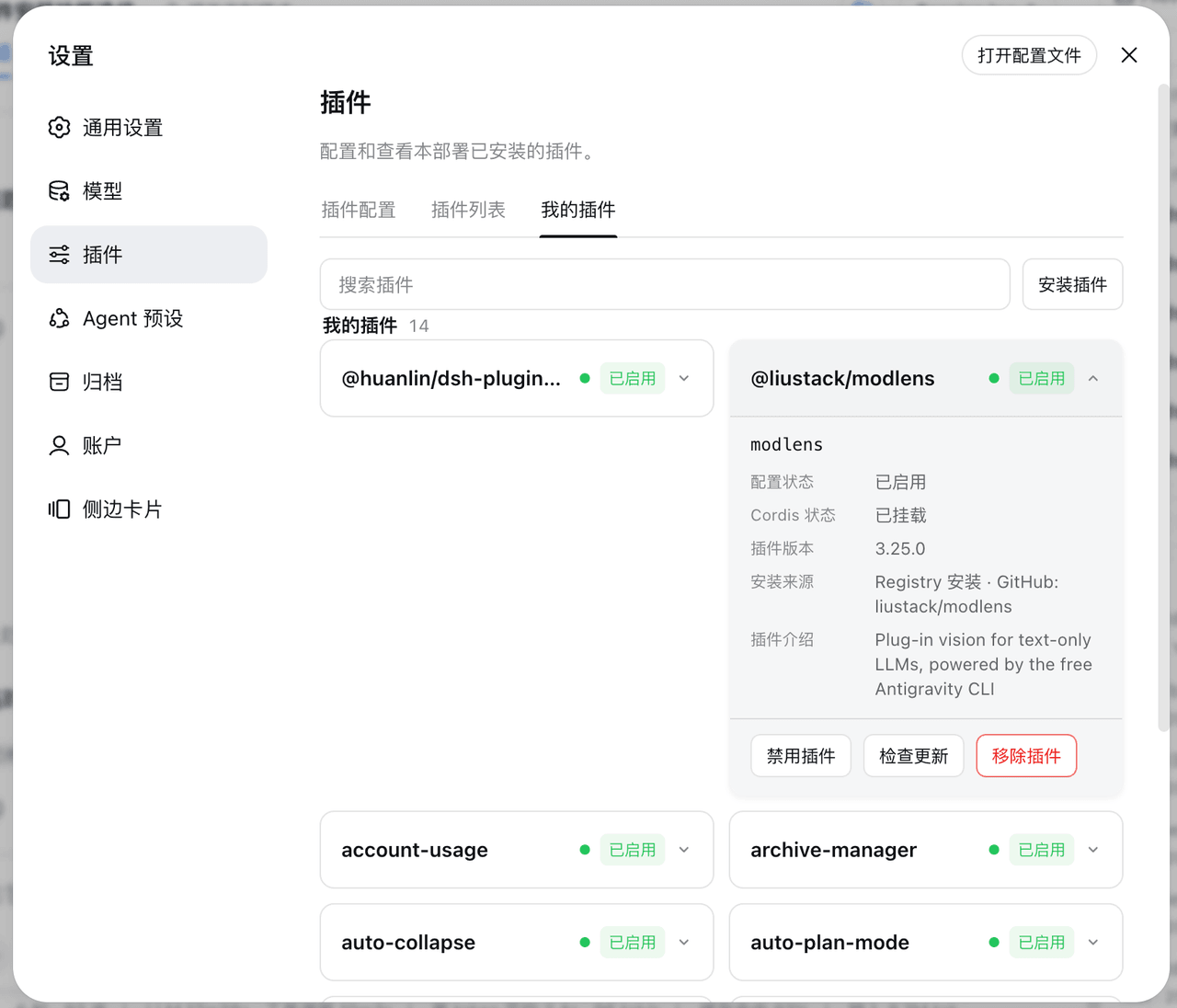
DSH 设置-插件页新增「我的插件」标签:双列卡片展示用户自己安装的插件(配置状态、Cordis 状态、插件介绍)。Add a "My Plugins" tab to the DSH settings plugins page, listi…
Ycet/dsh-my-plugins
DSH 设置-插件页新增「我的插件」标签:双列卡片展示用户自己安装的插件(配置状态、Cordis 状态、插件介绍)。Add a "My Plugins" tab to the DSH settings plugins page, listi…
- ThinkofRain1213/dsh-smooth-cursor-patched dsh-smooth-cursor 的社区修补分支:为 DSH Web 聊天输入框提供平滑彗星光标,覆盖提问卡片的作答输入框,并修复空输入光标、双向划词跟手、软换行光标定位与滚动越界等问题。
- tsingshitao-nuke/dsh-set-workspace Right-click a folder in Windows File Explorer to open it as a DeepSeek Harness (DSH) workspace: register, launch DSH, an…
- cyj0920/dsh-jlink-plugin