shine-233/dsh-waimao
外贸获客插件 for DeepSeek Harness (dsh): Google 三层搜客 + WhatsApp 客服审核台 + 邮件触达闭环 (ICP 评分/跟进序列/CRM/报价PDF), 零依赖
Project Overview项目介绍
shine-233/dsh-waimao is a native DSH plugin targeting DeepSeek Harness 0.1.0-rc.7 that implements a full foreign-trade B2B lead funnel inside dsh web. Installation runs through npx -y @deepseek-ai/dsh plugin --profile web add github:shine-233/dsh-waimao (or add link: for local dev), then the plugin registers fifty dialogue tools and exposes five web routes on port 3080: /waimao/leads, /waimao/crm, /waimao/review, /waimao/templates, and /waimao/settings, covering ICP profiling, three-layer Google SERP harvesting, contact extraction, AI scoring, IMAP reply scanning, WhatsApp moderation, and quote PDFs.
The intended workflow is conversational: the user first calls icp_set to record product and buyer profile, then chains sop_create → lead_search → lead_enrich → lead_score → email_compose. Cold outreach is gated by an SOP-driven approval hash and shipped through a built-in zero-dependency SMTP client or Evolution API; cron jobs poll IMAP every configured minutes, classify replies into twelve buckets via regex-then-DeepSeek, stop follow-ups on positive replies, and push unsubscribes or bounced domains into a suppression list. A warmup pool rotates partner mailboxes daily, while deliverability_check audits SPF/DKIM/DMARC before the first send. Target users are solo exporters and small foreign-trade teams that want outreach, reply handling, and CRM in one DSH surface.
Runtime requirements are Node ≥ 22.13, the @deepseek-ai/dsh 0.1.0-rc.7 plugin API (bundle patch, tools.register, webServer.register), a DeepSeek API key, optional SerpAPI and Evolution API credentials, and SMTP/IMAP accounts; the package ships zero npm dependencies and is MIT licensed. China-hosted users must set a SERP proxy; open and click tracking needs a cloudflared tunnel or local caddy/nginx reverse proxy mapped to 127.0.0.1:3080 because DSH binds loopback only. First-run checklist: keep smtp.dryRun true, run deliverability_check, enable warmup with a partner mailbox, then flip dryRun to false only after SOP approval gates pass and the daily caps are tuned.
shine-233/dsh-waimao 是一款面向 DeepSeek Harness (DSH) 的外贸 B2B 获客原生插件,通过 npx -y @deepseek-ai/dsh plugin --profile web add github:shine-233/dsh-waimao 安装后挂载到 dsh web,在 3080 端口暴露五条路由:/waimao/leads、/waimao/crm、/waimao/review、/waimao/templates、/waimao/settings,并注册 50 个对话工具(lead_search、lead_enrich、email_send、wa_send_media 等),覆盖 ICP 画像、谷歌三层搜索、联系方式抽取、AI 评分、IMAP 回复扫描、WhatsApp 客服审核台与报价 PDF 全流程。
典型工作流:icp_set 一句话设定产品与买家画像;sop_create → lead_search → lead_enrich → lead_score → email_compose 拉取线索并生成开发信;首触冷邮件走人工审批闸,调用 SMTP(自带零依赖客户端)或 Evolution API 触达;IMAP 轮询触发 12 类回复分类,自动停序列并把退订地址/退信域名加入抑制列表;最后 quote_pdf 出报价单,状态机推进到成交/流失。
底层依赖 Node ≥ 22.13、@deepseek-ai/dsh 0.1.0-rc.7 插件面、DeepSeek Chat API、可选 SerpAPI/Evolution API 与 SMTP/IMAP 凭据;零 npm 依赖、MIT 协议;大陆网络需配置 SERP 代理,开启打开/点击追踪需 cloudflared 隧道或 caddy 反代;smtp.dryRun 总闸默认开启,新域名先用 deliverability_check 跑 SPF/DKIM/DMARC 体检并启动 warmup 互发池。
请帮我安装这个 DSH 插件。安装前先完成【兼容性检查 + 安全性检查】,检查通过再动手。

插件:dsh-waimao(shine-233/dsh-waimao)
仓库:https://github.com/shine-233/dsh-waimao
本站详情页:https://www.yhbd.top/plugins/shine-233-dsh-waimao/
本站登记:类型 plugin · 归类 原生 DSH 插件 · 许可证 MIT · ⭐ 3 · 最近提交 2026-09-12 · 主语言 JavaScript

按下面顺序执行,每步先把结论告诉我,再进入下一步:

【1 兼容性检查】
① 我这边:DSH 版本、Node 版本、操作系统、当前 profile(web / desktop)。
② 读它的 README、package.json、插件 manifest,列出它要求的 DSH 版本 / Node 版本 / 操作系统 / 外部依赖 / 需要另外先装的运行时。
③ 逐条比对,结论只写「满足 / 不满足 / 未知」三种;不满足的给出可行替代方案。
④ 检查是否和我已装的插件冲突:命令名重复、skill / tool 重名、端口占用、重复注册的 MCP server。

【2 安全性检查】
① 仓库可信度:和上面「本站登记」是否一致;star / fork 数、创建时间、最近提交,是否归档或长期停更。
② 安装脚本:逐行看 package.json 的 preinstall / install / postinstall,以及 install.sh、setup.ps1 之类脚本。出现 curl|bash、下载后直接执行、混淆代码、访问与插件功能无关的域名,立刻停下来告诉我,不要继续装。
③ 依赖:列出新增依赖,标出无人维护、或与知名包拼写近似的可疑包(typosquatting)。
④ 权限与副作用:它会读写哪些目录、访问哪些域名、需要哪些 DSH 权限(filesystem / network / shell / clipboard 等),以及怎么卸载和回滚。
⑤ 如果它要求 sudo / 管理员权限,或权限明显超出功能所需,先停下来问我。

【3 安装】
上面两步没有「不满足」和「高危项」时才执行;用官方推荐方式安装,不要自行提权。

【4 汇报】
用表格输出:检查项 / 结论 / 依据 / 是否需要我决策。拿不准的一律写「未知」并说明要我怎么确认——不要猜,也不要替我决定。
Send this message to DSH in your current session: it verifies compatibility and security first (answering met / not met / unknown item by item) and only installs once everything checks out — it will stop and ask you if it finds a high-risk item. The box scrolls; the copy is the full prompt. CLI install commands may not be accurate across systems, so DSH is the safer route.把上面这条消息直接发给当前会话里的 DSH:它会先核对兼容性与安全性(逐条给「满足 / 不满足 / 未知」),确认没问题再安装,有高危项会停下来问你。框内可滚动,复制到的是完整提示词;安装命令不一定准确,发给 DSH 更稳。
- Only 3 stars - very few users, little community feedback星标只有 3,几乎没人在用,遇到问题缺少社区反馈
DSH walks through these 9 checksDSH 会逐条核对这 9 项
Compatibility兼容性
- DSH, Node, OS and profile requirementsDSH 版本 / Node 版本 / 操作系统 / profile 是否满足要求
- External dependencies and runtimes (Electron / Python / Docker, ...)外部依赖与运行时(Electron / Python / Docker 等)是否齐备
- Conflicts with installed plugins: command names, skill / tool names, ports, duplicate MCP registration与已装插件是否冲突:命令名、skill / tool 重名、端口占用、重复 MCP 注册
Security安全性
- Repo matches the facts registered here; archived or abandoned?仓库是否与页面登记一致,是否归档或长期停更
- Safety of preinstall / install / postinstall and install.sh / setup.ps1preinstall / install / postinstall 与 install.sh、setup.ps1 是否安全
- curl|bash, download-then-execute, obfuscation, unrelated domains → stop immediatelycurl|bash、下载即执行、混淆代码、无关域名 → 立刻停止
- Typosquatting or unmaintained packages among the new dependencies新增依赖里有没有 typosquatting 或无人维护的包
- Requested permissions vs. what the feature actually needs申请了哪些权限、是否超出功能所需(filesystem / network / shell / clipboard)
- Any sudo / admin requirement, plus uninstall and rollback是否要求 sudo / 管理员权限,以及卸载与回滚方式
Anything uncertain must be marked unknown with a note on how to confirm it. This site's signal screen is a static snapshot, not a security audit.拿不准的必须标「未知」并说明要我怎么确认。本站的信号筛查是静态快照,不能替代安全审计。
Or use CLI install (for developers)或使用命令行安装(适合开发者)
CLI Install命令行安装
npx -y @deepseek-ai/dsh plugin --profile web add github:shine-233/dsh-waimao把 shine-233/dsh-waimao 加入你的 DSH 配置(web profile)即可启用。
READMEREADME
dsh-waimao 🌐💬
DeepSeek Harness (dsh) 外贸获客插件:从「搜到链接」到「成交回款」的完整流程,全部装进你的 dsh。
设置ICP画像 → 三层搜索 → 提取联系方式 → 规则过滤 → AI评分(判断是否对口)
   → 邮箱验证 → 开发信(dry-run,线程头,spintax,日上限)
   → 人工审批 → 触达(邮件/WhatsApp) → IMAP回复扫描+AI分类 → 跟进序列
   → CRM管线 → 官网监控(意图信号) → 报价PDF → 结案复盘 → 效果统计
功能总览(50 个对话工具 + 5 个网页)
| 模块 | 能力 |
|---|---|
| 🎯 ICP 画像 | icp_set 一句话设置"卖什么+找什么买家";评分判断线索是否对口(对口/沾边/不对口+理由),写开发信自动带上产品 |
| 🌐 谷歌获客 | 三层公式(基础搜索/LinkedIn职位定向/采购信号)、18个市场预设、逐层去重、引擎自动 failover、Google Maps 商家数据源(serpapi)、CSV导出 |
| 🧪 线索加工 | 抓页提取邮箱/WhatsApp/电话/社媒、规则引擎过滤(同行/B2B平台/黄页/招聘/社媒一眼排除)、AI评分0-12分(🔴极高/🟠高/🟡中/🟢低+开发建议)、自动入CRM去重合并 |
| 📧 邮箱发现验证 | 35+模式猜测 + MX记录 + SMTP RCPT探测 + catch-all检测(hunter.io 开源平替) |
| ✉️ 开发信 | DeepSeek 个性化生成(带知识库引用)/ 三语模板兜底(英/西/葡)、零依赖SMTP客户端、dry-run 总闸默认开、首触审批闸、回复线程头、退订脚注、Spintax 变体、三层日上限(全局 / 每邮箱业务 / 每邮箱业务+预热总顶) |
| 📬 回复检测闭环 | IMAP 扫描买家回复 → 正则先过滤(免费) → 模糊回复才调 AI,12 类细分(感兴趣/约会议/询价/提问/拒绝/已离职/转介同事/休假/退订/退信)→ 自动改 replied + 停序列;退订进抑制列表、退信整域名拉黑 |
| 🛡️ 合规 | 抑制列表(地址+域名两级,发送强制拦截)、退订提示行(认 STOP/ALTO/PARAR)、全量审计日志 |
| 📤 标准导出 | CRM/搜索结果一键导出 Instantly/Smartlead 标准列(email/first_name/company/reason...),免映射导入;reason 字段带"为什么选这条线索" |
| 📅 跟进序列 | Day 0/3/7/14 四步自动跟进(挂原邮件线程)、回复即停、cron 定时执行 |
| 📊 CRM 管线 | 状态机(新→评估→触达→回复→报价→成交/流失)、客户档案、跟进活动、跨搜索去重合并、CSV导出 |
| 🔐 SOP 阶段机 | 八阶段服务端强制顺序(agent 不可跳步)、人工审批门(哈希绑定,改动即失效) |
| 📚 知识库 | 产品/报价政策/案例/市场规则,检索带 citation,AI 回复客户有据可依 |
| 🕵️ 公司背调 | RDAP WHOIS(域名年龄,新站标警)+ 技术栈指纹(Shopify/Woo等)+ 业务信号(招聘=扩张) |
| 👀 意图监控 | cron 盯客户官网变化,命中 new product/hiring 等信号词=触达时机 |
| ⏰ 定时任务 | WA收件箱轮询、序列执行、回复扫描、官网监控、每日管线日报、停跟进提醒 |
| 客服审核台(AI草稿+人工审核)、媒体消息(发报价PDF)、受控群发(随机间隔+每日上限+3连败熔断) | |
| 📄 报价 | 英文报价单 PDF(零依赖手写生成)、自动关联CRM |
| 📈 效果统计 | 漏斗转化、分层回复率、市场分布、回复分类、触达量、打开率/点击率 |
| 📬 打开/点击追踪 | 发信自动注入像素+链接包裹(HTML替身),公网反代模式,防开放重定向 |
| 🔥 邮箱预热池 | 多收件箱互为预热池(主账号+smtp.accounts 按天轮换配对):每邮箱独立爬坡限额(第1周5封/天,每周+5)、自动回复/标星已读、误入垃圾箱自动挪回 INBOX、可选 DeepSeek 生成自然内容;业务发送由 smtp.dailyCap / accounts[].dailyCap 单独保护 |
| 🚀 Instantly 直连 | instantly_push_leads 把 CRM 高分对口线索批量推进 Instantly 活动(标准字段映射+≤500/批+dry_run 预览)、instantly_campaign_list 查活动/账号;官方 OpenAPI v2 对齐 |
| 🩺 送达率体检 | SPF/DKIM/DMARC/MX DNS检查 + 修复建议,首封开发信前必跑 |
Showing the opening section of the README — the full document lives in the repository以上为 README 开头摘要,完整文档在仓库内 · View the full README on GitHub →在 GitHub 查看完整 README →
Related相关推荐
- HuanLinOTO/dsh-plugin-mcp-manager MCP 服务器管理面板:GUI 增删改 MCP 服务器配置(写入 cordis.patch.yml + HMR 实时挂载)+ 工具浏览 + agent 面 mcp_* 管理工具 | MCP server management panel: …
- cynch18/plugin-switch DSH web plugin: toggle plugins on/off from the GUI without restarting the server
- shuimo07/xiaoliuren 小六壬占卜 + DeepSeek Harness 插件(时间/报数/随机起卦,结论优先)
-
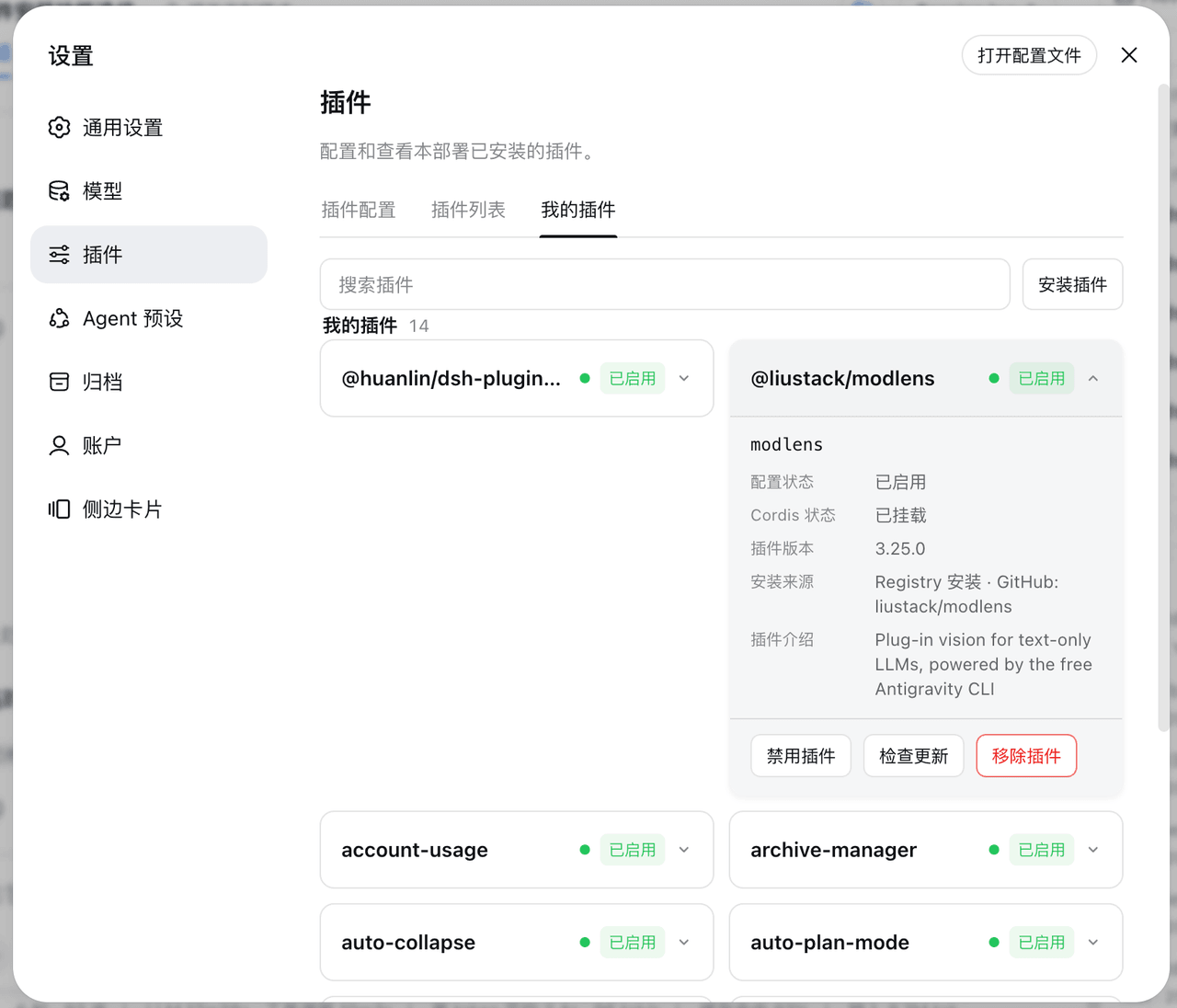 Ycet/dsh-my-plugins
DSH 设置-插件页新增「我的插件」标签:双列卡片展示用户自己安装的插件(配置状态、Cordis 状态、插件介绍)。Add a "My Plugins" tab to the DSH settings plugins page, listi…
Ycet/dsh-my-plugins
DSH 设置-插件页新增「我的插件」标签:双列卡片展示用户自己安装的插件(配置状态、Cordis 状态、插件介绍)。Add a "My Plugins" tab to the DSH settings plugins page, listi…
- ThinkofRain1213/dsh-smooth-cursor-patched dsh-smooth-cursor 的社区修补分支:为 DSH Web 聊天输入框提供平滑彗星光标,覆盖提问卡片的作答输入框,并修复空输入光标、双向划词跟手、软换行光标定位与滚动越界等问题。
- tsingshitao-nuke/dsh-set-workspace Right-click a folder in Windows File Explorer to open it as a DeepSeek Harness (DSH) workspace: register, launch DSH, an…
- Jaylor-Wang/dsh-tool-lsp LSP action surface for DeepSeek Harness: diagnostics, formatting, rename, code actions and symbols over real language se…
- cyj0920/dsh-jlink-plugin