liancha22/dsh-puzzle-mode
DSH 插件|拼图模式:把项目拆成主文档 + 若干模块文档,AI 主动提问把不确定项变成已定项,用五维算项目健康性。一个会话可同时绑多个项目,面板有绑定切换条;项目分小 / 中 / 大三档,条目上限随档位放宽或收紧;主文档第五节 `## 工作流` 是标准化流水线(一条 = 一个 ### 名字块 + 有序步骤),命中触发词自动注入。**重复思考熔断**:同一工具连续 3 次同样参数调用即注入提示,把绕圈的模型推出去。文档格式 v7;与 dsh-infinite-gen-5 同装时按契约共存。
Project Overview项目介绍
dsh-puzzle-mode is a DSH-native plugin (a Cordis bundle) shipped as v0.17.0 and targeting DSH 0.2.0-rc.2, with peer coverage that spans every 0.1.5, 0.1.6, and 0.1.7 pre-release. It restructures long chat sessions into a "main document plus module documents" puzzle where every decided item carries a source citation, and from v0.17.0 the ## 工作流 section is redefined as a standardized pipeline — one ### name block per workflow with numbered steps inside. A small health indicator button sits to the left of the model selector in the input area. Installation is through the DSH plugin manager (python3 "$DSH_HOME/plugin-manager.py" github liancha22 dsh-puzzle-mode v0.17.0), a tgz asset from Releases, or dsh plugin --profile web add github:liancha22/dsh-puzzle-mode. The bundle has zero npm dependencies and only consumes the runtime-provided @deepseek-ai/dsh-tools package.
In practice the plugin is not a standalone mode: it ships as a Cordis bundle that you mount into the host combination, after which any standard-mode (or other preset) session inherits puzzle-mode behavior. The workflow loop is to call op:init (or use the empty-state "build docs from an existing project" button added in v0.16.4, which first reads the workspace and derives project name and module split from real code), then write sections through op:main and op:module, migrate legacy docs with op:rebuild (default dry-run, set apply:true to write), track five-axis health and citations via op:health plus op:audit, and manage pipelines through op:workflow (remove, restore, drop). It targets developers running multi-turn DSH sessions on real projects who want decisions and sources persisted as readable markdown rather than buried in chat history.
Limits and runtime caveats: workflow name ≤20 chars, single step ≤80 chars, ≤12 steps per pipeline, ≤5 pipelines per project; mode offers only-puzzle, write-then-puzzle, and puzzle-while-write, with the first two requiring per-action user approval. After install you must restart the affected profile (patchReload: startup) and reload the browser tab. Uninstall via dsh plugin --profile web remove dsh-puzzle-mode or by deleting its two lines from dsh.profile.bundles and dependencies. Workspace puzzle docs are not affected by uninstall — they remain plain markdown. A previously declared ^0.1.6-rc.1 peer range excluded nine of thirteen published releases, which v0.16.1 re-anchored to the earliest existing pre-release per minor.
dsh-puzzle-mode 是一款面向 DSH(DeepSeek Harness)的原生扩展,最新版本 v0.17.0,适配 DSH 0.2.0-rc.2,兼容 0.1.5、0.1.6、0.1.7 各预发布版。它把长会话里散落的项目关键决定整理成"一份主文档 + 若干模块文档"的拼图结构,每条决定都带出处,主文档第五节 ## 工作流 在 v0.17.0 重定义为"标准化流水线",一条工作流 = 一个 ### 名字 块,块内逐行是有序步骤;同时在输入框模型选择器左边放置一颗显示项目健康性的小按钮。安装方式有三种:DSH 插件管理器(python3 "$DSH_HOME/plugin-manager.py" github liancha22 dsh-puzzle-mode v0.17.0)、下载 tgz 附件、dsh CLI(dsh plugin --profile web add github:liancha22/dsh-puzzle-mode);本插件无 npm 依赖,仅消费宿主提供的 @deepseek-ai/dsh-tools。
典型工作流:在 DSH 标准模式(或任意 preset)的组合里启用本插件,模型即随提示段自动获得拼图能力;用户在面板"照现有项目搭文档"可一键为老会话补文档(v0.16.4 起)、用 op:init 新建整套文档、op:main 与 op:module 逐节写入、op:rebuild 迁移文档格式(默认 dry-run、apply:true 才落盘)、op:health 与 op:audit 维护五维健康性、op:workflow 管理流水线(删除 / 恢复 / 永久删除归档项)。它不是独立模式,必须嵌入宿主组合使用;适合长会话项目里需要把决策落字面、可随时回查的开发者,也适合想把工作流沉淀为可复用流水线的小组。
依赖与限制方面,本插件无 npm 依赖,无外部包消费;文档上限为工作流名字 ≤20 字、单步 ≤80 字、每条 ≤12 步、最多 5 条;mode 提供"只拼不写 / 写后再拼 / 边拼边写"三档,前两档写动作前必须经用户同意;装完须按 patchReload: startup 重启 profile 再刷新浏览器;卸载用 dsh plugin --profile web remove;工作区中的拼图文档只是普通 markdown,不受影响。需注意旧 0.1.6-rc.x 与 0.1.7-alpha 已在 v0.16.1 修复,覆盖 13 个已发布版本。
请帮我安装这个 DSH 插件。安装前先完成【兼容性检查 + 安全性检查】,检查通过再动手。

插件:dsh-puzzle-mode(liancha22/dsh-puzzle-mode)
仓库:https://github.com/liancha22/dsh-puzzle-mode
本站详情页:https://www.yhbd.top/plugins/liancha22-dsh-puzzle-mode/
本站登记:类型 plugin · 归类 原生 DSH 插件 · 许可证 MIT · ⭐ 2 · 最近提交 2026-10-03 · 主语言 JavaScript

按下面顺序执行,每步先把结论告诉我,再进入下一步:

【1 兼容性检查】
① 我这边:DSH 版本、Node 版本、操作系统、当前 profile(web / desktop)。
② 读它的 README、package.json、插件 manifest,列出它要求的 DSH 版本 / Node 版本 / 操作系统 / 外部依赖 / 需要另外先装的运行时。
③ 逐条比对,结论只写「满足 / 不满足 / 未知」三种;不满足的给出可行替代方案。
④ 检查是否和我已装的插件冲突:命令名重复、skill / tool 重名、端口占用、重复注册的 MCP server。

【2 安全性检查】
① 仓库可信度:和上面「本站登记」是否一致;star / fork 数、创建时间、最近提交,是否归档或长期停更。
② 安装脚本:逐行看 package.json 的 preinstall / install / postinstall,以及 install.sh、setup.ps1 之类脚本。出现 curl|bash、下载后直接执行、混淆代码、访问与插件功能无关的域名,立刻停下来告诉我,不要继续装。
③ 依赖:列出新增依赖,标出无人维护、或与知名包拼写近似的可疑包(typosquatting)。
④ 权限与副作用:它会读写哪些目录、访问哪些域名、需要哪些 DSH 权限(filesystem / network / shell / clipboard 等),以及怎么卸载和回滚。
⑤ 如果它要求 sudo / 管理员权限,或权限明显超出功能所需,先停下来问我。

【3 安装】
上面两步没有「不满足」和「高危项」时才执行;用官方推荐方式安装,不要自行提权。

【4 汇报】
用表格输出:检查项 / 结论 / 依据 / 是否需要我决策。拿不准的一律写「未知」并说明要我怎么确认——不要猜,也不要替我决定。
Send this message to DSH in your current session: it verifies compatibility and security first (answering met / not met / unknown item by item) and only installs once everything checks out — it will stop and ask you if it finds a high-risk item. The box scrolls; the copy is the full prompt. CLI install commands may not be accurate across systems, so DSH is the safer route.把上面这条消息直接发给当前会话里的 DSH:它会先核对兼容性与安全性(逐条给「满足 / 不满足 / 未知」),确认没问题再安装,有高危项会停下来问你。框内可滚动,复制到的是完整提示词;安装命令不一定准确,发给 DSH 更稳。
- Only 2 stars - very few users, little community feedback星标只有 2,几乎没人在用,遇到问题缺少社区反馈
DSH walks through these 9 checksDSH 会逐条核对这 9 项
Compatibility兼容性
- DSH, Node, OS and profile requirementsDSH 版本 / Node 版本 / 操作系统 / profile 是否满足要求
- External dependencies and runtimes (Electron / Python / Docker, ...)外部依赖与运行时(Electron / Python / Docker 等)是否齐备
- Conflicts with installed plugins: command names, skill / tool names, ports, duplicate MCP registration与已装插件是否冲突:命令名、skill / tool 重名、端口占用、重复 MCP 注册
Security安全性
- Repo matches the facts registered here; archived or abandoned?仓库是否与页面登记一致,是否归档或长期停更
- Safety of preinstall / install / postinstall and install.sh / setup.ps1preinstall / install / postinstall 与 install.sh、setup.ps1 是否安全
- curl|bash, download-then-execute, obfuscation, unrelated domains → stop immediatelycurl|bash、下载即执行、混淆代码、无关域名 → 立刻停止
- Typosquatting or unmaintained packages among the new dependencies新增依赖里有没有 typosquatting 或无人维护的包
- Requested permissions vs. what the feature actually needs申请了哪些权限、是否超出功能所需(filesystem / network / shell / clipboard)
- Any sudo / admin requirement, plus uninstall and rollback是否要求 sudo / 管理员权限,以及卸载与回滚方式
Anything uncertain must be marked unknown with a note on how to confirm it. This site's signal screen is a static snapshot, not a security audit.拿不准的必须标「未知」并说明要我怎么确认。本站的信号筛查是静态快照,不能替代安全审计。
Or use CLI install (for developers)或使用命令行安装(适合开发者)
CLI Install命令行安装
dsh plugin --profile web add github:liancha22/dsh-puzzle-mode把 liancha22/dsh-puzzle-mode 加入你的 DSH 配置(web profile)即可启用。
READMEREADME
dsh-puzzle-mode · 拼图模式
DSH(DeepSeek Harness)插件。把项目拆成一份主文档 + 若干模块文档, 让 AI 主动提问、把不确定项变成已定项,并在输入框的模型选择器左边 放一个显示项目健康性的小按钮。
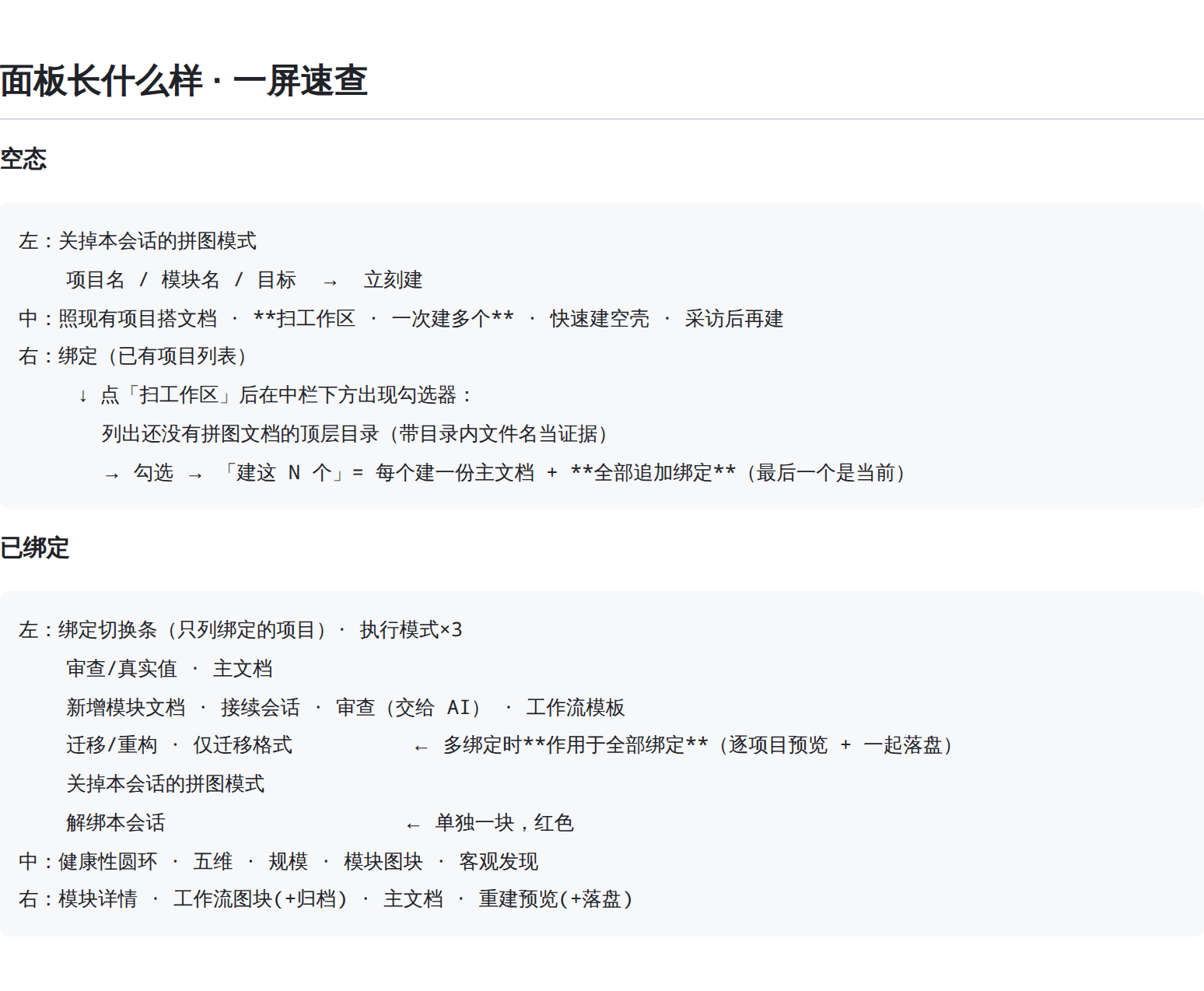
它解决什么:长会话里,项目的关键决定散落在聊天记录里——AI 会忘,你也没处查。 拼图模式把这些决定落到你随时能打开看的文件里:主文档当查找入口, 模块文档存细节,每条都带源码出处,随时能回查。
主文档的第五节 ## 工作流 是标准化流水线:为完成某个特定任务,把重复的步骤、工具、
规则按顺序串成一条可复用的路。一条工作流 = 一个 ### 名字 块,块内逐行是有序步骤。
随提示段注入,每一步都读得到;面板上图块式列出,点名字看步骤、可整条删除 / 恢复 / 永久删除。
不是独立模式:装进宿主组合后,标准模式(或任何 preset)的会话都带上它。
- 仓库:https://github.com/liancha22/dsh-puzzle-mode
- 最新版:v0.24.2 · 更新日志 · 所有版本
- 适配:DSH 0.2.0-rc.2(peer 覆盖 0.1.5 / 0.1.6 / 0.1.7 全部预发布版,见下)
- 面板 UI 逐块说明:UI.md —— 每颗按钮、每个区块点了会怎样
下载与安装
方式一 · 插件管理器(推荐)
python3 "$DSH_HOME/plugin-manager.py" github liancha22 dsh-puzzle-mode v0.24.2
App 的插件页「添加插件」用的就是它,也支持标签 / 分支 / 子目录:
python3 "$DSH_HOME/plugin-manager.py" github liancha22 dsh-puzzle-mode main/lib
方式二 · 直接下载附件
dsh-puzzle-mode-0.24.2.tgz (含全部源码)
方式三 · dsh CLI
dsh plugin --profile web add github:liancha22/dsh-puzzle-mode
⚠️ 装完必须重启该 profile(
patchReload: startup),再刷新浏览器页面。
本插件没有任何 npm 依赖,不需要 npm install;除运行时提供的
@deepseek-ai/dsh-tools 外不消费任何外部包。
最新版本
v0.24.2 · 审查器没跟上「项目规模」——大档项目被全线误报
用户原话:「审查器没有同步规模改动 / 看看提示词有没有旧的无规模的限制提示词」。 两处都成立,审查器那边是真 bug。
① 审查器三处写死了中档上限(写入放行、审查报警):
| 位置 | 原先(写死中档) | 改成 |
|---|---|---|
| 条数上限 | ENTRY_CAPS = 4 / 10 |
capsOfSize(档位) |
| 模块条目字数 | 中档 20 字 | 按档位(大档 40 字) |
| 主文档条目字数 | 中档 50 字 | 按档位(大档 80 字) |
写入侧一直按档位放行,审查侧却拿中档去量——大档项目每一条合法内容都被报成违规。 实测对照(大档写 31 字要点 + 12 条已定):
修前:报「要点超长(limit 20)」+「已定 12 条超过上限 10 条」
修后:两条都归零
这是本仓记过的「两把尺子」:同一份规格必须两侧同源。
② 提示词四处旧上限:文档锁理由(每次拦 write/edit 都回给模型)、提示段「文档分工」、
「条目级发现优先」、工具 schema 的 content 说明——原先都写死中档值。
而提示段自己两说并存:一行说死数字、下一行说别信死数字。现在统一改成
「随项目规模变,以 op:read / op:size 返回的 limits 为准」。
工具 schema 保持静态(提示缓存);工作流的名字 / 步数上限仍写死——那两个数与规模无关。
新增 1 条断言,双向钉住:大档合法内容不许被报 + 中档已有的超长条目仍须被报
(只测前者的话,把上限全改成 Infinity 也能绿)。两处变异验证均红。
npm test 全绿:60 + 41 + 7 + 49 + 13;跨插件握手 18 / 0。
Showing the opening section of the README — the full document lives in the repository以上为 README 开头摘要,完整文档在仓库内 · View the full README on GitHub →在 GitHub 查看完整 README →
Related相关推荐
-
 jingyunstudio/jingyun-dsh
基于 Jingyun Studio + DeepSeek Harness (DSH) 打造的一站式 AI 商业化桌面客户端,一个将 AI 智能体 / 技能 / 工作流转化为可交易商品的完整商业化平台客户端。 井云为 DSH 注入了完整的商…
jingyunstudio/jingyun-dsh
基于 Jingyun Studio + DeepSeek Harness (DSH) 打造的一站式 AI 商业化桌面客户端,一个将 AI 智能体 / 技能 / 工作流转化为可交易商品的完整商业化平台客户端。 井云为 DSH 注入了完整的商…
-
 fangqian616/consensus-pipeline
Multi-agent department framework for long-form complex tasks, fighting AI hallucination, validated on academic research.…
fangqian616/consensus-pipeline
Multi-agent department framework for long-form complex tasks, fighting AI hallucination, validated on academic research.…
-
 orziz/odai
AI agent 通用任务治理框架:对齐目标与事实,规划和调度能力,守住授权与风险边界,治理任务执行到真实验收与交付。Governance framework for evidence-driven planning, orchestrat…
orziz/odai
AI agent 通用任务治理框架:对齐目标与事实,规划和调度能力,守住授权与风险边界,治理任务执行到真实验收与交付。Governance framework for evidence-driven planning, orchestrat…
-
 akira399/dsh-novel-writer
大肥鱼的小说工坊 — DSH 网络小说创作插件:九阶段门禁式创作流程 + 世界书设定注入 + 本地书籍导入 + AI 一键润色 + 去AI味 + 黄金三章诊断 + 百万字一致性 + 市场调研与模板复制。
akira399/dsh-novel-writer
大肥鱼的小说工坊 — DSH 网络小说创作插件:九阶段门禁式创作流程 + 世界书设定注入 + 本地书籍导入 + AI 一键润色 + 去AI味 + 黄金三章诊断 + 百万字一致性 + 市场调研与模板复制。
-
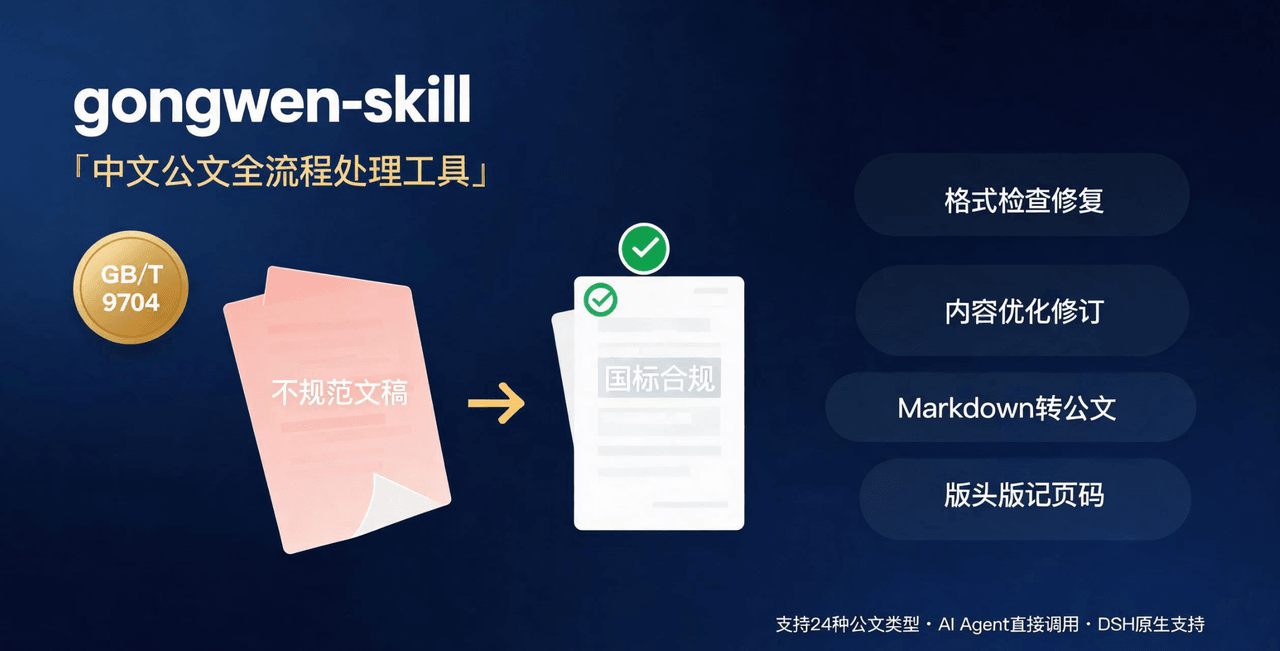 linhut/gongwen-skill
公文全流程处理工具——基于 GB/T 9704《党政机关公文格式》 国家标准,面向公文写作、企事业单位材料编制场景,支持 格式检查与修复、内容优化(Word 原生修订+批注/差异对比版)、模板生成、Markdown 转公文、版头版记页码注入…
linhut/gongwen-skill
公文全流程处理工具——基于 GB/T 9704《党政机关公文格式》 国家标准,面向公文写作、企事业单位材料编制场景,支持 格式检查与修复、内容优化(Word 原生修订+批注/差异对比版)、模板生成、Markdown 转公文、版头版记页码注入…
-
 hr98w/dsh-memory
融合 Claude Code 的 Auto Memory 与 Codex 的 Session 记忆整理,为 DeepSeek Harness 提供简单、透明、上下文友好的长期记忆。Claude Code-inspired Auto Memo…
hr98w/dsh-memory
融合 Claude Code 的 Auto Memory 与 Codex 的 Session 记忆整理,为 DeepSeek Harness 提供简单、透明、上下文友好的长期记忆。Claude Code-inspired Auto Memo…
-
 shuguang1994/project-blueprint
Make any project AI-agent-ready in one command. Adaptive tech stack detection (7 languages × 14 frameworks × 61 componen…
shuguang1994/project-blueprint
Make any project AI-agent-ready in one command. Adaptive tech stack detection (7 languages × 14 frameworks × 61 componen…
-
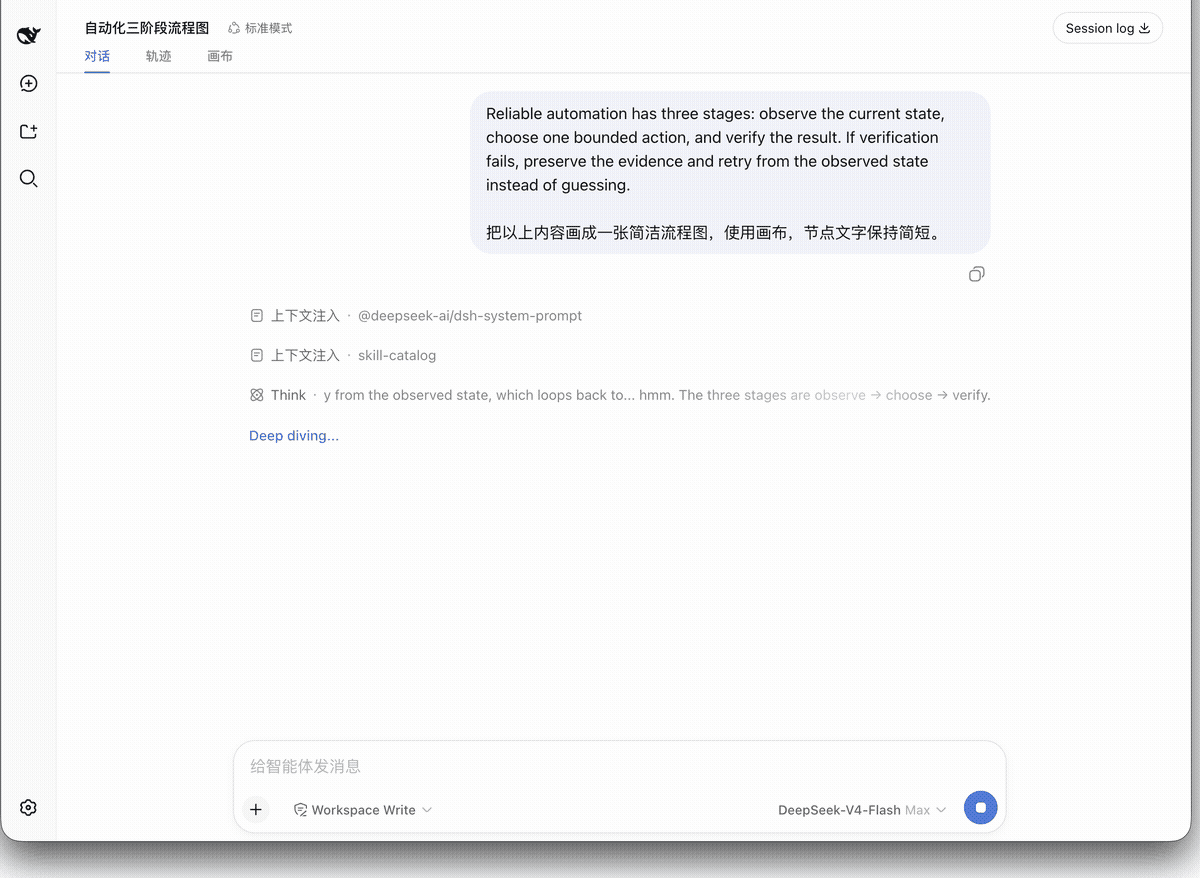 hanzhangzzz/dsh-diagram
Turn DeepSeek Harness articles into editable Excalidraw canvases — live diagrams, not disposable Mermaid output.
hanzhangzzz/dsh-diagram
Turn DeepSeek Harness articles into editable Excalidraw canvases — live diagrams, not disposable Mermaid output.