longmiaoo/dsh-native-browser
dsh-native-browser lets DSH agents operate the Chrome you already use: existing tabs, signed-in sessions and normal extensions, with low-latency semantic observation, reliable actions, visible handoff and safe interruption.
catalog descriptioncatalog 简介 / catalog description:A production-grade, DSH-native browser runtime for DeepSeek Harness with visible human-agent collaboration.
Project Overview项目介绍
This is a DSH-native Chrome control plugin for DeepSeek Harness. It enables DSH agents to operate your existing Chrome instance, preserving open tabs, sign-in sessions and extensions, with semantic observation and immediate human handoff. It is currently in alpha, so functionality may be unstable.
这是DeepSeek Harness的原生Chrome控制插件,支持DSH代理操作你当前使用的Chrome,保留现有标签页、登录会话和扩展,提供低延迟语义观测,支持人工随时接管。当前仍处于Alpha测试阶段,功能尚未稳定。
请帮我了解并安装插件:【dsh-native-browser】【https://github.com/longmiaoo/dsh-native-browser】Send this message to DSH in your current session. CLI install commands may not be accurate across systems — DSH will figure it out for you.把上面这条消息直接发给当前会话里的 DSH,让它帮你了解并安装。安装命令不一定准确,发给 DSH 更稳。
Or use CLI install (for developers)或使用命令行安装(适合开发者)
CLI Install命令行安装
dsh plugin --profile web add dsh-native-browser@0.1.0-alpha.2把 longmiaoo/dsh-native-browser 加入你的 DSH 配置(web profile)即可启用。
READMEREADME
dsh-native-browser
DSH-native control plane for fast, observable and human-steerable browsing in the Chrome you already use.



dsh-native-browser lets DSH agents operate the Chrome you already use: existing tabs, signed-in sessions and normal extensions, with low-latency semantic observation, reliable actions, visible handoff and safe interruption.
This project is not trying to become another general-purpose Chrome MCP server. Google's official Chrome DevTools for agents is the natural upstream capability layer for DevTools inspection, network analysis, performance traces, Lighthouse, CSS and memory debugging. dsh-native-browser focuses on the product layer that a generic MCP server does not own: DSH conversation identity, exact tab ownership, short-lived leases, approval policy, action-result semantics, visible agent presence and immediate human takeover.
The target is not another thin click(x, y) wrapper. The design is a stateful browser runtime inspired by the strongest parts of Codex's Chrome integration:
- a Manifest V3 Chrome extension connected to a local runtime through Native Messaging;
- CDP-backed control without launching a second browser profile;
- accessibility-tree-first observation with compact incremental updates;
- stable element references plus actionability and hit-target checks;
- explicit ownership for existing tabs, agent-created tabs and end-of-turn cleanup;
- automatic control release when the visible DSH UI switches to another conversation;
- immediate human interruption and resumable handoff;
- a presentation-only virtual pointer and click/wheel pulse after verified browser input;
- screenshots as a visual fallback, not the default source of page structure.
Positioning
The long-term direction is DSH-native orchestration with first-party Chrome capabilities where they fit, not a fork of Chrome DevTools.
| Concern | Chrome DevTools for agents | dsh-native-browser |
|---|---|---|
| Primary job | General MCP/CLI access to Chrome DevTools | DSH-native personal-browser control and human-agent UX |
| Browser state | Managed profile, debugging endpoint or Chrome auto-connect | Explicitly claimed tabs in the user's existing profile |
| Observation | Accessibility snapshot with reusable UIDs | Bounded AX windows, document epochs, scoped refs and incremental observations |
| Action result | Browser input dispatch plus bounded navigation/DOM settling | Pre-dispatch hit validation, persistent action journal and verified/unknown outcome semantics |
| Ownership | Selected page or explicit page ID | DSH owner, tab lease, conversation-focus revocation and handoff |
| Human visibility | Headed browser; visual cursor is not currently built in | Presentation-only virtual pointer, click/wheel pulse and extension Stop control |
| Deep debugging | Network, console, CSS, Lighthouse, trace and heap tooling | Planned through an optional official DevTools provider instead of reimplementation |
| Browser scope | Official support for Chrome and Chrome for Testing | Chrome first, with portable contracts and early Edge compatibility gates |
The current alpha ships only the native Chromium path. An adapter for chrome-devtools-mcp is a planned provider, not an implemented feature. It must pass attachment-conflict, lifecycle, privacy and latency gates before it can share or replace any part of an active browser session. See the upstream discussions on visual cursor support and silent input false positives for two examples of why the DSH control plane remains useful.
Product benchmark: Codex
The experience benchmark is the browser integration in OpenAI Codex: browser work should feel like one continuous, observable collaboration rather than a chain of disconnected remote calls. The goal is experience parity where it can be measured, not protocol compatibility, visual imitation or use of private OpenAI implementation details.
dsh-native-browser specifically benchmarks the following behaviors:
- Use the browser the user is already in: preserve signed-in state, open tabs and normal Chrome extensions instead of making routine work start in a disposable automation profile.
- Keep the fast path semantic: inspect compact accessible state and stable element references first; use screenshots and vision only when pixels contain necessary information.
- Make actions both visible and trustworthy: show a virtual pointer for human observability, revalidate the hit target immediately before input, and verify the resulting page state instead of treating input dispatch as success.
- Let the human remain in charge: Stop, direct user interaction, handoff, lease expiry and switching the visible DSH conversation revoke control without transferring authority to another conversation.
- Preserve continuity without leaking ownership: keep browser connections and observations alive across tool calls while binding every tab, reference and continuation to its owner, document epoch and connection epoch.
- Leave the workspace clean: distinguish claimed user tabs from agent-created tabs, close ephemeral work and retain only explicit deliverables or handoffs.
Parity claims require evidence. Release gates should track end-to-end action latency, observation size, stale-target rate, verified-action success, duplicate-action rate, interruption latency, conversation-switch revocation and tab-cleanup correctness on real Chrome workflows. Until those gates pass broadly, this README describes Codex as the benchmark—not as a completed equivalence claim.
Project status
Public alpha — usable for opt-in Chrome testing, not production-ready. The package contains a typed runtime, per-user Broker, Native Messaging host, shared Chrome/Edge extension builds, a Chromium AX/action provider, a small DSH Web foreground-conversation bridge and nine DSH tools, including bounded live page windows, separately approved action batches and metadata-only frame discovery. Chrome setup is still manual, the extension is loaded unpacked, and broad page compatibility, visual-model accuracy and production hardening remain acceptance work rather than completed claims.
Verified so far: deterministic contract/security tests; exact npm tarball installation into a fresh DSH 0.1.5-rc.1 profile; the assembled local stack in isolated Chrome-for-Testing profiles; and one end-to-end run in an existing local Chrome profile on an owned fixture. The real MV3 extension, Chrome-started Native Host, Unix socket, Broker, installed DSH ToolRuntime, AX actions, screenshot attachment and handoff paths were exercised. Live gates also cover delayed results, cancellation, Stop, late approval after turn end, and Broker restart without replay. No sensitive business account workflow or production visual-model accuracy claim has passed acceptance yet. See development setup and implementation progress for exact evidence and limitations.
The early Edge compatibility smoke also passes in an isolated Edge profile with the same runtime-core: 20 unchanged executor fixture oracles plus batch, paging, navigation, Stop and handoff checks. This is an architecture gate, not formal Edge release support; see the retained evidence.
Scope
Frame discovery now maps same-process and recursive OOPIF documents in real isolated Chrome and Edge tests. Explicit browser_observe frame reads support a same-origin ancestor chain, with separate child refs/deltas and exact child-document or known-region queries via frame + query + optional rootRef; browser_read_page({frame,...}) provides bounded child-document/region windows; and explicit same-origin/same-process child clicks use browser_act({frame,...}) with child-only text verification, including feedback outside the default bounded view. Other child actions and cross-origin approval remain pending. Frame origins alone are metadata, not permission. Screenshot checks inspect all attached sessions; visible top-level iframe branches containing foreign or opaque descendants are redacted inside MV3 before bytes cross Native Messaging, while incomplete geometry still fails closed. This redaction is present on main but was added after the currently published 0.1.0-alpha.2 package. See frame discovery.
In scope for the first production release:
- Google Chrome stable on macOS first; Windows/Linux support follows separate installer and compatibility gates;
- the user's existing Chrome profile and authenticated sessions;
- DSH
webanddesktopprofiles; - semantic browsing, screenshots, downloads, dialogs, files and multi-tab workflows;
- local-only control plane with explicit permissions and auditable lifecycle events.
Architectural interfaces are cross-browser from day one. Deferred production support includes:
- Edge and other Chromium brands (shared engine; early smoke testing before formal support), Firefox and Safari (separate providers);
- hosted/remote browser farms;
- CAPTCHA bypass or stealth claims;
- arbitrary unrestricted CDP exposed directly to the model.
Planned architecture
flowchart LR
    W[Visible DSH conversation] -->|opaque session ID| T
    A[DSH agent] --> T[Browser tool adapter]
    T --> R[Persistent browser runtime]
    R --> G[Ownership / policy / journal]
    G --> P{Capability router}

    P -->|current default| N[Native Chromium provider]
    N --> H[Local native host]
    H <--> E[Chrome MV3 extension]
    E <--> C[Claimed Chrome tabs via chrome.debugger / CDP]

    P -.->|planned optional route| D[Chrome DevTools MCP adapter]
    D -.-> M[Official DevTools MCP sidecar]
    M -.-> X[Managed or explicitly connected Chrome]

    C --> O[AX / DOM / screenshot observations]
    O --> R
    U[Human using Chrome] <--> C
    U -. interrupt / handoff .-> R
The runtime keeps live browser objects and event subscriptions out of the model context. The model receives compact, typed observations and stable references; the runtime performs freshness, visibility, stability and hit-target checks immediately before actions. The capability router will expose a small DSH-facing surface and choose an eligible provider internally, so adding DevTools or future Edge/Firefox providers does not flood the model with dozens of vendor-specific tools.
The planned DevTools adapter is complementary: routine browsing, leases, virtual pointer and human handoff remain on the native control path; specialized debugging can delegate to the official implementation. The router will not assume that two providers can attach to the same target concurrently.
The current design is the v2 runtime implementation plan, including Vision Router integration. Earlier architecture, research and protocol documents are historical inputs; they do not override the v2 plan or describe all current implementation details.
DSH discovery metadata
The package is structured as a DSH bundle and includes the discovery terms used by the ecosystem:
- npm keywords:
dsh-plugin,deepseek-harness,browser-automation,computer-use,chrome-extension; - GitHub topics:
dsh-plugin,deepseek-harness,browser-automation,computer-use,browser-agent; - bundle declaration:
dsh.bundle.patchinpackage.json; - compatibility declaration for DSH
0.1.5release candidates and theweb/desktopprofiles.
Install the alpha
Prerequisites: macOS, Google Chrome, DSH 0.1.5-rc.1, Node.js 22.19 or newer, and pnpm 11. The npm package ships built JavaScript and does not run a build script during installation.
dsh plugin --profile web add dsh-native-browser@0.1.0-alpha.2
dsh plugin --profile web exec dsh-native-browser extension-path --browser=chrome
Open chrome://extensions, enable Developer mode, choose Load unpacked, and select the printed directory. Record Chrome's generated 32-character extension ID, then register the Native Messaging host:
dsh plugin --profile web exec dsh-native-browser install-host --browser=chrome --extension-id=<extension-id>
Start the local Broker with an explicit allowlist. Origins are exact and include the port; repeat --allow-origin for additional sites:
dsh plugin --profile web exec dsh-native-browser broker --allow-origin=https://example.com
Open an allowed page in Chrome, click the extension, approve that tab, then restart the DSH profile. approvalMode defaults to per-action. Advanced testers can choose per-lease, or trusted with a non-empty exact trustedOrigins list, in the native-browser row of their profile patch. Trusted mode removes repeated DSH prompts only for those exact origins; extension consent, live lease checks, Stop and origin checks still apply. See the explicit setup and diagnostic guide before using a signed-in page.
For a personal Chrome profile, the explicit personal mode makes an allowed tab prompt-free and follows that same tab across credential-free HTTP(S) root navigations:
dsh plugin --profile web exec dsh-native-browser broker --access-mode=personal
- id: native-browser
  config:
    approvalMode: personal
The Broker and adapter settings must both be present or the claim fails closed. The extension negotiates the Broker's explicit personal-mode capability at startup and then exposes ordinary HTTP(S) tabs without a popup click; a claim still selects one tab and every operation remains fenced by its short tab-scoped lease. The development manifest declares HTTP(S) host access, which Chrome presents when the extension is installed, so personal mode and the virtual pointer remain available after cross-site navigation. Foreground-conversation switching, lease expiry, handoff, disconnect and the extension Stop button revoke control. This alpha has no reliable semantic classifier for payments, publishing or destructive actions, so do not use personal mode for those workflows.
When the visible DSH UI changes conversations, the client bridge releases browser scopes owned by other conversations before the newly selected conversation can claim control. A new conversation never inherits the previous lease. Switching away therefore intentionally interrupts an in-flight browser task instead of letting a background chat keep driving Chrome.
Use the current alpha
The currently published npm version is 0.1.0-alpha.2. The examples below use the DSH web profile; replace web consistently if the plugin was installed into another profile.
Start a browsing session
Make sure the unpacked extension and Native Messaging host were installed as described above. After upgrading the npm package, reload the unpacked extension on
chrome://extensions; the extension files are served from the installed package version and are not updated inside an already running Chrome extension automatically.Start one Broker in a terminal and leave it running. For ordinary personal browsing:
dsh plugin --profile web exec dsh-native-browser broker --access-mode=personalThe matching
native-browserrow in the DSH profile patch must use:- id: native-browser config: approvalMode: personalRestart that DSH profile after changing the patch. To retain explicit per-action or per-lease approval instead, start the Broker with exact
--allow-origin=entries and use the corresponding adapter approval mode described above. Do not run restricted and personal Brokers against the same runtime directory.Open the tab you want to use in Chrome. When Chrome or the extension asks for site access, grant it only to the intended tab/site. The extension popup is also the emergency Stop control.
Talk to DSH normally. The agent discovers the
browser_*tools automatically; users do not need to construct lease IDs, element refs, document epochs or request IDs.
Safe prompts for a first run:
列出我当前 Chrome 中可用的标签页,只汇报,不做任何操作。
接管标题为“Example Domain”的标签页,读取页面内容,然后释放浏览器控制。
在我指定的标签页中填写这个测试表单,提交前先停下来让我确认。
For a longer task, identify the target tab clearly and state the stopping condition. DSH will claim that tab, observe its semantic page state, perform supported actions and release it with browser_handoff when asked. A claim is exclusive: another DSH conversation cannot reuse it. Switching the visible DSH conversation intentionally revokes the previous conversation's browser control, so ask the newly selected conversation to claim the tab again.
What this version can do
- list connected Chrome instances and eligible existing tabs;
- claim one tab and read bounded accessible text, controls and named regions;
- navigate, click, fill, append text, press supported keys, set checkbox/radio state, scroll and send a verified wheel event;
- run a bounded batch of up to eight explicit actions, stopping on denial, uncertainty or failed verification;
- page through large semantic documents and read supported same-origin child frames;
- capture the current viewport as a DSH attachment and release control back to the user;
- show a short-lived virtual pointer after a verified click or wheel dispatch.
The normal fast path is semantic observation rather than screenshots. This plugin publishes screenshot attachments but does not itself run a vision model; visual grounding requires a vision-capable DSH session and a separately configured tool such as dsh-vision-router. The published 0.1.0-alpha.2 package can fail closed on ordinary pages containing cross-origin or opaque frames. Current main redacts safely located foreign frame regions instead, but still fails closed when the frame inventory or redaction geometry is incomplete. Text reading and semantic actions may still work on the authorized root page when a screenshot is refused.
Check the installation
Use the extension ID shown by chrome://extensions:
dsh plugin --profile web exec dsh-native-browser doctor --browser=chrome --extension-id=<extension-id>
dsh plugin --profile web exec dsh-native-browser status
doctor reporting ready proves that local registration, the Broker protocol and a matching connected extension are healthy; it does not grant a tab lease or prove that an arbitrary site is supported. If DSH lists no tab, check the running Broker mode, extension/site consent and that the DSH adapter uses the matching approval mode. A generic Remote operation failed during screenshot capture can currently mean that the cross-origin frame policy rejected the image; read/observe the page instead and inspect the DSH trace before retrying.
Development
Prerequisites: Node.js 22.19 or newer and pnpm 11.
pnpm install
pnpm check
pnpm test
pnpm test:chrome
pnpm pack
Only the explicitly versioned alpha is recommended for testing. Do not use it for payments, destructive business actions, password entry, or unattended operation.
See CONTRIBUTING.md before opening a change. Security-sensitive findings should follow SECURITY.md, not a public issue.
Acknowledgements
This project is informed by excellent work across the browser-agent ecosystem:
- Chrome DevTools for agents, maintained by Google ChromeDevTools, demonstrates how a standards-based MCP surface can make Chrome automation, debugging and performance analysis broadly available. Its DevTools capabilities are the preferred future integration path where they fit.
- OpenAI Codex inspired the product target of a browser that feels continuous, visible and easy to hand back to the human.
dsh-native-browseris an independent implementation based on public behavior and documentation; it is not affiliated with or endorsed by OpenAI. - DeepSeek Harness provides the plugin, profile, tool and approval model this package is built for.
- Chrome DevTools Protocol, Chromium Accessibility and the Chrome Extensions platform provide the browser primitives behind the native provider.
- Puppeteer and Playwright provide valuable reference implementations for resilient browser lifecycle, locators, actionability and testing.
- dsh-vision-router helped shape the optional visual fallback boundary: screenshots and vision complement semantic observation instead of replacing it.
Names and trademarks belong to their respective owners. Acknowledgement does not imply sponsorship or endorsement. Third-party source incorporated in the future will retain its required license and notice information.
Design principles
- Fast paths are semantic. Use AX/DOM state for routine work and images only where pixels carry essential meaning.
- Actions verify reality. Resolve targets fresh, scroll, wait for stability, hit-test, act, then observe the resulting change.
- Browser state has an owner. Existing user tabs are claimed and released; agent tabs are tracked and cleaned up.
- Human control wins immediately. User interaction or an extension stop action cancels in-flight work and produces a resumable state.
- Conversation focus is a control boundary. Switching the visible DSH conversation revokes background browser scopes; authority is released, never transferred.
- Capabilities are explicit. Sensitive operations are narrow, policy-gated and auditable; raw CDP is an internal transport.
- Performance is measured. Latency, observation size, stale-reference rate, action success and recovery behavior are benchmark gates.
The virtual pointer improves observability, but is never an input primitive: semantic discovery and last-moment hit testing choose the target first, the browser dispatches the real input, and only then does the extension draw the pointer. A drawing failure cannot authorize, retarget, delay or replay an action.
License
Related相关推荐
-
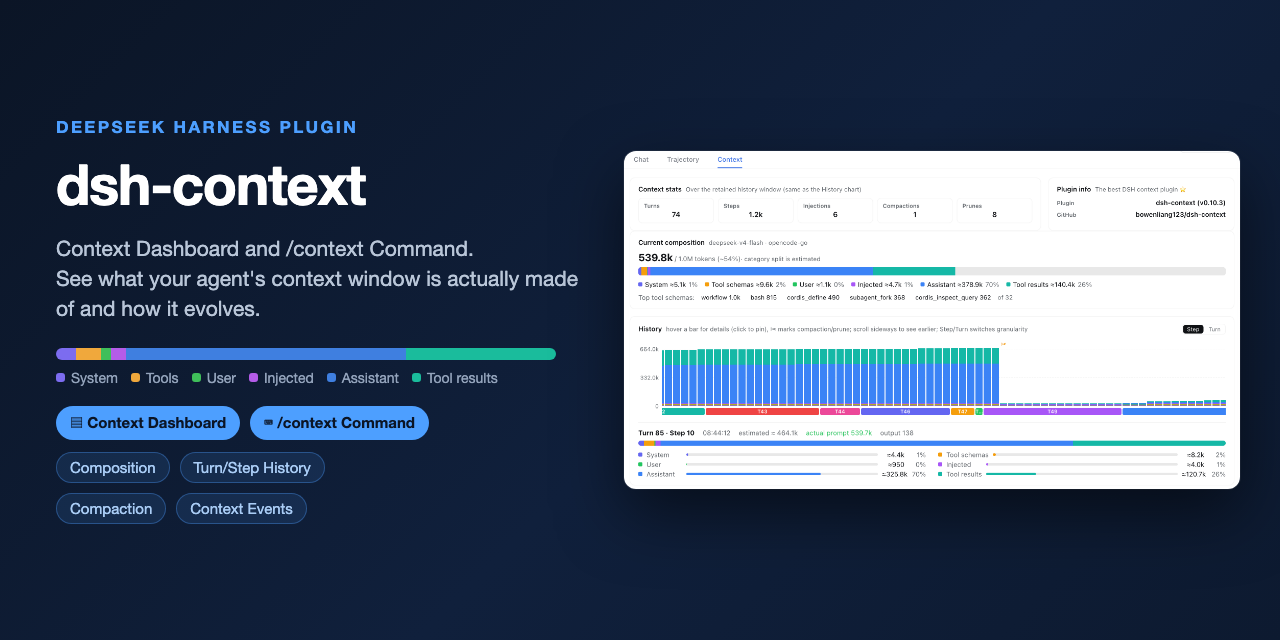 bowenliang123/dsh-context
The best DeepSeek Harness plugin for context insight and management, with context dashboard / browser / sidebar and cont…
bowenliang123/dsh-context
The best DeepSeek Harness plugin for context insight and management, with context dashboard / browser / sidebar and cont…
-
 liustack/modsearch
🥇 The strongest free web search plugin for DeepSeek Harness, and the search bridge for every model without native web a…
liustack/modsearch
🥇 The strongest free web search plugin for DeepSeek Harness, and the search bridge for every model without native web a…
-
 omdsh-dev/dsh-genui
GenUI for DeepSeek Harness: interactive UI components rendered inline in assistant replies via the dsh-ui fence — layout…
omdsh-dev/dsh-genui
GenUI for DeepSeek Harness: interactive UI components rendered inline in assistant replies via the dsh-ui fence — layout…
-
 anysearch-team/anysearch-dsh
AnySearch web search provider and advanced search tools for DeepSeek Harness (DSH)
anysearch-team/anysearch-dsh
AnySearch web search provider and advanced search tools for DeepSeek Harness (DSH)
- antibrow/dsh-antibrow DeepSeek Harness plugin: give your agent a browser with a persistent identity - engine-level fingerprint spoofing, unlim…
-
 csyangwen/dsh-memory-evolve
为 DeepSeek Harness 带来「跨会话长期记忆 + 后台自我进化」能力的纯插件实现:五轨记忆 · git 分支感知 · 回合内自我审查 · 技能自我进化与技能管理器 · 四轨待办 · COI 调度 · 会话广播 · 会话搜索 ·…
csyangwen/dsh-memory-evolve
为 DeepSeek Harness 带来「跨会话长期记忆 + 后台自我进化」能力的纯插件实现:五轨记忆 · git 分支感知 · 回合内自我审查 · 技能自我进化与技能管理器 · 四轨待办 · COI 调度 · 会话广播 · 会话搜索 ·…
-
 e2mcc/dsh-popout-sidebar
A sidebar can pop out a separate browser tab (drag it to another monitor)
e2mcc/dsh-popout-sidebar
A sidebar can pop out a separate browser tab (drag it to another monitor)
-
 See-Sol-Lab/DeepSeekGUI
基于 DeepSeek Harness(DSH)的稳定桌面端,集成Git、内置浏览器与记忆功能 | DeepSeek Harness desktop GUI with local workspaces, Git, browser and m…
See-Sol-Lab/DeepSeekGUI
基于 DeepSeek Harness(DSH)的稳定桌面端,集成Git、内置浏览器与记忆功能 | DeepSeek Harness desktop GUI with local workspaces, Git, browser and m…