ManoloRemiddi/augmentor-dsh-extension-plugin
<!-- Augmentor — dsh-augmentor plugin, pipe, and Chromium extension Copyright © 2026 Manolo Remiddi SPDX-License-Identifier: MIT License: MIT — see LICENSE at the repository root. -->
catalog descriptioncatalog 简介 / catalog description:Chromium side panel and browser control for DeepSeek Harness. Includes the plugin, extension and native host.
Project Overview项目介绍
Augmentor is a plugin for DeepSeek Harness (DSH) that includes a Chromium extension and a local loopback pipe. It enables DSH agents to control a real browser to perform clicking, typing, tab switching and other actions, and saves chats to DSH workspaces. Use it when you need an AI agent to complete real web interaction tasks. Note it requires matching DSH versions; plugin, native host and extension must be updated together, and it is only tested on Linux with Chromium.
Augmentor是适配DeepSeek Harness(DSH)的插件,包含Chromium扩展与本地管道桥接。核心功能是让DSH AI代理操控真实浏览器,执行点击、输入、切换标签页等操作,对话可保存至DSH工作区。适用于需要AI完成实际网页交互任务的场景。注意需匹配对应DSH版本,插件、原生主机和扩展需一同更新,当前仅在Linux+Chromium环境测试通过。
请帮我了解并安装插件:【augmentor-dsh-extension-plugin】【https://github.com/ManoloRemiddi/augmentor-dsh-extension-plugin】Send this message to DSH in your current session. CLI install commands may not be accurate across systems — DSH will figure it out for you.把上面这条消息直接发给当前会话里的 DSH,让它帮你了解并安装。安装命令不一定准确,发给 DSH 更稳。
Or use CLI install (for developers)或使用命令行安装(适合开发者)
CLI Install命令行安装
dsh plugin --profile web add https://github.com/ManoloRemiddi/dsh-model-picker-augmented/releases/download/v1.1.2/dsh-model-picker-augmented-1.1.2.tgz把 ManoloRemiddi/augmentor-dsh-extension-plugin 加入你的 DSH 配置(web profile)即可启用。
READMEREADME
Augmentor, powered by DSH
Augmentor turns any DeepSeek Harness (DSH) web session into a browser operator: a Chrome side panel chats with your DSH app, and the agent drives your real browser — live accessibility snapshot, click, type, tab switching — with the user watching every action pulse on the actual page. Chats are real DSH sessions in a dedicated directory, and Save attaches the current chat to a DSH workspace.
┌─ Chromium (MV3 extension) ─────────────────┐   ┌─ Your machine ─────────────────────────────────────────────┐
│ side panel: chat UI (real DSH sessions)    │   │ pipe.mjs — native messaging host (Node, loopback)          │
│ sw.js: native port + browser executor +    │   │  ├─[POST /api/<namespace>/<method>]──────────────▶ running DSH app      │
│  work-tab injection (page veil, overlays)  │   │  ├─[WS /api/remote.mux]◀───────── downlink frames      │
└──────────────┬─────────────────────────────┘   │  └─[WS <wsPath, from handshake>]──────▶ dsh-augmentor plugin│
               │ native messaging (token-gated)  │        /api handshake + pipe channel + browser tools +     │
               └────────────────────────────────▶│        chat lifecycle (save-to-workspace)                 │
                                                 └────────────────────────────────────────────────────────────┘
No sidecar runtime, no second DSH process: the extension talks to the running
DSH app over its stock /api surface (the pipe is the browser's loopback
stand-in client, because the extension's Origin is refused by the DSH trust
fence — by design).
Components
| path | what it is |
|---|---|
extension/ |
MV3 Chrome extension: side panel chat, service worker (native port + browser executor), page veil, work-tab overlays, theme tokens |
pipe.mjs |
native messaging host: loopback bridge to the DSH app's /api surface, downlinks, plugin channel |
plugin/ |
the dsh-augmentor DSH plugin (npm package + git bundle): /api/augmentor handshake, pipe WS channel, browser_* tools, chat lifecycle |
wire.mjs |
the shared wire primitives (frame codec + pending table) used by all three runtimes — one implementation, three consumers |
install-native-host.sh |
installs the Chromium native-messaging-host manifest + the per-machine channel token |
test/ |
e2e suites (m3, sw, panel, chrome, m2, tools) + install-proof.mjs (deterministic fresh-user install proof) + plugin/tests/boot/ |
PROPOSAL-plugin-architecture.md |
the architecture record: milestones M1–M4, audit findings S/D/F, decisions |
DSH compatibility
Augmentor 0.1.32 targets DSH 0.1.5-rc.1 and its authenticated Typert API. Upgrade the plugin, native host and extension together. Augmentor 0.1.31 and earlier do not work with this DSH release: their SDK dependency, HTTP method names, authentication and event streams predate the new API.
To update an existing installation after installing this release:
npm install -g @deepseek-ai/dsh@0.1.5-rc.1
./install-native-host.sh <extension-id>
dsh plugin --profile web add <absolute-path-to-this-repo>/plugin
Restart DSH and reload Augmentor at chrome://extensions. For the npm
plugin path, use dsh plugin --profile web add dsh-augmentor@0.1.32 from npm. The installer reconciles dependencies, installs
the Augmentor preset when missing, and backs up a legacy preset before
renaming its persona text setting to prefix. A custom DSH_HOME must
be the same for DSH, the installer and the browser/native host.
The bridge exchanges DSH's launch token through a local endpoint protected by Augmentor's existing action-channel secret. Its session cookie remains inside the native host. No extension cookie permission or disabled DSH authentication is required.
Install
Tested on Linux with Chromium, Node.js 22.19+ or 24+, and DSH 0.1.5-rc.1.
- Install/update DSH:
npm install -g @deepseek-ai/dsh@0.1.5-rc.1. - Download Augmentor 0.1.32 ZIP and extract the entire
augmentor-0.1.32folder to a permanent location. It includes the plugin, extension, native host and preset. Keep all the files together. Source alternative:git clone --branch v0.1.32 https://github.com/ManoloRemiddi/augmentor-dsh-extension-plugin.git. - Open
chrome://extensions, enable Developer mode, choose Load unpacked, selectextension/in the extracted folder and copy the extension ID. - From the extracted folder, run
sh install-native-host.sh EXTENSION_ID "$HOME/.config/chromium"with that ID. The second argument is the browser user-data root, notDefault. Other Linux defaults: Chrome~/.config/google-chrome, Edge~/.config/microsoft-edge, Brave~/.config/BraveSoftware/Brave-Browser. Other platforms are not verified; these shell commands are not a Windows installer. - In the same folder, run
dsh plugin --profile web add "$PWD/plugin". Alternatively installdsh plugin --profile web add dsh-augmentor@0.1.32. Choose one method and use your app's actual profile if different fromweb. Pinning the npm version avoids an older release being selected by release-age filtering. - Restart the existing DSH process/service, or start a new instance with
dsh web. Open the complete local URL printed by DSH, including the authentication token. A barehttp://127.0.0.1:3080/may show “dsh web authentication required”. This authenticates the browser to DSH on your own PC; it does not require a DeepSeek account or approval. Restart Chromium, open the side panel and test a prompt with a configured model./api/augmentorshould report0.1.32andpipes: 1.
For upgrades from 0.1.31 or earlier, use these manual steps if the old panel
cannot connect. Back up the old folder, update all three components and rerun
the installer. Update an existing linked plugin directory instead of adding
a duplicate. Keep any custom DSH_HOME consistent between DSH, the installer
and browser/native host. The installer preserves custom presets and backs up
legacy settings before migration.
DSH and a configured local model can work offline once installed. Cloud models require their provider's credentials and internet. Accessing online pages also requires internet.
Optional: Model Picker Augmented
Model Picker Augmented 1.1.2
supports DSH 0.1.5-rc.1 and fixes the undefined settings loader error. It adds
search, pinning and visibility controls; Augmentor shares its model curation.
Install the GitHub package (this companion is not published on npm):
dsh plugin --profile web add https://github.com/ManoloRemiddi/dsh-model-picker-augmented/releases/download/v1.1.2/dsh-model-picker-augmented-1.1.2.tgz
Restart DSH and reload its page. For an existing linked Git checkout, update
that checkout to tag v1.1.2 instead of adding another plugin entry.
Security posture
- The DSH trust fence is why the pipe exists — it is not bypassed. The
DSH app's
/apirefuses requests from foreign browser origins (the extension'schrome-extension://origin included, by design).pipe.mjsis a loopback stand-in client: it runs locally as the user and talks to the app over127.0.0.1, which is exactly what the fence permits. - No new remote surface. Every hop is loopback (extension ↔ pipe via
native messaging, pipe ↔ app via
127.0.0.1); nothing this stack adds is reachable from other hosts. The trust boundary is the local OS user: anything that can already read your home directory is not blocked by this stack (and could already do the same things directly against the app). - The action channel is secret-gated. The
browser_*commands flow over a WS channel the plugin authenticates with a per-machine token ($DSH_HOME/augmentor-ws-token, 0600, created by the installer or first boot; a configuredactionTokenwins). The pipe presents it in the WS handshake header and the plugin compares it in constant time; a local process without that file cannot drive your browser. - The in-panel "Trust-fence probe" (≣ Sessions → Probe) is a diagnostic that shows the fence working as designed (extension-origin requests refused, loopback requests accepted). It probes; it does not bypass.
Development
# full e2e battery (six suites) — run from the repo root:
cd test && node m3-e2e.mjs && node sw-e2e.mjs && node panel-e2e.mjs \
  && node chrome-e2e.mjs && node m2-e2e.mjs && node tools-e2e.mjs

# plugin boot test:
sh plugin/tests/boot/run.sh
The suites are hermetic: each creates its own marker session (and archives it on cleanup), never touches user sessions, and the live-browser suites (m3, chrome, m2) run against the real local DSH app + a real Chrome profile.
deterministic install proof — the documented journey, end to end, on a fresh
DSH home + fresh Chromium profile (never touches your real ~/.dsh):
node test/install-proof.mjs # clone → boot → plugin → ext → NMH → pipes:1 PROOF_LLM=1 node test/install-proof.mjs # + a real agent drives the headless browser PROOF_SOURCE=npm PROOF_LLM=1 node test/install-proof.mjs # npm plugin path (once published)
knobs: PROOF_REPO, CHROME_BIN, PROOF_PORT, PROOF_KEEP=1 — see the script header.
License
MIT.
Shared prompt library (local development update)
The Settings gear opens DSH. Choose Settings → Prompt library to create, edit, rename or delete reusable prompts. Type / in the composer to filter by shortcut name. Arrow keys select, Enter/Tab inserts into the draft, and Escape dismisses. Insertion never sends automatically.
Install the independent dsh-prompt-library plugin in the DSH web profile. The native pipe's augmentor/prompts method reads only its prompt-library settings namespace through the existing DSH API. Both Augmentor interfaces use that catalog; DSH owns the local storage and editor. The plugin imports the previous local JSON library once, if present. The extension no longer uses a separate Python prompt store. Reload the unpacked extension once after this development update.
Related相关推荐
-
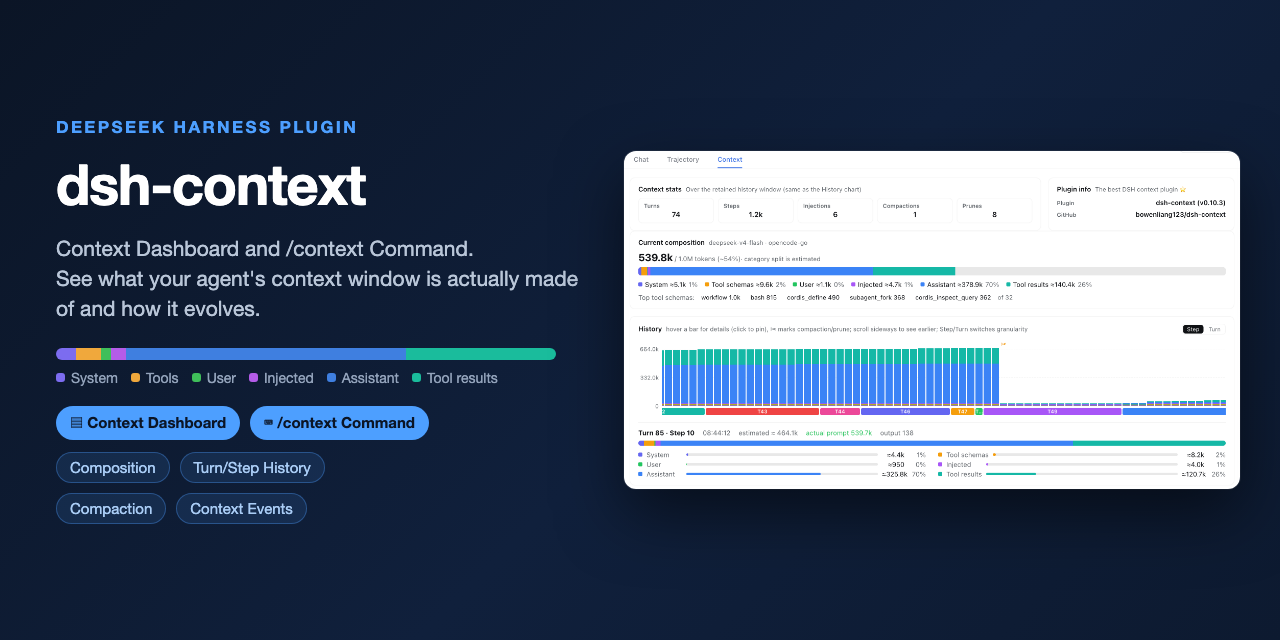 bowenliang123/dsh-context
The best DeepSeek Harness plugin for context insight and management, with context dashboard / browser / sidebar and cont…
bowenliang123/dsh-context
The best DeepSeek Harness plugin for context insight and management, with context dashboard / browser / sidebar and cont…
-
 liustack/modsearch
🥇 The strongest free web search plugin for DeepSeek Harness, and the search bridge for every model without native web a…
liustack/modsearch
🥇 The strongest free web search plugin for DeepSeek Harness, and the search bridge for every model without native web a…
-
 omdsh-dev/dsh-genui
GenUI for DeepSeek Harness: interactive UI components rendered inline in assistant replies via the dsh-ui fence — layout…
omdsh-dev/dsh-genui
GenUI for DeepSeek Harness: interactive UI components rendered inline in assistant replies via the dsh-ui fence — layout…
-
 anysearch-team/anysearch-dsh
AnySearch web search provider and advanced search tools for DeepSeek Harness (DSH)
anysearch-team/anysearch-dsh
AnySearch web search provider and advanced search tools for DeepSeek Harness (DSH)
- antibrow/dsh-antibrow DeepSeek Harness plugin: give your agent a browser with a persistent identity - engine-level fingerprint spoofing, unlim…
-
 csyangwen/dsh-memory-evolve
为 DeepSeek Harness 带来「跨会话长期记忆 + 后台自我进化」能力的纯插件实现:五轨记忆 · git 分支感知 · 回合内自我审查 · 技能自我进化与技能管理器 · 四轨待办 · COI 调度 · 会话广播 · 会话搜索 ·…
csyangwen/dsh-memory-evolve
为 DeepSeek Harness 带来「跨会话长期记忆 + 后台自我进化」能力的纯插件实现:五轨记忆 · git 分支感知 · 回合内自我审查 · 技能自我进化与技能管理器 · 四轨待办 · COI 调度 · 会话广播 · 会话搜索 ·…
-
 e2mcc/dsh-popout-sidebar
A sidebar can pop out a separate browser tab (drag it to another monitor)
e2mcc/dsh-popout-sidebar
A sidebar can pop out a separate browser tab (drag it to another monitor)
-
 See-Sol-Lab/DeepSeekGUI
基于 DeepSeek Harness(DSH)的稳定桌面端,集成Git、内置浏览器与记忆功能 | DeepSeek Harness desktop GUI with local workspaces, Git, browser and m…
See-Sol-Lab/DeepSeekGUI
基于 DeepSeek Harness(DSH)的稳定桌面端,集成Git、内置浏览器与记忆功能 | DeepSeek Harness desktop GUI with local workspaces, Git, browser and m…