MashedPotato817/dsh-tool-browser
给 DeepSeek Harness(DSH)的原生浏览器自动化工具插件,由 Playwright 驱动。 默认直接使用本机安装的 Microsoft Edge(channel: "msedge",无需下载浏览器), Edge 缺失时自动回退到 Playwright 自带的 Chromium。
catalog descriptioncatalog 简介 / catalog description:Native browser automation tools for DeepSeek Harness, powered by Playwright + Edge
Project Overview项目介绍
A native browser automation plugin for DSH, powered by Playwright. It uses the local Microsoft Edge by default with no browser download, falling back to Chromium if Edge is missing. The plugin registers 19 browser_* tools covering navigation, clicking, form filling, JS evaluation, screenshots, tab management, and console reading. All tools share a single page, return structured { text } with length caps, and honor exec.signal for cancellation. Use it when agents need to drive a browser, scrape page content, or run scripts on a site. Caveat: the single page is shared across sessions, so use separate profiles for isolation.
DSH 原生浏览器自动化插件,基于 Playwright 驱动。默认调用本机 Edge(无浏览器下载),缺失时回退至 Chromium,向 DSH 注册 19 个 browser_* 工具,支持导航、点击、填表、JS 求值、截图、标签页管理与控制台读取等操作。所有工具共享同一页面,结构化 { text } 返回并限长,支持 exec.signal 中止。适用于需要让模型直接操控浏览器、抓取页面内容或执行网页脚本的场景。注意:单实例跨会话共享同一页面,需隔离时应使用独立 profile。
请帮我了解并安装插件:【dsh-tool-browser】【https://github.com/MashedPotato817/dsh-tool-browser】Send this message to DSH in your current session. CLI install commands may not be accurate across systems — DSH will figure it out for you.把上面这条消息直接发给当前会话里的 DSH,让它帮你了解并安装。安装命令不一定准确,发给 DSH 更稳。
Or use CLI install (for developers)或使用命令行安装(适合开发者)
CLI Install命令行安装
dsh plugin --profile web add dsh-tool-browser把 MashedPotato817/dsh-tool-browser 加入你的 DSH 配置(web profile)即可启用。
READMEREADME
dsh-tool-browser



给 DeepSeek Harness(DSH)的原生浏览器自动化工具插件,由 Playwright 驱动。
默认直接使用本机安装的 Microsoft Edge(channel: "msedge",无需下载浏览器),
Edge 缺失时自动回退到 Playwright 自带的 Chromium。
能力
面向模型的只读/交互工具(全部注册进 DSH 的 ctx.tools):
| 工具 | 作用 |
|---|---|
browser_navigate |
打开 URL,返回标题与最终地址 |
browser_snapshot |
返回页面可见文本(body innerText,限长) |
browser_click |
按 CSS 选择器点击元素 |
browser_type |
按 CSS 选择器向输入框填入文本 |
browser_press_key |
按键盘键(Enter / Escape 等) |
browser_evaluate |
在页面执行 JS 表达式并返回 JSON 结果 |
browser_take_screenshot |
截图保存为 PNG,返回文件路径 |
browser_console_messages |
返回页面控制台消息 |
browser_wait_for |
等待固定毫秒数 |
browser_back |
返回上一页 |
browser_fill_form |
一次填多个表单字段 |
browser_select_option |
下拉框选择选项 |
browser_hover |
悬停元素 |
browser_drag |
拖拽(源元素 → 目标元素) |
browser_resize |
调整视口尺寸 |
browser_open_tab |
新开标签页(可带 URL) |
browser_tabs |
列出所有标签页 |
browser_switch_tab |
切换到指定标签页 |
browser_close_tab |
关闭当前标签页 |
设计要点:
- 共享页面:插件实例维护一个浏览器 + 一个页面,会话内浏览状态连续;工具默认互斥(非并发安全),避免相互干扰。
- 限制:使用该插件的所有会话共享同一个页面,跨会话会互相影响;需要隔离时请用独立 profile 实例。
- 中止安全:每个工具转发
exec.signal,超时/中止策略不会挂死 agent 回合。 - 结果结构化:全部返回
{ text },快照/求值结果限长,控制 KV cache 影响。
安装
已发布到 npm,一条命令安装(推荐,自动拉取 registry 最新版):
dsh plugin --profile <name> add dsh-tool-browser
GitHub / 本地开发备选:
dsh plugin --profile <name> add https://github.com/MashedPotato817/dsh-tool-browser.git
# 或本地:dsh plugin --profile <name> add /path/to/dsh-tool-browser
在 profile 的 cordis.patch.yml 里启用:
- insert:
    - id: dsh-tool-browser
      name: dsh-tool-browser
      config:             # 可选,下列为默认值
        channel: msedge    # 浏览器 channel
        headless: true
        allowedHosts: []   # 空 = 允许全部 host
快速开始
三步即可在 DeepSeek Harness(DSH)里获得浏览器自动化能力:
# 1. 安装插件
dsh plugin --profile <name> add dsh-tool-browser

# 2. 在 cordis.patch.yml 里 insert 启用(见上)

# 3. 启动 DSH 后,模型会自动拥有 browser_* 工具,直接在对话里让 agent 操作浏览器:
#    「打开 https://example.com 并截图」
调用示例
安装并启用后,这些工具会注册进 DSH 的 ctx.tools,agent 无需额外 import 即可直接调用:
// 在 DSH 插件 / 对话中,模型按工具名直接调用,无需手工引用
await ctx.tools.browser_navigate({ url: "https://example.com" });
await ctx.tools.browser_snapshot({});
await ctx.tools.browser_click({ target: "button#submit" });
await ctx.tools.browser_evaluate({ script: "document.title" });
await ctx.tools.browser_take_screenshot({});
工具名与 DSH 内置
browser_*能力一一对应,完整清单见上文「能力」表。
配置
| 键 | 默认值 | 含义 |
|---|---|---|
channel |
msedge |
Playwright 浏览器 channel(msedge / chrome / 缺省=自带 Chromium) |
allowedHosts |
[] |
允许访问的 host 白名单(空=全部允许,*=全部,如 example.com);data:/about: 始终允许 |
headless |
true |
无头模式(调试可设 false) |
outputDir |
系统临时目录 | 截图输出目录 |
timeoutMs |
60000 |
工具调用总超时 |
navigationTimeoutMs |
60000 |
页面导航超时 |
actionTimeoutMs |
10000 |
单次动作(点击/输入)超时 |
snapshotMaxChars |
12000 |
snapshot 文本上限 |
evaluateMaxChars |
4000 |
evaluate 结果上限 |
viewportWidth/Height |
1280x720 |
视口尺寸 |
开发
npm install
npm run check   # 语法校验
npm test        # smoke + 真实浏览器集成测试(本机 Edge;CI 用自带 Chromium)
License
MIT
Related相关推荐
-
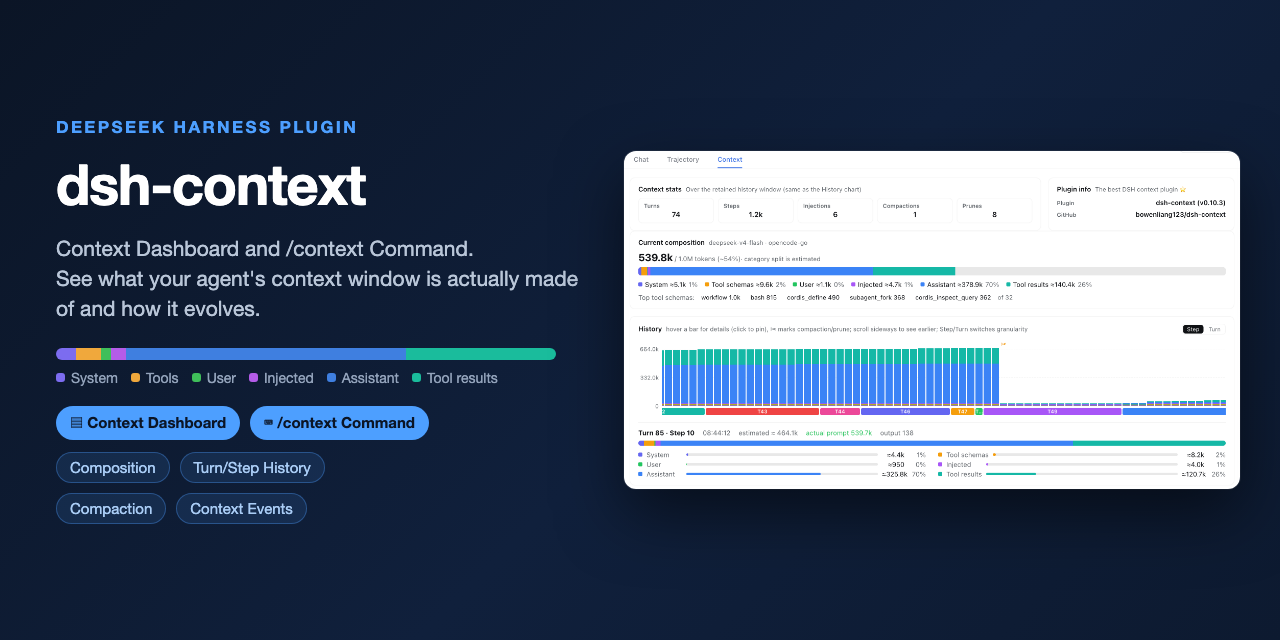 bowenliang123/dsh-context
The best DeepSeek Harness plugin for context insight and management, with context dashboard / browser / sidebar and cont…
bowenliang123/dsh-context
The best DeepSeek Harness plugin for context insight and management, with context dashboard / browser / sidebar and cont…
-
 liustack/modsearch
🥇 The strongest free web search plugin for DeepSeek Harness, and the search bridge for every model without native web a…
liustack/modsearch
🥇 The strongest free web search plugin for DeepSeek Harness, and the search bridge for every model without native web a…
-
 omdsh-dev/dsh-genui
GenUI for DeepSeek Harness: interactive UI components rendered inline in assistant replies via the dsh-ui fence — layout…
omdsh-dev/dsh-genui
GenUI for DeepSeek Harness: interactive UI components rendered inline in assistant replies via the dsh-ui fence — layout…
-
 anysearch-team/anysearch-dsh
AnySearch web search provider and advanced search tools for DeepSeek Harness (DSH)
anysearch-team/anysearch-dsh
AnySearch web search provider and advanced search tools for DeepSeek Harness (DSH)
- antibrow/dsh-antibrow DeepSeek Harness plugin: give your agent a browser with a persistent identity - engine-level fingerprint spoofing, unlim…
-
 csyangwen/dsh-memory-evolve
为 DeepSeek Harness 带来「跨会话长期记忆 + 后台自我进化」能力的纯插件实现:五轨记忆 · git 分支感知 · 回合内自我审查 · 技能自我进化与技能管理器 · 四轨待办 · COI 调度 · 会话广播 · 会话搜索 ·…
csyangwen/dsh-memory-evolve
为 DeepSeek Harness 带来「跨会话长期记忆 + 后台自我进化」能力的纯插件实现:五轨记忆 · git 分支感知 · 回合内自我审查 · 技能自我进化与技能管理器 · 四轨待办 · COI 调度 · 会话广播 · 会话搜索 ·…
-
 e2mcc/dsh-popout-sidebar
A sidebar can pop out a separate browser tab (drag it to another monitor)
e2mcc/dsh-popout-sidebar
A sidebar can pop out a separate browser tab (drag it to another monitor)
-
 See-Sol-Lab/DeepSeekGUI
基于 DeepSeek Harness(DSH)的稳定桌面端,集成Git、内置浏览器与记忆功能 | DeepSeek Harness desktop GUI with local workspaces, Git, browser and m…
See-Sol-Lab/DeepSeekGUI
基于 DeepSeek Harness(DSH)的稳定桌面端,集成Git、内置浏览器与记忆功能 | DeepSeek Harness desktop GUI with local workspaces, Git, browser and m…