mishibeikejie/zat-dsh-engine
DeepSeek Harness 的视觉化插件市场——浏览、搜索并安装社区插件
Project Overview项目介绍
Zat-DSH Engine is a native plugin built exclusively for DeepSeek Harness that adds a visual community plugin marketplace to the DSH web interface. It indexes all public GitHub repositories tagged with the dsh-plugin topic, which currently numbers over 1700 and grows every single day. After installation, it adds a new “Plugin Market” tab under the Settings → Plugins menu, where users can browse, search, install, update, and uninstall community plugins. It is installed via the official DSH CLI command, and users in China without a VPN can install via a mirrored link that works around GitHub access restrictions.
This plugin is designed for all DeepSeek Harness users who want easy access to the growing ecosystem of community DSH plugins. It organizes plugins into 12 categories, including themes, tools, vision, agents, security, and more, to make browsing easier. Users can filter the full plugin list in real time by typing a search term, no enter key required, and clearing the search box returns you to the full catalog. If you don’t know the exact name of the plugin you need, you can just describe your requirement in any chat, and the AI will search the market, recommend matching candidates, and run pre-install health and security checks for each one.
Zat-DSH Engine is released under the open source MIT license, so you can use, modify, and distribute it freely per the license terms. It supports both Windows and Linux platforms, and automatically adapts to network conditions by inheriting your system proxy settings and falling back to a Chinese mirror when GitHub is unreachable, so it works even without a VPN. There is an important installation caveat: you must not manually edit the DSH patch configuration file, as this can cause duplicate plugin entries and break DSH startup. If you already made this mistake, you just need to delete the hand-added entry from your profile config and reinstall via the official CLI command.
这是一个专为DeepSeek Harness开发的原生插件,为DSH的网页界面添加了可视化的插件市场功能。安装后会在「设置→插件」中新增「插件市场」标签页,自动拉取GitHub上所有标记为dsh-plugin的社区插件,展示双语介绍并支持一键安装。目前已索引超过1700个社区仓库,每日持续更新,还将插件分为12个类别,涵盖主题、工具、浏览器、视觉、代理、智能体等多种类型。
该插件面向所有DeepSeek Harness用户,方便他们快速查找、安装和管理社区插件。用户既可以通过输入关键词实时筛选插件列表,也可以在对话中直接描述功能需求,让AI自动搜索匹配的插件并推荐合适选项。AI还会在推荐前对每个候选插件进行健康检查和安全扫描,标注风险等级,不会盲目推荐不符合要求的插件。
本插件遵循MIT许可协议,支持Windows和Linux平台,继承系统代理配置,访问GitHub失败时会自动切换镜像,无需VPN也能正常使用。安装需要通过DSH官方的插件命令执行,禁止手动修改配置文件,否则可能导致DSH启动失败。若安装后无法启动,删除配置中手动添加的插件行重新用命令安装即可。
请帮我安装这个 DSH 插件。安装前先完成【兼容性检查 + 安全性检查】,检查通过再动手。

插件:zat-dsh-engine(mishibeikejie/zat-dsh-engine)
仓库:https://github.com/mishibeikejie/zat-dsh-engine
本站详情页:https://www.yhbd.top/plugins/mishibeikejie-zat-dsh-engine/
本站登记:类型 collection · 归类 原生 DSH 插件 · 许可证 MIT · ⭐ 78 · 最近提交 2026-09-24 · 主语言 TypeScript

按下面顺序执行,每步先把结论告诉我,再进入下一步:

【1 兼容性检查】
① 我这边:DSH 版本、Node 版本、操作系统、当前 profile(web / desktop)。
② 读它的 README、package.json、插件 manifest,列出它要求的 DSH 版本 / Node 版本 / 操作系统 / 外部依赖 / 需要另外先装的运行时。
③ 逐条比对,结论只写「满足 / 不满足 / 未知」三种;不满足的给出可行替代方案。
④ 检查是否和我已装的插件冲突:命令名重复、skill / tool 重名、端口占用、重复注册的 MCP server。

【2 安全性检查】
① 仓库可信度:和上面「本站登记」是否一致;star / fork 数、创建时间、最近提交,是否归档或长期停更。
② 安装脚本:逐行看 package.json 的 preinstall / install / postinstall,以及 install.sh、setup.ps1 之类脚本。出现 curl|bash、下载后直接执行、混淆代码、访问与插件功能无关的域名,立刻停下来告诉我,不要继续装。
③ 依赖:列出新增依赖,标出无人维护、或与知名包拼写近似的可疑包(typosquatting)。
④ 权限与副作用:它会读写哪些目录、访问哪些域名、需要哪些 DSH 权限(filesystem / network / shell / clipboard 等),以及怎么卸载和回滚。
⑤ 如果它要求 sudo / 管理员权限,或权限明显超出功能所需,先停下来问我。

【3 安装】
上面两步没有「不满足」和「高危项」时才执行;用官方推荐方式安装,不要自行提权。

【4 汇报】
用表格输出:检查项 / 结论 / 依据 / 是否需要我决策。拿不准的一律写「未知」并说明要我怎么确认——不要猜,也不要替我决定。
Send this message to DSH in your current session: it verifies compatibility and security first (answering met / not met / unknown item by item) and only installs once everything checks out — it will stop and ask you if it finds a high-risk item. The box scrolls; the copy is the full prompt. CLI install commands may not be accurate across systems, so DSH is the safer route.把上面这条消息直接发给当前会话里的 DSH:它会先核对兼容性与安全性(逐条给「满足 / 不满足 / 未知」),确认没问题再安装,有高危项会停下来问你。框内可滚动,复制到的是完整提示词;安装命令不一定准确,发给 DSH 更稳。
- This site's static screen found no obvious risk signal (stars, license, activity, manifest)本站静态筛查没发现明显风险信号(星标、许可证、更新活跃度、清单完整度)
DSH walks through these 9 checksDSH 会逐条核对这 9 项
Compatibility兼容性
- DSH, Node, OS and profile requirementsDSH 版本 / Node 版本 / 操作系统 / profile 是否满足要求
- External dependencies and runtimes (Electron / Python / Docker, ...)外部依赖与运行时(Electron / Python / Docker 等)是否齐备
- Conflicts with installed plugins: command names, skill / tool names, ports, duplicate MCP registration与已装插件是否冲突:命令名、skill / tool 重名、端口占用、重复 MCP 注册
Security安全性
- Repo matches the facts registered here; archived or abandoned?仓库是否与页面登记一致,是否归档或长期停更
- Safety of preinstall / install / postinstall and install.sh / setup.ps1preinstall / install / postinstall 与 install.sh、setup.ps1 是否安全
- curl|bash, download-then-execute, obfuscation, unrelated domains → stop immediatelycurl|bash、下载即执行、混淆代码、无关域名 → 立刻停止
- Typosquatting or unmaintained packages among the new dependencies新增依赖里有没有 typosquatting 或无人维护的包
- Requested permissions vs. what the feature actually needs申请了哪些权限、是否超出功能所需(filesystem / network / shell / clipboard)
- Any sudo / admin requirement, plus uninstall and rollback是否要求 sudo / 管理员权限,以及卸载与回滚方式
Anything uncertain must be marked unknown with a note on how to confirm it. This site's signal screen is a static snapshot, not a security audit.拿不准的必须标「未知」并说明要我怎么确认。本站的信号筛查是静态快照,不能替代安全审计。
Or use CLI install (for developers)或使用命令行安装(适合开发者)
CLI Install命令行安装
dsh plugin --profile web add zat-dsh-engine把 mishibeikejie/zat-dsh-engine 加入你的 DSH 配置(web profile)即可启用。
READMEREADME
Zat-DSH Engine
The visual plugin marketplace for DeepSeek Harness. Browse, search, install, update and uninstall community plugins — Wallpaper Engine style.
Zat-DSH Engine adds a Plugin Market tab to Settings → Plugins in the DeepSeek Harness web GUI. It lists the entire dsh-plugin topic community from GitHub, shows bilingual intros, and installs plugins with one click.
Features
- Full community catalog — live GitHub search of the
dsh-plugintopic (1700+ repositories, growing daily) - AI plugin finder — in any conversation just say what you need (e.g. "find me a plugin that lets the model see images") and the AI searches the market, recommends candidates, and reports each one's pre-install health + security scan (✅/⚠️/❌) — problems are reported honestly, nothing is blindly recommended
- 12 categories — Theme, Tools, Browser, Skills, Vision, Network, Agents, Data, Hardware, Design, Security…
- Live search — type to filter, no Enter key needed; clearing the box returns to the full list
- Bilingual intros — 999 pre-translated Chinese intros bundled; new plugins keep their English intro (on-the-fly model translation is removed — with peak/off-peak pricing, mass-translating on store open could burn your balance); English UI shows the original GitHub description
- Install / Update / Uninstall — one click, powered by the official
dsh pluginprofile mechanism (pnpmunder the hood) - Monorepo-aware install — repositories that bundle several plugins install correctly: a single-plugin repo installs silently, multi-plugin repos offer a plain-language picker
- Installed detection — marks plugins you already have, with version comparison and an update badge when a newer version is released
- Cross-platform — full Windows and Linux support (PowerShell / sh, curl / wget, system-proxy aware)
- Network auto-adaptation — inherits your VPN/system proxy for fetching and installing; if GitHub is unreachable, requests automatically fall back to
gh-proxy.comand recover. Works without a VPN: proxy → direct → mirror → built-in fetch fallback - One-click enable/disable — toggle plugins right on the card (official core and the market itself are protected)
- Pre-install conflict gate + 🩺 health check — blocking two marketplaces at once, official-package hijack, duplicate patch rows / registered names; one-click health report on conflicts and dependency issues
- Pre-install health + security scan — every candidate is checked before install (entry files, build artifacts, dependency style, network destinations, OS support); the security scan catches obfuscation/credential theft/exfiltration but only warns (no false positives); objective issues (missing entries, unsupported OS) are blocked
- One-click check + repair — detects network/pnpm/entry/OS/past-error problems in one click, auto-fixes what it can (installs pnpm, enables plugins, fills deps), and explains the rest
- Safe by default — install/uninstall/toggle roll back automatically on failure; a last-known-good backup restores a broken profile with one command
- Live progress bar — install/update/uninstall show a bar right on the card (percent + live counts); progress survives leaving and re-entering the market
- One-click star — reuses your local git credentials to star repos; badge color legend, auto-fading notices
- Self-update — a button appears beside the title when a newer version of the marketplace itself is available
Showing the opening section of the README — the full document lives in the repository以上为 README 开头摘要,完整文档在仓库内 · View the full README on GitHub →在 GitHub 查看完整 README →
Related相关推荐
-
 freestylefly/awesome-gpt-image-2
Prompt as Code | GPT Image 2 / 2.5 提示词与案例库,530+ 个案例、20+ 套工业级模板与可复用 Skills,新增 2.5 同提示词对比专区,附完整提示词与生成记录,持续更新。
freestylefly/awesome-gpt-image-2
Prompt as Code | GPT Image 2 / 2.5 提示词与案例库,530+ 个案例、20+ 套工业级模板与可复用 Skills,新增 2.5 同提示词对比专区,附完整提示词与生成记录,持续更新。
-
 awesome-dsh-plugin/awesome-dsh-plugin
A curated list of plugins for DeepSeek Harness (dsh) · DeepSeek Harness 插件精选列表
awesome-dsh-plugin/awesome-dsh-plugin
A curated list of plugins for DeepSeek Harness (dsh) · DeepSeek Harness 插件精选列表
-
 zhu1090093659/dsh-web
DeepSeek Harness (DSH) Web 插件聚合生态 · 万物皆插件,通过创意工坊分发||DeepSeek Harness (DSH) Web Plugin Aggregation Ecosystem · Everything…
zhu1090093659/dsh-web
DeepSeek Harness (DSH) Web 插件聚合生态 · 万物皆插件,通过创意工坊分发||DeepSeek Harness (DSH) Web Plugin Aggregation Ecosystem · Everything…
-
 dsh-market/dsh-market
The plugin market inside DeepSeek Harness — browse, search, one-click install · DSH 可视化插件市场
dsh-market/dsh-market
The plugin market inside DeepSeek Harness — browse, search, one-click install · DSH 可视化插件市场
-
 superdesigndev/treg
OpenRouter for agent tools. Join community here: https://discord.gg/6mQYYfFMAn
superdesigndev/treg
OpenRouter for agent tools. Join community here: https://discord.gg/6mQYYfFMAn
-
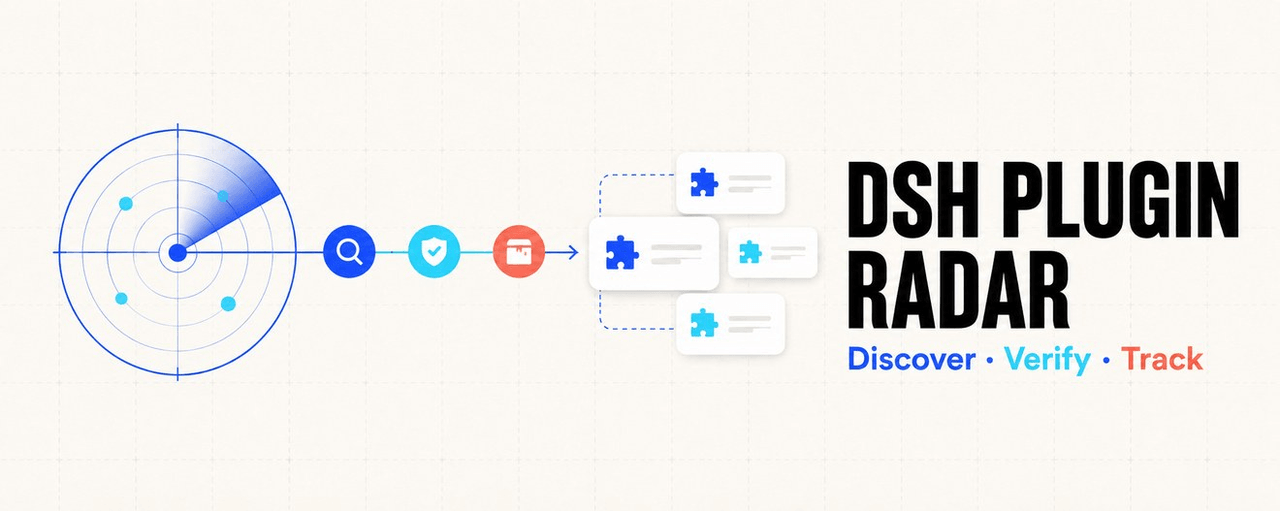 AdamPlatin123/dsh-plugin-radar
DSH Plugin Radar — open-source ecosystem radar for DeepSeek Harness plugins: continuous discovery (21k+ candidates), k8s…
AdamPlatin123/dsh-plugin-radar
DSH Plugin Radar — open-source ecosystem radar for DeepSeek Harness plugins: continuous discovery (21k+ candidates), k8s…
- Devin-AXIS/deepseek-design DeepSeek Harness 可编辑设计系统:AI 生成、可视化编辑、模板市场与 PPT|Native Design & PPT Studio for DeepSeek Harness.
-
 0xsline/awesome-deepseek-harness
DeepSeek Harness (DSH) ecosystem: curated plugins, tools, and infrastructure from dsh-external/hub and the public dsh-pl…
0xsline/awesome-deepseek-harness
DeepSeek Harness (DSH) ecosystem: curated plugins, tools, and infrastructure from dsh-external/hub and the public dsh-pl…