MlittleFriend/dsh-character-profiler
这是一款小说创作辅助工具。它能根据当前故事情节分析人物性格或其他特征,从而评估创作过程中与人物设定的偏离程度。
Project Overview项目介绍
MlittleFriend/dsh-character-profiler is a native DSH plugin built exclusively for novel writers using the DeepSeek Harness platform. It offers three core tools to help writers maintain character consistency for long-form fiction: character profile generation, appearance weight statistics, and behavior deviation detection. The novel_profile tool creates or updates a full character profile that covers five-dimensional personality, core motivations, speech patterns, habits, and character growth arcs, and it automatically collects all full names and nicknames for each character. The novel_appearance tool runs entirely locally, counts mentions, paragraphs, and dialogues for each character, and flags any unregistered characters mentioned in the text.
This plugin is designed specifically for writers who create long-form fiction like web novels or original literature using DSH, and it follows a straightforward, logical workflow for routine character management. At the start of each volume, writers run novel_profiler_status to get an overview of unprofiled characters and any unusual weight distribution. After adding a new character, they run novel_profile to generate a complete profile, then run novel_appearance regularly to check if the appearance weight is balanced across characters. After finishing several chapters, writers run novel_deviation to check for any out-of-character behavior, and update the profile whenever a character’s growth arc changes. All profiles are saved to the project’s lore/profiles directory, which is automatically injected into future writing context to prevent character drift from the start.
The recommended installation method is the one-click DSH plugin command: dsh plugin --profile web add github:MlittleFriend/dsh-character-profiler, after which you just restart the DSH web client to start using the plugin. You can also install it manually by downloading the repository and running the included PowerShell installation script. API configurations are automatically inherited from existing DSH writing tool settings, so you do not need to re-enter your API key. LLM-dependent functions require a configured DeepSeek API, while local features have zero external API dependency. The plugin is released under the open-source MIT license, and developers can test features directly without restarting the DSH GUI using the included local test script.
这是一款专为DeepSeek Harness(DSH)开发的原生写作插件,核心功能是为长篇小说创作提供人物一致性的量化监控,包含角色性格侧写生成、出场权重统计、行为偏离检测三大工具。novel_profile工具可为角色生成或更新完整性格侧写档案,涵盖五维性格、动机、说话风格、行为习惯、成长弧等多维度信息,同时自动收集角色全名与各类别称。novel_appearance工具纯本地运行,可统计每个角色的提及次数、段落数、对话段数,计算出场权重与占比排行,还能提示正文中未建档的疑似角色。
该插件面向使用DSH进行长篇网络小说或原创文学创作的写作者,遵循清晰的使用流程:每卷开头先运行novel_profiler_status查看未侧写角色与占比异常,新增角色后运行novel_profile建立侧写档案,例行检查时运行novel_appearance确认出场占比是否失衡,写完数章后运行novel_deviation检测行为是否漂移,角色成长弧变化后再更新侧写。侧写档案会写入项目的lore/profiles目录,自动注入后续写作上下文,从源头降低性格偏离的概率。
插件推荐通过DSH插件命令一键安装,运行dsh plugin --profile web add github:MlittleFriend/dsh-character-profiler后重启DSH即可使用,也可手动下载后运行安装脚本完成部署。API配置会自动继承DSH写作工具的现有配置,无需重复配置API密钥,LLM相关功能依赖已配置的DeepSeek API,纯本地功能无需额外消耗。插件采用MIT许可开源,开发者可通过本地测试脚本在不重启GUI的情况下验证功能。
请帮我安装这个 DSH 插件。安装前先完成【兼容性检查 + 安全性检查】,检查通过再动手。

插件:dsh-character-profiler(MlittleFriend/dsh-character-profiler)
仓库:https://github.com/MlittleFriend/dsh-character-profiler
本站详情页:https://www.yhbd.top/plugins/mlittlefriend-dsh-character-profiler/
本站登记:类型 plugin · 归类 原生 DSH 插件 · 许可证 MIT · ⭐ 4 · 最近提交 2026-08-20 · 主语言 JavaScript

按下面顺序执行,每步先把结论告诉我,再进入下一步:

【1 兼容性检查】
① 我这边:DSH 版本、Node 版本、操作系统、当前 profile(web / desktop)。
② 读它的 README、package.json、插件 manifest,列出它要求的 DSH 版本 / Node 版本 / 操作系统 / 外部依赖 / 需要另外先装的运行时。
③ 逐条比对,结论只写「满足 / 不满足 / 未知」三种;不满足的给出可行替代方案。
④ 检查是否和我已装的插件冲突:命令名重复、skill / tool 重名、端口占用、重复注册的 MCP server。

【2 安全性检查】
① 仓库可信度:和上面「本站登记」是否一致;star / fork 数、创建时间、最近提交,是否归档或长期停更。
② 安装脚本:逐行看 package.json 的 preinstall / install / postinstall,以及 install.sh、setup.ps1 之类脚本。出现 curl|bash、下载后直接执行、混淆代码、访问与插件功能无关的域名,立刻停下来告诉我,不要继续装。
③ 依赖:列出新增依赖,标出无人维护、或与知名包拼写近似的可疑包(typosquatting)。
④ 权限与副作用:它会读写哪些目录、访问哪些域名、需要哪些 DSH 权限(filesystem / network / shell / clipboard 等),以及怎么卸载和回滚。
⑤ 如果它要求 sudo / 管理员权限,或权限明显超出功能所需,先停下来问我。

【3 安装】
上面两步没有「不满足」和「高危项」时才执行;用官方推荐方式安装,不要自行提权。

【4 汇报】
用表格输出:检查项 / 结论 / 依据 / 是否需要我决策。拿不准的一律写「未知」并说明要我怎么确认——不要猜,也不要替我决定。
Send this message to DSH in your current session: it verifies compatibility and security first (answering met / not met / unknown item by item) and only installs once everything checks out — it will stop and ask you if it finds a high-risk item. The box scrolls; the copy is the full prompt. CLI install commands may not be accurate across systems, so DSH is the safer route.把上面这条消息直接发给当前会话里的 DSH:它会先核对兼容性与安全性(逐条给「满足 / 不满足 / 未知」),确认没问题再安装,有高危项会停下来问你。框内可滚动,复制到的是完整提示词;安装命令不一定准确,发给 DSH 更稳。
- Only 4 stars - very few users, little community feedback星标只有 4,几乎没人在用,遇到问题缺少社区反馈
DSH walks through these 9 checksDSH 会逐条核对这 9 项
Compatibility兼容性
- DSH, Node, OS and profile requirementsDSH 版本 / Node 版本 / 操作系统 / profile 是否满足要求
- External dependencies and runtimes (Electron / Python / Docker, ...)外部依赖与运行时(Electron / Python / Docker 等)是否齐备
- Conflicts with installed plugins: command names, skill / tool names, ports, duplicate MCP registration与已装插件是否冲突:命令名、skill / tool 重名、端口占用、重复 MCP 注册
Security安全性
- Repo matches the facts registered here; archived or abandoned?仓库是否与页面登记一致,是否归档或长期停更
- Safety of preinstall / install / postinstall and install.sh / setup.ps1preinstall / install / postinstall 与 install.sh、setup.ps1 是否安全
- curl|bash, download-then-execute, obfuscation, unrelated domains → stop immediatelycurl|bash、下载即执行、混淆代码、无关域名 → 立刻停止
- Typosquatting or unmaintained packages among the new dependencies新增依赖里有没有 typosquatting 或无人维护的包
- Requested permissions vs. what the feature actually needs申请了哪些权限、是否超出功能所需(filesystem / network / shell / clipboard)
- Any sudo / admin requirement, plus uninstall and rollback是否要求 sudo / 管理员权限,以及卸载与回滚方式
Anything uncertain must be marked unknown with a note on how to confirm it. This site's signal screen is a static snapshot, not a security audit.拿不准的必须标「未知」并说明要我怎么确认。本站的信号筛查是静态快照,不能替代安全审计。
Or use CLI install (for developers)或使用命令行安装(适合开发者)
CLI Install命令行安装
dsh plugin --profile web add github:MlittleFriend/dsh-character-profiler把 MlittleFriend/dsh-character-profiler 加入你的 DSH 配置(web profile)即可启用。
READMEREADME
dsh-character-profiler
DSH 写作插件:角色性格侧写 + 出场权重统计 + 行为偏离检测。为长篇小说提供人物一致性的量化监控,让每个角色的性格"立得住、可查证、不漂移"。
功能
| 工具 | 作用 | 消耗 |
|---|---|---|
novel_profile |
为角色生成/更新性格侧写档案:五维性格、动机、恐惧、价值观、说话风格(口癖/称谓)、行为习惯、情绪触发点、弱点、当前成长弧、一致性红线;同时收集全名/别称(含"老头子"这类他人称呼) | LLM(深模型可选) |
novel_appearance |
统计每个角色的出场权重与占比:提及次数、段落数、对话段数、章节分布、权重分(提及×1+段落×2+对话×3)、占比排行与主角/配角档位;另提示正文中出现但未建档的疑似角色 | 纯本地,0 API |
novel_deviation |
检测角色在正文中的行为与侧写的偏离程度:偏离指数 0~100、偏离点清单(类型/严重度/原文引用/建议);区分「无铺垫的 OOC 突变」与「有因果铺垫的合理性格发展」(对照 evolution.json) | LLM |
novel_profiler_status |
角色一致性总览:人物卡↔侧写档案对照、出场权重、未建档角色、建议动作 | 纯本地 |
工作方式
- 侧写档案写入项目的
lore/profiles/<角色key>.md。该目录位于lore/下,会被写作引擎自动注入后续写作上下文——写正文时模型持续看到角色的性格红线,从源头降低偏离。 - 出场统计从人物卡标题自动推导简称(「玛丽安娜·霍斯顿」→ 玛丽安娜/玛丽/霍斯顿),生成侧写后还会合并 LLM 提取的别称,越用越准。
- 偏离检测默认对照侧写档案;没有档案时退化为对照人物卡,并建议先跑
novel_profile。
安装
推荐:DSH 插件命令一键安装
dsh plugin --profile web add github:MlittleFriend/dsh-character-profiler,重启dsh web后即可使用(与下方本地脚本等效,免手动复制目录)。
- 把本目录(
dsh-character-profiler/)放到你方便的位置(比如项目旁)。 - 运行
install.ps1(右键 → 使用 PowerShell 运行;或powershell -ExecutionPolicy Bypass -File install.ps1)。 - 重启 dsh web(关闭当前窗口后重新运行启动命令)。重启后控制台应多出
tool:character-profiler的提示词节。 - 新会话中即可调用
novel_profile/novel_appearance/novel_deviation/novel_profiler_status。
安装脚本会自动:安装包到
~/.dsh/profiles/web、把插件加入 bundles、在 profile 的cordis.patch.yml登记插件行。API 配置(apiKey/baseURL/model)由插件在运行时自动继承dsh-tool-writing行的配置——key 只存在一处(tool-writing 的 patch 配置或环境变量),无需复制。
使用建议(流程)
每卷开头:  novel_profiler_status          → 看谁没侧写、谁占比异常
新角色:    novel_profile                  → 建侧写档案
例行检查:  novel_appearance               → 出场权重/占比是否失衡
写完几章:  novel_deviation                → 查行为是否漂移
弧光变化:  novel_profile                  → 更新侧写(旧档案被覆盖)
常见问题
- 角色名匹配不上? 在人物卡里加一行
- 别称:玛丽 / 老头子,或跑一次novel_profile让 LLM 提取别称。 - 偏离检测总说"一致"? 侧写是从正文提炼的,自洽是正常的;新章节行为变化后检测才有意义。也可用
perChapter/maxParagraphs调细粒度。 - 没建人物卡的角色(正文里的"卡尔")不会被统计/检测,
novel_appearance会提示你补卡。
开发与验证
test-local.mjs 可在不重启 GUI 的情况下直接驱动引擎验证(需 DSH_WRITING_API_KEY 或读取 profile patch 中的 key):
node test-local.mjs --stats --root "项目目录"
node test-local.mjs --profile <角色key> --root "项目目录"
node test-local.mjs --deviation <角色key> --root "项目目录"
许可
MIT
Related相关推荐
-
 Ikalus1988/MisakaNet
📚 A zero-dependency, git-backed micro-lesson library for AI Agents to asynchronously share and search verified debuggin…
Ikalus1988/MisakaNet
📚 A zero-dependency, git-backed micro-lesson library for AI Agents to asynchronously share and search verified debuggin…
-
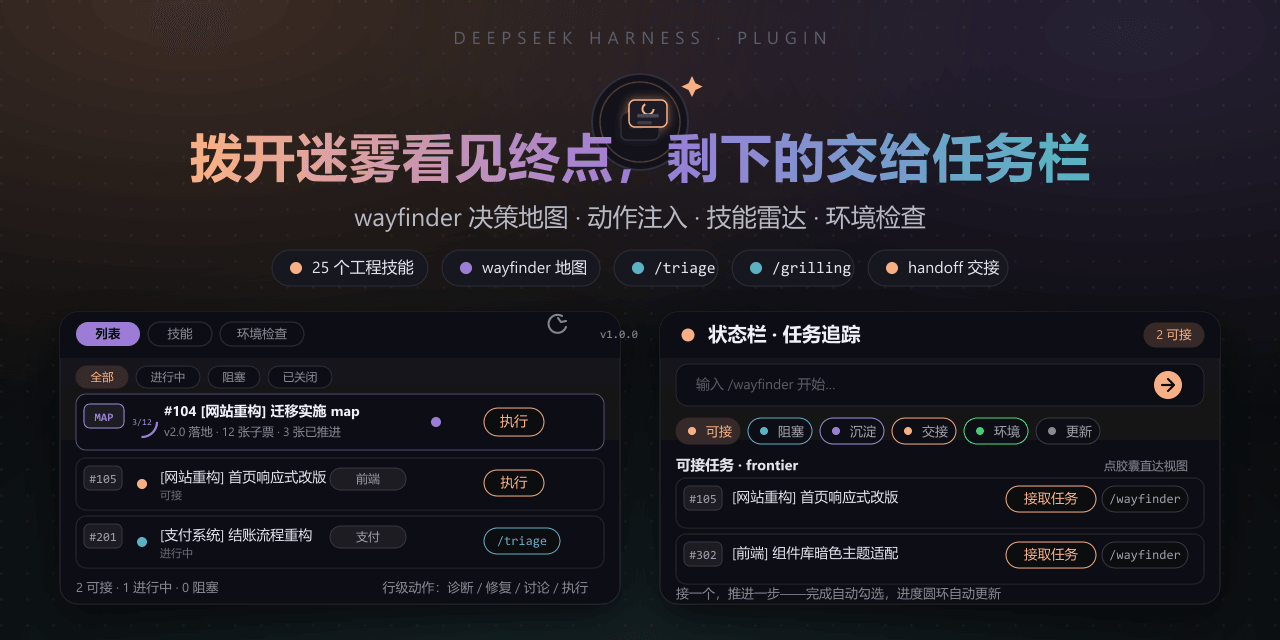 FeatherHunter/dsh-mattpocock-skills-deck
安装即自带mattpocock/skills v1.2.3的25个工程与效率技能,无需手动装技能。300亿token打造。本插件在原始技能之上提供10倍的开发效率。主力支持GitHub issue;Markdown为预览版;GitLab暂不…
FeatherHunter/dsh-mattpocock-skills-deck
安装即自带mattpocock/skills v1.2.3的25个工程与效率技能,无需手动装技能。300亿token打造。本插件在原始技能之上提供10倍的开发效率。主力支持GitHub issue;Markdown为预览版;GitLab暂不…
-
 yoli-mi/dsh-client-ui-custom
Configurable DSH web-surface plugin: wallpaper & frosted-glass themes, accent colors, custom keyboard shortcuts, app-usa…
yoli-mi/dsh-client-ui-custom
Configurable DSH web-surface plugin: wallpaper & frosted-glass themes, accent colors, custom keyboard shortcuts, app-usa…
-
 omdsh-dev/dsh-toolkit
DSH 零依赖工具包 collection —— time / encoding / json / calculator / csv / regex / markdown / diff / stat / schema 十个确定性工具,统一入…
omdsh-dev/dsh-toolkit
DSH 零依赖工具包 collection —— time / encoding / json / calculator / csv / regex / markdown / diff / stat / schema 十个确定性工具,统一入…
- seed-forge/harness-ai-kit Package manager for AI agent assets — 42 skills, 5 CLIs, 1 plugin. Skills for AI/LLM agent engineering, eval-driven dev,…
-
 XieZongChen/dsh-md-notes
A note-taking plugin for DeepSeek Harness (DSH). It provides a full MD notes manager and MD notes editor, letting you qu…
XieZongChen/dsh-md-notes
A note-taking plugin for DeepSeek Harness (DSH). It provides a full MD notes manager and MD notes editor, letting you qu…
- FNOSP/fnos-dsh DeepSeek Harness应用与harness插件 monorepo
-
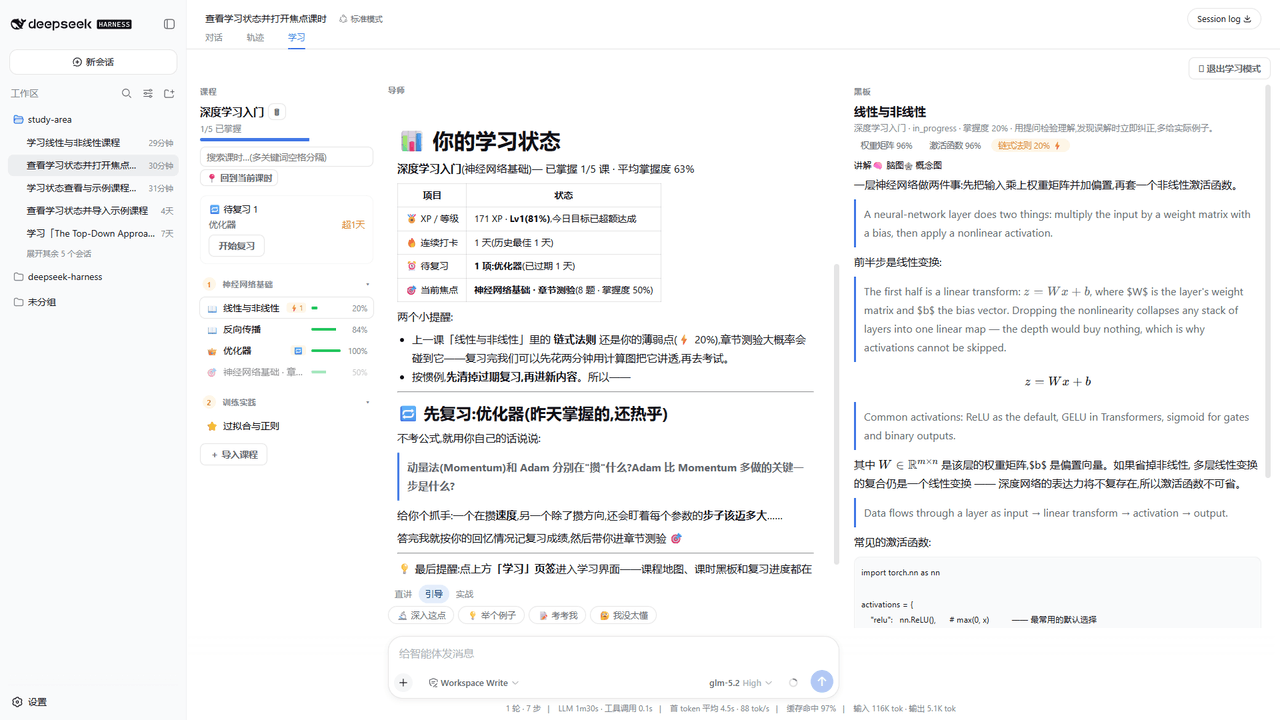 Kaiji-Z/dsh-plugin-lookatstudy
dsh community plugin: turn any markdown/folder/GitHub learning repo into a guided AI-tutor course (gated skill tree, BKT…
Kaiji-Z/dsh-plugin-lookatstudy
dsh community plugin: turn any markdown/folder/GitHub learning repo into a guided AI-tutor course (gated skill tree, BKT…