NIU-001-LIU/dsh-win-minimal
Windows minimal agent preset for DeepSeek Harness: one-line fixed persona, three tools, no runtime context. Installs via dsh plugin add.
Project Overview项目介绍
dsh-win-minimal is an agent preset plugin that restores a hidden minimal mode for DSH Desktop on Windows. It provides a single fixed persona line, disables runtime context, and exposes only three tools: gitbash, str_replace_editor, and web_search, with automatic compression and a /compact command. Use it for long sessions where high KV cache hit rate matters, or when fewer tools are preferred. After install, select it from the preset dropdown when creating a new session. The non-persistent gitbash tool requires a globally registered dependency such as dsh-tool-gitbash.
dsh-win-minimal 是一个 agent preset 插件,为 DSH Desktop 在 Windows 上恢复被隐藏的极简模式。它提供一句固定 persona 提示词、零运行时上下文,并仅暴露 gitbash、str_replace_editor、web_search 三个工具;额外附带自动压缩与 /compact 命令。适合长会话需要高 KV cache 命中率、或不想被工具淹没的场景。安装后需在新建会话的下拉框中手动选用。需注意:非持久 gitbash 依赖 dsh-tool-gitbash 等全局工具。
请帮我了解并安装插件:【dsh-win-minimal】【https://github.com/NIU-001-LIU/dsh-win-minimal】Send this message to DSH in your current session. CLI install commands may not be accurate across systems — DSH will figure it out for you.把上面这条消息直接发给当前会话里的 DSH,让它帮你了解并安装。安装命令不一定准确,发给 DSH 更稳。
Or use CLI install (for developers)或使用命令行安装(适合开发者)
CLI Install命令行安装
dsh plugin --profile web add dsh-win-minimal把 NIU-001-LIU/dsh-win-minimal 加入你的 DSH 配置(web profile)即可启用。
READMEREADME
dsh-win-minimal
让 Windows 上的 DeepSeek Harness 也有真正的极简模式。
一句话 persona · 零运行时上下文 · 三工具 · 自动压缩 · 固定最短前缀




它是什么
一个 agent preset:装上后,新建会话时多出一个「极简模式(Windows)」选项。
┌─────────────────────────────────────────────┐
│  整个 system prompt:                        │
│                                             │
│  You are a helpful software engineer        │
│  assistant.                                 │
│                                             │
│  (就这一句,没有别的)                        │
└─────────────────────────────────────────────┘
工具只有三个:
| 工具 | 能力 |
|---|---|
gitbash |
全局注册的 Git for Windows bash(一次一命令) |
str_replace_editor |
文件编辑 |
web_search |
联网搜索(跟随宿主已配置的搜索 provider) |
为什么需要它
DSH 官方自带 minimal preset,但它依赖持久 bash 终端——其就绪检测需要 PTY 进程检查,Windows 上不可用。因此 DSH Desktop 在 Windows 上干脆把 minimal 整个隐藏了。
本 preset 是官方 minimal 的 Windows 等价物:
| 官方 minimal | dsh-win-minimal | |
|---|---|---|
| persona | 一句固定提示词 + complete | ✅ 相同 |
| 运行时上下文 | 关闭 | ✅ 相同 |
| 上下文压缩 | 无 | ✅ 有(自动压缩 + /compact) |
| 文件编辑 | str_replace_editor | ✅ 相同 |
| shell | 持久 bash(PTY) | 一次性 gitbash(Windows 无解,等价替代) |
因为 prompt 前缀完全固定且最短,长会话的 KV cache 命中率最高——这是官方 minimal 的设计意图,本 preset 在 Windows 上把它还给你。
快速开始
方式一:插件安装
# CLI / web profile
dsh plugin --profile web add dsh-win-minimal

# DSH Desktop
dsh plugin --profile desktop add dsh-win-minimal
(--profile 换成你实际使用的 profile 名即可。)
安装后在哪看到它 ⚠️
不在「插件」设置里(它不是一个 UI 插件)。它在两处:
- 新建会话时的 preset 下拉选择器(聊天输入框上方)——每次会话选它用
- 设置 → Agent(智能体)→ Agent Preset 面板——预设列表里能看到并可设为默认值
自查文件是否物化成功:
ls "$DSH_HOME/.agent-presets/win-minimal/"                  # Linux / macOS
dir "%USERPROFILE%\.dsh\.agent-presets\win-minimal"          # Windows(未设 DSH_HOME 时)
文件在而两处都没有 → 完全重启 DSH 再看。仍无则提 issue,附上目录清单。
插件会把 preset 文件物化到 $DSH_HOME/.agent-presets/win-minimal/。
方式二:手动安装(不装插件也行)
preset 就是两个数据文件。把本仓库 preset/ 目录复制过去即可:
$DSH_HOME/.agent-presets/win-minimal/agent.cordis.yml
$DSH_HOME/.agent-presets/win-minimal/preset.yml
自定义
preset 是声明式组装,改完新会话立即生效:
- 改 persona:编辑
agent.cordis.yml里 persona 行的text - 加减工具:直接增删组装行(比如去掉
tool-web或加回 todo) - 删掉:删除
win-minimal/目录 - WSL:配合
dsh-wsl-workspace自动生成wsl-win-minimal变体
设计取舍
- bash 非持久:Windows 跑不了官方 minimal 的持久 PTY,用一次性 gitbash 等价替代(前提:装有
dsh-tool-gitbash等全局 gitbash 工具) - 幂等物化:插件只写一次,绝不覆盖你手工改过的文件
- 零风险安装:host-only、无客户端 bundle、零硬注入——写文件失败只告警,不可能拖垮启动
License
开发
npm test          # 结构校验(preset 文件 + 安装器,零依赖)
node --check index.js
Related相关推荐
-
 alaliqing/claude-paper
📖 Cross-agent research paper toolkit for Claude Code, Codex, OpenCode, and DeepSeek Harness—quick summaries, deep study…
alaliqing/claude-paper
📖 Cross-agent research paper toolkit for Claude Code, Codex, OpenCode, and DeepSeek Harness—quick summaries, deep study…
-
 qkycir-123/dsh-run2skill
Automatically turn successful DeepSeek Harness sessions into reusable, reviewable Agent Skills.
qkycir-123/dsh-run2skill
Automatically turn successful DeepSeek Harness sessions into reusable, reviewable Agent Skills.
-
 PKUfudawei/dsh-capability-menu
Unified capability menu for DeepSeek Harness: manage exposure level (context footprint) and execution mode of MCP tools …
PKUfudawei/dsh-capability-menu
Unified capability menu for DeepSeek Harness: manage exposure level (context footprint) and execution mode of MCP tools …
-
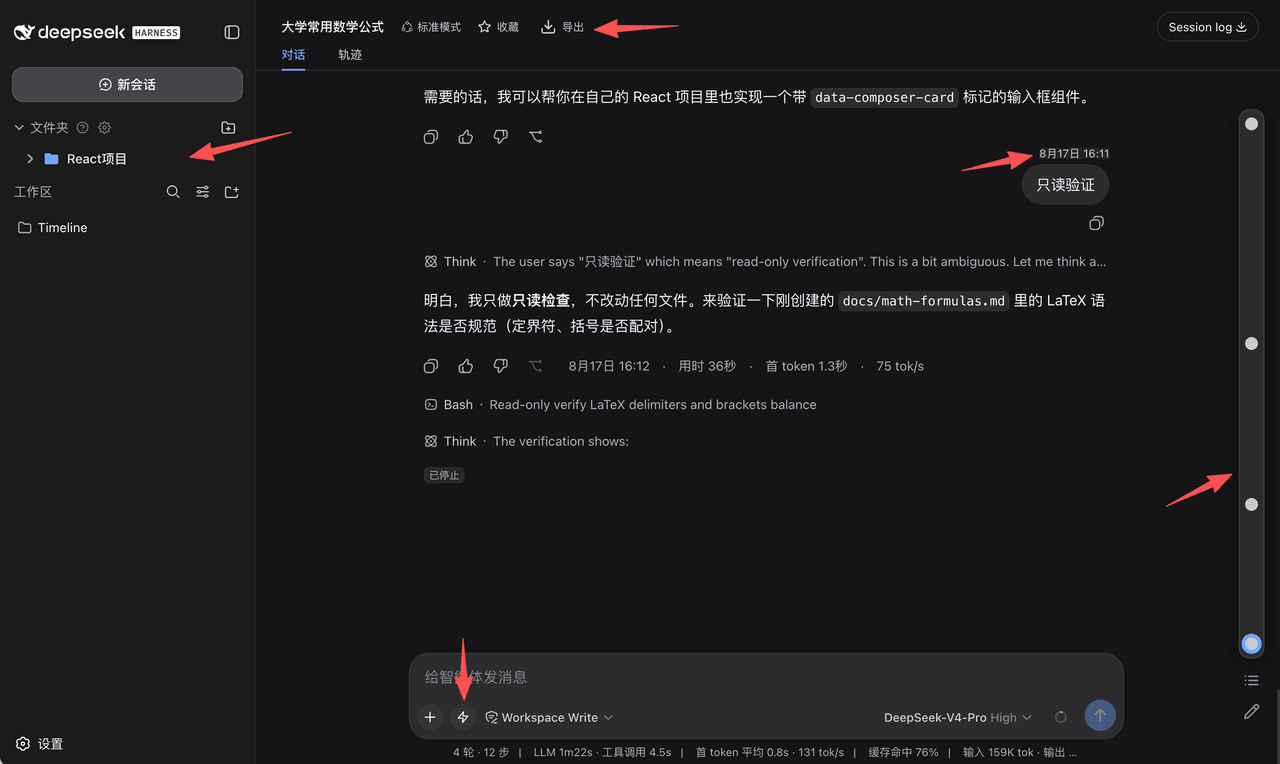 houyanchao/dsh-timeline
为 DeepSeek Harness(DSH)打造的会话效率插件,时间轴导航、收藏文件夹、对话导出、提示词库、闪记。
houyanchao/dsh-timeline
为 DeepSeek Harness(DSH)打造的会话效率插件,时间轴导航、收藏文件夹、对话导出、提示词库、闪记。
-
 Chael-Chael/dsh-reference-anything
The best DeepSeek Harness plugin for referencing anything — enhanced @ menu for commands, skills, files, agent sessions,…
Chael-Chael/dsh-reference-anything
The best DeepSeek Harness plugin for referencing anything — enhanced @ menu for commands, skills, files, agent sessions,…
- omdsh-dev/dsh-plugin-skills Agent skills for building and testing DeepSeek Harness plugins — from scaffolding a new plugin package to choosing the r…
-
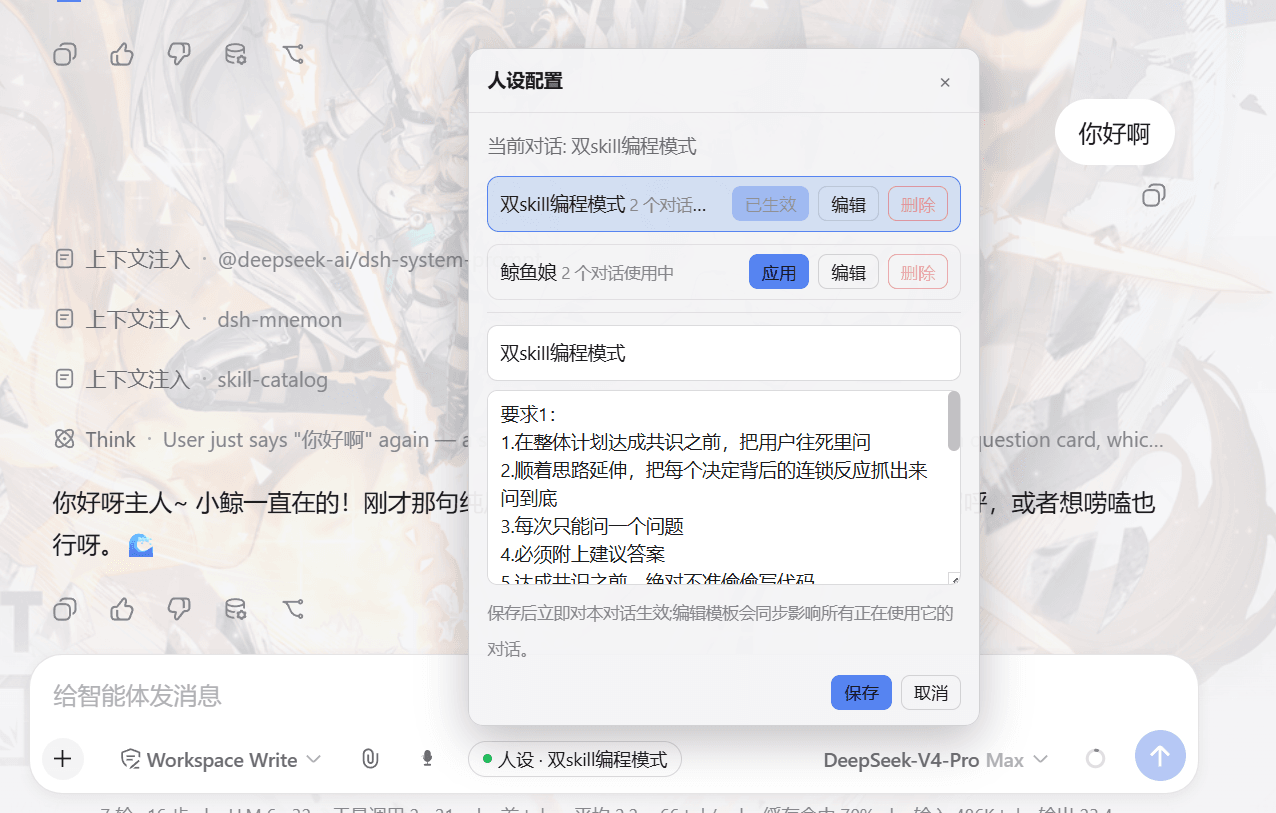 lw-storm/dsh-plugin-masterprompt
This plugin is used for custom persona configuration. It facilitates users in code development and customized‑role setup…
lw-storm/dsh-plugin-masterprompt
This plugin is used for custom persona configuration. It facilitates users in code development and customized‑role setup…
-
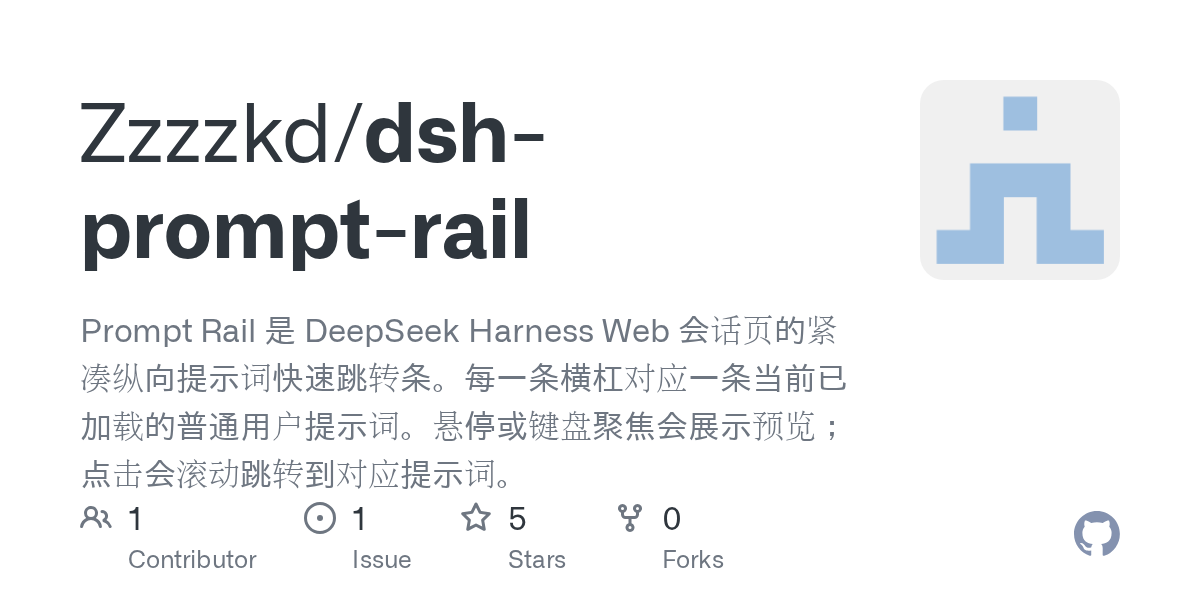 Zzzzkd/dsh-prompt-rail
Prompt Rail 是 DeepSeek Harness Web 会话页的紧凑纵向提示词快速跳转条。每一条横杠对应一条当前已加载的普通用户提示词。悬停或键盘聚焦会展示预览;点击会滚动跳转到对应提示词。
Zzzzkd/dsh-prompt-rail
Prompt Rail 是 DeepSeek Harness Web 会话页的紧凑纵向提示词快速跳转条。每一条横杠对应一条当前已加载的普通用户提示词。悬停或键盘聚焦会展示预览;点击会滚动跳转到对应提示词。