niushuanan/xiaozhuang-dsh
Plugin-enhanced DeepSeek Harness distribution with Computer Use, Teamwork, model usage, and multi-worktree development.
项目介绍Project Overview
小庄DSH是基于DeepSeek Harness构建的本地工作空间插件集。它包含16个原生插件,提供侧边栏工作台、多Agent团队协作、Git Worktree隔离、Skill管理、长期记忆、模型配额与会话Token统计等能力。适用于需要桌面代理、纯聊天或并行完成多任务的本地开发场景。需注意Skill导入、记忆维护默认调用deepseek-v4-flash-vision-exp模型,外部PR暂不接收。
Xiaozhuang DSH is a set of native plugins for DeepSeek Harness that turns the local core into a practical workspace for agent work and chat. It ships 16 plugins covering a VSCode-style workbench, multi-agent teamwork with isolated Git worktrees, Skill management, two editable long-term memory documents, model quotas for DeepSeek, KIMI, GLM, and GPT, plus per-session and cross-client token details. Use it when you need a switchable, exportable plugin layer for parallel coding, context management, and usage visibility. Note that external pull requests are not currently accepted.
请帮我了解并安装插件:【xiaozhuang-dsh】【https://github.com/niushuanan/xiaozhuang-dsh】把上面这条消息直接发给当前会话里的 DSH,让它帮你了解并安装。安装命令不一定准确,发给 DSH 更稳。Send this message to DSH in your current session. CLI install commands may not be accurate across systems — DSH will figure it out for you.
或使用命令行安装(适合开发者)Or use CLI install (for developers)
命令行安装CLI Install
dsh plugin --profile web add github:niushuanan/xiaozhuang-dsh把 niushuanan/xiaozhuang-dsh 加入你的 DSH 配置(web profile)即可启用。
READMEREADME
Xiaozhuang DSH
English | 中文
Native plugins that turn DeepSeek Harness into a practical local workspace for both agent work and everyday chat.



Download · Explore all plugins · Star the project · DeepSeek Harness upstream
An independent community distribution, not an official DeepSeek product. Upstream architecture, licenses, and attribution are preserved.
What it is
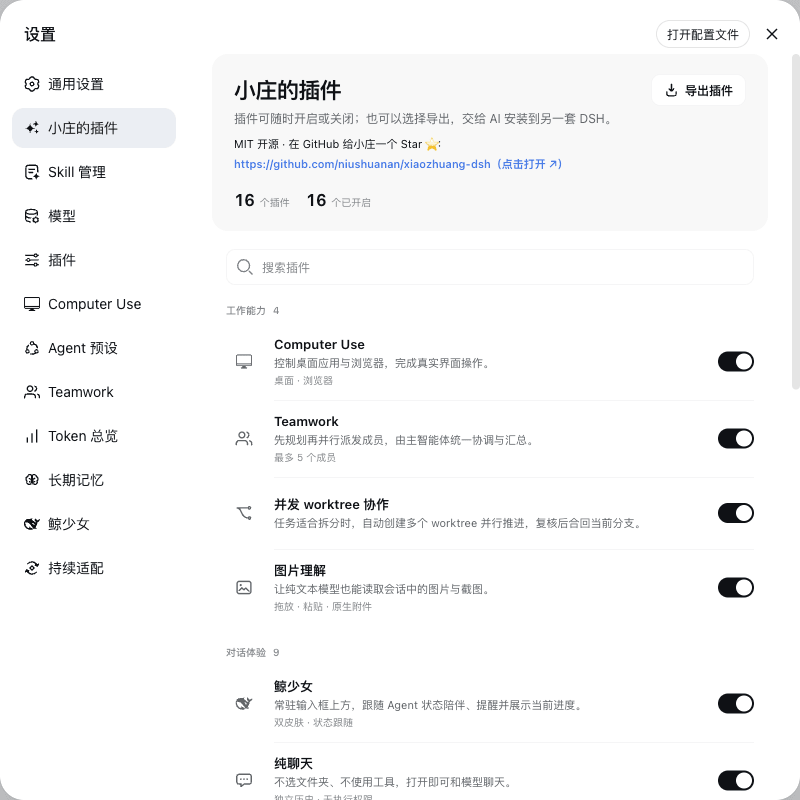
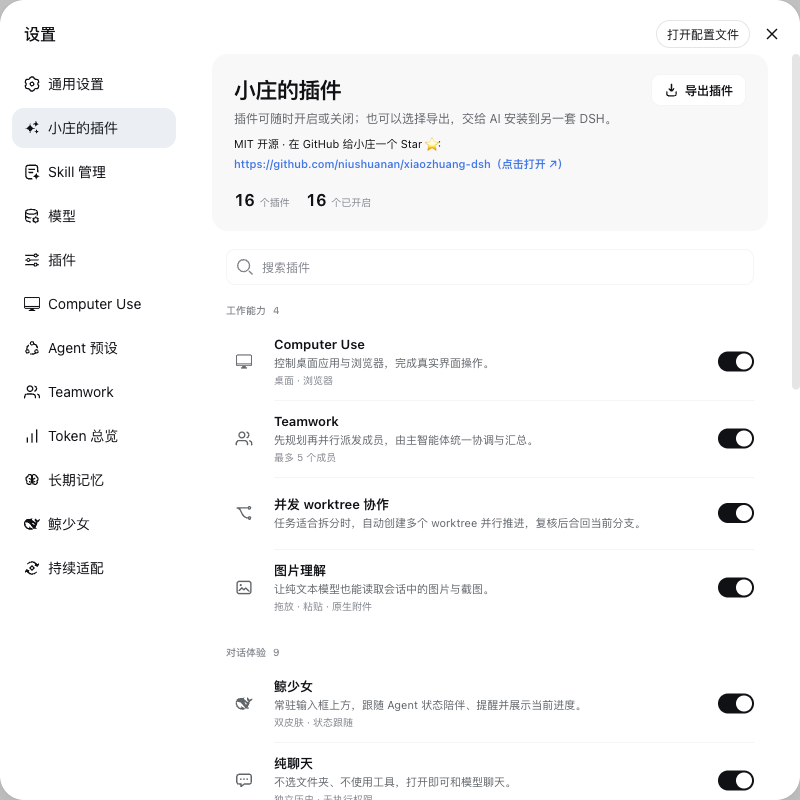
Xiaozhuang DSH keeps the DeepSeek Harness core—agents, sessions, tools, models, and plugins—then fills the practical gaps around desktop control, pure chat, parallel work, Skills, long-term memory, usage visibility, and safe updates. New capabilities are built as native plugins whenever they can be independently switched, exported, and maintained.
| Start working | Start chatting |
|---|---|
| Bind a workspace and use agents, tools, permissions, and Skills to finish tasks. | Pick no folder and grant no execution access; just open a chat and attach images or text. |
What you get
| User task | Product capability |
|---|---|
| See everything in a workbench | A right sidebar plus bottom panel: files, editor, real terminal, Git, embedded browser, background jobs, and side conversations, isolated per session. |
| Finish complex work | Teamwork, multiple agents, and isolated Git worktrees run in parallel under one coordinating agent. |
| Manage knowledge and context | Skill management, selection quotes, side chats, and two editable long-term memory documents. |
| Keep conversations effortless | Pure chat, split conversations, in-session mode switching, image understanding, and continuous output. |
| Understand model usage | DeepSeek, KIMI, GLM, and GPT quotas plus per-session and whole-machine token details. |
| Update without disruption | Check upstream every six hours, adapt narrowly with an agent, switch while idle, and roll back when needed. |
Get started
Recommended: release bundle
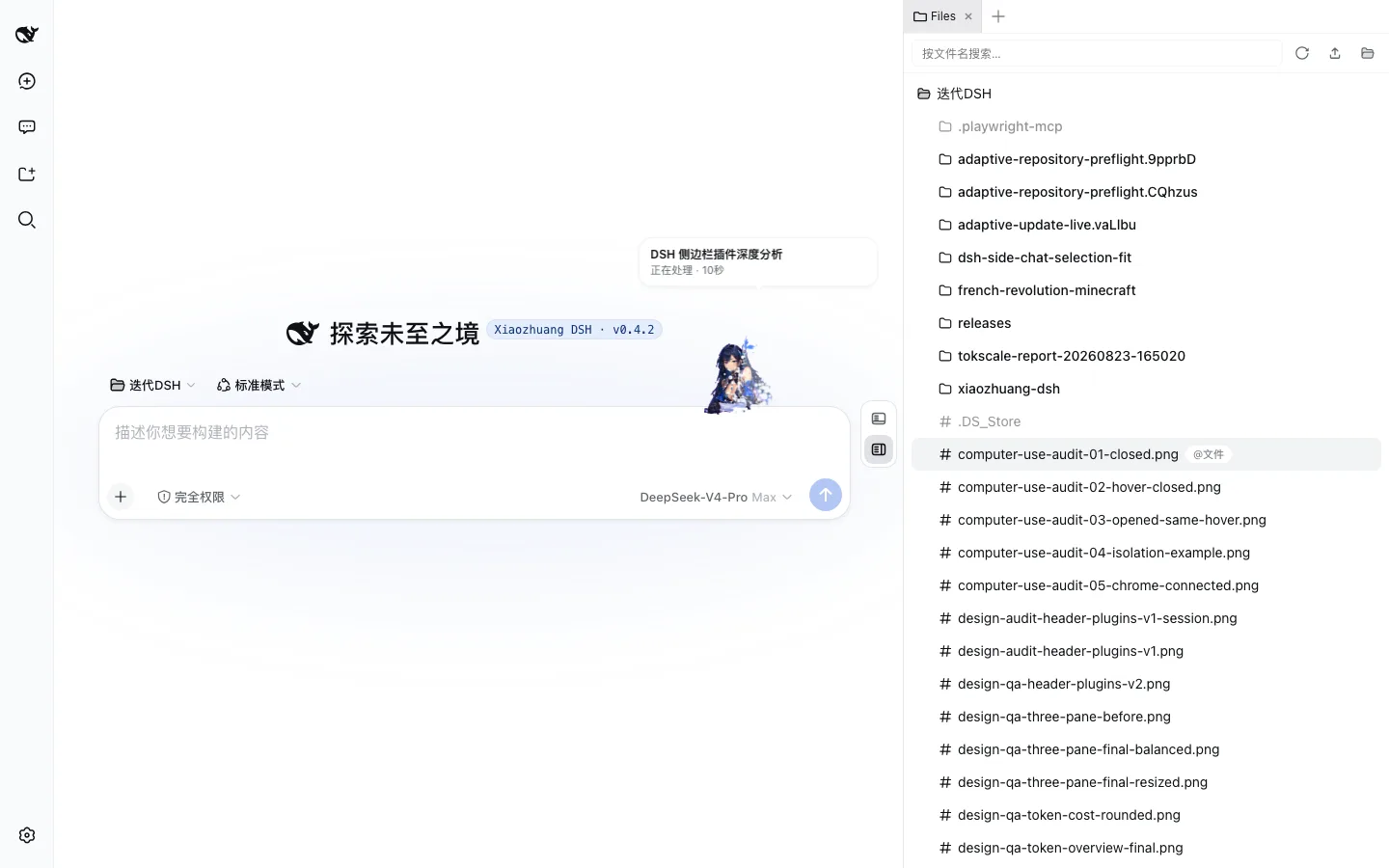
Xiaozhuang DSH v0.4.2 already contains the built Host, Client, and Web artifacts.
tar -xzf xiaozhuang-dsh-v0.4.2-prebuilt-source.tar.gz
cd xiaozhuang-dsh-v0.4.2
corepack enable
pnpm install --frozen-lockfile
pnpm dsh web
Run from source
git clone https://github.com/niushuanan/xiaozhuang-dsh.git
cd xiaozhuang-dsh
corepack enable
pnpm install --frozen-lockfile
pnpm run build:official
pnpm dsh web
Requires Node.js ^22.19.0 or >=24.0.0 and pnpm 11.7.0. The Web UI opens at http://127.0.0.1:3080 by default.
16 native plugins
Open Settings → Xiaozhuang Plugins to search, switch, or export them. Exported ZIP files include source, a manifest, hashes, and AI installation instructions—not credentials, conversations, settings, dependencies, or caches.
Work capabilities
01 · Sidebar workbench
A VSCode-style right sidebar plus bottom panel: files and editor, real terminal, Git panel, sandboxed embedded browser (replacing the former browser bridge), background jobs, and Codex-style side conversations — session-isolated, splittable, and open to further plugins through ctx.betterSidebar.
02 · Teamwork (standalone repository)
The primary agent delegates independent tasks to external experts such as Codex and Z Code, then checks and combines their results.
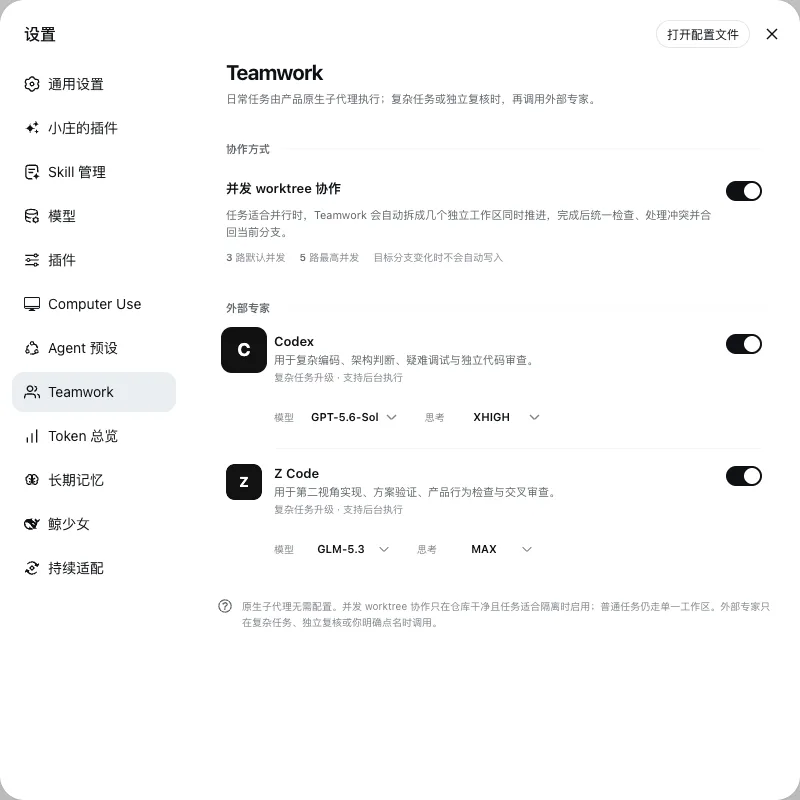
03 · Concurrent worktree collaboration (standalone repository)
Run parallel tasks in isolated Git worktrees, then inspect conflicts and merge safely into the current branch.

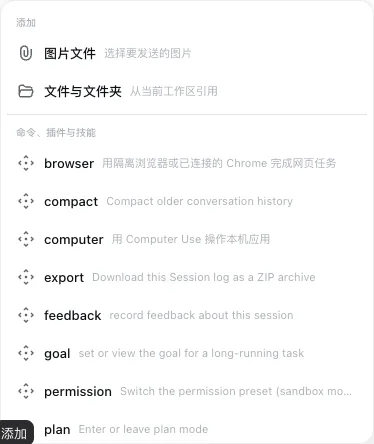
04 · Image understanding (standalone repository)
Upload an image from the composer plus menu—the same short path used for commands, plugins, and Skills.
Conversation experience
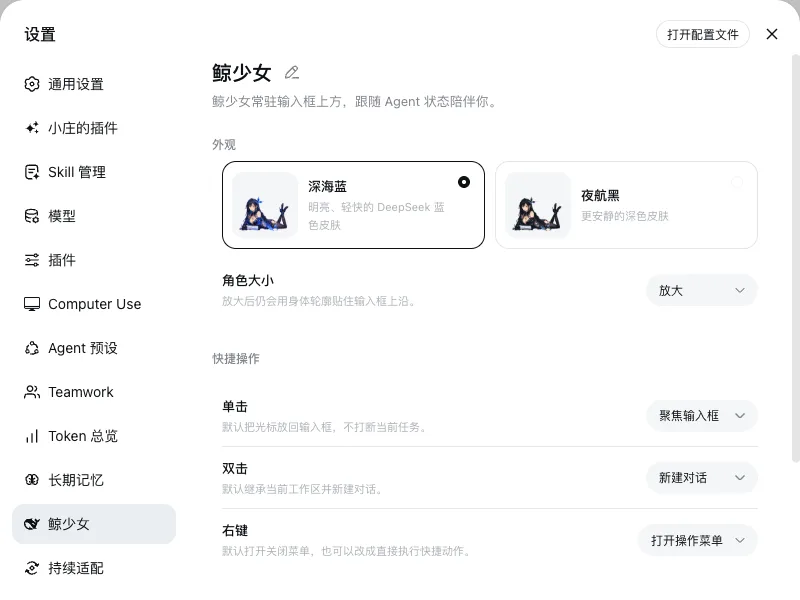
05 · Whale Girl (standalone repository)
Lives beside the composer and keeps voice input, task status, and configurable quick actions together.
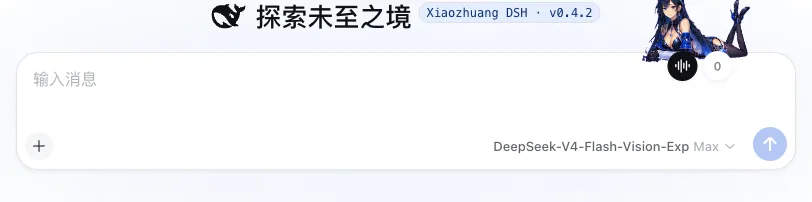
06 · Pure chat (standalone repository)
Choose no folder and grant no agent execution access; click Start chatting and talk immediately.
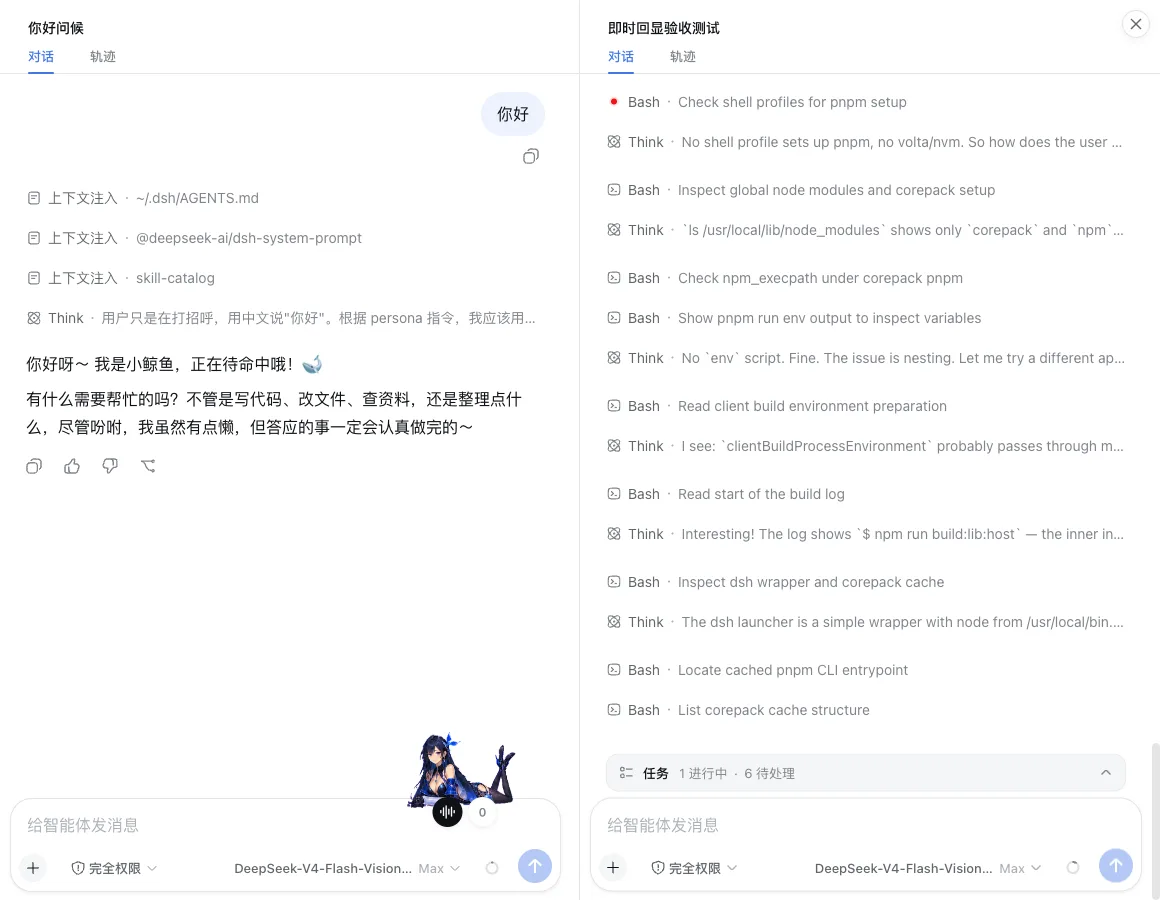
07 · Multi-conversation split view (standalone repository)
Place two sessions side by side in one workspace and continue each one independently.
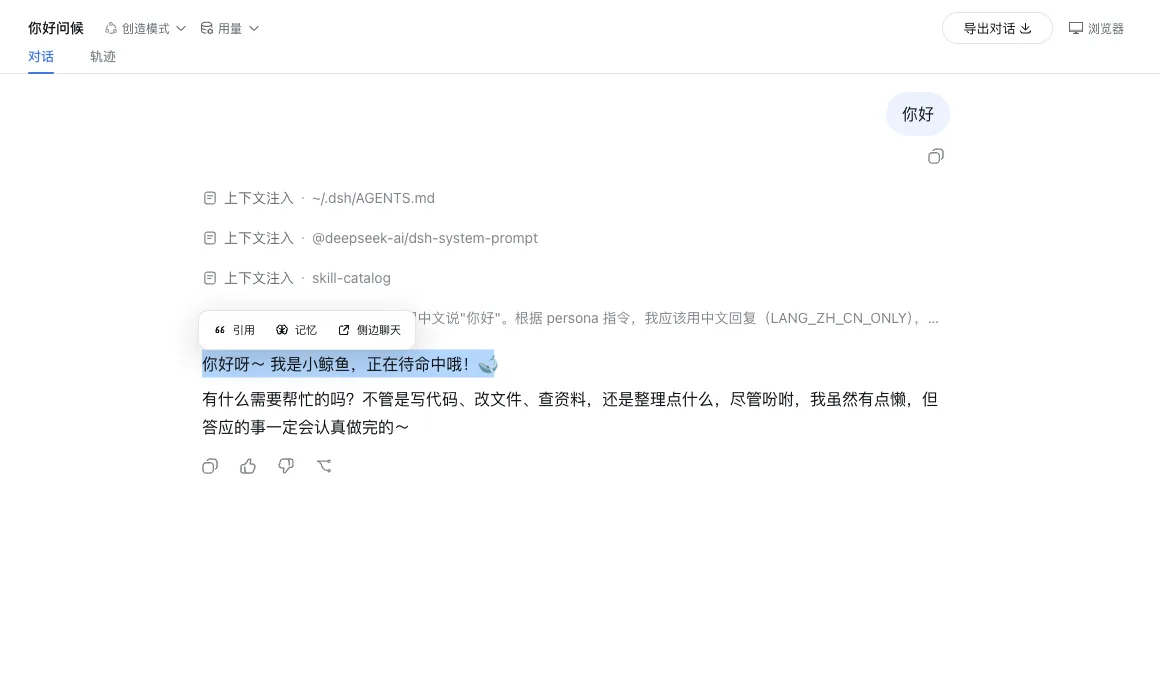
08 · Selection actions (standalone repository)
Select text in an answer to quote it, remember it, or open a side chat without breaking the reading flow.
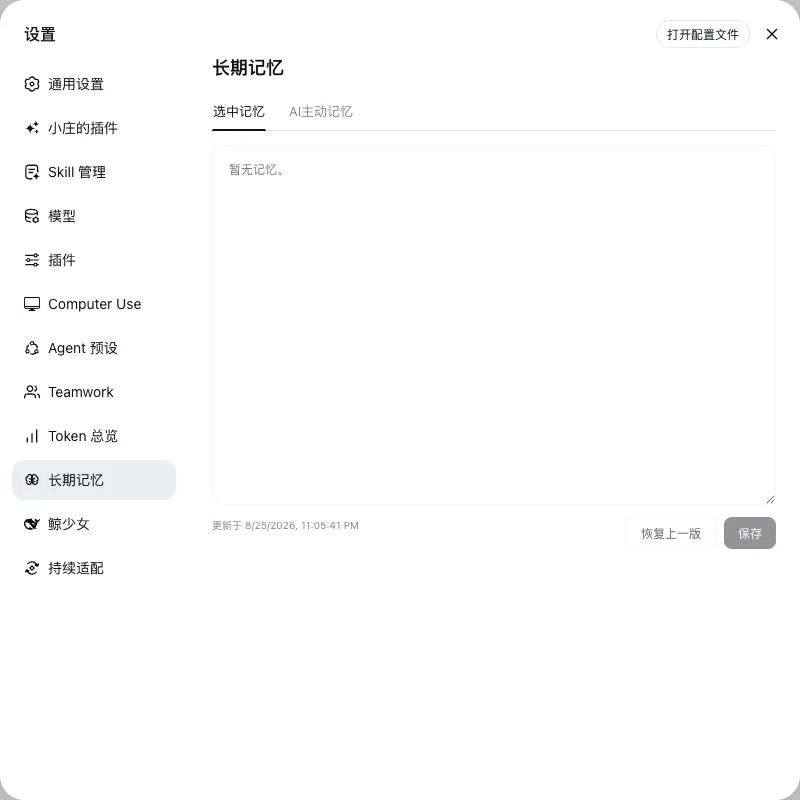
09 · Long-term memory (standalone repository)
Keep Selection Memory and AI Memory as two visible, editable, and restorable global documents.
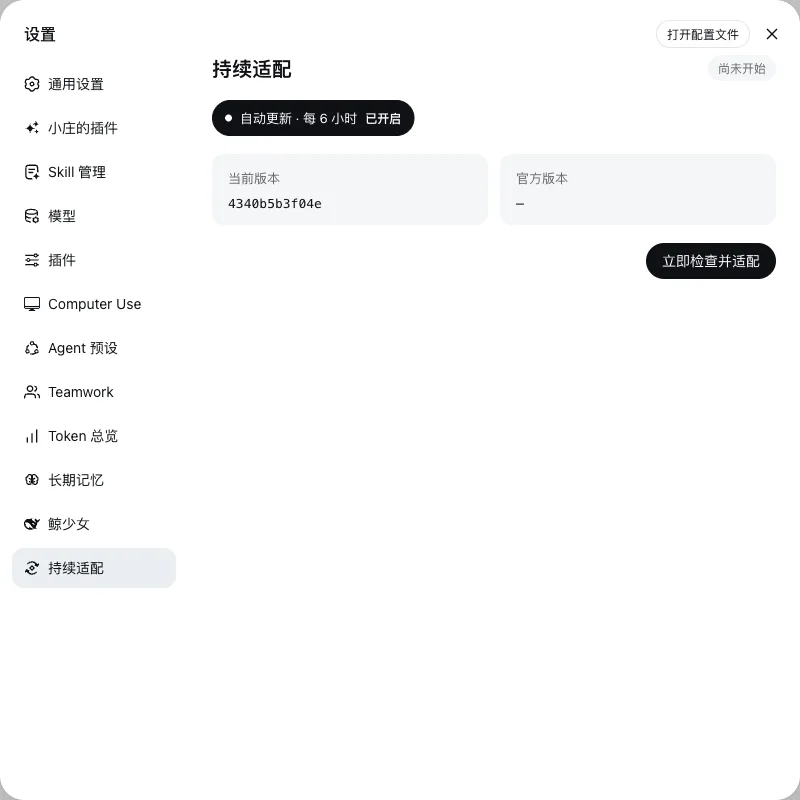
10 · Adaptive updates (standalone repository)
Check upstream every six hours, use an agent only for necessary compatibility work, switch while idle, and roll back on failure.
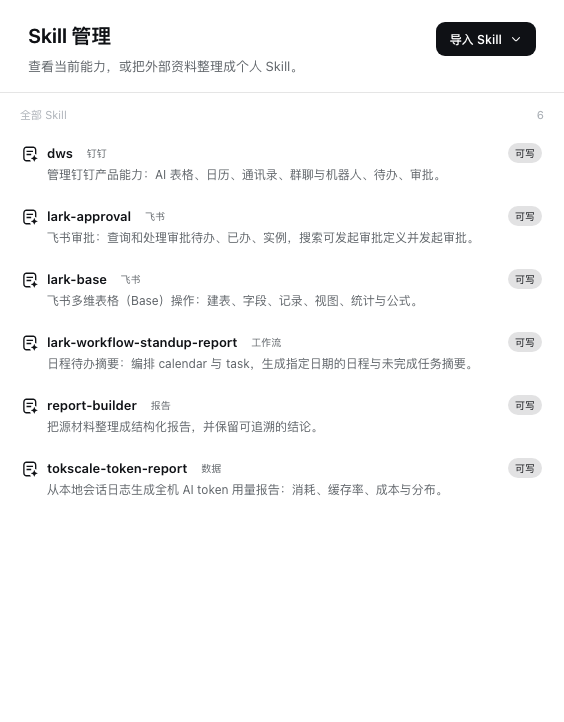
11 · Skill management (standalone repository)
Read a Skill's tagged summary, tree, and files directly, or adaptively import from a file, folder, ZIP archive, or GitHub.
12 · Smooth output
Messages enter the conversation immediately while reasoning, tools, and answers appear as one continuous stream.
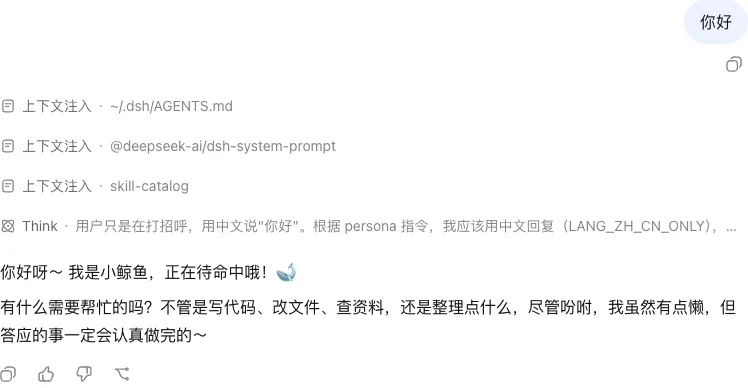
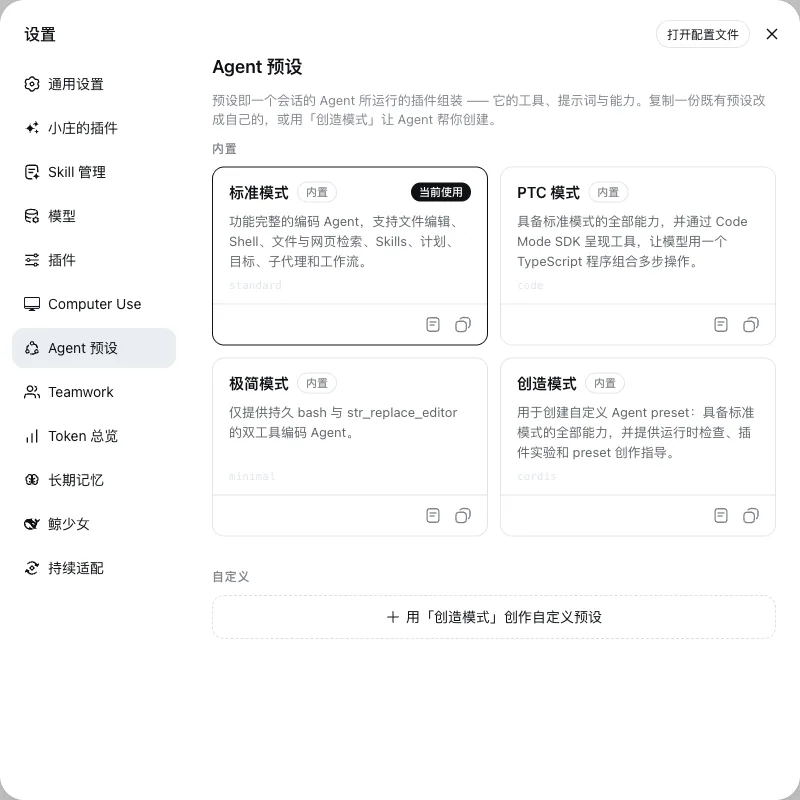
13 · Agent presets
Switch a complete tool, prompt, and capability bundle inside a session, or duplicate one to customize it.
Data and usage
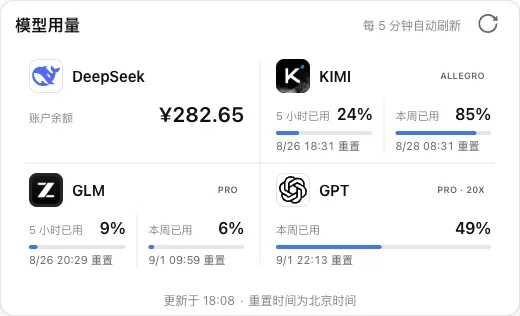
14 · Model usage (standalone repository)
Check the DeepSeek balance and KIMI, GLM, and GPT quotas from the conversation header, refreshed every five minutes.
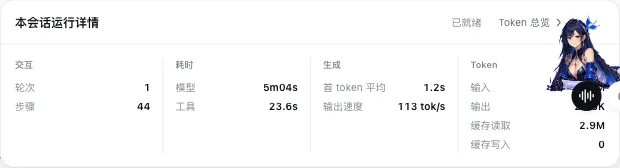
15 · Session runtime details
Expand the current session's turns, steps, latency, time to first token, output speed, and cache hits.
16 · Token overview (standalone repository)
Review tokens, calls, and cost trends across local clients for today, seven days, this month, or all time.
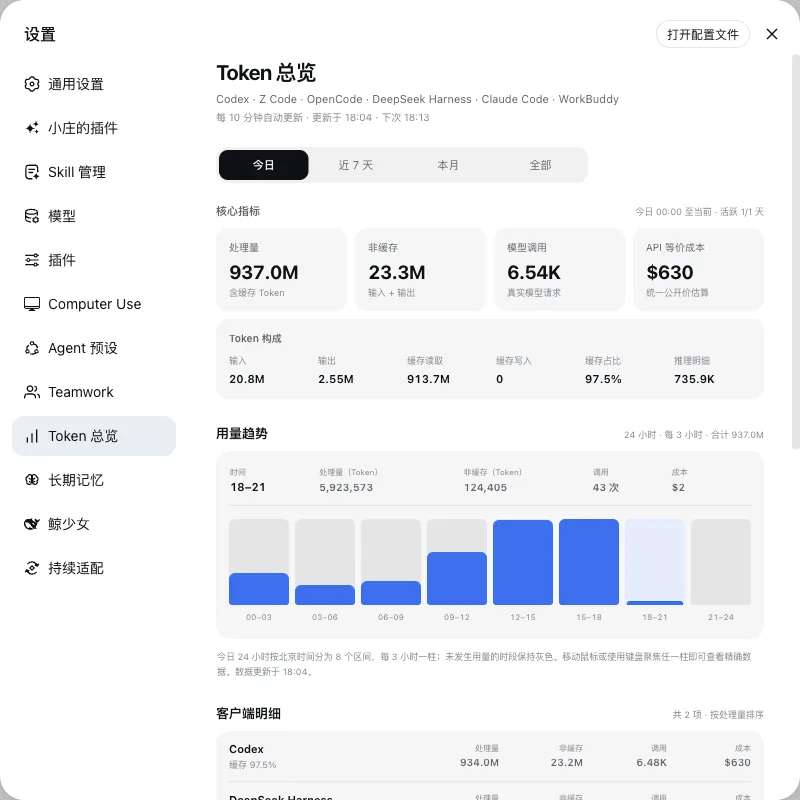
Data, models, and updates
- The repository and release bundle contain no API keys, login data, conversation records, or local DSH profile state.
- Skill import, long-term memory maintenance, and compatibility adaptation default to the inexpensive
deepseek-official/deepseek-v4-flash-vision-exp; ordinary work and chat use the model selected by the user. - Adaptive updates preserve the original DSH Home, conversations, and attachments. Failed candidates restore source and data, keep only one rollback snapshot, and remove temporary worktrees.
Development and feedback
Development guide · Architecture · Contributing guide · Issues
Propose broadly useful fixes to DeepSeek Harness upstream. This repository keeps its source and Issues public but does not currently accept external pull requests.
License
相关推荐Related
-
 omdsh-dev/DSH-better-sidebar
开放的侧边栏底座,支持三方拓展注册新侧边栏页面。内置文件渲染编辑/终端/侧边对话/Git/子代理页面 | Open sidebar foundation, supports third-party extensions to registe…
omdsh-dev/DSH-better-sidebar
开放的侧边栏底座,支持三方拓展注册新侧边栏页面。内置文件渲染编辑/终端/侧边对话/Git/子代理页面 | Open sidebar foundation, supports third-party extensions to registe…
-
 NanmiCoder/dsh-agent-teams
AgentTeams plugin for DeepSeek Harness
NanmiCoder/dsh-agent-teams
AgentTeams plugin for DeepSeek Harness
-
 dream-num/dsh-univer-office
Give DeepSeek Harness a real office environment. Univer Office Plugin brings spreadsheets, docs, slides, canvases, rela…
dream-num/dsh-univer-office
Give DeepSeek Harness a real office environment. Univer Office Plugin brings spreadsheets, docs, slides, canvases, rela…
-
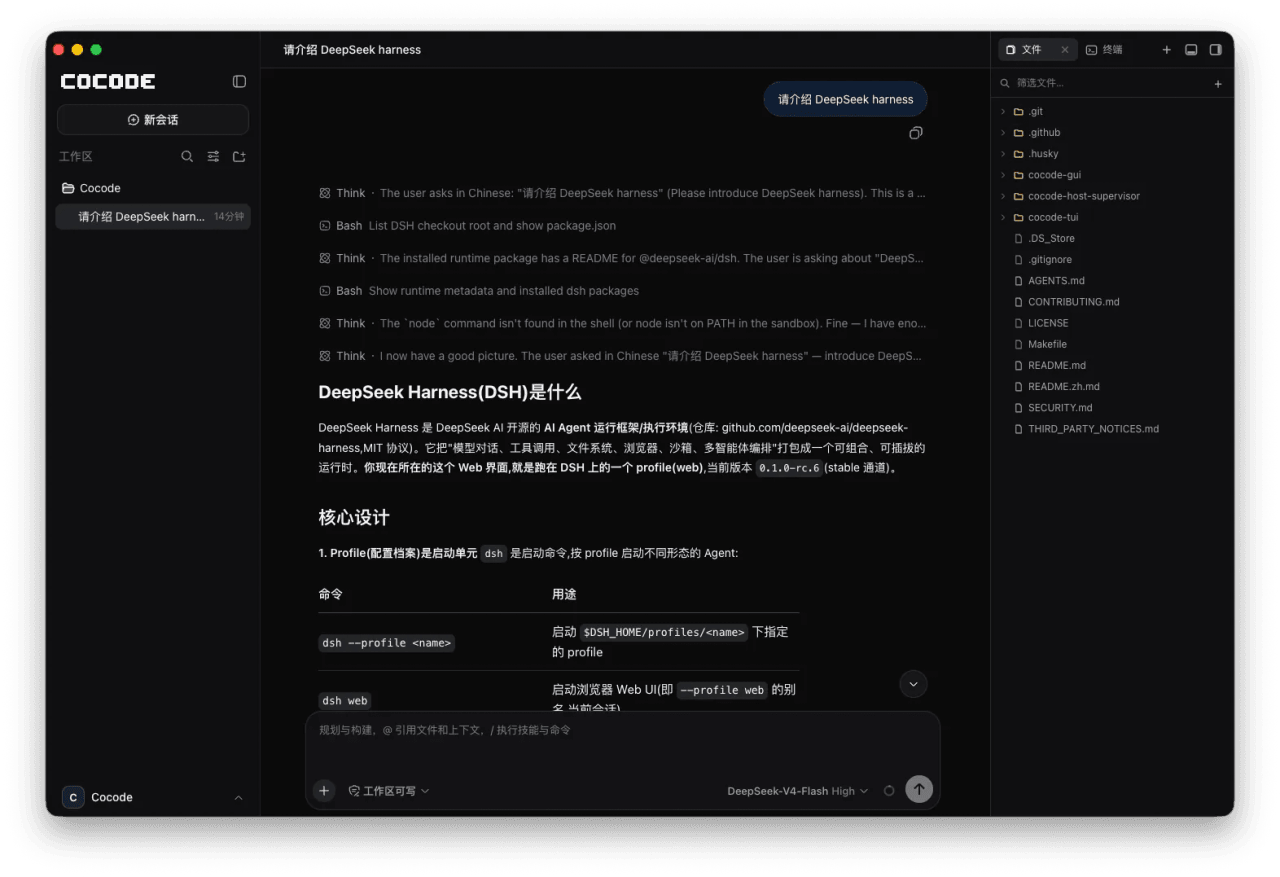 cocode-agency/cocode
Best ready-to-run DeepSeek Harness distribution: DSH desktop GUI, DSH terminal TUI, and harness integration.
cocode-agency/cocode
Best ready-to-run DeepSeek Harness distribution: DSH desktop GUI, DSH terminal TUI, and harness integration.
-
 toolclub/dsh-agent-team-gui
Persistent multi-model workflow teams for DeepSeek Harness — dynamic lead planning, bounded DAGs, per-agent model/tools,…
toolclub/dsh-agent-team-gui
Persistent multi-model workflow teams for DeepSeek Harness — dynamic lead planning, bounded DAGs, per-agent model/tools,…
-
 omdsh-dev/dsh_workflow
把Claude Code的UltraCode模式带给DSH,把 DSH 的一次性多 Agent 调度,升级为可生成、可保存、可治理、可观察、可恢复的 Workflow 层
omdsh-dev/dsh_workflow
把Claude Code的UltraCode模式带给DSH,把 DSH 的一次性多 Agent 调度,升级为可生成、可保存、可治理、可观察、可恢复的 Workflow 层
-
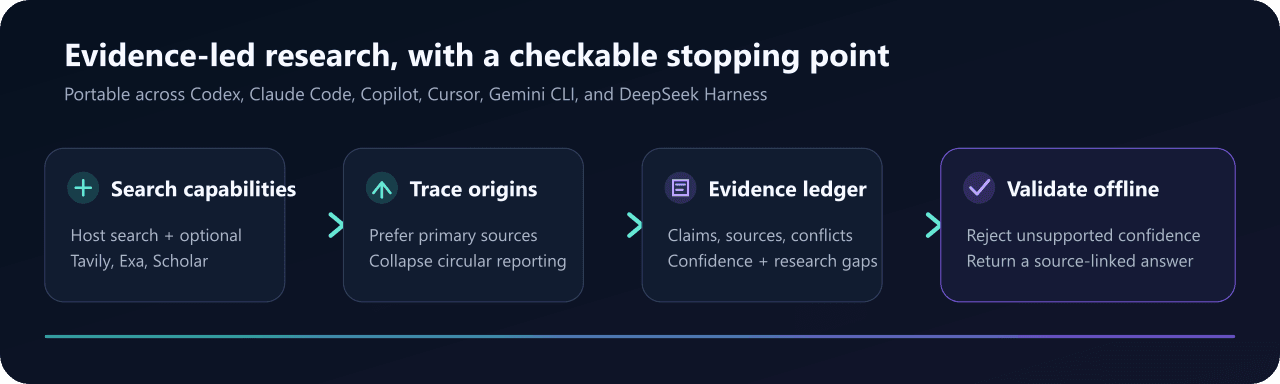 sandbaseai/sandbase-skills
88 installable open-source Agent Skills for research, social intelligence, marketing, and business workflows—compatible …
sandbaseai/sandbase-skills
88 installable open-source Agent Skills for research, social intelligence, marketing, and business workflows—compatible …
- LaplaceYoung/oh-my-dsh oh-my-dsh:面向 DSH (DeepSeek Harness) 的插件生态——700+ 插件,只通过扩展接缝注册,不修改 agent-loop 骨架