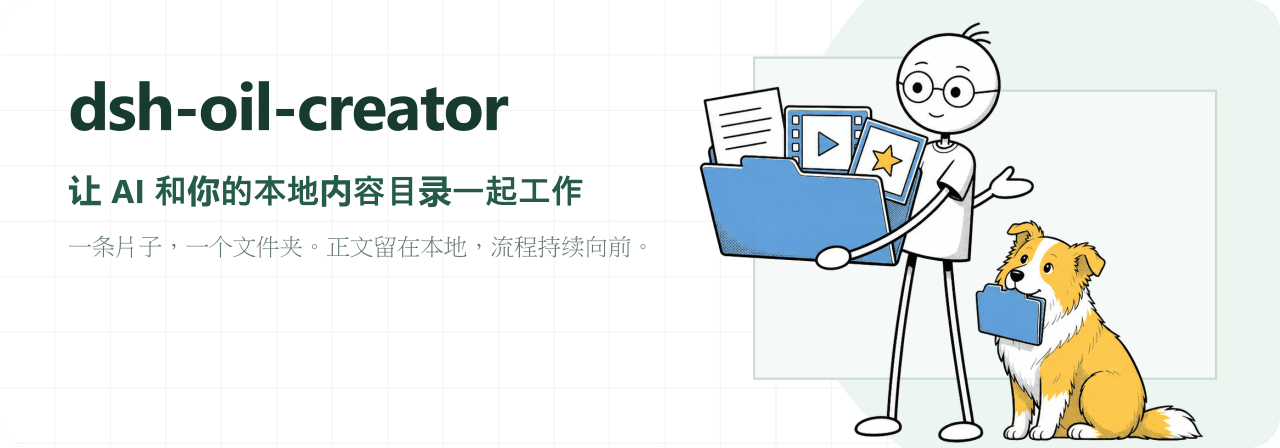
oil-oil/dsh-oil-creator
DeepSeek Harness 上的本地内容工作台。 从选题、脚本、录屏工程到字幕、封面和发布状态,一条片子始终对应一个本地文件夹。 > [!NOTE] > 当前兼容 Node.js 22.19+、DeepSeek Harness 0.1.0-rc.6 / 0.1.0-rc.7。核心片库可独立使用;Screen Studio、字幕、封面、公众号和发布能力均可按需安装。
catalog 简介 / catalog descriptioncatalog description:AI-assisted local creator workbench for DeepSeek Harness
编辑导读Editor's Brief
## 核心特性
- 该插件将每个视频作为一个本地文件夹进行管理,其中包含 topic.md、script.md、成片视频、字幕、封面和发布包等文件。
- 工作台状态保存在 ~/.dsh-oil-creator/overlay.json 中,内容文件仍保留在所选本地目录中,不会被复制到封闭数据库。
- 本地资料库会扫描按日期和可读标题命名的文件夹,并显示阶段、成片视频、字幕、封面、文章和发布状态。
- AI 配置使用内置的 creator-workbench Skill 和只读的 oil_creator_setup 来发现目录、检查可选能力,并在保存前预览变更。
- 耗时较长的字幕、封面和字幕烧录任务会立即返回,并由工作台通过文件输出和任务状态进行跟踪。
## 使用场景
- 它支持选题和脚本准备,可创建标准化目录,并结合已保存的长期脚本规则编辑 topic.md 或 script.md。
- 它可协调 Screen Studio 项目绑定和导出等待,同时录制、时间线编辑和导出决策仍由用户完成。
- 它会准备字幕和三种比例封面,然后将本地素材交给 video-publisher 生成多平台草稿,最终发布仍由人工确认。
- 在用户完成登录和异常匹配后,它会通过 Ego Browser 同步已发布作品的播放量、点赞数、评论和链接。
## 技术细节
- README 说明其兼容 Node.js 22.19+ 以及 DeepSeek Harness 0.1.0-rc.6 或 0.1.0-rc.7。
- 安装使用 DeepSeek Harness 插件命令 npx @deepseek-ai/dsh plugin --profile web add github:oil-oil/dsh-oil-creator,随后重启 web profile。
- API keys 通过 Harness 凭据服务存储,设置界面仅显示已配置或未配置状态,而不显示明文值。
- 高级 Cordis 配置保留 libraryRoot、dataDir、subtitleSkillDir 和 coverSkillDir,用于自动发现无法覆盖的环境。
## 注意事项
- 字幕和封面功能需要外部 skills 和 API keys,并且根据可选能力表,Screen Studio 自动化或多平台发布仅限 macOS。
- 该插件不会自动上传内容;上传仅在显式调用发布 skill 后发生,并会在最终平台发布前停止。
- 目录创建、配置保存和批量重命名遵循先预览后确认的执行流程,缺少可选依赖只会禁用对应阶段。
## Core Features
- The plugin manages each video as a local folder containing files such as topic.md, script.md, final video, subtitles, covers, and publish package.
- Workbench state is stored in ~/.dsh-oil-creator/overlay.json, while content files remain in the selected local directory and are not copied into a closed database.
- The local library scans folders named by date and readable title and shows stage, final video, subtitle, cover, article, and publishing status.
- AI configuration uses the built-in creator-workbench Skill and read-only oil_creator_setup to discover directories, check optional capabilities, and preview changes before saving.
- Long-running subtitle, cover, and burn-in tasks return immediately and are tracked by the workbench through file outputs and task status.
## Use Cases
- It supports topic and script preparation by creating standardized directories and editing topic.md or script.md with saved long-term script rules.
- It coordinates Screen Studio project binding and export waiting while leaving recording, timeline editing, and export decisions to the user.
- It prepares subtitles and three aspect-ratio covers, then hands local materials to video-publisher for multi-platform drafts before human final publication.
- It synchronizes published work playback, likes, comments, and links through Ego Browser after login and exception matching are handled by the user.
## Technical Details
- The README states compatibility with Node.js 22.19+ and DeepSeek Harness 0.1.0-rc.6 or 0.1.0-rc.7.
- Installation uses the DeepSeek Harness plugin command npx @deepseek-ai/dsh plugin --profile web add github:oil-oil/dsh-oil-creator, followed by restarting the web profile.
- API keys are stored through the Harness credential service, and settings display only configured or unconfigured status rather than plaintext values.
- Advanced Cordis configuration retains libraryRoot, dataDir, subtitleSkillDir, and coverSkillDir for environments not covered by automatic discovery.
## Notes
- Subtitle and cover functions require external skills and API keys, and Screen Studio automation or multi-platform publishing are limited to macOS according to the optional capability table.
- The plugin does not automatically upload content; uploads occur only after an explicit publish skill invocation and stop before final platform publication.
- Directory creation, configuration saving, and batch renaming follow a preview-then-confirm execution flow, and missing optional dependencies disable only the corresponding stage.
安装Install
npx @deepseek-ai/dsh plugin --profile web add github:oil-oil/dsh-oil-creator把 oil-oil/dsh-oil-creator 加入你的 DSH 配置(web profile)即可启用。
READMEREADME
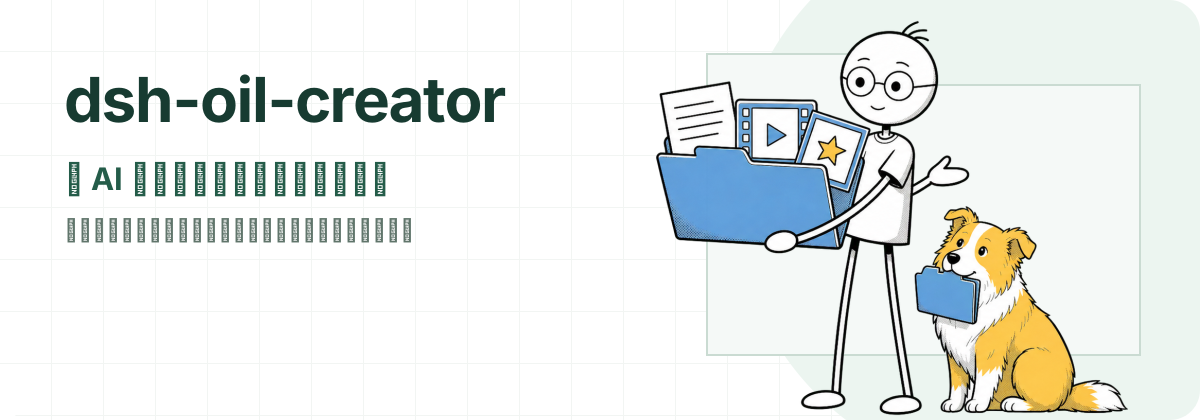
DeepSeek Harness 上的本地内容工作台。
从选题、脚本、录屏工程到字幕、封面和发布状态,一条片子始终对应一个本地文件夹。
[!NOTE] 当前兼容 Node.js 22.19+、DeepSeek Harness
0.1.0-rc.6/0.1.0-rc.7。核心片库可独立使用;Screen Studio、字幕、封面、公众号和发布能力均可按需安装。
一条片子,就是一个文件夹
插件不建立封闭的内容数据库。正文和产物仍是普通文件,任何编辑器和 AI 文件工具都能读取:
~/Movies/视频项目/
└── 2026-08-19_DeepSeek Harness 上手/
    ├── topic.md
    ├── script.md
    ├── DeepSeek Harness 上手.mp4
    ├── DeepSeek Harness 上手.srt
    ├── DeepSeek Harness 上手_subtitled.mp4
    ├── DeepSeek Harness 上手_3x4.png
    ├── DeepSeek Harness 上手_4x3.png
    ├── DeepSeek Harness 上手_16x9.png
    ├── publish-package.json
    └── 公众号文章/
插件只把工程绑定、手写发布标记、同步到的播放数据和生成任务等工作台状态存进 ~/.dsh-oil-creator/overlay.json,不会把正文复制一份藏起来。
一条片子如何向前推进
| 阶段 | AI 与插件可以做什么 | 仍由人确认什么 |
|---|---|---|
| 选题与脚本 | 新建规范目录,读写 topic.md / script.md,遵守长期脚本规则 |
选题方向和最终表达 |
| 录制与剪辑 | 绑定并打开 Screen Studio 工程,等待导出文件稳定落盘 | 录制、时间线剪辑和导出 |
| 字幕与封面 | 启动字幕工作流,打开预览,烧录字幕,生成三种画幅封面 | 专有名词、标题和错别字 |
| 发布 | 把本地材料交给 video-publisher 准备多平台草稿 |
各平台最终“发表”按钮 |
| 数据回收 | 通过 Ego Browser 同步已发布作品的播放、赞、评和链接 | 登录状态和异常匹配结果 |
工作台不会假装替人完成录制、剪辑或最终发布。它负责把每一步需要的文件、状态和下一步动作放在同一个上下文里。
开始使用
1. 安装插件
使用 DeepSeek Harness 自带的插件管理命令:
npx @deepseek-ai/dsh plugin --profile web add github:oil-oil/dsh-oil-creator
重启 web profile 后即可使用。插件会登记到配置里,不需要手改 Harness 配置。已经全局安装 dsh 时,可以去掉命令里的 npx @deepseek-ai/dsh。
Harness 从 GitHub 安装时生成的构建包包含 README 引用的最终 assets/readme/hero.svg,不会包含 assets/readme/source/ 下的源素材。
从源码安装
git clone https://github.com/oil-oil/dsh-oil-creator.git
cd dsh-oil-creator
pnpm install --frozen-lockfile
pnpm build
npx @deepseek-ai/dsh plugin --profile web add "$PWD"
npx @deepseek-ai/dsh web
如果 pnpm 明确提示安装期构建被阻止,再带 --allow-build 重试;正常安装不需要这一步:
npx @deepseek-ai/dsh plugin --profile web add --allow-build=dsh-oil-creator github:oil-oil/dsh-oil-creator
2. 让 AI 完成首次配置
推荐选择 Harness 的 standard 或 code Agent preset,然后直接说:
检查并配置内容工作台,找到适合的内容目录,并告诉我还缺哪些能力。
内置 creator-workbench Skill 会先调用只读的 oil_creator_setup:
- 寻找已有的内容目录。
- 检查 Screen Studio、字幕、封面和 Ego Browser 等可选能力。
- 只报告凭据是否已配置,不把 API Key 读回对话。
- 先预览配置变化,得到确认后才保存。
候选目录不存在时,AI 会先展示准备创建的完整路径;确认创建后再重新预览配置。minimal preset 不包含 Skill 和文件工具,不适合首次配置或自动整理目录。
3. 做第一条内容
可以直接对 AI 说:
今天做一期 DeepSeek Harness 安装上手。新建内容目录,把选题写进笔记,再给我一个脚本初稿。
随后继续说“绑定刚才的 Screen Studio 工程”“等待成片后生成字幕和封面”或“这条还缺什么”。工作台会根据文件夹里的真实产物推进阶段。
核心能力
- 本地片库:按
日期_可读标题扫描目录,展示阶段、成片、字幕、封面、文章和发布状态。 - 对话上下文:通过
@当前详情、内容搜索或/current content把目标文件夹交给 AI。 - AI 自举配置:自动发现标准安装路径,缺少能力时给出明确安装方式,写入前必须预览和确认。
- 长期脚本规则:保存语气、结构、禁忌和目标观众,之后写或修改
script.md时复用。 - 长任务追踪:字幕、封面和烧录启动后立即返回,由工作台继续观察文件产物和任务状态。
- 目录整理:预览并修正旧文件夹名称;默认不执行、不删除文件。
- 可选发布闭环:准备平台草稿后由人最终发表,再同步播放、点赞、评论和作品链接。
完整工具列表和逐步示例见 使用说明。
可选能力
核心片库和脚本管理不依赖下表中的外部工具。缺少某项时,只关闭对应环节。
| 能力 | 可选依赖 | 说明 |
|---|---|---|
| 字幕转录、排版、预览和烧录 | oil-subtitle + DASHSCOPE_API_KEY |
首次 clone 后必须运行 bash ~/.agents/skills/oil-subtitle/setup.sh;Key 在百炼控制台申请 |
| 三画幅封面 | oil-cover + ZENMUX_API_KEY |
Key 在 ZenMux 申请 |
| Screen Studio 自动剪辑 | screen-studio-editor | 仅 macOS;录制和导出仍在 Screen Studio 完成 |
| 多平台草稿与数据回收 | Ego Lite + video-publisher | 仅 macOS;需要提前登录各平台创作者后台 |
| 公众号图文 | oil-video-article | 独立工作流,工作台负责展示已有文章 |
字幕和封面 Skill 留空时,插件会依次从 ~/.claude/skills、~/.codex/skills、~/.agents/skills 自动发现;只有非标准安装位置才需要填写高级路径。
配置原则
设置入口位于 设置 → 插件 → 内容工作台。设置页只保留需要人决定的信息,例如内容目录、脚本规则和可选能力凭据;可以通过系统检查发现的路径不重复暴露。
- API Key 使用 Harness 官方凭据服务保存。页面只显示“已配置 / 未配置”,不会回显明文。
- 内容目录可以换成任意已有的绝对路径,每个直接子文件夹代表一条内容。
enabledPlatforms默认全开,包含小红书、抖音、B 站和视频号。关闭的平台不会参与 AI 发布或数据同步;全部关闭时不执行这两项操作。- 脚本规则既可以在设置页修改,也可以让 AI 通过
oil_script_rules记录和更新。 - Cordis 高级配置仍保留
libraryRoot、dataDir、subtitleSkillDir和coverSkillDir,用于自动发现无法覆盖的特殊环境。
数据与权限边界
- 正文、视频、字幕、封面和文章保存在用户选择的本地目录。
- 插件不会自动上传内容;上传只在用户明确调用发布 Skill 后发生,并停在最终发表前。
- 字幕、封面和平台同步会访问各自的外部服务;不安装、不配置就不会启用。
- 目录创建、配置保存和批量重命名都遵循“先预览、再确认、后执行”。
卸载
npx @deepseek-ai/dsh plugin --profile web remove dsh-oil-creator
安装、卸载或更新配置后重启 dsh web。不要手动修改 ~/.dsh/profiles/web/package.json,也不要把项目的 cordis.patch.yml 复制到用户 profile;插件自己的 bundle patch 会负责装配和清理侧栏。
如果旧版本曾在 profile 的 cordis.patch.yml 里手动加入以下内容,迁移后应删除,避免卸载插件后官方侧栏仍被关闭:
- id: ui-sidebar
  disabled: true
开发与验证
pnpm install --frozen-lockfile
pnpm check
pnpm check 会依次运行 TypeScript 检查、Vitest 测试和 Host / Client 构建。欢迎提交 Issue 或 Pull Request;涉及文件格式、配置兼容或外部能力时,请同时补充对应测试和文档。
准备推送开源提交或创建 GitHub tag 前运行 pnpm release:check。它会先拒绝脏工作树、未跟踪的关键文件或缺失的 origin,再验证测试、构建和 GitHub 安装包内容;不会发布到 npm。
文档
使用问题
安装或使用过程中遇到问题,可以到 oiloil.org 联系我。代码缺陷和功能建议仍然欢迎提交 Issue。
License
相关推荐Related
-
 amruthpillai/reactive-resume
A one-of-a-kind resume builder that keeps your privacy in mind. Completely secure, customizable, portable, open-source a…
amruthpillai/reactive-resume
A one-of-a-kind resume builder that keeps your privacy in mind. Completely secure, customizable, portable, open-source a…
-
 anywhere-labs/deepseek-harness-desktop
为 DeepSeek Harness (DSH) 插件生态打造的现代化桌面端解决方案。万物皆「插件」,桌面本身也是「插件」。
anywhere-labs/deepseek-harness-desktop
为 DeepSeek Harness (DSH) 插件生态打造的现代化桌面端解决方案。万物皆「插件」,桌面本身也是「插件」。
-
 ccch1mneyyy/dsh-TUI
DSH 官方公众号收录的 TUI 补位插件:Claude Code 风,鲸鱼顶栏/实时状态/流式思考/双击 Esc 回滚/上下文进度+TPS。npm 一键装。 DSH official WeChat featured TUI plugin…
ccch1mneyyy/dsh-TUI
DSH 官方公众号收录的 TUI 补位插件:Claude Code 风,鲸鱼顶栏/实时状态/流式思考/双击 Esc 回滚/上下文进度+TPS。npm 一键装。 DSH official WeChat featured TUI plugin…
-
 alvinunreal/openpets
Local first, desktop companion platform with animated pets, plugin SDK and coding-agent integrations.
alvinunreal/openpets
Local first, desktop companion platform with animated pets, plugin SDK and coding-agent integrations.
-
 agentrq/agentrq
AgentRQ: Human-in-loop realtime conversational task manager for AI Agents. Self-hosted! Control your own agents from whe…
agentrq/agentrq
AgentRQ: Human-in-loop realtime conversational task manager for AI Agents. Self-hosted! Control your own agents from whe…
-
 ccch1mneyyy/working-activity
Lively Working-line extension for pi CLI and DSH
ccch1mneyyy/working-activity
Lively Working-line extension for pi CLI and DSH
-
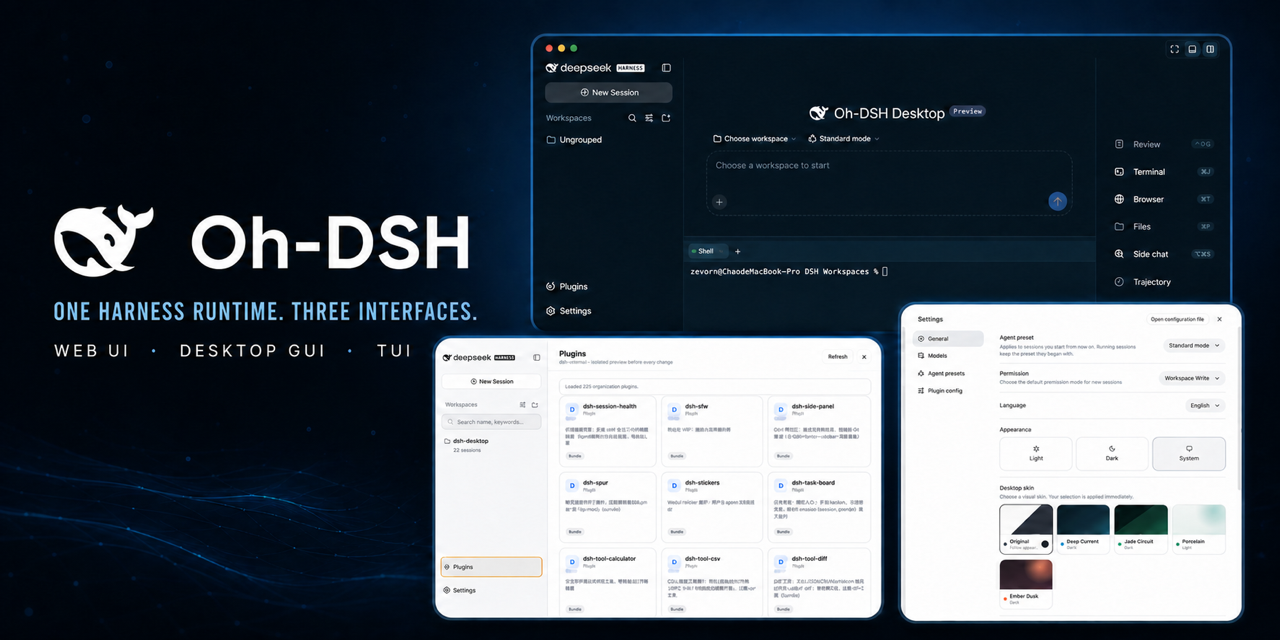 hust-open-atom-club/oh-dsh
一套 DSH runtime,Desktop、Web 与 TUI 三种开发体验。
hust-open-atom-club/oh-dsh
一套 DSH runtime,Desktop、Web 与 TUI 三种开发体验。
- MeteorNOX/DeepSeek-Balance-Whale-Widget DeepSeek Harness(DSH)一只住在 DSH 界面右下角的小鲸鱼娘,帮你盯着DeepSeek账户余额。QQ弹弹,支持拖拽吸附、左吸附翻转、数字滚动动画,随界面自动启用,建议直接喊来你的dsh安装