omdsh-dev/dsh-tool-markdown
DSH Markdown工具插件:HTML↔Markdown转换、GFM表格规范化、目录生成,零依赖轻量解析器,注册markdown工具
Project Overview项目介绍
This is a native tool plugin built exclusively for DeepSeek Harness (DSH), offering four core document processing capabilities: HTML to Markdown conversion, Markdown to safe HTML conversion, GFM table normalization, and Markdown table of contents generation. The plugin follows a zero-dependency design with a custom handwritten recursive descent HTML parser, avoiding third-party dependencies like cheerio or jsdom that add unnecessary bulk and potential security attack surface. It complements the dsh-tool-csv plugin, which handles structured CSV table data, while this plugin focuses on general document and web content processing for LLM agents working in DSH.
The plugin addresses common pain points that LLM agents face when processing user-provided documents. When users paste HTML from web pages, emails, or exported files, agents without dedicated tools often make mistakes like incorrect HTML entity decoding, messed up tables, and unintended inclusion of web noise like navigation bars or ads. This plugin delivers deterministic conversion results, with strict rules for edge cases like unclosed tags, entities, whitespace, and nested lists to ensure consistent, correct output every time.
The plugin enforces strict security and resource limits: it strips script, style, and other potentially risky tags by default, only allows whitelisted tags when converting Markdown to HTML, and filters link schemes to only allow http, https, and mailto. It also sets a 64-level maximum nesting depth for HTML to prevent stack overflow, and caps input size at a default 256KB with a hard limit of 1MB, returning an error instead of truncating if the input exceeds the limit. It is released under the permissive MIT license, and can be installed directly from the public GitHub repository via the DSH CLI to any DSH profile in one command.
这是一个为 DeepSeek Harness (DSH) 开发的原生工具插件,提供 HTML 与 Markdown 双向转换、GFM 表格规范化、Markdown 目录生成三类核心功能。插件采用零依赖设计,自带手写轻量递归下降 HTML 解析器,不引入 cheerio、jsdom 这类第三方依赖,有效减少攻击面和整体体积开销。它和 dsh-tool-csv 功能互补,CSV 处理结构化表格数据,本插件专门负责处理通用文档和网页内容。
这个插件主要解决大语言模型处理文档时的常见痛点:用户提供的网页源码、邮件内容、导出 HTML 文件,往往需要转换为 Markdown 整理,没有专用工具时容易出现 HTML 实体转码错误、表格错乱、网页导航广告噪音混入的问题。本插件提供确定性转换结果,支持四种不同操作:html2md、md2html、table 规范化、toc 生成,覆盖绝大多数常见文档处理开发场景。
插件有严格的安全限制和资源上限,比如会剥离 script/style 等标签内容,对链接 scheme 做白名单过滤,HTML 嵌套深度超过 64 层会报错,输入大小默认上限 256KB,硬顶 1MB,超限直接报错不截断内容。插件采用 MIT 许可开源,兼容 DSH 0.1.5-rc.1 及以上版本,可通过 DSH 官方命令行直接从 GitHub 仓库安装到指定 profile,安装后可直接验证使用。
请帮我安装这个 DSH 插件。安装前先完成【兼容性检查 + 安全性检查】,检查通过再动手。

插件:dsh-tool-markdown(omdsh-dev/dsh-tool-markdown)
仓库:https://github.com/omdsh-dev/dsh-tool-markdown
本站详情页:https://www.yhbd.top/plugins/omdsh-dev-dsh-tool-markdown/
本站登记:类型 plugin · 归类 原生 DSH 插件 · 许可证 MIT · ⭐ 3 · 最近提交 2026-09-10 · 主语言 TypeScript

按下面顺序执行,每步先把结论告诉我,再进入下一步:

【1 兼容性检查】
① 我这边:DSH 版本、Node 版本、操作系统、当前 profile(web / desktop)。
② 读它的 README、package.json、插件 manifest,列出它要求的 DSH 版本 / Node 版本 / 操作系统 / 外部依赖 / 需要另外先装的运行时。
③ 逐条比对,结论只写「满足 / 不满足 / 未知」三种;不满足的给出可行替代方案。
④ 检查是否和我已装的插件冲突:命令名重复、skill / tool 重名、端口占用、重复注册的 MCP server。

【2 安全性检查】
① 仓库可信度:和上面「本站登记」是否一致;star / fork 数、创建时间、最近提交,是否归档或长期停更。
② 安装脚本:逐行看 package.json 的 preinstall / install / postinstall,以及 install.sh、setup.ps1 之类脚本。出现 curl|bash、下载后直接执行、混淆代码、访问与插件功能无关的域名,立刻停下来告诉我,不要继续装。
③ 依赖:列出新增依赖,标出无人维护、或与知名包拼写近似的可疑包(typosquatting)。
④ 权限与副作用:它会读写哪些目录、访问哪些域名、需要哪些 DSH 权限(filesystem / network / shell / clipboard 等),以及怎么卸载和回滚。
⑤ 如果它要求 sudo / 管理员权限,或权限明显超出功能所需,先停下来问我。

【3 安装】
上面两步没有「不满足」和「高危项」时才执行;用官方推荐方式安装,不要自行提权。

【4 汇报】
用表格输出:检查项 / 结论 / 依据 / 是否需要我决策。拿不准的一律写「未知」并说明要我怎么确认——不要猜,也不要替我决定。
Send this message to DSH in your current session: it verifies compatibility and security first (answering met / not met / unknown item by item) and only installs once everything checks out — it will stop and ask you if it finds a high-risk item. The box scrolls; the copy is the full prompt. CLI install commands may not be accurate across systems, so DSH is the safer route.把上面这条消息直接发给当前会话里的 DSH:它会先核对兼容性与安全性(逐条给「满足 / 不满足 / 未知」),确认没问题再安装,有高危项会停下来问你。框内可滚动,复制到的是完整提示词;安装命令不一定准确,发给 DSH 更稳。
- Only 3 stars - very few users, little community feedback星标只有 3,几乎没人在用,遇到问题缺少社区反馈
DSH walks through these 9 checksDSH 会逐条核对这 9 项
Compatibility兼容性
- DSH, Node, OS and profile requirementsDSH 版本 / Node 版本 / 操作系统 / profile 是否满足要求
- External dependencies and runtimes (Electron / Python / Docker, ...)外部依赖与运行时(Electron / Python / Docker 等)是否齐备
- Conflicts with installed plugins: command names, skill / tool names, ports, duplicate MCP registration与已装插件是否冲突:命令名、skill / tool 重名、端口占用、重复 MCP 注册
Security安全性
- Repo matches the facts registered here; archived or abandoned?仓库是否与页面登记一致,是否归档或长期停更
- Safety of preinstall / install / postinstall and install.sh / setup.ps1preinstall / install / postinstall 与 install.sh、setup.ps1 是否安全
- curl|bash, download-then-execute, obfuscation, unrelated domains → stop immediatelycurl|bash、下载即执行、混淆代码、无关域名 → 立刻停止
- Typosquatting or unmaintained packages among the new dependencies新增依赖里有没有 typosquatting 或无人维护的包
- Requested permissions vs. what the feature actually needs申请了哪些权限、是否超出功能所需(filesystem / network / shell / clipboard)
- Any sudo / admin requirement, plus uninstall and rollback是否要求 sudo / 管理员权限,以及卸载与回滚方式
Anything uncertain must be marked unknown with a note on how to confirm it. This site's signal screen is a static snapshot, not a security audit.拿不准的必须标「未知」并说明要我怎么确认。本站的信号筛查是静态快照,不能替代安全审计。
Or use CLI install (for developers)或使用命令行安装(适合开发者)
CLI Install命令行安装
dsh plugin --profile web add github:omdsh-dev/dsh-tool-markdown把 omdsh-dev/dsh-tool-markdown 加入你的 DSH 配置(web profile)即可启用。
READMEREADME
dsh-tool-markdown
DSH Markdown 工具插件 —— HTML↔Markdown 转换、GFM 表格规范化、目录生成。零依赖、纯函数、手写轻量解析器。

动机
模型最常见的文档场景:用户贴一段 HTML(网页源码、邮件、导出文件)、贴表格要求整理、或要求"转成 markdown"。没有工具时模型只能硬编码处理——HTML 实体会错、表格会乱、网页噪音(导航/脚本/广告)会混入。本插件提供确定性转换,与 dsh-tool-csv 互补:csv 管结构化表格,markdown 管文档/网页。
安全模型
- 零依赖:手写递归下降 HTML 解析器(不引入 cheerio/jsdom——净增数十 MB 且是攻击面)
- 零执行面:不 eval、不 new Function、不加载远程资源、不解析 CSS 布局
- 内容剥离:script/style/iframe/object/noscript 内容整体剥离(安全 + 噪音)
- md2html 白名单:只输出
p h1-h6 ul ol li blockquote pre code a img strong em br hr table thead tbody tr th td;文本一律 HTML 转义——markdown 内嵌<script>只会显示为文本 - 链接 scheme 白名单:
http/https/mailto;javascript:/data:链接降级为纯文本 - 资源上限:嵌套深度 64 层报错(防栈溢出);输入
maxBytes默认 256KB、硬顶 1MB(超限报错不截断) - 工具参数会记入会话日志,不要传入含密钥/会话数据的 HTML
工具声明
注册 markdown 工具(@deepseek-ai/dsh-tool-markdown,row id tool-markdown),统一输出文本。
| 参数 | 类型 | 必填 | 说明 |
|---|---|---|---|
action |
string | ✅ | html2md / md2html / table / toc |
html |
string | html2md 输入(片段或完整文档) | |
markdown |
string | md2html/toc 输入 | |
text |
string | table 输入(HTML <table> 或管道分隔文本) |
|
baseUrl |
string | 相对 href/src 解析基准(naive join) | |
maxBytes |
integer | 输入上限,默认 256000,硬顶 1000000 |
Actions
| action | 功能 |
|---|---|
html2md |
HTML → GFM Markdown:块级/行内全映射、表格转 GFM(colspan 占位补齐)、实体解码、script/style 剥离、链接 scheme 过滤(不做 readability 正文选择,nav/header/footer 默认透传) |
md2html |
Markdown → 白名单安全 HTML:全文本转义,无标签可逃逸 |
table |
HTML <table> 或含未转义 | 的管道分隔文本 → GFM 表格(列补齐、| 转义、分隔行识别;无管道输入报错) |
toc |
Markdown 标题 → 嵌套目录列表(简化 GitHub 风格锚点:重复标题自动 -1/-2 后缀、跳过代码围栏内伪标题) |
示例
markdown { action: "html2md", html: "<h1>标题</h1><p>你好 <b>世界</b></p>" }
  → # 标题\n\n你好 **世界**

markdown { action: "md2html", markdown: "[x](javascript:alert(1))" }
  → <p>x</p>          ← javascript: 链接降级为纯文本

markdown { action: "table", text: "a|b\n1|2" }
  → | a | b |\n| --- | --- |\n| 1 | 2 |

markdown { action: "toc", markdown: "# 标题一\n## 小节" }
  → - [标题一](#标题一)\n  - [小节](#小节)
边界行为
| 情况 | 处理 |
|---|---|
| 未闭合标签 | EOF 自动闭合(与浏览器方向一致);<p> 中遇块级自动关闭 |
| 大小写 | 标签/属性名归一为小写 |
| 注释/DOCTYPE/CDATA | 剥离 |
| 实体 | 命名 + 数字实体解码;未知实体按字面保留(&lt; → <,不二次解码) |
| 嵌套列表 | li 只被新 li 关闭——嵌套 ul/ol 合法(2 空格/层缩进) |
| 空白 | 行内折叠为单空格;pre/code 原样保留 |
| 表格 | 首行(thead th 或首行 td)为表头;colspan=N 补 N-1 个占位单元格 |
| 深度 > 64 层 | markdown: HTML nesting exceeds 64 levels |
| 输入超限 | markdown: <label> exceeds N bytes(不截断) |
| md2html 内嵌 HTML | 原样转义为文本,绝无白名单外标签输出 |
Showing the opening section of the README — the full document lives in the repository以上为 README 开头摘要,完整文档在仓库内 · View the full README on GitHub →在 GitHub 查看完整 README →
Related相关推荐
-
 yogsoth-ai/de-anthropocentric-research-engine
A 267-skill research graph in pure markdown — 51 research operations built from 216 single-purpose steps, composed in an…
yogsoth-ai/de-anthropocentric-research-engine
A 267-skill research graph in pure markdown — 51 research operations built from 216 single-purpose steps, composed in an…
-
 ZSeven-W/dsh-openpencil
The DeepSeek Harness plugin for OpenPencil — preview, inspect, and edit real .op documents inside a conversation.
ZSeven-W/dsh-openpencil
The DeepSeek Harness plugin for OpenPencil — preview, inspect, and edit real .op documents inside a conversation.
-
 HanaAyane/dsh-reasoning-effort
DSH适用的Codex风格的思考强度滑块,以及大肥鱼跑步滑块。Codex-style model and reasoning-effort slider for DeepSeek Harness
HanaAyane/dsh-reasoning-effort
DSH适用的Codex风格的思考强度滑块,以及大肥鱼跑步滑块。Codex-style model and reasoning-effort slider for DeepSeek Harness
- T-Auto/dsh-std DSH Plugin Interoperability Meta-Protocol / DSH 插件互操作元协议
- FylarOpen/dsh-fylar-office-editor Office document preview, editing, and DOCX generation for DeepSeek Harness, powered by Fylar Office SDK.
- reddapidev/dsh-reddit-radar A dsh plugin that periodically scans reddapi.dev for new Reddit leads matching your one-sentence ICP, dedupes what you'v…
-
 HuanLinOTO/dsh-plugin-better-sidebar-plugin-office
为 better-sidebar 提供 Office 三件套预览(.docx/.xlsx/.pptx),独立 bundle 瘦身主体 | Provides Office-suite preview (.docx/.xlsx/.pptx) f…
HuanLinOTO/dsh-plugin-better-sidebar-plugin-office
为 better-sidebar 提供 Office 三件套预览(.docx/.xlsx/.pptx),独立 bundle 瘦身主体 | Provides Office-suite preview (.docx/.xlsx/.pptx) f…
-
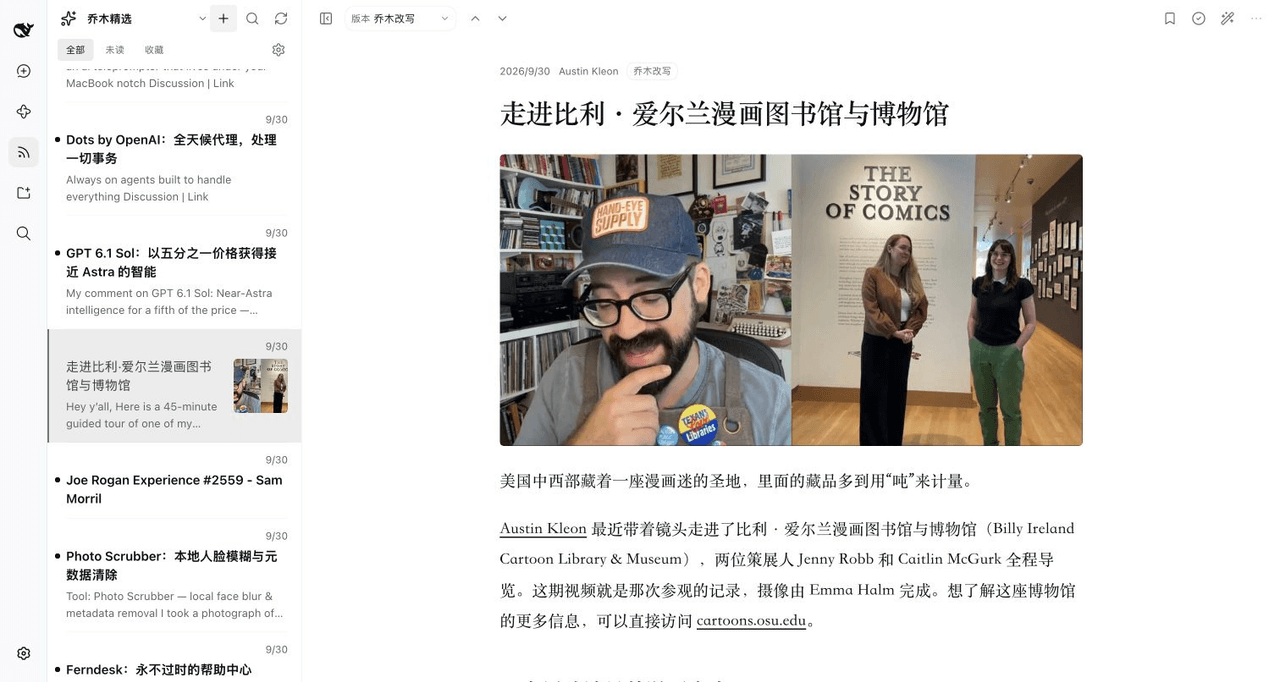 joeseesun/qiaomu-rss-dsh
在 DeepSeek Harness 中阅读 RSS,与原生 AI 对话伴读文章 | RSS reading with native AI companion for DeepSeek Harness
joeseesun/qiaomu-rss-dsh
在 DeepSeek Harness 中阅读 RSS,与原生 AI 对话伴读文章 | RSS reading with native AI companion for DeepSeek Harness