openma-ai/dsh-mcp-apps
dsh(DeepSeek Harness)的 MCP 应用支持插件
Project Overview项目介绍
This is a native plugin for DeepSeek Harness (DSH) that adds MCP Apps support, packaged as an official Cordis plugin for DSH. It separates the protocol host from the presentation layer intentionally. After installation, it adds two independent components: a host service that shares the existing MCP connection managed by DSH’s built-in mcp-client, and a web renderer that runs MCP App HTML inside a double-iframe sandbox for security. One AppBridge session can move between inline, fullscreen, and picture-in-picture display modes without remounting the iframe, preserving app state across mode switches.
The project offers different installation options for different use cases. If you want to use Codex, Claude Code, Pi, and other portable agent plugins including their MCP Apps in DSH, you only need to install the @openma/dsh-agents-plugins-bridge package, which already includes MCP Apps support from this project. If you only need to add MCP Apps to a DSH web profile without the cross-agent bridge, you can install the standalone @openma/dsh-mcp-apps package directly. The project explicitly warns against installing both bundles into the same DSH profile, as this will lead to duplicate renderers that can cause unexpected behavior.
The project is released under the open-source MIT license. Node.js 20 or newer is required for both installation and local development. It implements a strict browser security boundary that ensures untrusted app HTML never runs in the main DSH document, protected by CSP, origin checks, and isolated sandboxed iframes. All external navigation from MCP apps is restricted to new browser tabs, and inline app height is bounded between 96 and 720 pixels. Currently, downloads, app-to-chat messages, and sampling features are not yet implemented.
这是一个为 DeepSeek Harness (DSH) 开发的原生插件,为 DSH 提供 MCP 应用支持,打包为标准 Cordis 插件格式。它刻意将协议主机与应用呈现层分离,安装后会添加两个独立功能组件:一个负责共享现有 MCP 连接的主机服务,一个在双 iframe 沙箱中运行 MCP 应用 HTML 的 Web 渲染器,支持单个应用会话在内联、全屏、画中画模式间切换无需重新挂载。
该项目根据不同使用场景提供了不同的安装选择,如果需要在 DSH 中使用 Codex、Claude Code、Pi 等其他代理的插件和 MCP 应用,只需要安装 @openma/dsh-agents-plugins-bridge 即可,它已经内置了本项目的 MCP 应用支持。如果不需要第三方代理桥接,仅给 Web 配置文件添加 MCP 应用能力,可直接安装 @openma/dsh-mcp-apps 本体,项目不建议同时安装两个包,避免重复渲染。
本项目遵循 MIT 开源许可,开发和运行需要 Node.js 20 及以上版本,通过 DSH 的 CLI 插件命令即可一键安装,也支持从本地检出代码后进行安装。它实现了严格的浏览器安全边界,不可信应用 HTML 永远不会在 DSH 主文档中运行,通过双重沙箱和多轮来源校验保障运行安全,目前暂不支持下载、应用到聊天消息和采样功能。
请帮我安装这个 DSH 插件。安装前先完成【兼容性检查 + 安全性检查】,检查通过再动手。

插件:dsh-mcp-apps(openma-ai/dsh-mcp-apps)
仓库:https://github.com/openma-ai/dsh-mcp-apps
本站详情页:https://www.yhbd.top/plugins/openma-ai-dsh-mcp-apps/
本站登记:类型 plugin · 归类 原生 DSH 插件 · 许可证 MIT · ⭐ 3 · 最近提交 2026-08-22 · 主语言 TypeScript

按下面顺序执行,每步先把结论告诉我,再进入下一步:

【1 兼容性检查】
① 我这边:DSH 版本、Node 版本、操作系统、当前 profile(web / desktop)。
② 读它的 README、package.json、插件 manifest,列出它要求的 DSH 版本 / Node 版本 / 操作系统 / 外部依赖 / 需要另外先装的运行时。
③ 逐条比对,结论只写「满足 / 不满足 / 未知」三种;不满足的给出可行替代方案。
④ 检查是否和我已装的插件冲突:命令名重复、skill / tool 重名、端口占用、重复注册的 MCP server。

【2 安全性检查】
① 仓库可信度:和上面「本站登记」是否一致;star / fork 数、创建时间、最近提交,是否归档或长期停更。
② 安装脚本:逐行看 package.json 的 preinstall / install / postinstall,以及 install.sh、setup.ps1 之类脚本。出现 curl|bash、下载后直接执行、混淆代码、访问与插件功能无关的域名,立刻停下来告诉我,不要继续装。
③ 依赖:列出新增依赖,标出无人维护、或与知名包拼写近似的可疑包(typosquatting)。
④ 权限与副作用:它会读写哪些目录、访问哪些域名、需要哪些 DSH 权限(filesystem / network / shell / clipboard 等),以及怎么卸载和回滚。
⑤ 如果它要求 sudo / 管理员权限,或权限明显超出功能所需,先停下来问我。

【3 安装】
上面两步没有「不满足」和「高危项」时才执行;用官方推荐方式安装,不要自行提权。

【4 汇报】
用表格输出:检查项 / 结论 / 依据 / 是否需要我决策。拿不准的一律写「未知」并说明要我怎么确认——不要猜,也不要替我决定。
Send this message to DSH in your current session: it verifies compatibility and security first (answering met / not met / unknown item by item) and only installs once everything checks out — it will stop and ask you if it finds a high-risk item. The box scrolls; the copy is the full prompt. CLI install commands may not be accurate across systems, so DSH is the safer route.把上面这条消息直接发给当前会话里的 DSH:它会先核对兼容性与安全性(逐条给「满足 / 不满足 / 未知」),确认没问题再安装,有高危项会停下来问你。框内可滚动,复制到的是完整提示词;安装命令不一定准确,发给 DSH 更稳。
- Only 3 stars - very few users, little community feedback星标只有 3,几乎没人在用,遇到问题缺少社区反馈
DSH walks through these 9 checksDSH 会逐条核对这 9 项
Compatibility兼容性
- DSH, Node, OS and profile requirementsDSH 版本 / Node 版本 / 操作系统 / profile 是否满足要求
- External dependencies and runtimes (Electron / Python / Docker, ...)外部依赖与运行时(Electron / Python / Docker 等)是否齐备
- Conflicts with installed plugins: command names, skill / tool names, ports, duplicate MCP registration与已装插件是否冲突:命令名、skill / tool 重名、端口占用、重复 MCP 注册
Security安全性
- Repo matches the facts registered here; archived or abandoned?仓库是否与页面登记一致,是否归档或长期停更
- Safety of preinstall / install / postinstall and install.sh / setup.ps1preinstall / install / postinstall 与 install.sh、setup.ps1 是否安全
- curl|bash, download-then-execute, obfuscation, unrelated domains → stop immediatelycurl|bash、下载即执行、混淆代码、无关域名 → 立刻停止
- Typosquatting or unmaintained packages among the new dependencies新增依赖里有没有 typosquatting 或无人维护的包
- Requested permissions vs. what the feature actually needs申请了哪些权限、是否超出功能所需(filesystem / network / shell / clipboard)
- Any sudo / admin requirement, plus uninstall and rollback是否要求 sudo / 管理员权限,以及卸载与回滚方式
Anything uncertain must be marked unknown with a note on how to confirm it. This site's signal screen is a static snapshot, not a security audit.拿不准的必须标「未知」并说明要我怎么确认。本站的信号筛查是静态快照,不能替代安全审计。
Or use CLI install (for developers)或使用命令行安装(适合开发者)
CLI Install命令行安装
dsh plugin --profile web add @openma/dsh-mcp-apps把 openma-ai/dsh-mcp-apps 加入你的 DSH 配置(web profile)即可启用。
READMEREADME
dsh-mcp-apps
MCP Apps support for DeepSeek Harness (DSH), packaged as ordinary Cordis plugins.
The project deliberately keeps the protocol host and each presentation surface separate. Installing the bundle adds two independent rows: a Host service that shares the existing MCP connection and a Web renderer that runs App HTML behind a double-iframe sandbox. One AppBridge session can move between inline, fullscreen, and picture-in-picture surfaces without remounting its iframe.
Which package should I install?
| Goal | Install |
|---|---|
| Use Codex, Claude Code, Pi, or portable Agent Plugins in DSH, including their MCP Apps | @openma/dsh-agents-plugins-bridge only; it already carries MCP Apps |
| Add MCP Apps to a Web profile without the foreign-plugin bridge | @openma/dsh-mcp-apps |
The standalone package and the Bridge use the same Host and Web runtime packages. Do not install both bundles into one profile just to get the renderer twice.
Install
dsh plugin --profile web add @openma/dsh-mcp-apps
From a local checkout, install dependencies and add only the root bundle:
npm install
dsh plugin --profile web add .
The full bundle is safe on a DSH composition that already provides ctx.mcpApps
and the generated remote.mcpApps namespace: the fallback Host row becomes a
no-op and the Web renderer reuses the existing Remote. If the active profile is
known to include the official Host already, installing only the renderer is the
minimal equivalent:
dsh plugin --profile web add ./packages/web
The renderer consumes a composition-provided Remote when present and mounts its checked-in descriptor only for the standalone fallback Host.
The bundle patch mounts one kernel:
- id: mcp-apps-bundle
  name: '@openma/dsh-mcp-apps'
That kernel owns two independent child rows, mcp-apps-host and
mcp-apps-web. Both rows point at package-owned wrapper exports. Each wrapper
resolves its runtime from this package's dependency graph, imports it through
the DSH Loader, and mounts it with ctx.plugin; profile-level dependency
hoisting is not required. The Agent Plugins Bridge uses the same wrapper shape
from its own root package.
Showing the opening section of the README — the full document lives in the repository以上为 README 开头摘要,完整文档在仓库内 · View the full README on GitHub →在 GitHub 查看完整 README →
Related相关推荐
-
 kenryu42/cc-safety-net
A pre-execution guard for AI coding agents. It blocks destructive Git and file system commands, plus common attempts to …
kenryu42/cc-safety-net
A pre-execution guard for AI coding agents. It blocks destructive Git and file system commands, plus common attempts to …
-
 hyhmrright/brooks-lint
AI code reviews grounded in 12 classic engineering books — decay risk diagnostics with book citations, severity labels, …
hyhmrright/brooks-lint
AI code reviews grounded in 12 classic engineering books — decay risk diagnostics with book citations, severity labels, …
-
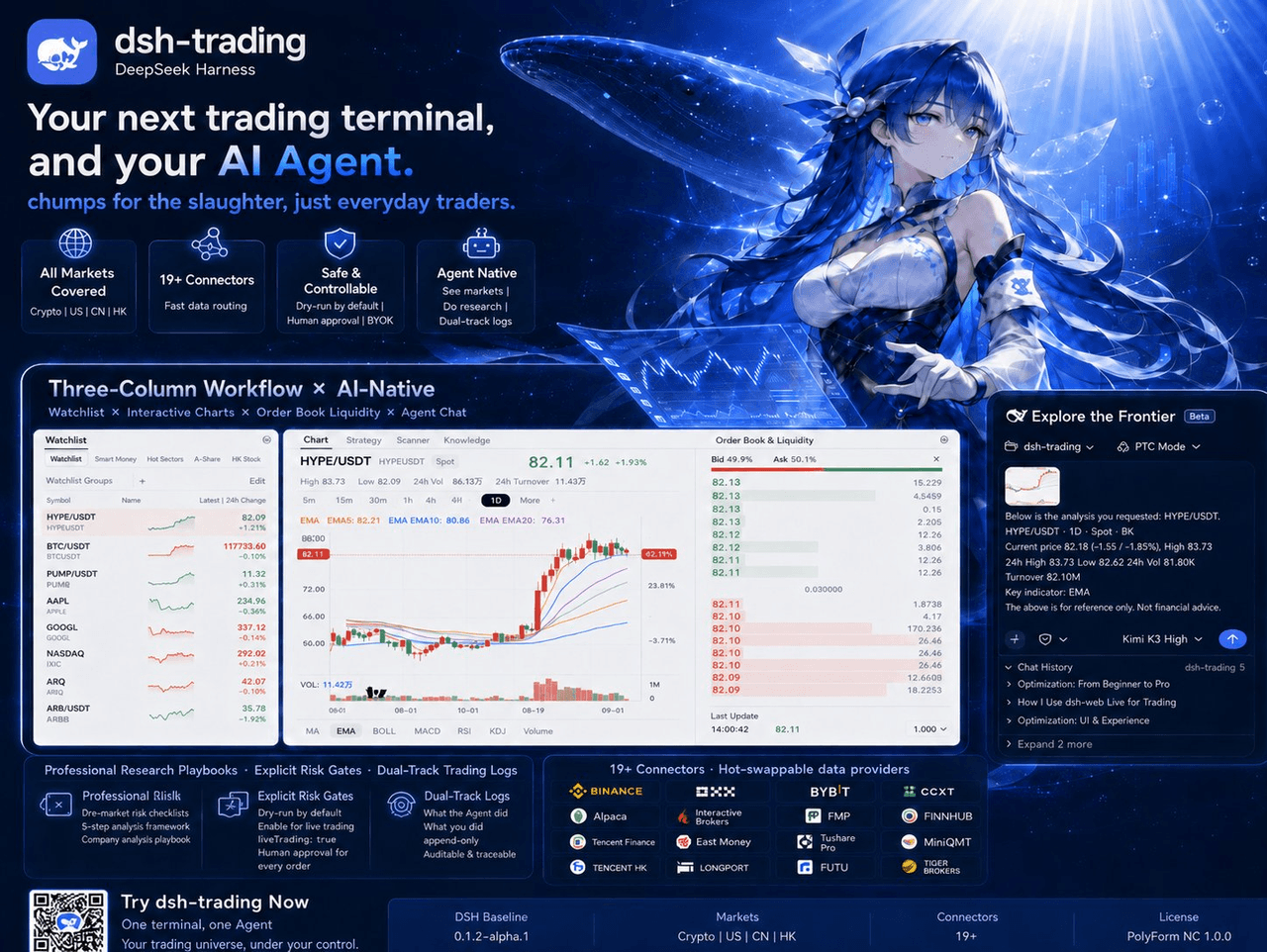 zhu1090093659/dsh-trading
Agent-native trading terminal built on DeepSeek Harness. Crypto, US, CN and HK in one three-column GUI, 19+ hot-swappabl…
zhu1090093659/dsh-trading
Agent-native trading terminal built on DeepSeek Harness. Crypto, US, CN and HK in one three-column GUI, 19+ hot-swappabl…
-
 lire1131/dsh-undo-savepoint
DSH crash-rescue plugin: undo config & plugin-code changes, secret-safe snapshots, one-click SAFE MODE, plus offline CLI…
lire1131/dsh-undo-savepoint
DSH crash-rescue plugin: undo config & plugin-code changes, secret-safe snapshots, one-click SAFE MODE, plus offline CLI…
- Akimiya-z/codex-guard Quality gate for AI/Codex-generated pull requests: blocks TODO leftovers, leaked secrets, sloppy commits and red CI befo…
-
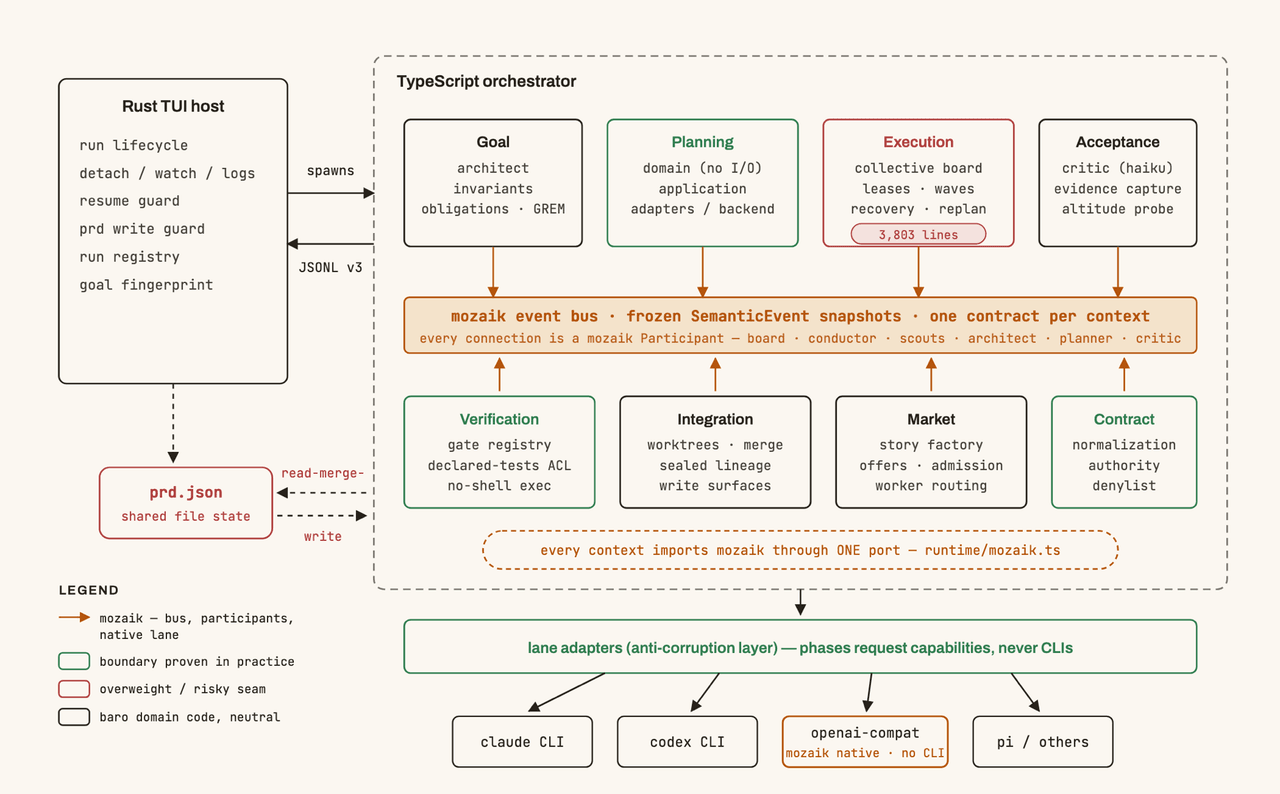 jigjoy-ai/baro
A CLI that turns a goal into a pull request - and a sandbox for testing concurrent AI coding agents on the Mozaik runtim…
jigjoy-ai/baro
A CLI that turns a goal into a pull request - and a sandbox for testing concurrent AI coding agents on the Mozaik runtim…
-
 c3ll256/dsh-toy
Toy Control Protocol for DSH
c3ll256/dsh-toy
Toy Control Protocol for DSH
-
 huaweicloud/huaweicloud-devkit
Official Huawei Cloud plugin for AI agents — skills, MCP tools, safety guardrails, and cloud sandbox to help AI agents …
huaweicloud/huaweicloud-devkit
Official Huawei Cloud plugin for AI agents — skills, MCP tools, safety guardrails, and cloud sandbox to help AI agents …