orrinzeng/dsh-cursor-subscription
Log directly into your Cursor account within DeepSeek Harness and use your Cursor subscription — no API Key required, and no dependency on Cursor IDE or Cursor CLI. 在 DeepSeek Harness 中直接登录 Cursor 账户并使用 Cursor 订阅,不需要 API Key, 也不依赖 Cursor IDE 或 Cursor CLI。
Project Overview项目介绍
DSH Cursor Subscription is a DeepSeek Harness plugin that signs in to a Cursor account via browser-based PKCE and exposes Cursor subscription models inside DSH, without an API key, the Cursor IDE, or the Cursor CLI. It uses DSH's existing session, permission, and local tool systems; agent tool calls from Cursor are converted into local DSH tool executions, and Cursor's filesystem tools are not used. Use it when you want to consume a Cursor subscription from DSH directly. Available models are discovered dynamically through GetUsableModels with a built-in fallback list. Caveat: it relies on Cursor's unpublished Agent protocol and may break when Cursor changes its server-side implementation; enable retries carefully, since failed requests cannot be confirmed as unprocessed.
DSH Cursor Subscription 是一款 DeepSeek Harness 插件,可通过浏览器 PKCE 登录直接调用 Cursor 订阅模型,免 API Key,保留 DSH 会话与本地工具执行能力。适用:在 DSH 内复用现有 Cursor 订阅。模型列表通过 GetUsableModels 动态获取,并内置后备列表。工具调用由本地工具集完成,不走 Cursor 文件系统。设置页可查看登录态、令牌有效期、订阅用量并手动刷新,也可配置单次工具轮次上限和 HTTP 重试策略。注意:该插件依赖 Cursor 未公开的 Agent 协议(agent.v1.AgentService/Run),属社区逆向项目,Cursor 改动可能导致失效,启用重试可能因无法确认远端是否已处理而重复计费。
请帮我了解并安装插件:【dsh-cursor-subscription】【https://github.com/orrinzeng/dsh-cursor-subscription】Send this message to DSH in your current session. CLI install commands may not be accurate across systems — DSH will figure it out for you.把上面这条消息直接发给当前会话里的 DSH,让它帮你了解并安装。安装命令不一定准确,发给 DSH 更稳。
Or use CLI install (for developers)或使用命令行安装(适合开发者)
CLI Install命令行安装
dsh plugin --profile web add dsh-cursor-subscription把 orrinzeng/dsh-cursor-subscription 加入你的 DSH 配置(web profile)即可启用。
READMEREADME
DSH Cursor Subscription
English | 简体中文
Sign in to your Cursor account and use your Cursor subscription directly from DeepSeek Harness—without an API key and without depending on the Cursor IDE or Cursor CLI. The plugin preserves DSH's existing session, tool, and permission systems: once signed in, you can select Cursor subscription models from the model picker, while agent tool calls are executed through DSH's local toolset.
⚠️ This plugin integrates with Cursor's unpublished Agent protocol (
agent.v1.AgentService/Run). It is a community reverse-engineering project and may stop working when Cursor changes its server-side implementation. This project is not affiliated with or endorsed by Anysphere or Cursor. Please comply with Cursor's terms of service.
Features
- Use a Cursor subscription directly in DSH through browser-based PKCE sign-in—no API key required.
- Store credentials in DSH's local credential store and refresh access tokens automatically.
- Discover models available to the current account dynamically through Cursor's
GetUsableModels, with a built-in fallback list if discovery fails. - Stream conversations with reasoning output, image attachments, and DSH tool calls.
- View sign-in status and token expiration in the settings page, which labels itself with the installed build version.
- View and manually refresh subscription usage, including requests, Auto + Composer usage, other-model (API) usage, per-model spend, on-demand spend, and billing cycle.
- View and manually refresh the models available to the current account.
- Configure the per-run tool-round limit and HTTP retry count, interval, and status codes from the settings page.
- Read the settings page in Simplified Chinese, English, Traditional Chinese, Japanese, Korean, Spanish, French, German, Italian, Brazilian Portuguese, Russian, or Arabic. The panel mirrors itself for Arabic; contributed languages join DSH's own language picker under Settings → General → Language and fall back to English outside the panel.
Installation
Install with an Agent (Recommended)
Send the agent a link to AGENTS.md. It contains the instructions for installation, updates, removal, and verification.
Manual Installation with the dsh Command
dsh plugin --profile web add dsh-cursor-subscription
dsh plugin --profile web list dsh-cursor-subscription --depth 0
dsh --profile web --dump-config
The installed package list should contain exactly one dsh-cursor-subscription, and the composed configuration should contain exactly one cursor-subscription entry.
pnpm 11 and later ship a built-in 24-hour minimumReleaseAge gate, so a plain add never selects a version published within the last 24 hours. Right after a release, install it explicitly (dsh plugin --profile web add dsh-cursor-subscription@0.5.8) or exempt this package by name in the profile's pnpm-workspace.yaml:
minimumReleaseAgeExclude:
  - dsh-cursor-subscription
Local Development Installation
Run the following command in the profile directory, such as %USERPROFILE%\.dsh\profiles\web:
pnpm add file:D:/mcp/dsh-cursor-subscription
Then add dsh-cursor-subscription to the dsh.profile.bundles array in package.json and restart DSH.
Sign-in and Usage
- Open Settings -> Cursor Subscription in DSH.
- Select Browser Sign-in. Your browser will open the Cursor sign-in page.
- Complete sign-in and authorization. The settings page will automatically show that you are signed in.
- Select a Cursor model from the model picker, such as
composer-2orclaude-4-sonnet.
When a tool is required, the agent converts Cursor's tool request into a local DSH tool execution. The result is returned to the model through the conversation history; Cursor's filesystem tools are not used.
The Runtime settings card controls the maximum tool rounds in one Cursor run and the HTTP retry policy. Retry count means additional attempts and defaults to 0 (disabled). Cursor's streaming POST protocol cannot prove that a failed attempt was not processed remotely, so enabling retries may repeat model work or usage. Retries occur only before any response output when the initial HTTP status matches the configured list.
Updating and Removing
dsh plugin --profile web update dsh-cursor-subscription   # Update
dsh plugin --profile web remove dsh-cursor-subscription   # Remove
If DSH is running, restart it manually after installation or an update.
Troubleshooting
- DSH still reports that you are signed out after sign-in: Make sure the browser completed the entire authorization flow and redirected to the completion page. Polling waits for up to approximately 2.5 minutes.
- The model list is empty:
GetUsableModelsdepends on the account type. If discovery fails, the plugin uses its built-in model list, and you can still enter a model name manually. - Requests return 401: If the access token has expired and the refresh token is no longer valid, sign in again from the settings page.
- DSH fails to start with
cannot get property "webServer" without inject: The installed DSH's Connection plugin does not declarewebServer, which the older channel registration relied on. Install version 0.5.8 or later of this plugin. - A plain install picks an old version: pnpm's built-in 24-hour
minimumReleaseAgegate skips releases published within the last day. Install an explicit version or exempt this package by name; see the installation section. - The server protocol changed: Cursor's Agent protocol is unpublished. If requests fail, check for a plugin update.
Scope and Support
- Image input (user-uploaded attachments) is supported. Cursor-native features such as image generation and web search remain outside this plugin's scope.
- Report problems through the repository's Issues page.
Related相关推荐
-
 crafter-station/petdex
A public gallery of animated pets for Codex, Claude Code, DeepSeek Harness, Hermes, OpenCode, Gemini CLI, and more.
crafter-station/petdex
A public gallery of animated pets for Codex, Claude Code, DeepSeek Harness, Hermes, OpenCode, Gemini CLI, and more.
-
 edison7009/EchoBird
One-click install + model switch:Claude Code,Codex CLI (OpenAI), Grok Build (xAI), DeepSeek Harness, Kimi Code (Moonshot…
edison7009/EchoBird
One-click install + model switch:Claude Code,Codex CLI (OpenAI), Grok Build (xAI), DeepSeek Harness, Kimi Code (Moonshot…
-
 Nwflower/dsh-chat-import
Import 14+ external agent chat histories (Claude Code, Codex, ChatGPT, Cursor, Gemini, Reasonix, opencode, ZCode, Grok B…
Nwflower/dsh-chat-import
Import 14+ external agent chat histories (Claude Code, Codex, ChatGPT, Cursor, Gemini, Reasonix, opencode, ZCode, Grok B…
-
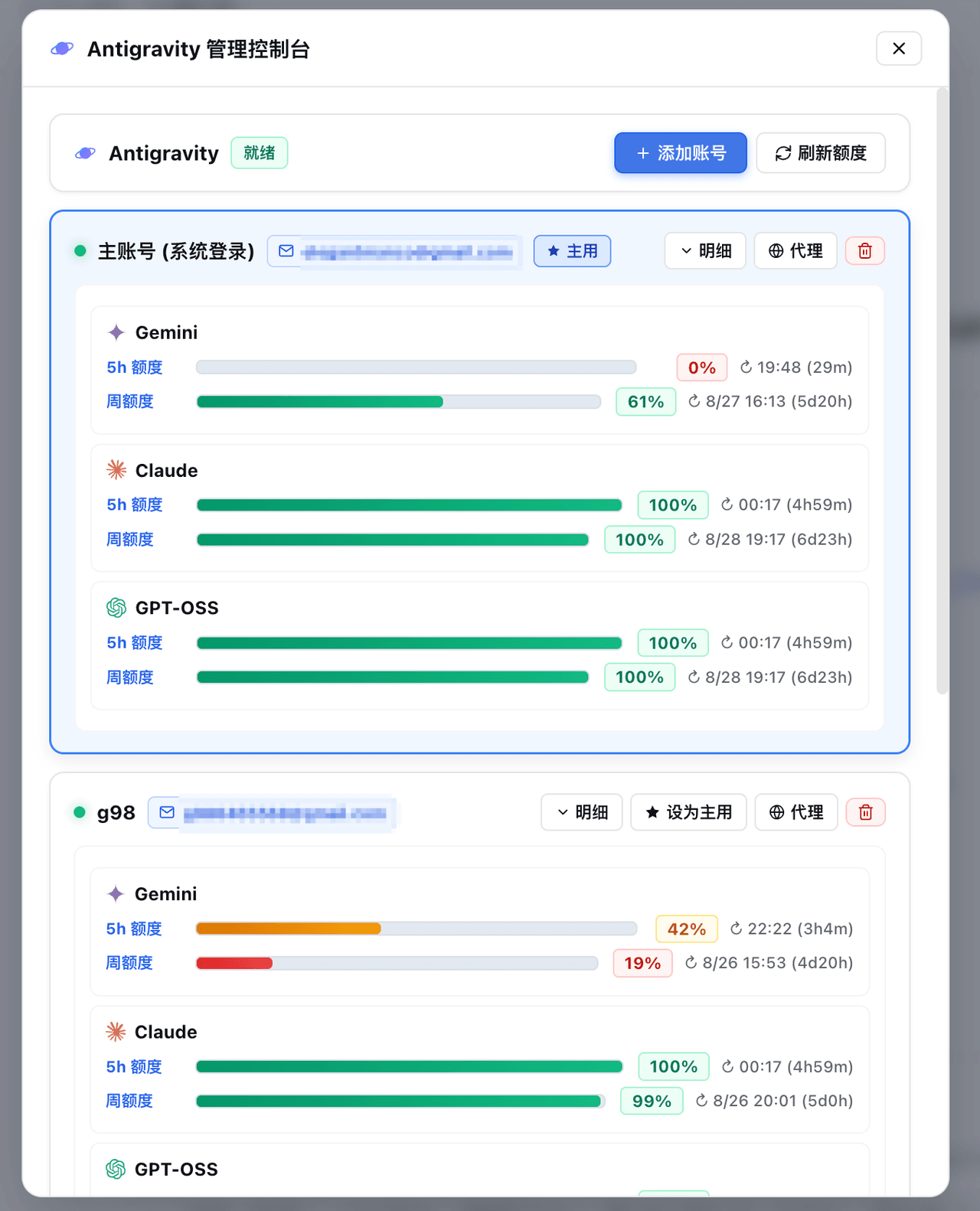 amlyczz/dsh-agy-link
Google Antigravity (agy CLI) models for DeepSeek Harness — streaming chat, thinking, tool activity, usage, in-GUI Google…
amlyczz/dsh-agy-link
Google Antigravity (agy CLI) models for DeepSeek Harness — streaming chat, thinking, tool activity, usage, in-GUI Google…
-
 opencues/opencues
The open standard for omnipresent AI. Claude Code, OpenCode, Gemini CLI, Shell, Chrome, DeepSeek Harness. Model-agnostic
opencues/opencues
The open standard for omnipresent AI. Claude Code, OpenCode, Gemini CLI, Shell, Chrome, DeepSeek Harness. Model-agnostic
-
 skyf0xx/hedgehog
HEDGEHOG codes Cleaner, Faster and with Fewer Tokens. Hedgehog's AI-driven development builds a task dependency graph fr…
skyf0xx/hedgehog
HEDGEHOG codes Cleaner, Faster and with Fewer Tokens. Hedgehog's AI-driven development builds a task dependency graph fr…
-
 chaos-03x/dsh-agy
Google Antigravity (agy) OAuth auth + model access plugin for DeepSeek Harness: multi-account pool, 429 rotation, device…
chaos-03x/dsh-agy
Google Antigravity (agy) OAuth auth + model access plugin for DeepSeek Harness: multi-account pool, 429 rotation, device…
-
 AnkoCD/dsh-server-deployment
DeepSeek Harness 多用户服务器部署:登录门户 / 每用户独立实例与 OS 级隔离 / 独立 API Key / 交付文件抽屉;文件访问经 sudo 助手降权执行(修复 issue #1 TOCTOU)。非本机工具。
AnkoCD/dsh-server-deployment
DeepSeek Harness 多用户服务器部署:登录门户 / 每用户独立实例与 OS 级隔离 / 独立 API Key / 交付文件抽屉;文件访问经 sudo 助手降权执行(修复 issue #1 TOCTOU)。非本机工具。