PerryLink/dsh-reach
Multi-channel decision & remote-control bridge for DeepSeek Harness: pushes any workspace's approval/question cards to IM channels (WeChat iLink first) and answers them from chat, with a session console, per-channel security, and an open push service.
Project Overview项目介绍
dsh-reach is a multi-channel decision and remote-control bridge built specifically for DeepSeek Harness (DSH). It mirrors any workspace's approval and question cards into instant-messaging channels — WeChat iLink / ClawBot, Telegram, and Feishu, with QQ, DingTalk, and WeCom v2 drop-in foundations on an open reachChannels registry — and lets the user answer them straight from the chat client. Installation goes through dsh plugin --profile web add dsh-reach on the npm channel, or dsh plugin --profile web add "github:PerryLink/dsh-reach#main" for the latest main branch; alternates include npx @deepseek-ai/dsh plugin --profile web add dsh-reach and the dsh1024 shim. After install the user must restart DSH so bundle patches apply at startup.
The typical workflow looks like this: when DSH raises an approval or question card, the bridge pushes it out as a stable #token with P{n} numbering; the operator replies with 1/2, P1=1 P2=2, P1=Q1=2, or the slash commands /rp /rq, and the answer flows back through the native pending waterfall where the first reply wins against the GUI. A session console exposes /status /silent /notify /tasks /enter /history /stop /next /help plus native DSH command passthrough, the reach_send tool handles proactive push with a file fence and FIFO re-queue, and a Settings tab under Plugins → IM Bridge surfaces status, switches, re-scan and logout. It targets engineers and operators who want to clear DSH prompts from a phone while keeping chat-side auditability.
Runtime requirements are Node ^22.19.0 || >=24.0.0 and a Harness peer range pinned to dsh-v0.1.7-rc.2 (the README publishes a multi-line semver range covering >=0.1.2-rc.1 <0.2.0 and the 0.1.5-alpha / 0.1.6 / 0.1.7 lines); current release is v0.1.13 under Apache-2.0. Security is fail-closed: the first sender becomes the session owner, empty allowlists deny everyone, unknown senders are only audited and never answered. QQ/DingTalk/WeCom ship as v2 channel foundations and ride the same bridge-owned routing, outbound, and monitor lifecycle through the public registry contract ctx.get('reachChannels').registerChannel({ id, adapter, priority, ownsChatId, startMonitor }).
dsh-reach 是面向 DeepSeek Harness(DSH)的多通道审批与远程控制桥接插件,把任意工作区的审批/提问卡片镜像到即时通讯渠道(微信 iLink/ClawBot、Telegram、飞书,以及 QQ/钉钉/企业微信 v2 接入底座),并允许在聊天端回复。安装方式为 dsh plugin --profile web add dsh-reach,或通过 GitHub PerryLink/dsh-reach#main 拉取最新版,也可在 DSH Desktop Market 添加 https://perrylink-dsh-catalog.perrylink.workers.dev/catalog-source.json 源后浏览安装,安装后需重启 DSH 使补丁生效。
典型工作流是:当 DSH 弹出审批/询问卡时,插件以稳定 #token 与 P{n} 编号推送到绑定的 IM 渠道,用户回复 1/2 或 P1=1 P2=2,结果通过原生 pending 瀑布流回到 GUI,先回先得;同时提供 /status /silent /notify /tasks /enter /history /stop /next /help 会话控制台、reach_send 主动推送工具,以及 Settings → Plugins → IM Bridge 设置面板,适合需要移动端审批 DSH 任务、又关注聊天侧安全审计的工程师与运维人员。
依赖方面要求 Node ^22.19.0 || >=24.0.0,Harness peer 为 dsh >=0.1.7-rc.2 <0.2.0,版本号 v0.1.13,遵循 Apache-2.0。安全模型为 fail-closed:首位发送者成为会话所有者,空白名单拒绝所有人,未知发送者仅审计不答复。QQ/钉钉/企业微信为 v2 通道骨架,通过开放 reachChannels 注册表接入,第三方可按 id/adapter/priority/ownsChatId/startMonitor 契约扩展。
请帮我安装这个 DSH 插件。安装前先完成【兼容性检查 + 安全性检查】,检查通过再动手。

插件:dsh-reach(PerryLink/dsh-reach)
仓库:https://github.com/PerryLink/dsh-reach
本站详情页:https://www.yhbd.top/plugins/perrylink-dsh-reach/
本站登记:类型 plugin · 归类 原生 DSH 插件 · 许可证 Apache-2.0 · ⭐ 2 · 最近提交 2026-09-25 · 主语言 TypeScript

按下面顺序执行,每步先把结论告诉我,再进入下一步:

【1 兼容性检查】
① 我这边:DSH 版本、Node 版本、操作系统、当前 profile(web / desktop)。
② 读它的 README、package.json、插件 manifest,列出它要求的 DSH 版本 / Node 版本 / 操作系统 / 外部依赖 / 需要另外先装的运行时。
③ 逐条比对,结论只写「满足 / 不满足 / 未知」三种;不满足的给出可行替代方案。
④ 检查是否和我已装的插件冲突:命令名重复、skill / tool 重名、端口占用、重复注册的 MCP server。

【2 安全性检查】
① 仓库可信度:和上面「本站登记」是否一致;star / fork 数、创建时间、最近提交,是否归档或长期停更。
② 安装脚本:逐行看 package.json 的 preinstall / install / postinstall,以及 install.sh、setup.ps1 之类脚本。出现 curl|bash、下载后直接执行、混淆代码、访问与插件功能无关的域名,立刻停下来告诉我,不要继续装。
③ 依赖:列出新增依赖,标出无人维护、或与知名包拼写近似的可疑包(typosquatting)。
④ 权限与副作用:它会读写哪些目录、访问哪些域名、需要哪些 DSH 权限(filesystem / network / shell / clipboard 等),以及怎么卸载和回滚。
⑤ 如果它要求 sudo / 管理员权限,或权限明显超出功能所需,先停下来问我。

【3 安装】
上面两步没有「不满足」和「高危项」时才执行;用官方推荐方式安装,不要自行提权。

【4 汇报】
用表格输出:检查项 / 结论 / 依据 / 是否需要我决策。拿不准的一律写「未知」并说明要我怎么确认——不要猜,也不要替我决定。
Send this message to DSH in your current session: it verifies compatibility and security first (answering met / not met / unknown item by item) and only installs once everything checks out — it will stop and ask you if it finds a high-risk item. The box scrolls; the copy is the full prompt. CLI install commands may not be accurate across systems, so DSH is the safer route.把上面这条消息直接发给当前会话里的 DSH:它会先核对兼容性与安全性(逐条给「满足 / 不满足 / 未知」),确认没问题再安装,有高危项会停下来问你。框内可滚动,复制到的是完整提示词;安装命令不一定准确,发给 DSH 更稳。
- Only 2 stars - very few users, little community feedback星标只有 2,几乎没人在用,遇到问题缺少社区反馈
DSH walks through these 9 checksDSH 会逐条核对这 9 项
Compatibility兼容性
- DSH, Node, OS and profile requirementsDSH 版本 / Node 版本 / 操作系统 / profile 是否满足要求
- External dependencies and runtimes (Electron / Python / Docker, ...)外部依赖与运行时(Electron / Python / Docker 等)是否齐备
- Conflicts with installed plugins: command names, skill / tool names, ports, duplicate MCP registration与已装插件是否冲突:命令名、skill / tool 重名、端口占用、重复 MCP 注册
Security安全性
- Repo matches the facts registered here; archived or abandoned?仓库是否与页面登记一致,是否归档或长期停更
- Safety of preinstall / install / postinstall and install.sh / setup.ps1preinstall / install / postinstall 与 install.sh、setup.ps1 是否安全
- curl|bash, download-then-execute, obfuscation, unrelated domains → stop immediatelycurl|bash、下载即执行、混淆代码、无关域名 → 立刻停止
- Typosquatting or unmaintained packages among the new dependencies新增依赖里有没有 typosquatting 或无人维护的包
- Requested permissions vs. what the feature actually needs申请了哪些权限、是否超出功能所需(filesystem / network / shell / clipboard)
- Any sudo / admin requirement, plus uninstall and rollback是否要求 sudo / 管理员权限,以及卸载与回滚方式
Anything uncertain must be marked unknown with a note on how to confirm it. This site's signal screen is a static snapshot, not a security audit.拿不准的必须标「未知」并说明要我怎么确认。本站的信号筛查是静态快照,不能替代安全审计。
Or use CLI install (for developers)或使用命令行安装(适合开发者)
CLI Install命令行安装
dsh plugin --profile web add dsh-reach把 PerryLink/dsh-reach 加入你的 DSH 配置(web profile)即可启用。
READMEREADME
dsh-reach









English | 简体中文 | Español | Português | हिन्दी
Multi-channel decision & remote-control bridge for DeepSeek Harness (DSH): pushes any workspace's approval/question cards to IM channels (WeChat iLink, Telegram, Feishu — plus QQ/DingTalk/WeCom v2 drop-in foundations) and answers them from chat, with a session console, per-channel security, and an open push service.
Status: Phase 1–3 complete (WeChat + Telegram + Feishu channels, v0.1.13); v2 channel foundations (QQ/DingTalk/WeCom) on the open
reachChannelsregistry. The design plan, competitor research, official contract verification, and phased roadmap live indocs/design/03-rebuild-direction-and-plan.md. Release (GitHub repo + npm publish) follows in a dedicated session.
Showing the opening section of the README — the full document lives in the repository以上为 README 开头摘要,完整文档在仓库内 · View the full README on GitHub →在 GitHub 查看完整 README →
Related相关推荐
-
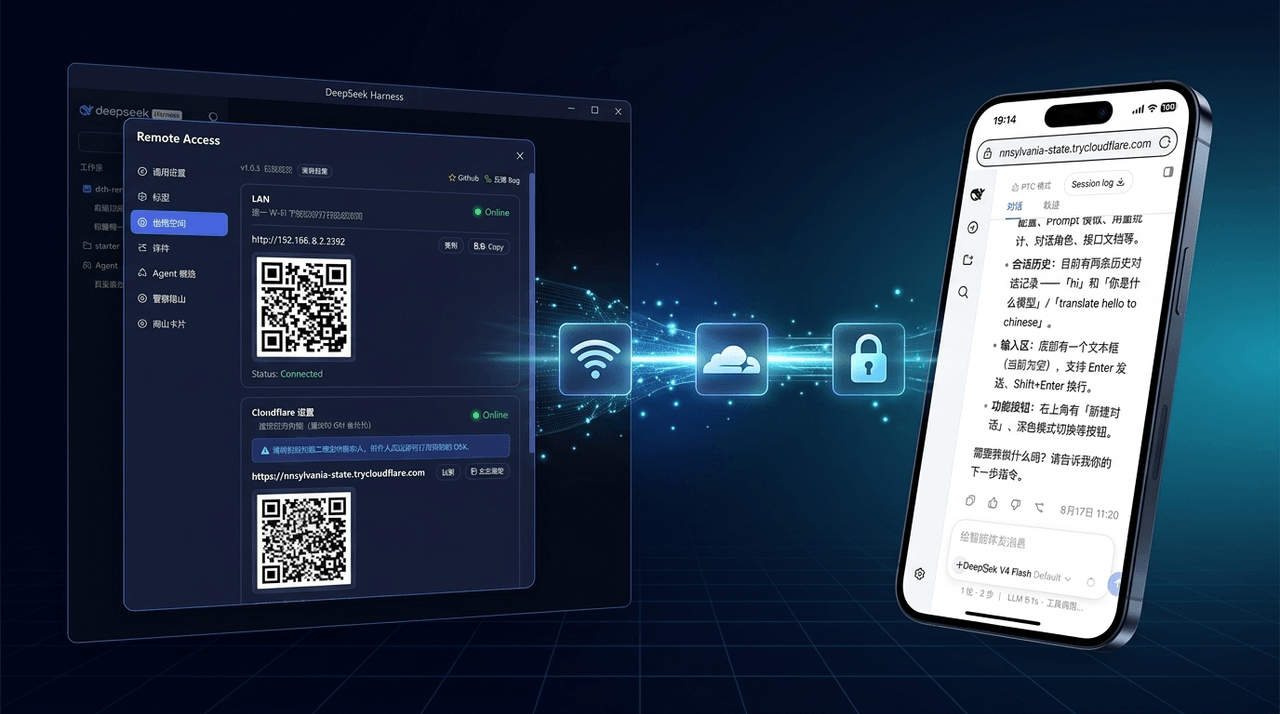 wenbin-wb/dsh-bridge
🚀 DeepSeek Harness 多通道远程访问与安全守护插件 | 局域网扫码直连、Cloudflare / 自建公网隧道、微信 / QQ / 飞书 / Telegram 机器人全生命周期对话 | 内置全协议访问安全认证、后台防篡改与…
wenbin-wb/dsh-bridge
🚀 DeepSeek Harness 多通道远程访问与安全守护插件 | 局域网扫码直连、Cloudflare / 自建公网隧道、微信 / QQ / 飞书 / Telegram 机器人全生命周期对话 | 内置全协议访问安全认证、后台防篡改与…
- xiaomengxinbb/dsh-qq-bridge 将 QQ(私聊+群聊)接入 DeepSeek Harness 的双向桥插件:每个 QQ 对话一个隔离持久 Agent 会话,支持命令/审批/多媒体/出站文件
- 21hbguo/dsh-feishu-bridge-plugin 飞书机器人 ↔ DSH 对话桥:DSH 进程内 Cordis 插件,流式卡片 / 问答卡片 / 审批卡片 / 斜杠命令
- 166767/dsh-error-audit DeepSeek Harness 实时 AI 自审插件:任何报错/警告第一时间连同时间、错误码、会话、用户原话、AI 动作与工作区写入专用日志目录,并主动通知 AI、内置 read_error_logs 工具随时读取。Real-time A…
-
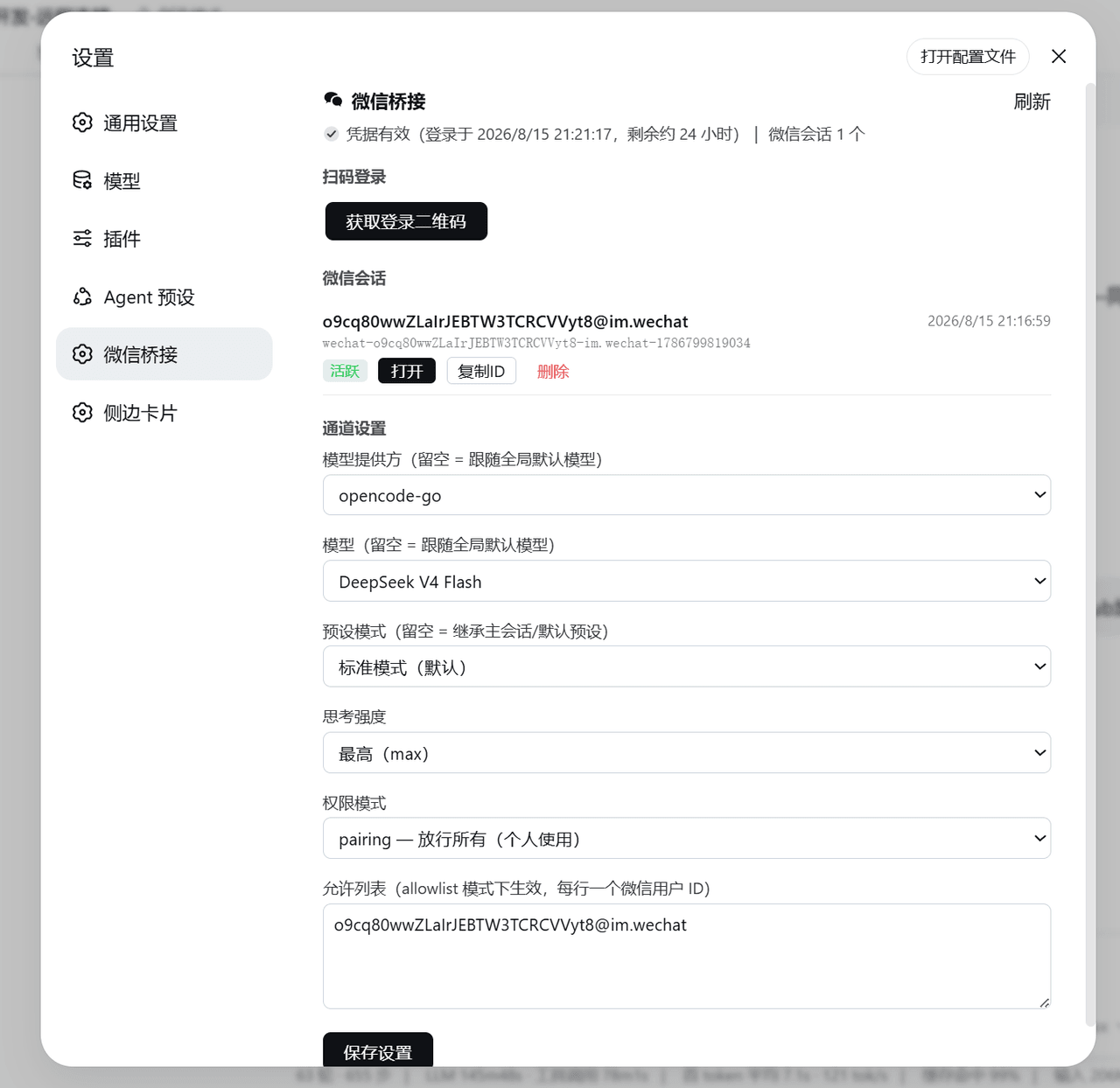 Qshuai0213/super-wechat-bridge
微信 iLink ClawBot 远程桥接插件(DeepSeek Harness):官方 iLink 协议直连,Web 设置界面(扫码登录/模型/预设/权限/会话管理)+ 24h 自动续期
Qshuai0213/super-wechat-bridge
微信 iLink ClawBot 远程桥接插件(DeepSeek Harness):官方 iLink 协议直连,Web 设置界面(扫码登录/模型/预设/权限/会话管理)+ 24h 自动续期
-
 toby-bridges/api-relay-audit
Local security audit for AI API relays and LLM proxies: detects prompt injection, model substitution, tool-call rewritin…
toby-bridges/api-relay-audit
Local security audit for AI API relays and LLM proxies: detects prompt injection, model substitution, tool-call rewritin…
-
 saya-ch/dsh-mobile
DeepSeek Harness 的 Android App 与安全远程访问插件,支持局域网/远程连接和高度自定义的移动界面与扩展能力。
saya-ch/dsh-mobile
DeepSeek Harness 的 Android App 与安全远程访问插件,支持局域网/远程连接和高度自定义的移动界面与扩展能力。
-
 liguobao/ds-harness-remote
一个基于 DeepSeek Harness 插件机制构建的多端远程访问方案,通过安全、低延迟、端到端加密的 P2P 优先网络,支持从 PC、Android 和 Web 随时访问并操作远程 Harness 和 CodeX。 (A multi-…
liguobao/ds-harness-remote
一个基于 DeepSeek Harness 插件机制构建的多端远程访问方案,通过安全、低延迟、端到端加密的 P2P 优先网络,支持从 PC、Android 和 Web 随时访问并操作远程 Harness 和 CodeX。 (A multi-…