pioneer666-user/specdev-workbench
DSH(DeepSeek Harness)流程图管理插件:浏览 Archify 业务流程图目录、按 Git 附注标签阅读历史版本、保存版本。A workflow-diagram manager plugin for DSH.
Project Overview项目介绍
SpecDev Workbench is a native DSH plugin distributed as a specdev-dsh-workbench-0.2.1.tgz bundle installed through the DSH Desktop CLI bundled with the desktop installation, using dsh plugin --profile desktop add <Package>, and it also supports Web hosts via dsh plugin --profile web add <url>. The package adds a sidebar entry labeled specdev-workbench that opens a central panel inside DSH Desktop or a new tab inside the Web client, where the user can browse projects, open a business room, walk or overview the space, and inspect furniture with bound documents and workflows. The build is TypeScript-based on Node.js 22 or newer and the runtime client module is published as @specdev/dsh-workbench/client, with pages, APIs, schemas, and snapshot tag namespaces all scoped under specdev/ so that the plugin is explicitly engineered for DSH and not a generic skill pack.
The typical workflow begins by selecting a DSH workspace rooted at a Git repository; if docs/specdev is missing, the user agrees business requirements with the AI and runs the bundled skill specdev-business to register documents and workflows first. In that project's chat the user issues a phrase such as "Use specdev-room to create a room for this business," and the skill walks through business, style, and arrangement choices, reads the current furniture catalog, writes only docs/specdev/<businessId>/room.json, and invokes a read-only validator without producing 3D models, new business documents, or new workflows. After the room exists, the sidebar entry is used to choose the project and business, enter the room, inspect the overview, and read the bound material while walking; the catalog lets the user pick assets such as a bookshelf, desk, table lamp, notice board, display stand, vase, plant, book stack, bed, reading chair, low cabinet, or floor lamp and copy the selection list into the chat.
Dependencies include Node.js 22, TypeScript for type-checking only, Three.js plus the bundled Archify renderer for the 3D view, and the DSH host itself for installation and routing; the plugin code, twelve self-created furniture models, generated textures, and rendered thumbnails ship under MIT, while bundled Archify and Three.js retain their upstream notices. Limits explicitly forbid in-page furniture editing or saving, arbitrary scaling, wall placement, nested supports, jumping, stairs, cross-room links, and sitting or sleeping animations, with only floor placement and one level of tabletop support guaranteed and style treated as a soft recommendation. The 0.2.1 candidate was verified on Windows with DSH Desktop 0.2.0-rc.2, existing Web evidence covers 0.2.0 on Windows with DSH 0.1.6-alpha.2, and a separate DSH_HOME isolates plugin and business data although Electron preferences, caches, single-instance behavior, and protocol registration may still be shared within the same account.
SpecDev Workbench 是一款面向 DSH(DeepSeek Harness)的桌面端原生插件,通过 dsh plugin --profile desktop add 命令将打包好的 tgz 文件安装到 DSH Desktop,安装后会在侧边栏新增一个中央面板入口。用户可以为每个业务创建一个独立的虚拟房间,房间包含真实或童话风格的基地,提供总览与行走两种模式,以及室内外通道。插件内置十二件家具资产,例如书架、书桌、台灯、公告板、展台、花瓶、植物、书堆、床、阅读椅、矮柜与落地灯,并支持在目录中选取家具后将列表复制到对话中。
该插件的工作流围绕 DSH 工作区中的 Git 仓库根目录展开,要求 docs/specdev 目录下存在已有项目,或先调用 specdev-business 这一 Skill 注册文档与工作流。在项目聊天中说出"使用 specdev-room 为此业务创建一个房间",Skill 会引导用户完成业务、风格与陈列的抉择,并仅向 docs/specdev/<businessId>/room.json 写入数据,再触发只读校验器进行验证。它不会生成模型、业务文档或新的工作流,也不会自动选择默认项目。插件提供项目与业务的导航、交互式工作流、节点解释、固定的源证据以及历史阅读功能,保存版本时仅为已提交内容添加带注释的 Git 标签。
构建基于 Node.js 22 及以上版本,需依次执行 npm install、tsc --noEmit、scripts/build.mjs 与 npm pack,最终产出 specdev-dsh-workbench-0.2.1.tgz。插件代码、自建的十二件家具模型、生成的贴图与缩略图采用 MIT 许可证发布,但捆绑的 Archify 与 Three.js 等上游组件保留各自原有许可。已知限制包括:房间内不支持家具的页面编辑与保存、任意缩放、靠墙放置、嵌套支撑、跳跃与楼梯、跨房间链接,也不提供坐卧动画,仅支持地面放置及一层桌面承载;0.2.1 版本仅在 Windows 与 DSH Desktop 0.2.0-rc.2 上验证通过,其他平台与更高版本的主机尚未经过验证。
请帮我安装这个 DSH 插件。安装前先完成【兼容性检查 + 安全性检查】,检查通过再动手。

插件:specdev-workbench(pioneer666-user/specdev-workbench)
仓库:https://github.com/pioneer666-user/specdev-workbench
本站详情页:https://www.yhbd.top/plugins/pioneer666-user-specdev-workbench/
本站登记:类型 plugin · 归类 原生 DSH 插件 · 许可证 MIT · ⭐ 3 · 最近提交 2026-10-03 · 主语言 JavaScript

按下面顺序执行,每步先把结论告诉我,再进入下一步:

【1 兼容性检查】
① 我这边:DSH 版本、Node 版本、操作系统、当前 profile(web / desktop)。
② 读它的 README、package.json、插件 manifest,列出它要求的 DSH 版本 / Node 版本 / 操作系统 / 外部依赖 / 需要另外先装的运行时。
③ 逐条比对,结论只写「满足 / 不满足 / 未知」三种;不满足的给出可行替代方案。
④ 检查是否和我已装的插件冲突:命令名重复、skill / tool 重名、端口占用、重复注册的 MCP server。

【2 安全性检查】
① 仓库可信度:和上面「本站登记」是否一致;star / fork 数、创建时间、最近提交,是否归档或长期停更。
② 安装脚本:逐行看 package.json 的 preinstall / install / postinstall,以及 install.sh、setup.ps1 之类脚本。出现 curl|bash、下载后直接执行、混淆代码、访问与插件功能无关的域名,立刻停下来告诉我,不要继续装。
③ 依赖:列出新增依赖,标出无人维护、或与知名包拼写近似的可疑包(typosquatting)。
④ 权限与副作用:它会读写哪些目录、访问哪些域名、需要哪些 DSH 权限(filesystem / network / shell / clipboard 等),以及怎么卸载和回滚。
⑤ 如果它要求 sudo / 管理员权限,或权限明显超出功能所需,先停下来问我。

【3 安装】
上面两步没有「不满足」和「高危项」时才执行;用官方推荐方式安装,不要自行提权。

【4 汇报】
用表格输出:检查项 / 结论 / 依据 / 是否需要我决策。拿不准的一律写「未知」并说明要我怎么确认——不要猜,也不要替我决定。
Send this message to DSH in your current session: it verifies compatibility and security first (answering met / not met / unknown item by item) and only installs once everything checks out — it will stop and ask you if it finds a high-risk item. The box scrolls; the copy is the full prompt. CLI install commands may not be accurate across systems, so DSH is the safer route.把上面这条消息直接发给当前会话里的 DSH:它会先核对兼容性与安全性(逐条给「满足 / 不满足 / 未知」),确认没问题再安装,有高危项会停下来问你。框内可滚动,复制到的是完整提示词;安装命令不一定准确,发给 DSH 更稳。
- Only 3 stars - very few users, little community feedback星标只有 3,几乎没人在用,遇到问题缺少社区反馈
DSH walks through these 9 checksDSH 会逐条核对这 9 项
Compatibility兼容性
- DSH, Node, OS and profile requirementsDSH 版本 / Node 版本 / 操作系统 / profile 是否满足要求
- External dependencies and runtimes (Electron / Python / Docker, ...)外部依赖与运行时(Electron / Python / Docker 等)是否齐备
- Conflicts with installed plugins: command names, skill / tool names, ports, duplicate MCP registration与已装插件是否冲突:命令名、skill / tool 重名、端口占用、重复 MCP 注册
Security安全性
- Repo matches the facts registered here; archived or abandoned?仓库是否与页面登记一致,是否归档或长期停更
- Safety of preinstall / install / postinstall and install.sh / setup.ps1preinstall / install / postinstall 与 install.sh、setup.ps1 是否安全
- curl|bash, download-then-execute, obfuscation, unrelated domains → stop immediatelycurl|bash、下载即执行、混淆代码、无关域名 → 立刻停止
- Typosquatting or unmaintained packages among the new dependencies新增依赖里有没有 typosquatting 或无人维护的包
- Requested permissions vs. what the feature actually needs申请了哪些权限、是否超出功能所需(filesystem / network / shell / clipboard)
- Any sudo / admin requirement, plus uninstall and rollback是否要求 sudo / 管理员权限,以及卸载与回滚方式
Anything uncertain must be marked unknown with a note on how to confirm it. This site's signal screen is a static snapshot, not a security audit.拿不准的必须标「未知」并说明要我怎么确认。本站的信号筛查是静态快照,不能替代安全审计。
Or use CLI install (for developers)或使用命令行安装(适合开发者)
CLI Install命令行安装
dsh plugin --profile web add github:pioneer666-user/specdev-workbench把 pioneer666-user/specdev-workbench 加入你的 DSH 配置(web profile)即可启用。
READMEREADME
SpecDev Workbench 0.2.1
English | 简体中文
Choose a DSH project, read business documents and workflows, or ask a bundled Skill to arrange an independent room for one business.
Download and install
npm install (recommended; 0.2.1 released)
Version 0.2.1 is available on npm. Use the commands below to install from npm without downloading the package from GitHub. The npm package is @pioneer_zmc/dsh-workbench; the existing GitHub package remains @specdev/dsh-workbench. Product name, plugin ID, routes and data paths stay the same.
Windows Desktop
Save work, exit via the menu or tray, and confirm the background instance ended. Use the bundled Desktop CLI and the actual Desktop DSH_HOME; leave it unset if it was unset before. This example demonstrates a custom root only. CLI and Desktop must share the same root; the variable affects this terminal and its children only.
$DesktopDir = 'C:\Apps\DSH' # Replace with the actual installation directory
$env:DSH_HOME = 'C:\DSHData\desktop' # Custom-root example; existing users keep their actual root
& "$DesktopDir\resources\runtime\cli\bin\dsh.cmd" plugin --profile desktop add '@pioneer_zmc/dsh-workbench@0.2.1' '--registry=https://registry.npmjs.org/'
& "$DesktopDir\DeepSeek Harness.exe"
Before upgrading, record the installed package and custom plugin configuration. Remove only an actually installed package with the same bundled CLI's plugin --profile desktop remove <installed-package>: GitHub 0.2.x uses @specdev/dsh-workbench, earlier releases use @specdev/dsh-archify-manage, and npm uses @pioneer_zmc/dsh-workbench. Then add, verify the original custom configuration, and restart from the same environment. Do not install old and new packages together or clear data roots. Migration of every old version has not been tested.
The sidebar opens SpecDev Workbench in the central panel. Choose a project and use Return to chat to restore the conversation.
Web
Stop the corresponding instance and keep its original data root and Web CLI. Apply the same installed-package removal and configuration checks using the web profile.
Showing the opening section of the README — the full document lives in the repository以上为 README 开头摘要,完整文档在仓库内 · View the full README on GitHub →在 GitHub 查看完整 README →
Related相关推荐
-
 LiPu-jpg/Openwrite
dsh-Openwrite:OpenWrite 的 DeepSeek Harness 小说创作插件,含统一创作 Agent、90 个小说工具、原生工作台与标准审稿 DAG
LiPu-jpg/Openwrite
dsh-Openwrite:OpenWrite 的 DeepSeek Harness 小说创作插件,含统一创作 Agent、90 个小说工具、原生工作台与标准审稿 DAG
-
 omdsh-dev/DSH-better-sidebar
开放的侧边栏底座,支持三方拓展注册新侧边栏页面。内置文件渲染编辑/终端/侧边对话/Git/子代理页面 | Open sidebar foundation, supports third-party extensions to registe…
omdsh-dev/DSH-better-sidebar
开放的侧边栏底座,支持三方拓展注册新侧边栏页面。内置文件渲染编辑/终端/侧边对话/Git/子代理页面 | Open sidebar foundation, supports third-party extensions to registe…
-
 dream-num/dsh-univer-office
Give DeepSeek Harness a real office environment. Univer Office Plugin brings spreadsheets, docs, slides, canvases, rela…
dream-num/dsh-univer-office
Give DeepSeek Harness a real office environment. Univer Office Plugin brings spreadsheets, docs, slides, canvases, rela…
-
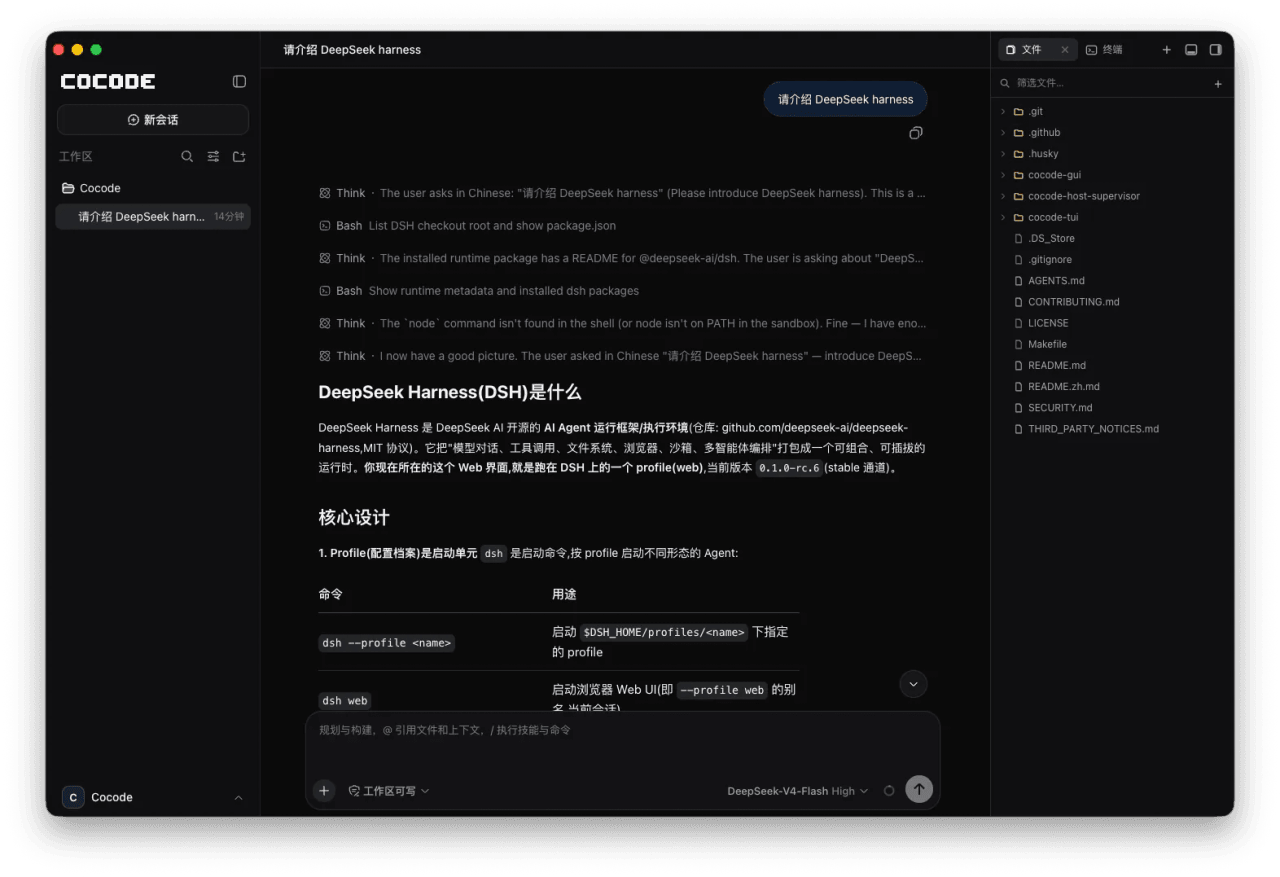 cocode-agency/cocode
Best ready-to-run DeepSeek Harness distribution: DSH desktop GUI, DSH terminal TUI, and harness integration.
cocode-agency/cocode
Best ready-to-run DeepSeek Harness distribution: DSH desktop GUI, DSH terminal TUI, and harness integration.
-
 drewnekota/cetus
One macOS app for Claude Code, Codex, and every agent runtime you use — scheduled runs, global hotkey launcher, per-run …
drewnekota/cetus
One macOS app for Claude Code, Codex, and every agent runtime you use — scheduled runs, global hotkey launcher, per-run …
-
 kanghelyu/dsh-deepseek-flow
-
 cosyncing/cosyncing
Synchronize and Orchestrate agents from CLI to GUI, across desktop to phone.
cosyncing/cosyncing
Synchronize and Orchestrate agents from CLI to GUI, across desktop to phone.
-
 UNLINEARITY/dsh-code
A terminal coding interface that brings the DeepSeek Harness kernel's full capability set — special modes, plugins, mode…
UNLINEARITY/dsh-code
A terminal coding interface that brings the DeepSeek Harness kernel's full capability set — special modes, plugins, mode…