reina4xa/dsh-plugin-reload
用于重新加载你的Deepseek harness插件(例如mcp-client)的Deepseek harness插件
Project Overview项目介绍
dsh-plugin-reload is a DeepSeek Harness plugin that adds a reload_plugin tool, restarting exactly one Cordis Loader entry matched by entry id, module name, or MCP serverName. MCP-client entries respawn their server process and re-register tools; in-process plugins get a hard reload that busts ESM/CJS caches, re-imports from disk, and swaps fibers, rolling back on failure. Use it to apply one plugin's code changes without restarting the host. Caveat: reloaded tools are briefly unavailable, and node_modules dependencies are not re-imported.
dsh-plugin-reload 是 DeepSeek Harness 插件,为智能体提供 reload_plugin 工具,可按条目 id、模块名或 MCP serverName 精确重启单个 Cordis Loader 条目:MCP 客户端重启子进程并重新注册工具,进程内插件清除 ESM/CJS 缓存后从磁盘重新导入并热替换 fiber,失败自动回滚。适用于改代码后不重启宿主即让单个插件生效。注意重载期间该条目工具短暂不可用,且 node_modules 依赖不会重载。
请帮我安装这个 DSH 插件。安装前先完成【兼容性检查 + 安全性检查】,检查通过再动手。

插件:dsh-plugin-reload(reina4xa/dsh-plugin-reload)
仓库:https://github.com/reina4xa/dsh-plugin-reload
本站详情页:https://www.yhbd.top/plugins/reina4xa-dsh-plugin-reload/
本站登记:类型 plugin · 归类 原生 DSH 插件 · 许可证 MIT · ⭐ 2 · 最近提交 2026-08-16 · 主语言 TypeScript

按下面顺序执行,每步先把结论告诉我,再进入下一步:

【1 兼容性检查】
① 我这边:DSH 版本、Node 版本、操作系统、当前 profile(web / desktop)。
② 读它的 README、package.json、插件 manifest,列出它要求的 DSH 版本 / Node 版本 / 操作系统 / 外部依赖 / 需要另外先装的运行时。
③ 逐条比对,结论只写「满足 / 不满足 / 未知」三种;不满足的给出可行替代方案。
④ 检查是否和我已装的插件冲突:命令名重复、skill / tool 重名、端口占用、重复注册的 MCP server。

【2 安全性检查】
① 仓库可信度:和上面「本站登记」是否一致;star / fork 数、创建时间、最近提交,是否归档或长期停更。
② 安装脚本:逐行看 package.json 的 preinstall / install / postinstall,以及 install.sh、setup.ps1 之类脚本。出现 curl|bash、下载后直接执行、混淆代码、访问与插件功能无关的域名,立刻停下来告诉我,不要继续装。
③ 依赖:列出新增依赖,标出无人维护、或与知名包拼写近似的可疑包(typosquatting)。
④ 权限与副作用:它会读写哪些目录、访问哪些域名、需要哪些 DSH 权限(filesystem / network / shell / clipboard 等),以及怎么卸载和回滚。
⑤ 如果它要求 sudo / 管理员权限,或权限明显超出功能所需,先停下来问我。

【3 安装】
上面两步没有「不满足」和「高危项」时才执行;用官方推荐方式安装,不要自行提权。

【4 汇报】
用表格输出:检查项 / 结论 / 依据 / 是否需要我决策。拿不准的一律写「未知」并说明要我怎么确认——不要猜,也不要替我决定。
Send this message to DSH in your current session: it verifies compatibility and security first (answering met / not met / unknown item by item) and only installs once everything checks out — it will stop and ask you if it finds a high-risk item. The box scrolls; the copy is the full prompt. CLI install commands may not be accurate across systems, so DSH is the safer route.把上面这条消息直接发给当前会话里的 DSH:它会先核对兼容性与安全性(逐条给「满足 / 不满足 / 未知」),确认没问题再安装,有高危项会停下来问你。框内可滚动,复制到的是完整提示词;安装命令不一定准确,发给 DSH 更稳。
- Only 2 stars - very few users, little community feedback星标只有 2,几乎没人在用,遇到问题缺少社区反馈
DSH walks through these 9 checksDSH 会逐条核对这 9 项
Compatibility兼容性
- DSH, Node, OS and profile requirementsDSH 版本 / Node 版本 / 操作系统 / profile 是否满足要求
- External dependencies and runtimes (Electron / Python / Docker, ...)外部依赖与运行时(Electron / Python / Docker 等)是否齐备
- Conflicts with installed plugins: command names, skill / tool names, ports, duplicate MCP registration与已装插件是否冲突:命令名、skill / tool 重名、端口占用、重复 MCP 注册
Security安全性
- Repo matches the facts registered here; archived or abandoned?仓库是否与页面登记一致,是否归档或长期停更
- Safety of preinstall / install / postinstall and install.sh / setup.ps1preinstall / install / postinstall 与 install.sh、setup.ps1 是否安全
- curl|bash, download-then-execute, obfuscation, unrelated domains → stop immediatelycurl|bash、下载即执行、混淆代码、无关域名 → 立刻停止
- Typosquatting or unmaintained packages among the new dependencies新增依赖里有没有 typosquatting 或无人维护的包
- Requested permissions vs. what the feature actually needs申请了哪些权限、是否超出功能所需(filesystem / network / shell / clipboard)
- Any sudo / admin requirement, plus uninstall and rollback是否要求 sudo / 管理员权限,以及卸载与回滚方式
Anything uncertain must be marked unknown with a note on how to confirm it. This site's signal screen is a static snapshot, not a security audit.拿不准的必须标「未知」并说明要我怎么确认。本站的信号筛查是静态快照,不能替代安全审计。
Or use CLI install (for developers)或使用命令行安装(适合开发者)
CLI Install命令行安装
dsh plugin --profile web add dsh-plugin-reload把 reina4xa/dsh-plugin-reload 加入你的 DSH 配置(web profile)即可启用。
READMEREADME
dsh-plugin-reload
English | 中文
A DeepSeek Harness plugin that gives the agent a reload_plugin tool: restart exactly one Cordis Loader entry — matched by entry id, module name, or MCP serverName. Every other entry keeps running.
Two reload strategies are chosen per entry kind:
mcp-cliententries respawn the MCP server child process on restart (picking up new server code on disk) and re-register its tools; sibling MCP connections are not affected.- in-process plugin entries get a hard reload: the Node ESM/CJS module caches for the entry and its local source files are busted, the entry is re-imported from disk, and its fibers are swapped onto the fresh module — the same technique
cordis-plugin-hmr's partial reload uses. Plugin code changes take effect without restarting the host, and a failed re-import or re-apply rolls back to the previous code.
Built on the "everything is a plugin" architecture of DeepSeek Harness. The official repository does not accept external pull requests at the moment — per CONTRIBUTING.md, community plugins are published independently and shared under the
dsh-plugintopic.
Install (auto-mount)
Since v0.1.2 the package declares a dsh.bundle, so a single command installs the plugin and automatically mounts it:
dsh plugin --profile web add dsh-plugin-reload
What happens under the hood:
dsh pluginrunspnpm addinside the profile directory (~/.dsh/profiles/<name>/).- On success it reconciles the profile manifest: because
dsh-plugin-reloaddeclaresdsh.bundlein itspackage.json, it is appended to the profile'sdsh.profile.bundleslayer list. - On the next harness start the bundle layer is composed, and the plugin's own
cordis.patch.ymlinserts theplugin-reloadentry — the tool appears in the model's tool list with no manual patch editing.
To pick up a later version:
dsh plugin --profile web update dsh-plugin-reload
Freshly published versions may be held back briefly by pnpm's
minimumReleaseAgesupply-chain policy; an explicit version (dsh plugin --profile web add dsh-plugin-reload@0.1.x) bypasses it.
Showing the opening section of the README — the full document lives in the repository以上为 README 开头摘要,完整文档在仓库内 · View the full README on GitHub →在 GitHub 查看完整 README →
Related相关推荐
-
 jingyunstudio/jingyun-dsh
基于 Jingyun Studio + DeepSeek Harness (DSH) 打造的一站式 AI 商业化桌面客户端,一个将 AI 智能体 / 技能 / 工作流转化为可交易商品的完整商业化平台客户端。 井云为 DSH 注入了完整的商…
jingyunstudio/jingyun-dsh
基于 Jingyun Studio + DeepSeek Harness (DSH) 打造的一站式 AI 商业化桌面客户端,一个将 AI 智能体 / 技能 / 工作流转化为可交易商品的完整商业化平台客户端。 井云为 DSH 注入了完整的商…
-
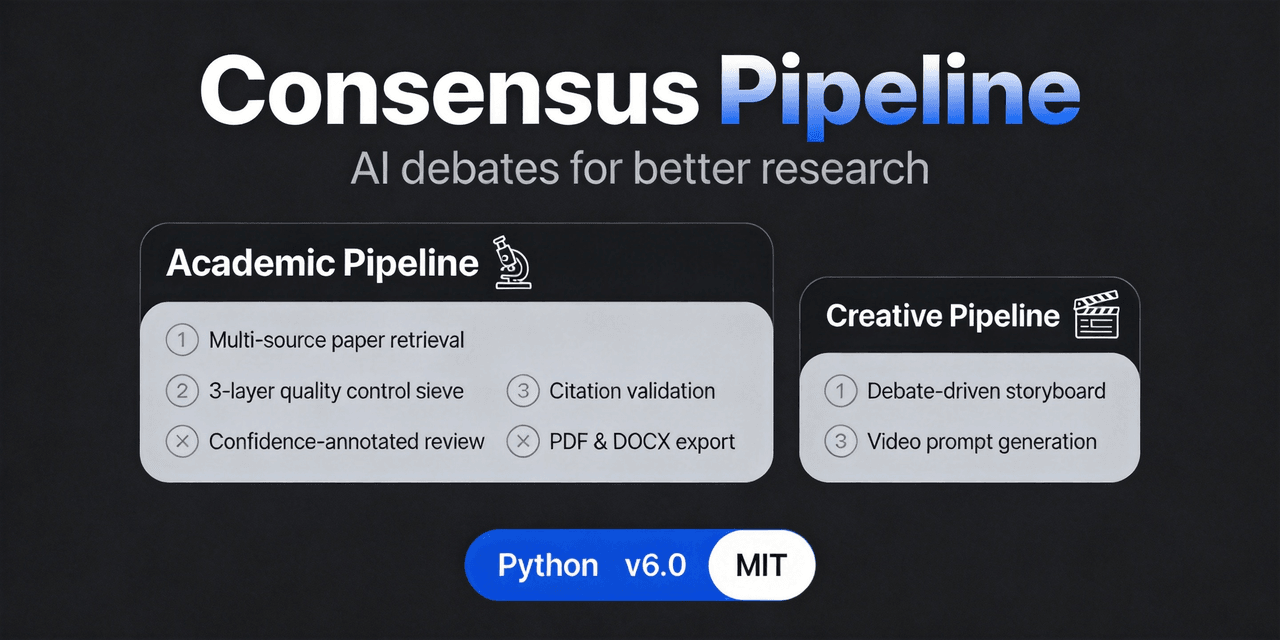 fangqian616/consensus-pipeline
Multi-agent department framework for long-form complex tasks, fighting AI hallucination, validated on academic research.…
fangqian616/consensus-pipeline
Multi-agent department framework for long-form complex tasks, fighting AI hallucination, validated on academic research.…
-
 orziz/odai
AI agent 通用任务治理框架:对齐目标与事实,规划和调度能力,守住授权与风险边界,治理任务执行到真实验收与交付。Governance framework for evidence-driven planning, orchestrat…
orziz/odai
AI agent 通用任务治理框架:对齐目标与事实,规划和调度能力,守住授权与风险边界,治理任务执行到真实验收与交付。Governance framework for evidence-driven planning, orchestrat…
-
 heartmove/dsh-side-chat
一个 DSH 网页插件,Codex 式侧边聊天的强化版本: 在右侧面板提供按主会话隔离的独立聊天,具备 Codex 式的智能体能力——继承主会话的 工具集、模型、思考难度与权限预设,能感知所在工作目录;选中对话内容即可提问,AI 回复 也能…
heartmove/dsh-side-chat
一个 DSH 网页插件,Codex 式侧边聊天的强化版本: 在右侧面板提供按主会话隔离的独立聊天,具备 Codex 式的智能体能力——继承主会话的 工具集、模型、思考难度与权限预设,能感知所在工作目录;选中对话内容即可提问,AI 回复 也能…
-
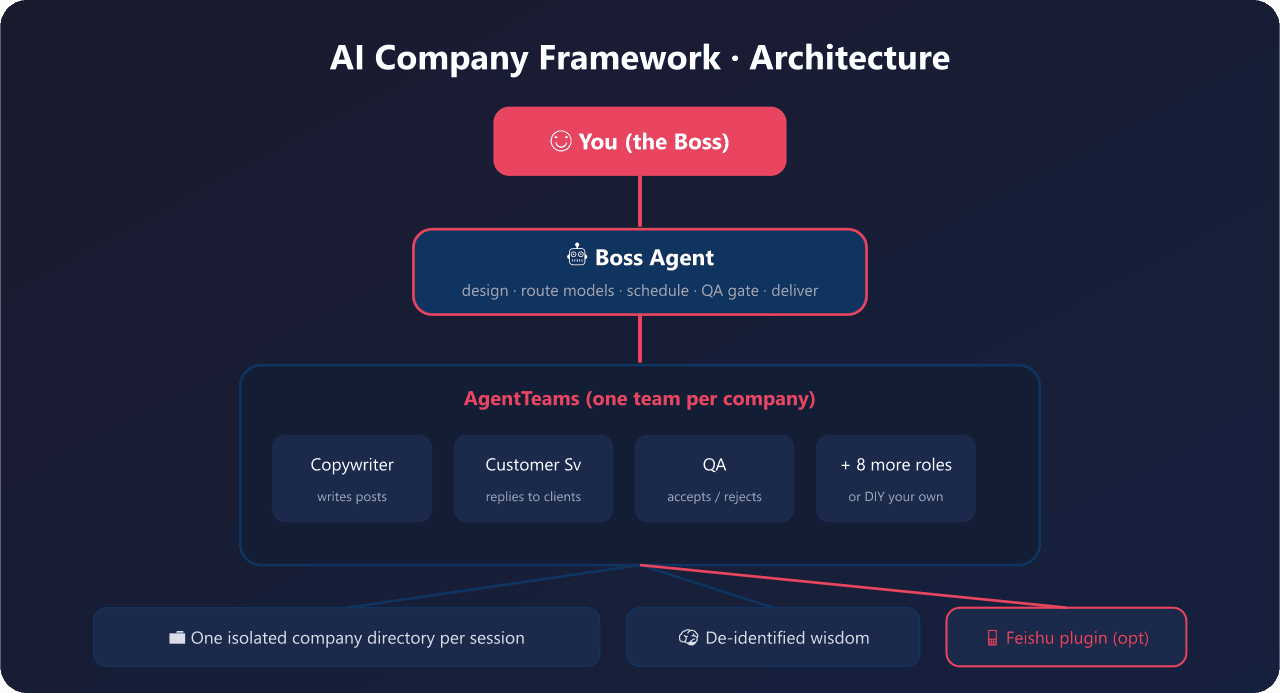 yyyy231209/ai-company-framework
Company Is a Word. 一句话开一家AI公司 - open-source multi-agent orchestration framework for non-developers. 小白5分钟拥有自己的AI公司,可DIY任…
yyyy231209/ai-company-framework
Company Is a Word. 一句话开一家AI公司 - open-source multi-agent orchestration framework for non-developers. 小白5分钟拥有自己的AI公司,可DIY任…
- tianyaojiudi-prog/dsh-djy-xttsc DSH(DeepSeek Harness) 插件:把一段可在设置页随时改写的文字,作为全局系统提示词段注入到所有会话,含子代理与工作流内部子代理;文本与开关即时生效,无需重启。
-
 EternalNight996/dsh-ui-agents-pixe
🧑💼为 DeepSeek Harness Web 主窗口添加「工作角色」页签 + 「像素办公室」浮层:内置 508 张完整角色卡(The Agency 255 + agency-agents-zh 253),支持搜索 / 中英切换 /…
EternalNight996/dsh-ui-agents-pixe
🧑💼为 DeepSeek Harness Web 主窗口添加「工作角色」页签 + 「像素办公室」浮层:内置 508 张完整角色卡(The Agency 255 + agency-agents-zh 253),支持搜索 / 中英切换 /…
-
 derekhu0002/archgraph
ArchGraph — an architecture-graph driven framework for Agentic Engineering. A long-term memory for coding agents, built …
derekhu0002/archgraph
ArchGraph — an architecture-graph driven framework for Agentic Engineering. A long-term memory for coding agents, built …