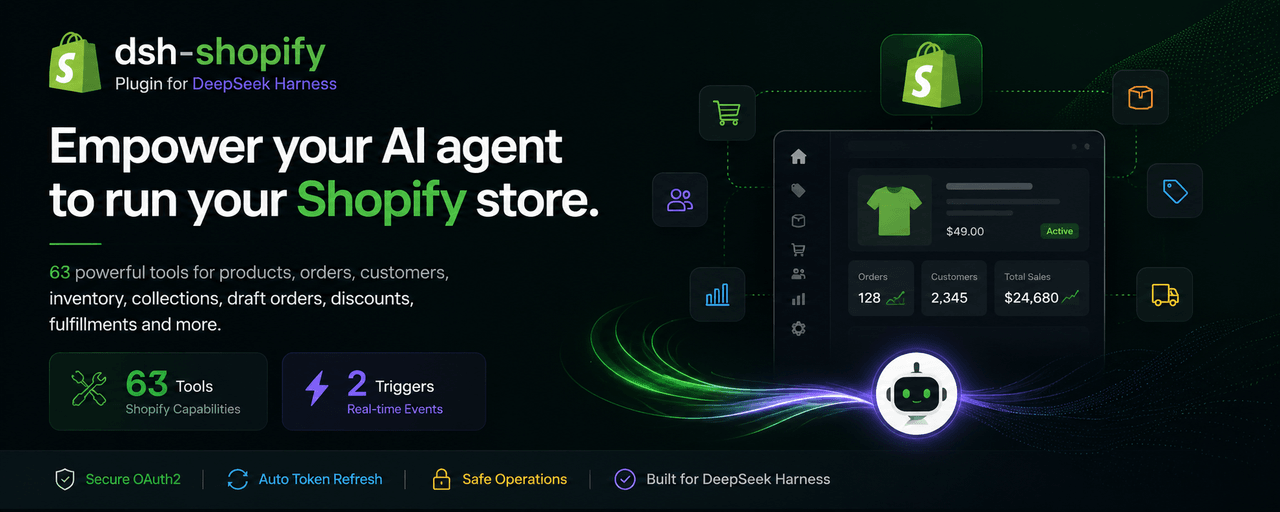
sakthiveltofficial/dsh-shopify-plugins
A complete, production-ready Shopify plugin for DeepSeek Harness (DSH). It gives the agent typed, policy-aware access to the Shopify Admin REST + GraphQL APIs — 210+ model-facing tools covering products, orders, customers, collections, inventory, fulfillments, discounts, content, metafields, webhooks, themes, draft orders, marketing, gift cards, billing, bulk operations, and a generic GraphQL escape hatch — with Admin API access-token auth resolved through DSH's credential service.
catalog descriptioncatalog 简介 / catalog description:Shopify plugin for DeepSeek Harness: 213 model-facing shopify_* tools over the Shopify Admin REST + GraphQL APIs (products, orders, customers, inventory, fulfillments, discounts, content, webhooks, themes, billing, bulk operations) with Admin API access-token auth.
Project Overview项目介绍
dsh-shopify is an MIT-licensed DeepSeek Harness plugin that exposes 210+ typed shopify_* tools to DSH agents over the Shopify Admin REST and GraphQL APIs. It covers products, orders, customers, collections, inventory, fulfillments, discounts, content, metafields, webhooks, themes, draft orders, marketing, gift cards, billing, bulk operations, and a generic GraphQL escape hatch. Auth uses an Admin API access token resolved at runtime via DSH's credential service, never stored in config. Use it when an agent must operate a Shopify store end-to-end. Caveat: destructive tools require explicit user confirmation, GraphQL mutations may return userErrors on HTTP 200, and requests are subject to Shopify rate limits.
dsh-shopify 是 DeepSeek Harness 的官方 Shopify 插件,通过 dsh plugin --profile web add 一行安装后,即可为 DSH 智能体暴露 210 多个 shopify_* 工具,覆盖商品、订单、客户、库存、履单、折扣、内容、元字段、Webhook、主题、营销、礼品卡、计费及 GraphQL 通用接口,凭据经 ctx.credentials 即时解析,不在配置中落盘。适用于需要让 AI 代理自动化运营 Shopify 店铺的场景;注意删改类工具会要求二次确认,GraphQL 变更需检查 userErrors,且受 API 速率限制与自定义应用作用域约束。
请帮我了解并安装插件:【dsh-shopify-plugins】【https://github.com/sakthiveltofficial/dsh-shopify-plugins】Send this message to DSH in your current session. CLI install commands may not be accurate across systems — DSH will figure it out for you.把上面这条消息直接发给当前会话里的 DSH,让它帮你了解并安装。安装命令不一定准确,发给 DSH 更稳。
Or use CLI install (for developers)或使用命令行安装(适合开发者)
CLI Install命令行安装
dsh plugin --profile web add github:sakthiveltofficial/dsh-shopify-plugins把 sakthiveltofficial/dsh-shopify-plugins 加入你的 DSH 配置(web profile)即可启用。
READMEREADME
dsh-shopify · Shopify Plugin for DeepSeek Harness
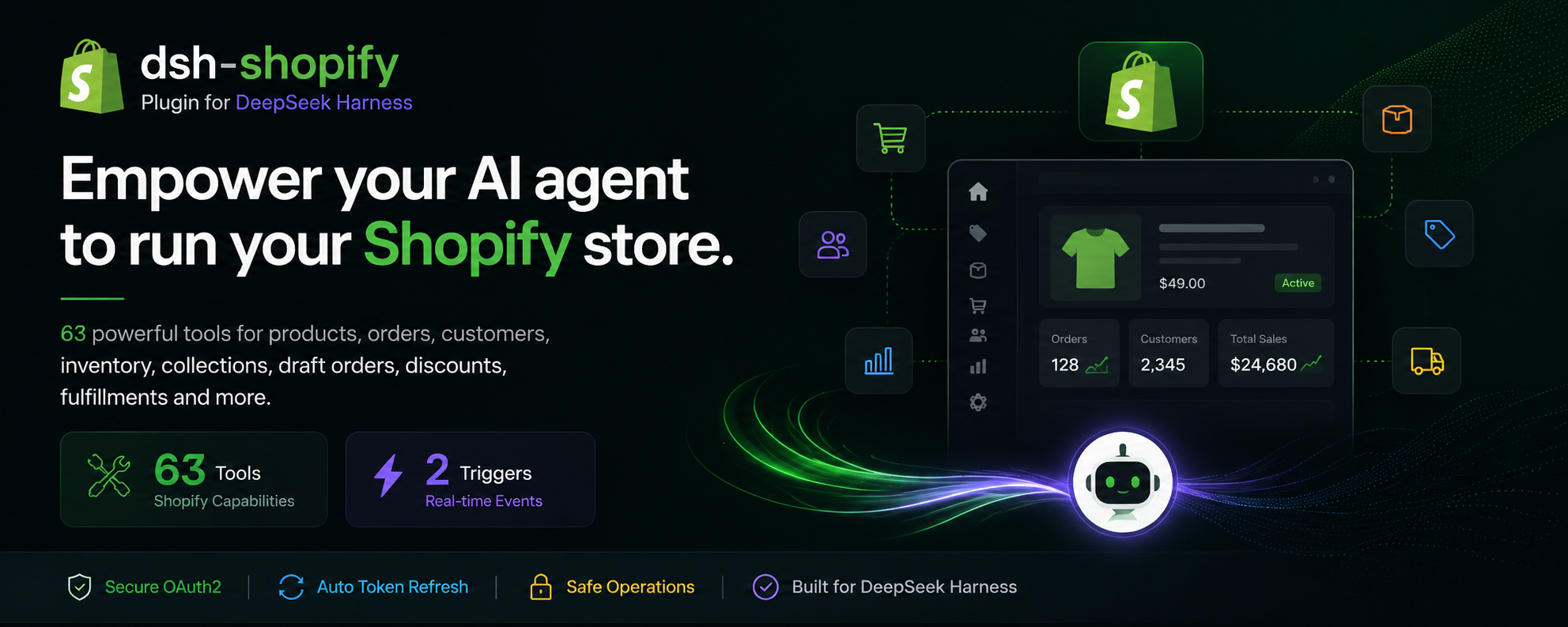

A complete, production-ready Shopify plugin for DeepSeek Harness (DSH). It gives the agent typed, policy-aware access to the Shopify Admin REST + GraphQL APIs — 210+ model-facing tools covering products, orders, customers, collections, inventory, fulfillments, discounts, content, metafields, webhooks, themes, draft orders, marketing, gift cards, billing, bulk operations, and a generic GraphQL escape hatch — with Admin API access-token auth resolved through DSH's credential service.
Official ecosystem keyword: this is a
dsh-plugin— add thedsh-pluginGitHub topic to this repository.
Where this came from: the tool surface is distilled from the Composio
SHOPIFYintegration (407 actions). Most of those 407 are deprecated duplicates and legacy REST aliases; this plugin keeps the current, non-deprecated operation per capability and adds the GraphQL-first surfaces (new product model, write presets, bulk operations), so ~213 tools cover the same workflows with one canonical tool per job.
🤖 LLM-readable summary
- What: a single Cordis plugin that extends DSH agents with 210+
shopify_*tools over the Shopify Admin API. - Install:
dsh plugin --profile web add github:sakthiveltofficial/dsh-shopify-plugins, then add one row to your profile patch (or agent preset) — see Install. - Tools:
shopify_list_products,shopify_get_order,shopify_list_orders,shopify_search_customers,shopify_set_inventory_level,shopify_create_fulfillment,shopify_create_price_rule,shopify_set_metafields,shopify_graphql_admin_execute,shopify_run_bulk_operation_query, and 200 more — full catalog in the tool table. - Auth: Admin API access token (custom app) — no OAuth redirect needed. Credentials are never stored in config: env-var references resolved per operation via
ctx.credentials(SHOPIFY_SHOP_DOMAIN+SHOPIFY_ADMIN_API_TOKEN, fallbackSHOPIFY_ACCESS_TOKEN). - Runtime requirements: DeepSeek Harness, Node.js ≥ 20 (global
fetch), and a Shopify store with a custom app that has the Admin API scopes your workflows need. - Safety: destructive tools (
shopify_delete_product,shopify_delete_order,shopify_delete_customer,shopify_delete_custom_collection,shopify_disable_gift_card, ...) are clearly labeled and require explicit user confirmation; the agent is prompted to confirm before irreversible actions. - License: MIT.
✨ What it does
- Products — list/get/create/update/delete products and variants, product images, counts; GraphQL product-model presets (options, media, publishing).
- Orders — get/list/count/create/update/cancel/close/delete orders, customer order history, transactions, refunds (calculate → create), order risks.
- Customers — list/get/search/count/create/update/delete customers, addresses (incl. bulk delete + set default), account-activation URLs.
- Collections — custom + smart collections CRUD and counts, add/remove products (collects), collection product listings.
- Inventory — locations, inventory items, inventory levels (get/set/adjust/connect/delete).
- Fulfillments — fulfillment orders (get, move, hold/release, deadlines), fulfillments (create/cancel/tracking), fulfillment events, fulfillment services.
- Discounts — price rules CRUD + counts, discount codes (CRUD, lookup, count, async batches).
- Draft orders — list/get/create/update/delete/complete, send invoice.
- Content — blogs, articles, comments, pages (full CRUD + counts, moderation).
- Metafields & metaobjects — resource-scoped metafields,
metafieldsSet/metafieldsDelete(GraphQL). - Webhooks — list/get/create/update/delete/count subscriptions + GraphQL presets.
- Themes — themes CRUD, theme assets (get/list/upsert/delete).
- Marketing — marketing events CRUD, engagements.
- Gift cards — list/get/create/update/disable/search.
- Redirects & script tags — full CRUD.
- Billing — app subscriptions (create/cancel/update line item), one-time application charges.
- Shop & config — shop details (incl.
iana_timezone), policies, currencies, shipping zones, countries/provinces, access scopes, GraphQL shop query. - Power tools —
shopify_graphql_admin_execute(any Admin GraphQL document),shopify_graphql_write_operations(30 curated mutation presets), bulk query operations (run/get/cancel/list/current). - Resilience — bounded exponential backoff on 429/5xx, REST bucket-aware self-throttling, structured
ShopifyErrors with HTTP status + Shopify body preserved, GraphQLuserErrorsalways surfaced.
🚀 Install
Prerequisites
# DeepSeek Harness running (a profile, e.g. the default web profile)
# Node.js >= 20 (the host's Node — plugins run in-process)
# A Shopify store + a custom app with an Admin API access token (see "Configure credentials")
1. Install the package from your GitHub repository
dsh plugin --profile web add github:sakthiveltofficial/dsh-shopify-plugins
This installs the @shopify/dsh-shopify plugin package into the profile (the repo root is the package — no build step needed).
2. Mount the plugin in a composition
The plugin publishes no services — it only registers tools into the host tools registry — so it mounts as a plain loose row, with no isolate realm required.
Option A — profile patch (host plane, tools visible to every agent). Append to your profile's cordis.patch.yml:
- insert:
    - id: shopify
      name: '@shopify/dsh-shopify'
      config:
        shopDomainRef: SHOPIFY_SHOP_DOMAIN
        accessTokenRef: SHOPIFY_ADMIN_API_TOKEN
        apiVersion: '2025-01'
        timeoutMs: 30000
Option B — agent preset (tools only for agents on that preset). Add the row to the preset's agent.cordis.yml (see examples/agent.cordis.yml):
- id: shopify
  name: '@shopify/dsh-shopify'
  config:
    shopDomainRef: SHOPIFY_SHOP_DOMAIN
    accessTokenRef: SHOPIFY_ADMIN_API_TOKEN
Restart the profile (or the DSH process).
Verify
dsh --profile web --dump-config | grep -i shopify
Then ask the agent: "what shopify tools do you have?" — it should list the shopify_* tools (210+ in total).
🔑 Configure credentials (Admin API access token)
Shopify's Admin API authenticates with a per-shop access token sent as the X-Shopify-Access-Token header — no OAuth redirect is required for the plugin itself. Config carries only env-var references, never literal tokens; values are resolved per operation through DSH's credential service (process env → provider store → .env).
| Env var | Used for |
|---|---|
SHOPIFY_SHOP_DOMAIN |
your shop's domain, e.g. my-store.myshopify.com (or just my-store) — required |
SHOPIFY_ADMIN_API_TOKEN |
Admin API access token from your custom app — required |
SHOPIFY_ACCESS_TOKEN |
fallback name for the same token (read when the primary ref is unset) |
Shopify setup (4 steps, ~5 minutes)
- Create a custom app: Shopify admin → Settings → Apps and sales channels → Develop apps → Create an app (or Create an app under Develop apps if your store has the developer tools). Name it (e.g.
dsh-agent) and Create app. - Grant Admin API scopes: in the app, Configure Admin API scopes and select the scopes your workflows need, e.g.:
Then Install app and confirm.read_products, write_products, read_orders, write_orders, read_customers, write_customers, read_inventory, write_inventory, read_locations, read_fulfillments, write_fulfillments, read_price_rules, write_price_rules, read_content, write_content, read_metafields, write_metafields, read_themes, write_themes, read_webhooks, write_webhooks, read_marketing_events, write_marketing_events, read_gift_cards, write_gift_cards, read_analytics, read_shop_discounts, write_discounts, read_draft_orders, write_draft_orders, read_script_tags, write_script_tags, read_redirects, write_redirects, read_all_orders (if you need order data older than 60 days or beyond default) - Copy the Admin API access token: back on the app page → Admin API access token → Install app → copy the token. It looks like
shpat_.... - Export them (or configure
ctx.credentialssources for the same names):export SHOPIFY_SHOP_DOMAIN='my-store.myshopify.com' export SHOPIFY_ADMIN_API_TOKEN='shpat_xxxxxxxxxxxxxxxxxxxx'
403 on order reads? The token must include
read_all_orders(andwrite_ordersfor writes) — see Troubleshooting.
🧠 Agent usage conventions (the "skills")
These conventions are injected into the agent's system prompt when the plugin mounts; they are also the ground rules for anyone prompting the agent with Shopify:
- IDs: REST tools take numeric resource IDs (e.g.
product_id: '8313381814466'); GraphQL tools take GIDs (gid://shopify/Product/123). Convert with GraphQL'slegacyResourceIdwhen crossing. - Pagination: REST list tools return
next_page_info— loop withpage_infountil it isnull; never silently truncate. GraphQL lists: requestpageInfo { hasNextPage endCursor }and paginate withafter. - Rate limits: REST bucket ~40 GET / ~20 write calls per minute; GraphQL ~1000 cost points/min (~50/s refill). On
429/THROTTLED/ a fullX-Shopify-Shop-Api-Call-Limitbucket, back off (1s, 2s, 4s) and reduce concurrency. Preferlimit: 50–100over huge pages. - userErrors: mutations return validation failures in the payload's
userErrorsarray with HTTP 200 — always inspect them. Top-level GraphQLerrorsare also validation, not transport, failures. - Deprecated REST endpoints: the REST Admin API is legacy; prefer
shopify_graphql_*tools for new product-model work (options, media, publishing) and anything REST does not expose. - Refunds: always call
shopify_calculate_refundfirst, then change transactionkindfrom'suggested_refund'to'refund'beforeshopify_create_refund. - Money: amounts are decimal strings (
'19.99'); always pass the shop currency (fromshopify_get_shop_details/shopify_query_shop) and never assume USD. - Timezones: Shopify stores timestamps in UTC, but date filters evaluate in the shop's local timezone (
iana_timezonefromshopify_get_shop_details) — adjust boundary-day queries. - Destructive actions (
shopify_delete_*,shopify_disable_gift_card) are irreversible: confirm with the user before executing.
🧰 Tool catalog
All tools are prefixed shopify_ and grouped by domain:
| Module | Tools |
|---|---|
| products (15) | list_products, get_product, create_product, update_product, delete_product, count_products, list_product_variants, get_product_variant, create_product_variant, update_product_variant, delete_product_variant, list_product_images, create_product_image, update_product_image, delete_product_image |
| collections (15) | list_custom_collections, get_custom_collection, create_custom_collection, update_custom_collection, delete_custom_collection, count_custom_collections, list_smart_collections, get_smart_collection, create_smart_collection, update_smart_collection, delete_smart_collection, count_smart_collections, add_product_to_custom_collection, get_collects, remove_product_from_collection |
| orders (19) | get_order, list_orders, count_orders, create_order, update_order, cancel_order, close_order, reopen_closed_order, delete_order, get_customer_orders, list_transactions, get_transaction, create_order_transaction, calculate_refund, create_refund, list_order_refunds, get_order_refund_by_id, get_order_risks, create_order_risk |
| draft_orders (7) | list_draft_orders, get_draft_order, create_draft_order, update_draft_order, delete_draft_order, complete_draft_order, send_draft_order_invoice |
| customers (15) | list_customers, get_customer, search_customers, count_customers, create_customer, update_customer, delete_customer, get_customer_addresses, get_customer_address, create_customer_address, update_customer_address, delete_customer_address, set_default_customer_address, bulk_delete_customer_addresses, create_customer_account_activation_url |
| shop (9) | get_shop_details, get_policies, list_currencies, get_shipping_zones, list_countries, get_country, get_country_provinces, get_access_scopes, query_shop |
| inventory (12) | list_locations, get_location, get_locations_count, get_inventory_items, get_inventory_item, update_inventory_item, get_inventory_levels, get_inventory_levels_for_location, set_inventory_level, adjust_inventory_level, connect_inventory_level, delete_inventory_level |
| fulfillments (15) | get_fulfillment_orders_for_order, get_fulfillment_order, get_fulfillment_order_locations_for_move, move_fulfillment_order, apply_fulfillment_hold, release_fulfillment_hold, set_fulfillment_orders_deadline, create_fulfillment, cancel_fulfillment, update_fulfillment_tracking, list_order_fulfillments, get_fulfillment, list_fulfillment_events, create_fulfillment_event, list_fulfillment_services |
| discounts (16) | list_price_rules, get_price_rule, create_price_rule, update_price_rule, delete_price_rule, count_price_rules, list_discount_codes, get_discount_code, create_discount_code, update_discount_code, delete_discount_code, lookup_discount_code, count_discount_codes, create_discount_code_batch, get_discount_code_batch_job, get_batch_discount_codes |
| content (25) | list_blogs, get_blog, create_blog, update_blog, delete_blog, count_blogs, list_blog_articles, get_article, create_article, update_article, delete_article, count_articles, list_article_tags, list_comments, create_article_comment, approve_comment, remove_comment, mark_comment_as_spam, mark_comment_as_not_spam, list_pages, get_page, create_page, update_page, delete_page, count_pages |
| metafields (8) | get_metafields, get_metafield, create_metafield, update_metafield, delete_metafield, get_resource_metafields, set_metafields, bulk_delete_metafields |
| webhooks (7) | list_webhook_subscriptions, get_webhook_subscription, create_webhook_subscription, update_webhook_subscription, delete_webhook_subscription, count_webhook_subscriptions, graphql_webhooks |
| themes (9) | list_themes, get_theme, create_theme, update_theme, delete_theme, list_theme_assets, get_theme_asset, create_or_update_theme_asset, delete_theme_asset |
| marketing (6) | list_marketing_events, get_marketing_event, create_marketing_event, update_marketing_event, delete_marketing_event, create_marketing_engagements |
| gift_cards (6) | list_gift_cards, get_gift_card, create_gift_card, update_gift_card, disable_gift_card, search_gift_cards |
| redirects (5) | list_redirects, get_redirect, create_redirect, update_redirect, delete_redirect |
| script_tags (5) | list_script_tags, get_script_tag, create_script_tag, update_script_tag, delete_script_tag |
| billing (6) | create_app_subscription, cancel_app_subscription, update_app_subscription_line_item, create_one_time_charge, get_application_charges, get_application_charge_by_id |
| misc (6) | create_resource_feedback, list_resource_feedbacks, list_storefront_access_tokens, create_storefront_access_token, delete_storefront_access_token, trigger_shopify_flow |
| graphql (2) | graphql_admin_execute, graphql_write_operations |
| bulk (5) | run_bulk_operation_query, get_bulk_operation, list_bulk_operations, cancel_bulk_operation, query_current_bulk_operation |
🛟 Troubleshooting
| Symptom | Cause / fix |
|---|---|
SHOPIFY_AUTH_FAILED |
SHOPIFY_SHOP_DOMAIN or SHOPIFY_ADMIN_API_TOKEN unset, or the token was revoked. Re-export and restart; confirm the custom app is still installed. |
| 403 on order reads/updates | Token lacks read_all_orders / write_orders. Recreate the token with those scopes (read_all_orders is required beyond the default 60-day window). |
429 / SHOPIFY_RATE_LIMITED |
REST bucket (~40/min) or GraphQL cost (~1000 pts/min) exhausted. Back off (1s, 2s, 4s), shrink pages, reduce concurrency. The plugin self-throttles at ≥85% bucket usage. |
| Mutation "succeeds" but nothing changed | Validation failures land in userErrors with HTTP 200 — always inspect the returned userErrors array. |
| Product/variant 422 errors | Duplicate SKUs, invalid handles, or over-complex variant payloads. Start with minimal fields (title, price) and add incrementally. |
| Customer creation "fails" | Duplicate email etc. returns HTTP 422 with an errors object — read it from the thrown error's body. |
| "App not found" when using OAuth | The plugin uses Admin API tokens (no OAuth app needed). If you switch to an OAuth-installed app token, ensure the app is installed on the shop. |
| Protected customer data (addresses, emails) | Shopify requires Protected Customer Data approval for some customer fields — request it in the Partner Dashboard when your app needs it. |
🧪 Development
# syntax-check every module
node --check lib/index.js && for f in lib/tools/*.js; do node --check "$f"; done

# load + smoke test (no network; stubbed fetch)
node test/load-test.mjs
The plugin is plain ESM JavaScript — no build step. docs/DEVELOPER.md documents the module contract for adding new tools.
📄 License
MIT
Related相关推荐
-
 AKI2253/Sidor_UI
SIDOR starfield skin for DeepSeek Harness Web GUI: intro animation, starfield, balance badge, settings FX, low-balance a…
AKI2253/Sidor_UI
SIDOR starfield skin for DeepSeek Harness Web GUI: intro animation, starfield, balance badge, settings FX, low-balance a…
-
 MeteorNOX/DeepSeek-Balance-Whale-Widget
DeepSeek Harness(DSH)一只住在 DSH 界面右下角的小鲸鱼娘,帮你盯着DeepSeek账户余额。QQ弹弹,支持拖拽吸附、左吸附翻转、数字滚动动画,随界面自动启用,建议直接喊来你的dsh安装
MeteorNOX/DeepSeek-Balance-Whale-Widget
DeepSeek Harness(DSH)一只住在 DSH 界面右下角的小鲸鱼娘,帮你盯着DeepSeek账户余额。QQ弹弹,支持拖拽吸附、左吸附翻转、数字滚动动画,随界面自动启用,建议直接喊来你的dsh安装
-
 Han-1413141/dsh-cost-meter
DeepSeek Harness session cost meter plugin: session/daily cost, budget, history, OpenCode Go quota, official & custom-pr…
Han-1413141/dsh-cost-meter
DeepSeek Harness session cost meter plugin: session/daily cost, budget, history, OpenCode Go quota, official & custom-pr…
-
 Aisland-SJL/dsh-usage
🌊 Persistent dock & fully-customizable balance/usage panel for DeepSeek Harness — activity heatmap, dual-channel compar…
Aisland-SJL/dsh-usage
🌊 Persistent dock & fully-customizable balance/usage panel for DeepSeek Harness — activity heatmap, dual-channel compar…
-
 Lxiayu/DshCockpit
Desktop cockpit for DeepSeek Harness (dsh): token usage & cost tracking, budget alerts, runtime auto-update with rollbac…
Lxiayu/DshCockpit
Desktop cockpit for DeepSeek Harness (dsh): token usage & cost tracking, budget alerts, runtime auto-update with rollbac…
-
 Witherwithwinter/DeepSeek-Balance-Whale-Widget-Bowl
DeepSeek Harness(DSH)Web 界面右下角的常驻余额挂件。基于 MeteorNOX/DeepSeek-Balance-Whale-Widget 修改的铁盆鲸鱼娘版。
Witherwithwinter/DeepSeek-Balance-Whale-Widget-Bowl
DeepSeek Harness(DSH)Web 界面右下角的常驻余额挂件。基于 MeteorNOX/DeepSeek-Balance-Whale-Widget 修改的铁盆鲸鱼娘版。
-
 jelly-000/dsh-balance-monitor
Multi-provider AI balance, quota, and token usage for the dsh sidebar, with a daily heatmap.
jelly-000/dsh-balance-monitor
Multi-provider AI balance, quota, and token usage for the dsh sidebar, with a daily heatmap.
-
 BeiZi6/dsh-opencodego-usage
DSH Web GUI plugin: OpenCodeGo quota breathing light + liquid-glass panel with rolling/weekly/monthly progress bars (作者 …
BeiZi6/dsh-opencodego-usage
DSH Web GUI plugin: OpenCodeGo quota breathing light + liquid-glass panel with rolling/weekly/monthly progress bars (作者 …